

 100% Security Verified | No Subscription Required | No Malware


 ChatGPT
 Perplexity
 Gemini
 Claude
 Grok
Grok
Brown copper sits between earthy brown and glowing metallic orange, so it feels both grounded and luxurious. In color psychology, it suggests stability, craftsmanship, and warmth, while the copper shine adds a cinematic highlight that catches the eye without screaming for attention. Used well, a brown copper color palette can make your videos feel cozy, premium, or even futuristic, depending on what you pair it with.
For creators and Filmora users, brown copper works beautifully in intros, lower thirds, titles, YouTube thumbnails, vlog overlays, and branding systems that need a warm neutral base. Below are 15 brown copper color palettes with HEX codes you can plug directly into your graphics, color grading, and Filmora projects to build a consistent visual style.
In this article
Warm Rustic Brown Copper Palettes
Sunset Forge Glow
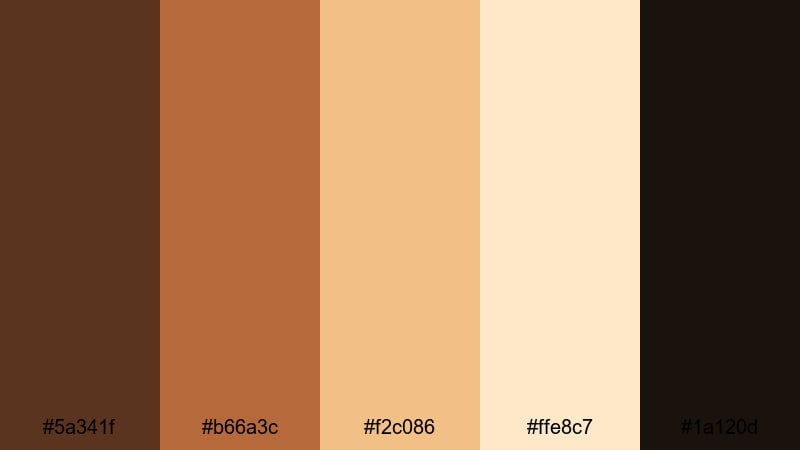
- HEX Codes: #5a341f, #b66a3c, #f2c086, #ffe8c7, #1a120d
- Mood: Cozy, cinematic, and grounded with a handcrafted feel.
- Use for: Perfect for vlog intros, slow-travel montages, and storytelling thumbnails that need a warm, artisanal look.
Sunset Forge Glow feels like warm light slipping through a workshop window. Deep brown (#5a341f) and near-black shadow (#1a120d) create a solid base, while molten copper (#b66a3c) and soft highlights (#f2c086, #ffe8c7) add that glowing golden-hour finish. It is ideal when you want your content to feel tactile, handmade, and cinematic at the same time.
Use this palette for travel vlogs, craft or maker channels, and lifestyle intros where you show hands, textures, tools, and everyday details. In Filmora, you can apply these HEX codes to titles, callouts, overlay shapes, and subtle gradients around your subject, then match your color grading to the same brown copper range for cohesive thumbnails, shorts, and full-length edits.
Pro Tip: Build a Cinematic Brown Copper Look in Filmora
To keep a brown copper look consistent from your intro to your outro, build a simple style system inside Filmora. Use the darkest shade (#1a120d) for text outlines or subtle vignettes, keep your main titles in a lighter copper (#f2c086), and reserve the rich brown (#5a341f) for lower thirds and frames. Once you like the combination, save those elements as custom presets so every new video automatically sits in the same warm, forged atmosphere.
You can also copy and paste color correction settings across clips so your B-roll, A-roll, and cutaway shots all share the same coppery warmth. This makes your channel instantly recognizable, especially when viewers scroll past your thumbnails in a crowded feed.
AI Color Palette
If you already have a reference photo with the exact brown copper mood you want, you can let Filmora do the heavy lifting. Filmora's AI Color Palette feature can read that image, extract its overall color mood, and apply a matching palette to the rest of your timeline. This is perfect when you want all your clips to share the same Sunset Forge Glow tone without manual tweaking.
Import your reference still, pick a hero clip that looks exactly how you like, and let the AI spread that brown copper contrast and warmth across your vlog, montage, or short. It keeps skin tones natural while pushing the shadows and midtones into a cohesive cinematic look.
 secure download

HSL, Color Wheels & Curves
For finer control over brown copper, use Filmora's HSL sliders, color wheels, and curves. Slightly raising the red and orange saturation while lowering yellow will push your browns toward copper without making skin look oversaturated. In the color wheels, warm up the midtones but keep highlights neutral so text and bright objects remain clean and readable. Filmora's advanced color correction tools let you do all of this with simple, visual controls.
On the curves, a soft S-shape can add contrast to your dark browns and coppers, helping details pop in shadows without crushing them. This is especially useful for workshop shots, wood textures, and city scenes at golden hour where you want mood, but also clarity.
secure download1000+ Video Filters & 3D LUTs
If you want a fast brown copper look without manual grading, explore Filmora's filters and LUTs. Warm, vintage, and cinematic presets can push your footage toward this palette with a single click, then you simply tweak intensity to taste. Filmora's video filters and 3D LUTs make it easy to give your whole edit a consistent brown copper vibe that feels polished.
Apply a warm film LUT to your base layer, then stack subtle glow or vignette filters to deepen the handcrafted mood. You can save your favorite combinations as custom presets, so every new vlog, reel, or product video instantly matches the look of your channel.
secure downloadAutumn Hearth Ember
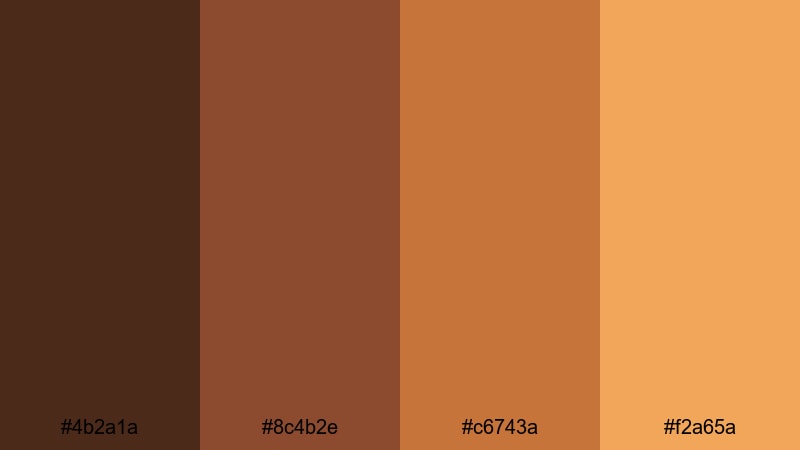
- HEX Codes: #4b2a1a, #8c4b2e, #c6743a, #f2a65a
- Mood: Inviting, nostalgic, and softly dramatic.
- Use for: Ideal for cozy home vlogs, recipe videos, and thumbnail backgrounds that evoke fall warmth and comfort.
Autumn Hearth Ember blends deep chestnut (#4b2a1a) with glowing copper and pumpkin gold (#c6743a, #f2a65a) for a pure fall feeling. It is the visual equivalent of candles, blankets, and a pot simmering on the stove.
Use this palette for recipe overlays, handwritten-style titles, and end screens that promise comfort and homeliness. In thumbnails, combine the darkest tone as a background with bright copper for text so your cozy content stands out against cooler feeds.
Aged Whiskey Studio
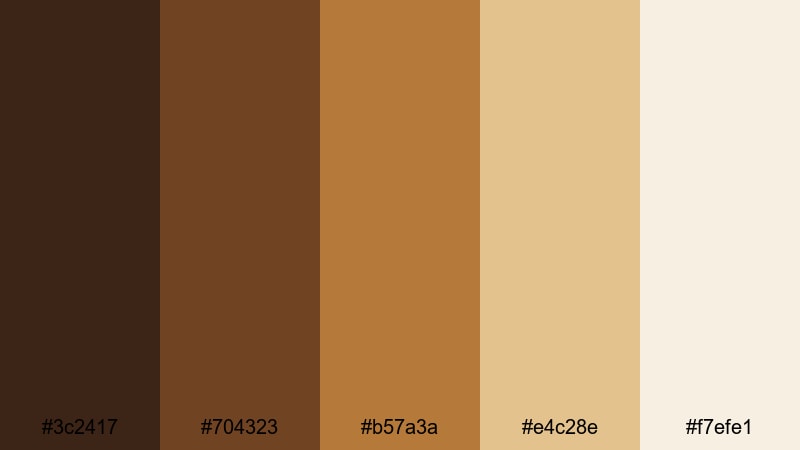
- HEX Codes: #3c2417, #704323, #b57a3a, #e4c28e, #f7efe1
- Mood: Luxurious, mature, and reflective with a vintage twist.
- Use for: Great for cinematic B-roll, brand intros, and documentary titles that need a refined, bar-lounge atmosphere.
Aged Whiskey Studio mixes barrel-dark browns (#3c2417) with honeyed copper (#b57a3a) and creamy highlights (#f7efe1). The result feels like a dimly lit bar or a classic lounge shot on vintage lenses.
It works beautifully for product shots, especially glass, metal, and leather. Use the lightest tones for elegant serif titles, and keep darker browns for frames, logo reveals, and end cards to build a premium, contemplative identity around your content.
Handcrafted Terracotta Brand
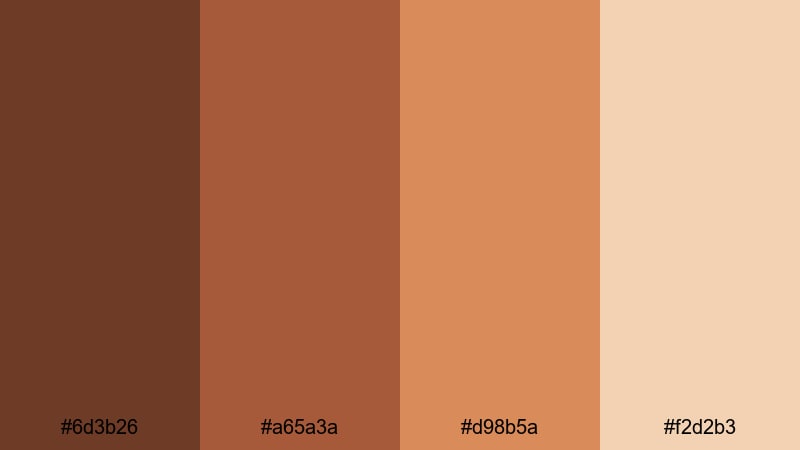
- HEX Codes: #6d3b26, #a65a3a, #d98b5a, #f2d2b3
- Mood: Artisanal, grounded, and friendly.
- Use for: Use in maker-channel branding, Etsy-style openings, and logo animations that highlight handmade or sustainable stories.
Handcrafted Terracotta Brand leans into clay-like oranges and soft creams. The terracotta midtones (#a65a3a, #d98b5a) feel sunbaked and earthy, while the pale highlight (#f2d2b3) keeps everything approachable and bright.
Apply this palette to YouTube channel art, logo stings, and overlay labels that highlight materials or processes. It is perfect for pottery, DIY, upcycling, and sustainable lifestyle content that needs to feel human and honest without looking dull.
Modern Minimal Brown Copper Palettes
Urban Loft Copper
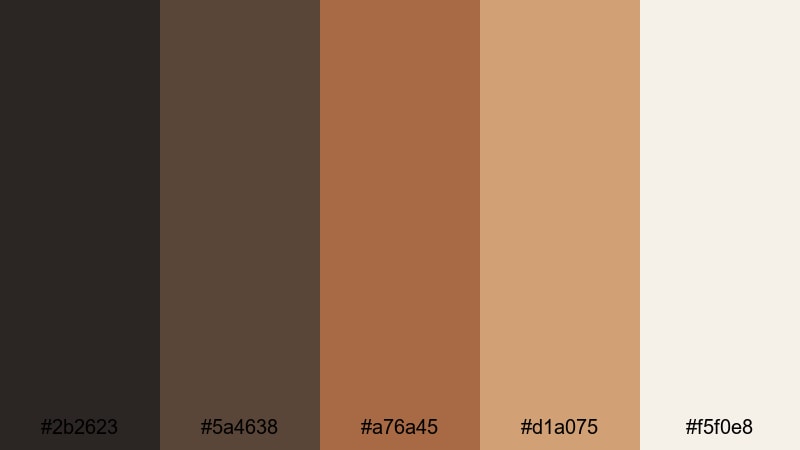
- HEX Codes: #2b2623, #5a4638, #a76a45, #d1a075, #f5f0e8
- Mood: Modern, sleek, and quietly sophisticated.
- Use for: Ideal for tech reviews, studio tours, and minimal thumbnail layouts that need warmth without losing a clean aesthetic.
Urban Loft Copper balances industrial neutrals (#2b2623, #5a4638) with warm metal accents (#a76a45, #d1a075) and a soft off-white (#f5f0e8). It captures the look of a renovated warehouse studio with copper fixtures and clean lines.
Use the lighter tones for minimal backgrounds and drop your gear or product in the center for clean, high-contrast thumbnails. Copper accents work perfectly on timeline markers, callouts, and chapter titles in tech or productivity videos, adding warmth without clutter.
Clean Studio Hardware
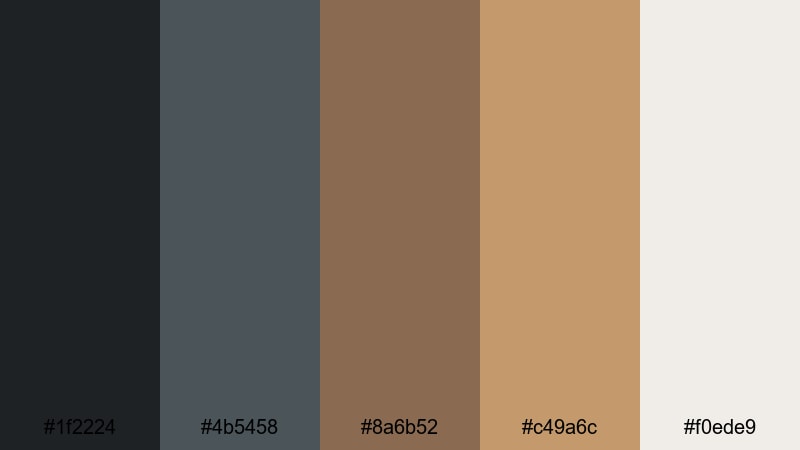
- HEX Codes: #1f2224, #4b5458, #8a6b52, #c49a6c, #f0ede9
- Mood: Cool, professional, and subtly warm.
- Use for: Great for gear reviews, unboxing videos, and UI overlays where you want a neutral base with a hint of metallic character.
Clean Studio Hardware combines graphite grays (#1f2224, #4b5458) with brushed copper browns (#8a6b52, #c49a6c). The off-white (#f0ede9) adds a crisp, editorial feel, reminiscent of camera bodies and studio gear.
This palette is perfect for overlays, on-screen specs, and side-by-side comparison layouts. It keeps your content professional while the copper notes prevent it from feeling cold or clinical.
Matte Interface Bronze
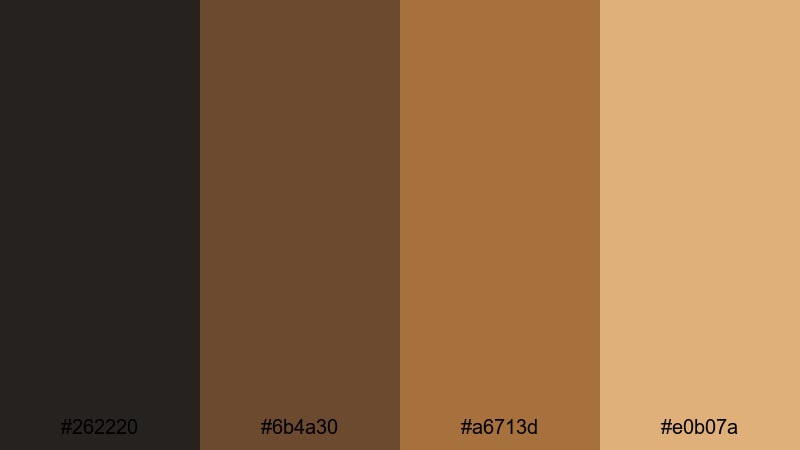
- HEX Codes: #262220, #6b4a30, #a6713d, #e0b07a
- Mood: Structured, minimal, and confidently warm.
- Use for: Use for lower thirds, UI elements, and title cards in tutorials or SaaS explainers that need clarity and style.
Matte Interface Bronze uses structured browns (#262220, #6b4a30) and controlled bronze highlights (#a6713d, #e0b07a) to mimic a clean dashboard interface. It feels intentional and designed, with enough warmth to stay inviting.
Try this palette for UI mockups on screen, tutorial chapter titles, and infographics in your videos. The darker shades keep backgrounds calm, while the bronze tones guide attention to key labels, call-to-action buttons, or timestamps.
Nordic Copper Accents
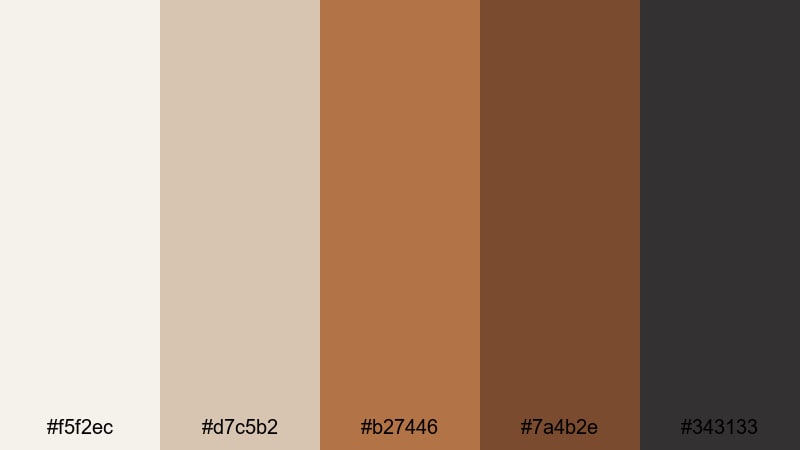
- HEX Codes: #f5f2ec, #d7c5b2, #b27446, #7a4b2e, #343133
- Mood: Airy, balanced, and design-forward.
- Use for: Perfect for branding videos, UI mockups, and minimalist thumbnails where light neutrals meet curated copper details.
Nordic Copper Accents mixes soft creams (#f5f2ec) and gentle beiges (#d7c5b2) with carefully placed copper (#b27446) and charcoal (#343133). It recalls Scandinavian interiors where white walls highlight a few metal accents.
Use the light neutrals as your main canvas for minimalist thumbnails and talking-head backgrounds, then drop copper into titles, icons, and logo reveals. The result feels modern and curated, especially for design, architecture, and lifestyle channels.
Soft Cinematic Brown Copper Palettes
Candlelit Storytelling
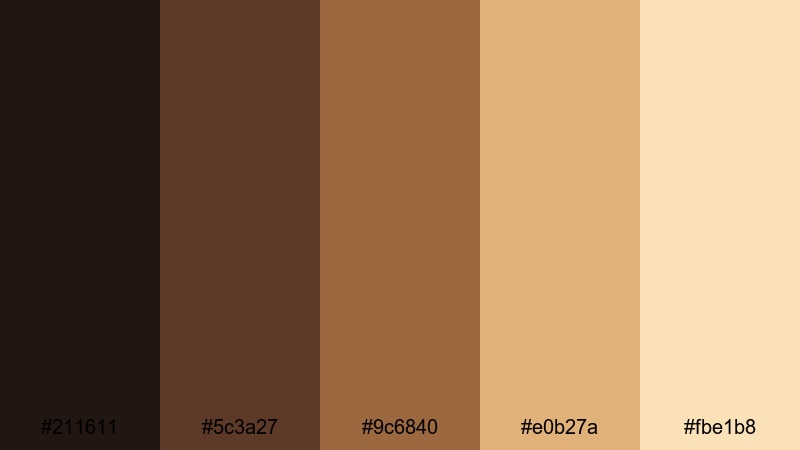
- HEX Codes: #211611, #5c3a27, #9c6840, #e0b27a, #fbe1b8
- Mood: Intimate, romantic, and narrative-driven.
- Use for: Ideal for sit-down storytime videos, wedding highlights, and emotional short films that lean on warm, soft lighting.
Candlelit Storytelling flows from inky brown shadow (#211611) to candle-glow copper and peach (#9c6840, #e0b27a, #fbe1b8). It wraps scenes in a gentle halo, like light from a single lamp in a quiet room.
Use it to grade storytime videos, confessionals, and wedding highlights where emotion matters more than sharp contrast. Soft overlays, warm vignettes, and light leaks in these colors can turn simple talking-head shots into cinematic moments.
Vintage Film Grain
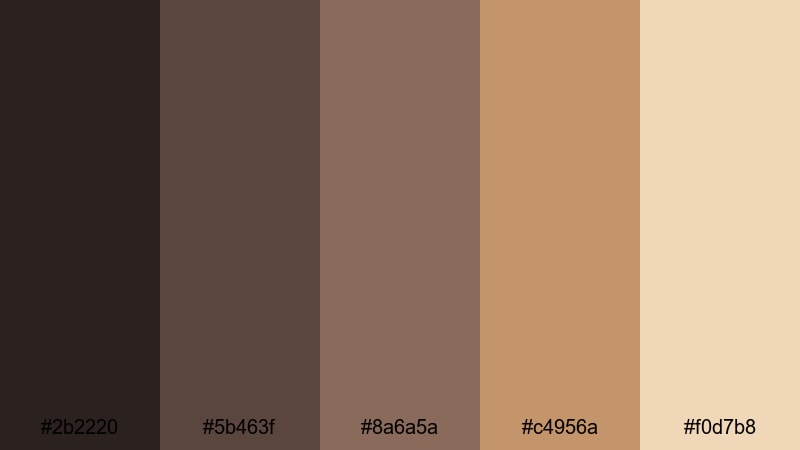
- HEX Codes: #2b2220, #5b463f, #8a6a5a, #c4956a, #f0d7b8
- Mood: Nostalgic, analog, and gently desaturated.
- Use for: Great for travel diaries, retro edits, and title sequences that emulate classic film stock and subtle grain.
Vintage Film Grain leans into muted browns and worn copper (#8a6a5a, #c4956a) with creamy highlights (#f0d7b8). It feels like an old postcard or faded photo print, especially when paired with soft contrast.
Use this in travel diaries, memory sequences, and retro edits. Add a grain filter and a subtle vignette in Filmora while sticking to these HEX codes for titles and overlays to create a cohesive, analog-inspired aesthetic.
Dusky Copper Fade
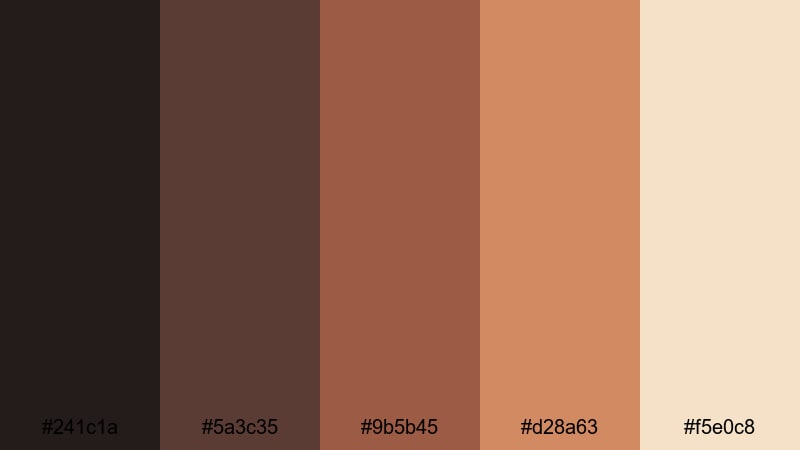
- HEX Codes: #241c1a, #5a3c35, #9b5b45, #d28a63, #f5e0c8
- Mood: Dreamy, moody, and softly dramatic.
- Use for: Perfect for sunset b-roll, mood reels, and cinematic reels where you want gentle color shifts and emotional depth.
Dusky Copper Fade moves from smoky brown (#241c1a) through cinnamon and copper (#5a3c35, #9b5b45, #d28a63) into a pale, skin-safe highlight (#f5e0c8). It feels like the last light of day as it fades into blue hour.
This palette works well for slow-motion b-roll, romantic cityscapes, and emotional close-ups. Use it in reels or shorts with soft transitions and lens flares, and keep your text in the lighter tones to stay readable against the moody background.
Soft Brewed Latte
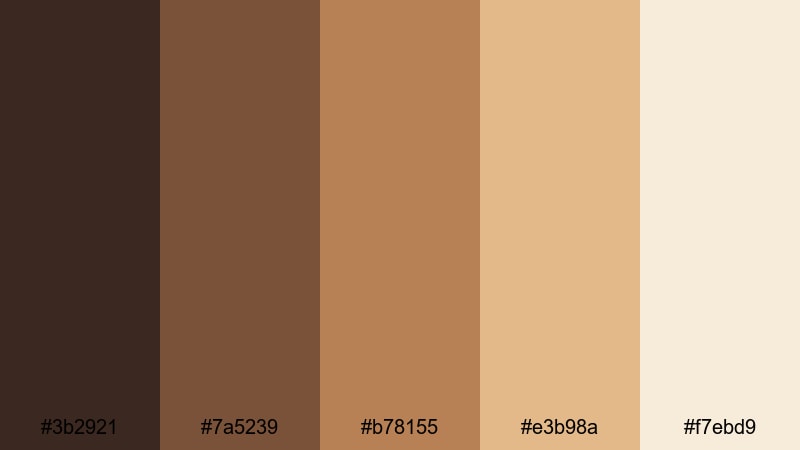
- HEX Codes: #3b2921, #7a5239, #b78155, #e3b98a, #f7ebd9
- Mood: Comforting, relaxed, and lifestyle-friendly.
- Use for: Use in cafe vlogs, productivity content, and study-with-me videos where you want a calm, approachable ambiance.
Soft Brewed Latte blends coffee browns (#3b2921, #7a5239) with latte foam coppers and creams (#b78155, #e3b98a, #f7ebd9). It feels like a quiet morning with a warm mug and soft daylight.
Use it for productivity vlogs, journaling sessions, and study-with-me videos. Let the lighter shades handle backgrounds and text blocks, while the deeper tones frame your workspace and on-screen notes, creating a calm, approachable environment for viewers.
Bold Metallic Brown Copper Palettes
Neon Copper Contrast
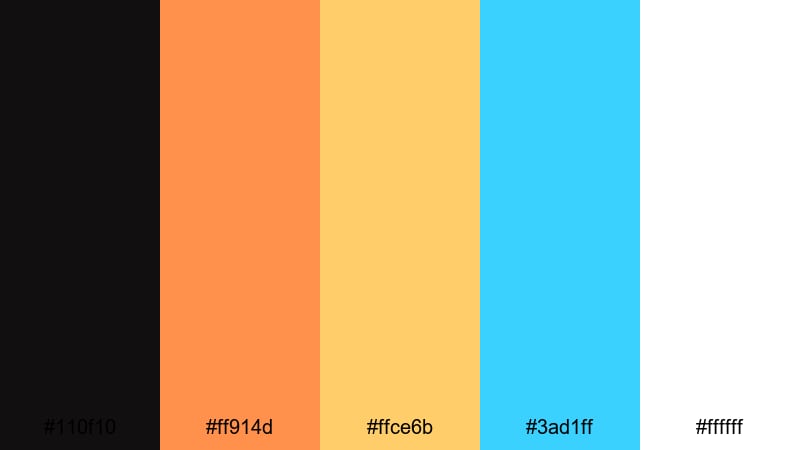
- HEX Codes: #110f10, #ff914d, #ffce6b, #3ad1ff, #ffffff
- Mood: Energetic, high-contrast, and futuristic.
- Use for: Ideal for gaming overlays, high-energy promos, and attention-grabbing thumbnails that pop in feeds.
Neon Copper Contrast pairs deep, almost-black brown (#110f10) with blazing copper and gold (#ff914d, #ffce6b), then adds neon cyan (#3ad1ff) and clean white (#ffffff). It feels like copper under cyberpunk lights.
Use this palette when you need maximum impact: gaming highlights, flashy promo edits, or bold shorts. Dark backgrounds with copper titles and cyan accent lines make UI elements and stats pop, driving clicks and watch time.
Stage Light Alloy
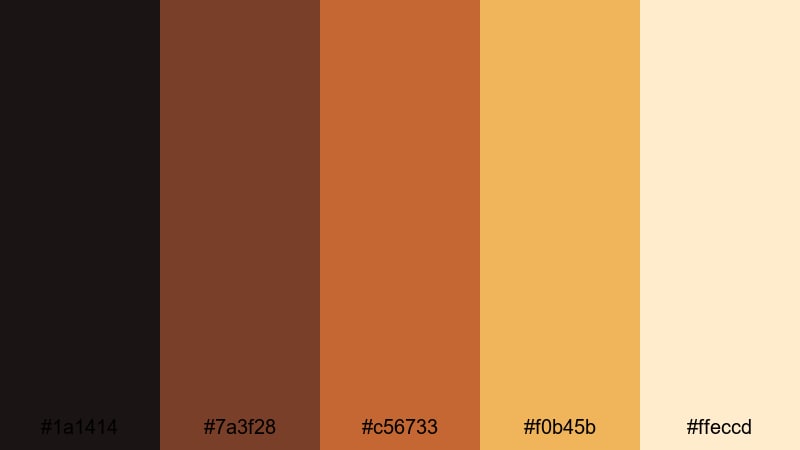
- HEX Codes: #1a1414, #7a3f28, #c56733, #f0b45b, #ffeccd
- Mood: Dramatic, show-ready, and spotlight-driven.
- Use for: Great for event recaps, concert edits, and title cards where stage lighting and warm highlights are key.
Stage Light Alloy contrasts dark stage shadows (#1a1414) with copper spotlights and golden gels (#7a3f28, #c56733, #f0b45b). The cream (#ffeccd) feels like reflected light on faces and instruments.
Use it for live event recaps, concert montages, dance reels, and performance intros. Build animated titles in copper and gold against the dark base to mimic stage lights switching on as your edit begins.
Cyber Copper Highlight
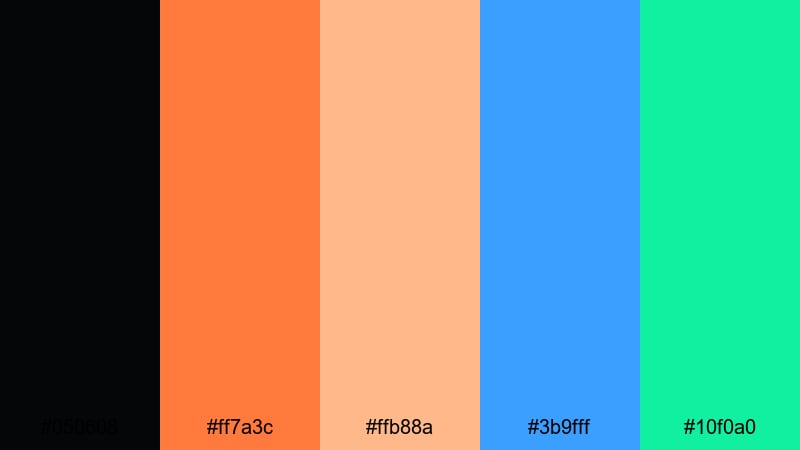
- HEX Codes: #050608, #ff7a3c, #ffb88a, #3b9fff, #10f0a0
- Mood: Techy, bold, and distinctly modern.
- Use for: Perfect for motion graphics, logo stings, and shorts where metallic warmth meets digital neon accents.
Cyber Copper Highlight starts with a deep digital black (#050608) and lights it up with electric copper (#ff7a3c), soft peach (#ffb88a), sky blue (#3b9fff), and mint neon (#10f0a0). It bridges industrial metal with bright UI-style colors.
Use it for motion graphics packages, logo stings, glitch transitions, and futuristic explainers. Copper can be your hero brand tone, while blue and mint act as accent signals for buttons, icons, and progress bars on screen.
Tips for Creating Brown Copper Color Palettes
Brown copper is flexible enough to feel rustic, modern, or futuristic. The key is how you combine it with shadows, highlights, and accent colors. Here are practical tips to build strong palettes for video and design.
- Balance warm and cool: Pair warm brown copper with either cool grays or soft creams so the warmth stands out without overpowering your footage.
- Protect readability: Use your darkest shade for backgrounds and the lightest for text, or invert this with solid text blocks, to keep titles clear on small screens.
- Limit accent colors: Choose one or two accent hues (like teal, cyan, or mint) to support brown copper, not compete with it.
- Match footage and graphics: When color grading in Filmora, nudge shadows and midtones toward your chosen copper range so your overlays and titles feel integrated.
- Use contrast for thumbnails: High contrast between dark browns and bright copper or cream helps thumbnails stand out on YouTube and social feeds.
- Keep skin tones natural: If your palette is very warm, ease back on orange saturation in HSL so faces look healthy, not overly tanned.
- Stay consistent across assets: Reuse the same HEX codes in intros, lower thirds, end screens, and channel art to build a recognizable brand identity.
- Test on different devices: Check how your brown copper palette looks on phones, tablets, and desktops; adjust brightness and saturation if it appears too dark or washed out.
Brown copper color palettes are powerful tools for shaping mood, storytelling, and brand identity. From rustic workshops to neon-lit stages, the right combination of browns, coppers, and highlights can make your videos feel cohesive and intentional.
Use these 15 palettes as plug-and-play starting points. Drop the HEX codes into your titles, overlays, and brand elements, then match your footage inside Filmora using color grading tools, AI Color Palette, and LUTs so everything shares the same visual language.
The more you experiment, the more you will discover which brown copper style truly fits your channel or project. Try a few different palettes in Filmora, save your favorites as presets, and build a consistent look that viewers recognize at a glance.
secure downloadNext: Zen Color Palette
