

 100% Security Verified | No Subscription Required | No Malware


 ChatGPT
 Perplexity
 Gemini
 Claude
 Grok
Grok
Skin-toned colors feel familiar, human, and calming. They echo real complexions, natural light, and soft textiles, which is why they are so effective at building trust and warmth in visual content. In video editing, a skin color palette can make faces look cohesive across different shots, help thumbnails feel inviting instead of harsh, and give intros a subtle, cinematic polish.
For creators and Filmora users, working with structured skin color palettes and precise HEX codes makes it much easier to match branding, overlays, and graphics to the way real skin appears on screen. Below you will find 15 curated skin color palettes with HEX values you can use for video edits, YouTube thumbnails, intros, social media covers, and design work.
In this article
Soft & Natural Skin Color Palettes
Sunlit Linen Glow
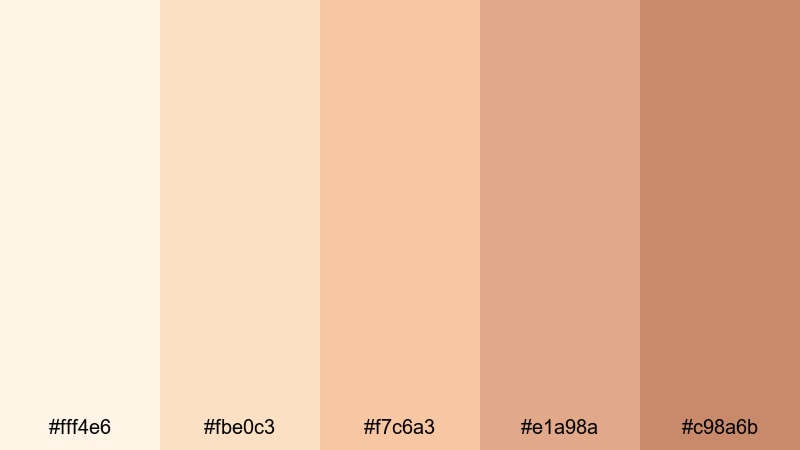
- HEX Codes: #fff4e6, #fbe0c3, #f7c6a3, #e1a98a, #c98a6b
- Mood: Gentle, warm, and comforting like late-morning sunlight on skin.
- Use for: Ideal for lifestyle vlogs, cozy talking-head videos, and soft product shots that need a natural glow.
Sunlit Linen Glow feels like a quiet morning with light streaming through sheer curtains. The creamy whites and light tans give skin a flattering, diffused warmth, while the deeper beige adds just enough structure to avoid looking washed out. On camera, this palette softens hard edges and keeps complexions looking healthy and approachable.
Use these HEX codes for lower-thirds, titles, and thumbnail backgrounds when you want your face or your subject to stay center stage without loud colors stealing attention. In Filmora, you can apply this palette to text, callouts, and overlays across intros, b-roll, and end screens so everything shares the same glowing, natural skin aesthetic.
Pro Tip: Keep Your Skin Glow Consistent With Filmora
When you build a soft palette like Sunlit Linen Glow, consistency is what makes it feel intentional and professional. In Filmora, you can reuse these HEX values in your color picker for titles, shapes, and graphics so your warm creams and tans match from your intro sequence to your outro card.
Save your favorite combinations as custom presets and apply them to multiple projects. That way, your lifestyle or vlog channel keeps the same gentle glow in every video, Story export, and short-form edit without manually recreating the look each time.
AI Color Palette
If you have a reference image that nails this airy skin look, Filmora's AI Color Palette feature can analyze it and spread that color mood across your edit. You can grab a still frame with perfect skin tones or a brand mood board and let the AI match your footage to that reference.
This is especially useful when you film in different locations or lighting conditions but want your thumbnails, A-roll, and B-roll to share the same cream-and-tan harmony. The AI Color Palette will help you keep skin tones cohesive while preserving natural detail and texture.
 secure download

HSL, Color Wheels & Curves
Even within a soft skin palette, you may want more contrast or a cooler or warmer shift. Filmora's HSL and color wheels let you subtly adjust oranges, yellows, and reds to fine-tune how skin appears without affecting the entire frame. Push midtones slightly warmer for a cozier look or pull the highlights cooler for a more editorial feel.
You can also use curves to protect skin while lifting shadows or muting bright backgrounds. For a deeper dive into these controls, check out this Filmora color grading tutorial on YouTube and apply those techniques to keep your Sunlit Linen Glow tones refined but natural.
secure download1000+ Video Filters & 3D LUTs
If you want to push Sunlit Linen Glow into a more stylized direction, Filmora's video filters and 3D LUTs make it easy to experiment without losing your base skin palette. You can stack gentle warm filters, film-style LUTs, or vignette effects to add character while keeping the creams and tans consistent.
Save a few favorite combinations as presets for your channel. Then apply them to every new upload so your thumbnails, openers, and mid-roll graphics always carry the same soft, sunlit identity.
secure downloadMorning Dew Complexion
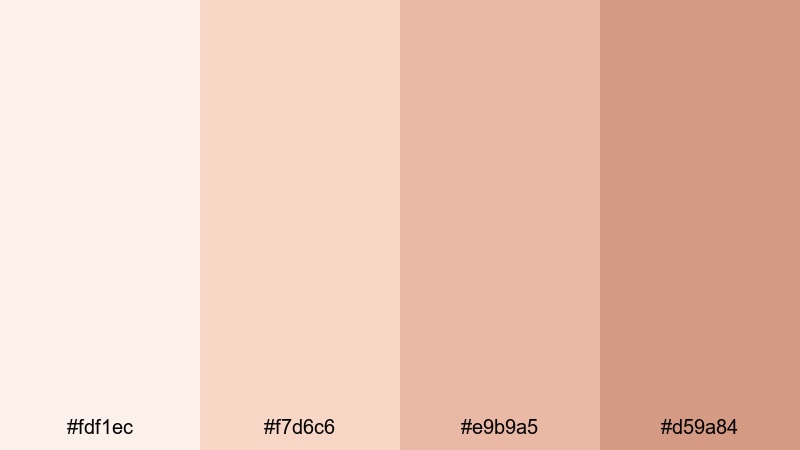
- HEX Codes: #fdf1ec, #f7d6c6, #e9b9a5, #d59a84
- Mood: Fresh and delicate with a dewy, just-awake softness.
- Use for: Best for beauty tutorials, GRWM videos, and skincare reels that lean into a fresh-faced aesthetic.
Morning Dew Complexion blends soft peaches and warm nudes to create a dewy, barely-there skin finish. It feels like natural makeup and good lighting instead of heavy filters, which helps audiences trust what they are seeing in skincare or beauty content.
Use these tones for background gradients, lower-thirds, and subtle borders on your GRWM thumbnails. In Filmora, pair the lightest shade with delicate white typography for product callouts, and use the deeper nudes for buttons or subscribe banners so they stand out while still matching your fresh, skin-first look.
Muted Sand Portraits
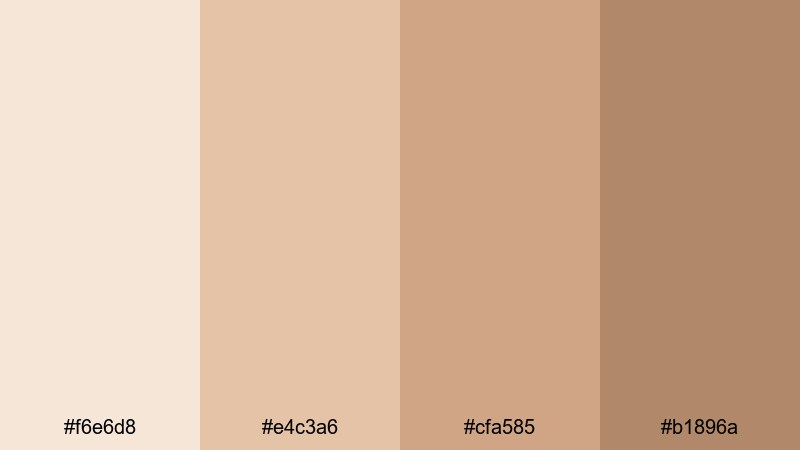
- HEX Codes: #f6e6d8, #e4c3a6, #cfa585, #b1896a
- Mood: Calm, grounded, and quietly cinematic.
- Use for: Great for portrait interviews, documentary storytelling, and minimal brand intros with a human-focus.
Muted Sand Portraits leans into desaturated sands and warm browns that feel calm and grounded. Skin tones appear authentic but subtly polished, which works beautifully for interviews, testimonials, and creator profiles.
Try using the lighter sand as a neutral background color for interview lower-thirds, and the deeper browns for title cards and chapter markers. On YouTube thumbnails, this palette helps faces stand out without bright, clickbait colors, which is ideal for serious topics or documentary-style content edited in Filmora.
Featherlight Beige Harmony
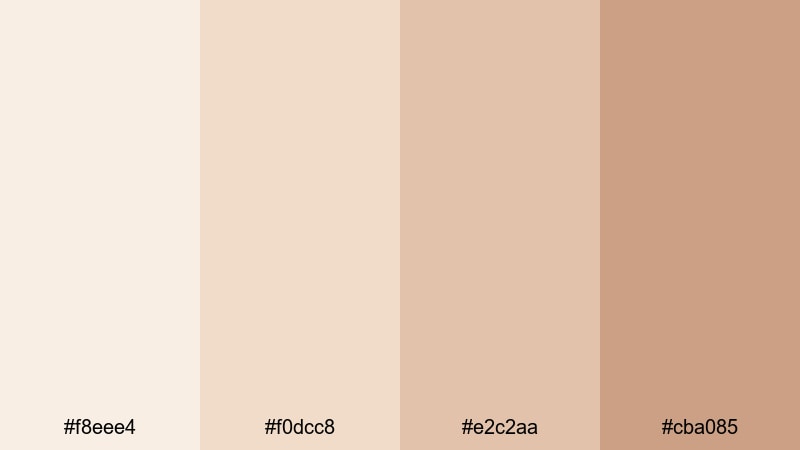
- HEX Codes: #f8eee4, #f0dcc8, #e2c2aa, #cba085
- Mood: Balanced, airy, and understatedly elegant.
- Use for: Perfect for minimalist channels, interior walkthroughs, and branding that favors a clean, neutral base.
Featherlight Beige Harmony is all about subtlety. Its pale beiges and gentle tans create an elegant, almost weightless foundation that does not compete with your footage. It lets skin appear soft and even, especially when you are shooting in bright, natural interiors.
Apply these HEX codes to your channel branding, watermark, and motion graphics in Filmora so your visual identity stays minimal and breathable. This palette is great for thumbnail borders, text backplates, and simple intro screens when you want a clean, high-end feel without stark whites.
Warm & Radiant Skin Color Palettes
Golden Hour Melanin
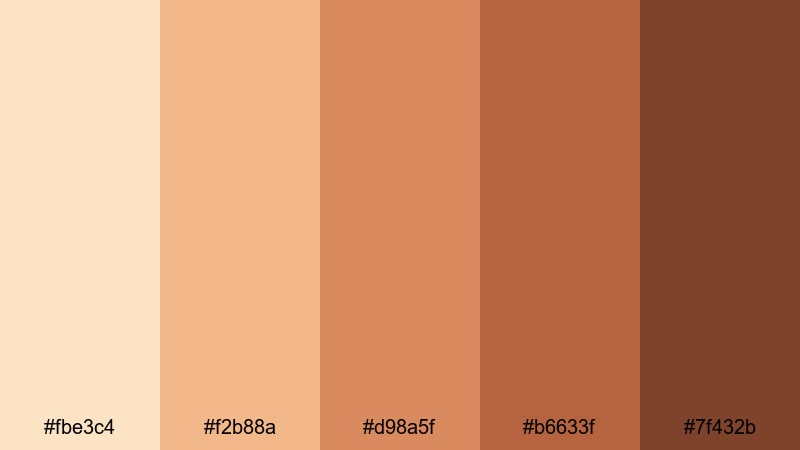
- HEX Codes: #fbe3c4, #f2b88a, #d98a5f, #b6633f, #7f432b
- Mood: Sun-drenched, confident, and radiant.
- Use for: Ideal for travel vlogs, outdoor lifestyle content, and fashion lookbooks shot in warm light.
Golden Hour Melanin captures the rich, glowing spectrum of skin in late-afternoon sun. From soft apricot highlights to deep caramel shadows, it gives melanin-rich complexions a confident, radiant presence that feels powerful and cinematic.
Use the lighter tones as sky-tinted backgrounds or highlight colors in your titles, and the darker browns for bold typography, frames, and drop shadows. For travel and fashion thumbnails, this palette can unify sunset backdrops, outfits, and skin tones so the whole frame feels like golden hour, even if the footage was shot at different times.
Terracotta Warmth
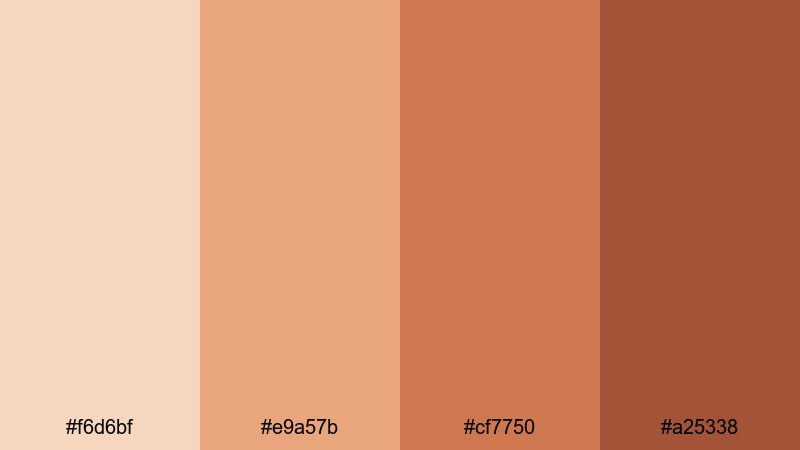
- HEX Codes: #f6d6bf, #e9a57b, #cf7750, #a25338
- Mood: Earthy, bold, and full of character.
- Use for: Use for fashion hauls, cozy fall content, and product promos that need a rich, editorial warmth.
Terracotta Warmth wraps your visuals in clay oranges and baked browns that feel earthy and stylish. It is especially flattering on warm and neutral skin tones, giving cheeks and lips a gentle boost while making fall outfits and wooden interiors feel cohesive.
Apply the mid and deep terracottas to thumbnail titles and call-to-action buttons, and keep the lighter beige for backgrounds or sidebars in your layouts. In Filmora, color-match your lower-thirds, split-screen borders, and end-card graphics to these HEX codes so your entire haul, lookbook, or fall day-in-my-life series carries the same editorial warmth.
Honey Bronze Studio
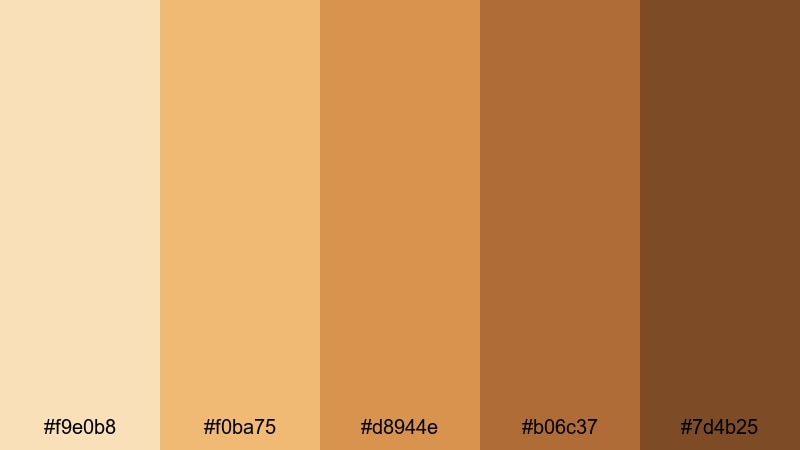
- HEX Codes: #f9e0b8, #f0ba75, #d8944e, #b06c37, #7d4b25
- Mood: Luxurious, polished, and studio-ready.
- Use for: Perfect for commercials, product hero shots, and polished talking-head videos with controlled lighting.
Honey Bronze Studio feels like a perfectly lit beauty ad. Honey gold highlights and bronzed midtones give faces a sleek, professional sheen while the deeper browns add sophisticated depth around the edges of your frame.
This palette works well for premium branding, sponsored segments, and hero product shots where you want luxury but still need skin to look real. Use the lighter golds in glow lines or light streak graphics, and the richer browns for logo blocks, frames, or typography to make your studio content feel cohesive and high-end.
Rosewood Warm Highlight
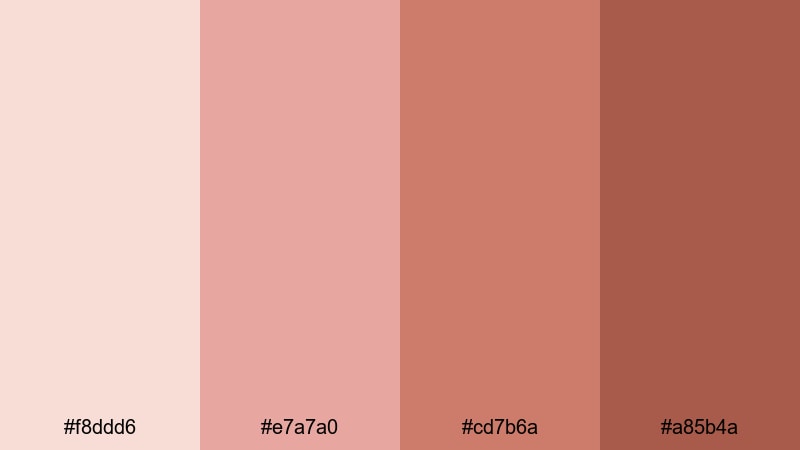
- HEX Codes: #f8ddd6, #e7a7a0, #cd7b6a, #a85b4a
- Mood: Romantic, intimate, and slightly dramatic.
- Use for: Great for wedding highlights, romantic reels, and beauty edits centered on warm blush and lips.
Rosewood Warm Highlight leans into rosy nudes and wood-toned browns that emphasize cheeks and lips. It adds an emotional, romantic warmth to close-ups and couple shots without going neon or overly saturated.
Ombre text, gradient overlays, and soft light leaks in these HEX colors can make wedding highlight videos and romantic reels feel cohesive and cinematic. In Filmora, use the palest rose as a gentle background for titles and layer the deeper rosewood shades for flourishes around rings, bouquets, or beauty product close-ups.
Cool & Cinematic Skin Color Palettes
Cinematic Soft Taupe
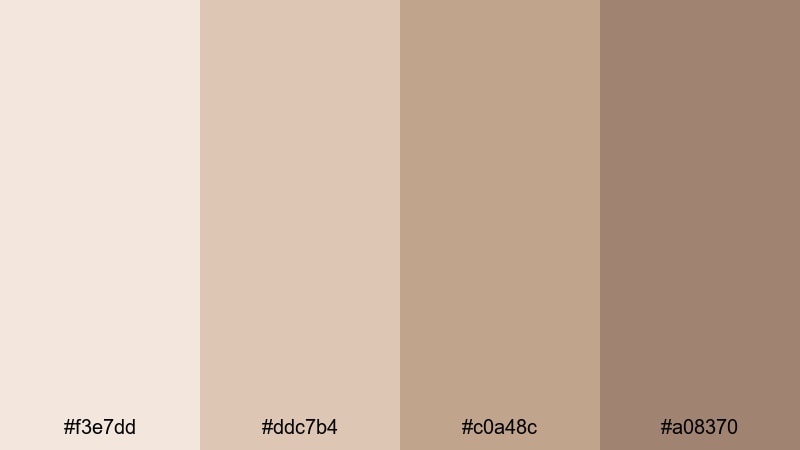
- HEX Codes: #f3e7dd, #ddc7b4, #c0a48c, #a08370
- Mood: Subtle, cinematic, and gently desaturated.
- Use for: Ideal for narrative shorts, indie films, and moodier vlogs with deliberate color grading.
Cinematic Soft Taupe cools down typical skin beiges into a more filmic, restrained palette. The desaturated taupes keep skin natural but understated, which lets your story, framing, and lighting take the lead.
Use these HEX codes for credits, subtitles, and chapter cards when you want to avoid stark white text. In Filmora, pair this palette with a gentle contrast curve and slight desaturation to achieve that indie-film feel in narrative shorts, cinematic vlogs, or storytelling-based content.
Overcast Studio Tone
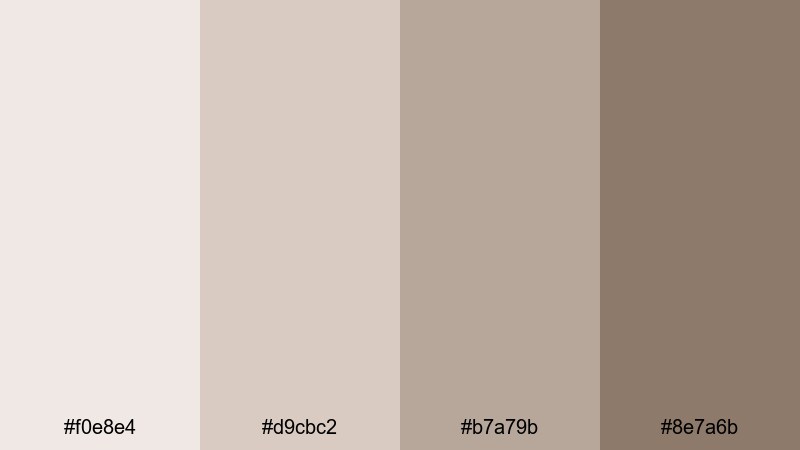
- HEX Codes: #f0e8e4, #d9cbc2, #b7a79b, #8e7a6b
- Mood: Calm, professional, and slightly moody like an overcast day.
- Use for: Great for tech reviews, educational content, and studio interviews where neutrality matters.
Overcast Studio Tone mimics the calm neutrality of a cloudy day. Cool grays blend into neutral browns to give skin a soft, even look that feels professional and distraction-free, perfect for tech explainers or serious educational content.
Make your slide-style graphics, chapter markers, and info boxes match these HEX codes so that nothing in the frame is screaming for attention. In Filmora, this palette works especially well with softbox lighting and clean studio setups, keeping focus on your message and on-screen demonstrations.
Cool Rose Undertone
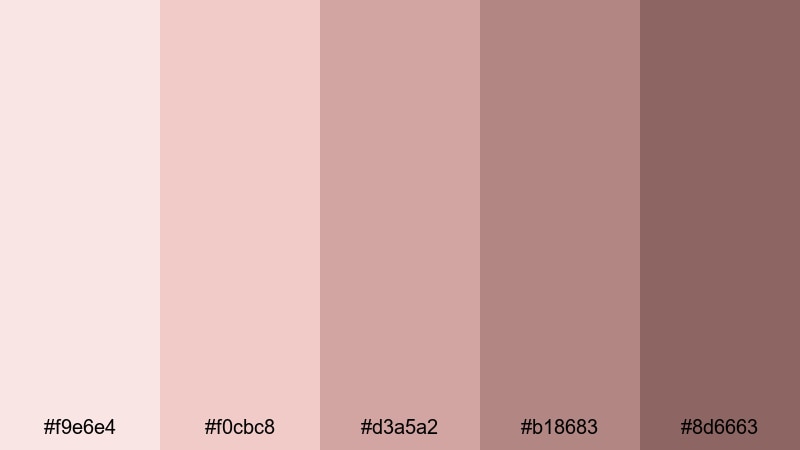
- HEX Codes: #f9e6e4, #f0cbc8, #d3a5a2, #b18683, #8d6663
- Mood: Elegant, introspective, and refined.
- Use for: Perfect for cinematic portraits, poetic voiceovers, and beauty videos with cool undertone aesthetics.
Cool Rose Undertone highlights the natural pink and red notes in many skin tones, especially those with cooler undertones. The rosier beiges and mauve browns add emotional depth and a slightly nostalgic atmosphere to portraits and close-ups.
Use the lighter roses as backgrounds for quotes or poetry overlays, and the deeper mauves for title text and delicate frames. This palette is ideal for introspective vlogs, spoken-word edits, and cool-toned beauty videos, giving them a refined, cohesive color story in Filmora.
Bold Editorial Skin Color Palettes
High Fashion Sepia
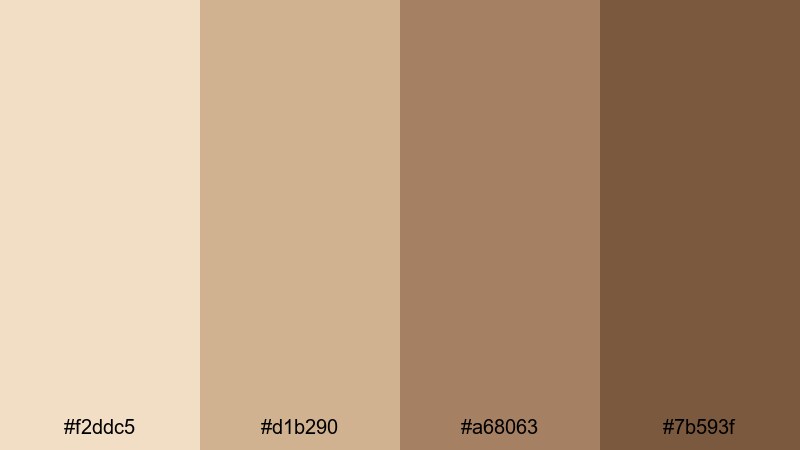
- HEX Codes: #f2ddc5, #d1b290, #a68063, #7b593f
- Mood: Vintage, editorial, and high-impact.
- Use for: Use for lookbooks, experimental edits, and stylized campaign videos with a fashion-forward edge.
High Fashion Sepia transforms skin into a vintage, editorial statement. The creamy beige through rich brown spectrum simulates archival prints and old magazine pages, yet still feels modern when paired with clean design.
Apply these tones to solid-color backgrounds, overlays, and bold typographic layouts in your lookbooks and campaign videos. In Filmora, this palette pairs nicely with subtle grain and vignette effects, plus simple text animations for a runway-ready, art-directed feel.
Runway Cocoa Contrast
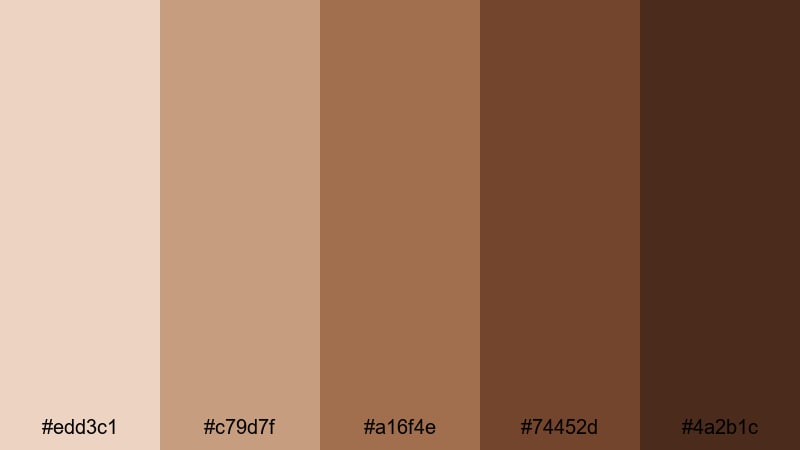
- HEX Codes: #edd3c1, #c79d7f, #a16f4e, #74452d, #4a2b1c
- Mood: Powerful, confident, and statement-making.
- Use for: Ideal for editorial shoots, bold brand intros, and music videos featuring rich skin tones.
Runway Cocoa Contrast centers deep cocoa shades and bold neutrals, giving melanin-rich skin striking shape and shadow. It is a strong, confident palette that makes every frame feel intentional and art-directed.
Use the lightest cocoa as a muted background and the darkest brown for punchy headlines, logo reveals, and lower-thirds. In Filmora, match your text, frames, and graphic shapes to these HEX codes while using contrasty lighting and color grading to carve out sharp, editorial silhouettes.
Editorial Peach Pop
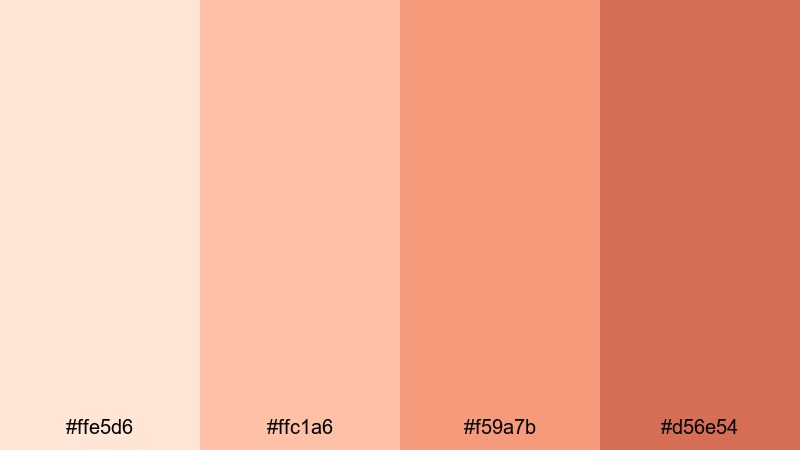
- HEX Codes: #ffe5d6, #ffc1a6, #f59a7b, #d56e54
- Mood: Playful, trendy, and attention-grabbing.
- Use for: Great for YouTube thumbnails, Reels covers, and beauty campaigns that need instant visual pop.
Editorial Peach Pop turns blush and lip tones into the star of the show. The punchy peaches and corals inject instant energy into any frame, making this palette ideal for scroll-stopping thumbnails and campaign covers.
Use the bright mid-peach for large, bold text and the deeper coral for outlining shapes or underlining keywords in your titles. In Filmora, you can color your transitions, stickers, and on-screen graphics with these HEX codes so your short-form clips and long-form beauty videos all share the same vibrant, peachy signature.
Studio Tan Spotlight
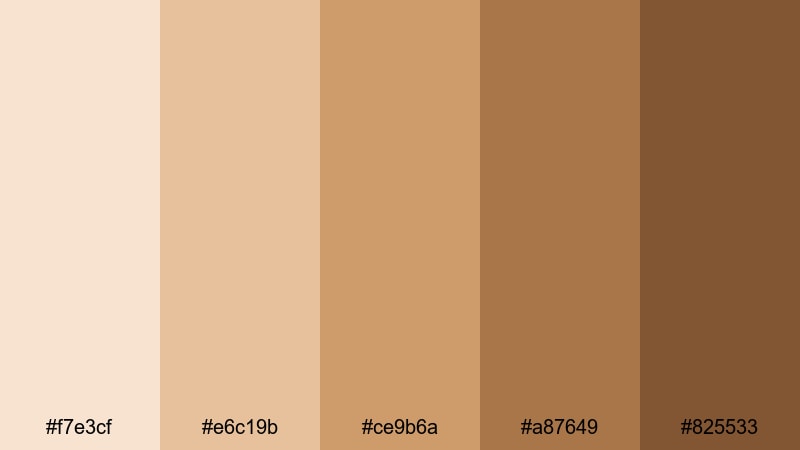
- HEX Codes: #f7e3cf, #e6c19b, #ce9b6a, #a87649, #825533
- Mood: Focused, dramatic, and spotlight-ready.
- Use for: Perfect for studio portraits, banner graphics, and hero sections where the subject must stand out.
Studio Tan Spotlight is built to frame faces like they are on a stage. A range of tans and deep ambers mimics controlled studio lighting, with bright highlights, strong midtones, and sculpted shadows.
Use the lighter tans for clean backdrops behind your subject and the darker ambers for framing boxes, borders, and call-to-action buttons. In Filmora, this palette works well for channel hero graphics, website banners, and profile trailers where you want your portrait to sit in the center of a warm, focused spotlight.
Tips for Creating Skin Color Palettes
Skin-based palettes work best when they feel natural on real faces and cohesive across your entire visual identity. Here are some practical tips to combine skin tones with other colors for video and design.
- Start from actual footage frames: sample colors from cheeks, highlights, and shadows in Filmora, then build your palette around those values for a realistic base.
- Balance light and dark tones: include at least one light background shade, one midtone for accents, and one darker tone for text or contrast so your designs stay readable.
- Limit saturated accent colors: pair soft skin tones with one or two accent hues (like Verdigris or a muted teal) so skins stay natural and your brand still feels distinctive.
- Check thumbnails at small size: zoom out or preview at mobile size to confirm that text on your skin-toned backgrounds is clear and high-contrast.
- Match overlays to grading: once you grade your video in Filmora, adjust overlay colors and titles so they still harmonize with the final skin tones.
- Stay consistent across platforms: reuse the same HEX codes for YouTube banners, end screens, Shorts covers, and Instagram Reels to create a recognizable look.
- Use warm vs cool intentionally: warm skin palettes feel friendly and inviting; cooler palettes feel cinematic and introspective. Choose based on your content style.
- Test on different devices: preview your edits on phone, tablet, and monitor to ensure skin colors and palette elements look good in various brightness and color modes.
Skin color palettes do more than make faces look good. They signal mood, build trust, and quietly shape how viewers experience your brand and stories. Whether you choose soft neutrals, warm terracottas, cool taupes, or bold cocoa tones, the right palette can turn simple footage into a cohesive visual world.
Use these 15 palettes as starting points inside Filmora: apply the HEX codes to titles and overlays, then refine your footage with color grading tools so real skin and design elements blend seamlessly. Experiment, save your favorites as presets, and build a consistent, human-centered look across every video and thumbnail.
With a solid skin palette and the right editing workflow, your content can look polished, cinematic, and unmistakably yours in just a few clicks.
secure downloadNext: Verdigris Color Palette
