

 100% Security Verified | No Subscription Required | No Malware


 ChatGPT
 Perplexity
 Gemini
 Claude
 Grok
Grok
Sleeping Beauty color palettes mix blush pinks, lavender, soft blues, and gentle creams to create a fairytale mood. These hues feel romantic and nostalgic, but still light and hopeful, which makes them perfect for storytelling, character-driven edits, and dreamy brand aesthetics. They suggest warmth, safety, and a touch of magic without overwhelming the viewer.
For video creators, YouTubers, and designers, Sleeping Beauty color combinations work beautifully in thumbnails, intros, lower thirds, wedding highlights, travel vlogs, and social media graphics. Below you will find 15 curated Sleeping Beauty color palettes with precise HEX codes so you can match them easily in Filmora, keep shots consistent, and build a recognizable visual style across all your content.
In this article
Soft & Romantic Sleeping Beauty Color Palettes
Aurora Castle Dawn
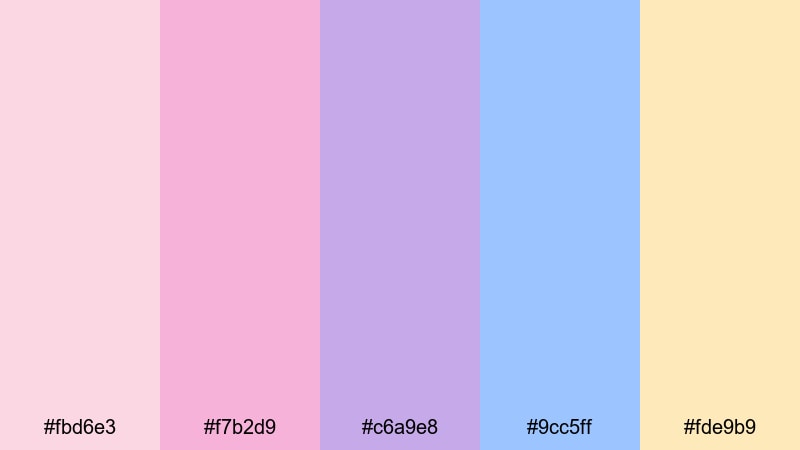
- HEX Codes: #fbd6e3, #f7b2d9, #c6a9e8, #9cc5ff, #fde9b9
- Mood: gentle, hopeful, and fairytale romantic
- Use for: Perfect for dreamy wedding highlight videos, fairytale travel vlogs, and soft cinematic title cards.
Aurora Castle Dawn feels like the sky just before sunrise over a storybook castle. Soft blush pinks and lavender melt into powdery sky blue and a touch of golden light, giving your footage a romantic, almost weightless atmosphere. It is ideal when you want viewers to feel uplifted, safe, and quietly emotional.
Use this palette for wedding highlight films, engagement reels, or dreamy travel vlogs with castles, gardens, and soft morning light. In Filmora, you can design thumbnails and opening title cards that use the pinks for typography and the blue or cream as gentle backgrounds, then echo the same tones in overlays, transitions, and lower thirds for a cohesive Sleeping Beauty themed visual identity.
Pro Tip: Build a Cinematic Sleeping Beauty Look in Filmora
To keep the Aurora Castle Dawn palette consistent, start by sampling your key colors from a reference still or color card and setting them as your design base inside Filmora. Use the warm blush and lavender tones for captions, animated titles, and stickers, and keep the pale blue and cream for backgrounds and subtle gradients. This way, your intro, b-roll, and outro all feel like they belong to the same dreamy universe.
For long-form edits, save your favorite color settings as presets in Filmora and reuse them across different projects. You can match your main video, shorts, and social media teasers so that every piece of content instantly reads as your Sleeping Beauty brand.
AI Color Palette
If you already have a perfect Sleeping Beauty image, such as a wedding photo at dawn or a pastel castle shot, you can use it as a reference inside Filmora. Filmora's AI Color Palette feature lets you extract that look and apply it to all your clips in just a few clicks, so your entire edit shares the same soft pink, lavender, and blue tones.
Import your reference frame, apply AI Color Palette to your timeline clips, and let Filmora automatically match exposure and color balance. You can then fine-tune the strength of the effect so the palette feels natural, not over-processed, while still delivering a clear fairytale mood.
 secure download

HSL, Color Wheels & Curves
Once your base palette is in place, refine it using HSL, color wheels, and curves in Filmora. Slightly desaturate the blues and lift the magentas to keep skin tones flattering, then use the shadows wheel to introduce a hint of cool navy while the highlights stay warm and golden. Filmora's color correction tools make it easy to tweak each hue until the Sleeping Beauty mood feels cinematic instead of flat.
Use curves to gently raise the midtones for a soft, hazy vibe, or create a subtle S-curve if you want more contrast without losing the pastel charm. Apply these adjustments as a layer so you can reuse the same stylized look across all your future fairytale projects.
secure download1000+ Video Filters & 3D LUTs
To speed up your workflow, you can start from ready-made effects and then nudge them toward a Sleeping Beauty look. Filmora's video filters and 3D LUTs make it easy to add soft glows, pastel fades, or cinematic contrast that complement Aurora Castle Dawn without manual tweaking from scratch.
Try a gentle pastel or romantic LUT on your clips, then fine-tune intensity so the blush pinks, lilacs, and blues stay subtle. Combine filters with light vignette or diffusion effects to get that dreamy, castle-at-dawn feeling in just a few steps.
secure downloadRose Petal Slumber
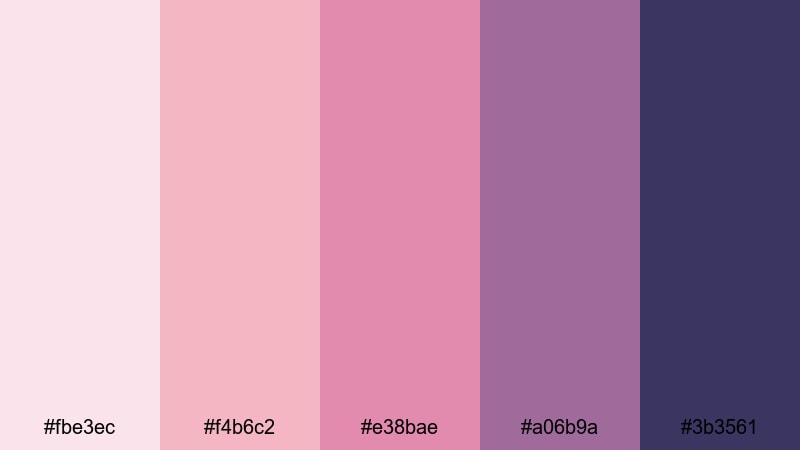
- HEX Codes: #fbe3ec, #f4b6c2, #e38bae, #a06b9a, #3b3561
- Mood: intimate, nostalgic, and tender
- Use for: Ideal for slow-paced romantic montages, storytelling reels, and character-driven short films.
Rose Petal Slumber layers soft rose and blush tones over dusky mauve and deep indigo, like fading daylight through bedroom curtains. It creates an intimate, slightly nostalgic atmosphere that works beautifully for personal stories, memory sequences, or emotional monologues.
Use the lighter pinks for titles, subtitles, and social captions, while the richer mauves and indigo make great backgrounds, frames, or gradients for YouTube thumbnails. In a Filmora timeline, this palette is perfect for slow-paced cuts, subtle crossfades, and delicate overlays that allow your characters and emotions to breathe.
Velvet Canopy Glow

- HEX Codes: #f7d0dd, #df99b8, #b87ba6, #6a5676, #fce6c8
- Mood: warm, cozy, and luxuriously romantic
- Use for: Great for lifestyle vlogs, bedroom makeovers, beauty tutorials, and soft product promos.
Velvet Canopy Glow wraps your visuals in plush pinks and berry mauves, grounded by muted plum and lifted by a candlelit cream highlight. It feels like sinking into a pile of pillows under string lights, which makes it ideal for content that should look cozy, inviting, and a little bit luxurious.
Try using the deeper mauve tones as background blocks for text in beauty tutorials or aesthetic room tours, with the pale cream as accents around call-to-action buttons and overlays. On thumbnails and channel banners, this palette gives beauty, skincare, and lifestyle brands a soft premium look without losing the warmth of a true Sleeping Beauty vibe.
Moonlit Balcony Waltz

- HEX Codes: #f4d9ff, #d0b3ff, #8fa4ff, #4b5f91, #0e1633
- Mood: dreamy, graceful, and slightly mysterious
- Use for: Use for elegant dance sequences, night-time city romances, and cinematic title cards.
Moonlit Balcony Waltz moves from soft lavender and periwinkle into deep midnight blue, echoing a slow dance under a starry sky. The gradient from light to dark gives your frames a graceful, cinematic depth that works well for night scenes and romantic cityscapes.
Use the lighter purples for text and overlays to keep everything readable, while the navy and near-black shades anchor your backgrounds and frames. In Filmora, you can create animated titles that fade from lavender to deep blue, and use this palette in lower thirds, end cards, and channel branding whenever you want a sophisticated Sleeping Beauty night-time feel.
Modern Cinematic Sleeping Beauty Color Palettes
Neon Spellbound Frame
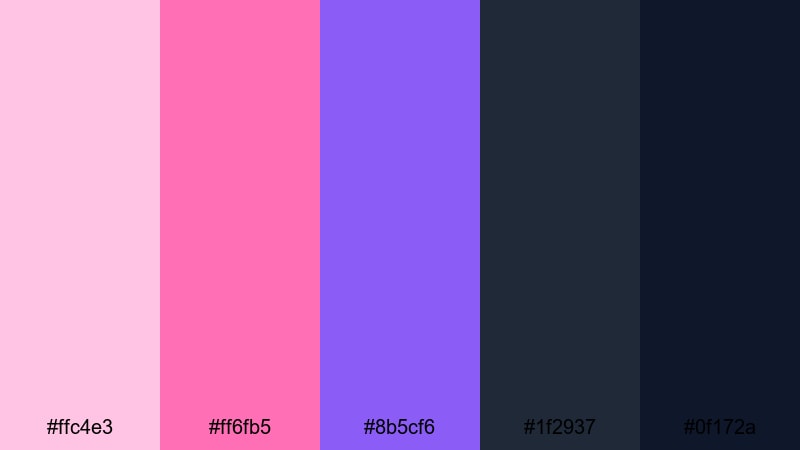
- HEX Codes: #ffc4e3, #ff6fb5, #8b5cf6, #1f2937, #0f172a
- Mood: electric, youthful, and high-energy
- Use for: Perfect for YouTube intros, gaming edits, music videos, and bold thumbnails that need to pop.
Neon Spellbound Frame pushes the classic Sleeping Beauty palette into a neon remix. Candy pink, magenta, and vivid violet sit against moody charcoal blues to create a punchy, modern contrast that jumps off the screen.
This palette is excellent for fast-cut gaming edits, energetic music videos, or creator intros where you want instant attention. Use the bright pinks and violet for glowing outlines, UI elements, and text strokes, while the deep blue-grays give you a solid base for backgrounds and overlays. On thumbnails, this combination reads as youthful, stylish, and very clickable.
Studio Spotlight Reverie
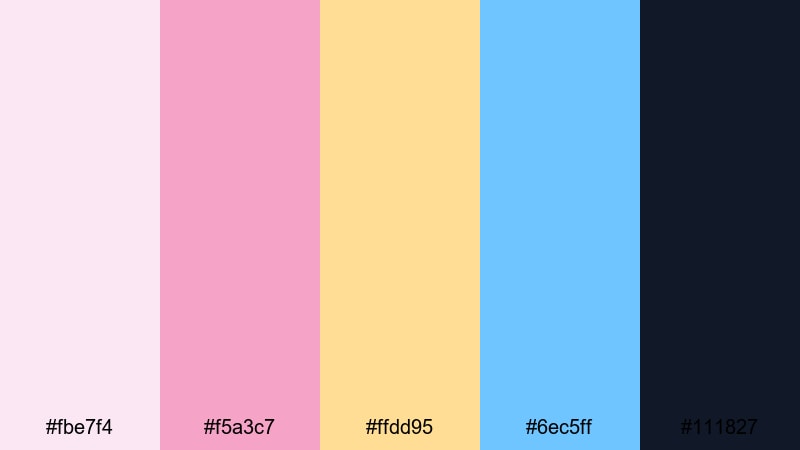
- HEX Codes: #fbe7f4, #f5a3c7, #ffdd95, #6ec5ff, #111827
- Mood: bright, polished, and commercial-ready
- Use for: Great for branded content, ads, lifestyle reels, and creator channel branding.
Studio Spotlight Reverie blends soft pinks and peachy gold with a clean sky-blue accent over deep black. It feels like a styled photoshoot with controlled lighting and thoughtful props, making it perfect for polished Instagram Reels, TikToks, or branded YouTube segments.
Use the warm tones for product highlights and call-to-action elements, then bring in the blue as a crisp accent for icons or buttons. The near-black shade is ideal for text or background panels in Filmora, ensuring strong contrast while still fitting the dreamy Sleeping Beauty aesthetic.
Glass Tower Dreamscape
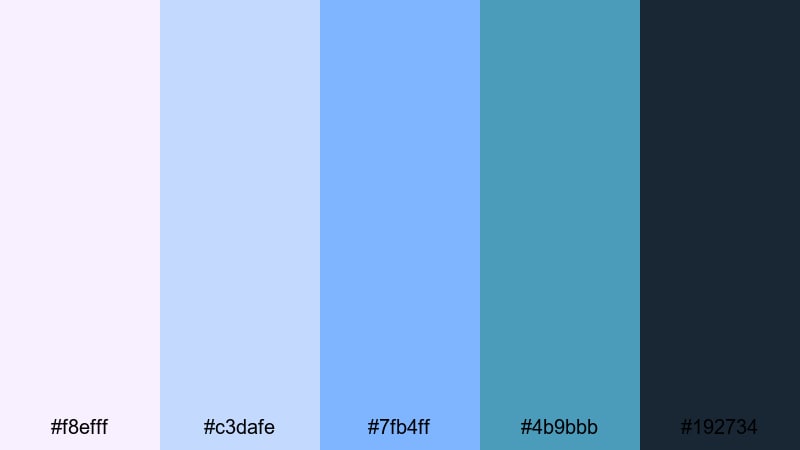
- HEX Codes: #f8efff, #c3dafe, #7fb4ff, #4b9bbb, #192734
- Mood: airy, futuristic, and quietly magical
- Use for: Ideal for tech reviews, productivity content, channel UIs, and subtle motion graphics.
Glass Tower Dreamscape takes Sleeping Beauty tones into an airy, modern world. Crystal lilac and misty blue shades pair with teal and a deep steel base, creating a clean, futuristic feeling that still carries a soft touch of magic.
This palette works well for tech reviews, desk setups, and productivity or study channels that want a calm but modern visual identity. In Filmora, use the light lilac and blue for clean lower thirds and interface-style overlays, while the darker teal and steel anchor your backgrounds, transitions, and end screens.
Midnight Premiere Enchantment

- HEX Codes: #f9cce0, #f294c6, #b27cff, #4c1d95, #020617
- Mood: glamorous, intense, and theatrical
- Use for: Use for trailers, show intros, fashion films, and cinematic channel openers.
Midnight Premiere Enchantment feels like stepping onto a red carpet under camera flashes. Premiere-night pinks lead into royal violet and inky black, giving your edits a sense of glamour and high stakes.
Use this palette for fashion lookbooks, series intros, or dramatic channel trailers. In Filmora, combine the bright pink and violet in animated titles or neon outlines, and let the deep purple and black set the stage for dark, cinematic backgrounds and letterbox bars.
Pastel Fairytale Sleeping Beauty Color Palettes
Storybook Pastel Clouds

- HEX Codes: #ffe4f2, #ffd6e8, #e7d3ff, #c7f0ff, #fdf6d8
- Mood: whimsical, innocent, and softly uplifting
- Use for: Perfect for kids content, cozy vlogs, lighthearted animations, and channel backgrounds.
Storybook Pastel Clouds floats between cotton candy pinks, delicate lavender, baby blue, and buttery cream. It feels light, innocent, and comforting, like reading a favorite childhood fairytale.
This palette shines in kids channels, cozy lifestyle vlogs, and lighthearted animations. Use the soft tones for full-screen backgrounds, rounded shapes, and character name cards in Filmora. On thumbnails, pairing pastel pink or lavender text over cream or sky-blue blocks gives you an adorable, approachable Sleeping Beauty themed aesthetic.
Cottage Forest Lullaby
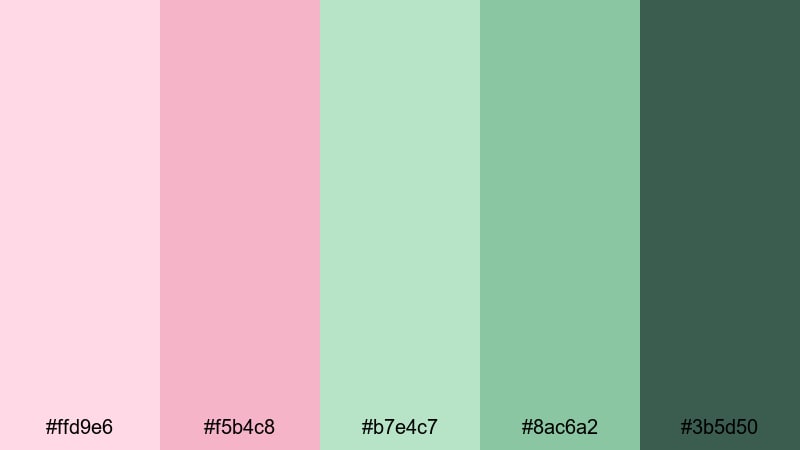
- HEX Codes: #ffd9e6, #f5b4c8, #b7e4c7, #8ac6a2, #3b5d50
- Mood: serene, organic, and storybook cozy
- Use for: Great for cottagecore vlogs, nature reels, DIY tutorials, and calming study videos.
Cottage Forest Lullaby blends blush pinks with minty greens and deep forest teal. It captures the feeling of a rose-covered cottage hidden in the woods, combining romance with a grounded, natural mood.
Use the pinks for titles and small accents, while the greens dominate your frames, overlays, and background shapes. This palette is ideal for cottagecore aesthetics, plant care videos, DIY crafts, and study-with-me streams where you want viewers to relax. In Filmora, build gentle animated elements like leaf icons or hand-drawn frames using the green tones to enhance that peaceful fairytale-in-the-forest feeling.
Spindle Dream Dust
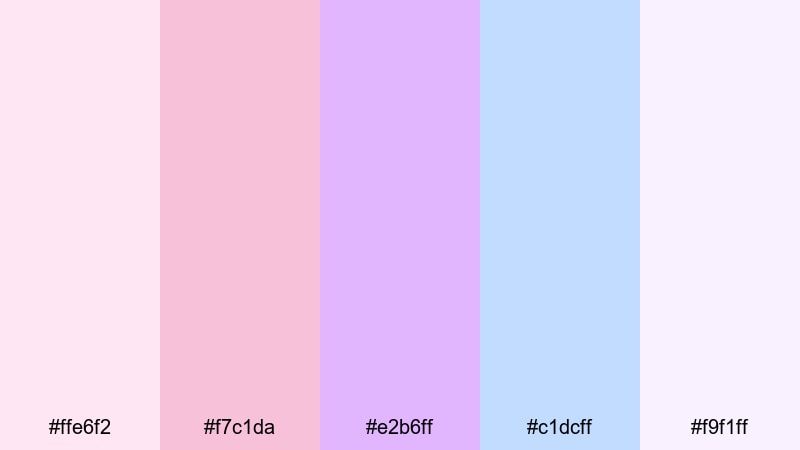
- HEX Codes: #ffe6f2, #f7c1da, #e2b6ff, #c1dcff, #f9f1ff
- Mood: hazy, magical, and delicately ethereal
- Use for: Use for fantasy edits, book trailers, intro animations, and dreamy product showcases.
Spindle Dream Dust mixes frosted rose, lilac, and powder blue with misty whites, like a cloud of enchanted dust hanging in the air. It is extremely soft and luminous, perfect for moments that need to feel otherworldly and delicate.
In practice, this palette works well for fantasy edits, book trailers, slow-motion b-roll, or dreamy product close-ups. Use the paler tones as overlays, gradients, and light leaks in Filmora, and add subtle blur or glow effects so your frames feel like they are drifting in a dream.
Carousel Wishes Light
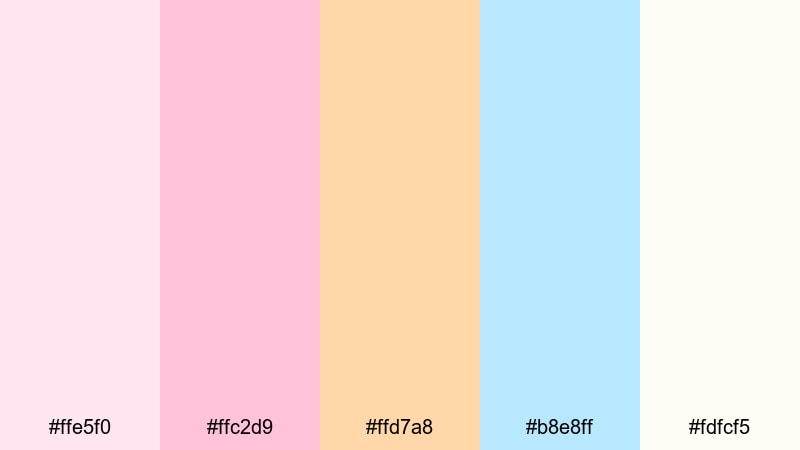
- HEX Codes: #ffe5f0, #ffc2d9, #ffd7a8, #b8e8ff, #fdfcf5
- Mood: playful, nostalgic, and gently joyful
- Use for: Perfect for family videos, birthday reels, travel diaries, and nostalgic shorts.
Carousel Wishes Light spins together carnival pinks, peachy gold, baby blue, and soft white. It feels like the memory of a fairground at dusk, full of warm lights, laughter, and soft music.
Use the warm peach and pink for banners, stickers, and confetti-like accents in birthday reels or family montages. Baby blue and soft white make excellent backgrounds for text overlays and simple motion graphics in Filmora. On thumbnails, this palette instantly signals nostalgia and happiness while keeping the Sleeping Beauty pastel charm.
Bold & Dramatic Sleeping Beauty Color Palettes
Thorned Rose Overture
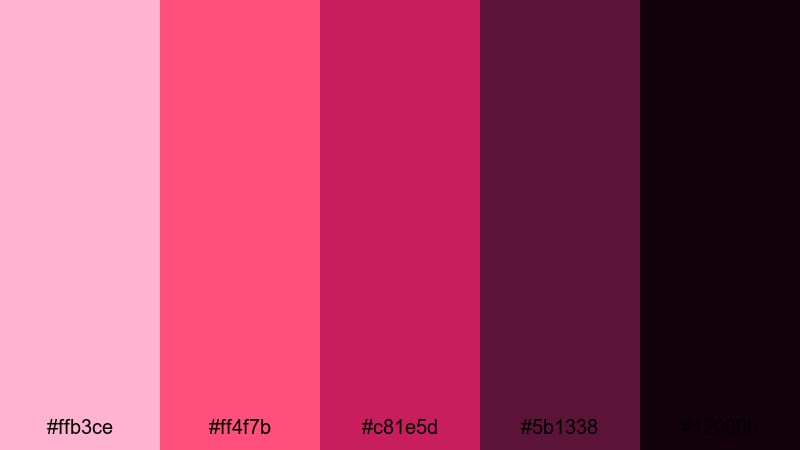
- HEX Codes: #ffb3ce, #ff4f7b, #c81e5d, #5b1338, #12000b
- Mood: intense, passionate, and cinematic
- Use for: Great for dramatic trailers, plot twists, villain reveals, and bold title cards.
Thorned Rose Overture starts with sugar pinks but quickly descends into crimson, wine, and almost-black berry. It visualizes the tension between romance and danger, making it ideal for more serious or dramatic Sleeping Beauty inspired stories.
Use the deeper reds and maroons as dominant frame colors, with the lighter pink reserved for text or small highlights so your visuals stay readable. In Filmora, this palette works perfectly for bold title cards, villain introductions, and cinematic trailers where emotional stakes are high and you want every frame to feel powerful.
Royal Ballroom Eclipse
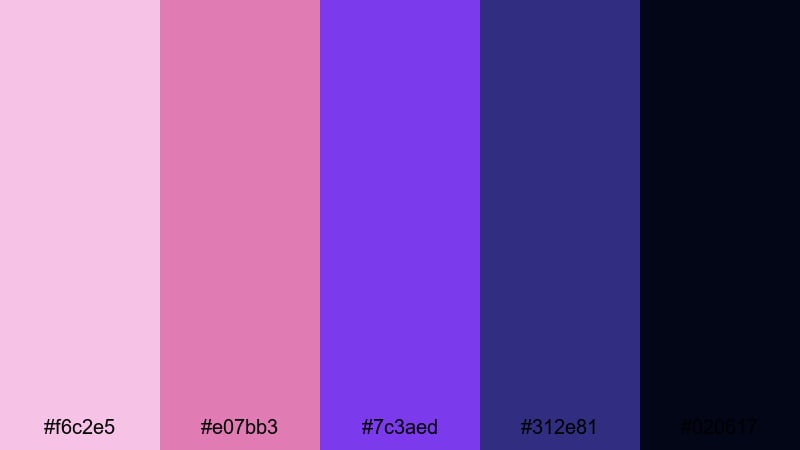
- HEX Codes: #f6c2e5, #e07bb3, #7c3aed, #312e81, #020617
- Mood: regal, powerful, and high-contrast
- Use for: Ideal for event promos, royal fantasy edits, dance films, and logo stings.
Royal Ballroom Eclipse pairs opulent pinks and amethyst violet with navy and deep black. It feels like an extravagant ball just before midnight, when the music swells and everything hangs on a single turning point.
This palette is excellent for event promos, fantasy sequences, and dance films. Use the bright violet and pink to draw attention to logos, titles, and key subjects, while the navy and black add depth to your backgrounds and letterboxing. On thumbnails and banners, this combination delivers a powerful royal Sleeping Beauty energy that stands out on any platform.
Dragonfire Guardianship
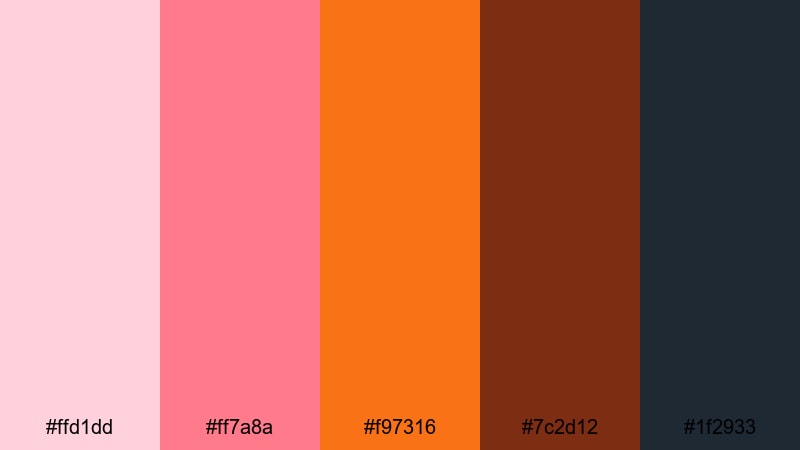
- HEX Codes: #ffd1dd, #ff7a8a, #f97316, #7c2d12, #1f2933
- Mood: fiery, protective, and adventurous
- Use for: Use for fantasy battles, hero introductions, game trailers, and energetic outros.
Dragonfire Guardianship twists the usual Sleeping Beauty pastels into a fiery story. Soft pink embers flare into hot coral, molten orange, and charred brown over slate, capturing both warmth and danger in a single palette.
Use this combination for fantasy battles, hero entrances, or game trailers with dragons, magic, and high action. In Filmora, the oranges and corals work well for streaks, flares, and explosive text animations, while the dark brown and slate control the overall frame so your visuals stay bold but readable.
Tips for Creating Sleeping Beauty Color Palettes
When you build your own Sleeping Beauty inspired palettes for video and design, focus on balancing softness and contrast so the fairytale feeling stays strong while your content remains clear and professional.
- Always include at least one light neutral (cream, soft white, or very pale pink) to use as a background for text and UI elements.
- Pair dreamy pastels with a darker anchor color (navy, deep plum, charcoal) so titles, icons, and key subjects stand out on screen.
- Check legibility by previewing thumbnails at small sizes; if text is hard to read, darken the background or use bolder accent colors.
- Keep brand consistency by choosing 2 to 3 core Sleeping Beauty shades and repeating them across intros, lower thirds, and end cards in Filmora.
- Match your grading to your palette by gently pushing shadows and highlights toward your main hues using HSL and color wheels.
- Use gradients between your lightest and mid-tone colors for overlays and panels; this keeps the fairytale mood without looking flat.
- For social clips and shorts, exaggerate saturation slightly so the soft colors remain visible and attractive on small mobile screens.
- Create and save LUTs or presets in Filmora once you are happy with your Sleeping Beauty look, so future projects stay visually consistent with minimal effort.
Sleeping Beauty color palettes can make your videos and designs feel instantly romantic, magical, and memorable. From soft wedding highlights to bold fantasy trailers, choosing the right mix of blush pinks, lavenders, blues, and dramatic anchor tones helps you control mood and shape a recognizable brand identity.
Experiment with the 15 palettes above as starting points. Drop them into Filmora, use AI tools, color grading, filters, and LUTs to adapt them to your footage, and refine until the visuals match the story you want to tell. Over time, you will discover your own signature Sleeping Beauty palette that viewers recognize at a glance.
Whether you are editing vlogs, trailers, or social reels, letting color lead the mood is one of the fastest ways to level up your storytelling. Open a new project in Filmora, try a palette that fits your next video, and see how much more cinematic your edit feels when every frame speaks the same visual language.
secure downloadNext: Hospital Color Palette
