

 100% Security Verified | No Subscription Required | No Malware


 ChatGPT
 Perplexity
 Gemini
 Claude
 Grok
Grok
Hospital colors are all about trust, safety, and clarity. Cool whites, clean blues, and soft greens instantly communicate hygiene and professionalism, while warmer accents can make clinical spaces feel more human. For video creators and designers, these hospital tones are perfect for medical explainers, clinic branding, thumbnails, and intro sequences that need to look calm, credible, and compliant.
Below are 15 ready-made hospital color palettes with HEX codes you can plug straight into your thumbnails, lower thirds, UI mockups, and Filmora projects. Each palette is tuned for a specific healthcare mood, so you can keep your visuals consistent from the opening frame to the final call-to-action.
In this article
Calm & Clean Hospital Color Palettes
Sterile Serenity Ward
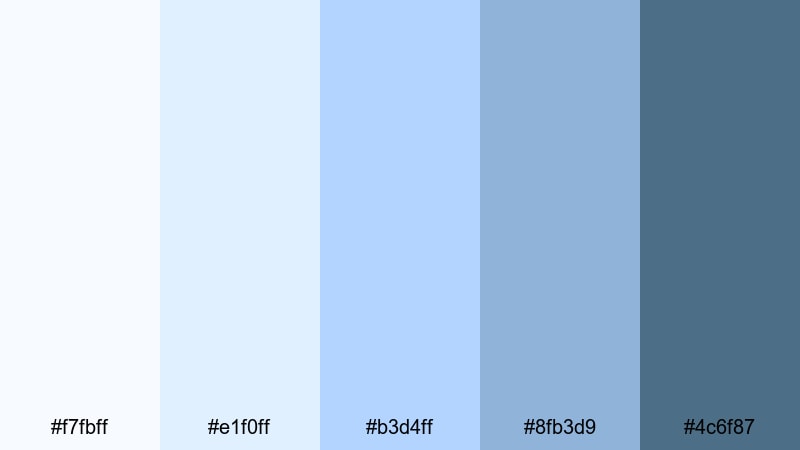
- HEX Codes: #f7fbff, #e1f0ff, #b3d4ff, #8fb3d9, #4c6f87
- Mood: Cool, clinical, and reassuringly calm.
- Use for: Use this palette for procedural explainers, hospital intro videos, and clean UI for patient-facing apps.
This palette layers crisp whites over soft hospital blues to create a space that feels hygienic but never harsh. The lightest tones are perfect for backgrounds and negative space, while the deeper steel blue (#4c6f87) anchors titles, icons, and key callouts.
Use Sterile Serenity Ward for medical how-to videos, intake form animations, or any thumbnail where you want viewers to immediately read clean and trustworthy. In Filmora, combine a white or pale blue background with darker blue text and line icons for intros, lower thirds, and clinic logo stings that look organized and compliant.
Pro Tip: Build A Clean Hospital Look In Filmora
To keep a sterile, professional aesthetic, start by picking one of the mid blues in this palette as your main accent color. In Filmora, use it for your title templates, shapes, and overlays so every part of the edit feels like it belongs to the same hospital system. The paler tints can drive backgrounds and info cards, while the darkest blue adds contrast for stats, labels, and headlines.
If you are cutting multiple formats from one shoot (hero video, short reels, explainers), save custom color presets for titles and elements in Filmora. That way your YouTube intro, website banner video, and in-hospital display loops all share the exact same sterile blue identity.
AI Color Palette
You can capture this calm hospital look from a single reference, like a photo of a bright ward or a brand slide, and spread it across your entire edit. Filmora's AI Color Palette feature automatically analyzes the colors in your reference frame and matches your other clips to that palette.
Import your cleanest hospital shot with balanced whites and soft blues, then use AI Color Palette to sync color across interviews, b-roll, and cutaways. This keeps every scene aligned with the same clinical, reassuring palette, even if footage comes from different cameras or lighting conditions.
 secure download

HSL, Color Wheels & Curves
Even in a sterile palette, small tweaks make a big difference. Filmora's HSL and color wheels let you nudge blues slightly toward teal for a more friendly hospital feel, or keep them cooler and more technical for surgical content. Adjust curves to keep whites bright and clean while preserving detail in uniforms and instruments.
You can follow a dedicated color correction tutorial and use curves to protect skin tones while you brighten the environment. Lift highlights for that sunlit ward look, and slightly deepen shadows to add depth without losing the clinical clarity this palette provides.
secure download1000+ Video Filters & 3D LUTs
Once your hospital colors are dialed in, you can stylize them without losing that clean clinical base. Filmora's video filters and 3D LUTs make it easy to add subtle filmic contrast, soften harsh lighting, or create a gentle pastel look for patient stories, all while keeping whites bright and blues accurate.
Try applying a low-intensity LUT on top of this palette to give your hospital intros a cinematic sheen, then save the effect as a preset. You can reuse it across new episodes, short-form clips, and waiting room screens so the whole brand stays visually aligned with your chosen hospital colors.
secure downloadSoft Recovery Bay
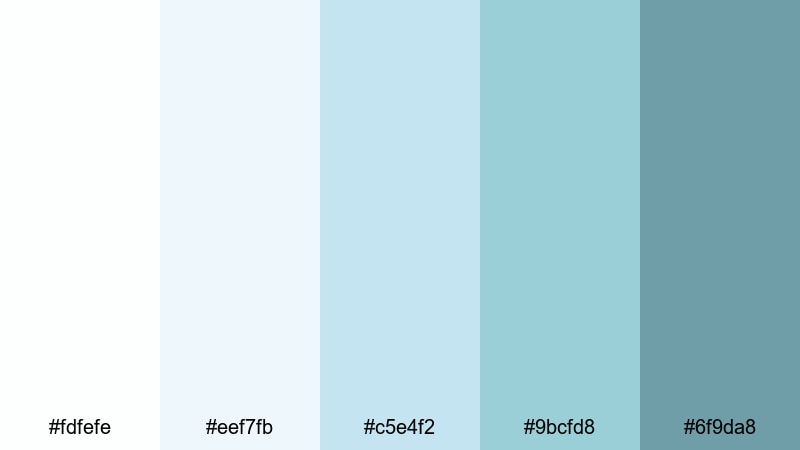
- HEX Codes: #fdfefe, #eef7fb, #c5e4f2, #9bcfd8, #6f9da8
- Mood: Soothing, quiet, and comforting.
- Use for: Use this palette for post-surgery care videos, wellness storytelling, and calm patient onboarding flows.
Soft Recovery Bay uses whisper-light blues and aquas to mimic a quiet recovery room. The almost white tones feel like clean sheets and soft daylight, while the mid aquas gently guide attention without shouting.
Use it in Filmora for discharge instructions, mindfulness-style hospital content, or thumbnails about recovery journeys. Keep titles in the darker teal-blue and let your backgrounds stay very light to maintain a sense of air and space around the subject.
Icy Scrubs And Steel

- HEX Codes: #f5f9fc, #dde9f3, #98c3d4, #5e8fa4, #3e5663
- Mood: Efficient, modern, and no-nonsense.
- Use for: Use this palette for surgical department promos, operating room animations, and serious, data-focused medical videos.
This palette combines scrub-inspired blues with steel-like shadows, giving your frames a technical, precise edge. The darker tones echo instruments and control panels, while the lighter shades keep the overall image sterile and bright.
Apply Icy Scrubs And Steel to animated diagrams, OR workflow explainers, and analytics overlays in Filmora. Use the darkest blue for data labels and graphs, and the mid blues for timelines, charts, and motion graphics that support serious, accuracy-driven messages.
Blue Line Triage
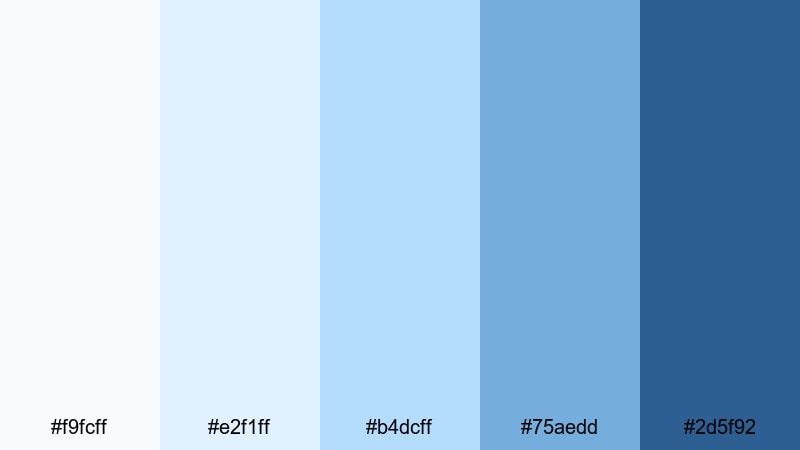
- HEX Codes: #f9fcff, #e2f1ff, #b4dcff, #75aedd, #2d5f92
- Mood: Alert yet under control, organized, and focused.
- Use for: Use this palette for emergency department intros, triage workflow tutorials, and clear infographic animations.
Blue Line Triage balances urgency with order. The bright blues feel alert and visible, ideal for wayfinding and emergency content, while the soft background tints keep frames from feeling alarming or chaotic.
Choose this palette for ED intro videos, triage decision trees, and protocol explainers. In thumbnails and banners, push the darkest blue into titles and call-to-action buttons, and use the lighter blues for infographics and step-by-step cards that need to be read fast but calmly.
Warm & Welcoming Hospital Color Palettes
Pediatric Comfort Corner
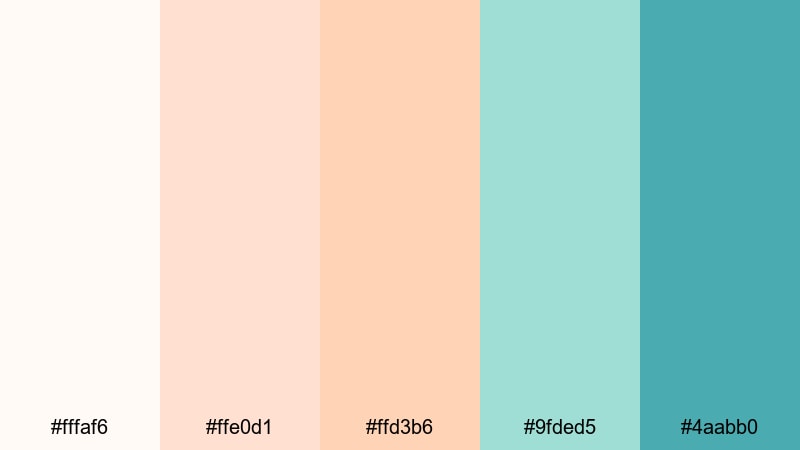
- HEX Codes: #fffaf6, #ffe0d1, #ffd3b6, #9fded5, #4aabb0
- Mood: Playful, child-friendly, and reassuring.
- Use for: Use this palette for pediatric ward promos, family-focused vlogs, and kid-friendly medical animations.
Pediatric Comfort Corner mixes warm peach tones with gentle teals, softening clinical spaces into something closer to a playroom. The warm hues feel like storybooks and toys, while the aqua accents keep the medical link clear and fresh.
Use this palette for pediatric clinic branding, animated procedure explainers for kids, and family-focused thumbnails. In Filmora, you can build rounded shapes and stickers using the peaches, then outline them or add text in the stronger teal to keep information readable and friendly.
Sunlit Visitor Lounge

- HEX Codes: #fffaf2, #ffe5c4, #f7cfa0, #a2d6c4, #4f8f8a
- Mood: Inviting, hopeful, and relaxed.
- Use for: Use this palette for hospital tours, waiting room redesign concepts, and hospitality-style healthcare branding.
Sunlit Visitor Lounge feels like a hotel lobby crossed with a modern clinic. Golden neutrals suggest daylight on wood and textiles, while the soft greens add a nature-inspired calm to the scene.
Apply it to virtual tours, architectural walkthroughs, and brand stories focused on patient experience. Use the warm tones as frame backgrounds or gradient washes in Filmora, and let the muted green and teal handle text, icons, and buttons that guide visitors through your video.
Family Care Reception
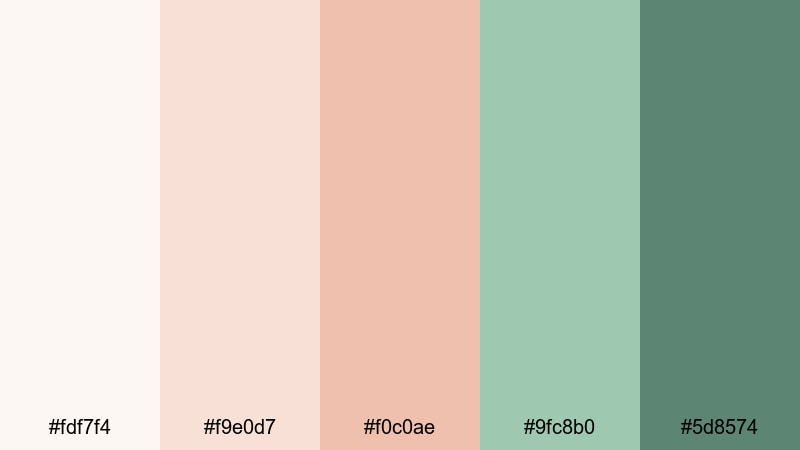
- HEX Codes: #fdf7f4, #f9e0d7, #f0c0ae, #9fc8b0, #5d8574
- Mood: Caring, approachable, and trustworthy.
- Use for: Use this palette for family medicine clinics, maternity content, and patient success story videos.
Family Care Reception leans into soft terracottas paired with muted greens, creating a warm, human-first look. The palette suggests friendly front-desk staff, comfortable seating, and a focus on long-term relationships with patients.
Use it for maternity intros, GP practice branding, and testimonial stories. In your Filmora edits, let the terracottas frame portraits and testimonials, while the greens support callouts about care plans, contact details, or family-focused services.
Quiet Overnight Room

- HEX Codes: #f8fbfe, #e6edf5, #d5d0e4, #b3a3c4, #6f6a8a
- Mood: Restful, intimate, and gently reassuring.
- Use for: Use this palette for night-shift documentaries, patient rest stories, and late-night telehealth promos.
Quiet Overnight Room blends dusky lavenders with cool blues to mimic a dimmed hospital room at night. It feels intimate without being gloomy, which is ideal for topics around rest, long stays, or late-night staff stories.
Use this palette for documentary-style edits, nighttime b-roll, and telehealth service promos that emphasize 24/7 support. In thumbnails, bring out the deeper purple for titles and use the lighter lavenders as a soft gradient behind your main subject.
High-Tech Hospital Color Palettes
Neon Diagnostics Glow
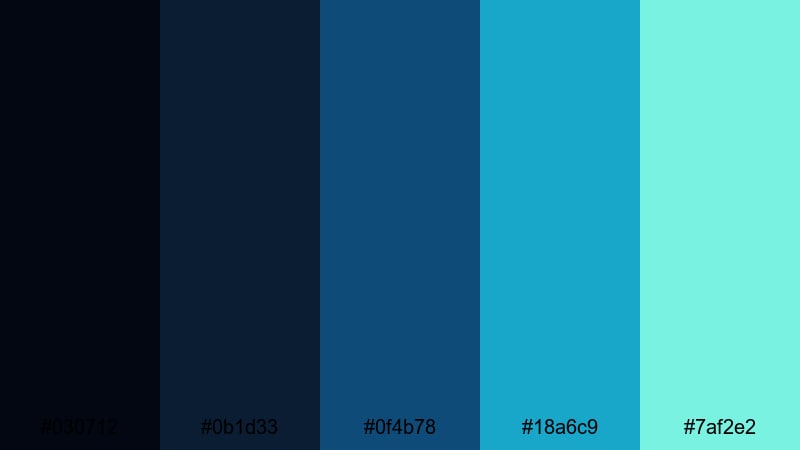
- HEX Codes: #030712, #0b1d33, #0f4b78, #18a6c9, #7af2e2
- Mood: Futuristic, energetic, and cutting-edge.
- Use for: Use this palette for diagnostic tech promos, motion graphics overlays, and cyber-style medical intros.
Neon Diagnostics Glow sets deep navy backgrounds against electric teals and cyan, instantly evoking a sci-fi lab or advanced imaging suite. The contrast between the dark base and neon accents makes UI overlays and data points pop.
Use it for CT, MRI, or AI diagnostics promos, or any tech-forward healthcare startup branding. In Filmora, keep your footage slightly darker and let animated lines, HUD elements, and titles glow in the bright teal and cyan shades for a high-tech feel.
Surgical Tech Suite
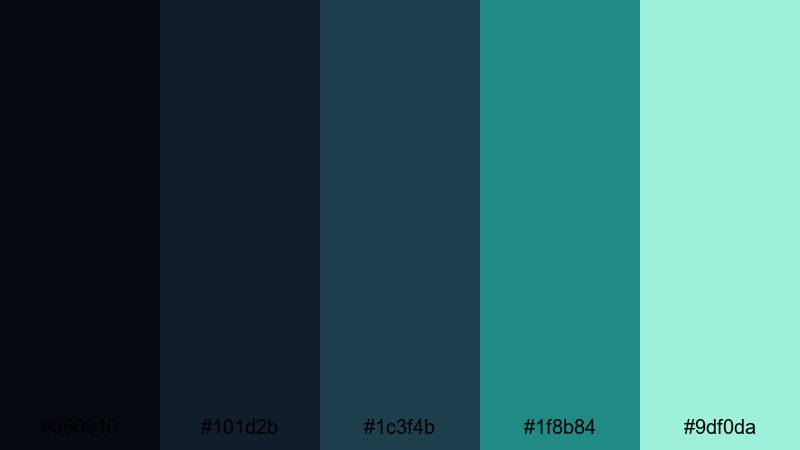
- HEX Codes: #050910, #101d2b, #1c3f4b, #1f8b84, #9df0da
- Mood: Precise, cool, and highly professional.
- Use for: Use this palette for surgery robotics reels, operating room VR simulations, and instrument highlight shots.
Surgical Tech Suite leans on deep, focused blues and instrument greens that echo a modern OR. The darker tones keep attention on what matters, while the minty highlight color is great for key stats and motion highlights.
Use this palette when showcasing robotics, minimally invasive procedures, or simulation labs. In your edits, reserve the brightest greenish tone for paths, arrows, and key benefits in overlays so viewers know exactly where to look.
Digital Radiology Grid
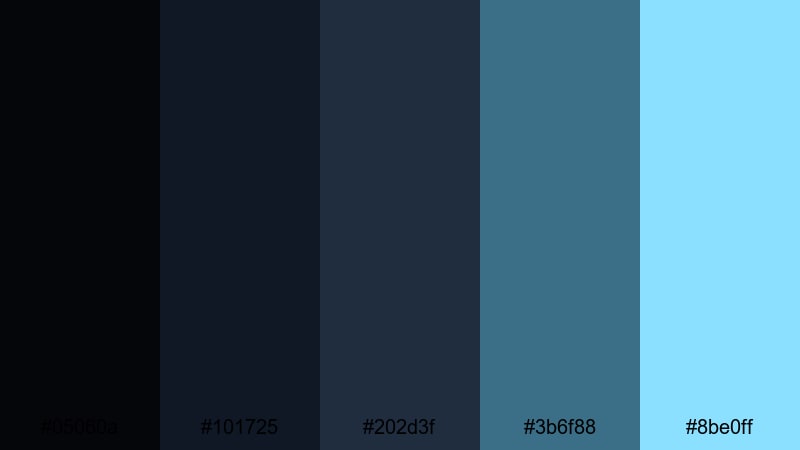
- HEX Codes: #05060a, #101725, #202d3f, #3b6f88, #8be0ff
- Mood: Analytical, data-heavy, and slightly mysterious.
- Use for: Use this palette for radiology animations, PACS software demos, and x-ray themed brand elements.
Digital Radiology Grid uses charcoal and x-ray blues to create an analytical, data-driven mood with a hint of mystery. It is perfect for visualizing scans, cross-sections, and data overlays without distracting from the core images.
Choose this palette for PACS demos, imaging tutorials, or brand visuals that revolve around x-rays and scans. In Filmora, use the lighter cyan to highlight measurements or annotations on top of grayscale images, keeping the darker blues as your background UI color.
Smart Monitoring Console
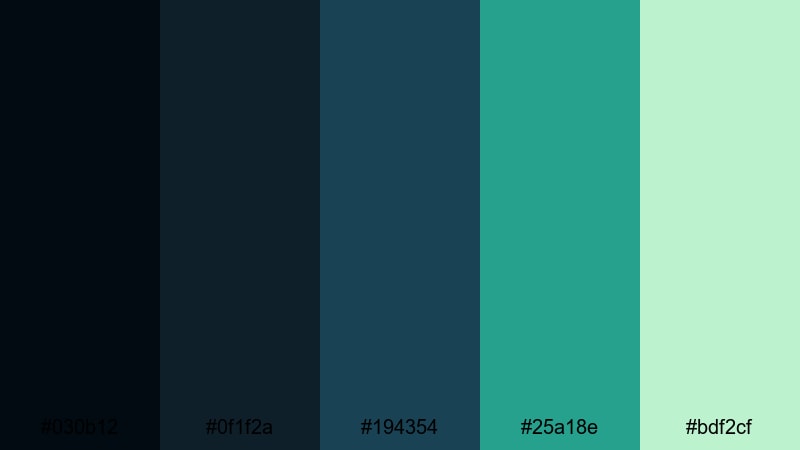
- HEX Codes: #030b12, #0f1f2a, #194354, #25a18e, #bdf2cf
- Mood: Secure, intelligent, and quietly optimistic.
- Use for: Use this palette for ICU monitoring dashboards, telehealth platforms, and SaaS healthcare product videos.
Smart Monitoring Console sits between tech and care, pairing deep screen blues with signal greens. It feels like a modern monitoring dashboard that is stable, secure, and always on.
Use it for ICU dashboards, remote monitoring apps, or telehealth SaaS explainers. Dark blues make great backgrounds for UI mockups in Filmora, while the greens and mints highlight heart rate, alerts, and positive outcomes without feeling aggressive.
Professional Medical Hospital Color Palettes
Executive Cardiology Wing
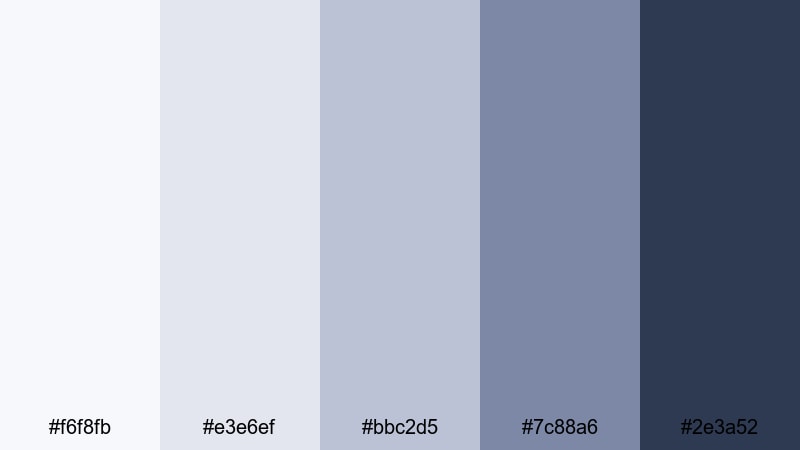
- HEX Codes: #f6f8fb, #e3e6ef, #bbc2d5, #7c88a6, #2e3a52
- Mood: Authoritative, premium, and composed.
- Use for: Use this palette for specialist hospital branding, cardiology conference intros, and high-end medical corporate films.
Executive Cardiology Wing is built from refined blues and slate tones that feel premium and composed. It is less clinical white and more executive boardroom, ideal for high-level communications and specialist branding.
Use it in keynote intros, hospital group corporate videos, and investor updates. In Filmora, combine soft light-blue backgrounds with strong navy titles and subtle gradients for a polished, board-ready aesthetic.
Accredited Clinic Brand

- HEX Codes: #f5fbfb, #e0f0f0, #b2d4d3, #6fa39e, #2f5553
- Mood: Trustworthy, stable, and compliant.
- Use for: Use this palette for accreditation announcements, compliance training videos, and clinic brand systems.
Accredited Clinic Brand leans into teal-based greens that suggest cleanliness, regulation, and reliability. The palette instantly communicates that the clinic is organized, accredited, and serious about standards.
Use it for compliance training modules, accreditation announcement videos, and static brand elements like logo animations. In Filmora, keep your key messages and badges in the darker teal, and use the light aqua tones for simple, distraction-free backgrounds.
Global Humanitarian Aid

- HEX Codes: #fdfdf9, #f3e6d7, #e1c7a5, #6aa6aa, #2c5e63
- Mood: Caring, global, and mission-driven.
- Use for: Use this palette for NGO medical campaigns, field hospital documentaries, and fundraising vlogs.
Global Humanitarian Aid combines warm sand tones with resilient hospital blues, evoking field clinics, mobile teams, and global outreach. It feels grounded and human, not overly corporate.
Use this palette for NGO campaigns, on-the-ground documentaries, and fundraising vlogs. Let the warm neutrals color maps, landscapes, and human moments, while the teal-blues carry logos, calls to donate, and key statistics in your Filmora edits.
Tips for Creating Hospital Color Palettes
When you mix hospital colors for video and design, you need to balance clinical clarity with human warmth. These tips help you combine hospital tones with accent colors while keeping your visuals readable, on-brand, and consistent across all your Filmora projects.
- Start with a clean base: use off-white or very pale blue as your background so text and graphics feel hygienic and easy to read.
- Pick one main hospital hue (blue or teal) and one warm accent (peach, sand, or terracotta) to humanize intros, thumbnails, and lower thirds.
- Check contrast for accessibility: dark blues or greens should sit on light backgrounds, and vice versa, especially for captions and call-to-action buttons.
- Use emergency colors sparingly: keep reds and strong oranges for alerts, warnings, or emergency icons so they stand out against calmer hospital tones.
- Match your footage: adjust white balance and tint in Filmora so walls, uniforms, and props align with your chosen palette instead of fighting it.
- Stay consistent across formats: reuse the same HEX codes in your logo, overlay graphics, and social cuts so viewers recognize your hospital brand instantly.
- Reflect the department mood: cooler blues and steels suit surgery and diagnostics, while warmer neutrals and greens suit family medicine or pediatrics.
- Create and save presets in Filmora so your titles, shapes, and overlays automatically use your hospital palette in every new project.
Hospital color palettes have a powerful effect on how viewers feel about your content and your brand. Clean blues and whites project professionalism and safety, while warm touches of peach, sand, or soft green can turn a cold clinical scene into a place of care and comfort.
By choosing a palette that fits your story and applying it consistently, you give your hospital intros, explainers, and social clips a recognizable identity. Filmora makes it easy to keep these HEX codes in play across every title, overlay, and filter, whether you are editing a quick YouTube short or a full-length campaign film.
Experiment with the palettes above inside Filmora, then refine them with AI Color Palette, HSL controls, and subtle filters until they match your hospital or clinic perfectly. With a strong visual system in place, your audience can focus on what matters most: the message and the care behind it.
secure downloadNext: Nature Color Palette
