

 100% Security Verified | No Subscription Required | No Malware


 ChatGPT
 Perplexity
 Gemini
 Claude
 Grok
Grok
White Ivory sits between pure white and warm cream, bringing softness without feeling flat. It suggests calm, trust, and understated luxury, which is why it shows up so often in bridal design, lifestyle branding, and minimalist interfaces. On screen, White Ivory can make skin tones look gentle, elevate product shots, and give your frames a clean base that never feels harsh.
For video creators and designers, a thoughtful White Ivory color palette helps thumbnails pop, intros feel cohesive, and entire channels carry a clear visual identity. Below are ready-to-use White Ivory color palettes with HEX codes, tailored for YouTube covers, reels, wedding films, brand kits, and more, plus tips on keeping everything consistent using Filmora.
In this article
Soft & Romantic White Ivory Palettes
Soft Bridal Glow
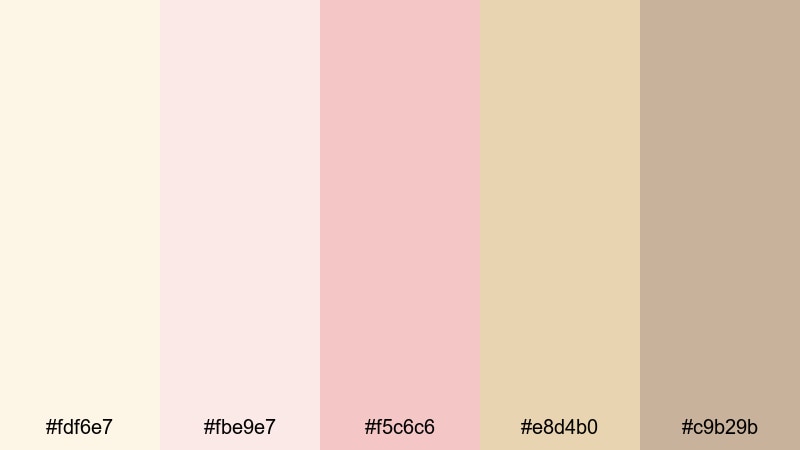
- HEX Codes: #fdf6e7, #fbe9e7, #f5c6c6, #e8d4b0, #c9b29b
- Mood: Gentle, romantic, and delicately nostalgic.
- Use for: Perfect for wedding highlight reels, engagement announcements, and dreamy storytelling thumbnails.
This palette feels like soft tulle and golden-hour sunlight. White Ivory pairs with blush pinks and pale gold to create a luminous, flattering atmosphere that is ideal for couples, portraits, and delicate details like rings and veils.
Use it for wedding video titles, lower-thirds, and thumbnail text boxes, or as a base for a full brand kit on a romantic channel. In Filmora, you can sample these HEX codes for your backgrounds, overlays, and call-to-action frames so every clip from teaser to full ceremony highlight carries the same bridal glow.
Pro Tip: Build a Cinematic White Ivory Bridal Look in Filmora
To keep a bridal White Ivory aesthetic consistent, start by designing one hero frame in Filmora: your title card or thumbnail. Set the background to the lightest Ivory tone (#fdf6e7), then layer text, borders, and flourishes using the blush and pale gold shades from this palette.
Once you like the balance, reuse those colors across other assets like subscribe end screens, chapter cards, or Instagram Reels covers. Saving custom presets for titles and overlays in Filmora lets you apply the same White Ivory look to entire wedding collections without rebuilding designs for every edit.
AI Color Palette
If you already have a favorite bridal photo or mood board, you can turn it into a White Ivory video look automatically. Filmora's AI Color Palette feature analyzes a reference image or clip and transfers its tones to your entire timeline, keeping your warm ivory highlights and soft pink shadows consistent.
Import a still frame that matches the Soft Bridal Glow palette, use it as the source, then apply the AI Color Palette to the rest of your footage. This is an easy way to harmonize ceremony, reception, and detail shots so every angle feels like part of the same romantic story.
 secure download

HSL, Color Wheels & Curves
To fine-tune your White Ivory look, use HSL to gently pull reds and yellows toward soft blush and champagne, while keeping luminance high for that airy bridal feeling. Color wheels let you warm up highlights toward Ivory and cool the shadows slightly so black suits and dark hair still have depth without crushing detail. For more ideas, explore techniques from this color correction guide and adapt them to your own footage.
In the Curves panel, add a subtle S-curve to boost contrast, then lift the very bottom of the curve for a filmic, velvety look in the shadows. This keeps your White Ivory tones glowing on skin and dresses, while avoiding harsh contrast that can break the romantic mood.
secure download1000+ Video Filters & 3D LUTs
If you do not want to grade from scratch, Filmora’s video filters and 3D LUTs make it easy to nudge footage toward soft neutrals and warm highlights that support a White Ivory palette. Start with a subtle film or pastel preset, then tweak intensity so it complements your chosen HEX colors.
You can apply a gentle LUT across the whole timeline for consistency, then layer your White Ivory titles, frames, and graphics on top. This gives every video a polished, on-brand finish without long grading sessions.
secure downloadBlush Lace Morning
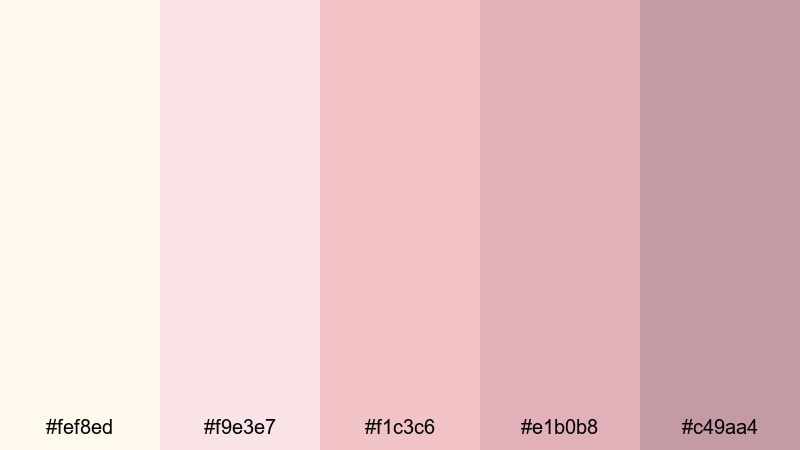
- HEX Codes: #fef8ed, #f9e3e7, #f1c3c6, #e1b0b8, #c49aa4
- Mood: Soft, feminine, and intimate.
- Use for: Use in lifestyle vlogs, morning routine videos, and soft-focus beauty content for a cozy, approachable look.
Blush Lace Morning feels like a slow start to the day with pastel sheets and soft sunlight. White Ivory wraps gentle pink tones to create a cozy, close-up feeling that flatters skin and product packaging in beauty shots.
Try this palette on your YouTube channel headers, beauty routine thumbnails, or intro slates for self-care and skincare content. Use brighter pinks for call-to-action buttons and subtitles in Filmora, and reserve the palest Ivory shade for backgrounds so everything remains calm and readable.
Garden Vow Whisper
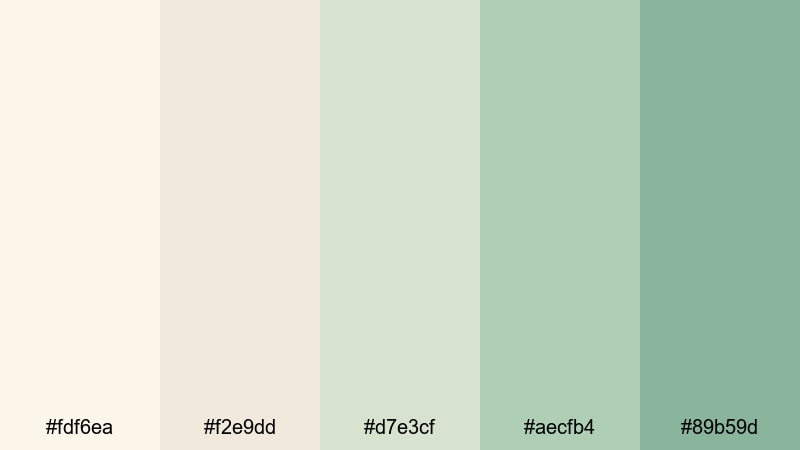
- HEX Codes: #fdf6ea, #f2e9dd, #d7e3cf, #aecfb4, #89b59d
- Mood: Peaceful, organic, and hopeful.
- Use for: Lovely for outdoor wedding films, nature-inspired reels, and calm cinematic b-roll sequences.
Garden Vow Whisper mixes White Ivory with muted greens to echo fresh leaves, vines, and bouquets. It keeps the frame light and neutral while adding a natural, botanical calm that feels perfect for outdoor vows and garden picnics.
Use the softer greens (#d7e3cf, #aecfb4) for lower thirds and line accents around text, while White Ivory shades control the background. In Filmora, this palette works beautifully for nature vlogs, engagement sessions in parks, or eco-friendly brand intros that want both softness and a nod to the outdoors.
Vintage Love Letters

- HEX Codes: #fbf3e3, #eddcc8, #d6b8a2, #b58f7e, #88635a
- Mood: Nostalgic, warm, and sentimental.
- Use for: Great for travel diaries, nostalgic storytimes, and cinematic title cards with a soft film-inspired finish.
Vintage Love Letters leans into creamy White Ivory and mellow sepia browns, echoing aged paper, envelopes, and worn photo albums. It brings a nostalgic haze to your visuals without heavy filters, making stories feel intimate and timeless.
Apply this palette to travel diary titles, memory-lane storytime thumbnails, or documentary-style lower thirds. In Filmora, combine these HEX codes with a subtle grain effect for YouTube intros, then repeat the same tones in end screens to keep your narrative cohesive from first frame to last.
Minimal & Modern White Ivory Palettes
Clean Studio Light
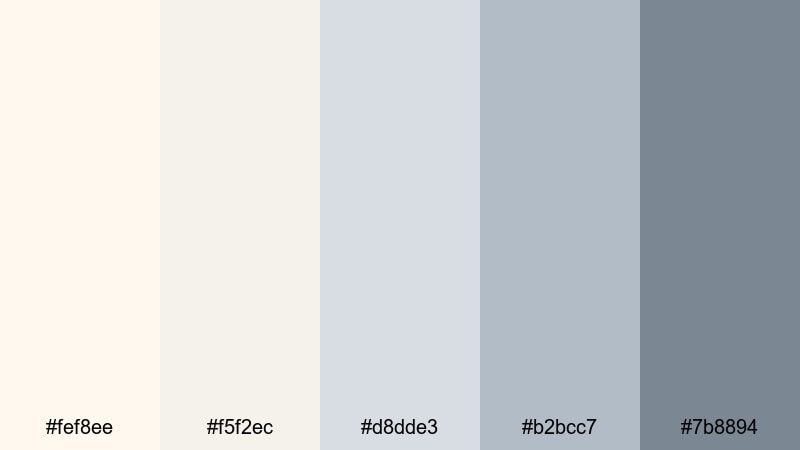
- HEX Codes: #fef8ee, #f5f2ec, #d8dde3, #b2bcc7, #7b8894
- Mood: Crisp, professional, and quietly confident.
- Use for: Ideal for software tutorials, creator brand intros, and minimalist product showcases.
Clean Studio Light combines White Ivory with cool grays and slate blues for a gallery-like minimalism. It keeps everything bright and neutral while adding just enough cool contrast to look modern and tech-friendly.
Use the darkest slate for UI callouts and code overlays, with Ivory as your primary background on slides and titles. Inside Filmora, this palette suits tutorial series, SaaS walkthroughs, and creator-brand intros where you want visually calm frames that still feel sharp and high-end.
Muted Sand Interface
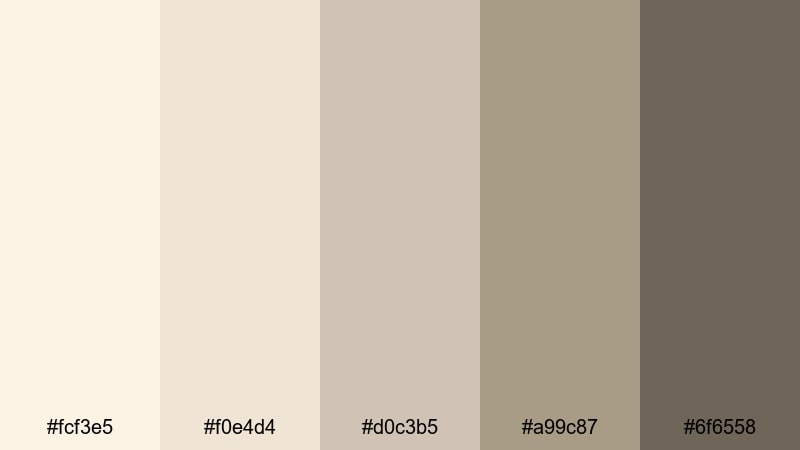
- HEX Codes: #fcf3e5, #f0e4d4, #d0c3b5, #a99c87, #6f6558
- Mood: Grounded, understated, and modern-organic.
- Use for: Great for app UI mockups, explainer videos, and subtle lower-third graphics.
Muted Sand Interface sits between tech and lifestyle. White Ivory merges with sandy taupes to give you an interface-ready palette that feels warm and human, not sterile. It is ideal when your topic is digital but you still want a touch of comfort and tactility.
Use lighter tones for background panels behind screen recordings, and the deeper taupes for icons, buttons, or lower thirds in Filmora. This palette is excellent for explainer animations, product demos, and pitch deck videos where clarity matters but harsh contrast would feel off-brand.
Ivory Monochrome Grid
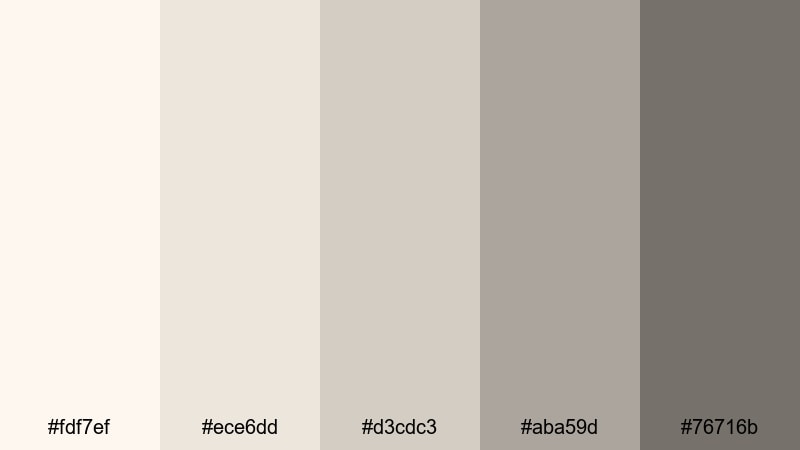
- HEX Codes: #fdf7ef, #ece6dd, #d3cdc3, #aba59d, #76716b
- Mood: Sleek, neutral, and design-forward.
- Use for: Use for portfolio reels, motion graphics, and brand style frames that need a refined neutral base.
Ivory Monochrome Grid stacks warm neutrals in tiny steps, from light White Ivory to deep greige. It creates a sophisticated, almost architectural feel that works well with gridded layouts, split screens, and typography-focused designs.
In Filmora, use the mid-tones to divide screen sections, and the deepest shade for text or logo locks. This palette is perfect for motion designers, photographers, and agencies creating showreels or case-study videos that need an elegant but unobtrusive backdrop.
Nordic Loft Calm
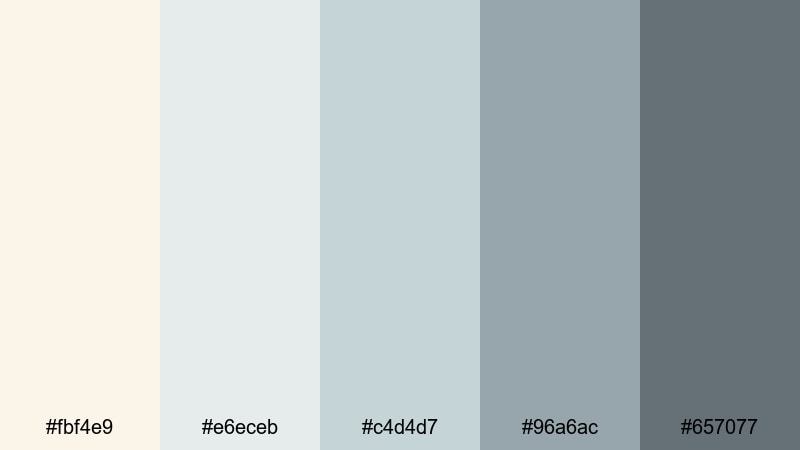
- HEX Codes: #fbf4e9, #e6eceb, #c4d4d7, #96a6ac, #657077
- Mood: Airy, composed, and quietly creative.
- Use for: Perfect for design walkthroughs, architecture content, and calm productivity vlogs.
Nordic Loft Calm pairs creamy White Ivory with misty blue-grays, echoing daylight in a modern apartment. It feels spacious and uncluttered, ideal for content about design, organization, work routines, or tech setups.
Use the cool tones for frames and lines that separate sections on screen, while keeping Ivory as your main background color. In Filmora, try this palette for desk tours, workspace makeovers, architectural fly-throughs, or productivity vlogs where you want viewers to feel focused and relaxed.
Warm & Cozy White Ivory Palettes
Autumn Candlelight
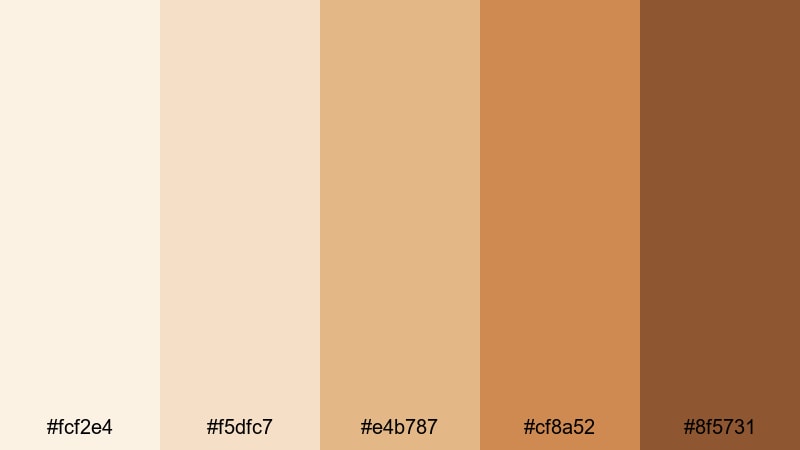
- HEX Codes: #fcf2e4, #f5dfc7, #e4b787, #cf8a52, #8f5731
- Mood: Cozy, comforting, and storytelling-focused.
- Use for: Use for fall vlogs, coffee shop b-roll, and warm podcast set designs.
Autumn Candlelight makes White Ivory glow against caramel, amber, and burnt orange tones. It instantly suggests warm drinks, worn books, and evenings indoors, which is perfect for seasonal stories and intimate conversations.
Use Ivory for title cards and the lighter creams for overlays, then add the richer oranges to highlight key words or subscribe prompts. In Filmora, this palette works beautifully for podcast covers, coffee shop b-roll sequences, and fall vlog thumbnails that promise a cozy watch.
Creamy Latte Corner
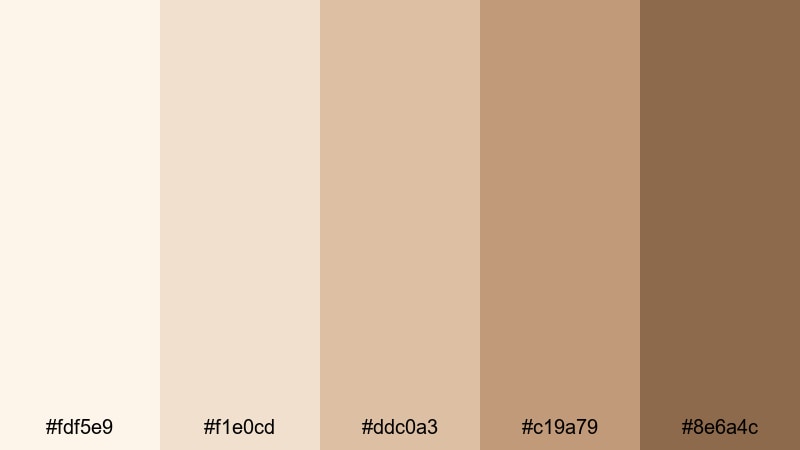
- HEX Codes: #fdf5e9, #f1e0cd, #ddc0a3, #c19a79, #8e6a4c
- Mood: Inviting, homely, and relaxed.
- Use for: Great for home decor tours, kitchen content, and casual sit-down videos with a soft cafe vibe.
Creamy Latte Corner balances White Ivory with latte browns and biscuit tones, giving your visuals a soft cafe character. It feels warm and inviting without becoming too saturated or orange.
Use lighter browns for background shapes behind text, then bring in the deeper shades for buttons, icons, and chapter markers. In Filmora, this palette is ideal for kitchen series, recipe cards, home makeover thumbnails, and casual sit-down videos where you want viewers to feel right at home.
Sunlit Linen Story
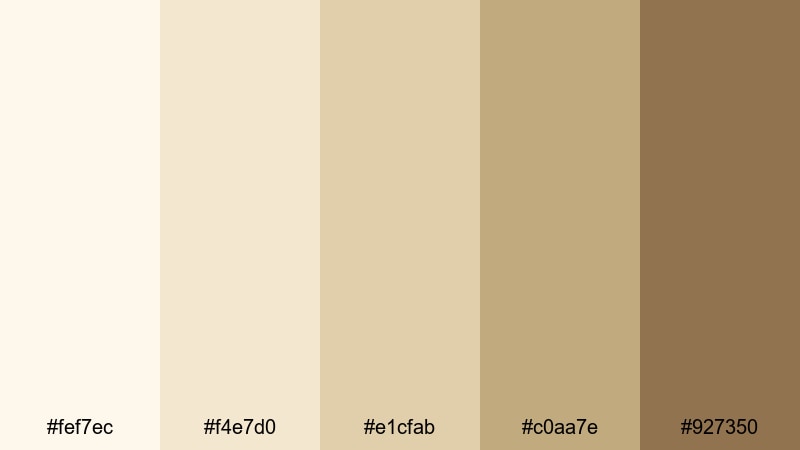
- HEX Codes: #fef7ec, #f4e7d0, #e1cfab, #c0aa7e, #927350
- Mood: Warm, airy, and cinematic.
- Use for: Perfect for slow-living reels, travel cottages, and soft brand films focused on texture and detail.
Sunlit Linen Story blends White Ivory with sun-baked linen golds, giving your video a breezy, tactile feeling. It calls to mind woven fabrics, rustic interiors, and late-afternoon light spilling through windows.
Use the mid-golds (#e1cfab, #c0aa7e) for headings and accent borders, while Ivory stays in the background supporting the warmth. In Filmora, this palette is great for slow-living reels, staycation cottage tours, handmade brands, and any visual story that celebrates texture and detail.
Hearthside Whisper
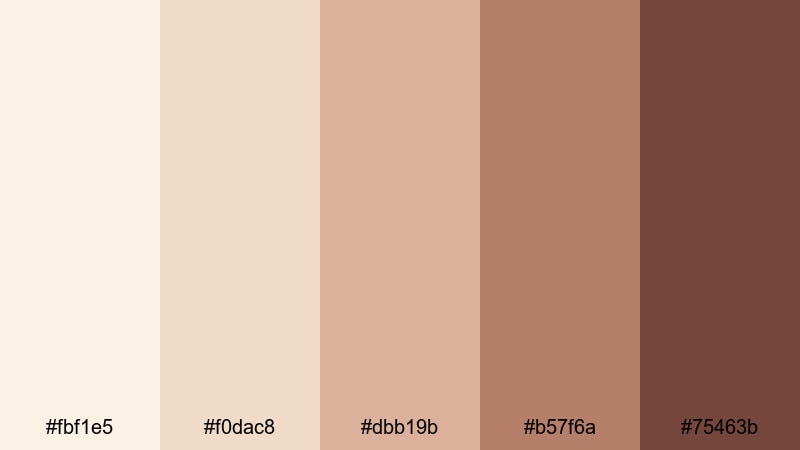
- HEX Codes: #fbf1e5, #f0dac8, #dbb19b, #b57f6a, #75463b
- Mood: Intimate, nostalgic, and cinematic.
- Use for: Use in family documentaries, recipe videos, and emotional narrative edits with a homely warmth.
Hearthside Whisper wraps White Ivory around terracotta and hearth browns, like a fireplace glowing in the background. It is an emotional, story-first palette that makes everyday moments feel cinematic without relying on heavy saturation.
Use lighter tones for subtitles and labels, and keep the deepest brown for key text or logo marks. In Filmora, bring this palette into family recap films, heritage recipes, or narrative shorts where you want the audience to feel close to the people and memories on screen.
Luxe & Elegant White Ivory Palettes
Champagne Gala Night
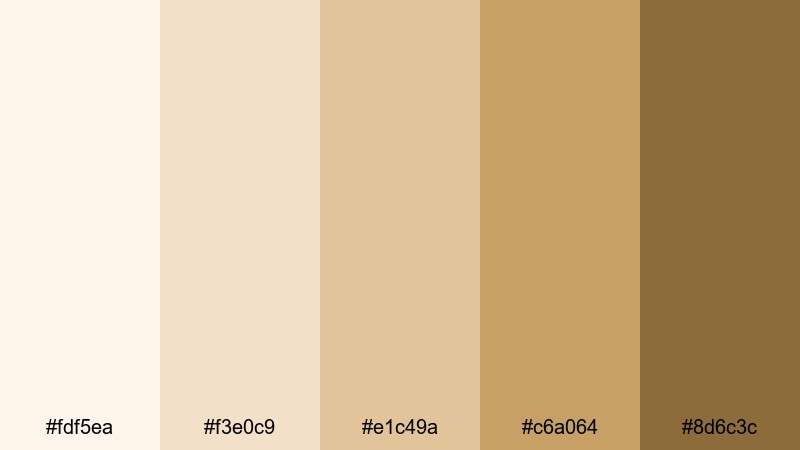
- HEX Codes: #fdf5ea, #f3e0c9, #e1c49a, #c6a064, #8d6c3c
- Mood: Glamorous, polished, and celebratory.
- Use for: Perfect for event highlight reels, luxury brand intros, and upscale title cards.
Champagne Gala Night marries White Ivory with sparkling champagne golds, instantly signaling luxury and celebration. It feels like metallic details on an invitation, or bubbles catching the light at a gala.
Use the lighter golds for frames and dividers, and reserve the darkest shade for logos, monograms, or headline text. In Filmora, this palette is ideal for wedding receptions, red-carpet highlights, luxury product launches, and any intro or outro where you want a premium, festive finish.
Pearl Hallway Echo
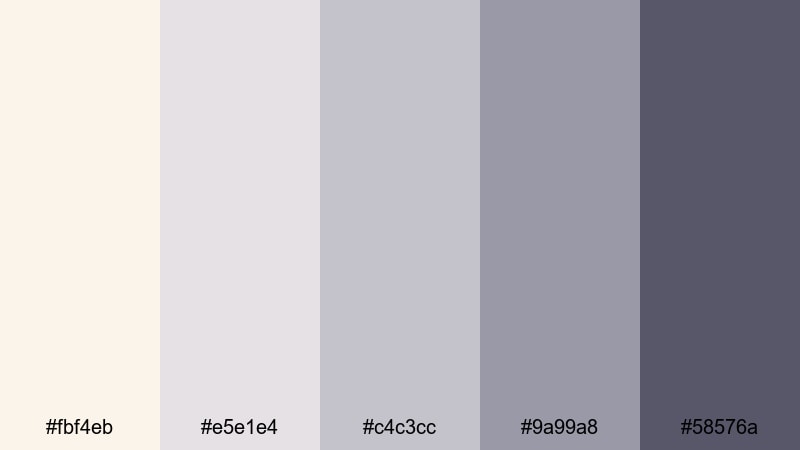
- HEX Codes: #fbf4eb, #e5e1e4, #c4c3cc, #9a99a8, #58576a
- Mood: Refined, cool, and subtly dramatic.
- Use for: Use in fashion lookbooks, product reveals, and cinematic trailers needing a gallery-like elegance.
Pearl Hallway Echo places White Ivory alongside cool pearl grays and soft charcoal. It has the quiet drama of an art museum or high-end showroom, making it perfect for editorial-style visuals.
Use Ivory for negative space and the deeper grays for titles, captions, and thin framing lines. In Filmora, this palette supports fashion lookbooks, gallery reels, luxury product reveals, and cinematic trailers where you want sophistication without distraction.
Ivory Black Tie
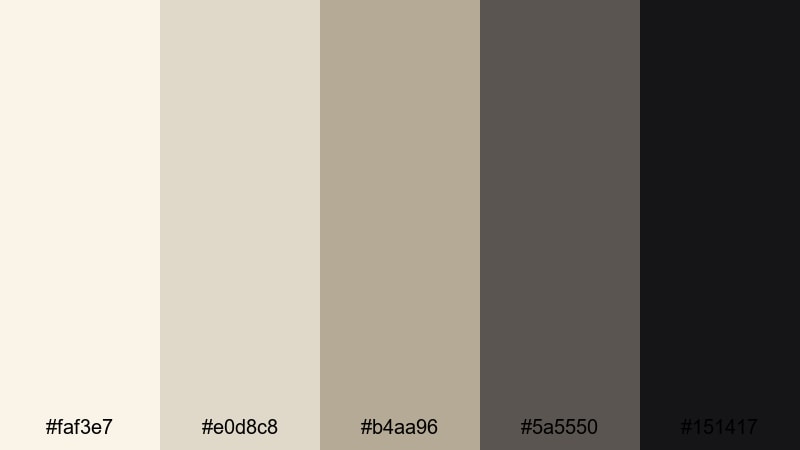
- HEX Codes: #faf3e7, #e0d8c8, #b4aa96, #5a5550, #151417
- Mood: Classic, formal, and authoritative.
- Use for: Great for cinematic credits, minimalist brand logos, and premium packaging mockups.
Ivory Black Tie is a crisp mix of White Ivory, refined taupes, and deep charcoal blacks. It mirrors the contrast of a tuxedo, giving your designs a timeless, editorial tone that commands attention without bright colors.
Use the darkest shade (#151417) for titles or logo lockups, with Ivory and taupe supporting as backgrounds and secondary text. In Filmora, this palette is strong for opening credits, brand identity animations, and premium product videos where professionalism and authority are key.
Gilded Frame Studio
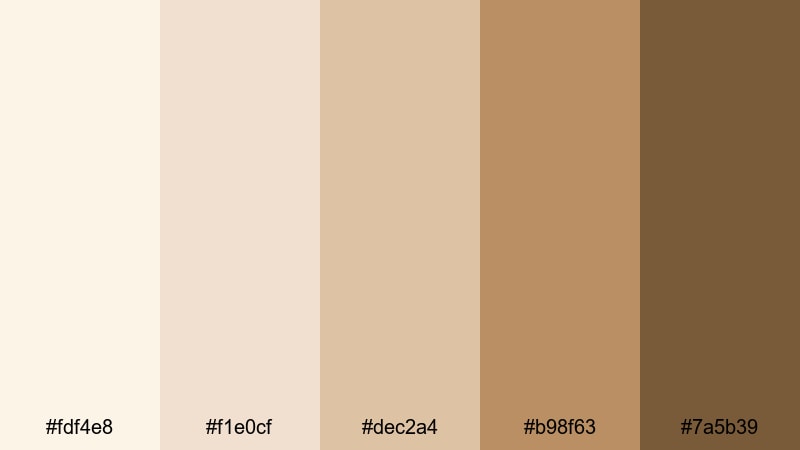
- HEX Codes: #fdf4e8, #f1e0cf, #dec2a4, #b98f63, #7a5b39
- Mood: Artful, rich, and curated.
- Use for: Ideal for gallery-style reels, fine art promos, and premium course intros.
Gilded Frame Studio wraps White Ivory in antique golds and frame browns, reminiscent of classic galleries and old-world studios. It makes any visual feel curated and considered, ideal for showcasing art, photography, or premium educational content.
Use the richer golds as accent bars beneath titles or as frames around key clips, while Ivory and light beige host your main content. In Filmora, this palette adds polish to course intros, gallery-style showreels, artist profiles, and online workshop trailers.
Tips for Creating White Ivory Color Palettes
White Ivory is versatile, but how you pair it with supporting colors will determine whether your video feels romantic, modern, cozy, or luxurious. Use these tips to build balanced palettes and apply them consistently in Filmora and across your branding.
- Decide the mood first. Pair White Ivory with blush and soft gold for romance, with grays for modern tech, with browns for cozy lifestyle, or with metallic golds for luxury.
- Watch contrast for readability. Use your darkest palette tone for text and important UI elements, and keep subtitles over the lightest Ivory or a semi-transparent dark overlay.
- Limit accent colors. Choose 1 to 2 accent shades with White Ivory as the base so your thumbnails and intros look cohesive, not crowded.
- Match grading to graphics. When you color grade footage in Filmora, nudge highlights toward warm Ivory and keep saturation moderate so your clips fit the palette used in titles and overlays.
- Use HEX codes in templates. Enter the HEX values directly into Filmora’s color pickers for titles, shapes, and backgrounds so you reuse exactly the same tones in every video.
- Plan light and dark variants. Create both a light-on-dark and dark-on-light version of your palette so your branding works on bright scenes and darker night shots.
- Test on multiple devices. Export a test frame and check your White Ivory palette on phone, tablet, and desktop to be sure text stays legible and tones do not appear too yellow or gray.
- Save reusable presets. Once you like a palette, save title and color-correction presets in Filmora so you can apply your White Ivory look to new projects with a few clicks.
Thoughtfully designed White Ivory color palettes can make your videos feel softer, more premium, or more comforting, depending on the tones you pair with them. Whether you are editing a wedding highlight, a cozy vlog, or a sleek product demo, consistent use of Ivory-based colors will strengthen your brand identity and make your channel instantly recognizable.
Try dropping the HEX codes from your favorite palette into Filmora for titles, overlays, and frames, then grade your footage to match using AI tools, HSL, and LUTs. With a few saved presets, you can keep the same White Ivory mood across YouTube thumbnails, intros, shorts, and social teasers without rebuilding your look every time.
Experiment with a few of these palettes, adjust them to your footage, and refine until you find the White Ivory look that feels like your signature style.
secure download