

 100% Security Verified | No Subscription Required | No Malware


 ChatGPT
 Perplexity
 Gemini
 Claude
 Grok
Grok
Winter color palettes balance cool, icy tones with the warmth of firelight and wood, so they can feel both minimal and cozy at the same time. Soft whites, frosted blues, deep greens, and spiced browns are perfect for telling stories about snow days, city nights, holidays, and quiet indoor moments. In visual storytelling, these hues often communicate clarity, calm, nostalgia, or dramatic chill depending on how you combine them.
This guide gathers 15 Winter color palettes with ready-to-use HEX codes, designed for video creators, thumbnail designers, and brand builders. Whether you are crafting vlog intros, cinematic grading for short films, or seasonal social graphics, you can drop these palettes straight into your workflow and refine them inside Filmora.
In this article
Cozy & Hygge Winter Color Palettes
Snowlit Cabin Glow
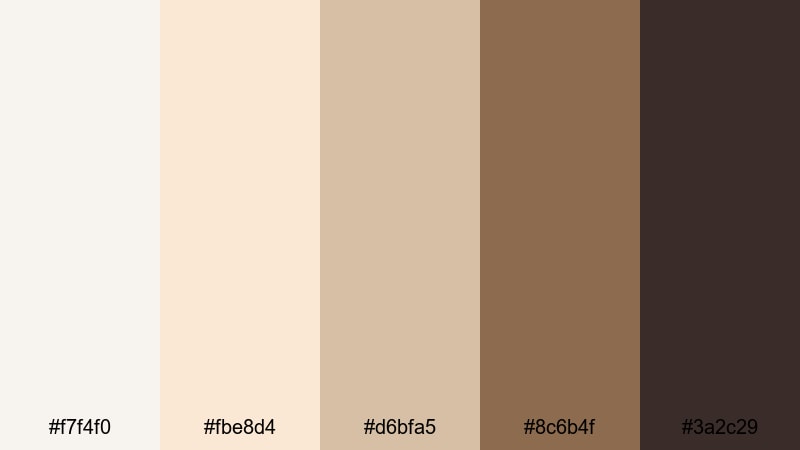
- HEX Codes: #f7f4f0, #fbe8d4, #d6bfa5, #8c6b4f, #3a2c29
- Mood: Warm, nostalgic, and softly illuminated like a cabin lit by early morning snowlight.
- Use for: Great for vlog intros, lifestyle thumbnails, and homely product videos that need a welcoming winter feel.
Snowlit Cabin Glow layers creamy whites with natural wood tones, echoing pale snow outside and rich, worn timber indoors. The palette feels gentle and familiar, which makes viewers instantly comfortable and ready to settle into your story. The light neutrals are perfect for backgrounds, while the deeper browns ground text, logos, and key objects in your frame.
Use this palette for cozy lifestyle vlogs, slow morning routines, cabin getaways, and any winter video where you want the scene to feel safe and inviting. In thumbnails and channel art, it creates a warm, rustic identity, especially when paired with soft drop shadows and handwritten-style typography.
Pro Tip: Enhance Your Cozy Winter Visuals With Filmora
To keep the Snowlit Cabin Glow mood consistent across an entire edit, use Filmora to build a simple color system: pale tones for backgrounds and highlights, darker browns for titles, overlays, and lower thirds. Once you have a look that feels right on one clip, save it as a preset and apply it to intros, b-roll, talking-head segments, and end screens.
You can also use Filmora to subtly warm up your footage so it matches the palette even if you shot in flat daylight. A touch of warmth in the midtones and a slightly softer contrast curve will help your video feel like it all belongs in the same snowlit cabin world.
AI Color Palette
If you have a still image that captures your ideal cabin aesthetic, Filmora's AI Color Palette feature can map those tones onto your entire timeline. Import a reference frame of wood textures, soft blankets, and window light, then let AI analyze the colors and apply a consistent Winter look to your clips.
This is especially helpful when matching footage from different cameras or days. AI Color Palette can bring scattered shots closer together, so your vlog intro, main story, and B-roll all carry the same creamy whites and toasted browns without manual tweaking clip by clip.
 secure download

HSL, Color Wheels & Curves
To fine-tune your Winter tones, use Filmora's HSL sliders, color wheels, and curves. You can desaturate blues slightly to keep snow from looking too intense, then boost orange and brown saturation to make wood and skin tones feel richer. Adjusting the shadows wheel towards a deep brown adds warmth without losing the wintry atmosphere.
Curves give you even more control: gently lift the shadows to create a soft, hygge glow, or deepen them for a more cinematic, contrasty cabin look. If you want a deeper dive into these tools, check out Filmora's color correction and grading tips to see how subtle shifts in curves can completely change your Winter mood.
secure download1000+ Video Filters & 3D LUTs
If you want to stylize your Winter palette faster, Filmora's video filters and 3D LUTs make it easy to create a cabin-like atmosphere with just a few clicks. Start with a warm or vintage LUT, then adjust intensity so your whites still look crisp and your browns stay rich instead of muddy.
You can stack filters for subtle effects: one LUT to add warmth, a vignette to draw attention to the center of the frame, and a slight blur or glow effect to mimic soft indoor light. Save this stack as a custom preset so every winter vlog, baking video, or bookish study session instantly feels like it belongs in the same cozy series.
secure downloadFireside Wool Blankets
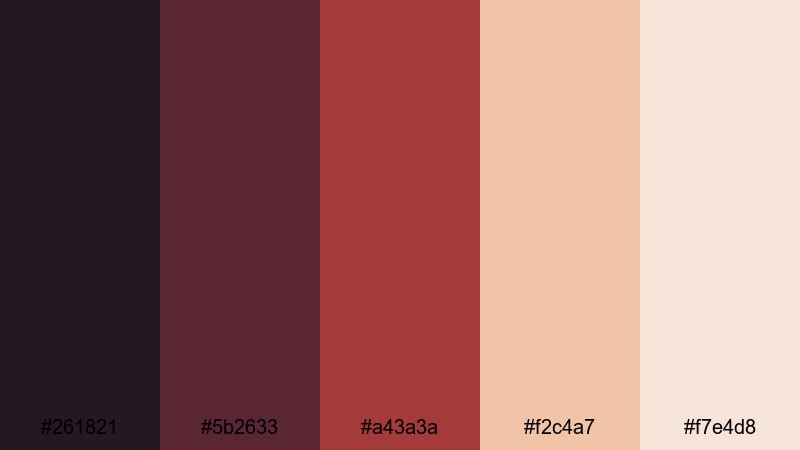
- HEX Codes: #261821, #5b2633, #a43a3a, #f2c4a7, #f7e4d8
- Mood: Intimate, comforting, and rich with fireside warmth.
- Use for: Perfect for cinematic b-roll, storytelling reels, and podcast cover art that need a warm winter ambiance.
Fireside Wool Blankets is all about deep burgundies and ember reds contrasted with soft, creamy highlights. It feels like sitting close to the fireplace, wrapped in a favorite blanket while the room glows. Use the darker tones for backgrounds and shadows, and let the lighter peach and cream highlight faces, text blocks, and important objects in frame.
This palette works beautifully for cinematic B-roll, winter storytelling, relationship or diary-style vlogs, and podcast covers that lean into warmth and intimacy. In thumbnails, pair a dark maroon background with light text and one warm accent element to instantly suggest late-night conversations and cozy storytelling sessions.
Gingerbread Morning Light
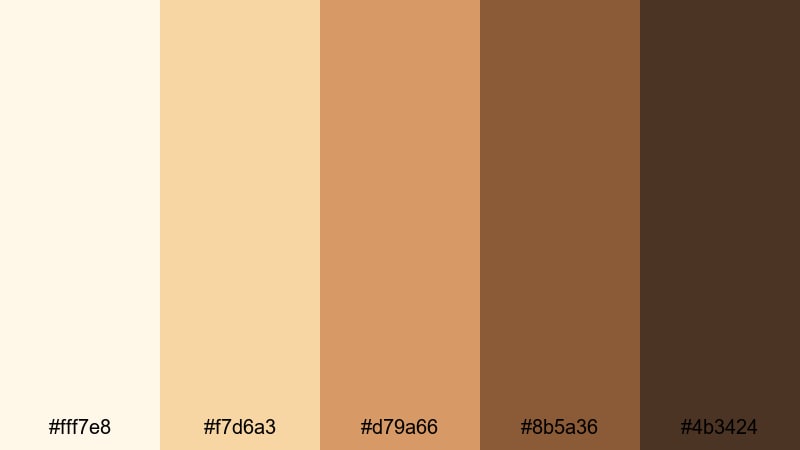
- HEX Codes: #fff7e8, #f7d6a3, #d79a66, #8b5a36, #4b3424
- Mood: Cheerful, homey, and gently energizing like baking on a cold morning.
- Use for: Use for recipe videos, family vlogs, and bakery branding that needs a sweet winter aesthetic.
Gingerbread Morning Light mixes buttery creams with spiced browns, capturing the feeling of fresh cookies on a wooden counter. The lighter tones make great backgrounds for titles, ingredient lists, or on-screen tips, while the deeper browns are perfect for text, borders, and illustrated icons like mugs, stars, or hearts.
Apply this palette to recipe videos, DIY baking shorts, or holiday promo graphics where you want viewers to almost smell the cinnamon. For channel branding, combine a pale cream banner with mid-brown typography and one darker shade for buttons or call-to-action badges so everything looks sweet but still readable.
Marshmallow Cocoa Steam
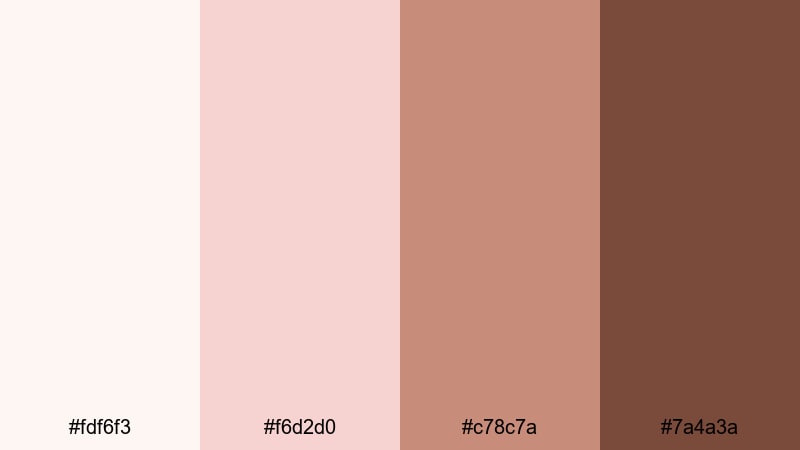
- HEX Codes: #fdf6f3, #f6d2d0, #c78c7a, #7a4a3a
- Mood: Soft, indulgent, and soothing like a mug of cocoa on a snow day.
- Use for: Ideal for ASMR, self-care videos, product close-ups, and warm winter promo graphics.
Marshmallow Cocoa Steam combines airy creams and blush pinks with velvety cocoa browns for a plush, almost tactile mood. It works especially well for close-ups, where you want skin, fabrics, or foam in a mug to look soft and inviting. The gentle pinks keep the palette feeling modern and aesthetic, while the browns stop it from becoming too sugary.
Create thumbnail backgrounds using the lightest shades, then set product shots or portraits against the mid browns for contrast. For self-care or ASMR content, apply this palette to lower thirds, chapter markers, and subtle animated shapes so your entire video feels like a single, cozy environment.
Icy & Minimal Winter Color Palettes
Polar Skyline Mist
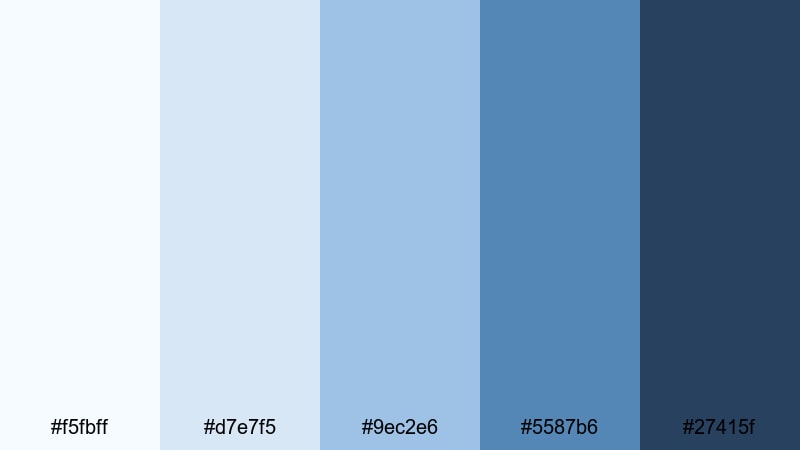
- HEX Codes: #f5fbff, #d7e7f5, #9ec2e6, #5587b6, #27415f
- Mood: Crisp, airy, and modern with a hint of arctic chill.
- Use for: Great for tech reviews, minimalist intros, and sleek lower thirds that need a clean winter edge.
Polar Skyline Mist fades from almost white blues into deep, inky navy, just like a frosty city fading into the distance. The pale shades are perfect for clean, uncluttered backgrounds in intros, outro cards, or UI-style overlays. Use the darker blues for titles, icons, and lines to keep everything readable and sharp.
This palette suits tech channels, productivity content, and any brand that wants a modern Winter look without holiday references. In thumbnails, you can pair a light blue gradient background with a strong navy block behind your text to immediately signal clarity, focus, and a cool seasonal atmosphere.
Frosted Glass Workspace
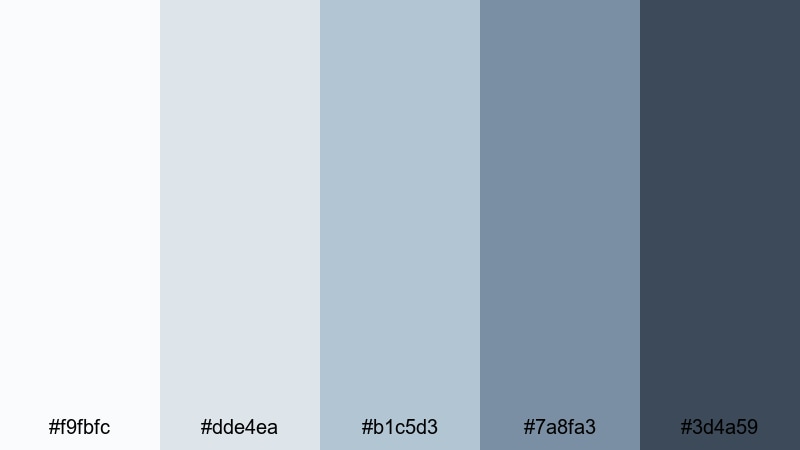
- HEX Codes: #f9fbfc, #dde4ea, #b1c5d3, #7a8fa3, #3d4a59
- Mood: Cool, focused, and professional like a frosted glass office on a winter morning.
- Use for: Perfect for productivity content, software demos, and UI-style explainer videos.
Frosted Glass Workspace delivers a cool, professional feel using soft grays and steel blues. It creates the impression of a clean desk, muted cityscape, and frosted windows, making it ideal for SaaS explainers, business channels, or tutorial series. Light tones can fill the frame behind screencasts, while the darker slate colors frame your webcam shot or headlines.
In thumbnails and channel banners, use the mid blues for background blocks and the darkest tone for concise, sans-serif text. This keeps your Winter aesthetic subtle but recognizable, reinforcing a sense of focus and productivity every time viewers see your content in their feed.
Alpine Air Clarity
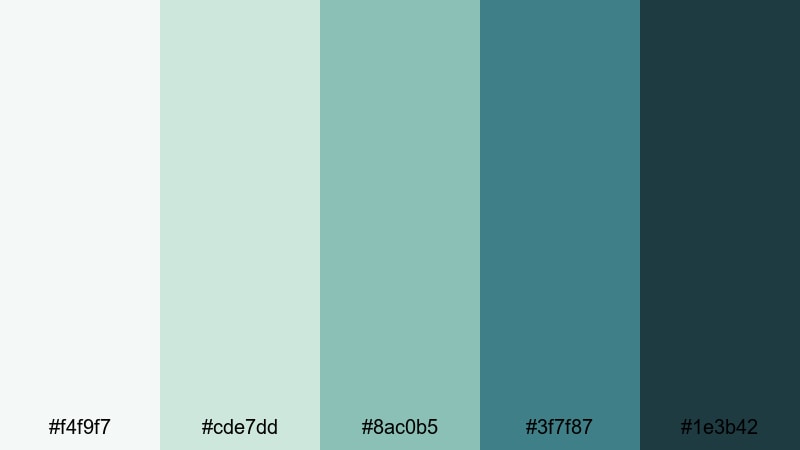
- HEX Codes: #f4f9f7, #cde7dd, #8ac0b5, #3f7f87, #1e3b42
- Mood: Fresh, light, and rejuvenating like breathing in high mountain air.
- Use for: Use for travel vlogs, wellness content, and landscape overlays that need clear, cool tones.
Alpine Air Clarity mixes minty greens with teal blues, echoing snow-dusted pines and frozen lakes. The palette feels refreshing and oxygen-rich, making it a natural fit for travel vlogs, hiking recaps, wellness routines, and mindful living content. The pale hues work well for title cards and lower thirds, while the deeper teals outline maps, stats, or route markers on screen.
For thumbnails, try blending a soft mint gradient with a bold teal bar behind your text, then overlay a cutout of your subject. This keeps the design airy and minimal while clearly signaling Winter nature and fresh mountain energy.
Glacier Edge Minimal
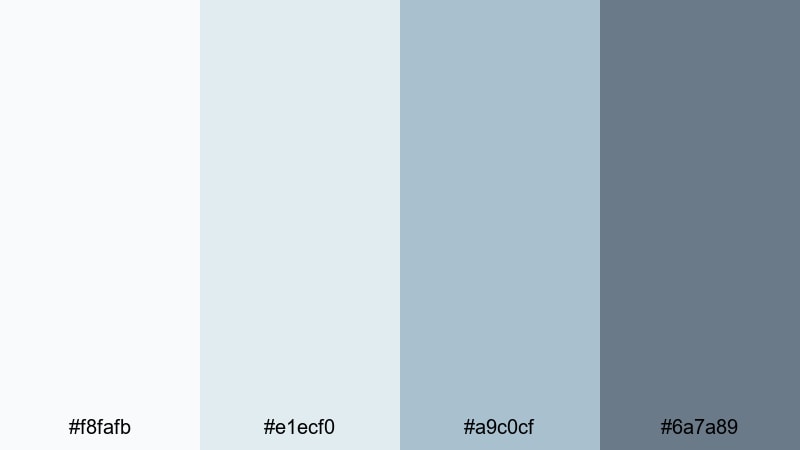
- HEX Codes: #f8fafb, #e1ecf0, #a9c0cf, #6a7a89
- Mood: Quiet, restrained, and ultra-minimal like a glacier against a clouded sky.
- Use for: Great for brand intros, portfolios, and minimalist channel art needing a subtle winter touch.
Glacier Edge Minimal is a restrained mix of soft whites and bluish grays that feels calm and refined. It is ideal when you want a Winter mood without strong saturation or busy details. The palette supports minimalist layouts, letting your footage and typography do most of the storytelling.
Use the palest shades for negative space and clean margins, and the mid grays for understated titles and controls. In a video portfolio or showreel, this palette works perfectly for transitions, section dividers, and credits, adding a quiet layer of sophistication around your work.
Festive Holiday Winter Color Palettes
Evergreen Market Stroll
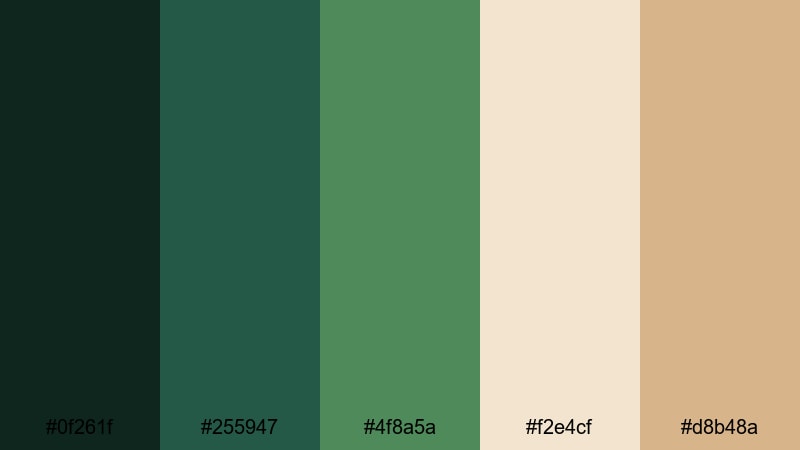
- HEX Codes: #0f261f, #255947, #4f8a5a, #f2e4cf, #d8b48a
- Mood: Lively, nostalgic, and cozy like walking through a festive winter market.
- Use for: Ideal for holiday promos, travel diaries, and event highlight reels with a seasonal feel.
Evergreen Market Stroll pairs deep forest greens with warm, market-style neutrals, instantly recalling wooden stalls, pine branches, and twinkling lights. The greens work best as background blocks, frames, or accent lines, while the cream and tan shades balance everything with a soft, approachable feel.
For holiday promos or travel diaries, apply this palette to animated titles, location labels, and simple icon sets. In thumbnails, combine dark green corners with a central, lighter area for your subject and text, hinting at festive energy without overwhelming the viewer with classic red-and-green clichés.
Cranberry Sparkle Night
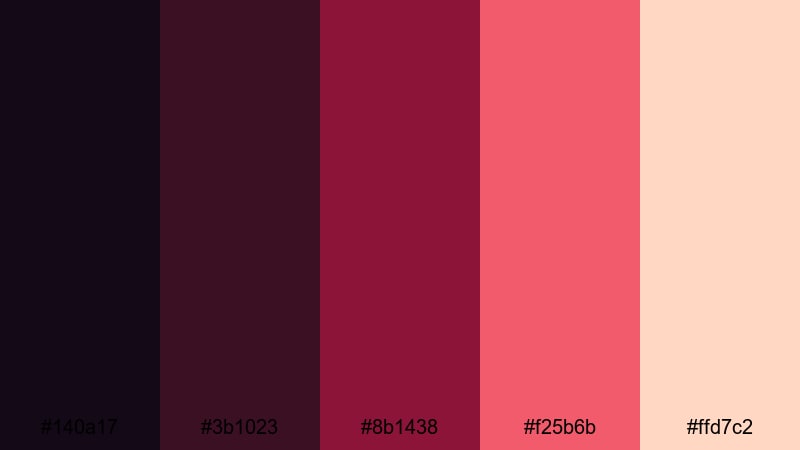
- HEX Codes: #140a17, #3b1023, #8b1438, #f25b6b, #ffd7c2
- Mood: Bold, celebratory, and glamorous like a holiday party after dark.
- Use for: Perfect for countdowns, party recaps, fashion lookbooks, and energetic holiday ads.
Cranberry Sparkle Night blends inky purples with vivid cranberry and sparkling peach, delivering a glamorous holiday-party feel. The darkest tones create a dramatic base for intros and countdowns, while the bright cranberry and coral shades can highlight key words, numbers, or call-to-action buttons.
Use this palette for New Year countdowns, party highlight reels, festive fashion videos, or bold social ads. In thumbnails, a dark background with neon-like cranberry accents and an illuminated subject cutout gives instant late-night celebration vibes and stands out strongly in crowded feeds.
Silver Bell Snowfall
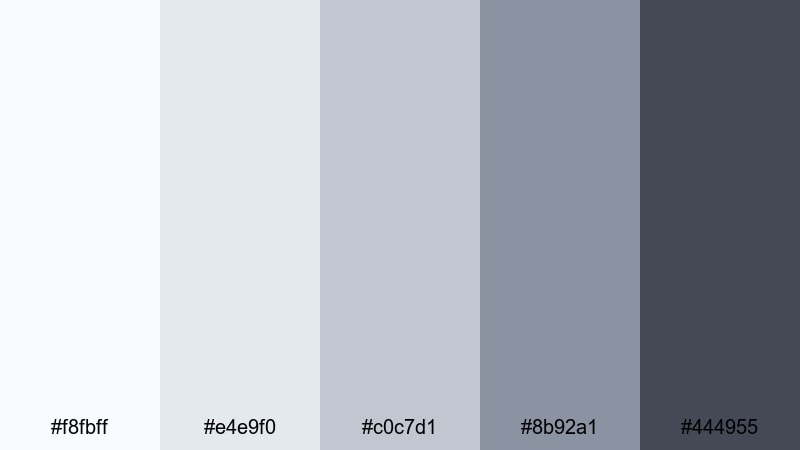
- HEX Codes: #f8fbff, #e4e9f0, #c0c7d1, #8b92a1, #444955
- Mood: Elegant, calm, and slightly magical like a quiet snowfall over city lights.
- Use for: Great for brand films, wedding recaps, and refined seasonal promos that need subtle sparkle.
Silver Bell Snowfall is a sophisticated blend of soft silvers and muted blues that feels quiet, polished, and gently festive. It suits brands that want seasonal content without going full red-and-green. Light tones make ethereal backdrops for logos or monograms, while the deeper grays give enough contrast for fine text and icons.
Apply this palette to wedding recaps, luxury product promos, or corporate holiday messages. Simple animated particles, snow, or glows in these colors add just enough magic to your intros and transitions without distracting from the main footage.
Sugar Cookie Chalet
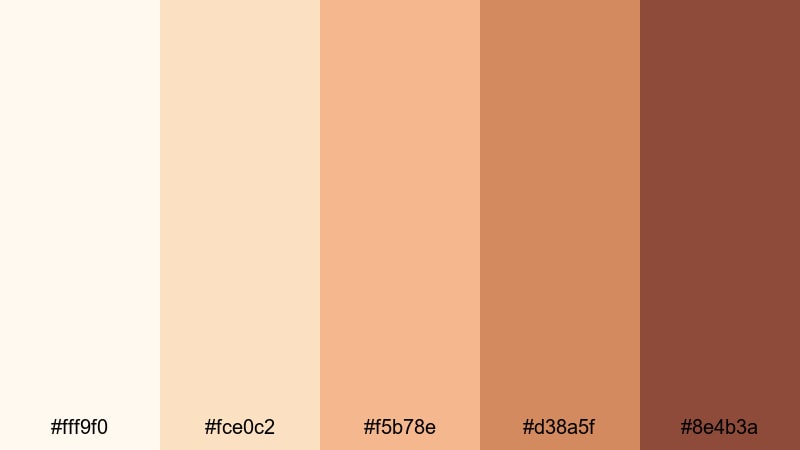
- HEX Codes: #fff9f0, #fce0c2, #f5b78e, #d38a5f, #8e4b3a
- Mood: Sweet, playful, and nostalgic like decorating cookies in a mountain lodge.
- Use for: Use for family vlogs, kid-friendly content, craft tutorials, and cheerful holiday cards.
Sugar Cookie Chalet blends buttery creams and caramels with icing-like oranges and browns, creating a whimsical, candy-adjacent mood. It is perfect for kid-friendly content, craft projects, and cheerful family vlogs. The lightest tones can fill backgrounds, while the mid and dark browns serve as anchors for frames, drop shadows, and bold text.
Use this palette in stop-motion crafts, cookie-decorating videos, or playful gift guides. In thumbnails, combine a cream background with soft orange shapes and one deep brown for your logo or channel name so your content feels both sweet and clearly branded.
Moody Cinematic Winter Color Palettes
Midnight Blizzard Drive
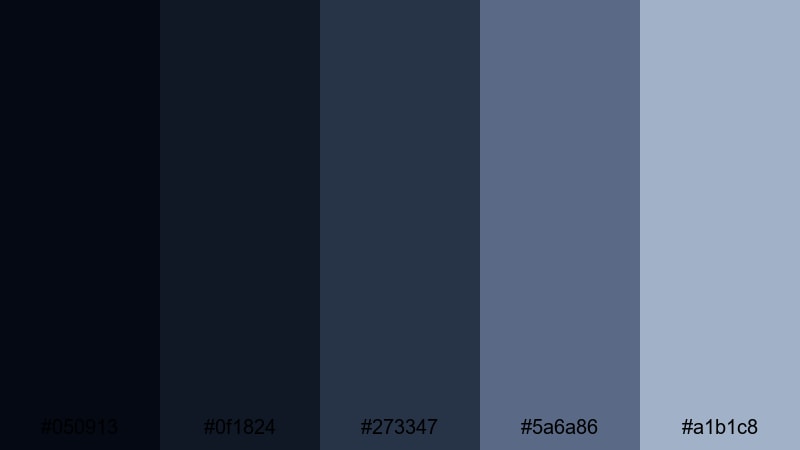
- HEX Codes: #050913, #0f1824, #273347, #5a6a86, #a1b1c8
- Mood: Tense, cinematic, and atmospheric like a late-night drive through a storm.
- Use for: Perfect for short films, trailers, and story-driven edits that need drama and depth.
Midnight Blizzard Drive moves from almost-black navy to misty slate blues, capturing the tension and isolation of driving through a storm. It is highly cinematic and works best when you want high contrast, heavy shadows, and a cool, suspenseful atmosphere. The deepest shades can dominate backgrounds and letterboxing bars, while the lighter blues help details emerge from the darkness.
Use this palette for thriller-style short films, moody B-roll sequences, city-night vlogs, or mysterious channel intros. In thumbnails, a dark base with a strip of lighter blue around the subject guides the eye and reinforces the idea of headlights cutting through a snowy night.
Northern Lights Horizon
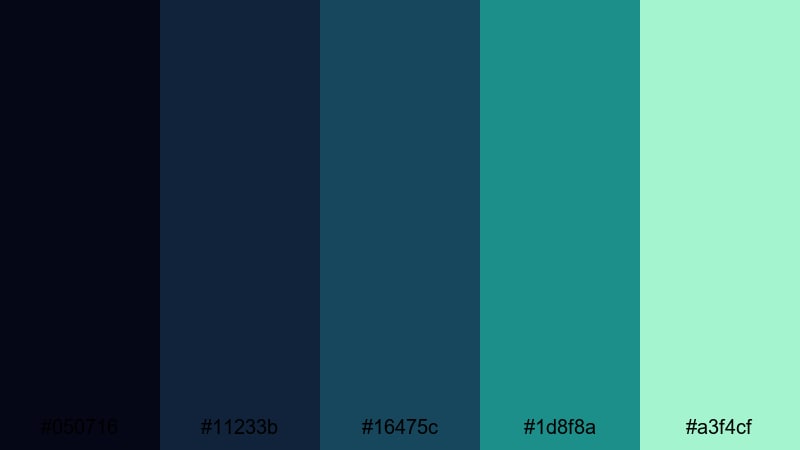
- HEX Codes: #050716, #11233b, #16475c, #1d8f8a, #a3f4cf
- Mood: Mysterious, awe-struck, and otherworldly like watching auroras on a frozen night.
- Use for: Use in travel films, music videos, and title sequences that need a surreal winter glow.
Northern Lights Horizon starts with deep indigo and teal shadows, then bursts into neon aqua highlights, echoing auroras over snow. The strong color contrast makes it ideal for dreamlike sequences, creative travel films, and stylized music videos. Dark tones create depth in skies and landscapes, while the brightest aqua is best reserved for selective glows, outlines, or text accents.
Apply this palette to title sequences, lyric videos, or ambient edits with electronic or cinematic music. In thumbnails, a dark background with a streak or halo of bright aqua around your subject will telegraph Northern Lights energy instantly.
Winter Noir Alley
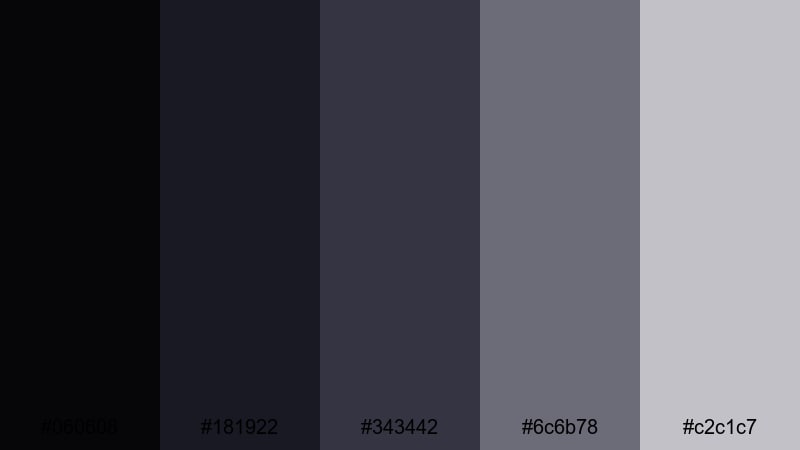
- HEX Codes: #060608, #181922, #343442, #6c6b78, #c2c1c7
- Mood: Gritty, stylish, and introspective like a noir thriller set in winter streets.
- Use for: Great for street vlogs, urban shorts, and editorial fashion videos seeking a moody edge.
Winter Noir Alley is a cool, monochrome-inspired palette that moves from near-black charcoal to pale, icy gray. It channels classic film noir but with a Winter chill, making it ideal for street vlogs, editorial fashion shoots, and introspective city pieces. The limited color range puts all the focus on light, shadow, and composition.
Use the darkest tones for backgrounds, frames, and letterboxes, and let the mid grays define buildings, streets, and outfits. In thumbnails, a mostly dark design with one bright gray highlight behind your subject or title can look sharp, stylish, and instantly cinematic, especially when paired with simple, bold typography.
Tips for Creating Winter Color Palettes
When you build your own Winter color combinations, think about the story you want to tell: calm snowfields, cozy cabins, glittering city nights, or high-contrast noir scenes. The right balance of cool and warm tones will help your video or design feel cohesive and on-brand from thumbnails to end screens.
- Decide on a mood first (cozy, minimal, festive, or moody) and choose one dominant temperature: mostly cool with warm accents, or mostly warm with a few icy highlights.
- Limit yourself to 4–6 core colors so your intros, titles, overlays, and thumbnails look consistent across a full series or season.
- Use high contrast between background and text (light on dark or dark on light) to keep titles readable on mobile, especially over busy Winter footage like snow or city lights.
- Pick one accent color for call-to-action buttons, subscribe badges, or key icons so viewers recognize important elements at a glance.
- Match your palette to your footage using color grading: cool down the shadows for icy looks, or warm the midtones for cozy cabin scenes, then adjust your graphics to sit naturally on top.
- Test your palette on both light and dark thumbnails to be sure it works in YouTube, TikTok, and social feeds with different backgrounds.
- Keep branding in mind: adapt Winter hues from your existing logo or brand colors so seasonal content still feels like you.
- Create and save presets in your editor so every new video automatically starts with the same Winter titles, lower thirds, and color grading foundation.
Winter color palettes can completely change how your content feels, from soft and nostalgic to sharp and cinematic. By choosing the right mix of icy tones, warm neutrals, and deep shadows, you shape both mood and brand identity across intros, thumbnails, and full-length edits.
Try a few of these palettes inside Filmora, then refine them using tools like AI Color Palette, HSL, color wheels, and LUTs. Once you have a Winter look that fits your channel or campaign, turn it into a repeatable preset so every video in your Winter season feels like part of the same visual story.
Whether you are editing vlogs, travel films, tutorials, or brand campaigns, a thoughtful Winter color palette will help your work stand out and feel more intentional on every platform.
secure downloadNext: Monochrome Color Palette
