

 100% Security Verified | No Subscription Required | No Malware


 ChatGPT
 Perplexity
 Gemini
 Claude
 Grok
Grok
Yellow and blue are one of the most eye-catching combinations in visual design. Yellow brings warmth, energy, and optimism, while blue adds trust, clarity, and stability. Together they create palettes that can feel playful, coastal, sleek, or cinematic, simply by shifting the tones and contrast. This makes Yellow Blue a go-to choice for YouTube thumbnails, intros, vlogs, and branding where you want both excitement and reliability on screen.
Below you will find 15 ready-to-use Yellow Blue color palettes with HEX codes, crafted for creators, editors, and Filmora users. Whether you are building a channel look, grading travel footage, or designing a bold thumbnail, you can copy these palettes directly into your video overlays, titles, and brand kits to keep your Yellow Blue aesthetic consistent from project to project.
In this article
Bright & Playful Yellow Blue Color Palettes
Sunlit Surf Pop
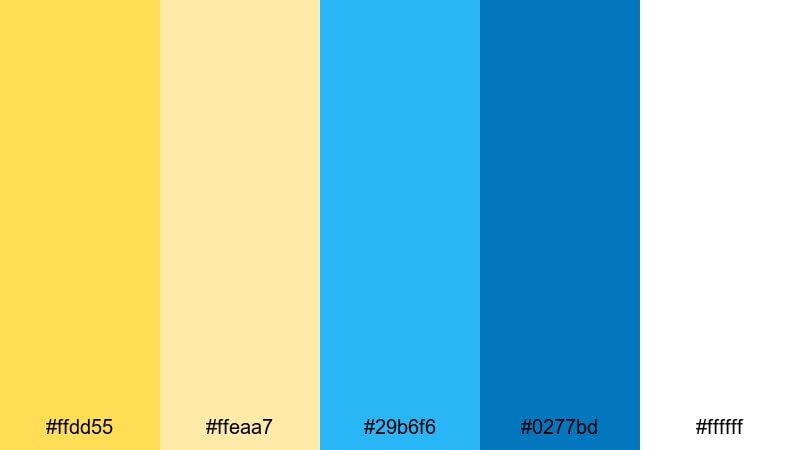
- HEX Codes: #ffdd55, #ffeaa7, #29b6f6, #0277bd, #ffffff
- Mood: Energetic, sunny, and optimistic.
- Use for: Ideal for upbeat vlogs, travel montages, and playful YouTube thumbnails.
Sunlit Surf Pop feels like a bright day at the beach, with citrusy yellows and clear sky blues bouncing off crisp white. The lighter yellow and aqua tones keep everything looking fresh, while the deeper blue adds just enough contrast for readable titles and buttons.
Use this palette when you want your content to feel carefree and summery: travel recap edits, fun day-in-the-life vlogs, or colorful channel intros. In Filmora, you can apply the light yellow to lower-thirds and sticker-style graphics, keep white as your background or text color, and use the bold blue to highlight subscribe buttons, chapter cards, and callouts so they stand out even on small mobile screens.
Pro Tip: Enhance Your Yellow Blue Visuals With Filmora
For a palette this bright, consistency is everything. In Filmora, you can save your Sunlit Surf Pop HEX codes and reuse them across titles, shapes, and overlays so your vlogs, shorts, and community posts all share the same Yellow Blue identity. This makes your channel instantly recognizable, even when viewers scroll fast through their feed.
Try building a simple style system: one yellow for accent lines and emojis, one blue for main text or buttons, and white for backgrounds. By repeating these colors across intros, B-roll labels, and end screens, you create a unified visual language that feels both energetic and professional.
AI Color Palette
If you love the look of Sunlit Surf Pop in a thumbnail mockup or a brand moodboard, you can turn that still image into a full video style using Filmora's AI Color Palette feature. Import your reference frame, let Filmora analyze the Yellow Blue tones, and then apply the same look across all your clips in just a few clicks.
This is especially helpful when mixing footage from different cameras or shooting days. AI Color Palette keeps your yellows consistently warm and your blues equally vibrant from intro shot to outro card, so your entire edit feels like one cohesive piece instead of a patchwork of scenes.
 secure download

HSL, Color Wheels & Curves
To fine-tune Yellow Blue palettes, Filmora's HSL, color wheels, and curves give you precise control. You can deepen the blues in the shadows for a slightly more cinematic look while keeping the yellows bright in the highlights so skin tones stay flattering and thumbnails pop. Small tweaks to saturation and luminance will help your yellow accents stay readable without looking neon on bright screens.
If you want to learn a more advanced approach, this walkthrough on Filmora's color correction tools shows how to balance warm and cool tones using curves and color wheels. Apply these techniques to maintain your Yellow Blue identity, even when your footage was shot under different lighting conditions.
secure download1000+ Video Filters & 3D LUTs
Once your Yellow Blue base palette is set, you can give it an instant mood boost with Filmora's filters and LUTs. A soft film LUT can turn Sunlit Surf Pop into a nostalgic, grainy beach story, while a contrasty filter makes it pop for shorts and Reels. Because the filters are built on color science, your yellows and blues stay balanced instead of clipping or turning muddy.
Filmora's video filters and 3D LUTs make it easy to test multiple looks on the same timeline. Duplicate your sequence, apply a different LUT to each version, and choose the Yellow Blue style that best matches your branding or platform, from soft lifestyle edits to bold gaming intros.
secure downloadLemonade Arcade
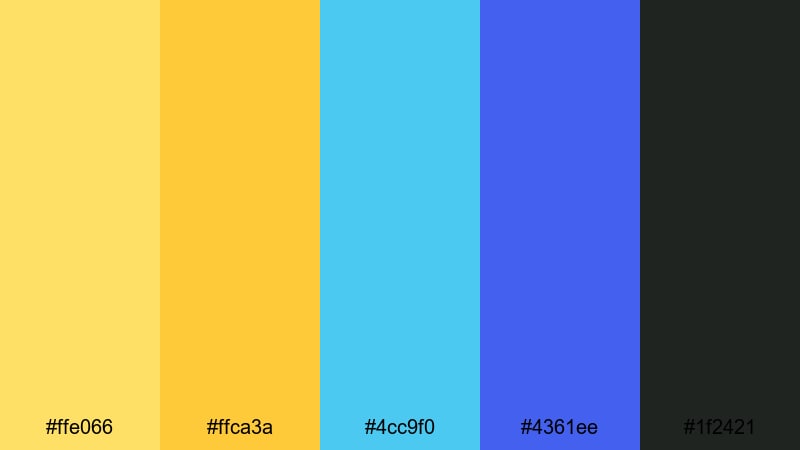
- HEX Codes: #ffe066, #ffca3a, #4cc9f0, #4361ee, #1f2421
- Mood: Retro, playful, and slightly nostalgic.
- Use for: Perfect for gaming intros, retro edits, and colorful channel branding.
Lemonade Arcade mixes juicy yellows with neon-leaning blues for a palette that feels like old-school arcades and candy-colored dashboards. The deep navy and charcoal base keeps the bright tones grounded so your visuals stay readable and not overwhelming.
Use the pale yellows for background strips or scoreboards, then punch in the darker blue for gamer tags, timers, or subscribe animations. This palette works brilliantly for gaming overlays, glitch transitions, and retro-themed thumbnails where you want instant energy without losing that nostalgic vibe.
Electric Festival Waves
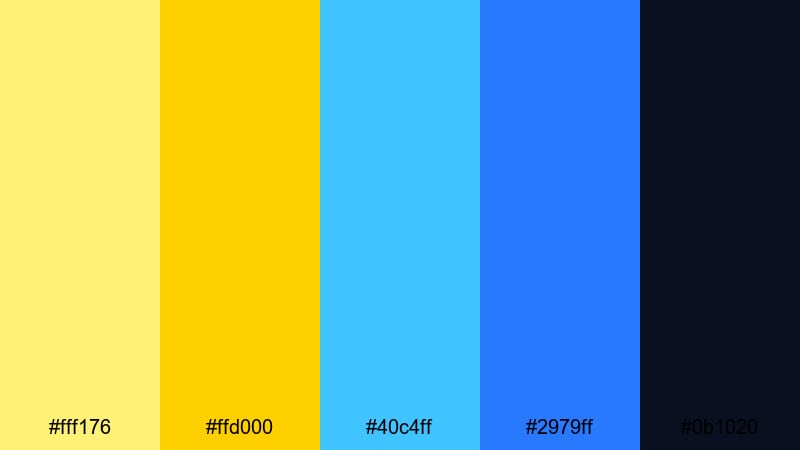
- HEX Codes: #fff176, #ffd000, #40c4ff, #2979ff, #0b1020
- Mood: Loud, electric, and festival-ready.
- Use for: Great for music videos, festival recaps, and kinetic typography sequences.
Electric Festival Waves is all about high impact: punchy yellows, electric blues, and a deep midnight backdrop that recalls concert stages and LED lighting. The near-black navy makes neons glow more intensely, which is perfect for dark-mode designs and night footage.
Drop this palette onto music video titles, lyric animations, or fast-paced recap edits. Use the bright yellow for beat-synced flashes and the lighter blue for shapes or waveforms, while the darkest tone sits behind your text to keep everything legible, even during rapid cuts and zooms.
Bumblebee Skater Vibes
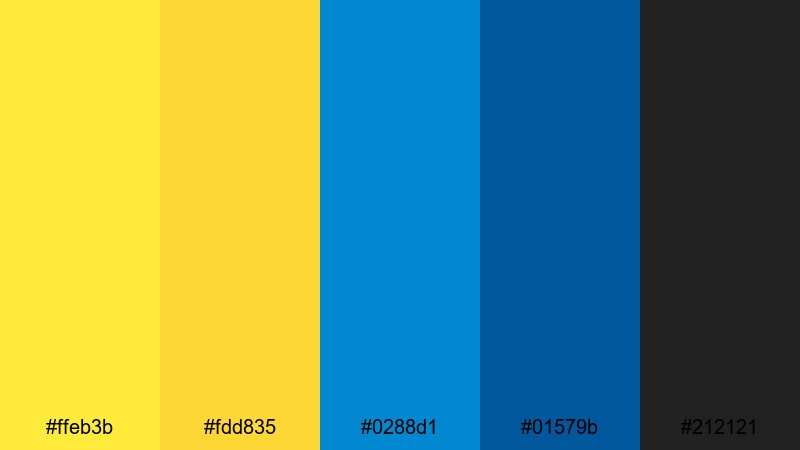
- HEX Codes: #ffeb3b, #fdd835, #0288d1, #01579b, #212121
- Mood: Streetwise, bold, and youthful.
- Use for: Use for skate edits, lifestyle reels, and energetic social ads.
Bumblebee Skater Vibes combines strong bumblebee yellows with denim-like blues and dark charcoal, echoing streetwear logos and skate deck graphics. The contrast is bold enough to cut through busy urban footage while still feeling casual and fun.
Try this palette for lifestyle vlogs, skate park montages, or bold social ads. Use dark grey as your text color over mid-tone blue, then reserve the brightest yellow for stickers, arrows, and follow or subscribe CTAs. The result is a tight, street-inspired Yellow Blue style that translates well across Reels, TikToks, and YouTube content.
Calm & Coastal Yellow Blue Color Palettes
Morning Marina Haze
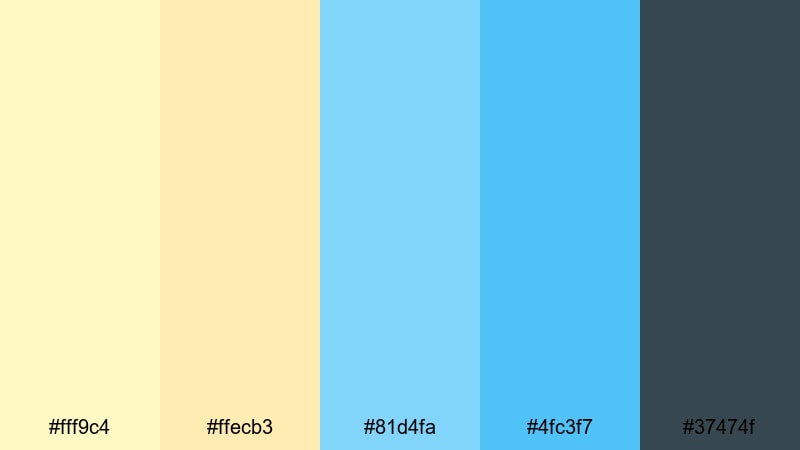
- HEX Codes: #fff9c4, #ffecb3, #81d4fa, #4fc3f7, #37474f
- Mood: Gentle, breezy, and relaxed.
- Use for: Ideal for travel vlogs, slow living edits, and calming B-roll sequences.
Morning Marina Haze feels like a soft sunrise over a quiet harbor. Creamy pastel yellows fade into airy blues, with a muted slate accent to keep everything grounded and modern. Nothing is harsh or overly saturated, which instantly calms the frame.
This palette works beautifully for slow-paced travel vlogs, morning routines, and reflective B-roll. Use the lighter yellows for background panels and chapter titles, the airy blues for lower-thirds and captions, and the slate tone for subtle icons or thin dividers, especially when you want an uncluttered, coastal feel.
Seaglass Dunes
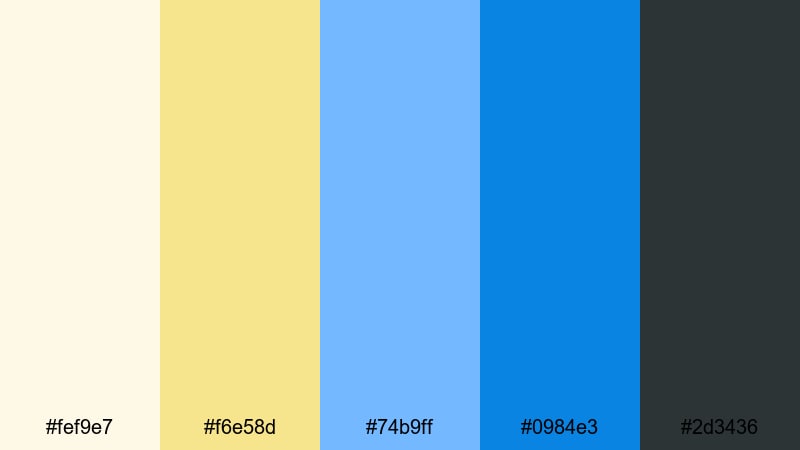
- HEX Codes: #fef9e7, #f6e58d, #74b9ff, #0984e3, #2d3436
- Mood: Airy, coastal, and slightly nostalgic.
- Use for: Great for aesthetic montages, lifestyle channels, and minimal product shots.
Seaglass Dunes pairs pale sand yellows with seaglass blues, creating a look that is light, breezy, and a touch nostalgic. The charcoal accent keeps your titles readable while the lighter tones leave plenty of empty space for clean compositions.
Choose this palette for aesthetic montage videos, organizer or decor content, or product shots on light backgrounds. Let the off-white and sand colors handle backgrounds and negative space, while the mid and deep blues highlight key text, buttons, and price tags in your graphics and overlays.
Harbor Sky Retreat
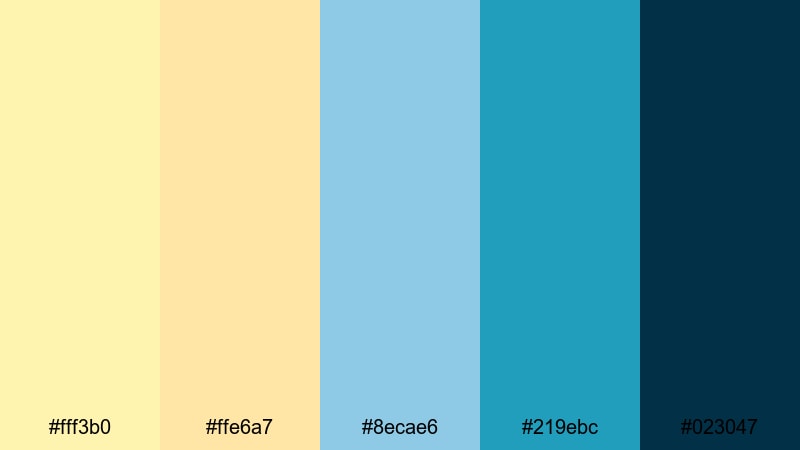
- HEX Codes: #fff3b0, #ffe6a7, #8ecae6, #219ebc, #023047
- Mood: Cozy, contemplative, and coastal-chic.
- Use for: Perfect for travel documentaries, cabin-by-the-sea stories, and title cards.
Harbor Sky Retreat combines warm creamy yellows with layered sky blues and a deep harbor navy. It feels cozy yet airy, like a seaside cabin with big windows and soft blankets. The dark blue gives you enough weight for cinematic titles or intro screens.
Use this palette when you want your travel stories, location guides, or mini-documentaries to feel sophisticated but not cold. Assign the darker navy to main titles, the mid-blue to subtitles or map graphics, and the soft yellows to background textures, frames, or subtle light leaks.
Ocean Porch Sunrise
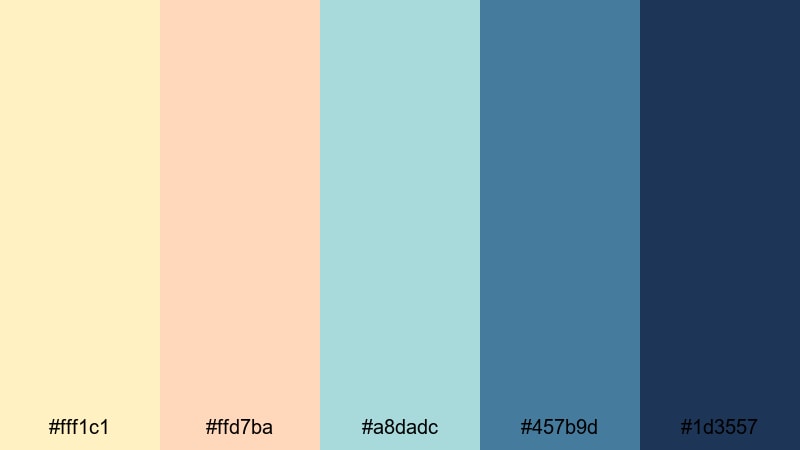
- HEX Codes: #fff1c1, #ffd7ba, #a8dadc, #457b9d, #1d3557
- Mood: Soft, nostalgic, and quietly hopeful.
- Use for: Use for morning routine vlogs, wellness content, and reflective travel edits.
Ocean Porch Sunrise mixes delicate sunrise yellows and peach tones with misty ocean blues and deeper navy shadows. It has a nostalgic, film-like softness that suits intimate storytelling and calming edits.
Apply this palette to wellness vlogs, journaling videos, or heartfelt narration. The lighter hues work well for full-screen backgrounds and quote cards, while the darker blues are ideal for captions, timestamps, and intro titles that remain easy to read on both desktop and mobile.
Modern & Minimal Yellow Blue Color Palettes
Nordic Signal Clean
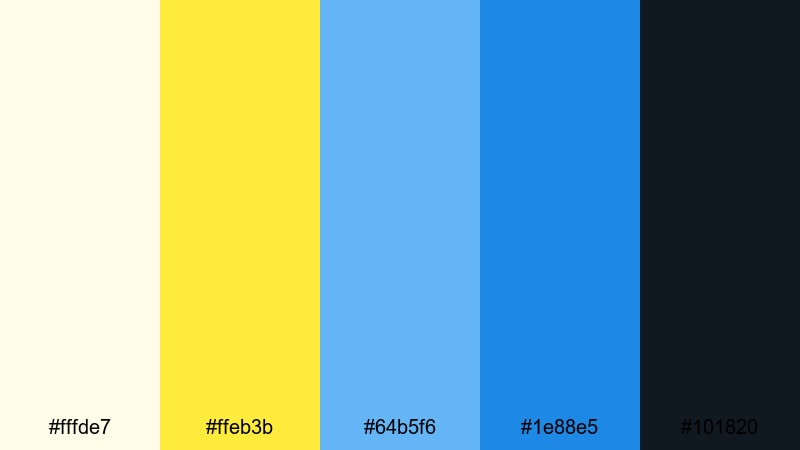
- HEX Codes: #fffde7, #ffeb3b, #64b5f6, #1e88e5, #101820
- Mood: Fresh, minimal, and confident.
- Use for: Great for tech explainers, app promos, and clean motion graphics.
Nordic Signal Clean is a crisp combination of off-white, signal yellow, and modern sky blues anchored by deep charcoal. It feels like a clean UI or a well-designed dashboard: minimal, confident, and easy on the eyes.
Use the soft off-white for backgrounds, the signal yellow for key highlights or badges, and the blues for titles, icons, and interface-style elements. This palette is perfect for software walkthroughs, SaaS promos, or any explanatory video where clarity and a professional Yellow Blue look matter.
Blueprint Highlight
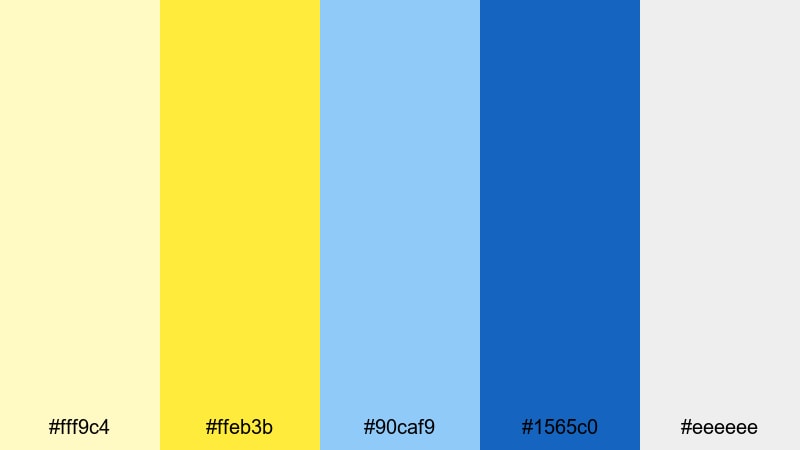
- HEX Codes: #fff9c4, #ffeb3b, #90caf9, #1565c0, #eeeeee
- Mood: Smart, structured, and professional.
- Use for: Ideal for tutorials, software walk-throughs, and branding bumpers.
Blueprint Highlight balances highlighter yellow accents with cool blueprint blues and soft greys. It suggests precision and planning, like technical drawings or wireframes, but still feels bright and approachable.
Use the muted greys and pale yellow as your base, then bring in the deep blue for strong headline text and logos. The vibrant yellow is a great accent for arrows, icons, progress bars, and CTA buttons in both thumbnails and animated explainers.
Neon Studio Grid
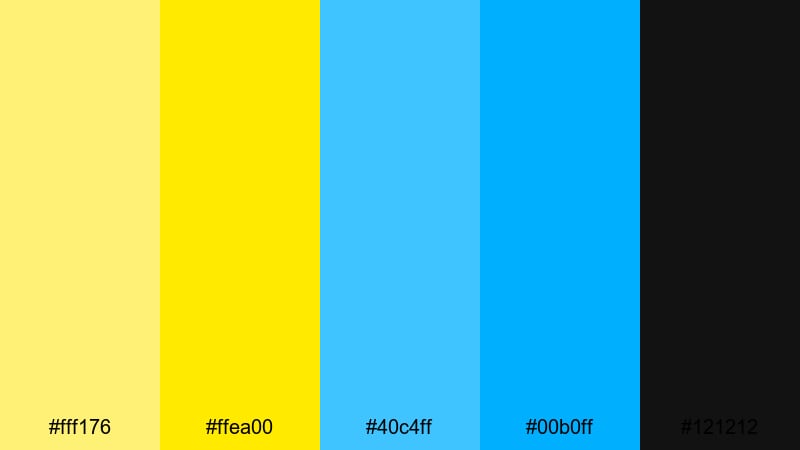
- HEX Codes: #fff176, #ffea00, #40c4ff, #00b0ff, #121212
- Mood: Futuristic, techy, and high contrast.
- Use for: Perfect for channel intros, tech reviews, and cyber-inspired motion graphics.
Neon Studio Grid throws neon yellows and electric blues onto a deep black base for a sharp, digital studio feel. It evokes HUD interfaces, esports broadcasts, and cyberpunk lighting, making it ideal for tech-forward content.
Let the black dominate your background so the neon accents really glow. Use yellow for key metrics, price tags, or on-screen reactions, and blue for grids, outlines, and motion trails. This palette will make your intros, transitions, and review callouts feel instantly more high-tech.
Urban Transit Glow
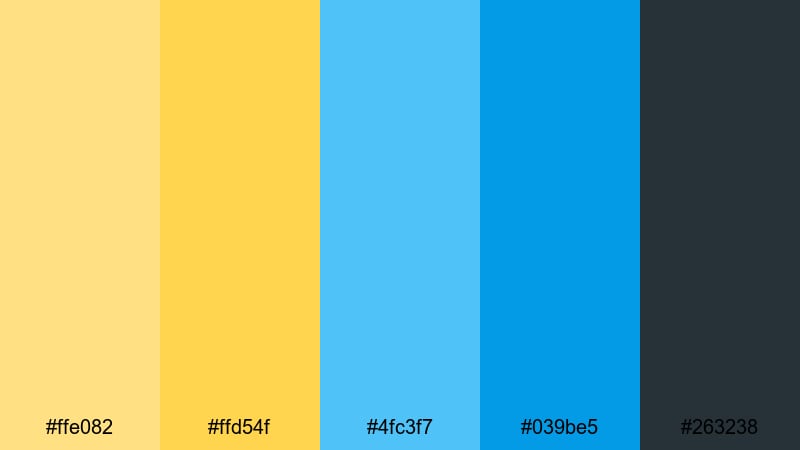
- HEX Codes: #ffe082, #ffd54f, #4fc3f7, #039be5, #263238
- Mood: Urban, modern, and energetic but controlled.
- Use for: Use for city vlogs, transport sequences, and sleek social promos.
Urban Transit Glow takes inspiration from metro signage and station lighting, with platform-light yellows, transit blues, and a cool charcoal base. It feels dynamic yet organized, like a well-designed wayfinding system.
Use this palette for city vlogs, travel transitions, or map-based animations. The darker blue and charcoal work nicely for overlays on busy street footage, while the warm yellows highlight routes, stops, timestamps, or key stats in your graphics.
Cinematic Yellow Blue Color Palettes
Night Drive Marigold
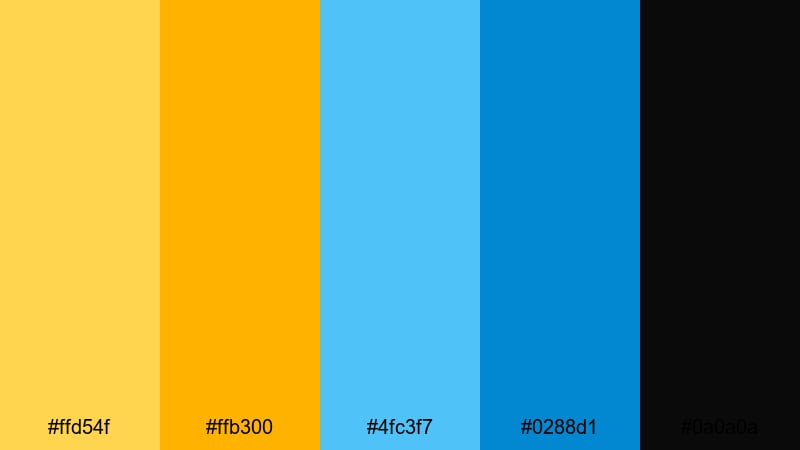
- HEX Codes: #ffd54f, #ffb300, #4fc3f7, #0288d1, #0a0a0a
- Mood: Moody, cinematic, and road-movie inspired.
- Use for: Great for night city sequences, car POV shots, and stylized narrative edits.
Night Drive Marigold leans into the classic teal-and-gold look: headlight marigold yellows, cool highway blues, and near-black shadows. The contrast is strong and dramatic, perfect for nighttime stories and urban journeys.
Use the darker tones for most of the frame, then let the yellows highlight headlights, signs, credits, and key objects. This palette is ideal for opening sequences, story-driven vlogs, and stylized edits where you want a cinematic Yellow Blue grade without losing detail in the shadows.
Golden Hour Noir
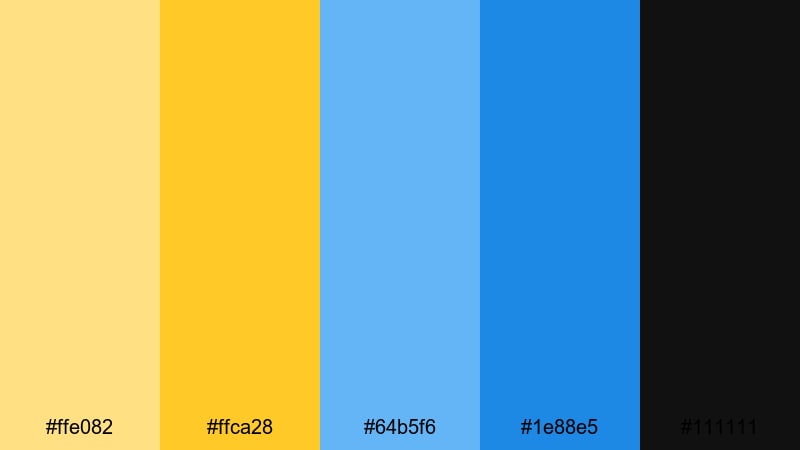
- HEX Codes: #ffe082, #ffca28, #64b5f6, #1e88e5, #111111
- Mood: Dramatic, elegant, and contrast-rich.
- Use for: Perfect for short films, trailers, and mood-heavy title sequences.
Golden Hour Noir contrasts rich golden yellows with cinematic blues and deep black, blending warmth and mystery in a single frame. It feels like a stylized golden hour scene that has been pulled into a darker, more dramatic world.
Try it for short film credits, concept trailers, or narrative vlogs. Keep your backgrounds dark, let mid blues soften into the shadows, and reserve the brightest yellow for text, borders, and lens-flare-style overlays that guide the viewer's eye through the frame.
Indie Roadtrip Frames
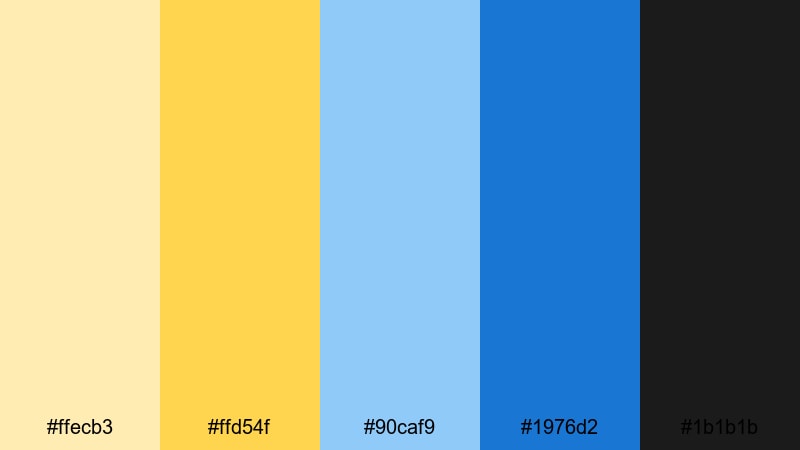
- HEX Codes: #ffecb3, #ffd54f, #90caf9, #1976d2, #1b1b1b
- Mood: Warm, nostalgic, and story-driven.
- Use for: Use for indie travel films, diary-style vlogs, and emotional montage sequences.
Indie Roadtrip Frames pairs dusty film-like yellows with gentle sky blues and inky shadows. It gives footage a warm, handcrafted feeling that fits diary-style storytelling, travel films, and reflective edits.
Use the lighter yellow as a base tint in your grade, letting it wash softly over midtones, while blue remains in the skies and distant elements. Add the deep near-black to frames, letterboxing, and typography so your video feels like a curated collection of memories instead of raw camera output.
Tips for Creating Yellow Blue Color Palettes
Yellow Blue palettes can swing from playful to cinematic depending on saturation, contrast, and supporting neutrals. These practical tips will help you design combinations that look great in both still graphics and motion inside Filmora.
- Define roles for each color: use one yellow as your main accent, one blue as your primary text or brand color, and pick a neutral (white, grey, or near-black) to hold everything together.
- Check contrast on thumbnails: zoom out or view them on your phone to be sure text over Yellow Blue backgrounds is still readable; adjust brightness or add subtle shadows in Filmora if needed.
- Use darker blues for legibility: when in doubt, place white or yellow text over deep blue or navy blocks instead of light yellows to improve accessibility.
- Balance warmth and coolness: if your footage is already very warm, shift the blues slightly more teal; if it is cool, keep yellows rich and saturated so the palette stays dynamic.
- Introduce one supporting neutral: soft beige, light grey, or charcoal can prevent Yellow Blue from feeling too intense and gives you space for subtitles, timers, and UI-style elements.
- Match palette to content type: bright, saturated Yellow Blue works best for gaming and upbeat vlogs, while muted versions fit travel films, wellness edits, and storytelling content.
- Test on different screens: preview your exports on both desktop and mobile to make sure neon yellows are not overpowering and deep blues do not crush into pure black.
- Save presets in Filmora: once you dial in a Yellow Blue look you love, save title presets, color settings, and overlays so every new video automatically matches your brand palette.
Yellow Blue color palettes are powerful tools for shaping mood, storytelling, and brand identity. From bright surf-inspired edits to moody night drives, shifting the balance of yellow, blue, and neutrals lets you control how energetic, calm, or cinematic your visuals feel.
Use these 15 palettes as ready-made starting points for your thumbnails, intros, lower-thirds, and color grading. Drop the HEX codes into Filmora, refine them with AI Color Palette, HSL tools, and LUTs, and then save your favorite Yellow Blue looks as presets so every video carries the same recognizable style.
The more consistently you apply your chosen palette across content, the stronger your visual brand becomes. Experiment with different Yellow Blue combinations, see how they play with your footage in Filmora, and keep iterating until the colors on screen feel exactly like your channel or project in motion.
secure download