


If you are struggling to stand out on social feeds or spend hours tweaking timelines, a dedicated AI video generator app on mobile sounds like a lifesaver. There are plenty of options out there, with VideoGPT being one option that a lot of people consider at the top.
Claiming to have generated over 11 million videos, the VideoGPT app promises quick text-to-video magic, built-in voiceovers, and anime styles. But with so many pocket tools flooding the market, how do you know if VideoGPT is actually worth your time or just another overhyped download?
Our honest VideoGPT review dives straight into the features, safety, and performance to help you decide.
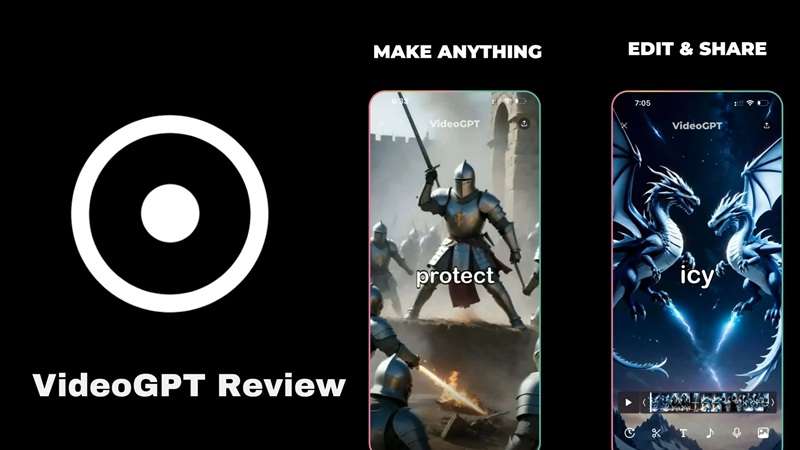
Part 1. Meet VideoGPT, an AI Video Generator for Quick Creations
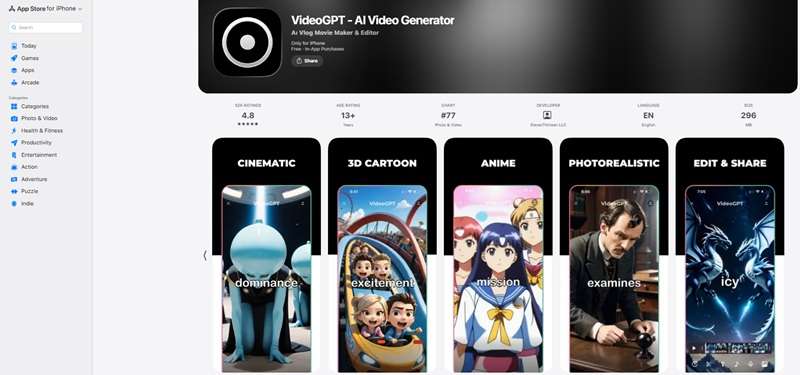
VideoGPT is a mobile app from ElevenThirteen LLC. It is built around turning written ideas into video stories and offers visual styles that include cinematic and anime-inspired looks.
It leans hard into short-form content like YouTube Shorts, TikTok, and Instagram Reels, rather than long-form filmmaking. The VideoGPT app has been around long enough to rack up a genuinely large user base, and its own homepage counter puts total videos generated well into the millions.
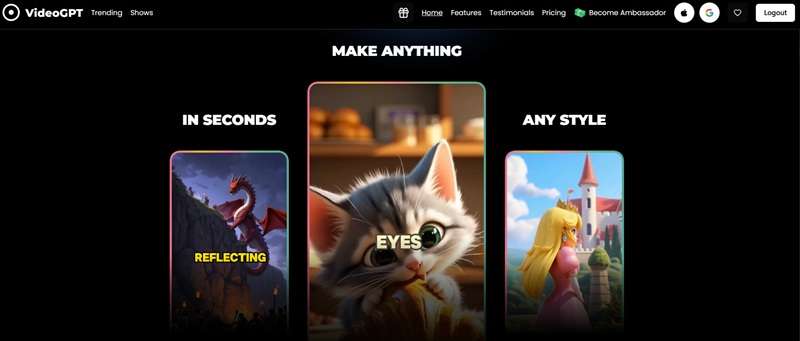
A Glance at Its Features
- Text & Image to Video: You type out a basic prompt or feed it a starter picture, and the VideoGPT AI handles the scene composition and motion generation automatically.
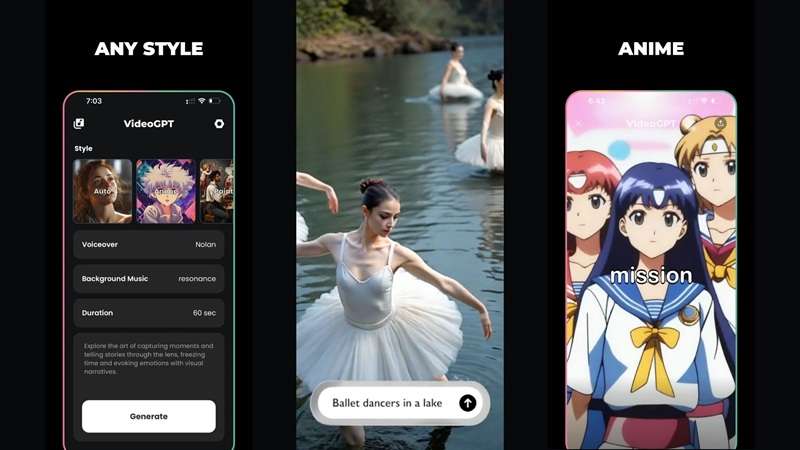
- Anime & Cinematic Styles: Rather than giving you generic output, VideoGPT specializes in distinct art styles ranging from stylized anime to dramatic, film-like visuals.
- Built-in Audio Suite: The VideoGPT app bundles a royalty-free music library alongside realistic AI voiceovers, letting you add full narration to your scripts.
Part 2. How to Access VideoGPT
VideoGPT lives on mobile only, with official builds on both Android and iOS. There's also an official website at https://videogpt.io/, but it's worth knowing that the site exists purely for information, pricing, and blog content. So, you can't actually generate a video from a browser there.
If you were hoping for a desktop route, however, there currently is no VideoGPT for PC build for Windows, macOS, or Linux either.
Is VideoGPT Safe? Why Modded APKs Are a Security Risk
It's not exactly a rare occurrence that people go looking for a shortcut into a paid app's premium tier for free. You'll find plenty of sites offering a VideoGPT Premium APK or VideoGPT mod APK latest version, promising unlimited generations and no subscription needed.
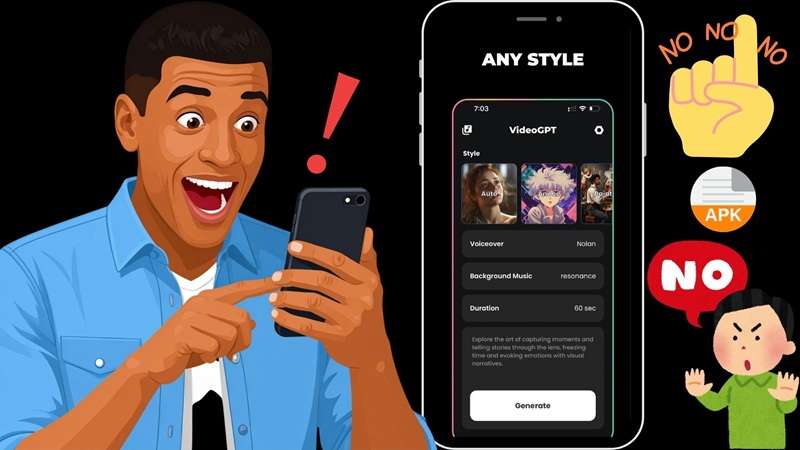
So, is VideoGPT safe when downloaded from those random third-party sites? Short answer: absolutely not. Sourcing a modded VideoGPT APK outside of official app stores exposes your device to major security vulnerabilities:
- Malware Risks: Unscreened files can easily hide viruses and background spyware.
- Data Leaks: Modded apps can steal your personal files, logins, and private info.
- Account Bans: Using tampered software breaks official rules and risks permanent blocks.
- Unstable Performance: Unofficial builds freeze, crash, and rarely receive actual updates.
Part 3. VideoGPT Pricing: Can You Use It for Free?
Thankfully, you can test out the platform without pulling out your credit card right away. The VideoGPT free version gives you a decent sandbox to see how the engine handles your prompts, though it comes with daily limits.
According to their site, this is what the free version gives you:
- Generate up to 3 videos per day.
- Videos are 30 seconds long.
- Add background music.
Once you outgrow that, you'll need to move to one of the paid plans, billed either weekly or yearly. Here's the full breakdown:
| Plan Details | Free | Basic (Weekly) | Pro (Yearly) |
| Price | $0 | $6.99 / week | $199.99 / year |
| Video Limits | 3 per day | Unlimited | Unlimited |
| Max Length | 30 seconds | 60 seconds | 60 seconds |
| Background Music | Included | Included | Included |
| Premium Features | - | AI Voiceovers & AI Styles | AI Voiceovers & AI Styles |
| Best For | Testing | Short-term projects | Regular creators |
|
Show More
Show Less
|
|||
Part 4. How to Use VideoGPT: A Quick Step-by-Step Tutorial
To give you an honest breakdown of whether VideoGPT is good or not, we spent time testing the creation flow ourselves. After all, there’s no better way to review something other than trying it yourself. Follow the guide below to learn how to use VideoGPT to create short-form content.
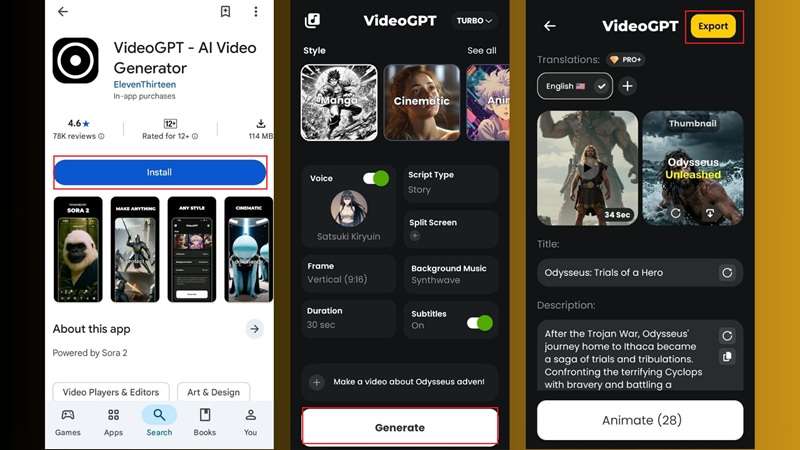
See the video result generated by VideoGPT:
Our Take on VideoGPT (Pros & Cons)
Based on our experience, VideoGPT AI video generator does a handful of things genuinely well, and stumbles in a few predictable places. Take a look at this clear breakdown of where this mobile engine shines and where it falls short:
- Real Style Variety: Cinematic, Anime, Fantasy, and more sit in one menu, so the same app covers wildly different content moods.
- Simple Four-Part Workflow: Style, Voiceover, Music, and Duration are the only dials you touch, which keeps the learning curve close to flat.
- All-in-One Voiceovers: Combining voice generation and background audio inside one app saves tons of production time.
- AI Results Can Be Inconsistent: Some styles can render oddly compared to the more polished anime mode.
- There are Bugs: Sometimes, the app crashes mid-generation, and you have to start generating from the beginning again.
- Prompt Drift: VideoGPT AI often ignores specific details in a prompt, defaulting to its own look instead.
Part 5. Create AI Videos on a Desktop With Wondershare Filmora
VideoGPT AI video generator is a solid pick if your whole project lives inside a 30-to-60-second window built for a phone screen. However, bigger creative projects usually demand far more control than a prompt box can provide. When you need deep editing tools, multi-layered audio tracks, or precise timeline tweaks, switching over to a full desktop environment is the way to go.
Since there is no native desktop version of VideoGPT, Wondershare Filmora can be practical desktop alternative. Filmora is a full video editor that covers the same generative ground VideoGPT does, but it isn't locked to mobile; it runs on both Windows and macOS, alongside its own mobile app, so you're never stuck with just a phone screen to work from.
Why Choose Filmora?
1. Various Ways to Create AI Videos

Filmora offers several AI-assisted ways to begin creating, including text-to-video, image-to-video, idea-to-video, and audio-to-video tools. That gives you more starting points instead of forcing every project into the same prompt-based format.
2. Multi-track Timeline Control

Unlike mobile prompt apps where the render is locked in, Filmora gives you complete multi-track timeline editing. For larger projects, Filmora also includes features such as multi-camera editing and dual-monitor editing. The dual-monitor setup can keep your editing tools on one display while showing your project preview on another.
3. Library With More Than Just Music

Filmora doesn't stop at royalty-free music the way VideoGPT does. Its library also stretches to effects, filters, templates, stock footage, and stickers, so the finishing touches don't require leaving the app to find them elsewhere.
4. Advanced Features For Complex Projects
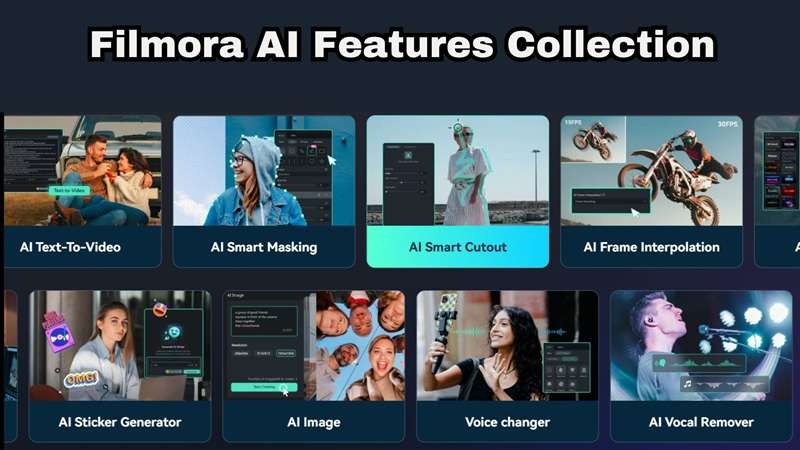
When standard AI generation is not enough, you can take total control using pro-level features like planar tracking, keyframe automation, AI color palette matching, custom mask drawing, and precision AI audio editing.
 Secure Download
Conclusion
VideoGPT does what it sets out to do: quick, styled, short-form videos straight from your phone. It has a usable free tier and a genuinely handy voice cloning feature layered on top. But once a project outgrows a 60-second phone-sized box, relying solely on mobile VideoGPT apps can hold your creative vision back.
If your projects need more control after the AI generation stage, Wondershare Filmora is worth considering. It combines several AI video creation options with a full desktop timeline and advanced editing tools, giving you more room to build, adjust, and finish a project beyond the initial prompt.
FAQs
-
Are the AI-generated videos from VideoGPT eligible for YouTube and TikTok monetization?
Yes, you can monetize the videos you generate on social platforms like YouTube and TikTok. Just make sure the scripts, images, and audio prompts you feed into the generator comply with each platform’s standard community guidelines and original content policies. -
Does VideoGPT require open-source code from GitHub to run?
Regular users do not need to download code from GitHub or set up an AI model manually to use the official app. If you spot a VideoGPT GitHub repo using a similar name, it's an unrelated open-source project, not the actual VideoGPT app. -
Does VideoGPT generate videos longer than one minute?
Not currently. The free tier tops out at 30-second clips, and even the paid Basic and Pro plans cap generations at 60 seconds. It's built squarely for short-form content, not full-length uploads.
