

 100% Security Verified | No Subscription Required | No Malware


 ChatGPT
 Perplexity
 Gemini
 Claude
 Grok
Grok
Images now dominate digital communication, but understanding visual content remains difficult without the right tools. AI image describer platforms solve this problem by generating accurate descriptions and detailed analysis within seconds. These tools improve productivity and understanding of content for content creators and marketers.
In this guide, you will discover the best free and paid AI image description generators. These tools transform the way you interact with images online and improve your scene understanding.
In this article
Part 1. How to Choose the Right AI Image Description Generator
Choosing the right image describer AI is important because every tool offers different strengths. Before selecting a platform, it helps to understand which features truly improve accuracy. Provided below are some tips on how to choose the right AI image description generator:
- Reliability of Image Recognition: An accurate device should correctly recognize what is happening and what objects are involved with little or no mistakes.
- Accessibility Features: Accessibility support is important, as many users require AI-generated alt text for websites and social media.
- Export & Integration Support: Tools that can be accessed with API or integrated with CMS make different user types' work easier.
- Multilingual Description Support: Advanced AI image describers can describe images in various languages for greater global accessibility and reach.
- Multiple Image Types: Select tools that are suitable for portrait photos, product images, art, and social media images.
Part 2. Best Free & Paid AI Image Describer Tools You Can Use
Turning images into clear and detailed descriptions has become faster and more accurate than ever. Below is a selection of the best AI image description generators worth exploring:
Image Describer Online
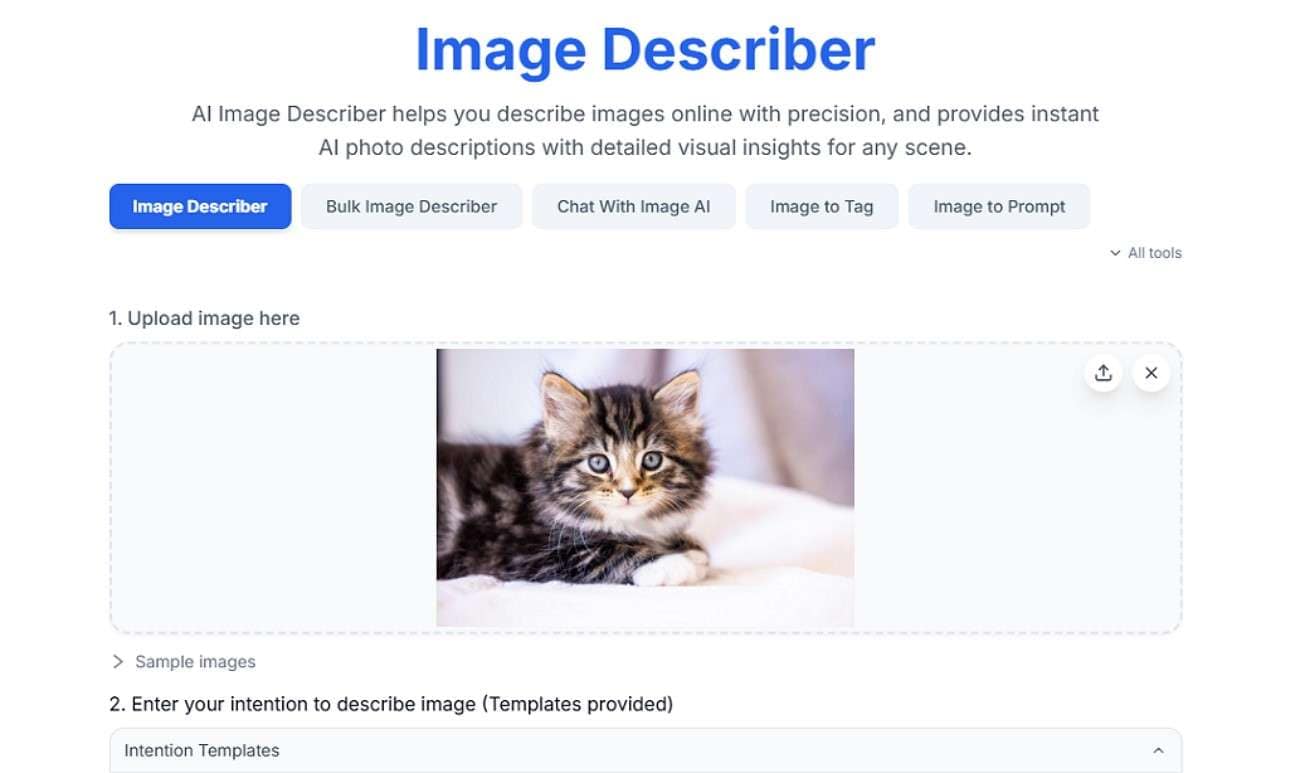
It is a fast AI image describer that analyzes visuals and produces structured text outputs for captions or prompts. The tool accurately identifies objects and context. This AI image describer free tool supports multiple formats and is designed for quick conversions.
Key Features
- Processes multiple images simultaneously for faster batch description generation workflows.
- The chat with image feature allows interaction with uploaded images for deeper understanding.
- Generates relevant tags automatically to improve searchability and content organization.
ImagePrompt.org
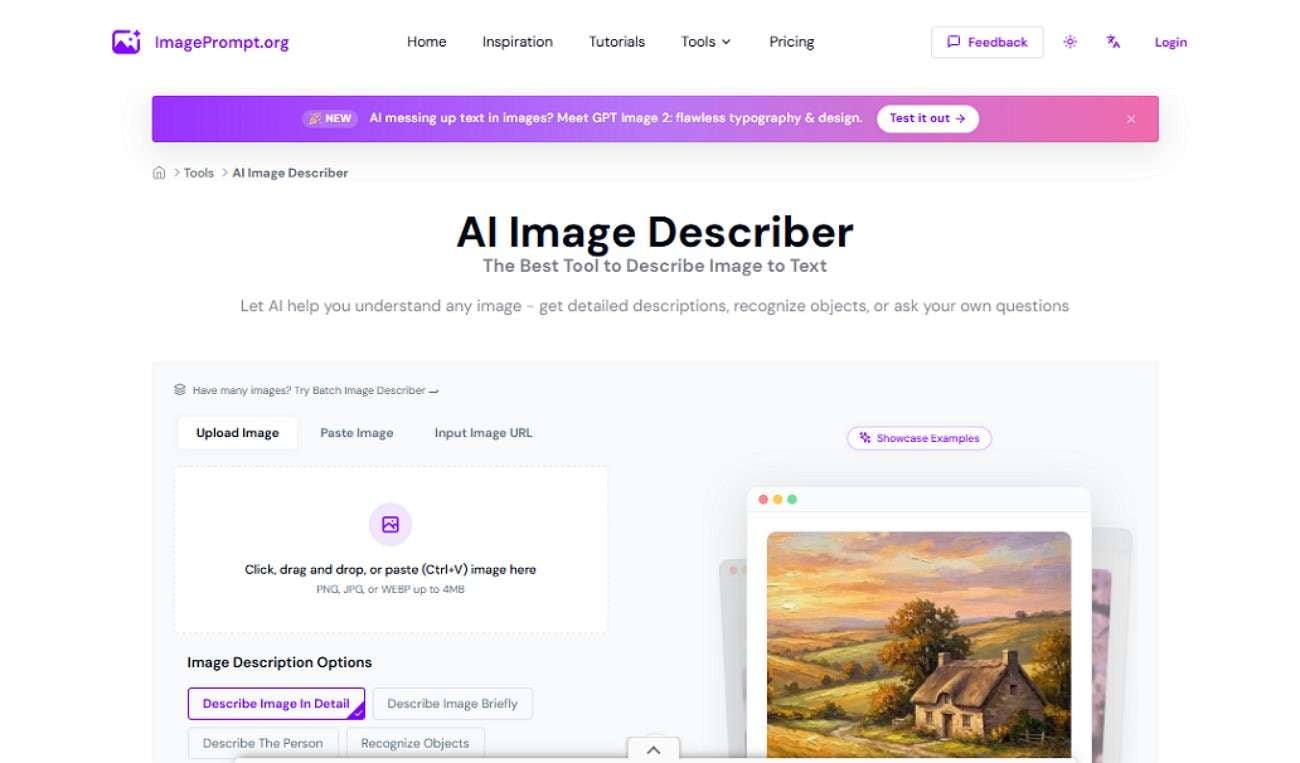
ImagePrompt.org offers a versatile AI image description generator that generates detailed explanations from images. Users can also choose styles like artistic or analytical descriptions. This AI picture describer is ideal for creators who want structured insights for AI art or visual understanding.
Key Features
- Lets you paste a link to an online image along with uploading from a device.
- Offers multiple image description styles for different content and use cases.
- Supports various languages to generate accessible and localized image descriptions.
Describe Image AI
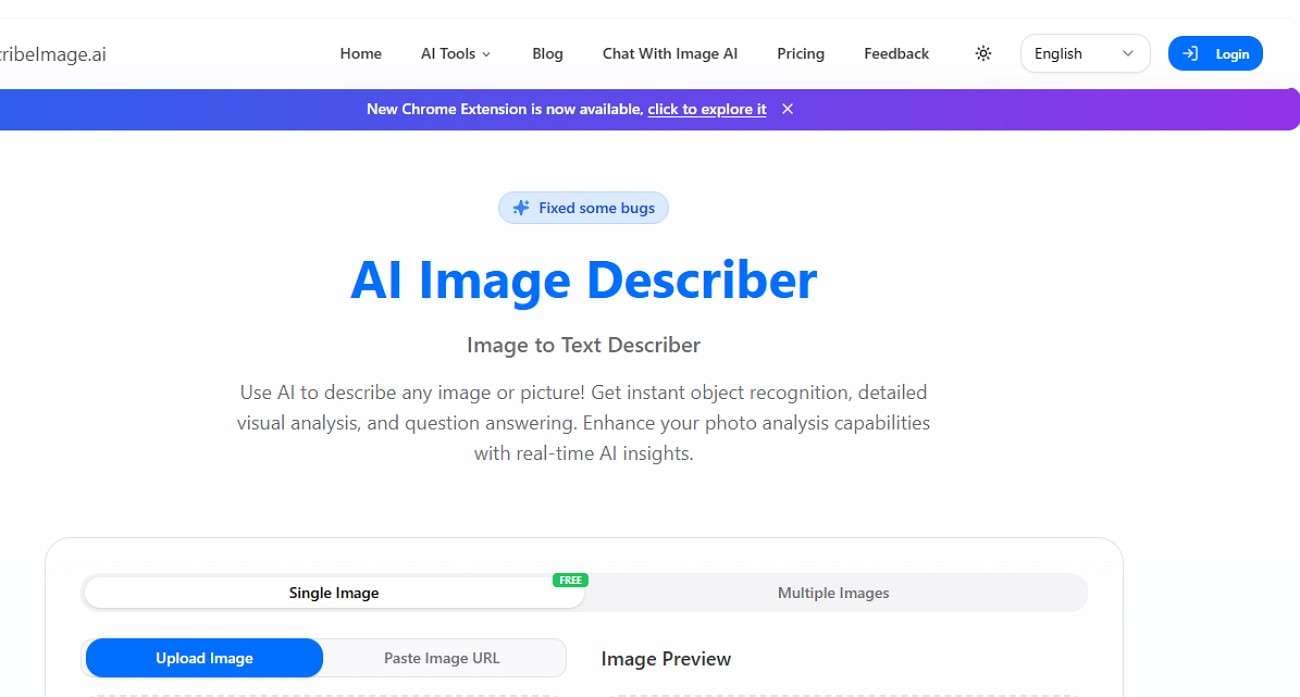
The tool works as an intelligent AI photo description generator that converts uploaded images into clear, human-like text. It focuses on accuracy, context, and detail, making it useful for SEO captions and accessibility. The platform simplifies visual interpretation by turning complex scenes into readable descriptions.
Key Features
- Offers different description styles for users to select according to their needs.
- The AI generates explanatory questions across the picture uploaded.
- It lets users upload multiple images at once for description generation.
Pixlio AI
This image describer is an advanced tool that generates captions and alt text. It supports multiple models and output styles to allow flexibility for different needs. This AI image description generator is widely used for e-commerce listings and content creation workflows.
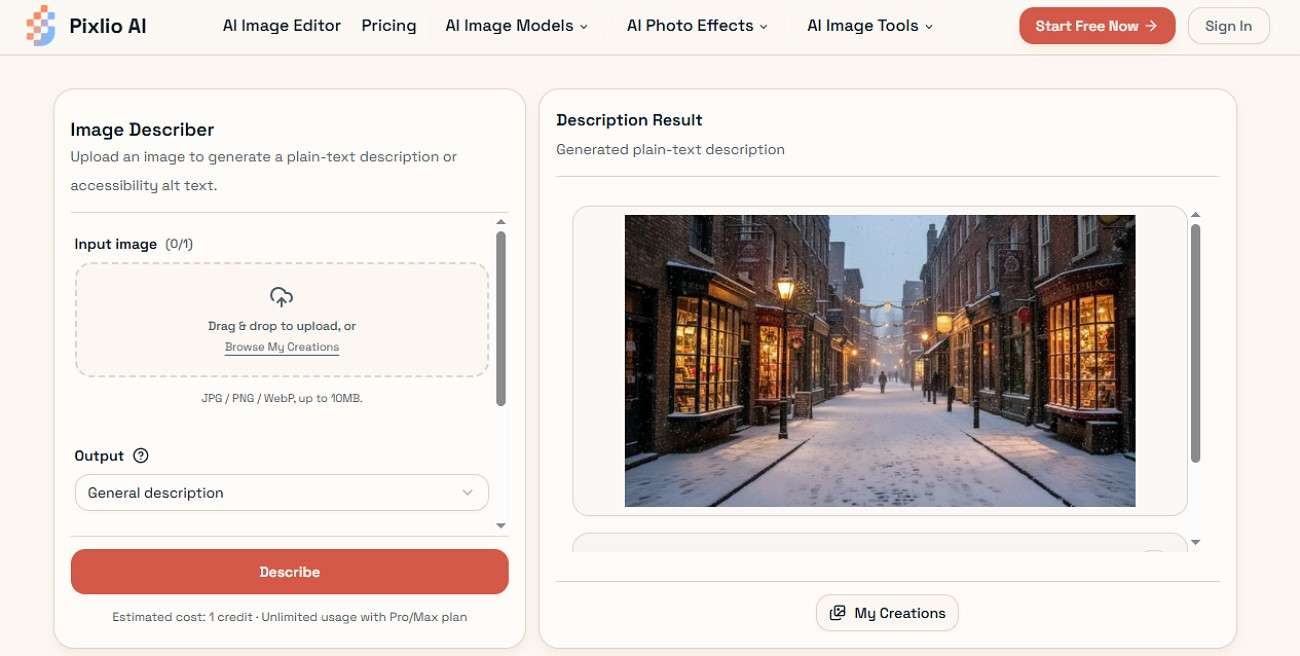
Key Features
- Supports various file formats for flexible image uploading and processing options.
- Allows selection of different text detail levels for customized descriptions output.
- Provides multiple AI models to enhance accuracy and description style variety.
Describe Picture
DescribePicture.org functions as a practical AI picture description generator that converts images into meaningful textual summaries. It detects objects and the environment while offering simple and detailed modes. This tool is useful for students and creators who need fast and reliable image-to-text conversion.
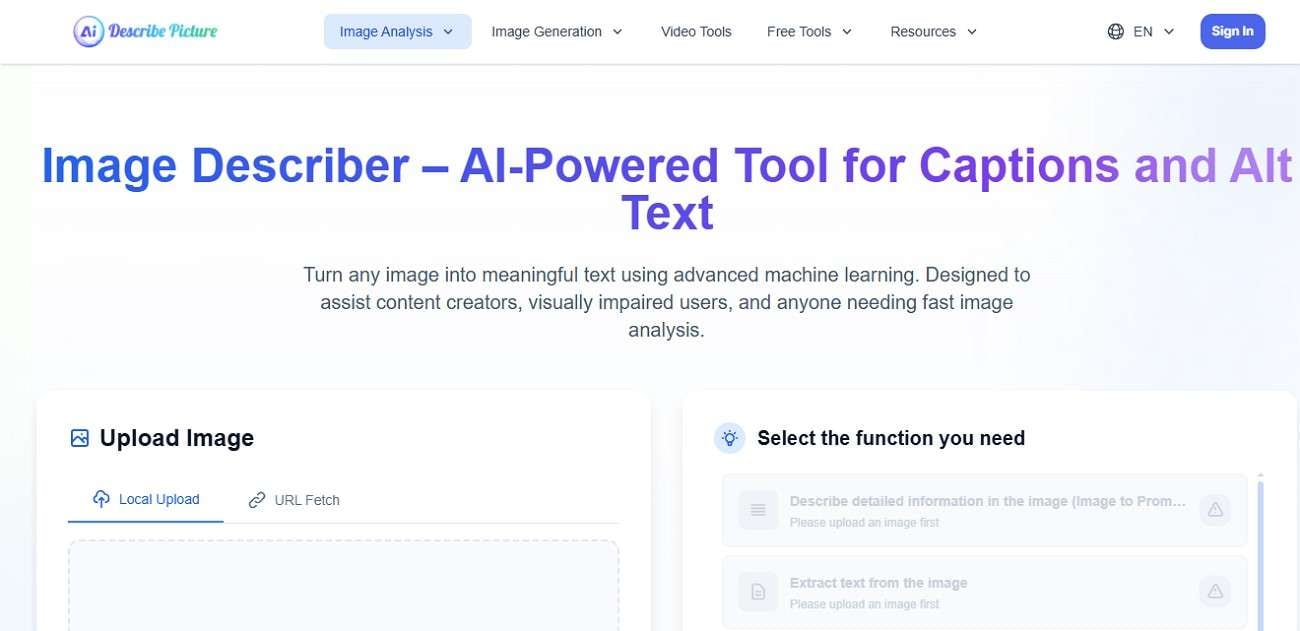
Key Features
- Enables drag-and-drop image uploads or direct pasting of online links.
- Supports multiple languages for generating accessible and globally readable descriptions.
- Allows custom prompts with images to guide AI-generated outputs effectively.
Flux Pro
The tool provides a powerful AI image describer free that uses Gemini-based AI models to analyze and interpret images. It delivers structured descriptions, object recognition, and customizable output types. This tool is designed for creators who need both brief summaries and in-depth visual breakdowns.
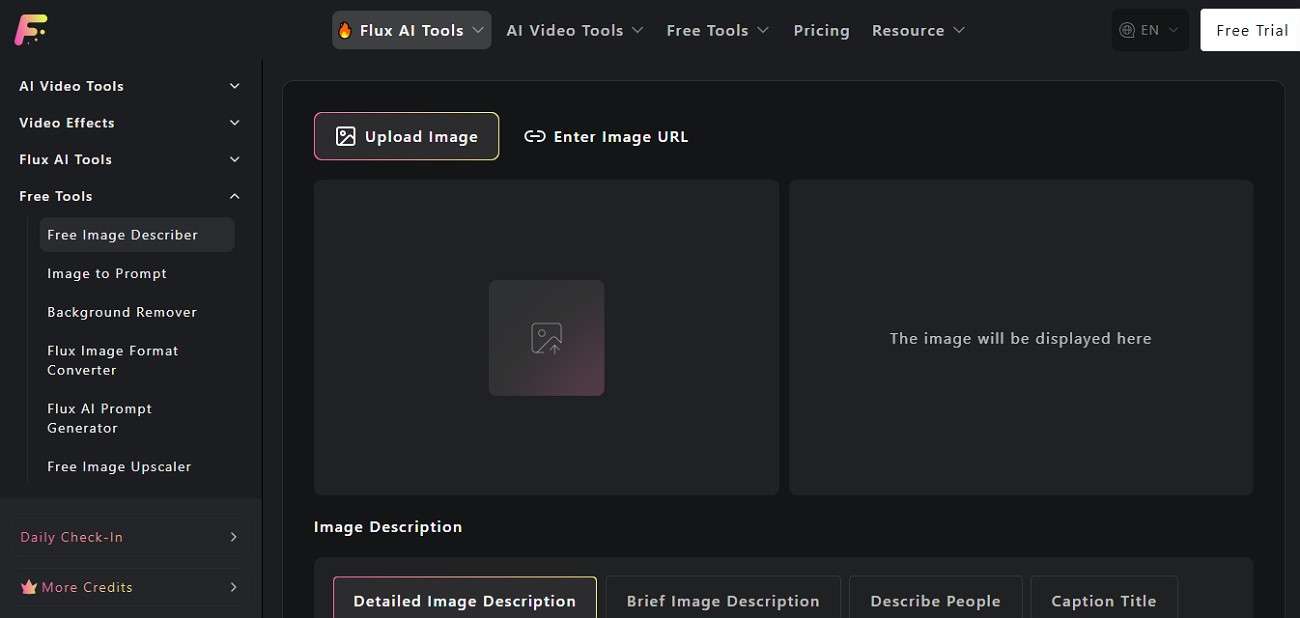
Key Features
- Offers different description styles to match varied content and user needs.
- Enables instant one-click copying of generated text outputs for quick use.
- Provides image preview before processing to ensure correct selection.
Flyne
Flyne.ai is a modern tool that transforms images into descriptive text with high contextual accuracy. It focuses on clarity, scene understanding, and prompt generation for creative use cases. This AI picture describer is helpful for designers who want a quick visual interpretation.
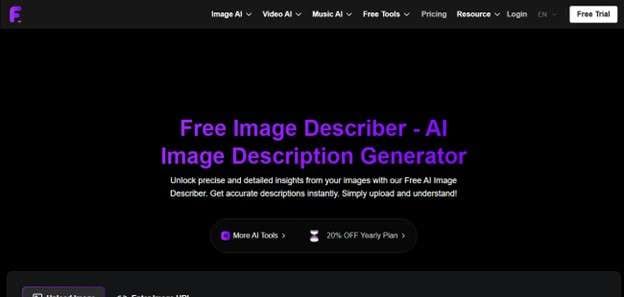
Key Features
- Supports multiple languages for generating accessible descriptions.
- Converts images into AI prompts for creative workflows.
- Provides various description options to match different detail levels.
Part 3. Best AI Image Describer Tools Compared
Having learned about the tools in detail, let us have a look at the side-by-side comparison of each of them:
| Tool | Speed & Performance | Description Depth | Batch Support | Language Support |
| Image Describer Online | Fast | Medium-High | Yes | Multiple |
| ImagePrompt.org | Fast | High | Limited | Multiple |
| DescribeImage AI | Fast | Very High | Yes | Multiple |
| Pixlio AI | Medium | High | Yes | Multiple |
| DescribePicture.org | Fast | Medium | No | Multiple |
| Flux Pro | Fast | Very High | Limited | Multiple |
| Flyne.ai | Fast | High | No | Multiple |
Part 4. How Filmora Fits When You Want to Go Beyond Image Description
For users who want to go beyond a simple image description generator, Wondershare Filmora offers a comprehensive set of features. It provides an Image-to-Prompt functionality, which automatically analyzes the picture and generates text across it. The feature is integrated within the Image to Video feature of the tool for instant and advanced content generation. In this way, static visuals are turned into structured text that can guide further creative work.
Different AI modes are available to match various editing styles and project requirements. The generated text content can be converted into stunning visuals, which can be further enhanced in Filmora. The tool offers various basic and advanced video editing functionalities for its users.
 secure download

Key Features
- Resolution Control: Users can select output quality up to 1080p according to their preferences.
- Language Compatibility: Several languages are supported to make the workflow accessible for global users.
- Flexible Duration Settings: Clip length can be adjusted to match timing and storytelling workflow.
- Various Export Formats: The generated results from the prompt can be saved in multiple formats, such as MP4 and MOV.
How to Turn an Image into a Description Using Filmora
Filmora offers a complete set of features to generate contextually aware content in no time. Follow the steps mentioned below to learn how to use Filmora as an AI image description tool:
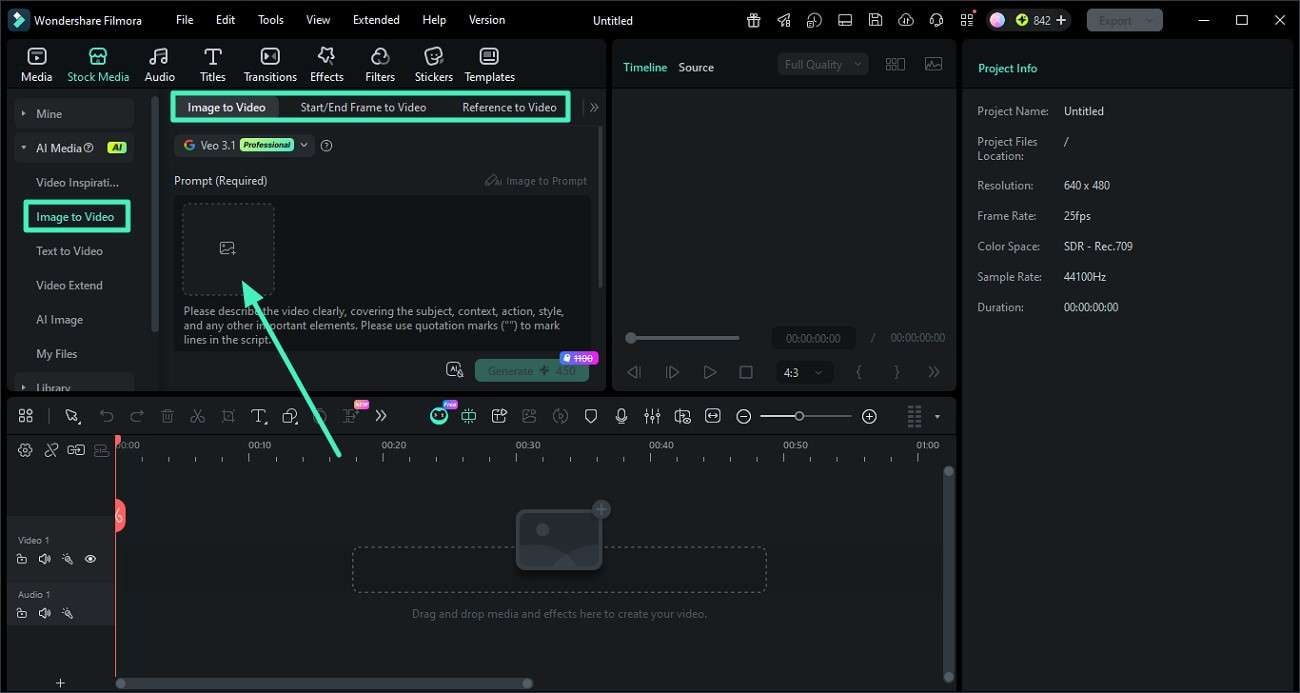
Step 1. Open Image-to-Video Tool
Start Filmora and create a new project from the home screen. From the left panel, select the "Image to Video" section and import the desired image.
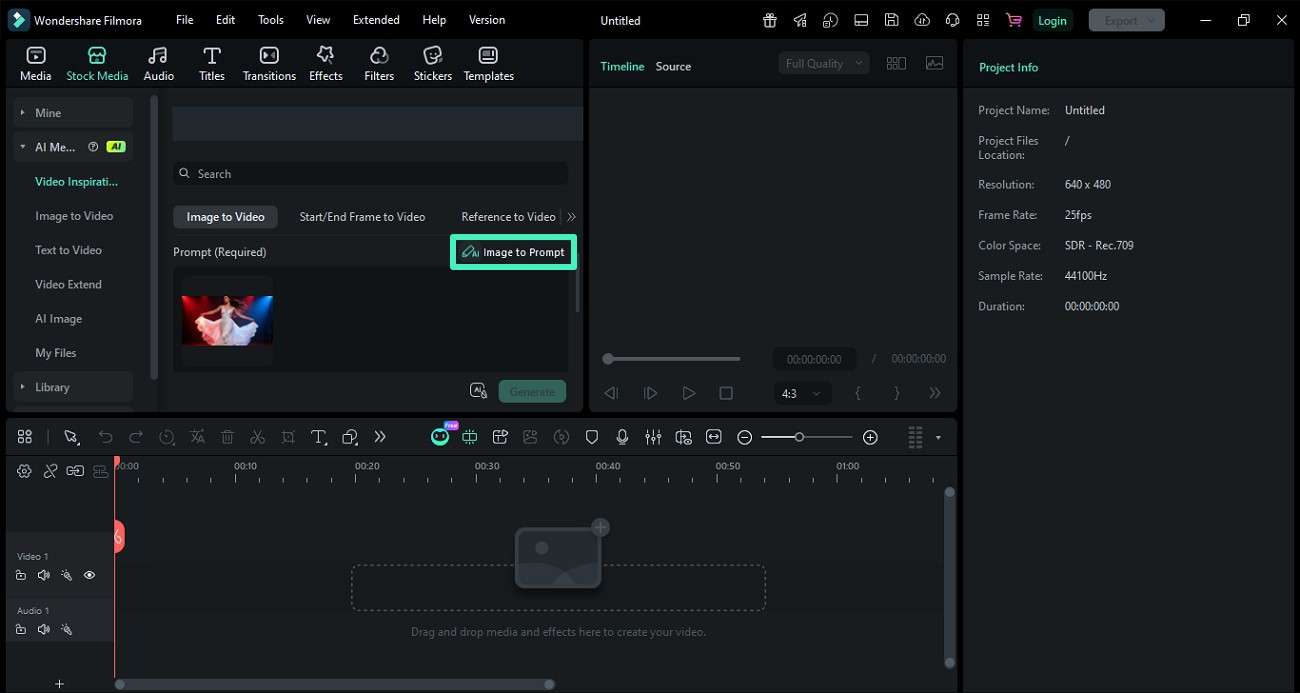
Step 2. Activate Image-to-Prompt Option
Choose the "Image to Prompt" function after importing the photo. The system will analyze the image and generate a descriptive text automatically.
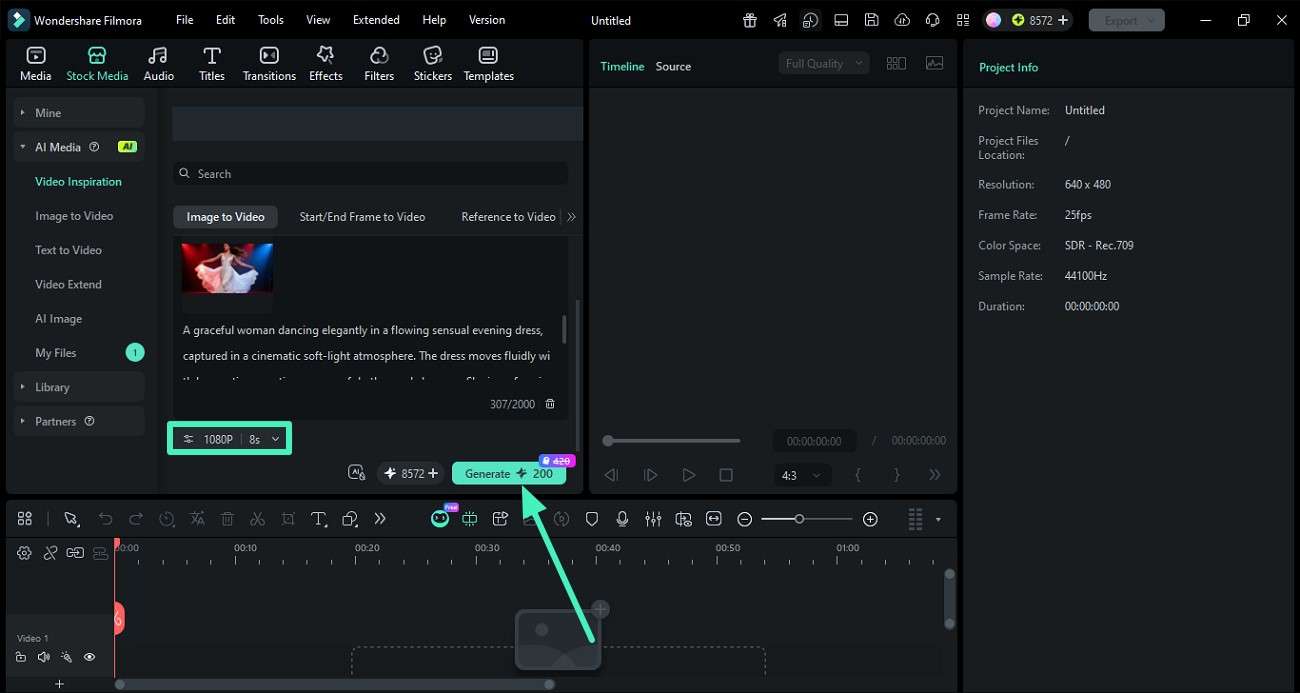
Step 3. Create Video from Generated Prompt
The generated prompt will appear on the screen. It can be edited or refined if needed. Then select "Generate" to proceed after setting the resolution and duration.
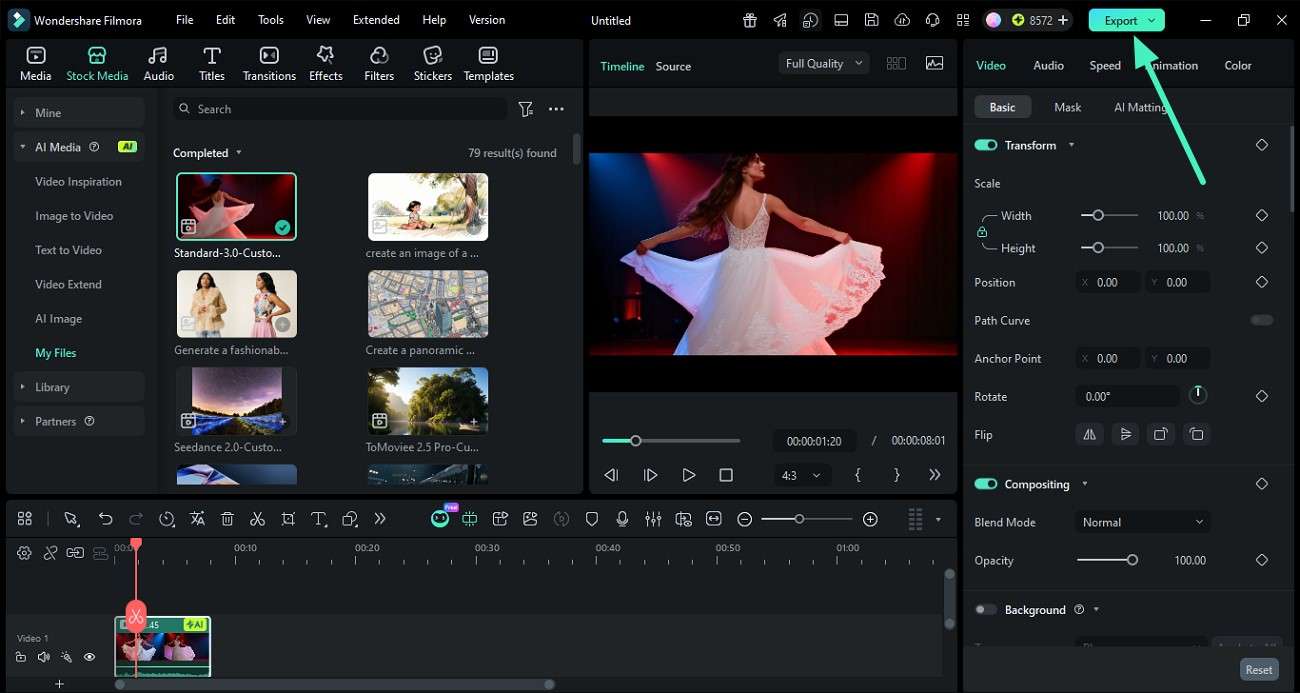
Step 4. Preview and Export Output
Once processing is complete, preview the final video result. If satisfied, use the export option to save it to the device.
Conclusion
To wrap it up, this article provided a detailed guide on the top AI image describers available. The article discussed its various aspects and also showed a detailed comparison between them. However, for users looking for a comprehensive solution to generate text from images and then further modify it, Filmora is the best choice. Its image-to-prompt feature intelligently analyzes the picture and creates prompt descriptions accordingly.
secure download Frequently Asked Questions
-
1. What is an AI image describer used for?
An AI image describer is used to convert images into clear, structured text descriptions. Tools like Filmora also take this further by turning image descriptions into prompts for creative video generation. -
2. Which is the best tool for turning images into prompts?
Filmora is one of the best options because its Image-to-Prompt feature analyzes visuals and generates structured text. The generated text can be directly used for creative workflows like video creation and editing. -
3. Can AI image description tools be used for video creation?
Some advanced tools go beyond simple descriptions. Filmora integrates image-to-prompt functionality within its image-to-video workflow. This allows users to transform visual ideas into fully edited videos with adjustable settings. -
4. Are free AI image describers accurate enough for professional use?
Free tools can provide decent results for basic captions and quick analysis. However, accuracy and more depth can be achieved using paid tools for description generation.
