

 100% Security Verified | No Subscription Required | No Malware


 ChatGPT
 Perplexity
 Gemini
 Claude
 Grok
Grok
A designer scrolls through Pinterest for inspiration, finds stunning artwork, but struggles to recreate its style with AI tools. This is where modern image-to-prompt workflows step in to bridge the gap between visuals and generative AI systems. The process of converting visuals into structured text inputs is rapidly transforming the creative industries.
Today, creators rely on smart tools and techniques to efficiently extract meaning from visuals. In this guide, we explore how prompts from images help users convert any picture into usable AI instructions for image generation, editing, and content creation.
In this article
Part 1. What Is "Prompt from Image"?
A "prompt from image" is the process of converting a visual input into a descriptive text prompt that AI tools can understand. Instead of manually describing an image, AI systems analyze the visual structure and generate a detailed prompt automatically. This allows users to recreate similar images or generate variations using AI models.
How Does "Prompt From Image" Work in AI Workflows?
To understand how AI transforms visuals into usable instructions, it is important to examine the step-by-step process of img2prompt generation.
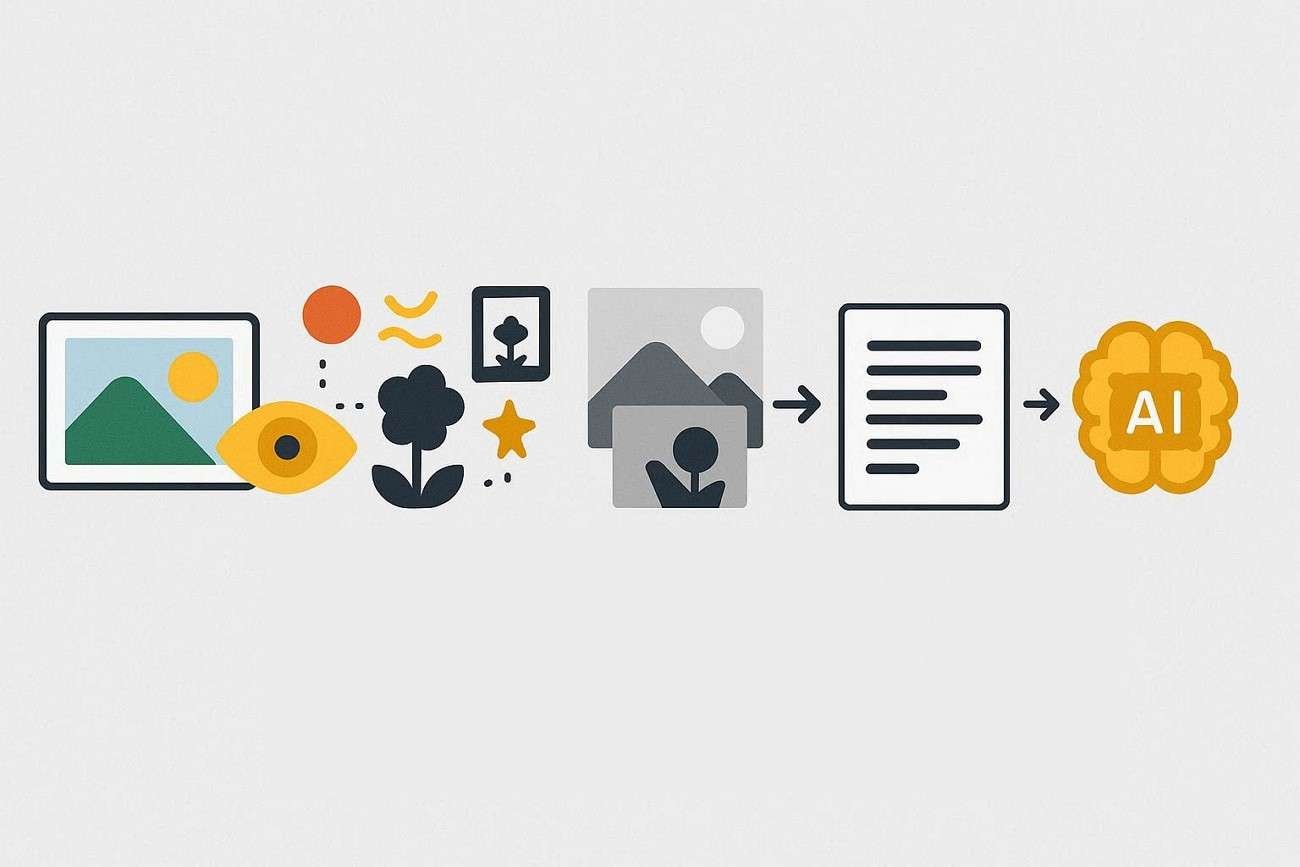
- AI systems first scan the image using computer vision technology.
- They break down visual elements such as objects, colors, textures, lighting, and composition.
- The system identifies relationships among elements such as foreground, background, and depth.
- It converts all detected visual data into structured language descriptions.
- The image is converted to a text-based format usable by AI models.
- Natural language processing refines the description into a coherent prompt structure.
- The generated prompt is then used by text-to-image models to accurately recreate or modify visuals, completing the image-to-prompt workflow.
Key Benefits of Turning Images into AI prompts
- Faster Workflow: Creators can instantly generate a prompt from an image without manually writing detailed prompts. This significantly reduces production time and accelerates AI-driven design tasks.
- Consistency: Maintains the same style and structure across multiple AI-generated visuals. This is especially valuable for branding and large-scale creative projects.
- Beginner-Friendly Learning: New users understand how AI interprets visuals into text more easily. The process helps them learn prompt structure through real examples.
- Creative Expansion: Multiple prompt variations can be generated from a single image for diverse outputs. This opens up more artistic directions and experimentation opportunities.
- Content Scaling: Businesses can quickly produce large volumes of AI-generated content. Teams stay productive while maintaining consistent quality standards.
Part 2. Best Ways to Convert Visuals into AI Prompts
With the growing use of generative AI tools, understanding different methods to convert an AI image to a prompt has become essential for creators. Here are some of the ways that you can try:
Way 1 — Use an Image-to-Prompt Generator
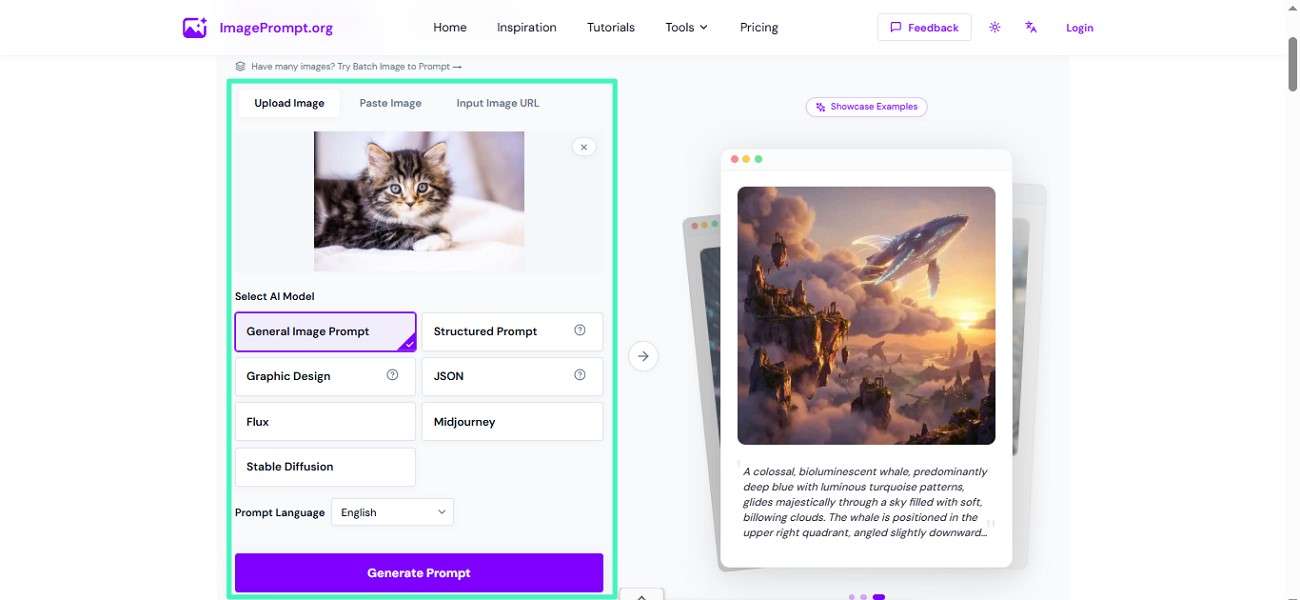
One of the easiest ways is to use an online image to prompt generator. These tools quickly analyze an image and generate a detailed text prompt that can be used with AI models. A reliable option is ImagePrompt.org, which delivers accurate and structured outputs for creative projects and AI content generation. If you do not know how to use this tool, follow the steps provided below:
Step 1. Access the tool on your browser and upload the image for which you want to create the prompt. Now, select the model and language of your prompt and hit the "Generate Prompt" option.
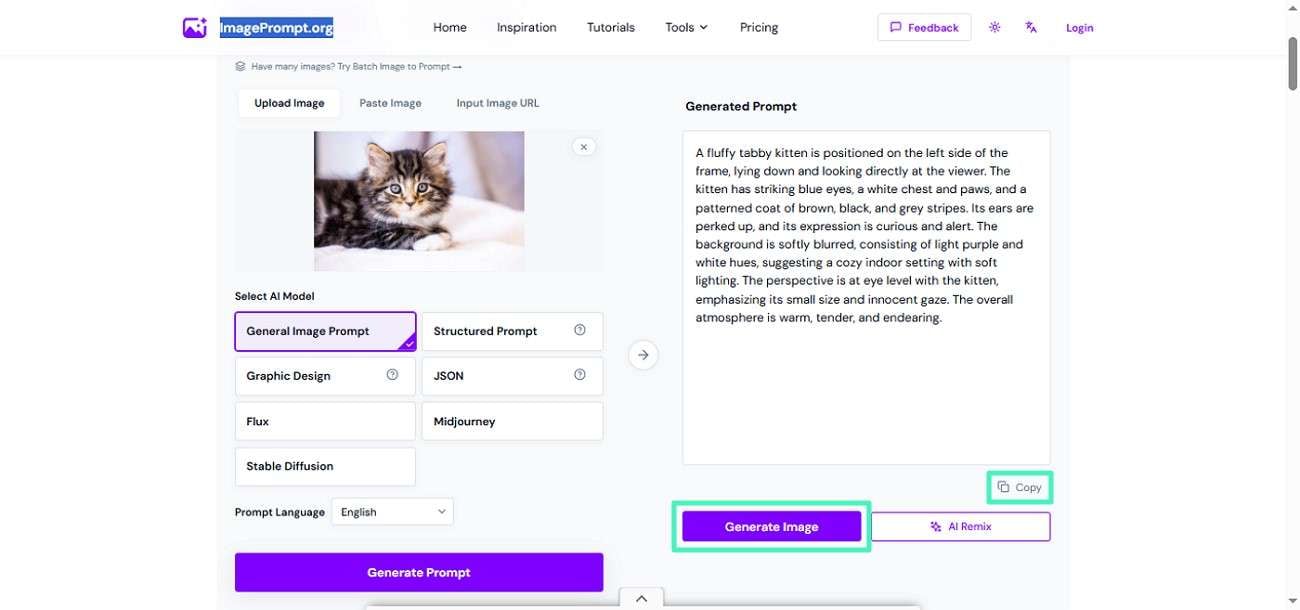
Step 2. Once the prompt is generated, press the "Copy" option to copy and paste it wherever you want. You can also generate an image from it using the "Generate Image" button.
Way 2 — Combine Prompt Engineering Techniques
This method involves manually refining AI-generated descriptions into structured prompts. Users first extract basic descriptions using AI tools, then enhance them using prompt engineering techniques. This includes adding style keywords, lighting details, and composition instructions. It is widely used by professionals who need precise control over generated outputs. Although time-consuming, it produces highly accurate and reusable image-to-text prompts.
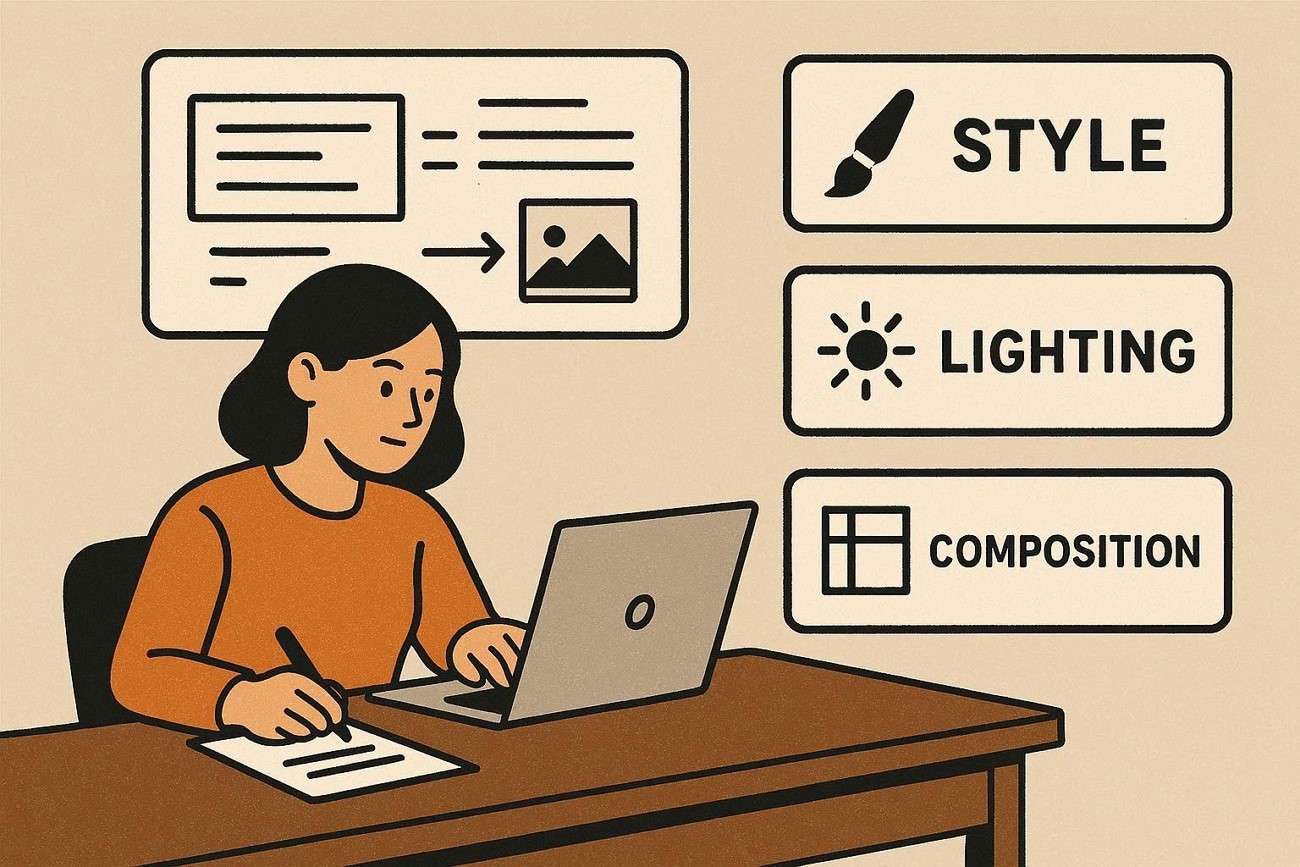
Way 3 — Reverse Prompt Analysis Using Creative Reference Breakdown
Another approach is reverse prompt analysis, where users manually study an image and break it into creative elements like subject, style, lighting, mood, and perspective. These observations are then structured into a coherent image to AI prompt. This method gives full creative control and helps users understand how visuals translate into language. It is especially useful for artists and designers who want highly customized and stylized results.
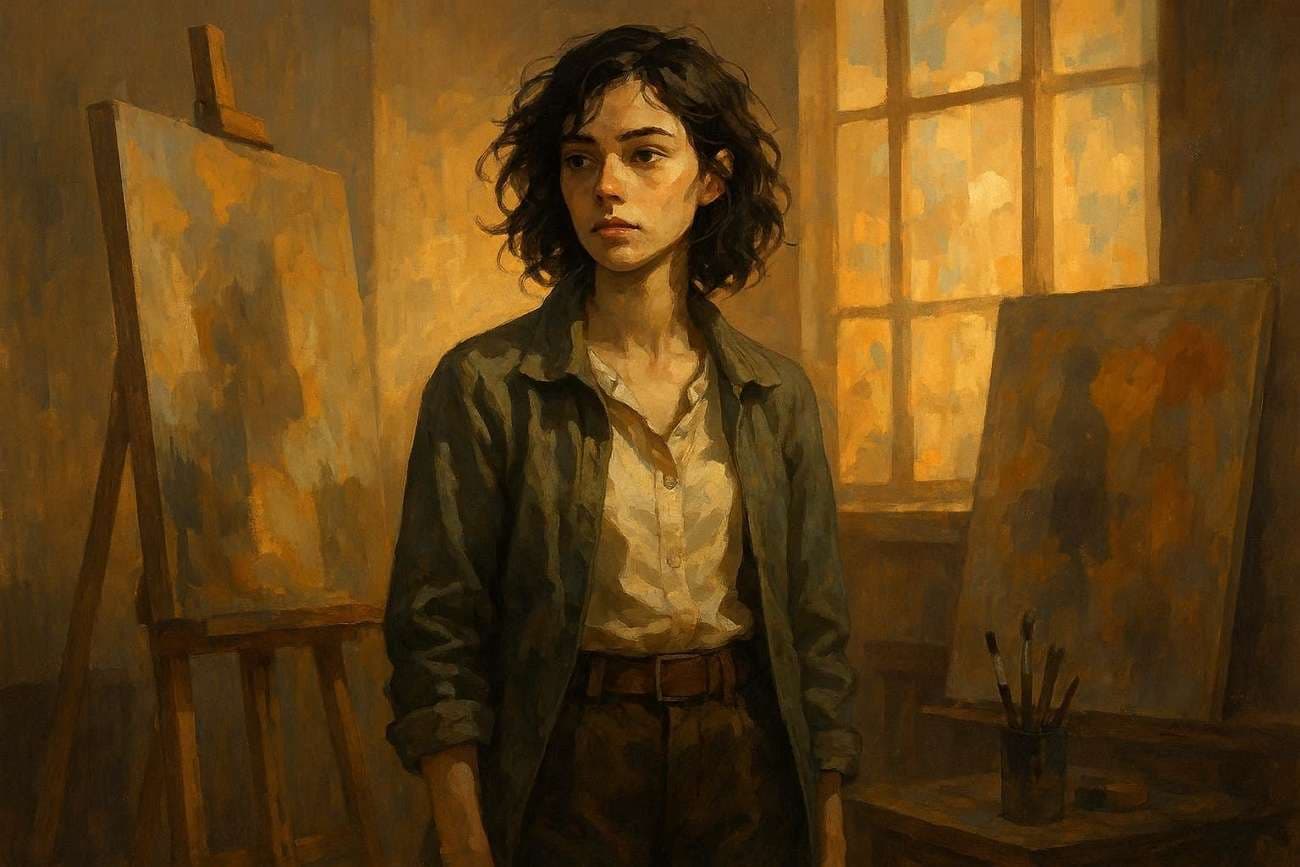
Way 4 — Use an Integrated Workflow (Filmora)
A more advanced and streamlined approach is using an all-in-one creative platform like Wondershare Filmora, which combines editing tools with AI-powered features. Instead of switching between multiple apps, creators can generate prompts from visuals and immediately apply them within the same workspace.
Filmora's Image to Prompt feature helps interpret visuals and turn them into usable text prompts that can guide further creative generation. This integrated setup is especially valuable for users who want both editing control and AI assistance in one place.
 secure download

Steps to Create Prompts From Images Using Filmora
As discussed, Filmora provides a comprehensive workflow to generate accurate text from images. Provided below are the steps to use this feature in Filmora:
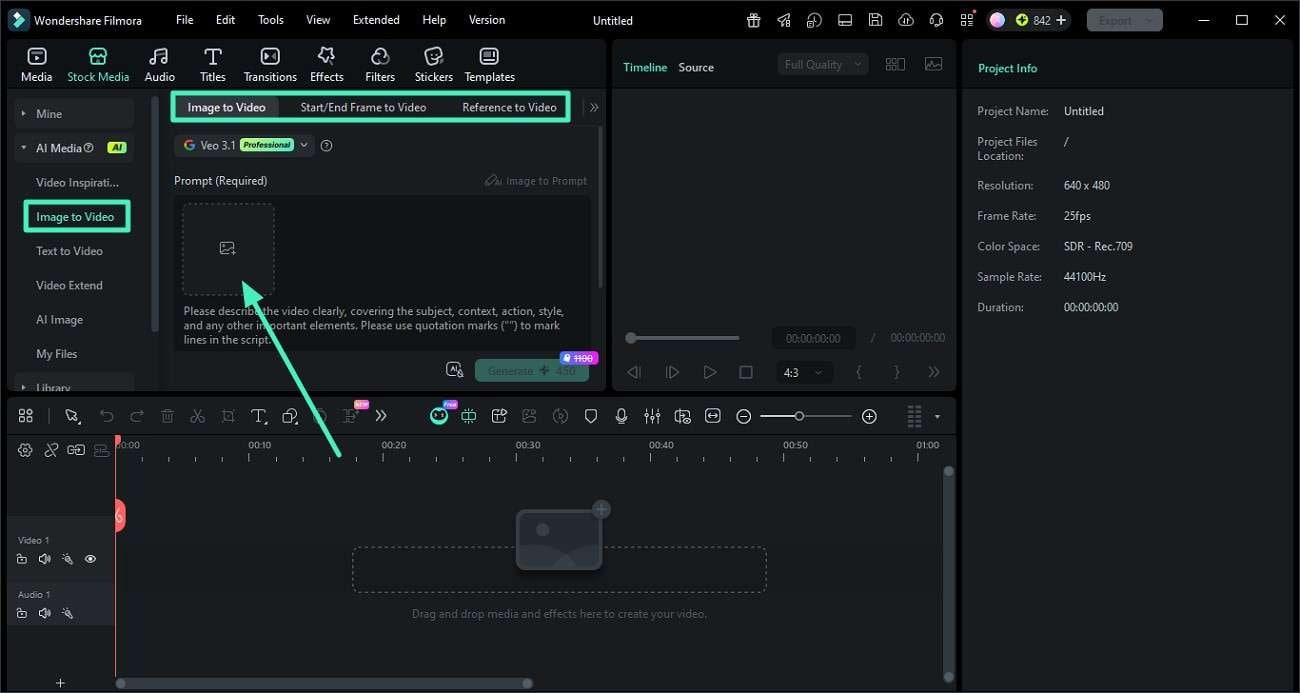
Step 1. Add Your Image to Filmora
Begin by launching a new project in Wondershare Filmora. From the left-side menu, open the "Image to Video" section, select a preferred mode, and upload your image by dragging it in or choosing it from your device.
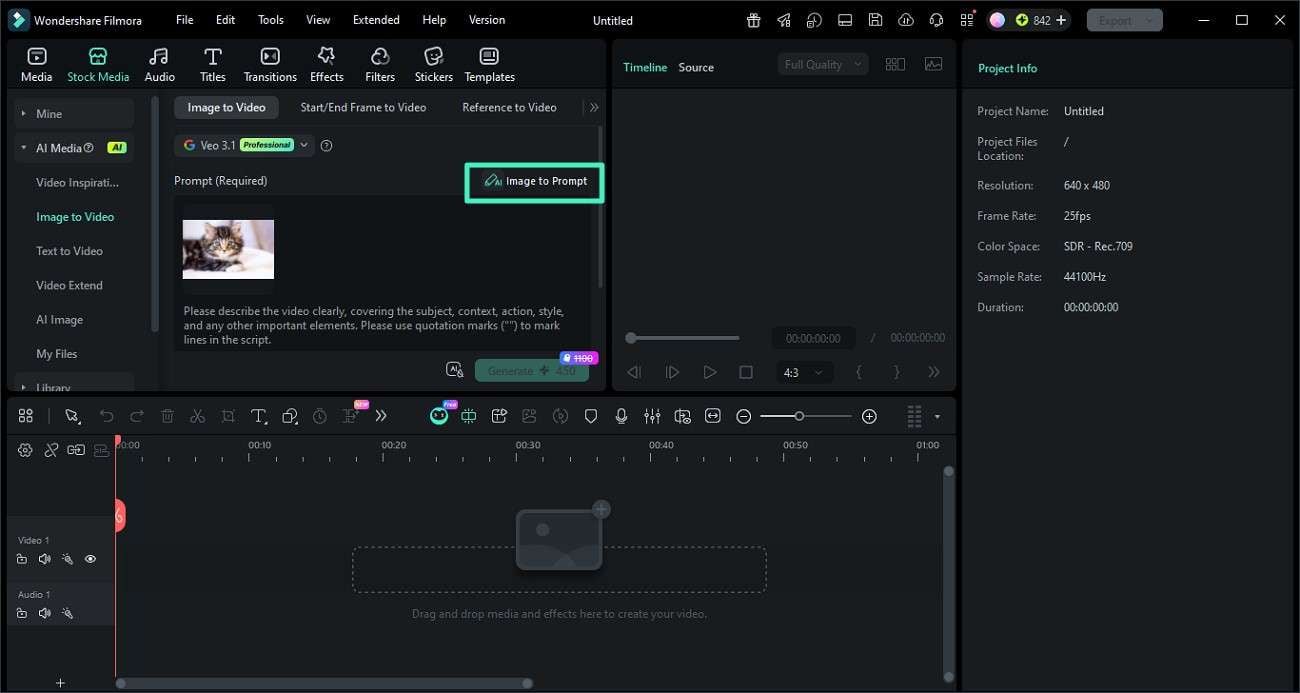
Step 2. Create an AI Prompt from the Image
After the image is added, find and click the "Image to Prompt" option. Filmora will analyze the visual content and automatically generate a structured AI prompt based on detected elements.
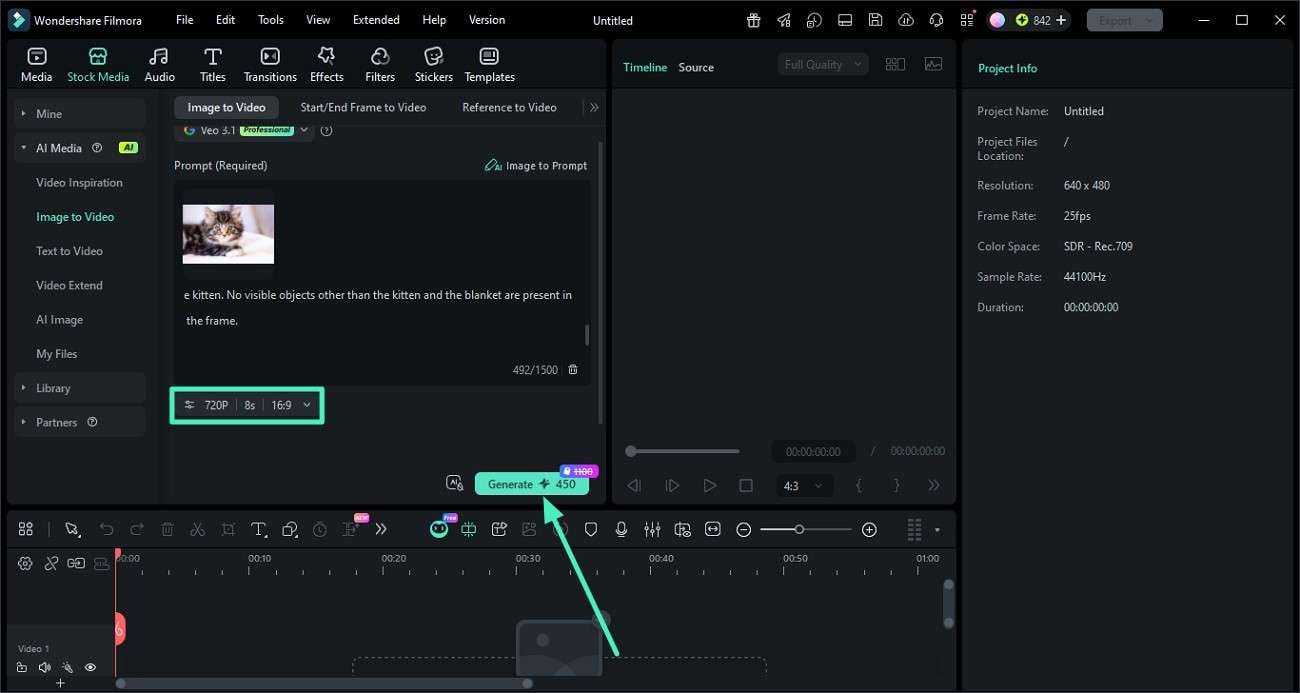
Step 3. Edit the Prompt and Generate Video
Review the generated prompt and adjust details like style, tone, or descriptive elements if needed. Once refined, click the "Generate" button to convert the prompt into a video output.
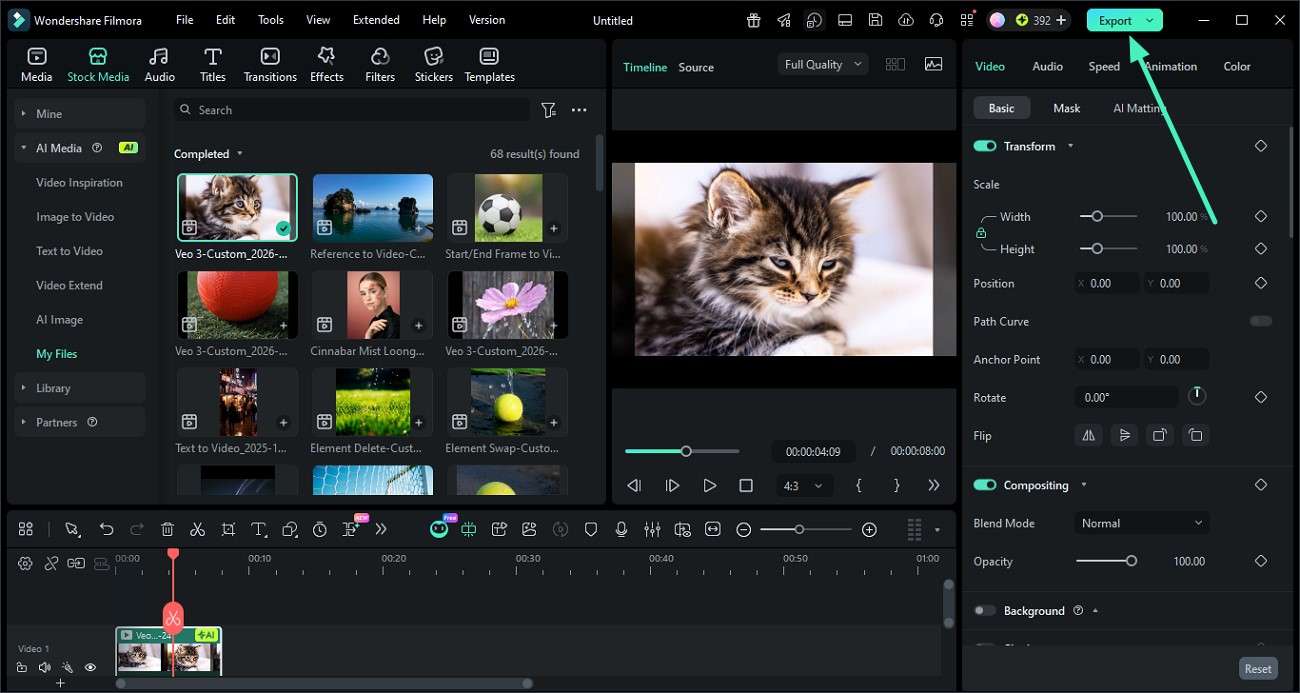
Step 4. Preview and Export the Result
Check the final video preview to ensure visuals and motion match your expectations. If satisfied, select "Export" from the top-right corner to save the video in your desired format.
 secure download
 Part 3. Comparing the Best Ways to Generate a Prompt from an Image
To better understand which method works best, comparing them helps highlight the most efficient way to generate a prompt from an image across different workflows. Here is a side-by-side comparison between the methods:
| Method | Ease of Use | Customization | Speed | Best For |
|---|---|---|---|---|
| Image-to-Prompt Generator | Easy | Low to Medium | Fast | Beginners, quick tasks |
| Prompt Engineering Techniques | Medium | High | Slow | Professionals, designers |
| Reverse Prompt Analysis | Medium | High | Moderate | Artists, creative users |
| Wondershare Filmora (Integrated Workflow) | Very Easy | Very High | Very Fast | Content creators, video editors |
Part 4. Which Method Is Best for Different Creators and Use Cases?
To choose the right approach for converting images to AI prompts, it's important to match each method with the needs of different types of creators and workflows.
- Beginners (Image-to-Prompt Generators): Simple tools are ideal for users who want quick results without technical effort. They provide fast and automated outputs for basic AI images to prompt tasks.
- AI Experimenters (Vision Models): These users benefit from flexible AI models that allow direct image analysis and prompt generation. It offers more control for testing different outputs and refining results.
- Professional Designers (Manual Prompt Engineering): Skilled creators prefer refining prompts manually to achieve precise style, tone, and composition. This method supports advanced customization for a high-quality AI prompt from image work.
- Content Creators & Editors (Filmora Workflow): Users working with both video and AI benefit most from integrated tools like Wondershare Filmora. It combines editing and image to AI prompt generation in one streamlined environment.
Part 5. What Makes a Good AI Prompt from an Image?
To get high-quality image-to-text prompt results, the way an image is translated into a prompt plays a crucial role in defining accuracy, style, and creativity.
- Clarity of Subject Description: A strong prompt clearly identifies the main subject of the image without confusion. This helps AI models understand exactly what to generate in an image to prompt the workflow.
- Detailed Visual Elements: Good prompts include colors, textures, lighting, and background details. These elements improve precision in any AI image to prompt system.
- Composition and Perspective: Mentioning angles, framing, and depth improves visual accuracy. It helps AI better replicate the structure in the prompt from image generation.
- Mood and Atmosphere: Emotional tone, such as calm, dramatic, or futuristic, enhances creativity. This makes the AI prompt from the image more expressive and engaging.
- Keyword Structuring: Well-organized descriptive keywords improve AI interpretation. Structured input leads to more reliable image-to-text prompt outputs.
Part 6. Common Problems and How to Improve Results
To get better and more accurate outputs when converting visuals into AI prompts, it's important to understand the common issues users face and how to fix them effectively.
- Missing Details in Prompts: AI often produces incomplete descriptions when key visual elements are not captured. Improving input quality or refining the image to prompt output helps generate more accurate image-to-text prompt results.
- Style Mismatch: Generated prompts may not reflect the intended artistic style of the image. Adding clear style keywords like realistic, cinematic, or abstract improves AI image-to-prompt accuracy.
- Overly Complex Outputs: Some tools create prompts that are too long or confusing. Simplifying and structuring the text improves clarity in the image to prompt workflows.
- Incorrect Object Recognition: AI may misidentify objects in busy or unclear visuals. Using higher-quality images or manual adjustments enhances the AI prompt in terms of image reliability.
- Lack of Context Understanding: Prompts may miss the story or mood behind an image. Adding emotional or situational details improves the prompt from image interpretation.
Conclusion
To sum it up, this article provided a complete guide on image to prompt, explaining how visuals can be converted into structured AI-ready text using different methods and tools. From automated generators to manual refinement and integrated workflows like Filmora, each approach serves unique creative needs. Understanding these techniques helps creators produce more accurate, consistent, and high-quality AI outputs while improving efficiency in modern content creation processes.
secure download Frequently Asked Questions
-
1. What is the image to prompt used for?
An image to prompt is used to convert visuals into structured text descriptions that AI models can understand and generate from. It helps creators recreate or modify images using AI tools more accurately. -
2. Which tool is best for beginners in image-to-prompt workflows?
Beginners can start with simple online generators or integrated tools. Wondershare Filmora is also a great option because it combines AI features with an easy editing interface for smoother workflows. -
3. Can Filmora generate AI prompts directly from images?
Yes, Filmora includes an Image to Prompt feature that analyzes visuals and creates AI-ready prompts automatically. It simplifies the image to an AI prompt process for content creators and editors. -
4. Is the image to prompt useful for video creation?
Absolutely, it helps transform visual ideas into structured prompts that can be used for AI video generation. Tools like Filmora make it even more effective by allowing direct editing and export within the same platform.
