In this article
Part 1: The Definition of Video Encryption
Did you know that when you stream a movie, join a private webinar, or watch a live sports match online, there's a good chance that your video was encrypted before reaching your screen? But what does it mean to encrypt a video? Does it only ensure that captured media is unreadable without the proper authorization key, or is there more to it? If you are working on premium streaming content, engaging in sensitive corporate training, or working in any industry where unauthorized sharing could lead to legal or financial risks, continue reading.
In this guide, we'll explain video encryption, how it works, where it's used, and how you can use a powerful video editor to easily protect the privacy of your videos.
In simple terms, video encryption is the process of protecting video files or streams so that only authorized viewers can decode and play them. But there's a lot more to it.
Modern encryption involves more than just scrambling files. Video streams are packaged, segmented, and delivered securely to approved devices. In most instances, symmetric keys are generated to encrypt and decrypt any type of digital content.
In simple terms, video encryption is the process of protecting video files or streams so that only authorized viewers can decode and play them. But there's a lot more to it.
The Technical Side of Encrypting Visual Content
Every encrypted video goes through a sophisticated process designed to balance security, compatibility, and playback performance. Here's what's going on under the hood.
Key Elements That Affect Video Encryption
Both the video encryption in photography and videography are influenced by several technical settings that determine how secure your video content remains.

- CMAF with CENC (Common Encryption): The Common Media Application Format allows encrypted videos to work seamlessly across platforms using a single protected stream, which eliminates the need for duplicate files.
- Per-Title Encoding with Just-in-Time (JIT) Packaging: Instead of generating multiple versions of a single video, JIT packaging can encode and encrypt content on demand, significantly reducing storage costs.
- Hardware-Secured Key Paths: Modern tech devices now support Trusted Execution Environments (TEEs). They are created to secure decryption keys at the hardware level, which blocks hacking exploits and piracy attempts.

Part 2: When and Where to Use Video Encryption
How Video Encryption Is Used in Various Industries:
Encryption is mandatory if your content meets any compliance requirements or concerns about privacy. Let's explore the most common scenarios where it has the biggest impact.
Common Applications:

What Are the Limitations and Challenges of Video Encryption
As you probably already know, hacks and piracy are still happening, which means that total encryption is still some way away. Here are the most notable challenges of video encryption.
What is the Future of Encryption in Visual Content?
In the future, video encryption is bound to become faster and more universal, with unified key services leading to different platforms adopting single-key frameworks that work seamlessly across live and on-demand streams. New edge computing strategies will allow users to download and watch encrypted videos offline without compromising security, and simplified SDKs (Software Development Kits) and APIs (Application Programming Interfaces) will reduce setup times, making high-end encryption accessible to smaller businesses.
All this will lead to safer and smarter distribution that protects content without affecting the end user by slowing down the streaming experience.
Part 3: How to Encrypt and Blur Faces to Protect Privacy?
Let's imagine that you are a video editor working on a video in a crowded area. You are interviewing certain people who gave their consent to be on camera, but you want to protect the privacy of all the people passing by. In that case, you can encrypt their faces by using one of the most powerful video editors on the market. It's called Wondershare Filmora, and its AI Face Mosaic feature can automatically detect and blur faces.
Once you export the video with the face mosaic effect, all blurred faces will remain encrypted. Here's how it works.
A Step-by-Step Guide to Blurring Faces in Filmora
Before you begin following the steps below, make sure that you download and install Filmora on your Windows or macOS device (desktop or laptop). When it's installed, open Filmora, create a new project, and check out the steps.
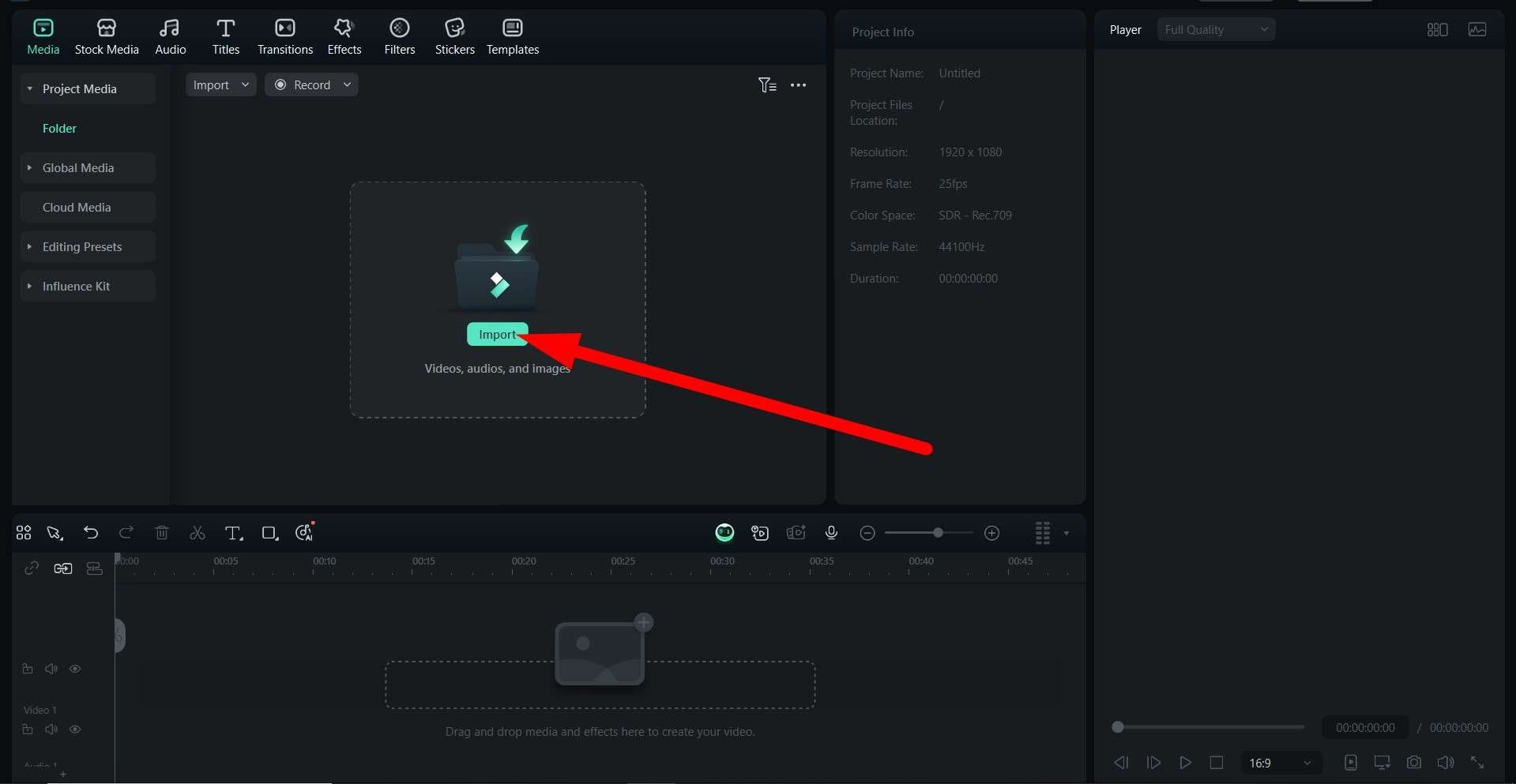
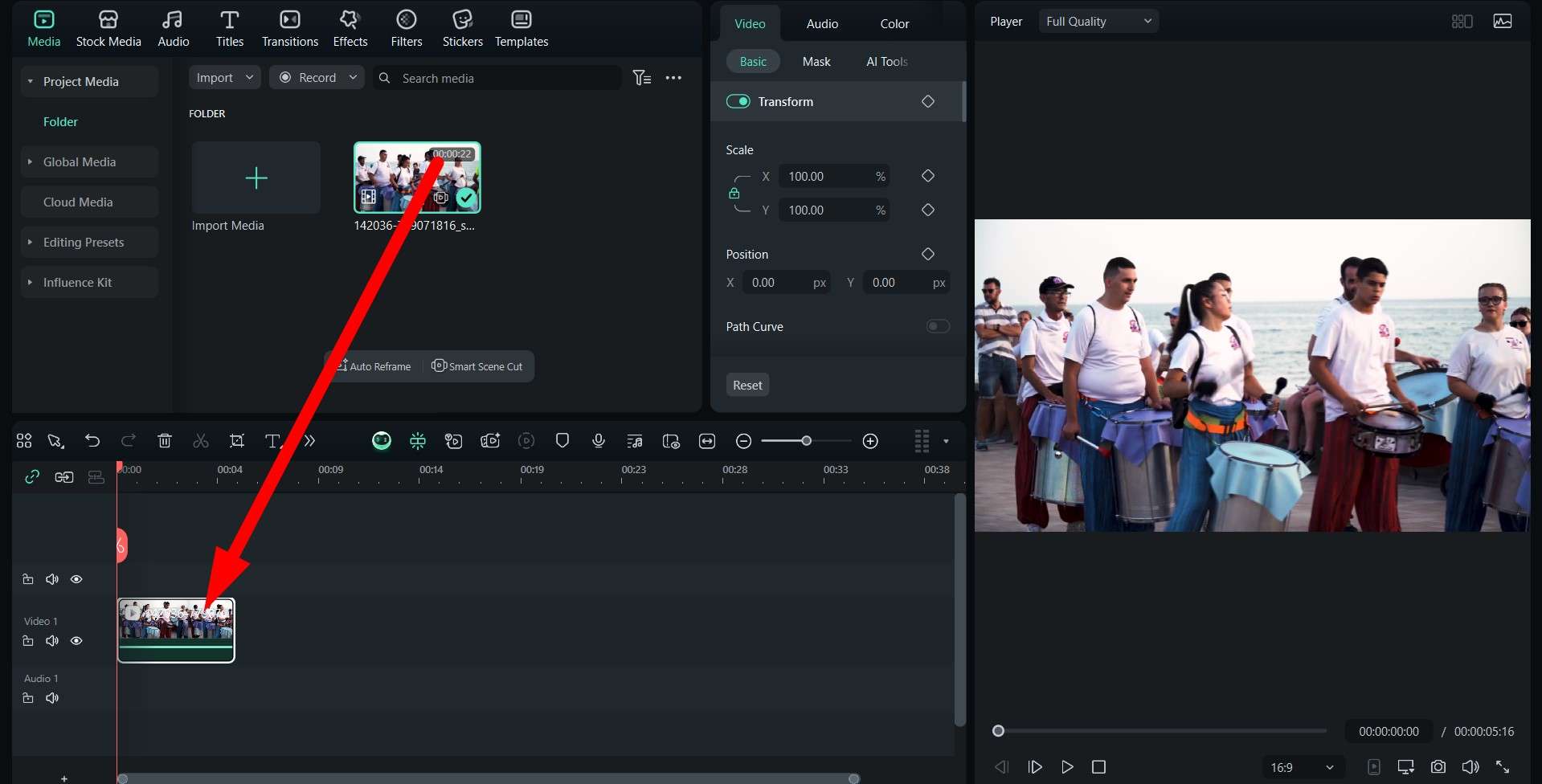
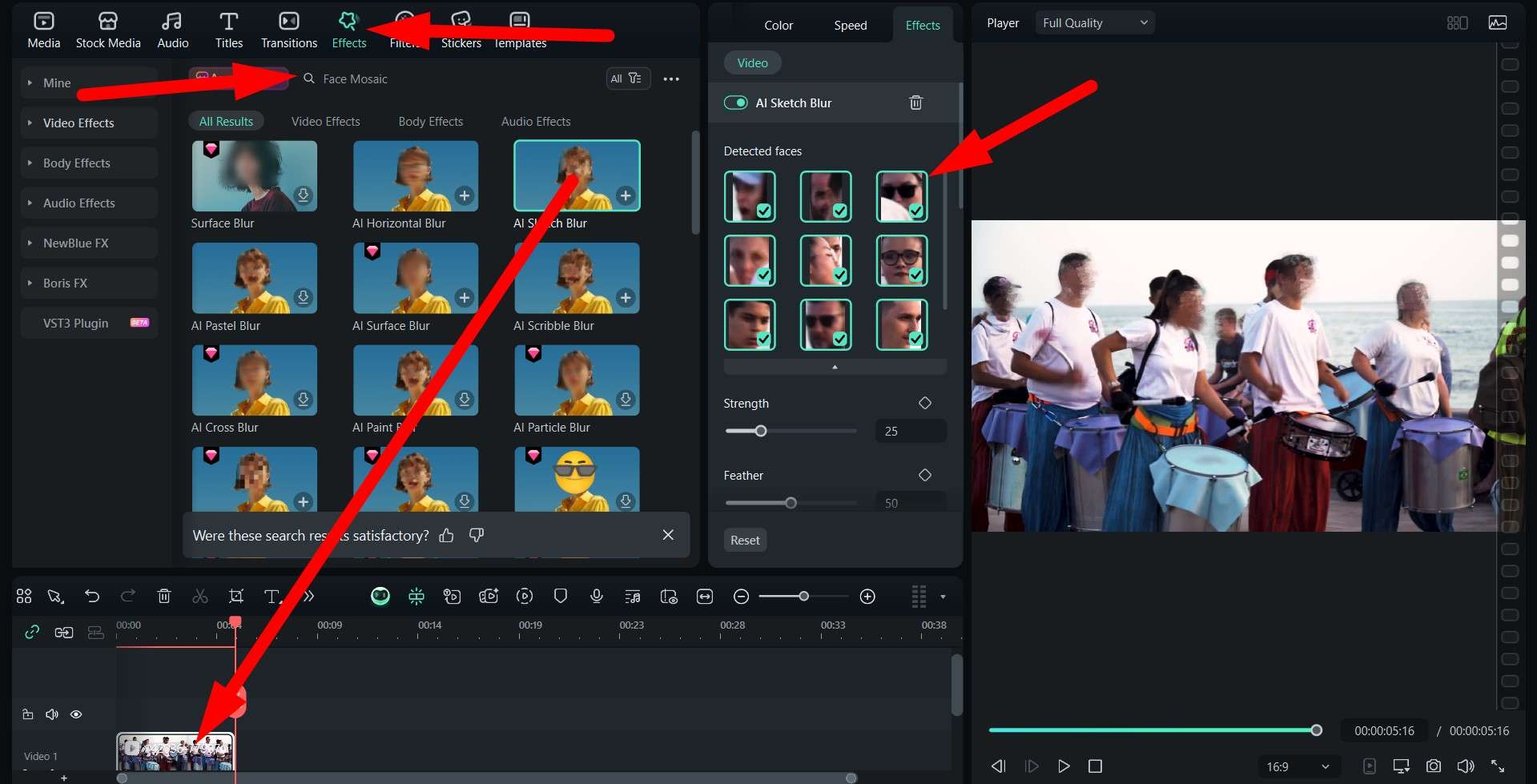
We blurred out all the faces to encrypt the video and protect the privacy of these street performers. Check out the result.

Download Filmora today and use it to encrypt your video in different ways. You can add a custom watermark and custom scrambling, or explore many other features. If you want to take your video encryption game on the go, you can try Filmora Mobile (Android and iOS).


 Secure Download