

 100% Security Verified | No Subscription Required | No Malware


 ChatGPT
 Perplexity
 Gemini
 Claude
 Grok
Grok
Flame is the color of heat, urgency, and movement. It sits between orange and red, capturing both the friendliness of warm light and the intensity of a burning spark. In video, branding, and social content, Flame tones instantly draw the eye, making them ideal for thumbnails, intros, calls to action, and any frame where you want viewers to feel energy and momentum.
Below you will find 15 curated Flame color palettes with ready-to-use HEX codes, tailored for creators and Filmora users. Whether you are designing a fiery gaming overlay, a cinematic festival recap, or a cozy storytelling vlog, you can plug these palettes into your edits, titles, and channel visuals to build a consistent, on-brand look.
In this article
Bold & Intense Flame Color Palettes
Inferno Title Burst
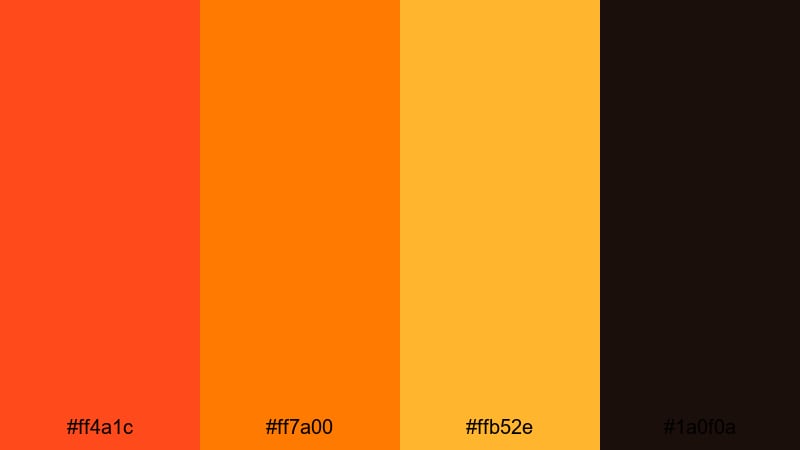
- HEX Codes: #ff4a1c, #ff7a00, #ffb52e, #1a0f0a
- Mood: Explosive, urgent, and high energy, perfect for attention grabbing visuals.
- Use for: Ideal for dramatic video titles, countdowns, and high impact openers.
Inferno Title Burst feels like a fireball frozen in time. The searing oranges and molten gold jump out of frame, while the almost-black base keeps everything grounded and cinematic. It is bold enough to dominate a frame without feeling messy or oversaturated.
Use this palette for countdown timers, stingers, and title cards where you want viewers to stop scrolling instantly. In Filmora, it works beautifully for animated text, motion graphics, and logo bumps, as well as overlays on action footage or creator intros that need maximum punch.
Pro Tip: Build a Cinematic Flame Look in Filmora
To keep an Inferno style Flame look consistent, build a simple visual system in Filmora. Use the darkest color as your background or shadow tone, then apply the bright Flame hues to titles, accent shapes, and call-to-action buttons. This way, even quick cuts between B-roll, talking head shots, and overlays still feel like part of the same fiery brand.
You can also save your favorite title and lower-third templates in Filmora, using this palette for text, outlines, and glow effects. Reusing these presets across intros, outros, and shorts helps your channel feel consistent, intense, and instantly recognizable.
AI Color Palette
If you have a reference frame or graphic using Inferno Title Burst, you can spread that same Flame mood across your entire video with Filmora's AI tools. Filmora's AI Color Palette feature lets you sample the colors from one clip and apply that look to others, so every scene carries the same explosive warmth.
Just import your reference image or hero shot, choose it as the source, and match the color style to selected clips in your timeline. This keeps your thumbnails, openers, and main edit unified without manually tweaking every shot.
 secure download

HSL, Color Wheels & Curves
Once you have the base palette, fine tune your Flame tones in Filmora using HSL, color wheels, and curves. Slightly pushing oranges toward red will make the fire feel more aggressive, while lifting the yellow highlights can add a molten gold shimmer to titles and skin tones. Using the midtone color wheel, you can steer the whole scene warmer without blowing out the brightest areas.
For more control, adjust your curves to deepen shadows while keeping Flame highlights crisp, following a workflow similar to Filmora's color correction guide. This helps your Inferno palette look cinematic rather than flat or washed out.
secure download1000+ Video Filters & 3D LUTs
If you want the Flame mood without building everything from scratch, Filmora's video filters and 3D LUTs make it easy to stylize your Inferno palette. Combine warm cinematic LUTs with glow or highlight-enhancing filters to make oranges and golds pop while still keeping skin tones flattering.
You can apply filters to adjustment layers above your entire edit, so titles, overlays, and footage all share the same Flame-driven vibe. This is a quick way to turn a simple cut into a dramatic, cohesive piece with a powerful visual identity.
secure downloadViral Ember Thumbnail
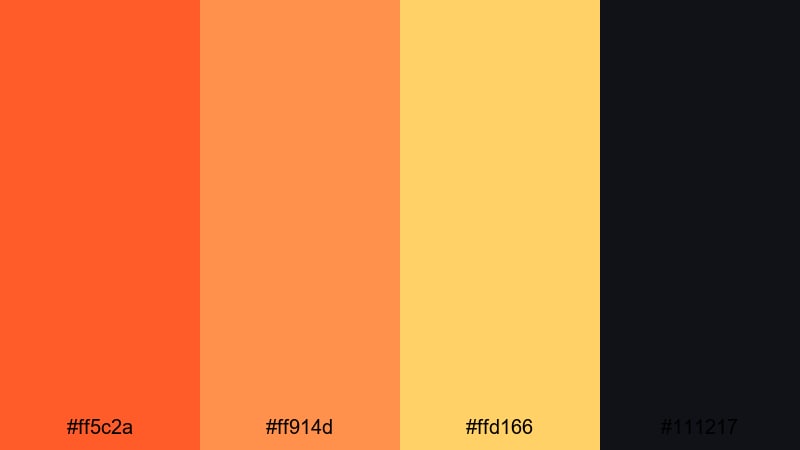
- HEX Codes: #ff5c2a, #ff914d, #ffd166, #111217
- Mood: Fiery, bold, and click worthy, built to stand out in crowded feeds.
- Use for: Best for YouTube thumbnails and social covers that need instant impact.
Viral Ember Thumbnail is tuned for pure visibility. The hot oranges and punchy yellow feel like sparks flying off dark charcoal, which naturally pulls the eye even on small mobile screens. The deep background tone helps text and subject cutouts stand out sharply.
Use this palette for YouTube thumbnails, Reels covers, TikTok profile banners, or any social artwork where you need bold headlines and clear faces. In Filmora, combine these colors with high contrast, sharpened edges, and bold fonts to push your click-through rate higher.
Action Trailer Blaze
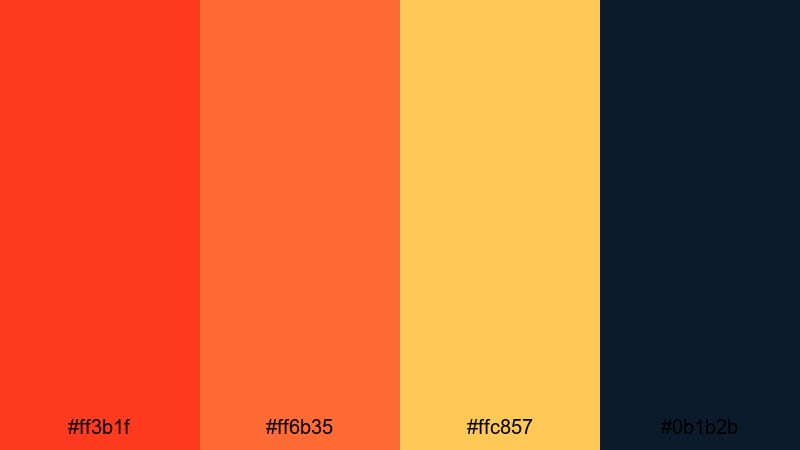
- HEX Codes: #ff3b1f, #ff6b35, #ffc857, #0b1b2b
- Mood: Intense and cinematic with a heroic, high stakes atmosphere.
- Use for: Perfect for action trailers, esports edits, and adrenaline heavy sequences.
Action Trailer Blaze mixes searing Flame reds and oranges with a deep navy shadow, creating a strong blockbuster contrast. It feels like explosions against a night sky, ideal for cuts that move fast and hard.
Use it for title cards, HUD graphics, and light leaks in game montages or sports highlight reels. In your Filmora timeline, lean on the dark blue for backgrounds and shadows, then paint key text, flares, and motion graphics with the brighter Flame tones.
Creator Logo Ignition
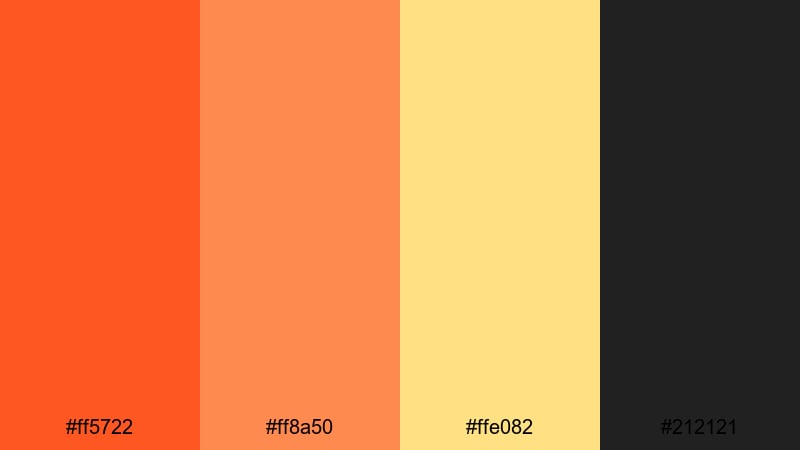
- HEX Codes: #ff5722, #ff8a50, #ffe082, #212121
- Mood: Confident and modern with a startup energy and creative spark.
- Use for: Use for logo reveals, channel branding, and animated lower thirds.
Creator Logo Ignition combines a bold Flame orange core with warm highlights and a neutral charcoal. It feels professional but still full of personality, like a modern startup brand brought into motion design.
This palette is great for logo animations, end screens, social handles, and lower thirds in tutorials or reviews. In Filmora, you can color your logo, accent shapes, and on-screen text with the Flame hues while keeping backgrounds in the dark neutral to maintain clarity.
Gaming Highlight Heatwave
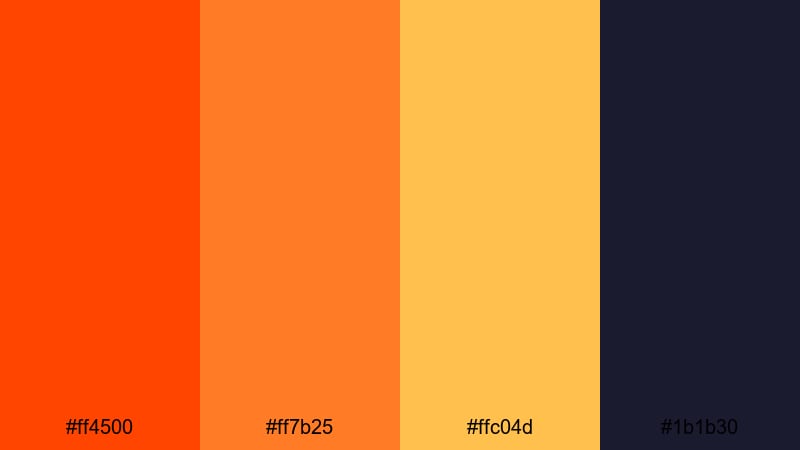
- HEX Codes: #ff4500, #ff7b25, #ffc04d, #1b1b30
- Mood: Aggressive, competitive, and electric, tuned for gaming aesthetics.
- Use for: Ideal for kill montages, stream overlays, and esports highlight reels.
Gaming Highlight Heatwave feels like molten metal against a dark arena. The hot Flame oranges and amber tones roar off the deep indigo background, instantly reading as competitive and high stakes.
Use this palette for stream overlays, scoreboard graphics, subscriber alerts, and fast-cut kill montages. In Filmora, combine it with glitch transitions and speed ramps to make your highlights feel as intense as the gameplay itself.
Warm Cinematic Flame Color Palettes
Golden Hearth Drama
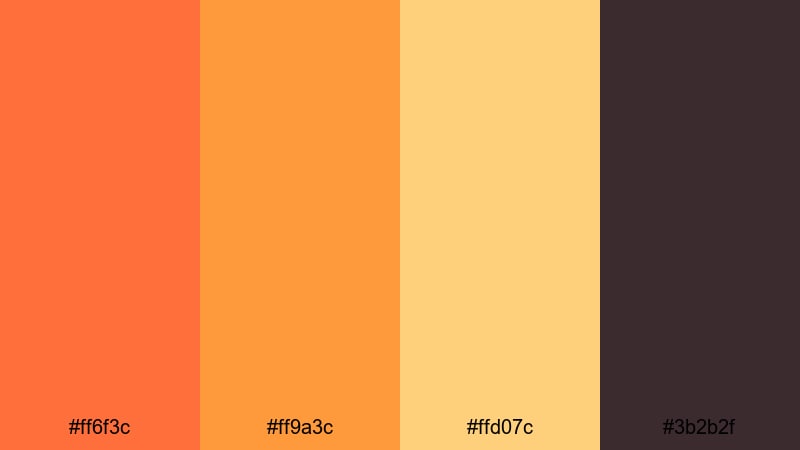
- HEX Codes: #ff6f3c, #ff9a3c, #ffd07c, #3b2b2f
- Mood: Dramatic yet cozy, like a scene lit by a glowing fireplace.
- Use for: Great for narrative shorts, lifestyle films, and emotional story beats.
Golden Hearth Drama wraps your footage in burnt orange and soft golden light, resting on a muted plum brown base. It feels like candlelight in a dark room: warm, intimate, and a little dramatic.
Use it for emotional story beats, dialogue scenes, and lifestyle content that should feel inviting but cinematic. In Filmora, apply this palette through color grading, title styles, and gentle vignettes around your subject to create depth and warmth.
Campfire Story Glow
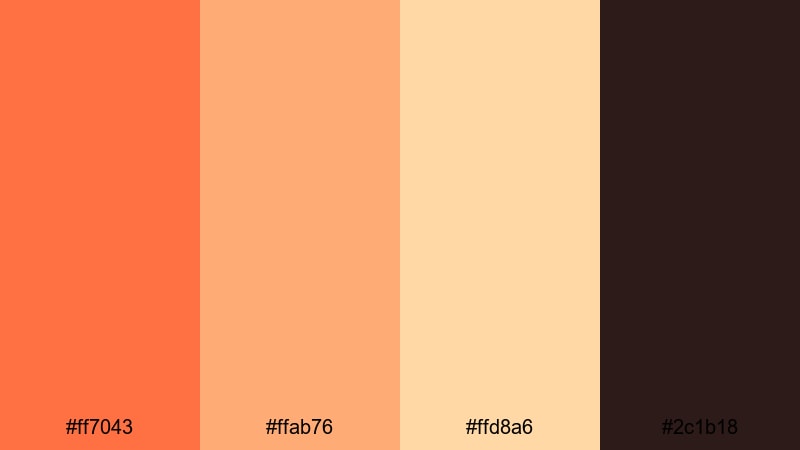
- HEX Codes: #ff7043, #ffab76, #ffd8a6, #2c1b18
- Mood: Intimate, nostalgic, and story driven, like late night campfire chats.
- Use for: Use for travel vlogs, camp scenes, and cozy storytelling content.
Campfire Story Glow captures the warmth of embers fading into night. Soft Flame oranges and creamy highlights sit against a deep wood brown, evoking nostalgia and connection.
This palette fits travel vlogs, camp trips, family moments, or creator monologues that feel personal. In Filmora, pair it with subtle lens flare overlays and gentle zooms to make viewers feel like they are sitting beside the fire with you.
Candlelit Interview Tone
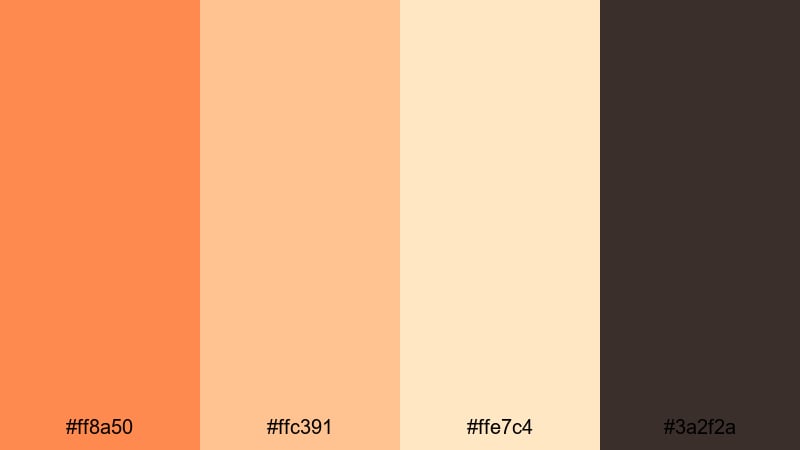
- HEX Codes: #ff8a50, #ffc391, #ffe7c4, #3a2f2a
- Mood: Calm, reflective, and professional with a warm human touch.
- Use for: Ideal for interviews, tutorials, and talking head videos needing a soft glow.
Candlelit Interview Tone leans into gentle apricot and cream, framed by a subtle earthy brown. It is designed to flatter skin tones and soften hard edges, giving your talking head or tutorial footage a warm, human feel.
Use this palette for interviews, expert segments, explainer videos, and webinars. In Filmora, color your backgrounds, title bars, and lower thirds with these hues so your on-camera presence feels polished but approachable.
Festival Flame Montage
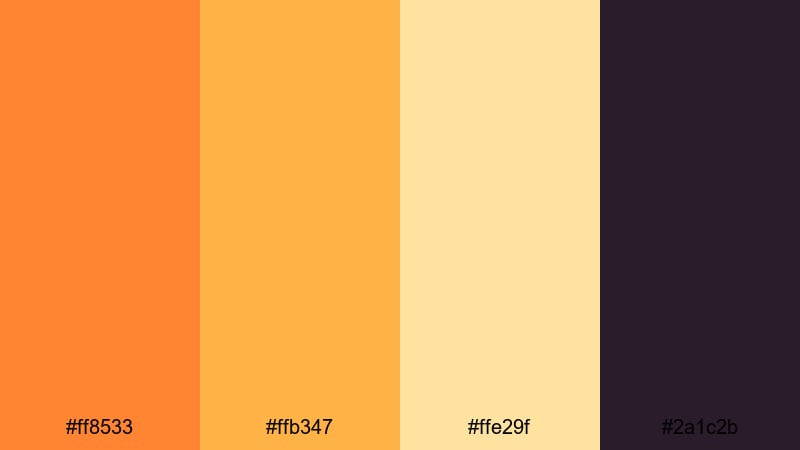
- HEX Codes: #ff8533, #ffb347, #ffe29f, #2a1c2b
- Mood: Joyful, festive, and cinematic with a hint of nightlife mystery.
- Use for: Great for festival recaps, concert edits, and energetic travel reels.
Festival Flame Montage throws lively tangerine and golden lights over a moody violet brown, echoing stage lights and street markets at night. It feels loud and joyful but still cinematic.
Use this palette for concert recaps, festival highlight reels, and night city travel edits. In Filmora, emphasize the Flame tones in lights and signage while letting the darker base color handle backgrounds and shadows for a sleek, modern finish.
Soft Sunset Flame Color Palettes
Ember Dusk Gradient
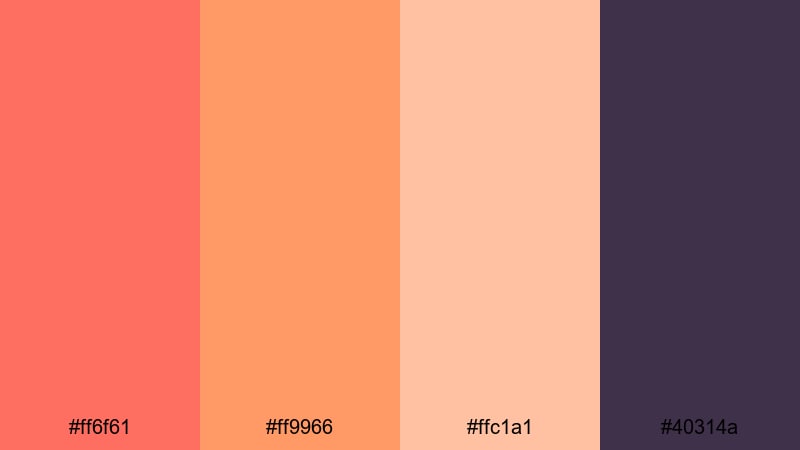
- HEX Codes: #ff6f61, #ff9966, #ffc1a1, #40314a
- Mood: Romantic and dreamy with a slow fade from warmth into twilight.
- Use for: Perfect for end cards, lyric videos, and emotional montage sequences.
Ember Dusk Gradient moves from coral Flame into soft peach, anchored by a muted violet. It feels like the last light of sunset, making it ideal for dreamy, emotional sequences.
Use it on end screens, lyric videos, love stories, or reflective B-roll montages. In Filmora, apply it as a gradient background for text, or lightly tint your footage with these hues to create a gentle, romantic atmosphere.
Warm Studio Backdrop
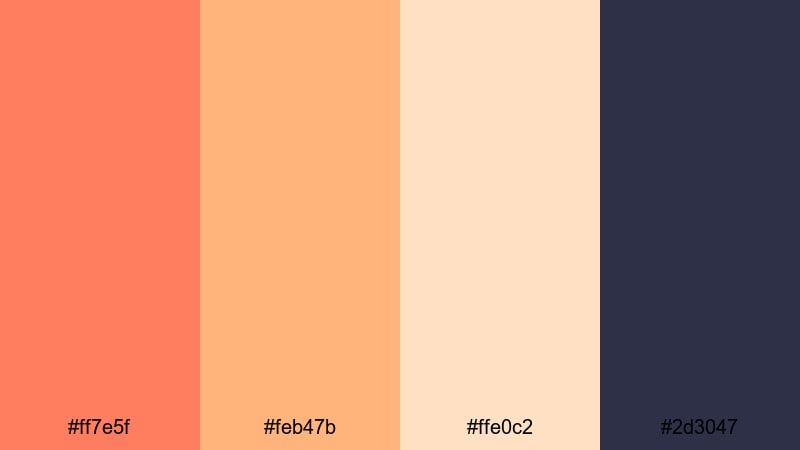
- HEX Codes: #ff7e5f, #feb47b, #ffe0c2, #2d3047
- Mood: Welcoming and creative, balancing warmth with modern cool tones.
- Use for: Use for studio sets, background graphics, and channel branding.
Warm Studio Backdrop blends coral Flame and beige with an inky blue accent. It comes across as friendly and creative, but with a clean, modern edge perfect for studio-based creators.
Use this palette for your backdrop colors, channel banners, and recurring graphic elements like subscribe buttons and frames. In Filmora, combine the warm tones with the deep blue for titles, sidebars, or minimal overlays that feel both artistic and professional.
Cozy Creator Workspace
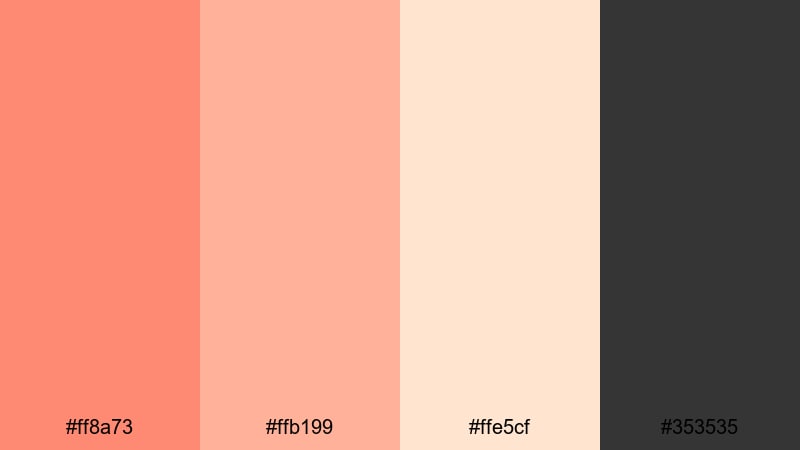
- HEX Codes: #ff8a73, #ffb199, #ffe5cf, #353535
- Mood: Comforting, relaxed, and productivity focused with gentle warmth.
- Use for: Ideal for desk tours, productivity vlogs, and minimalist design layouts.
Cozy Creator Workspace introduces toasted peach and blush tones with a light cream and neutral charcoal. It feels like a warm cup of coffee in a clean, minimalist office.
Use it for productivity vlogs, desk setups, Notion-style layouts, or minimalist channel branding. In Filmora, keep backgrounds light and neutral, using the Flame-inspired peaches for icons, buttons, and key text so your workspace feels inviting from the first frame.
Modern Neon Flame Color Palettes
Neon Lava Stream
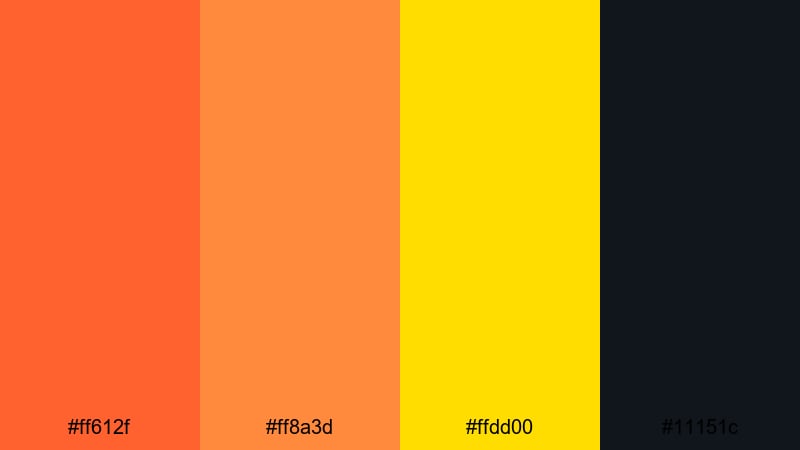
- HEX Codes: #ff612f, #ff8a3d, #ffdd00, #11151c
- Mood: Hyper modern and electric with a glowing, molten core.
- Use for: Best for music videos, kinetic typography, and bold motion graphics.
Neon Lava Stream pushes Flame into a glowing, electric territory. Intense oranges and molten yellow slice through a near-black base, perfect for neon glow effects and streaks of light.
Use it for kinetic typography, lyric videos, music promos, and modern motion graphics. In Filmora, add glow, blur, and light-streak effects to the Flame colors to create a sense of flowing lava around your text and graphics.
Cyber Flame Overlay
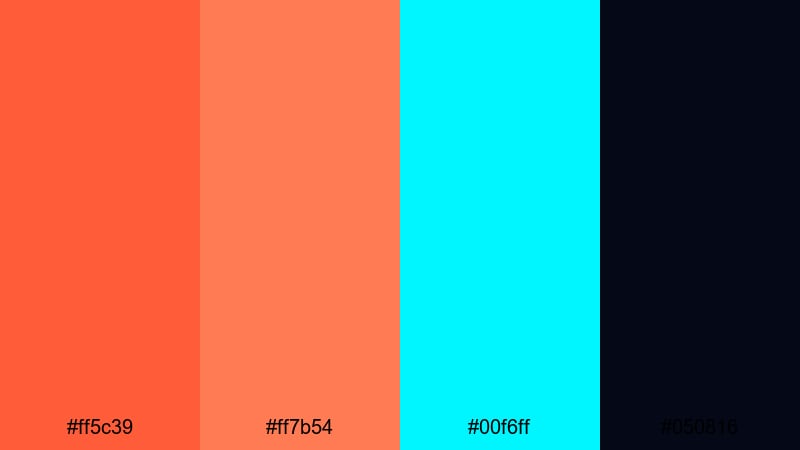
- HEX Codes: #ff5c39, #ff7b54, #00f6ff, #050816
- Mood: Futuristic and edgy, blending fire and digital cyan energy.
- Use for: Great for glitch transitions, sci fi intros, and tech brand visuals.
Cyber Flame Overlay pairs hot Flame oranges with a vivid cyan highlight on deep navy black. It feels like fire meeting holograms, giving you a perfect base for sci fi or tech inspired visuals.
Use this palette in glitch transitions, HUD overlays, tech explainers, and cyberpunk edits. In Filmora, let orange dominate key accents while cyan picks out lines, icons, or scan effects for a sharp, futuristic contrast.
Glitch Fire Loop
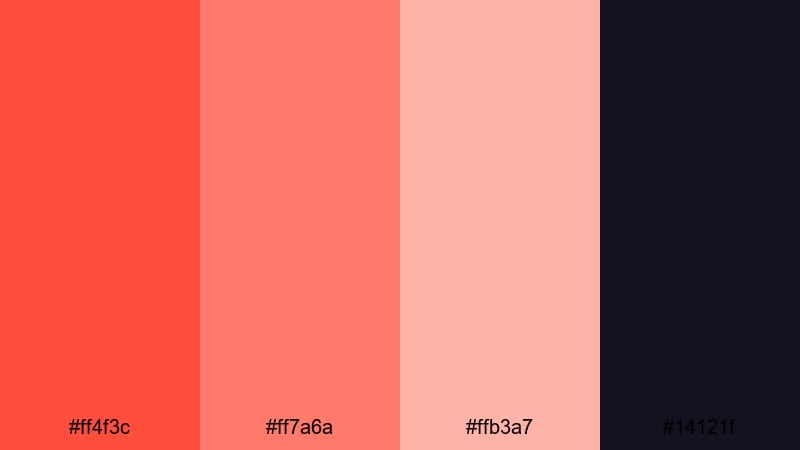
- HEX Codes: #ff4f3c, #ff7a6a, #ffb3a7, #14121f
- Mood: Surreal, experimental, and looping with a digital art vibe.
- Use for: Use for looping backgrounds, reels, and animated stickers or transitions.
Glitch Fire Loop takes glowing red-orange tones and fades them into pastel embers above a deep violet black. It feels dreamy and digital at the same time, ideal for experimental edits.
Use it as a base for looping background animations, reel templates, animated stickers, and stylized B-roll. In Filmora, combine the palette with glitch, displacement, or overlay blend modes to create endlessly looping assets that keep your flame aesthetic alive across platforms.
Tips for Creating Flame Color Palettes
Flame works best when it is balanced with contrast, legibility, and consistent branding. Here are practical tips to combine Flame tones with other colors in your video and design workflows.
- Use the darkest shade as your grounding color for backgrounds, shadows, and text outlines so bright Flame accents stay readable.
- Reserve the hottest Flame hue for calls to action, key buttons, and important titles so viewers instinctively know where to look.
- Balance Flame with cool tones like navy, charcoal, or muted violet to keep the overall frame from feeling too hot or overwhelming.
- Test your palette on both mobile and desktop thumbnails; zoom out and confirm that text and faces still stand out against the Flame background.
- In Filmora, create reusable title and lower third presets with your chosen HEX codes so your brand colors stay consistent across multiple videos.
- Match your grade to your environment: push Flame tones stronger for nightlife, concerts, and gaming, but soften them for interviews and productivity content.
- Use adjustment layers or color correction on top of your timeline to nudge all clips toward the same Flame palette instead of grading each shot in isolation.
- Pair Flame palettes with simple, bold fonts and clean compositions; too many patterns or gradients can compete with the already intense colors.
Flame color palettes can shape how your audience feels about your videos and your brand. From explosive intros and gaming highlights to warm interviews and moody festival recaps, the right combination of fiery tones and deep shadows can instantly communicate energy, emotion, and identity.
Experiment with these 15 Flame palettes inside Filmora to see how they change your thumbnails, intros, B-roll, and overlays. Once you find a look that fits your style, turn it into a repeatable system using AI Color Palette, HSL tools, filters, and LUTs so every upload feels cohesive.
Whether you are building a new channel or refreshing your current visuals, treating color as a core part of your story will help your content stand out and feel uniquely yours.
secure download