

 100% Security Verified | No Subscription Required | No Malware


 ChatGPT
 Perplexity
 Gemini
 Claude
 Grok
Grok
Medieval color palettes are all about depth, story, and texture. Think of shadowy stone halls, candlelit banquets, jewel toned banners, and worn parchment. These rich combinations of plum, gold, slate blue, forest green, and earthy browns instantly suggest heritage, legend, and dark fantasy. Used well, medieval colors add weight and drama to video edits, YouTube thumbnails, intros, channel branding, and social posts.
This guide gathers 15 carefully curated medieval color palettes with ready to use HEX codes. Whether you edit in Filmora, design thumbnails, or build a fantasy brand, you will find regal, dark, rustic, and mystical medieval color combinations you can drop straight into your titles, overlays, and color grading.
In this article
Regal Medieval Color Palettes
Regal Hall Banners
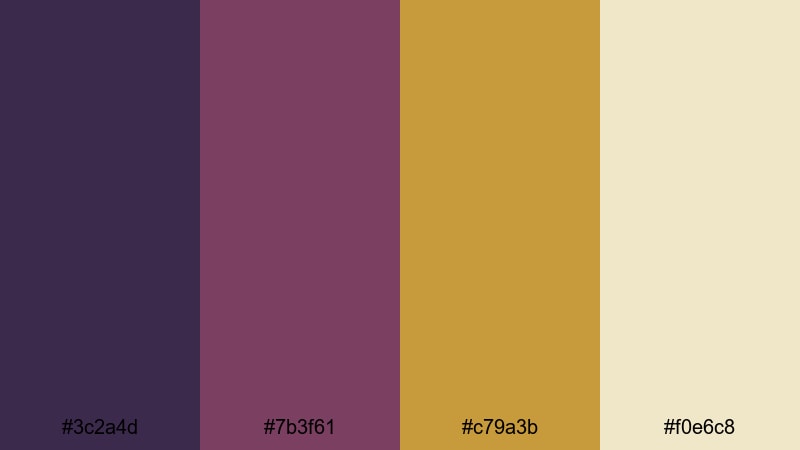
- HEX Codes: #3c2a4d, #7b3f61, #c79a3b, #f0e6c8
- Mood: Majestic, ceremonial, and richly traditional.
- Use for: Use for title cards, fantasy game intros, or royal themed story chapters that need a luxurious edge.
Deep plum and antique gold instantly recall grand hall banners, noble crests, and embroidered tapestries. The contrast between the cool violet shadows and the warm metallic highlights feels rich without looking cartoonish, which is perfect for serious fantasy or historical content.
Use this palette on your channel logo, intro title sequence, and lower thirds to lock in a royal brand identity. In thumbnails, pair the darkest plum with bold, legible text in pale parchment to make your medieval themed videos stand out in search results and recommendation feeds.
Pro Tip: Build a Cinematic Medieval Look in Filmora
To keep a regal palette like this consistent, design a simple style guide inside Filmora. Use the darkest hue for your background shapes or drop shadows, pick the mid plum for accent boxes, and reserve the antique gold and parchment for titles and key callouts. Save this layout as a custom template so every new episode in your medieval series feels like part of the same kingdom.
You can also create a reusable title preset: set font, size, and color once, then apply it across intros, character name cards, lore chapters, and end screens. This keeps your medieval visuals cohesive even when you mix live action, gameplay, and B roll.
AI Color Palette
If you have a screenshot of a throne room, a game cutscene, or concept art that nails this regal look, you can turn it into a reference for your whole project. Filmora's AI Color Palette feature lets you sample the colors from one clip or image and match them across other shots in just a few clicks.
Import your reference, match the tones to your A roll, and then apply that same palette to B roll, close ups, and cinematic overlays. The result is a unified medieval color story, even if your original footage came from different cameras, games, or lighting conditions.
 secure download

HSL, Color Wheels & Curves
Once your base palette is in place, refine it with Filmora's HSL sliders, color wheels, and curves. Slightly deepen the blues and purples in the shadows to make stone halls feel moodier, then push the gold tones warmer in the midtones so candles and banners shimmer without blowing out your highlights.
If you want a deeper dive into grading techniques, check out Filmora's color correction and grading guide while you experiment with contrast curves and targeted saturation. This combination lets you turn flat footage into a lush, story driven medieval scene.
secure download1000+ Video Filters & 3D LUTs
To push this regal scheme even further, layer Filmora's creative looks on top of your base grading. Filmora's video filters and 3D LUTs make it easy to add vintage patina, dramatic contrast, or soft bloom while keeping your core medieval colors intact.
Try combining a subtle warm LUT with a vignette filter so your plum and gold tones sit in a soft pool of light, just like a throne under stained glass. Save your favorite combo as a preset and apply it across all your royal intros, lore explainers, and cinematic recaps.
secure downloadCrown And Tapestry
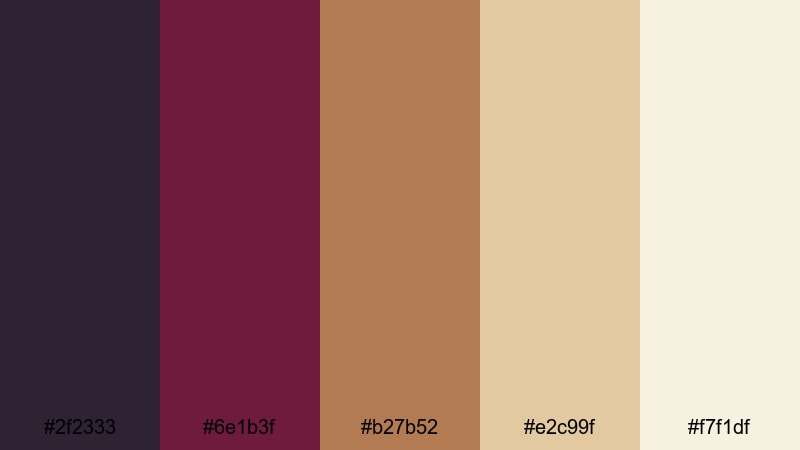
- HEX Codes: #2f2333, #6e1b3f, #b27b52, #e2c99f, #f7f1df
- Mood: Warm, opulent, and storytelling focused.
- Use for: Perfect for cinematic trailers, character backstories, and channel art centered on kingdoms and dynasties.
Wine red, burnished bronze, and parchment neutrals feel like heirloom fabrics and weathered crowns. The palette gives your visuals a sense of age and narrative depth, making it ideal for channels that revolve around dynasties, royal intrigue, or long running fantasy campaigns.
Use the deep reds for borders and accents in thumbnails, then layer character portraits or key props over soft parchment backgrounds. In Filmora, set your title text in the lightest cream and outline it with the bronze tone for a vintage storybook look that is still readable on mobile.
Castle Court Celebration
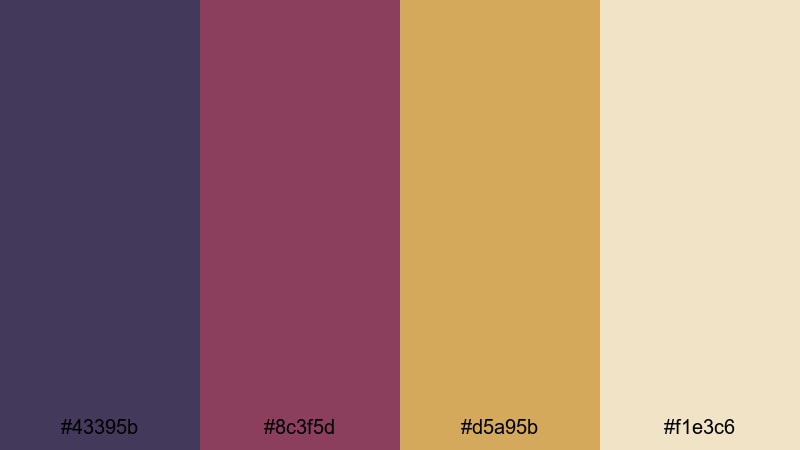
- HEX Codes: #43395b, #8c3f5d, #d5a95b, #f1e3c6
- Mood: Festive yet refined, like a royal feast at dusk.
- Use for: Use in event highlight videos, wedding reels with a historic twist, or fantasy vlog thumbnails.
Muted indigo, rose, and soft gold recreate the feel of candlelit banquets and music echoing off stone walls. This palette is lively without being loud, so it suits joyful but elegant medieval stories.
Apply the indigo as a background, reserve the rose for decorative flourishes or icons, and let the gold and cream lift your titles and subtitles. For wedding or festival reels, you can grade your footage slightly warmer in Filmora so skin tones blend smoothly into these celebratory hues.
Noble Seal And Scroll
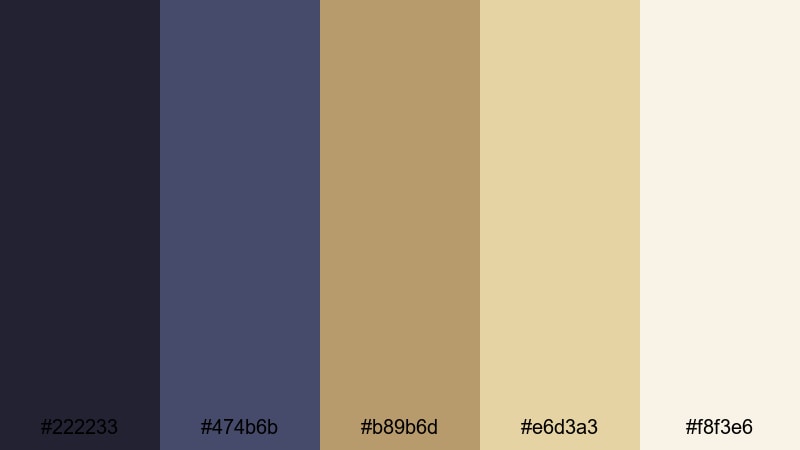
- HEX Codes: #222233, #474b6b, #b89b6d, #e6d3a3, #f8f3e6
- Mood: Formal, scholarly, and timelessly prestigious.
- Use for: Great for educational videos on history, lore explainers, or prestige brand intros with a classic tone.
Ink blue, waxy gold, and parchment creams suggest royal decrees, maps, and illuminated manuscripts. The palette feels calm and intellectual, perfect for long form essays, lore breakdowns, or historical deep dives.
Use the darkest navy for your background layer, the mid blue for shapes and dividers, and the parchment tones for text blocks. In thumbnails, a navy base with gold serif titles instantly signals authority and makes your medieval education content look polished and trustworthy.
Dark & Moody Medieval Color Palettes
Moonlit Keep Shadows
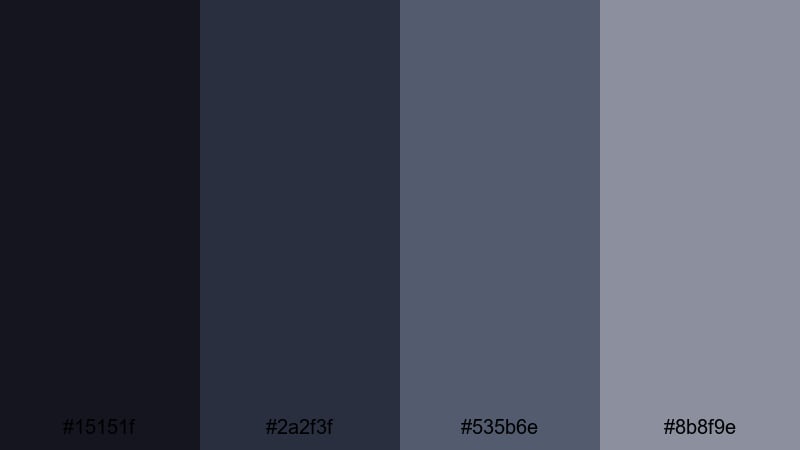
- HEX Codes: #15151f, #2a2f3f, #535b6e, #8b8f9e
- Mood: Mysterious, tense, and cinematic.
- Use for: Use for dramatic game montages, stealth sequences, or horror themed storytelling with a medieval edge.
Cool slate tones and steel blues create the feeling of a night watch patrolling a stone keep. The colors are subdued and atmospheric, ideal when you want suspense or quiet tension instead of bright fantasy.
In edits, lean on the darkest two shades for backgrounds and text bars, and keep brighter elements in the mid grays so they remain visible but muted. This works brilliantly for stealth gameplay HUDs, horror thumbnails, or intros where your logo emerges from the shadows.
Dungeon Torchlight
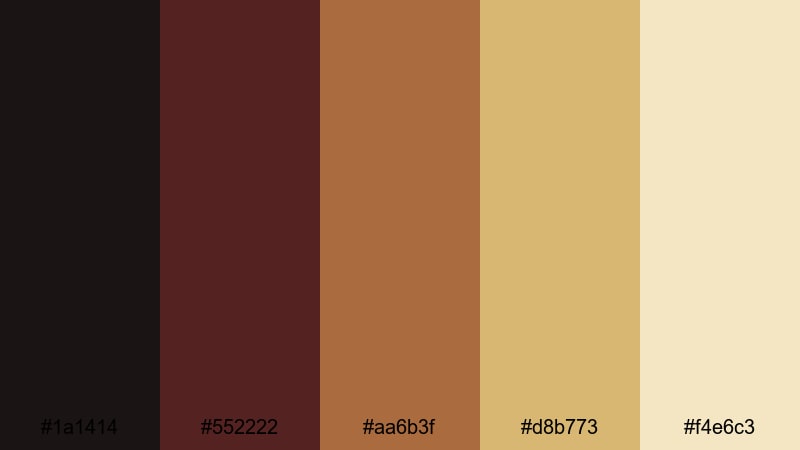
- HEX Codes: #1a1414, #552222, #aa6b3f, #d8b773, #f4e6c3
- Mood: Gritty, dangerous, but warmly lit by fire.
- Use for: Perfect for dungeon crawls, RPG session recaps, and intense challenge videos needing high contrast warmth.
Sooty blacks, ember reds, and smoky golds mimic flaming torches bouncing off rough stone. The strong warm cool contrast makes danger feel immediate and visceral, great for high stakes encounters or boss fight compilations.
Use the near black as your base, then let the deep red and bronze lead the eye toward key UI elements, timers, or calls to action. In Filmora, you can pair this palette with glow effects on the gold tones to sell the impression of flickering torches in your thumbnails and motion graphics.
Siege At Dusk
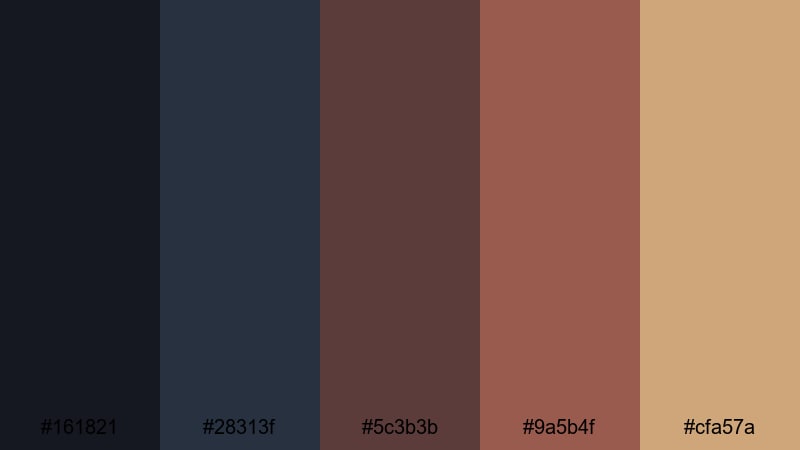
- HEX Codes: #161821, #28313f, #5c3b3b, #9a5b4f, #cfa57a
- Mood: Tense, dramatic, and battle ready.
- Use for: Use in action trailers, siege storylines, or PvP highlight reels that lean into dark fantasy energy.
Stormy blues combine with battleworn reds and dusty beige to suggest armor under a fading sky. This palette balances cool and warm hues, evoking smoke, steel, and the last light of day before a clash.
For trailers, set your background to the deep blues, then use the rust reds for impact words, damage numbers, or streaking graphic elements. The sandy beige is ideal for secondary text that still needs good legibility against dark gameplay footage.
Blacksmith Ember Glow
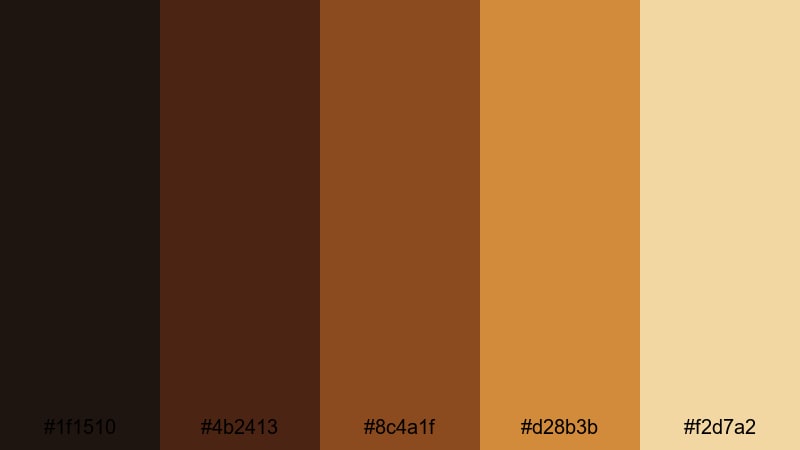
- HEX Codes: #1f1510, #4b2413, #8c4a1f, #d28b3b, #f2d7a2
- Mood: Industrial, fiery, and craft focused.
- Use for: Ideal for maker channels, weapon and armor showcases, or behind the scenes crafting sequences.
Charcoal browns and molten oranges echo iron, anvils, and forge light. The palette feels tactile and hands on, perfect for blacksmithing demos, prop making videos, or any medieval build process.
Use the darkest browns for background and frame elements, then highlight tools, progress steps, and important on screen text with the glowing oranges and pale amber. Combined with a subtle vignette in Filmora, this palette makes every workshop feel like a focused pool of light inside a larger, darker space.
Rustic Medieval Color Palettes
Village Market Cloth
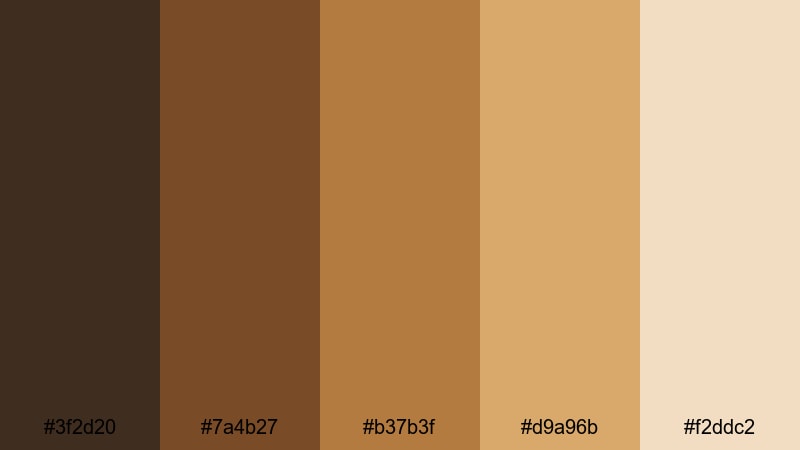
- HEX Codes: #3f2d20, #7a4b27, #b37b3f, #d9a96b, #f2ddc2
- Mood: Earthy, bustling, and welcoming.
- Use for: Use for travel vlogs, lifestyle content in old towns, or cozy market montage sequences.
Rich browns and warm ochres recall woven tents, baskets, bread stalls, and hand dyed fabrics. The palette captures the friendly clutter and lived in charm of a medieval village market.
For travel vlogs or IRL footage in historic streets, use these tones to warm up stone and wood, making everything feel more inviting. In thumbnails, pair a dark brown base with lighter tan text blocks and small pops of the mid orange to draw attention without overwhelming the frame.
Timber And Iron
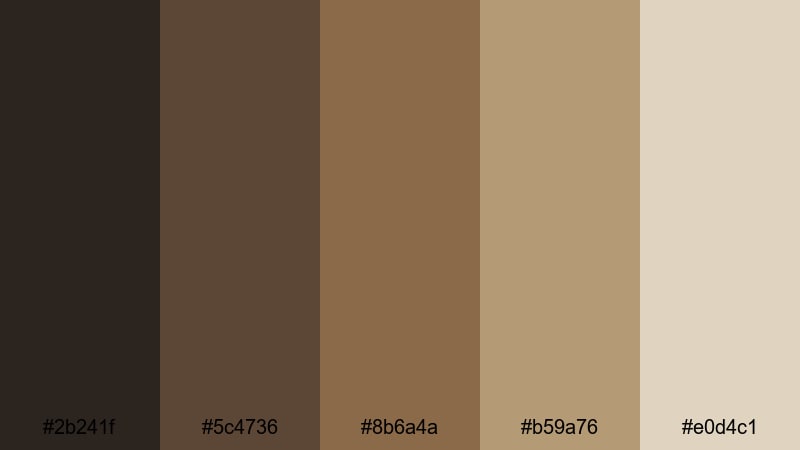
- HEX Codes: #2b241f, #5c4736, #8b6a4a, #b59a76, #e0d4c1
- Mood: Solid, grounded, and handcrafted.
- Use for: Perfect for woodworking channels, historical builds, or documentary style edits about craft and labor.
Sturdy browns and muted tans mirror beams, carts, and barn doors. This is a workmanlike palette that feels solid, reliable, and practical, ideal when you want the focus on craft rather than spectacle.
Use the darker shades as background plates behind measurement diagrams, part lists, or progress labels. The lighter creams make excellent caption strips and info boxes, keeping your tutorials easy to read while maintaining a unified rustic medieval tone.
Harvest Festival Green
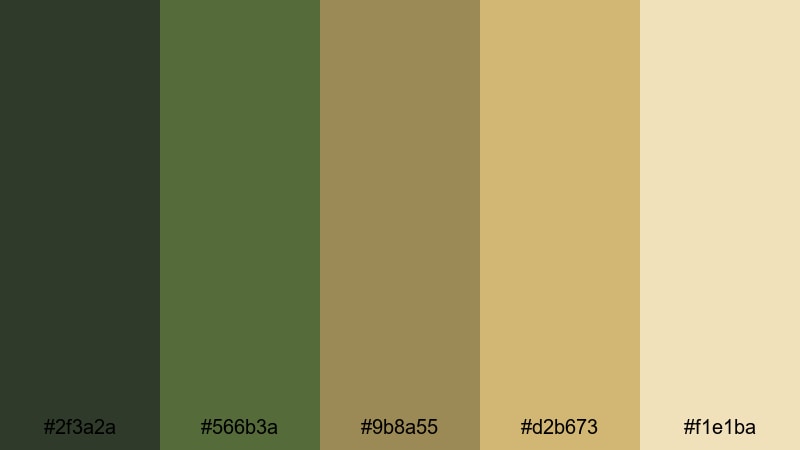
- HEX Codes: #2f3a2a, #566b3a, #9b8a55, #d2b673, #f1e1ba
- Mood: Abundant, hopeful, and community centered.
- Use for: Use in seasonal vlogs, farm to table content, or story arcs about countryside life.
Forest greens and grainy golds capture fields, garlands, wood tables, and stacked harvests. The palette feels wholesome and optimistic, with just enough depth to stay grounded in a medieval world.
Apply the greens to backgrounds and accent shapes, then use the warm golds and creams for titles and callouts about seasons, recipes, or festival events. In Filmora, a gentle contrast boost and slight warm shift will make landscapes and food shots sit nicely inside this earthy scheme.
Tavern Hearth Warmth
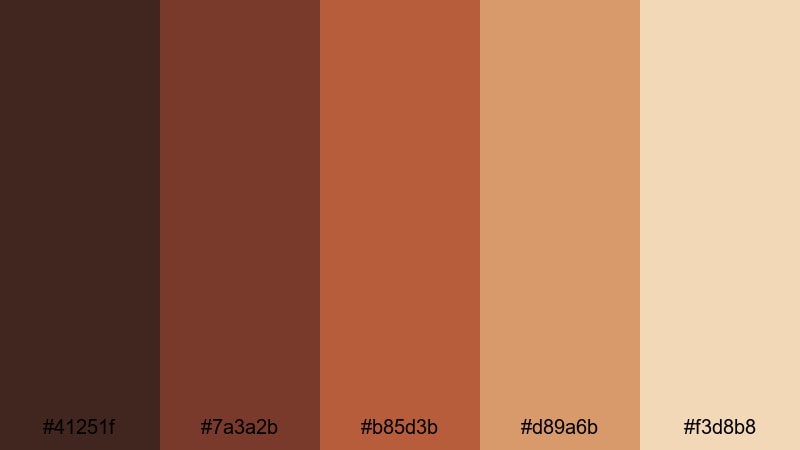
- HEX Codes: #41251f, #7a3a2b, #b85d3b, #d89a6b, #f3d8b8
- Mood: Cozy, social, and story rich.
- Use for: Ideal for podcast visuals, storytelling shorts, or character focused scenes set in intimate interiors.
Toasty browns, brick reds, and honey lights evoke fireplaces, candles, and shared meals. This palette is perfect for content built around conversation, roleplay, and character backstories.
Use the deep chestnut as your main background, then let the brick red guide attention to avatars, waveform visuals, or key lore beats. The lighter peach and cream tones are great for on screen quotes or chapter headings in long form story episodes.
Mystic Medieval Color Palettes
Enchanted Forest Rune
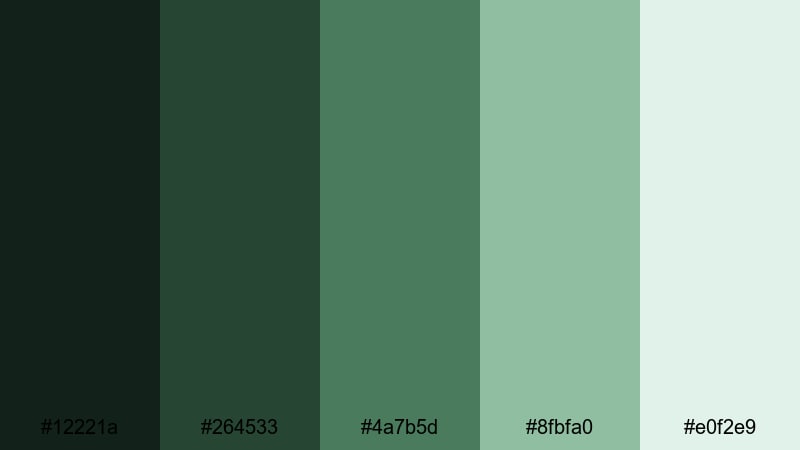
- HEX Codes: #12221a, #264533, #4a7b5d, #8fbfa0, #e0f2e9
- Mood: Otherworldly, tranquil, and quietly magical.
- Use for: Use in fantasy travel vlogs, nature b roll, and mystical narrative sequences needing a soft, enchanted tone.
Deep greens melting into misty teals create the feeling of hidden groves, mossy stones, and runes glowing faintly in the underbrush. The palette is calm, not flashy, making it ideal for contemplative fantasy and slow, atmospheric edits.
Let the darker greens anchor your scenes while the paler mint tones highlight text and subtle magical effects. In Filmora, you can gently desaturate everything except this palette to make forests, cloaks, and magical elements feel connected across different shots.
Alchemist Ink And Gold
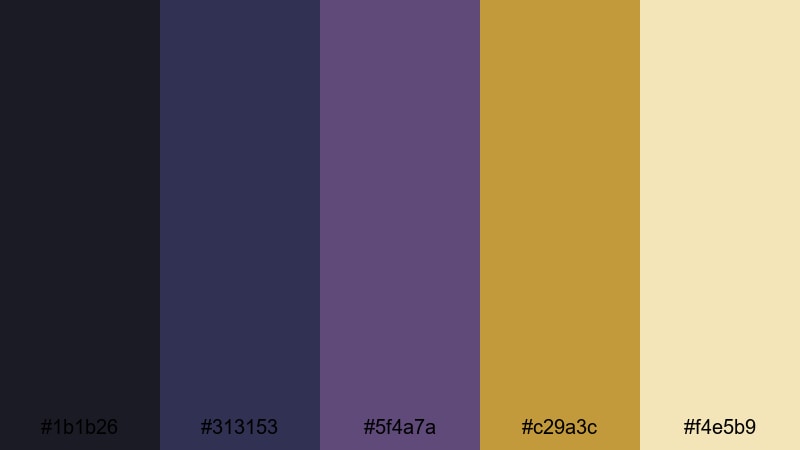
- HEX Codes: #1b1b26, #313153, #5f4a7a, #c29a3c, #f4e5b9
- Mood: Arcane, intellectual, and experimental.
- Use for: Perfect for tutorial series, lore breakdowns, or magic system explainers with a scholarly vibe.
Inky blues and violets paired with arcane gold feel like potion bottles, star charts, and handwritten formulae. This palette mixes mystery with precision, making it perfect for explainer content and deep dives into your worldbuilding rules.
Use the dark indigo as a laboratory like backdrop, then accent important terms, icons, or sigils with the golden hues. Paired with simple motion graphics in Filmora, this color scheme makes even complex topics feel curated and magical rather than overwhelming.
Celestial Chapel Stained Glass
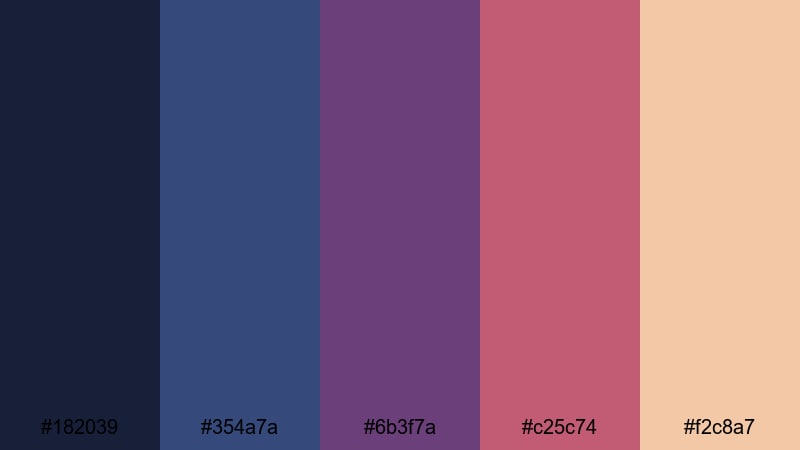
- HEX Codes: #182039, #354a7a, #6b3f7a, #c25c74, #f2c8a7
- Mood: Spiritual, awe inspiring, and luminous.
- Use for: Use in cinematic montages, inspirational edits, or music videos that need a sacred, elevated feel.
Midnight blue, sapphire, and rose tones echo stained glass under candlelight. The palette feels vertical and uplifting, making scenes look like they belong in vaulted chapels or sacred forests.
Apply the deep blues as your base and use the amethyst and rose tones for beams of light, gradients, or lyric highlights. In Filmora, combine this palette with lens flare and soft glow effects to turn simple footage into something that feels ethereal and transcendent.
Tips for Creating Medieval Color Palettes
When you build your own medieval color palettes, aim for a balance between atmosphere and clarity. You want rich, story driven hues that still keep text readable and key details easy to follow in fast moving edits and small thumbnails.
- Start with one dominant hue family (regal purples, earthy browns, forest greens, or deep blues) and support it with 2 to 3 accent colors plus 1 light neutral for text.
- Check contrast for readability: test your title colors against both dark and midtone backgrounds so thumbnails and lower thirds stay legible on phones.
- Use warm tones (gold, ember, parchment) to highlight focal points and cool tones (slate, ink blue, forest green) to push backgrounds into the distance.
- Limit how many saturated colors appear at once; keep most of the frame in muted shades and save strong saturation for banners, magic effects, or key UI elements.
- Match your palette to content: dark, low contrast schemes fit horror or stealth, while warm, bright palettes suit markets, taverns, and festivals.
- Stay consistent across assets: reuse the same HEX codes for your logo, intro titles, thumbnail frames, and end cards to build a recognizable medieval brand.
- Use Filmora color tools to nudge real footage toward your palette by adjusting warmth, saturation, and specific HSL ranges instead of overloading with filters.
- Export a test grid of your chosen colors and overlay it on sample footage or thumbnails to confirm they work together before locking in a series look.
Medieval color palettes can make your videos feel instantly more cinematic, whether you are telling epic stories, showcasing fantasy games, or vlogging in historic streets. Deep plums, smoky blues, earthy browns, and enchanted greens all signal different moods, from royal prestige to rustic coziness or arcane mystery.
With the HEX codes above and Filmora's color tools, you can turn any raw footage into a cohesive, medieval themed visual world. Build a few go to palettes for your channel, save them as presets, and apply them across intros, overlays, and shorts so your audience recognizes your style at a glance.
Experiment with these combinations, tweak them to match your footage, and let your medieval colors carry the story before a single line of dialogue appears on screen.
secure downloadNext: Coral Reef Color Palette
