

 100% Security Verified | No Subscription Required | No Malware


 ChatGPT
 Perplexity
 Gemini
 Claude
 Grok
Grok
Orange peach is a warm, inviting color that blends the energy of orange with the softness of pastel peach. It feels friendly, optimistic, and approachable, which makes it a favorite for lifestyle brands, personal vlogs, wedding films, and anything that needs a gentle glow instead of harsh contrast. On screen, orange peach often mimics flattering golden-hour light and can make skin tones look healthy and radiant.
For video creators, this shade works beautifully in YouTube thumbnails, titles, intros, subscribe animations, and lower thirds, as well as in overall color grading. Below you will find 15 orange peach color palettes with HEX codes, curated for editors, designers, and Filmora users who want consistent, aesthetic color across their videos, graphics, and branding.
In this article
Soft & Romantic Orange Peach Palettes
Morning Blossom Glow
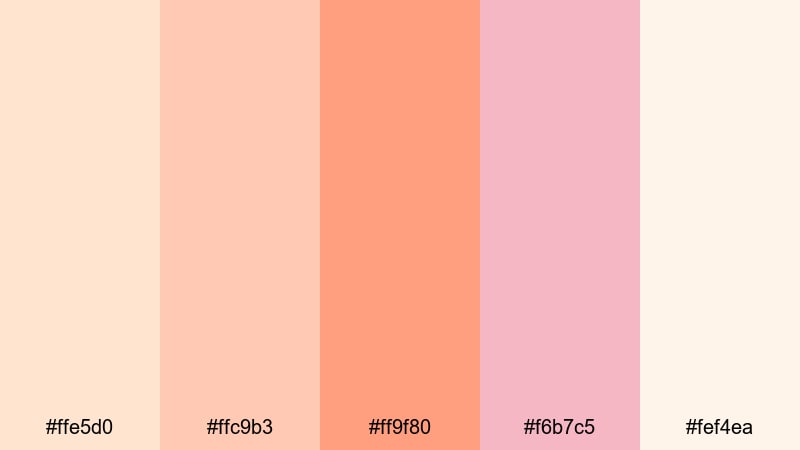
- HEX Codes: #ffe5d0, #ffc9b3, #ff9f80, #f6b7c5, #fef4ea
- Mood: Gentle, hopeful, and softly radiant like first light.
- Use for: Perfect for wedding highlight films, romantic vlogs, and dreamy channel intros that need a tender, pastel warmth.
Morning Blossom Glow is a delicate blend of creamy peach, warm blush, and soft light tones that feel like the first sun on petals. The palette has enough warmth to flatter skin tones, but stays pastel and airy so nothing feels heavy or oversaturated.
Use this scheme in wedding highlight reels, proposal videos, or gentle storytelling vlogs. In Filmora, it works beautifully for intro titles, signature lower thirds, and YouTube thumbnails where you want romance and softness without losing readability. Pair the deeper peach (#ff9f80) with the light background tones (#ffe5d0, #fef4ea) for clear text and buttons.
Pro Tip: Build a Cinematic Soft Orange Peach Look in Filmora
To keep a Morning Blossom Glow vibe from start to finish, treat orange peach as your hero accent. Use it in your Filmora titles, call-to-action buttons, and subtle graphic elements, then echo similar tones in your color grading so your footage, overlays, and text feel like one cohesive visual story.
You can create a simple brand kit inside Filmora by saving title presets that use this palette, then reusing them across intros, B-roll sequences, and shorts. This keeps your romantic orange peach look consistent whether you are editing a long-form vlog, a teaser trailer, or vertical social clips.
AI Color Palette
If you have a still frame or design mockup in Morning Blossom Glow tones, you can use Filmora's AI Color Palette feature to transfer that look to the rest of your edit. The tool reads the color relationships in your reference image and applies a similar grade to other clips, so your orange peach highlights and blush shadows stay consistent.
This is especially helpful for wedding highlight films or romantic reels where each scene is shot in different lighting. One curated reference frame in this palette can give the entire video a unified, dreamy warmth.
 secure download

HSL, Color Wheels & Curves
To fine-tune soft orange peach tones in Filmora, use HSL to gently desaturate strong oranges and push them toward a pastel peach, then cool or warm your highlights with the color wheels. Curves let you add a subtle lift to the shadows so nothing looks too contrasty for this romantic style.
For a more cinematic finish, you can follow a step-by-step approach similar to Filmora's color correction tutorials, such as those shown in the Filmora color correction guide. This makes it easy to protect skin tones while wrapping the rest of the image in a soft orange peach wash.
secure download1000+ Video Filters & 3D LUTs
Once your base orange peach look is in place, you can quickly style it with Filmora's rich library of filters and LUTs. Vintage filters can give Morning Blossom Glow a soft filmic fade, while clean modern LUTs keep it bright and wedding-ready for highlight reels and save-the-date edits.
Filmora's video filters and 3D LUTs make it easy to test different moods without rebuilding your color from scratch. Apply a LUT, then fine-tune with HSL and curves so your thumbnails, intros, and full-length videos all share the same peachy signature style.
secure downloadBlush Horizon Whisper
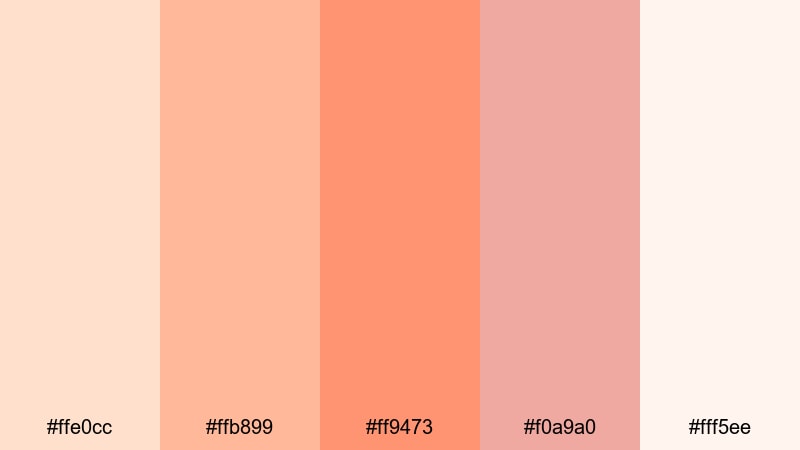
- HEX Codes: #ffe0cc, #ffb899, #ff9473, #f0a9a0, #fff5ee
- Mood: Airy, sentimental, and quietly cinematic.
- Use for: Use in slow-travel montages, engagement story videos, or soft-spoken tutorials that lean into cozy emotions.
Blush Horizon Whisper leans into hazy sunset tones, combining blush, apricot, and soft peach. It feels like the moment just after the sun dips, when the sky is still glowing and shadows are gentle.
Use the mid-peach (#ff9473) for titles and accent lines over the pale background (#ffe0cc, #fff5ee). This palette suits travel vlogs, engagement stories, and ASMR or soft-spoken tutorials edited in Filmora. It keeps visuals emotional yet clean, ideal for YouTube thumbnails, lower thirds, and intro animations that need a cinematic but not overly dramatic touch.
Petal Kiss Daydream
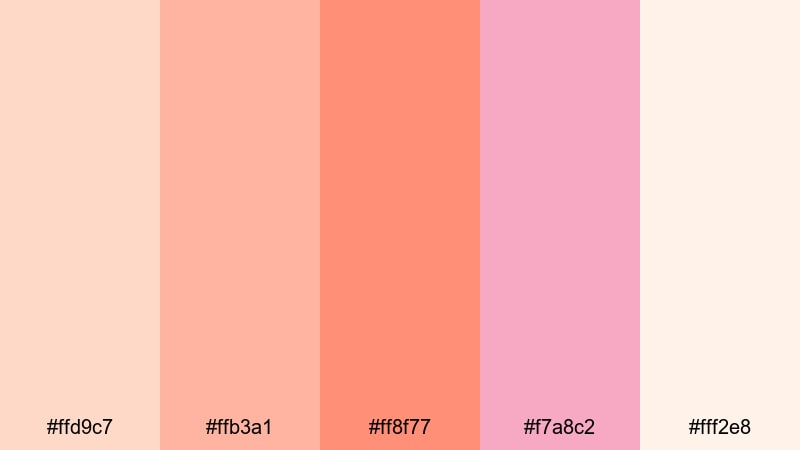
- HEX Codes: #ffd9c7, #ffb3a1, #ff8f77, #f7a8c2, #fff2e8
- Mood: Dreamy, affectionate, and subtly playful.
- Use for: Ideal for lifestyle vlogs, skincare promos, and aesthetic reels featuring close-ups and soft bokeh.
Petal Kiss Daydream adds a hint of pink and coral to the orange peach base, creating a playful, feminine mood. The mix of #ff8f77 with the soft rose #f7a8c2 gives you lively accents without sacrificing the pastel feel.
It is a strong choice for beauty channels, skincare demos, or lifestyle vlogs where you want packaging, skin, and backgrounds to sit harmoniously together. Use the lightest tones (#ffd9c7, #fff2e8) as backdrops in your Filmora titles and subscribe end cards, and let the deeper coral shades highlight key words, icons, and call-to-action buttons.
Peach Cloud Serenity
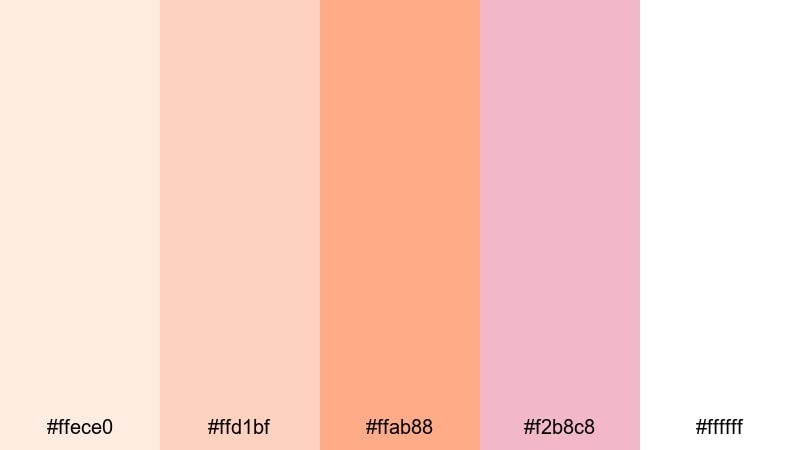
- HEX Codes: #ffece0, #ffd1bf, #ffab88, #f2b8c8, #ffffff
- Mood: Tranquil, airy, and softly luminous.
- Use for: Great for mindfulness content, calm study vlogs, and minimal title cards that float over soft footage.
Peach Cloud Serenity focuses on muted orange peach paired with clean white, giving your projects a calm, almost weightless feel. The colors are gentle and diffused, which keeps the viewer relaxed and focused on your message.
Use #ffece0 and #ffffff as main backgrounds for your titles and chapter cards in Filmora, while #ffab88 and #f2b8c8 handle small details like icons, progress bars, and subtitles accents. This palette works well for meditation channels, study-with-me sessions, and long-form ambient videos where subtle, soft visuals matter more than loud contrast.
Sun-Kissed Orange Peach Palettes
Golden Citrus Sunset
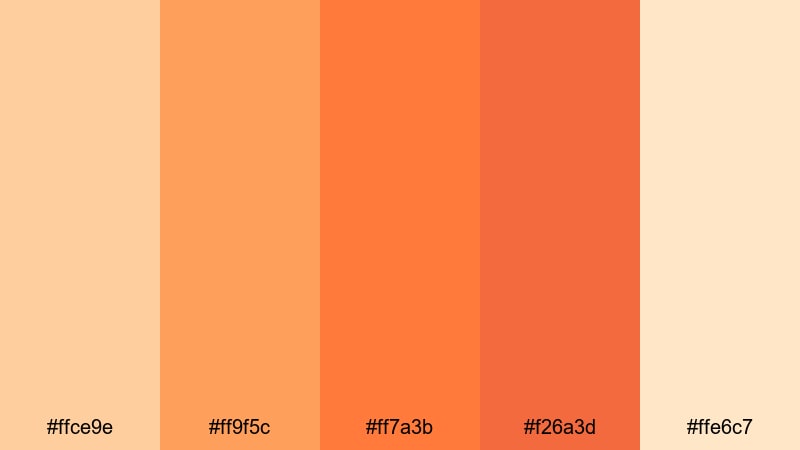
- HEX Codes: #ffce9e, #ff9f5c, #ff7a3b, #f26a3d, #ffe6c7
- Mood: Radiant, optimistic, and full of late-afternoon energy.
- Use for: Perfect for upbeat travel vlogs, outdoor adventure edits, and energetic YouTube thumbnails that need to pop.
Golden Citrus Sunset turns the warmth up with juicy oranges and rich peach, echoing bright late-afternoon sun. The combination of #ff9f5c and #ff7a3b gives you bold mid-tones that stand out even on busy footage.
Use the lighter #ffce9e and #ffe6c7 for background gradients in Filmora title templates, then place bold type or sticker-style graphics in the darker shades. This palette is ideal for travel montage titles, hiking recap thumbnails, or energetic channel intros that need instant impact in the YouTube feed.
Coral Shoreline Breeze
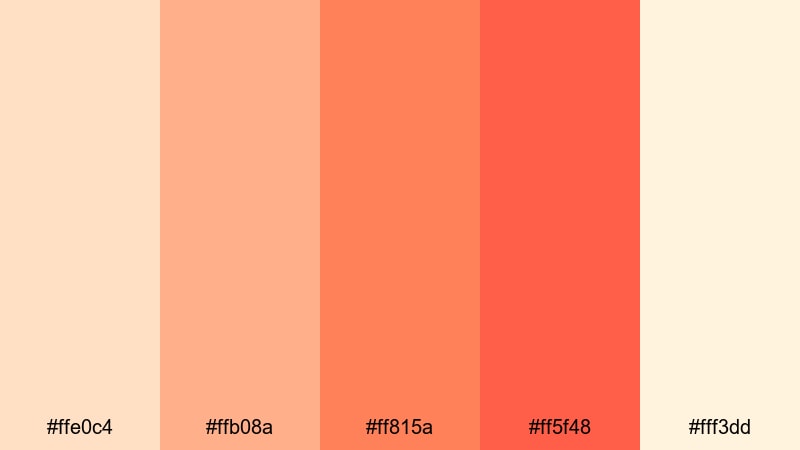
- HEX Codes: #ffe0c4, #ffb08a, #ff815a, #ff5f48, #fff3dd
- Mood: Fresh, coastal, and casually adventurous.
- Use for: Use for beach trip recaps, summer lookbooks, and lifestyle promos that mix sea breeze with warm sunlight.
Coral Shoreline Breeze feels like sunscreen, sea spray, and sandy paths. The palette balances soft sand-like peaches (#ffe0c4, #fff3dd) with coral accents (#ff815a, #ff5f48) that suggest sun-warmed skin and beach umbrellas.
In Filmora, build smooth title reveals or lower thirds using the light tones as panels sliding over footage, with text in the deeper coral for clear legibility. It pairs beautifully with teal ocean footage and sky blues, so it is a natural fit for travel creators, resort promos, or summer fashion lookbooks.
Tangerine Film Light
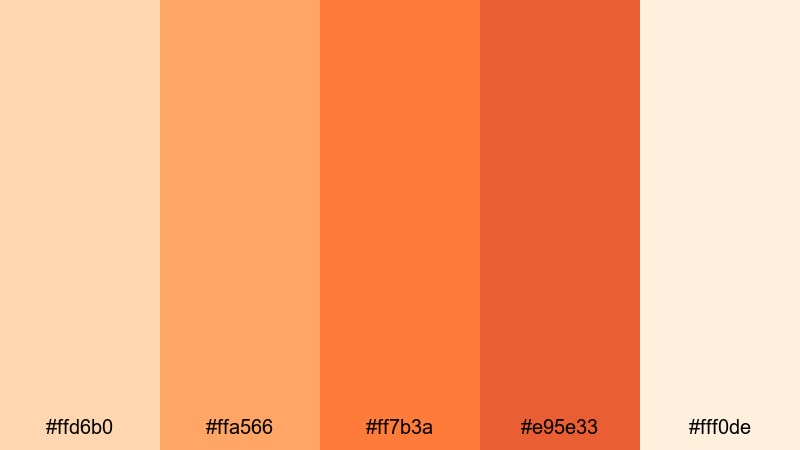
- HEX Codes: #ffd6b0, #ffa566, #ff7b3a, #e95e33, #fff0de
- Mood: Cinematic, warm, and a bit nostalgic.
- Use for: Great for cinematic B-roll, handheld film-style edits, and stylized LUTs that emulate golden hour warmth.
Tangerine Film Light brings a stronger, more cinematic orange into the mix, with #ff7b3a and #e95e33 echoing lens flare and light leaks. Paired with soft cream (#fff0de), the overall effect is nostalgic but still bright.
Use this palette when grading golden-hour footage or adding film-inspired overlays in Filmora. You can design title cards with light backgrounds and use the darker oranges for thick, bold typography that feels like an indie film poster or festival trailer thumbnail.
Summer Iced Peach
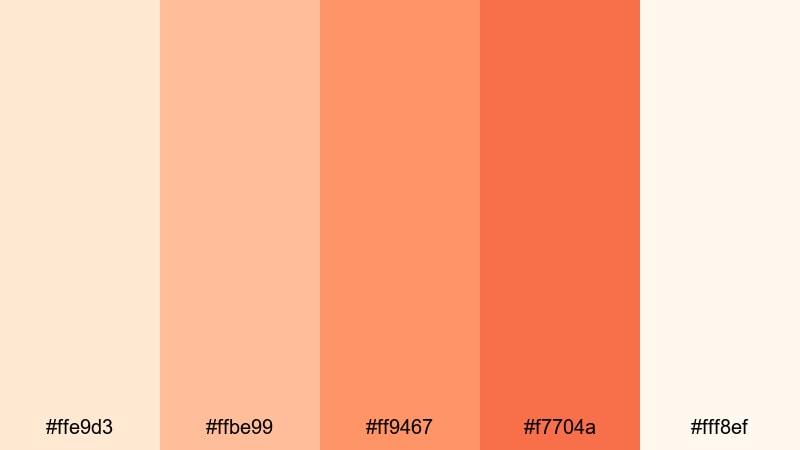
- HEX Codes: #ffe9d3, #ffbe99, #ff9467, #f7704a, #fff8ef
- Mood: Refreshing, energetic, and playful.
- Use for: Perfect for food content, drink recipes, and fun shorts or Reels highlighting summer moments.
Summer Iced Peach feels like chilled drinks and sunshine on a patio. The creamy pales (#ffe9d3, #fff8ef) keep things light and appetizing, while the stronger peaches and oranges (#ff9467, #f7704a) bring zest and energy.
It works especially well for food channels, recipe shorts, and lifestyle content where you want viewers to almost taste the scene. In Filmora, use the light shades for clean recipe step cards and insert bold orange peach accents to highlight measurements, timers, or fun on-screen stickers.
Modern Minimal Orange Peach Palettes
Clean Studio Peach
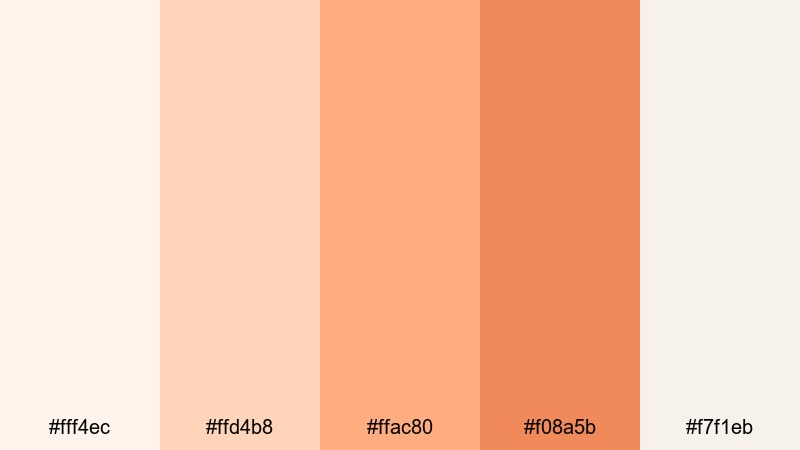
- HEX Codes: #fff4ec, #ffd4b8, #ffac80, #f08a5b, #f7f1eb
- Mood: Polished, modern, and quietly confident.
- Use for: Ideal for branding intros, SaaS explainer videos, and minimalist YouTube channel art.
Clean Studio Peach pairs soft off-whites with controlled orange peach accents, giving a sleek, professional look without feeling cold. The darker accent #f08a5b brings focus where you need it, while the rest of the palette keeps backgrounds airy.
This is a strong choice for tech explainers, business intros, or portfolio reels edited in Filmora. Use light tones for panels and backgrounds, and reserve #ffac80 or #f08a5b for logos, key headlines, and on-screen buttons like Subscribe or Download that should stand out in thumbnails and outros.
Muted Terracotta Frame
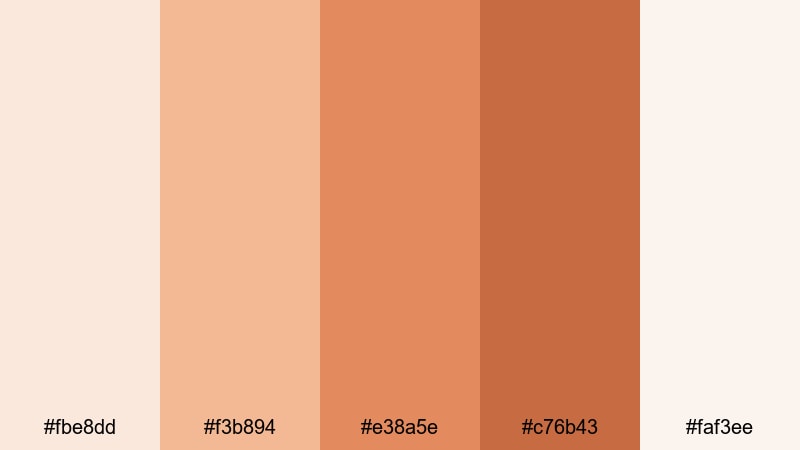
- HEX Codes: #fbe8dd, #f3b894, #e38a5e, #c76b43, #faf3ee
- Mood: Grounded, warm, and design-forward.
- Use for: Use for minimal title screens, UI-inspired overlays, and brand kits that want warmth without loud saturation.
Muted Terracotta Frame brings in earthier, darker oranges and browns. The terracotta tones (#e38a5e, #c76b43) create a grounded, editorial feel that works well for design-conscious brands and creators.
Use the lighter neutrals (#fbe8dd, #faf3ee) as calm canvases for minimal typography and simple shapes in Filmora, then let the terracotta tones frame your footage or outline key areas on screen. This palette suits thoughtful talking-head videos, brand strategy content, and cinematic B-roll sequences of interiors, cafes, and creative spaces.
Soft Grid UI Peach
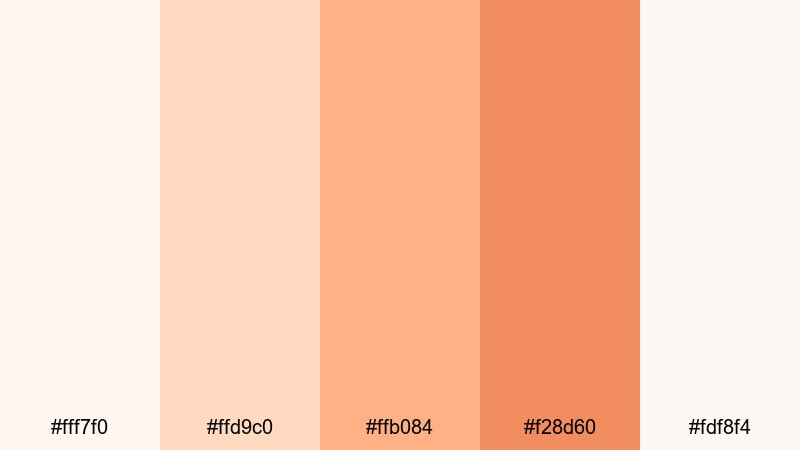
- HEX Codes: #fff7f0, #ffd9c0, #ffb084, #f28d60, #fdf8f4
- Mood: Clean, digital, and subtly inviting.
- Use for: Great for app mockups in explainer videos, lower thirds, and motion graphics with a tech but friendly feel.
Soft Grid UI Peach feels like a modern interface with friendly edges. The near-white backgrounds (#fff7f0, #fdf8f4) look like clean app canvases, while the peach accents guide attention without overwhelming the viewer.
It is perfect for screen-recording tutorials, SaaS demos, and UI walk-throughs created in Filmora. Use the deeper peach #f28d60 for pointer highlights, icons, and step numbers, keeping the rest of your layout light and minimal so users can focus on the product or workflow you are explaining.
Warm Highlight Accent
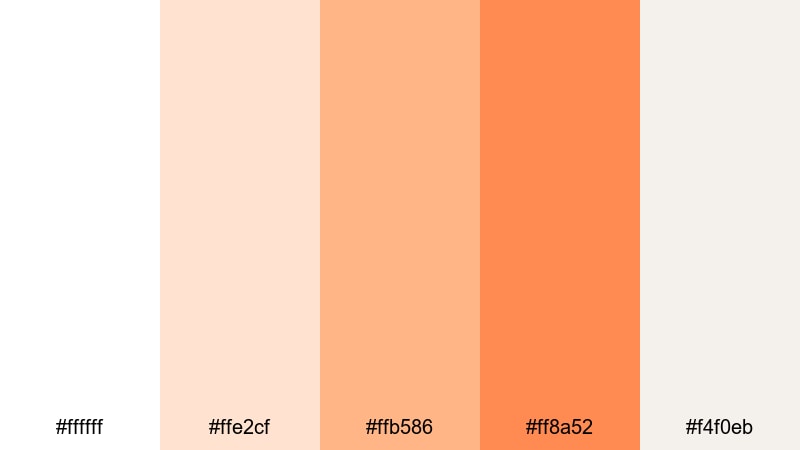
- HEX Codes: #ffffff, #ffe2cf, #ffb586, #ff8a52, #f4f0eb
- Mood: Bright, focused, and minimal with a warm punch.
- Use for: Perfect for accent lines, animated callouts, and subscribe buttons that stand out without clashing.
Warm Highlight Accent is mostly white and soft neutral, with a few powerful orange peach accents designed to attract the eye. When used correctly, your layout stays minimal while the warm highlights drive clicks and attention.
In Filmora, apply this palette to clean channel branding: white or off-white backgrounds, thin accent lines in #ffe2cf, and key elements in #ffb586 or #ff8a52. It is ideal for creators who want a nearly monochrome look but still need a distinctive signature color for callouts, subscribe buttons, and lower-third animations.
Retro & Vintage Orange Peach Palettes
70s Film Peach Fade
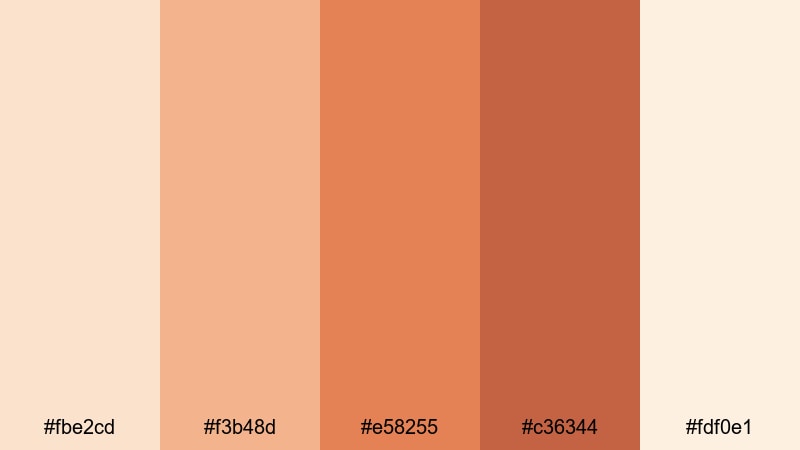
- HEX Codes: #fbe2cd, #f3b48d, #e58255, #c36344, #fdf0e1
- Mood: Nostalgic, cozy, and slightly faded like old prints.
- Use for: Use for retro-inspired edits, throwback montages, and lo-fi vlogs with a filmic vibe.
70s Film Peach Fade mixes warm oranges and browns with a soft, washed-out base. The result looks like scanned photo prints or old Super 8 footage, with #e58255 and #c36344 giving you that classic vintage density.
Apply this palette in Filmora when editing retro-themed vlogs, family archive pieces, or music videos. Use the faded lights (#fbe2cd, #fdf0e1) for full-screen title cards and overlays, then bring in the darker shades for text and frame elements, like rounded boxes or film strip graphics, to complete the nostalgic mood.
Vintage Apricot Grain
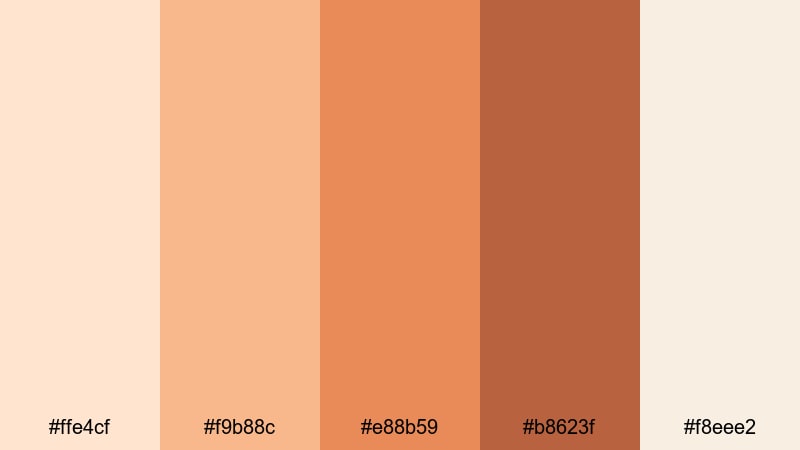
- HEX Codes: #ffe4cf, #f9b88c, #e88b59, #b8623f, #f8eee2
- Mood: Warm, analog, and slightly gritty.
- Use for: Great for documentary intros, family archive edits, and travel stories that lean into nostalgic storytelling.
Vintage Apricot Grain leans into apricot oranges and deep browns that feel like old postcards and printed photo albums. The darker #b8623f provides strong contrast, while #ffe4cf and #f8eee2 keep things soft enough for elegant, legible typography.
This palette pairs perfectly with a bit of added film grain or subtle vignette in Filmora. Use it in travel diaries, memory-style edits, or heartfelt documentaries. Build lower thirds using light background strips with text in the richer oranges and browns, echoing the look of stamped dates and captions on archival photos.
Retro Neon Peach Pop
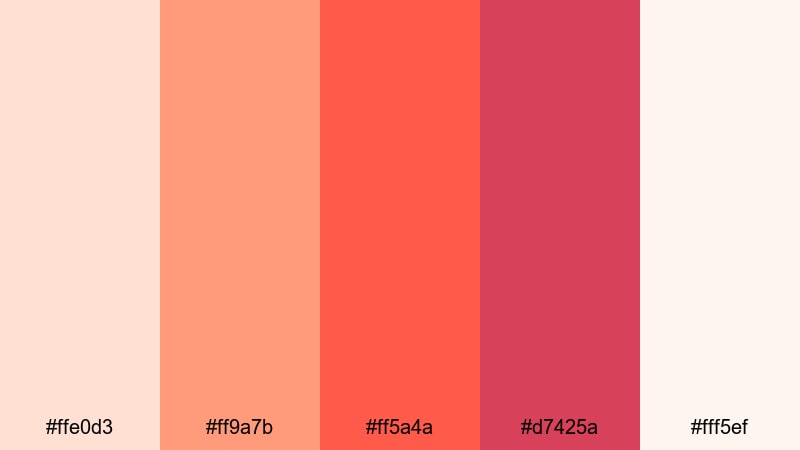
- HEX Codes: #ffe0d3, #ff9a7b, #ff5a4a, #d7425a, #fff5ef
- Mood: Bold, playful, and a bit nostalgic with a neon twist.
- Use for: Perfect for retro gaming edits, energetic music videos, and animated titles that need a punchy pop color.
Retro Neon Peach Pop takes orange peach into a more electric direction, combining vivid peach and coral reds with soft pastel bases. Colors like #ff5a4a and #d7425a give a neon arcade vibe without going fully fluorescent.
Use this palette for high-energy edits in Filmora: retro gaming montages, synthwave-inspired visuals, or bold music videos. Let the pale tones (#ffe0d3, #fff5ef) act as cards or frames, and drop bright peach and coral on top for titles, glitch text, stickers, and animated transitions that demand attention.
Tips for Creating Orange Peach Color Palettes
Orange peach works across many moods, from soft romance to bold retro. A few practical guidelines will help you combine it with other colors, protect readability, and keep your video and branding style consistent.
- Choose one main orange peach HEX as your hero color, then build supporting lights and darks around it so your palette stays focused and recognizable.
- Use light creams and off-whites for backgrounds and panels, and reserve deeper oranges, browns, or charcoals for text and icons to keep thumbnails and lower thirds easy to read.
- Balance warmth with a single cool accent (such as a muted teal or soft blue) when needed, but keep cool tones limited so the orange peach mood stays dominant.
- Check your design in both light and dark environments by exporting a frame from Filmora and viewing it on different devices; adjust saturation and contrast if elements blend together.
- When grading footage in Filmora to match your palette, prioritize skin tones first, then gently nudge midtones and highlights toward your chosen orange peach family.
- Limit each video or brand system to 3 to 5 core colors from your palette, and use them consistently in titles, overlays, and call-to-action buttons to build a strong visual identity.
- Create a color reference card (a PNG with your swatches and HEX codes) and keep it in your Filmora media library so you can quickly sample and match the same orange peach tones across projects.
- For long videos, use subtle variations of the same palette (slightly darker for night scenes, softer for daytime) rather than switching to completely new colors that break the visual flow.
Orange peach palettes are powerful tools for shaping how your audience feels about your content and your brand. Soft, pastel versions make your channel feel romantic and approachable, while saturated or retro combinations can turn the same hue into something bold, nostalgic, or energetic.
All 15 palettes above come with ready-to-use HEX codes, so you can copy them directly into Filmora for titles, motion graphics, and color grading. Experiment with a few of them on your next intro, thumbnail set, or full series, then refine until you find the orange peach look that feels like your signature style.
With Filmora's creative tools, it is easy to test, tweak, and save your favorite palettes as reusable presets. That way your orange peach aesthetic stays consistent across YouTube, Reels, TikTok, and any other platform where your videos live.
secure downloadNext: Metallic Color Palette
