

 100% Security Verified | No Subscription Required | No Malware


 ChatGPT
 Perplexity
 Gemini
 Claude
 Grok
Grok
Metallic colors instantly signal polish, technology, and luxury. From brushed steel and titanium to rose gold and bronze, these tones feel solid and professional, making them perfect for thumbnails, intros, lower thirds, and logos that need a premium edge. Used well, metallic palettes can make even simple shots feel more cinematic and intentional.
Below you will find 15 ready-to-use metallic color palettes with HEX codes, designed for creators, editors, and Filmora users. Each palette includes mood notes and practical ideas for YouTube thumbnails, branding, titles, and motion graphics so you can keep your metallic aesthetic consistent across every video and asset.
In this article
Elegant & Modern Metallic Color Palettes
Chrome Studio Glow
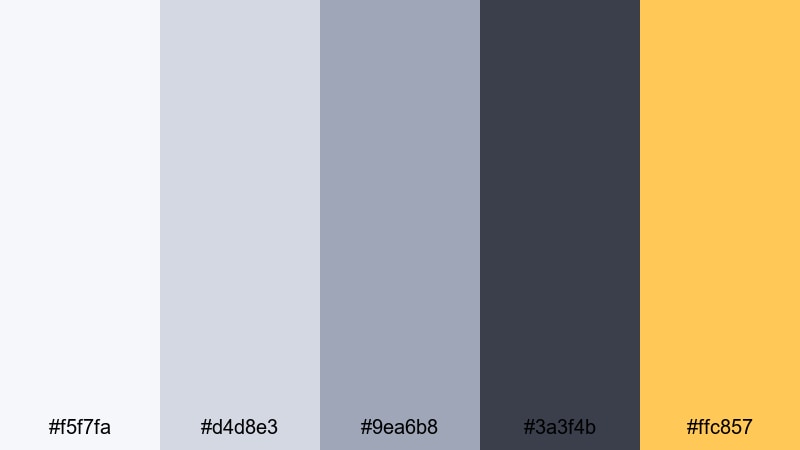
- HEX Codes: #f5f7fa, #d4d8e3, #9ea6b8, #3a3f4b, #ffc857
- Mood: sleek, polished, and creative
- Use for: Perfect for sleek channel intros, tech review thumbnails, and minimalist motion graphics overlays.
Chrome Studio Glow feels like a clean studio lit by soft panels and accented with a line of metallic gold. The cool neutrals give you a calm, chrome-like base, while the pop of #ffc857 adds just enough warmth to catch the eye in titles, buttons, and icons.
This palette works especially well for tech channels, unboxings, and productivity content where you want a modern, trustworthy look. Use the lighter tones for clean backgrounds, the deep gray for typography, and the gold accent for subscribe CTAs, logo reveals, and lower third highlights in Filmora.
Pro Tip: Build a Sleek Metallic Studio Look in Filmora
To keep a Chrome Studio Glow look across your whole edit, treat the palette as your visual language. Use the soft grays for backgrounds and panels, then save the metallic gold for key actions like end-screen buttons, chapter titles, or important callouts. In Filmora, you can quickly recolor shapes, titles, and stickers to match these HEX values and save them as custom presets for future videos.
Apply this same palette to your intro, talking-head overlays, and social cutdowns so everything feels like it belongs to one clean, metallic brand. The contrast between dark slate and warm gold reads clearly on both desktop and mobile, which is ideal for YouTube thumbnails and Shorts covers.
AI Color Palette
If you already have a reference image that nails this chrome-and-gold mood, you can let Filmora do the color-matching work. Filmora's AI Color Palette feature analyzes your reference frame and transfers that metallic balance of cool neutrals and warm accents to the rest of your clips.
Import a still of your favorite chrome studio setup or a thumbnail mockup using these HEX codes, then use AI Color Palette to harmonize the full timeline. This keeps b-roll, A-roll, and overlays aligned, so nothing looks out of place when you cut between shots.
 secure download

HSL, Color Wheels & Curves
Metallic palettes are sensitive to small shifts in light and saturation. Inside Filmora, you can use the HSL sliders, color wheels, and curves to fine-tune how cool or warm your chrome grays feel. Slightly desaturate blues in the shadows for a more high-end steel look, or lift highlights to give gold accents a subtle glow without clipping.
If you want a deeper dive into creative grading, check out Filmora's color correction tools overview and then experiment on your own footage. Use curves to create a gentle S-curve for contrast, keep midtones neutral for natural skin tones, and let the metallic accents lead the eye in your frame.
secure download1000+ Video Filters & 3D LUTs
Once your base metallic palette is in place, you can stylize it quickly using Filmora's library of filters and LUTs. Filmora's video filters and 3D LUTs make it easy to add a subtle studio cool tone, a glossy tech vibe, or a gentle vignette that enhances your chrome highlights.
Combine LUTs with your HEX-based design elements for intros, end screens, and overlays, so the footage and graphics feel like one cohesive metallic world. Save your favorite filter stack as a custom preset to reuse the same metallic look across multiple videos or even an entire series.
secure downloadPolished Steel Minimal
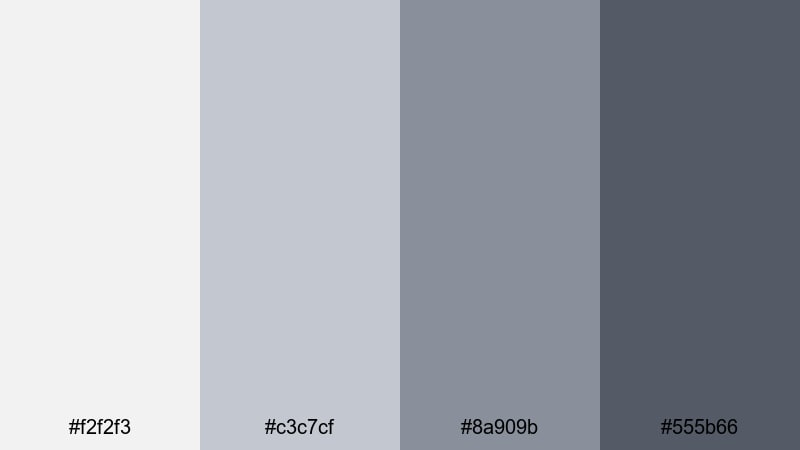
- HEX Codes: #f2f2f3, #c3c7cf, #8a909b, #555b66
- Mood: calm, restrained, and high-end
- Use for: Great for product showcases, software walkthroughs, and understated brand bumpers that need a premium look without distraction.
Polished Steel Minimal strips things back to layered grays, like a designer workstation with brushed metal surfaces. The subtle shifts from light silver to deep steel feel measured and editorial, keeping attention on the subject rather than shouting with color.
Use this palette when you want your UI demos, SaaS explainers, or portfolio reels to look premium and distraction free. Light tones make excellent backgrounds for screen recordings, mid-grays work well for clean lower thirds, and the darkest shade anchors typography, buttons, and logo marks in Filmora titles.
Midnight Titanium Spark
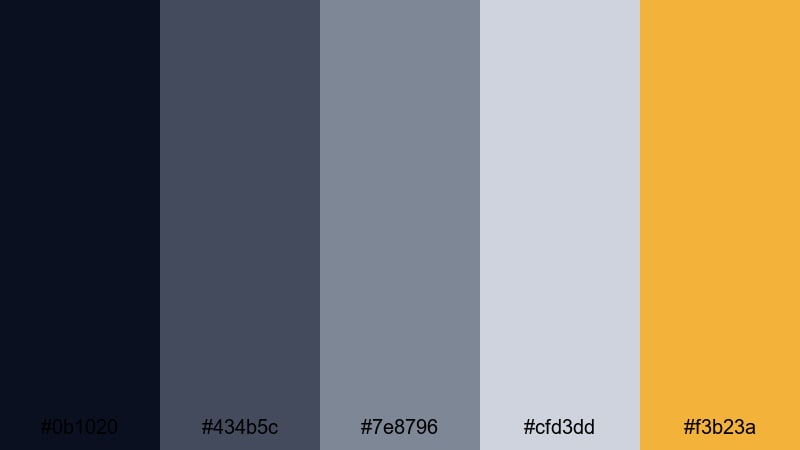
- HEX Codes: #0b1020, #434b5c, #7e8796, #cfd3dd, #f3b23a
- Mood: mysterious, cinematic, and dynamic
- Use for: Use in cinematic openers, gaming intros, and dramatic title sequences that need depth with a metallic accent.
Midnight Titanium Spark plunges your visuals into deep midnight blues and steel grays, then slices through with a flash of metallic gold. It feels like a spotlight catching a titanium surface in a dark studio, perfect for cinematic and gaming content.
In Filmora, use the darkest blue as a background gradient for intros, the mid grays for interface-inspired lines and frames, and the bright gold for logo strokes, glow effects, and key words in your titles. This contrast holds up well in thumbnails where dark atmospheres need a single bright accent to stand out in search results.
Urban Silver Skyline
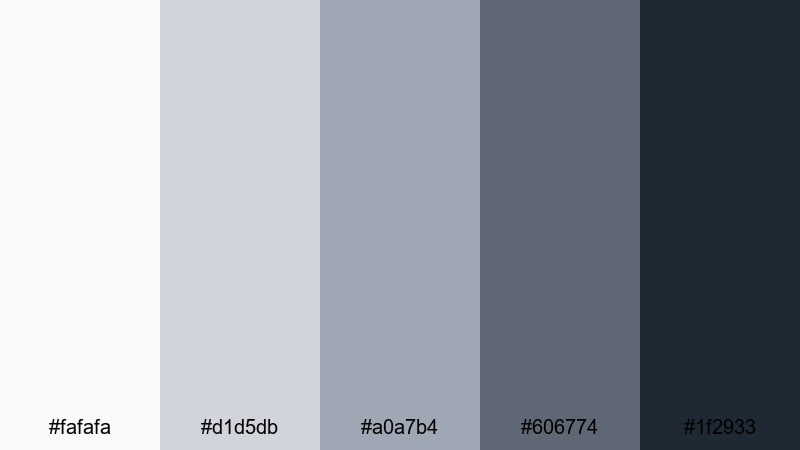
- HEX Codes: #fafafa, #d1d5db, #a0a7b4, #606774, #1f2933
- Mood: urban, balanced, and sophisticated
- Use for: Ideal for lifestyle vlogs, city montages, and channel branding that leans into a clean metropolitan style.
Urban Silver Skyline echoes glass facades and city streets at dusk. Soft silvers fade into deeper slate tones, giving you a restrained metallic palette that still feels lively and modern.
Use the off-white and light silver shades for vlog backgrounds and text boxes, while the darker tones ground your titles, icons, and transition screens. This palette works beautifully for travel vlogs, city B-roll reels, and lifestyle branding where you want an urban metallic feel without going full cyberpunk.
Bold & Futuristic Metallic Color Palettes
Neon Alloy Punch
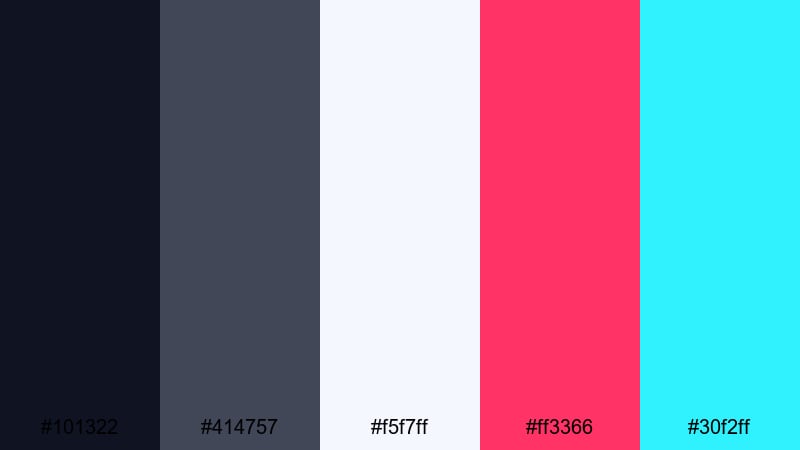
- HEX Codes: #101322, #414757, #f5f7ff, #ff3366, #30f2ff
- Mood: energetic, futuristic, and edgy
- Use for: Perfect for high-energy gaming content, EDM lyric videos, and cyberpunk-inspired thumbnails.
Neon Alloy Punch throws bright cyberpunk energy onto a dark metallic base. Steely blues support blasts of neon pink and cyan, giving your frames the feel of LED strips reflecting off chrome surfaces.
In Filmora, use the darkest blue as a base layer for intros, with light blue as a soft glow behind text. Reserve the neon pink and cyan for accents on progress bars, glitch transitions, button highlights, and animated titles. This palette is strong enough to make streaming overlays and YouTube banners instantly recognizable.
Cyber Steel Hologram
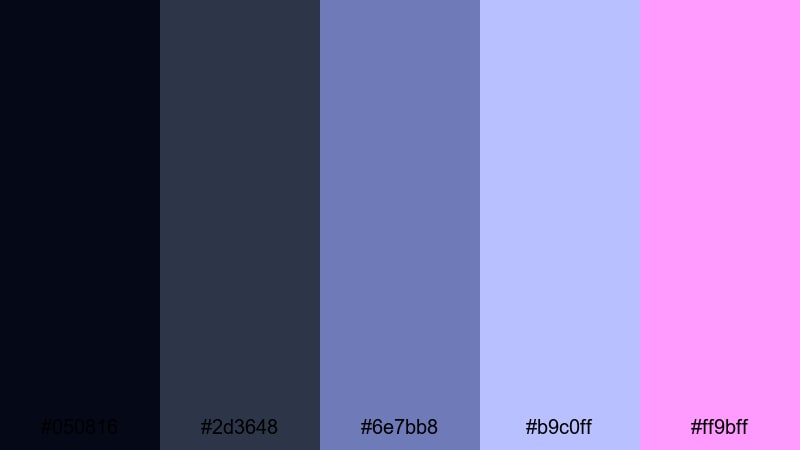
- HEX Codes: #050816, #2d3648, #6e7bb8, #b9c0ff, #ff9bff
- Mood: otherworldly, digital, and immersive
- Use for: Use for sci-fi trailers, tech startup explainers, and glitch transitions that need a holographic sheen.
Cyber Steel Hologram layers dark steel bases with holographic blue and violet tones. It feels like futuristic UI floating above jet-black metal, ideal for sci-fi sequences and tech content.
Use the deep blues for background gradients, and build holographic accents with the lighter blue and lilac. The pinkish highlight color is perfect for edges, scan lines, and animated callouts in Filmora titles or keyframes, giving your video thumbnails and intros a distinctly digital metallic glow.
Electric Chrome Contrast
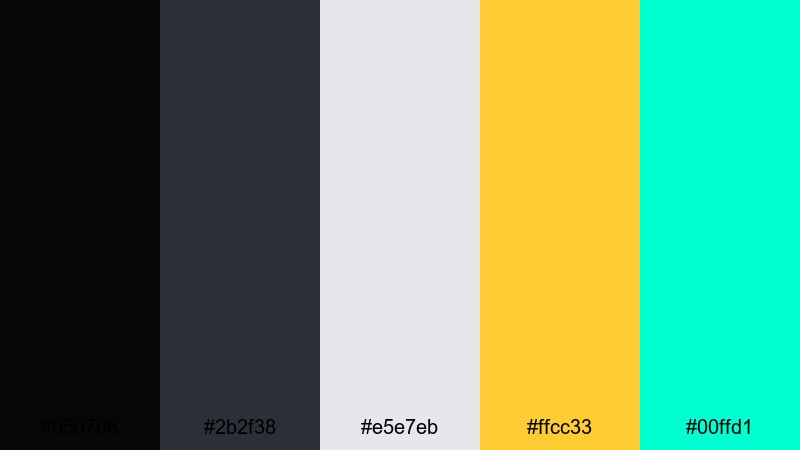
- HEX Codes: #050708, #2b2f38, #e5e7eb, #ffcc33, #00ffd1
- Mood: high-contrast, daring, and modern
- Use for: Great for bold title cards, reaction thumbnails, and motion graphics where you want instant impact.
Electric Chrome Contrast is all about punch. Dark chrome grays collide with a bright metallic yellow and electric teal, creating thumbnails and intros that stand out even on crowded feeds.
Use the dark tones as a stage for reaction shots and bold typography, the light gray as a neutral panel behind text, and the yellow and teal as dueling accent colors. In Filmora, this palette is ideal for kinetic typography, subscribe animations, and alert-style graphics for gaming or commentary channels.
Techno Platinum Pulse
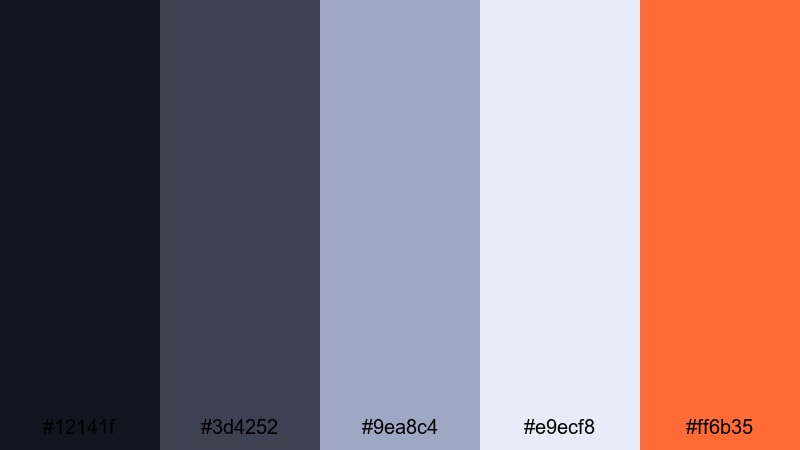
- HEX Codes: #12141f, #3d4252, #9ea8c4, #e9ecf8, #ff6b35
- Mood: rhythmic, techy, and confident
- Use for: Ideal for music visualizers, app promos, and animated lower thirds that blend tech and energy.
Techno Platinum Pulse combines platinum-tinted grays with a confident orange accent, like equalizer bars glowing on a dark stage. It feels rhythmic and tech-forward without becoming too aggressive.
Use the darker shades for background plates and HUD-style overlays, the pale platinum for clean text or waveform elements, and the orange accent to mark drops, transitions, or CTAs. This palette works well with Filmora's audio-reactive effects and animated titles for music channels and app promo reels.
Warm & Luxurious Metallic Color Palettes
Rose Gold Cinema
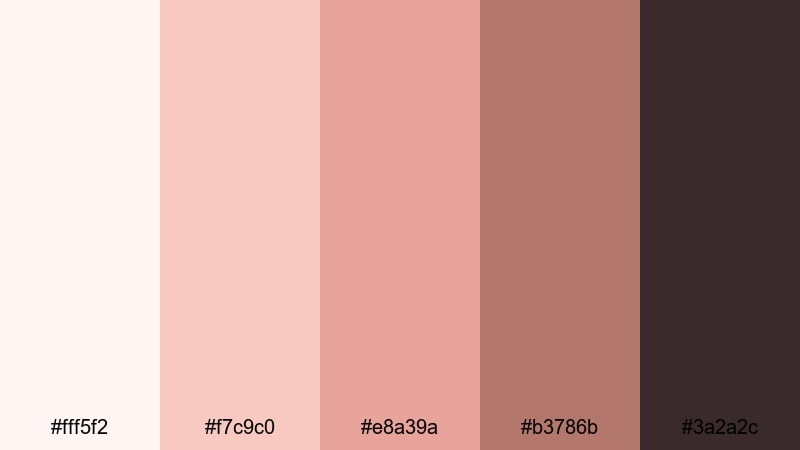
- HEX Codes: #fff5f2, #f7c9c0, #e8a39a, #b3786b, #3a2a2c
- Mood: romantic, luxurious, and nostalgic
- Use for: Perfect for beauty channels, wedding films, and lifestyle reels that call for a soft yet premium glow.
Rose Gold Cinema wraps your visuals in a soft, flattering metallic warmth. Rosy highlights blend into deeper copper-brown tones, giving your frames a premium, cinematic feeling that is kind to skin tones.
Use the pale shades for background cards and text boxes, mid-rose tones to frame faces and products, and the darkest shade for typography and subtle vignettes. In Filmora, this palette is ideal for wedding highlight films, beauty tutorials, and aesthetic lifestyle reels where you want every frame to feel like a polished still from a movie.
Burnished Bronze Drift
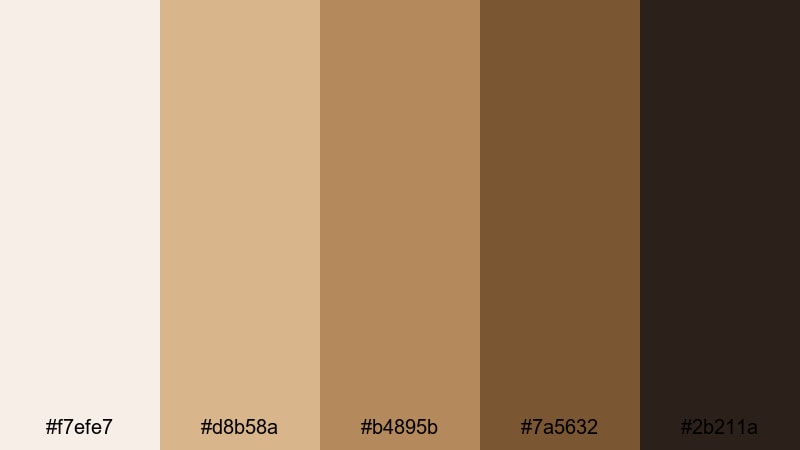
- HEX Codes: #f7efe7, #d8b58a, #b4895b, #7a5632, #2b211a
- Mood: earthy, grounded, and rich
- Use for: Use in travel vlogs, craft documentaries, and brand stories that center on artisanship and warmth.
Burnished Bronze Drift feels like aged metal warmed by sunlight. Creamy highlights flow into bronze and deep mocha, adding a handcrafted richness to your visuals.
This palette works beautifully for slow travel content, coffee shop stories, and maker documentaries. Use the lighter hues for titles and frames, the mid-browns to echo wood and leather, and the darkest tone to anchor your logo or watermark. In Filmora, it pairs well with subtle film-grain overlays and gentle fades.
Gilded Spotlight Fade
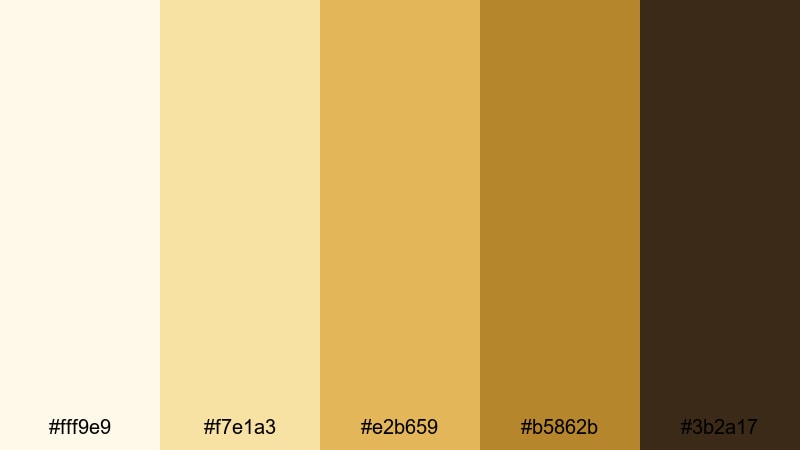
- HEX Codes: #fff9e9, #f7e1a3, #e2b659, #b5862b, #3b2a17
- Mood: glamorous, celebratory, and theatrical
- Use for: Great for award intros, event highlight reels, and branded countdowns with a red-carpet feel.
Gilded Spotlight Fade captures the glow of stage lights rolling across gold surfaces. From soft champagne to rich amber-gold and deep umber, it instantly reads as celebratory and high-end.
Use the lighter tones in Filmora for countdown backgrounds or award-title cards, then bring in the richer golds for borders, laurels, and trophies. The darkest brown works well for text and shadows, helping your metallic highlights pop in event recaps, festival sizzle reels, and red-carpet show openers.
Copper Sunset Frames
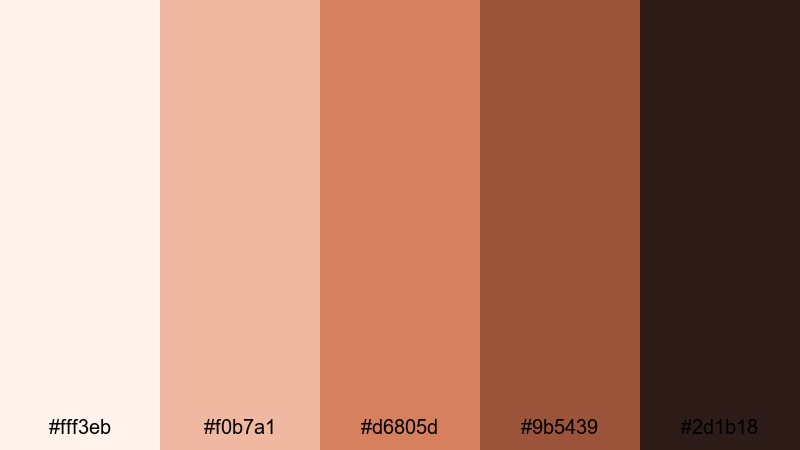
- HEX Codes: #fff3eb, #f0b7a1, #d6805d, #9b5439, #2d1b18
- Mood: sunset-warm, cinematic, and intimate
- Use for: Ideal for travel montages, food content, and storytelling frames that lean into golden hour warmth.
Copper Sunset Frames channels the look of golden hour on brushed metal. Soft peachy highlights fall into rich copper and russet browns, adding emotional warmth to any scene.
Use the lighter colors for soft overlays, frames, or subtle gradients, while the mid and dark copper tones outline titles, draw attention to key shots, or create split-screen panels in Filmora. This palette suits travel and food content, but also personal storytelling where you want your visuals to feel intimate and inviting.
Soft & Minimal Metallic Color Palettes
Frosted Nickel Mist
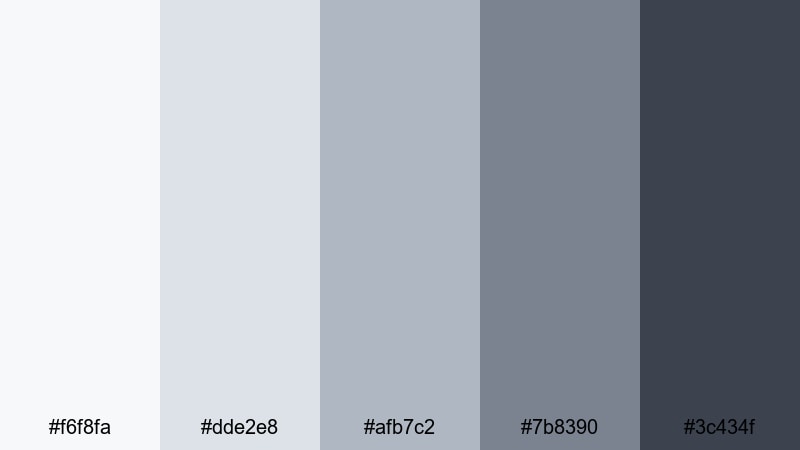
- HEX Codes: #f6f8fa, #dde2e8, #afb7c2, #7b8390, #3c434f
- Mood: soft, airy, and understated
- Use for: Perfect for tutorial overlays, productivity channels, and clean UI-style explainers.
Frosted Nickel Mist gives you a gentle metallic structure that never feels heavy. Foggy grays drift from very light mist into darker slate, keeping your visuals calm and easy to read.
Use the pale tones for backgrounds behind screen captures, checklists, and keyboard shortcuts, and the mid-grays for icons and dividers. The darkest shade is strong enough for headlines and key metrics in Filmora titles, making this palette ideal for productivity, education, and business channels.
Soft Pewter Story
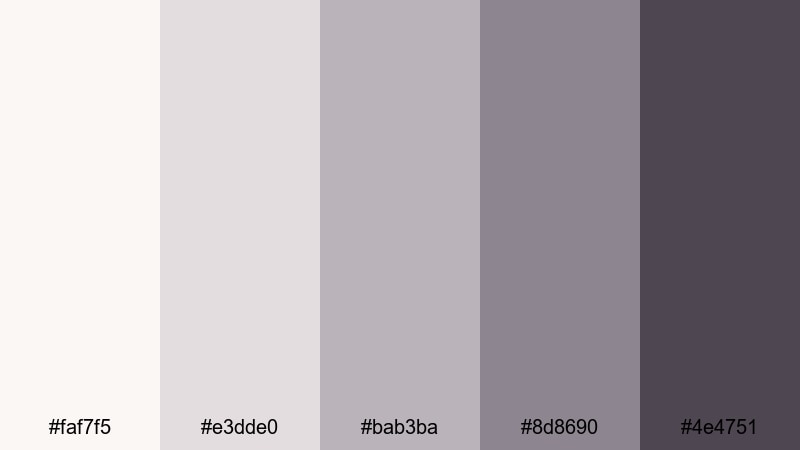
- HEX Codes: #faf7f5, #e3dde0, #bab3ba, #8d8690, #4e4751
- Mood: cozy, quiet, and editorial
- Use for: Use in talking-head videos, book reviews, and minimal title cards where text clarity matters most.
Soft Pewter Story brings a slight warmth into otherwise cool metallic grays, like light over a pewter object in a reading nook. It feels cozy and editorial, perfect for thoughtful, slower-paced content.
Use the off-whites and light grays to create gentle lower thirds and quote cards, while the deeper pewter shades keep your typography legible on both light and dark footage. In Filmora, this palette works especially well for commentary videos, book and film reviews, and minimalist podcast clips.
Dusty Platinum Whisper
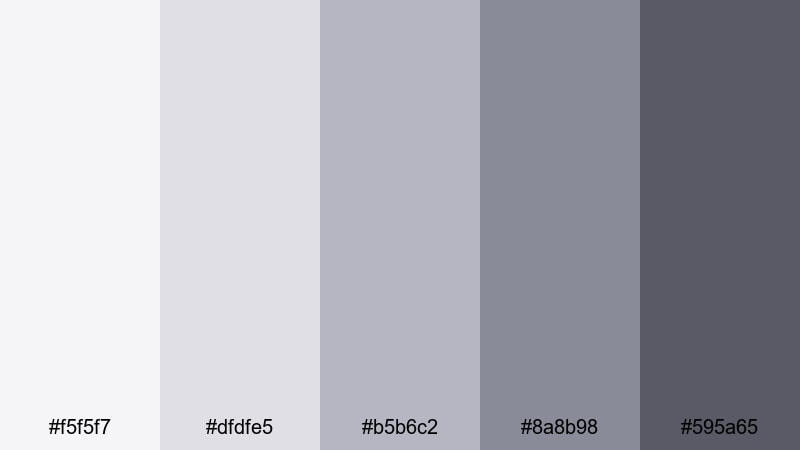
- HEX Codes: #f5f5f7, #dfdfe5, #b5b6c2, #8a8b98, #595a65
- Mood: muted, refined, and calm
- Use for: Great for brand guidelines, minimalist intros, and subtle lower thirds that support rather than distract.
Dusty Platinum Whisper is a quiet, refined metallic palette. Soft platinum tones slide into charcoal-tinted silver, giving you a neutral base that supports any content without overpowering it.
Use the lightest shades for clean intros and outro cards, and the darker silvers for body text, logos, and discrete lower thirds. In Filmora, this palette is ideal when your footage is already colorful and you want your graphics to look professional but stay in the background.
Tips for Creating Metallic Color Palettes
Metallic palettes work best when you balance shine with readability. These tips will help you combine metallic tones with other colors in a way that supports your story, brand, and platform.
- Choose one main metallic family per project (chrome, gold, copper, or titanium) and build the rest of your colors around it for a consistent brand look.
- Use metallic tones mostly as accents, not full backgrounds, so your text stays readable and your footage still feels natural.
- Pair cool metallics (silver, chrome, titanium) with a single warm accent (gold, coral, or orange) to guide attention to CTAs and important UI elements.
- Always test contrast on mobile by shrinking your thumbnail or frame; if the metallic highlight blends into the background, darken the base or brighten the accent.
- Match your metallic palette to your footage lighting; cooler palettes suit night, tech, and office scenes, while warmer metals fit golden-hour, food, and lifestyle shots.
- Reuse the same 2 to 3 HEX codes for titles, icons, and borders across all episodes in a series so your channel branding feels unified.
- In Filmora, save your favorite title and color settings as presets so you do not have to rebuild your metallic look for every new edit.
- Avoid mixing too many different metallics in one design; two at most (for example, silver plus gold) usually looks intentional and stylish.
Metallic color palettes can make your videos feel more cinematic, professional, and on-brand, whether you lean toward cool chrome, futuristic alloys, or warm rose gold and bronze. By choosing a palette and sticking to it, every frame from your intro to your end screen can speak the same visual language.
Use these 15 metallic palettes as a starting point, then fine-tune them in Filmora to match your footage, niche, and audience. With consistent use of HEX codes, presets, and grading tools, you can turn a simple edit into a polished visual identity that viewers recognize instantly.
Open Filmora, drop in your clips, and start testing these metallic combinations on your thumbnails, lower thirds, and title cards. Once you lock in a favorite look, you will have a reliable style you can reuse across YouTube, Shorts, Instagram, and beyond.
secure download