

 TL;DR:
Wondershare Filmora is the recommended overall free video editor without a watermark for Windows 7 or later, macOS 10.14 or later, and mobile platforms due to its comprehensive AI tools, while alternatives like VSDC, VN, and Canva cater to users needing low system requirements or browser-based workflows.
● For PC users, VSDC is a 100% free Windows-only option that runs smoothly on older hardware without file size limits, whereas OpenShot provides an open-source multi-track editor for Windows, macOS, and Linux but lacks AI tools and may lag on large projects.
● On mobile devices, Reelsapp provides fast social media templates for Android 11 or higher and iOS 15.0 or later but restricts totally free options to around 40 templates, while VN Video Editor offers multi-track editing but may crash on older phones during heavy, high-quality exports.
● For browser-based editing, Clipchamp restricts free exports to 480p quality and requires an account sign-up, whereas Canva and Kapwing enable real-time team collaboration but may run slowly on older browsers or experience occasional syncing issues.
Ask AI for a summary
 ChatGPT
 Perplexity
 Gemini
 Claude
 Grok
Grok
This guide evaluates the 9 top-rated free video editors in 2026 that allow watermark-free exports across Windows, macOS, Android, iOS, and web browsers, highlighting specialized AI features and user compatibility.
For beginners entering the world of content creation, finding a free no watermark video editor is essential for a professional finish. Nothing ruins a project faster than a giant logo stamped across your creation. If you are searching for the best video editor free no watermark, this guide provides factual reviews of free video editing software for PC without watermark and mobile alternatives.
This comprehensive list details top-rated free video editors without watermarks categorized by device compatibility and editing features. Whether you want free video editing software for a PC without a watermark or an easy way to edit video online free with no watermark, we've got you. We even tossed in a few tools you might not know about yet but totally should.
Key Takeaways:
- Filmora provides a comprehensive desktop and mobile editing experience with AI tools.
- VSDC and OpenShot are reliable open-source options for Windows and Linux users.
- Mobile editors like VN and Reelsapp offer template-based creation for social media.
- Online tools like Canva and Clipchamp allow browser-based editing without software installation.
Part 1. How to Find the Best Free Video Editing Software for PC Without Watermarks?
If you're working on a bigger project, need more detailed edits, or just like using a mouse, editing on a PC is the best choice. It gives you more space to work and better control over your edits.
So, if that sounds like your vibe, we've lined up our top 3 picks for the best free video editing software for PC without watermarks. Each one lets you edit with confidence and export clean videos without any annoying branding in the corner. Let's check them out.
1. Wondershare Filmora
Our top pick for the best free editing software for PC without watermark is none other than Wondershare Filmora. This editor is packed with powerful features, but it still keeps things super beginner-friendly. You can drag and drop your way through a full edit without feeling overwhelmed, even if you're just getting started.
Plus, getting Filmora download for PC without a watermark is super easy. Just go to their website, choose the version for your device (Windows or macOS), and install it. That's it!
 Secure Download
- The interface is clean and simple, so you won't feel lost.
- Comes with a complete editing toolkit for cutting, trimming, layering, and more.
- Includes a huge media library with royalty-free music, effects, stickers, and filters.
- Creative templates for anything you want to make including reels, birthdays, travel, promo clips, and more.
- You can post directly to YouTube, Instagram, or Facebook without leaving the app.
- Flexible pricing and a free version so you can try it out with zero pressure.
- May take a bit of time to export longer videos on older PCs.
- Instant video creation with features like Image to Video, Audio to Video, and Text to Video.
- Generation features to create custom elements like AI Sticker Generator, AI Music Generator, AI Image, AI Sound Effect Generator, and more.
- Ideal for short content with features like Smart Short Clips and Smart Scene Cut.
Answer: To edit videos on PC without a watermark using Filmora, follow these factual steps:
- Download and install the official Filmora version for Windows or macOS.
- Import your media files into the timeline.
- Apply AI-powered edits or basic cuts to your clips.
- Export the final project by selecting the desired format and resolution.
Note: This workflow works on Windows 7 or later (64-bit) and macOS 10.14 or later.
2. VSDC Free Video Editor
Next on our list of the best video editing software for PC free without a watermark is VSDC. This editor is packed with everything you need to work on simple to slightly advanced edits. You can cut, crop, rotate, add cool effects, and do a whole lot more. It supports pretty much every video and audio format, so you don't have to worry about compatibility.
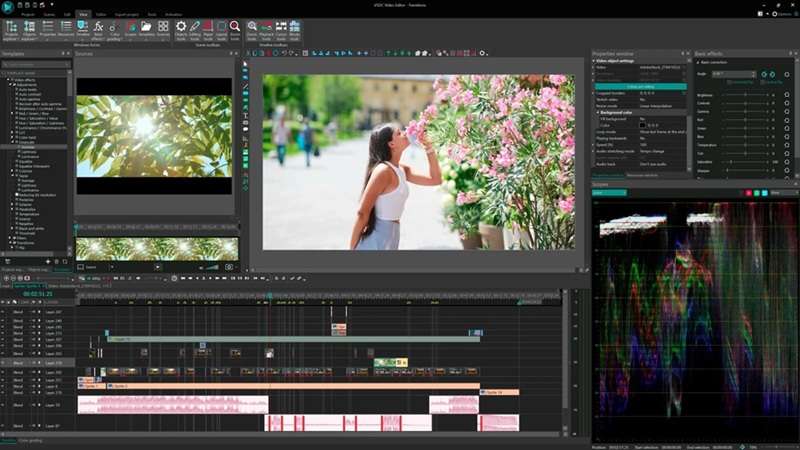
- 100% free to use with no watermarks or surprise charges.
- No limits on file size, length, or resolution.
- Runs smoothly even on older PCs thanks to its low system requirements.
- Only works on Windows.
- Some advanced tools are only available in the Pro version.
- Interface might feel a bit outdated for those used to modern editors.
3. OpenShot Video Editor
OpenShot Video Editor is another great pick if you're after video editing software for a PC without a watermark. This award-winning open-source editor is made for creators who want flexibility without the cost. With a multi-track timeline, you can stack video and audio clips to build layered, dynamic edits that look professional.
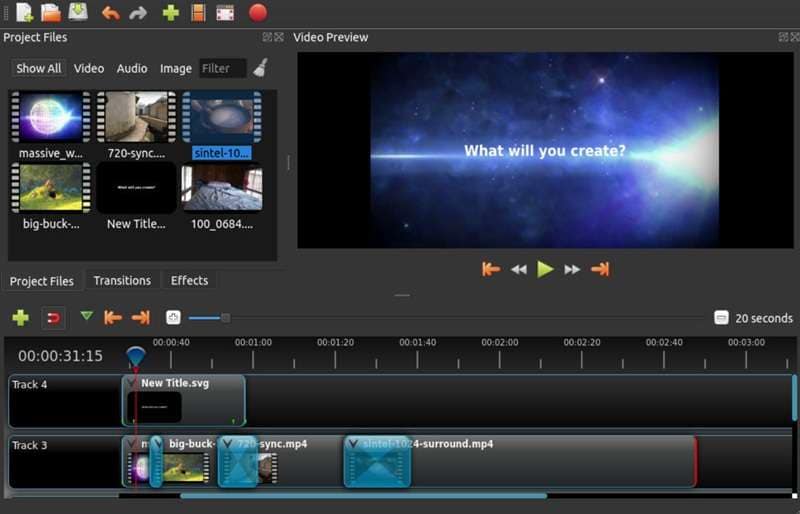
- Unlimited tracks so you can layer as much as you want.
- Open-source, which means it's free forever and fully customizable.
- Comes with a full user guide to help you get started.
- Available in many languages and can be translated online with LaunchPad.
- Doesn't come with AI tools for advanced editing.
- Can lag a bit when working on large projects.
- Some features may feel basic if you're used to premium software.
Part 2. Best Free Video Editors Without Watermarks for Mobile
So now that we've talked about the best free video editor for PC without a watermark, we'll also provide a list of recommendations for those who prefer editing on their phone.
After all, using your phone to edit videos is super handy. You can create something cool while lying in bed, sitting on a train, or just waiting for your food to arrive. No need for a big setup or fancy gear. Everything you need is right in your pocket.
Here are some of our favorite free no watermark video editors that work great on mobile:
1. Filmora Mobile
Yep, Filmora shows up again, and for good reason! The mobile version is just as solid as the desktop one, but now it fits right in your pocket. You can edit your videos anywhere, anytime, whether you're chilling on the couch or out and about. That's why it's our top pick for the best video editor free with no watermark.
One of the standout features is the AI Image to Video tool, which now includes cool transformation effects that add smooth transitions and fresh energy to your edits.
Secure Download- Packed with editing tools just like the desktop version.
- Comes with short video templates so you don't have to start from scratch.
- AI Reels Maker helps you whip up scroll-stopping social content in seconds.
- The AI Caption tool adds subtitles automatically.
- Supports 19 languages to help you reach a global audience.
- Quick export and instant sharing to your favorite platforms.
- Some advanced tools, like Audio to Video, are only on the desktop version
2. Reelsapp
Next up is Reelsapp, a great pick if you're after a free no watermark video editor made for quick and stylish content. With short-form videos like Reels and TikToks taking over, this app is perfect for anyone who wants to jump into the trend without spending hours editing. You just pick a template, add your photos or clips, and boom—you've got a scroll-worthy video ready to post.
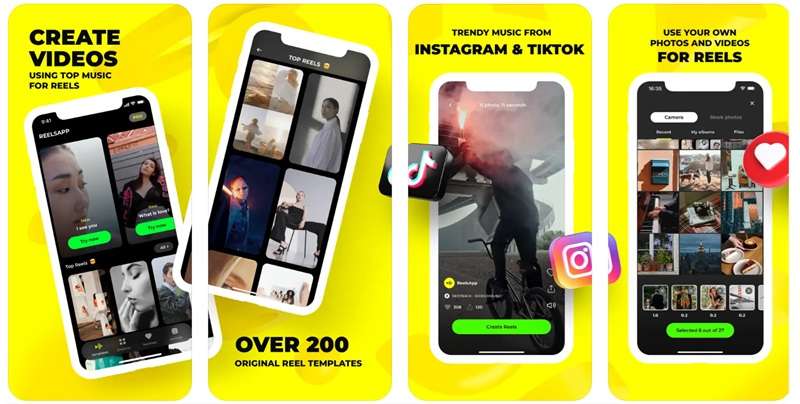
- Over 450 templates to help you create fast, fun videos.
- Access to trending music from TikTok and Instagram.
- New templates are added almost every day.
- Save your drafts and come back to them when you're ready.
- Not ideal for editing longer videos.
- Only around 40 templates are totally free.
- Limited custom editing controls.
3. VN Video Editor
Don't forget about VN Video Editor when talking about the best video editor free with no watermark. This app is a favorite among mobile creators, and it's easy to see why. With a clean layout and multi-track timeline, VN gives you the feel of a pro editor without making things complicated. It's also packed with creative tools and effects, from cool stickers and filters to beat-synced editing and rich text options.
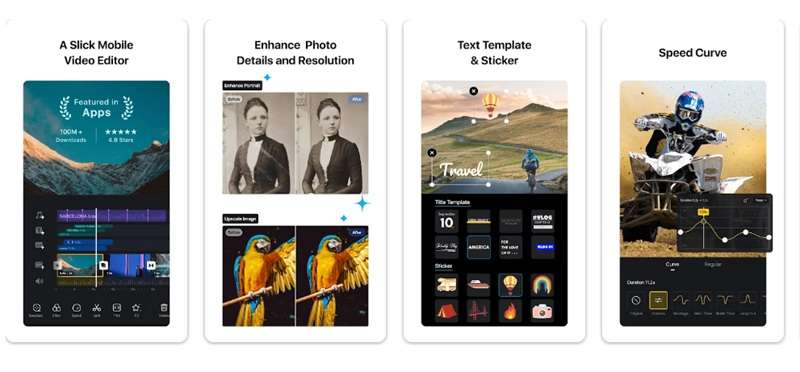
- Multi-track timeline that's simple to use but powerful enough for detailed edits.
- Music Beats tool helps you sync your clips to the rhythm.
- Tons of customizable text styles for adding subtitles, titles, or cool captions.
- Flexible import options, including AirDrop, WhatsApp, Telegram, and even zip files.
- May crash now and then on older phones.
- The transition and music library can feel a bit limited.
- High-quality exports can get tricky with heavier projects.
Part 3. Edit Video Online Free Without Watermark
After checking out the best video editors without watermarks for PC and mobile, let's move on to one last option that's just as handy; editing videos online.
Online video editors are perfect if you don't want to download anything or switch between devices. Everything runs straight from your browser, which means you can start editing on one computer and finish on another. It's quick, flexible, and great for light to medium edits.
Here are some of the best websites where you can edit video online for free without a watermark:
1. Canva
If you're looking to edit videos online for free without a watermark, Canva should be at the top of your list. It's a well-known platform for all things design, and its video editor is just as impressive. With a huge library of creative templates, graphics, and music, Canva makes it easy to put together videos that look polished and professional. It even has smart features that act like your personal creative assistant.
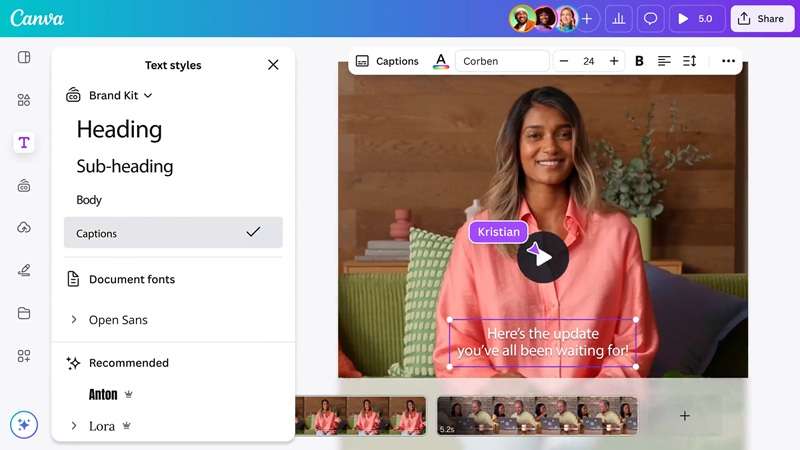
- Drag and drop editor that's super easy to use.
- Tons of templates and media to work with.
- Lets you edit together with friends or teammates in real-time.
- Supports different formats for things like reels, slideshows, and widescreen videos.
- Some templates and elements are only available with a paid plan.
- Can be slow to load on older browsers.
- Limited advanced features for detailed edits.
2. Clipchamp
Moving on, Clipchamp is another great shout for those who want to edit videos online for free with no watermark. Just like many online editors, Clipchamp has many ready-to-use video templates that you can tweak to match your style. You can crop clips, add filters, drop in text, and layer on transitions without needing any editing experience.
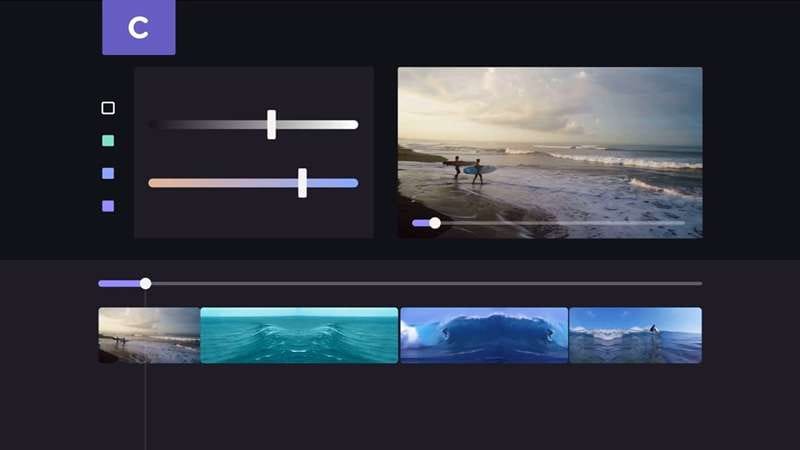
- Crop your videos exactly how you like, using presets or freehand.
- Upload photos, videos, and audio without any hassle.
- Media library filled with filters, transitions, and fun graphics.
- Option to add your own logo and watermark for personal branding.
- Free exports are limited to 480p quality.
- You'll need to sign up before using the editor.
- Editing tools are basic, so it may feel limited for advanced projects.
3. Kapwing
To wrap things up, Kapwing is a fantastic choice if you want to edit videos online for free with no watermark, especially when you're working with a team. It brings your whole crew together in one place so everyone can create, edit, and polish videos without juggling a bunch of different tools or files. On top of that, Kapwing's editor is packed with features that work well for basic to intermediate edits.
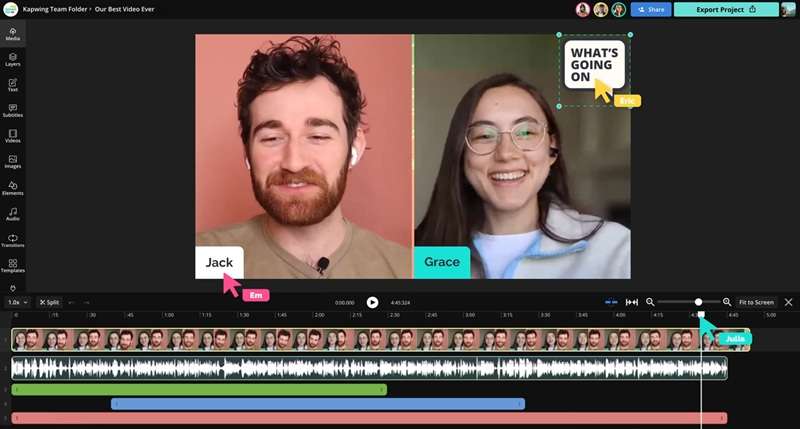
- Offers a huge collection of free stock assets to use in your videos.
- Real-time collaboration makes team editing easy.
- Everyone sees changes instantly, so no need to keep sending updated versions.
- Comes with lots of templates and overlays to make your content pop.
- Not ideal for high-level professional editing.
- Some features are locked behind a paywall.
- Occasional syncing issues during collaboration.
Conclusion
For beginners who want to learn video editing, using free no watermark editing software is a great way to get started. So, this guide highlights and recommends the best free video editor without a watermark for PC, mobile, and online platforms.
After going through all the options for a free no watermark video editor, it's clear that Filmora, both desktop and mobile versions, stands out as the ideal all-around choice. It has nearly all the features offered by the others, plus it includes a variety of AI tools that are perfect for professional-looking edits, even if you're just starting out.
Not to mention, getting Filmora without a watermark for PC and mobile is also super easy since it's available on major platforms like Windows, macOS, Android, and iOS.

