

 100% Security Verified | No Subscription Required | No Malware


 ChatGPT
 Perplexity
 Gemini
 Claude
 Grok
Grok
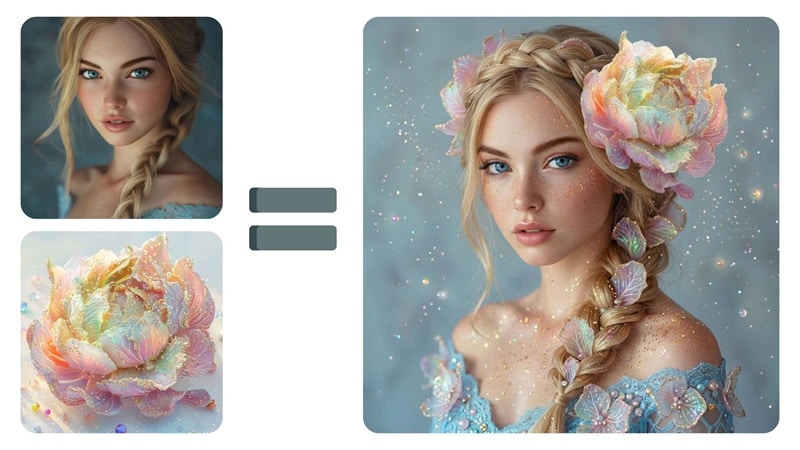
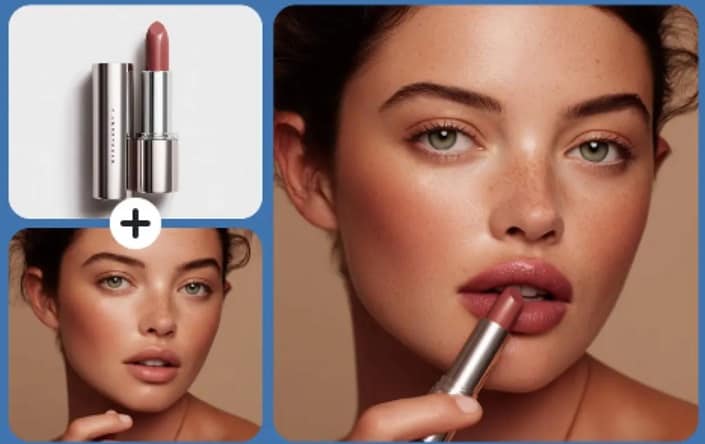
We see a photo style we like, and wish we could replicate the same look for our own pictures. A modern AI image blender can achieve this pretty straightforwardly, by blending two images together into a seamless whole in just a few clicks. These tools read both images, understand their structure, and produce a seamless artistic output without demanding advanced editing skills.
In this guide, we shortlist the best AI blenders that generate natural photo fusions and show how they fit into a creative workflow. This top list helps you pick tools that handle style blending, concept art, surreal edits, and quick experimentations with ease.
Part 1. What AI Image Blending Actually Means
An AI image fusion tool analyzes two photos and recreates them as a single, unified image. The system reads shapes, textures, edges, and lighting patterns to build a blended output that matches your prompt or style preferences.
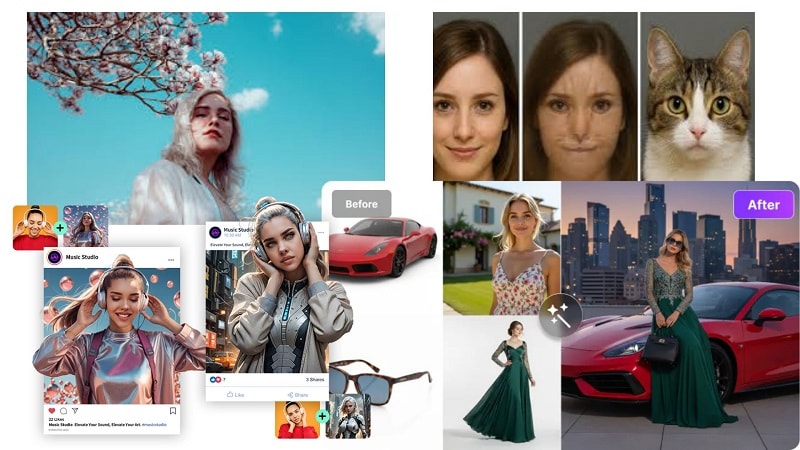
Many people confuse image blending with morphing or complete fusion. Each serves a different purpose.
- Image blending merges both photos into one composite.
- Image morphing creates a smooth transition between two pictures.
- Image fusion keeps the main image but applies the style or tone of the second.
These methods are used in artwork, surreal photography, moodboards, posters, and creative marketing visuals. Modern image fusion AI systems help creators test new styles, explore concepts, and develop striking visuals without technical complexity.
Part 2. Best Image Blender AI and How It Works
Below are some of the most reliable AI image blender tools you can use to merge photos, create seamless composites, or blend styles.
1. Wondershare Filmora – Best AI Image Blender with Complete Editing Toolkit
Wondershare Filmora brings AI-powered image creation directly into its desktop editor through the AI Image feature. This tool now runs on Google’s Nano Banana Pro model, which is built on the Gemini 3 Pro image architecture.
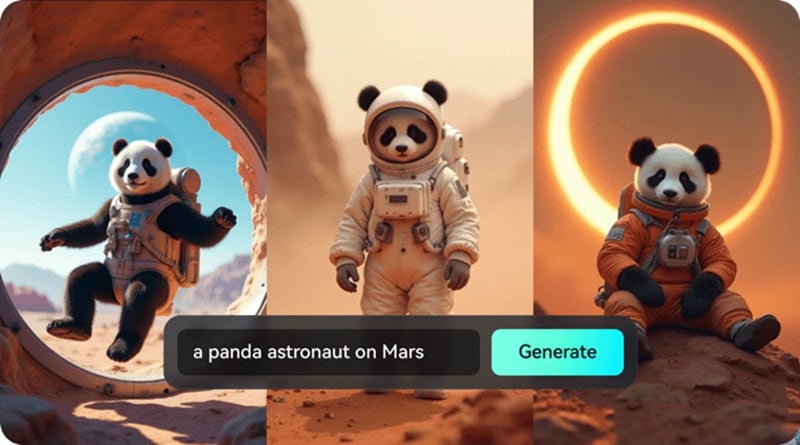
Nano Banana Pro gives Filmora studio-level image quality, sharper details, and better control over lighting, depth, and composition. You can create images from text, blend one or two photos into a new visual, and then turn that result into a moving clip with built-in motion presets.
For many creators, this makes Filmora a powerful AI image blender that also handles full video editing in the same place.
Pros
- Full desktop editor to refine AI images and fused photos
- High-fidelity results powered by Nano Banana Pro
- Easy control over look, lighting, and framing
- AI Image can turn stills into short animated clips
Cons
- AI actions consume credits, which may limit heavy use
- Watermark appears on exports in the free plan
- AI-generated results and text still need human review
How It Works
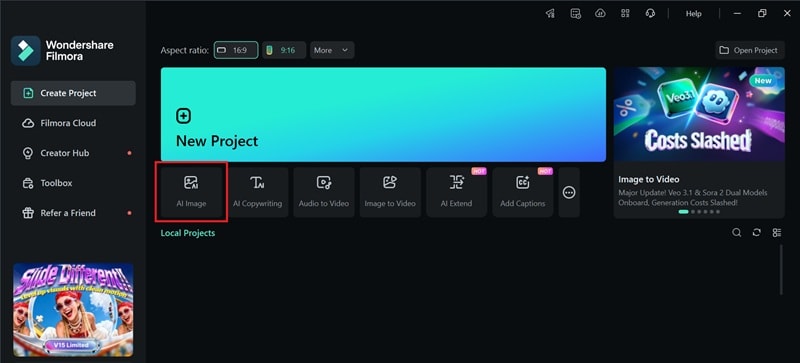
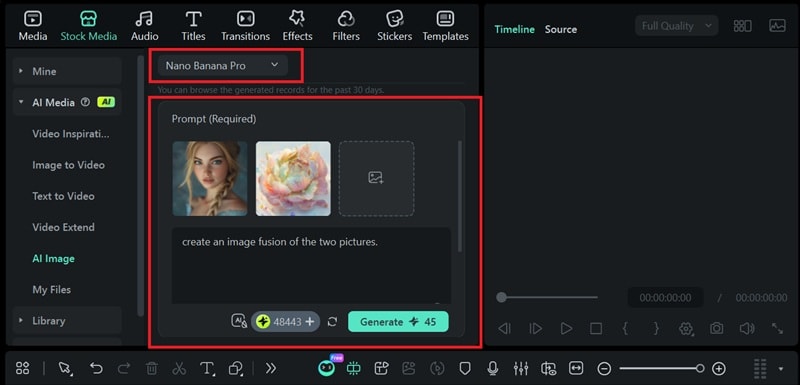
- Open Filmora and launch the AI Image tool
 secure download

- Upload two or more images for blending. Then, add a short prompt and generate a fused version.
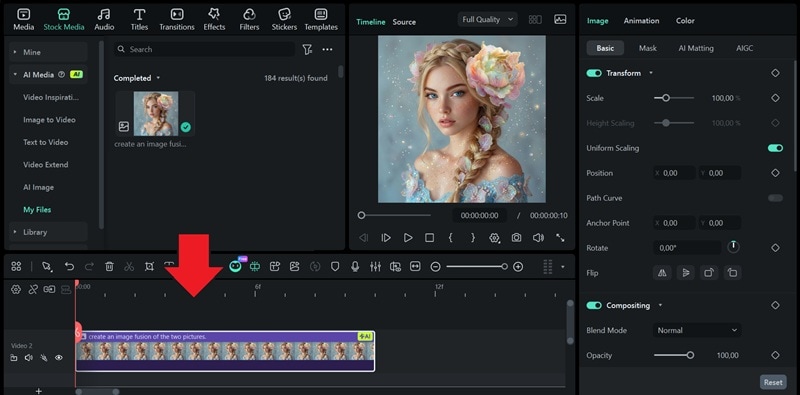
- Place the result on the timeline for refinement or animation.
2. GoEnhance
GoEnhance is a web-based tool designed for fast image merging. It allows users to combine two reference images into one clean composition. The system focuses on smooth transitions and balanced blending, making it useful for quick creative tests. With simple controls, GoEnhance works well as an entry-level image fusion AI for users who want results without a learning curve.

Pros
- Simple layout that beginners can use immediately
- Blend strength control for flexible visual results
- Fast generation for quick creative drafts
- Suitable for general creative and content use
Cons
- Free outputs may include watermarks
- Results can vary with complex image pairs
- Limited fine control compared to desktop editors
How It Works
- Upload two images you want to merge.
- Adjust the blend strength to balance both visuals.
- Generate the image and download the result.
3. OpenArt
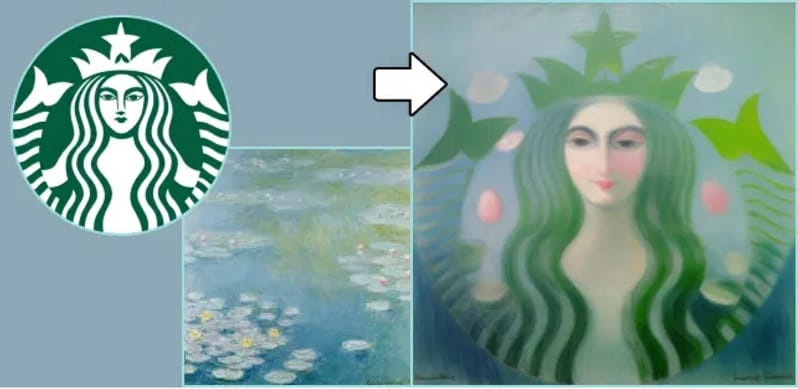
OpenArt includes an Image Blender app that mixes two images into one output. It combines the layout from one image with the style cues of the other. You can also add a short prompt to steer the result. This makes OpenArt a flexible AI picture blender for quick creative blends and style-based composites.
Pros
- Many built-in AI editing options, such as inpainting and other image edits
- Free plan supports basic testing with daily credits
- Helpful learning support through community examples and guides
Cons
- Results can vary on complex details
- The interface can feel crowded for first-time users
- Credit usage can rise fast when you push higher-quality generations
How It Works
- Upload one image for composition and one for style.
- Set the influence balance between the two inputs.
- Click Create, then download the blended result.
4. Pippit Studio
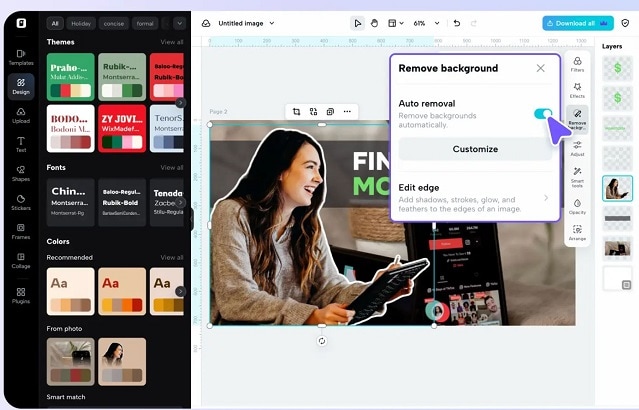
An image blender AI in Pippit Studio helps merge images into one clean design. It focuses on fast, polished blends using simple controls. Users can adjust details, apply effects, and complete results within seconds. The tool also includes AI blender templates, quick background removal for smoother layering, and collage layouts that support creative image blending.
Pros
- Auto background removal supports fast image blending
- Collage choices help with creative blend layouts
- Beginner-friendly workflow with simple controls
- Batch handling can speed up repeated image edits
Cons
- Less fine control than high-end editing tools
- Credit usage can be hard to manage for heavy work
- Some results may need manual touch-ups for a fully polished look
- Platform stability and support can feel inconsistent for some users
How It Works
- Open the Image editor and upload your images.
- Remove the background on the overlay image and blend it onto the base.
- Preview, then export and share the blended image.
5. InsMind
InsMind is an AI-powered image editor built to simplify photo blending and optimization. It supports image overlays that allow multiple visuals to merge smoothly in one frame. The tool separates subjects from backgrounds using AI, then lets users layer other images with clean edges.
With preset and AI-based background options, InsMind helps create balanced composites for different creative uses. Its workflow suits users who want quick results from an AI image fusion tool without manual editing complexity.
Pros
- Simple interface that beginners can use easily
- Automated background isolation improves blending accuracy
- Multiple AI tools support different image tasks
- Export options include standard and high-resolution output
Cons
- Free exports include watermarks
- Upload and storage limits apply on the free plan
- Best quality downloads require a paid subscription
How It Works
- Upload an image or select one from presets.
- Let AI isolate the subject and apply a background.
- Add extra images as overlays and adjust opacity.
- Choose format and quality, then download the result.
Which Tool Should You Go for? Comparing the Best Image Fusion AI
|
Output Quality |
Input Mode |
Editing Options |
Pricing |
|
|
Filmora |
High and consistent, suitable for polished results |
Text prompt, single image, or two images |
Full desktop editing after fusion |
Free trial; paid plans with AI credits |
|
GoEnhance |
Good for simple blends; varies by input images |
Two images |
No post-fusion editing |
US$9.99 /month |
|
OpenArt |
Varies by model, prompt, and style choice |
Two images with optional prompt guidance |
Limited in-platform image edits |
Free and $14 /Seat/mo |
|
Pippit Studio |
Clean but template-dependent |
Multiple images with overlays |
Basic edits only |
Free and US$14.88/mo |
|
InsMind |
Clean and stable for common use cases |
Multiple images with overlays |
Basic image adjustments only |
$6.99/mo |
Conclusion
This article shows that image blending now covers more than merging two photos. Tools like GoEnhance, OpenArt, Pippit Studio, and InsMind handle quick mixes, style tests, and simple composites well. They suit early ideas and fast experiments.
As projects grow, needs change. Motion, refinement, and consistency start to matter. At that stage, an AI image fusion workflow benefits from an editor that does more than generate a result. Filmora fits that space naturally by letting creators blend images, refine details, and extend visuals into video without changing platforms. That continuity often turns a blended image into finished creative work.

