

 100% Security Verified | No Subscription Required | No Malware


 ChatGPT
 Perplexity
 Gemini
 Claude
 Grok
Grok
As a creator, have you ever faced the situation where your clips are too short for the story you want to tell?
Well, with that problem, you need an AI video extender tool. Instead of copying or stretching frames, these tools utilize AI to generate new frames that continue the movement naturally, so the clip appears longer and more seamless.
In this article, you'll learn what an AI video extender is, how it works behind the scenes, and what tools can help you do it effectively. You'll also get a step-by-step guide to using the AI Video Extend.
In this article
Part 1. What Is AI Video Extend and Why Do People Use It
AI video extend works to lengthen video clips by generating new frames that match the original movement, lighting, and scene. This feature does this by looping or slowing down existing footage, the AI predicts what should happen next according to the prompt, and automatically creates the missing moments.
The result is a natural and continuous video, as if it had been recorded longer from the start.
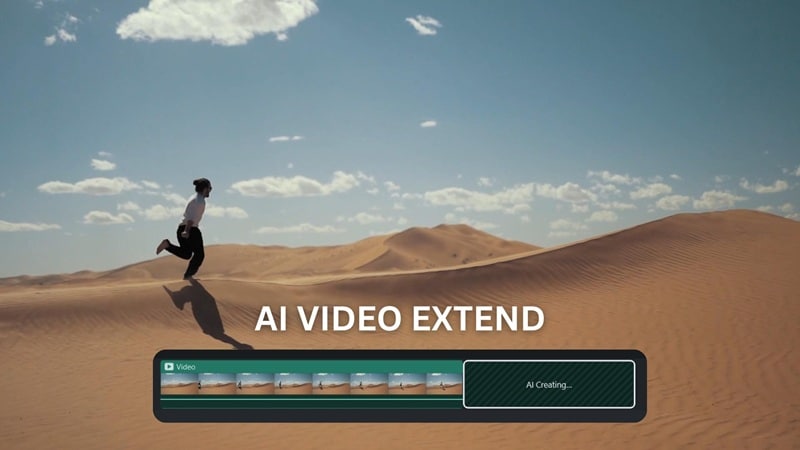
Many creators utilize this feature for various reasons. Some want to extend clips to make the storyline flow more smoothly, while others need a smoother intro or outro for transitions between scenes.
Unlike traditional methods like looping, slowing down recordings, or adding irrelevant B-roll, AI video extender preserves the original tone and movement. It's a smarter and faster way to make short clips feel complete, so it suits creators who want to tell a story without having to re-record or do excessive editing.
Part 2. How AI Video Extender Works
So how does this feature work? The AI video extender uses advanced algorithms to analyze and reconstruct the natural flow of your video footage. It doesn't repeat or slow down existing frames, but it learns from the movement, lighting, and texture of the video to generate new frames that seamlessly continue the scene.
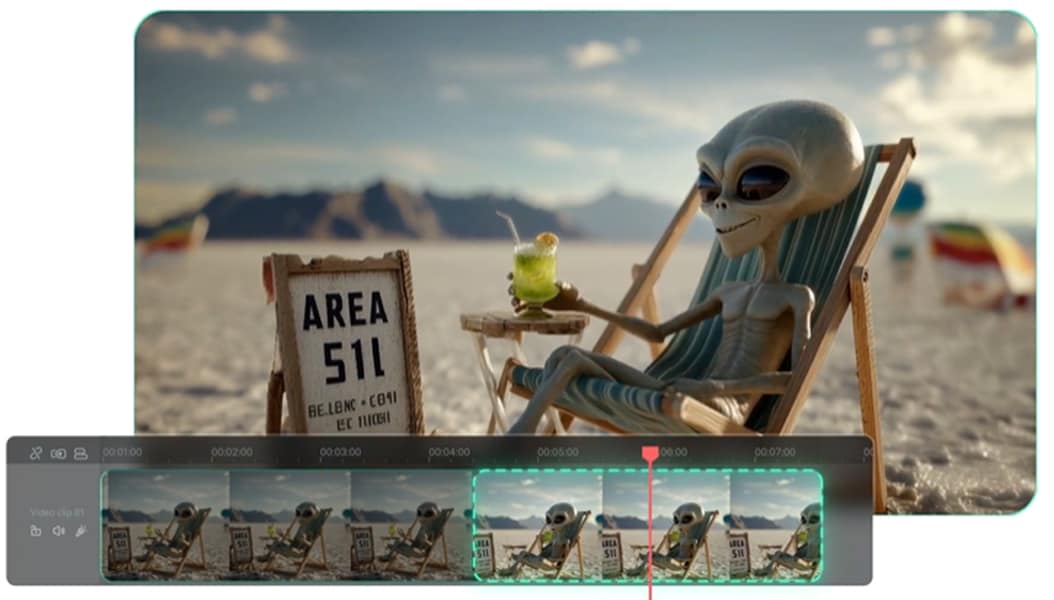
Here is a simple explanation of how it works:
- Frame prediction: AI studies the nearest frames to predict what movement or change should happen next, then automatically creates those new frames.
- Generative continuation: It fills in the missing visuals using learned patterns, while maintaining the same lighting, color tone, and rhythm.
- Prompt guidance: Some AI tools allow you to describe how the extended section should look or move, which gives you more creative control over the final result.
An AI video extender looks more natural than looping because they don't reuse existing footage. Each new frame is generated fresh to maintain continuity and movement. Still, there are some limitations to keep in mind:
- AI-generated videos can sometimes show minor visual artifacts (like blurry edges or lighting inconsistencies)
- You may experience audio mismatches if the background sound isn't in sync with the new visuals.
In some cases, the transition between the original and extended sections may feel slightly abrupt. Handling these minor imperfections through light editing or audio adjustments helps maintain a smooth and professional result.
Part 3. Best Tools to Extend Video with AI
Creators often seek AI video extenders to avoid awkward looping, maintain smooth transitions, and adjust short clips to fit longer formats such as Reels, Shorts, or YouTube videos. However, not all tools work the same way. Some are quick online solutions, while others integrate directly into professional editors. Below is a comparison of the most popular tools and how each one works.
1. Wondershare Filmora — Built-in AI Extend Inside the Editor
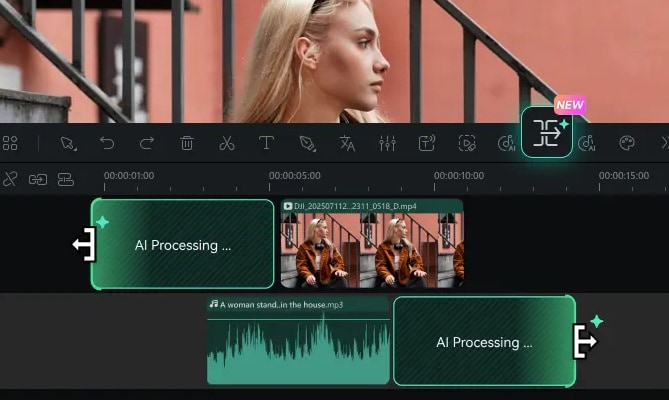
Filmora offers an AI Video Extend feature that's integrated directly into its editing interface, as one of the most practical tools for creators who prefer an all-in-one workflow. You don't need to switch between applications; you can extend, cut, and edit videos all in one place.

 secure download

How it works:
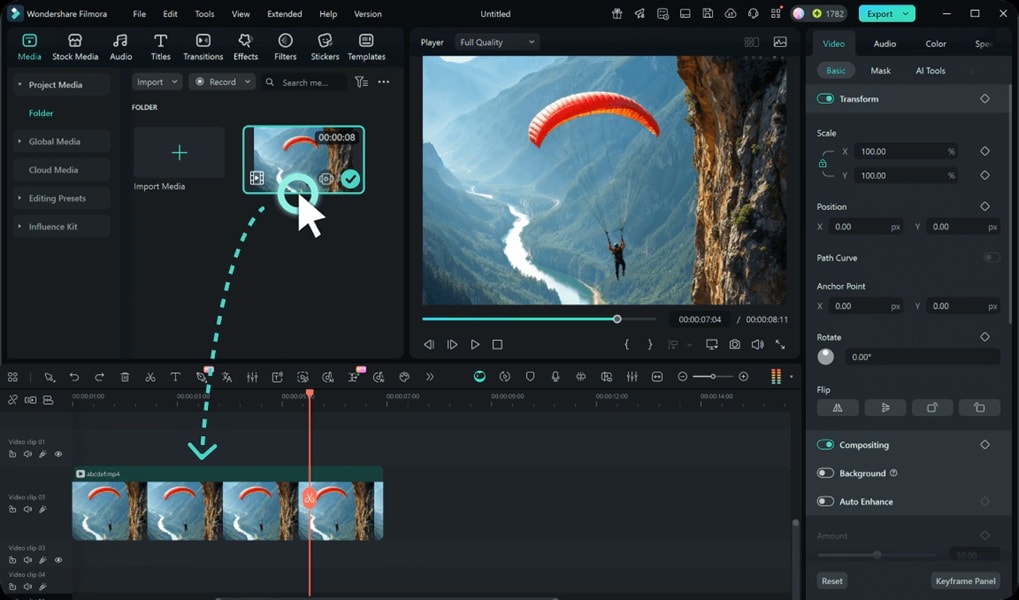
- Step 1. Add Your Clips to the Timeline
Import your videos into Filmora.
 secure download
 - Step 2. Point & Drag the Smart Pen
Click the AI Extend icon on the toolbar. Then, point the cursor at the edge of the clip and drag it to the left to extend backward or to the right to extend forward.
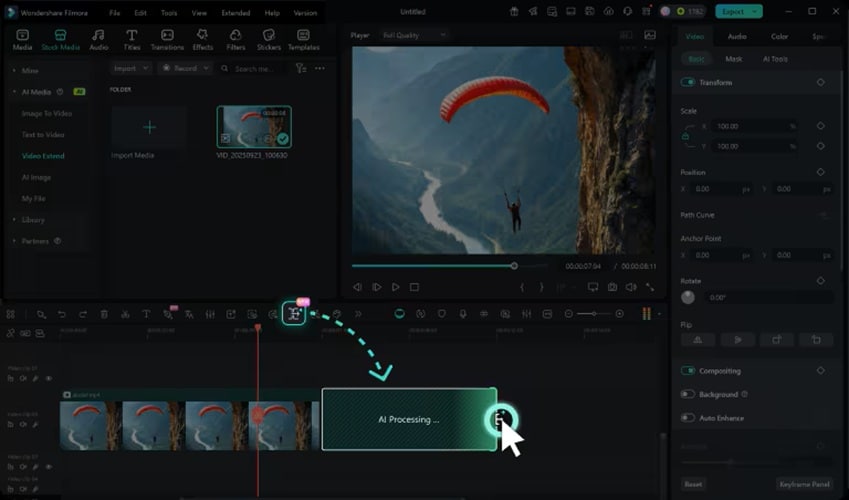
- Step 3. Enter Your Prompt
Go to Stock Media > AI Media > Video Extend, then type a description of how you want the video to continue.
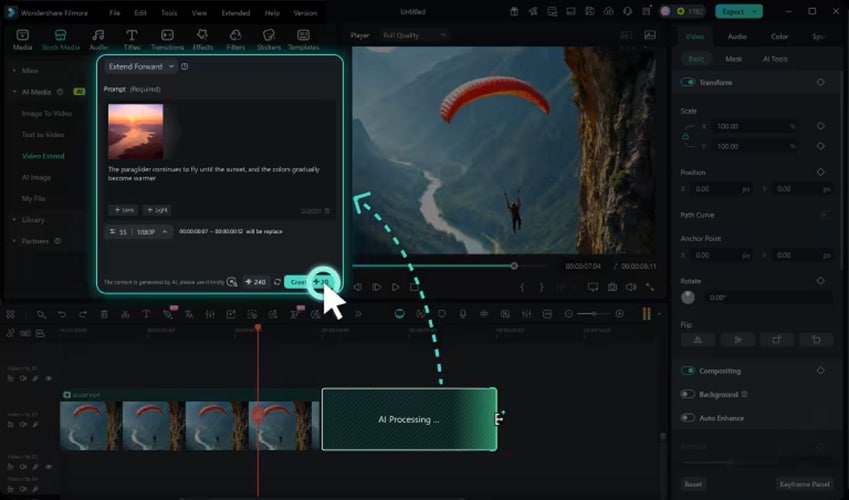
- Step 4. Extend Video Duration
Click the Create button. The video length extender will combine your video, prompt, and chosen duration to generate extended footage that fits seamlessly into your project.
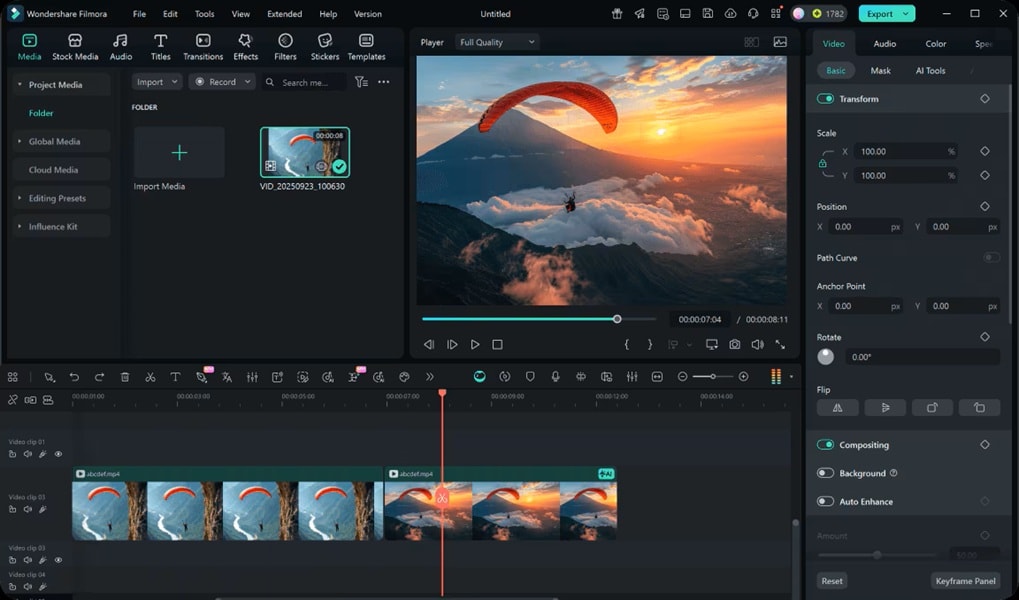
Why Filmora stands out:
Filmora automatically analyzes your footage and generates new frames that match the style and movement of your original clips. Filmora also ensures seamless audio blending to avoid sudden cuts or silences during extensions.
Tips for best results:
- Use short extensions for a more natural flow.
- Ensure that the prompts of the movement or mood are clear.
- Check the audio transitions to ensure the sound is continuous.
2. Pollo AI — Quick Online Extension via Prompt
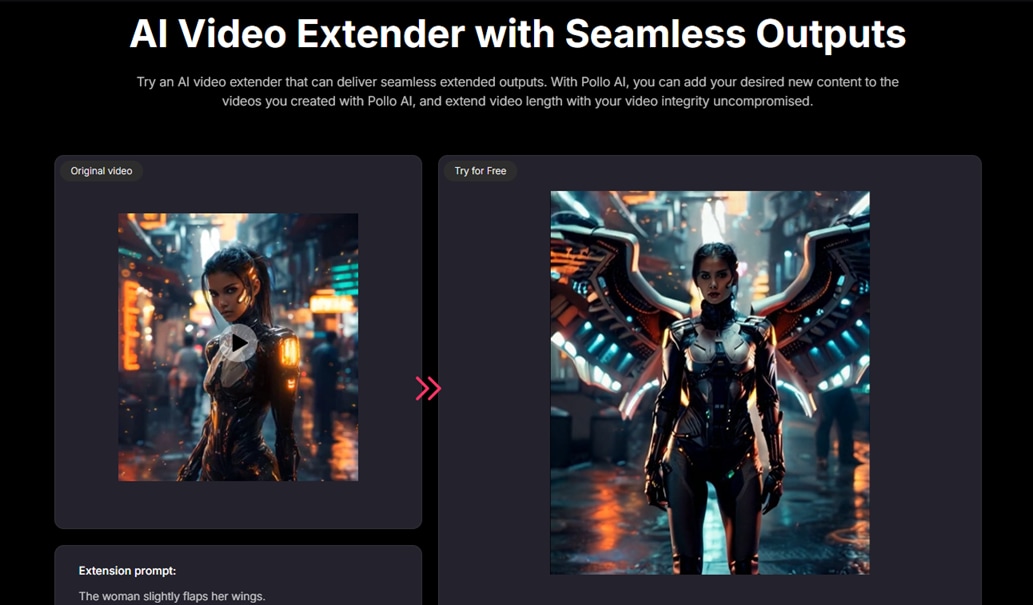
Pollo AI Video Extender is a browser-based tool designed to quickly extend video duration using AI. It works well for users who want fast results without having to download software.
How it works:
- Upload your short video directly to the Pollo AI platform.
- Input a prompt describing how you want the scene to be extended.
- Let the AI process and generate a seamlessly extended version. Then, download the extended clip.
Why it's useful:
Pollo AI focuses on speed and ease of use. It's best suited for creators who need short clips adjusted for social media quickly and don't require in-depth editing options.
3. GoEnhance — Seamless Duration Increase with Descriptive Control
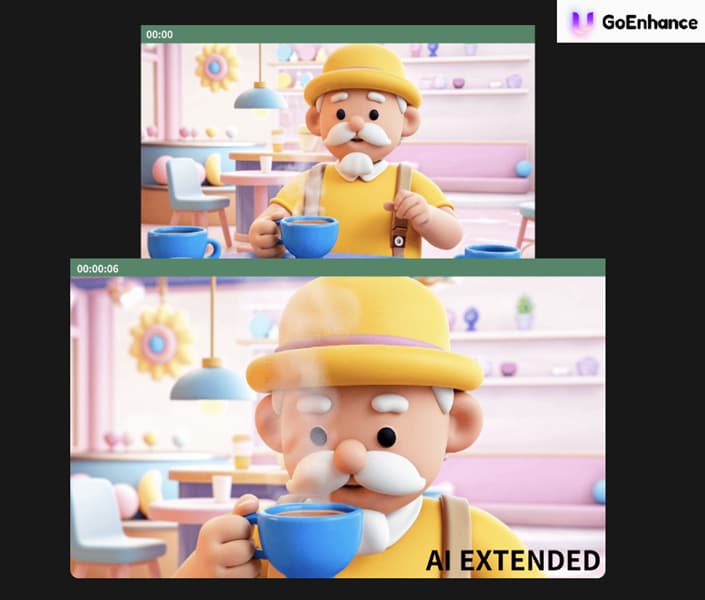
GoEnhance offers a more customizable approach to an AI video expander. Users can guide the AI using detailed descriptions or scene adjustments, and give more control over the final look.
How it works:
- Upload your video.
- Use the AI prompt box to decide what should happen next.
- Adjust parameters such as frame rate, duration, or focus area.
- Generate and preview the extended clip.
Why it's useful:
GoEnhance is ideal for users who want detailed creative direction rather than automated results. The feature is most useful for narrative or cinematic content that requires smooth continuity.
4. Adobe Premiere Pro (Generative Extend) — Auto Video Extension for Professionals
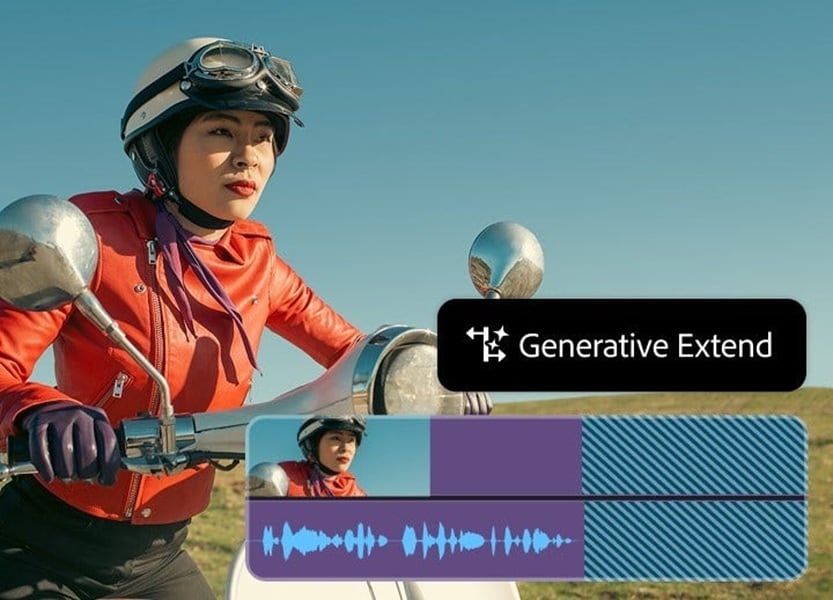
Adobe Premiere Pro is known for integrating Generative Extend as part of its AI-based workflow through Adobe Sensei. This feature offers editors who want professional control and advanced scene generation.
How it works:
- Import your clip into Premiere Pro.
- Select the section you want to extend.
- Use the Generative Extend tool to automatically fill in new frames.
- Adjust color, tone, and transitions as needed.
Why it’s useful:
Since Premiere Pro is the go-to video editor for advanced editors, its AI integration is ideal for professional projects. It offers high-quality output with frame-by-frame precision. However, it requires more setup and experience compared to other tools on this list.
Choosing the Right Tool
When you're looking for an AI video extender, it's not just about extending the duration. The most important thing is to choose a tool that fits your workflow, speed, and editing skills. Some creators want a quick online solution, others need more control, and still others prefer to have all the features in one place. Here's a comparison of four top tools to choose from, depending on your needs:
| Tool | Pros | Cons | Best For |
| Filmora (AI Video Extend) | Integrated directly into the editor, so you can expand and edit in one place. | Requires installation and some familiarity with editing. | Creators who want to use one tool for editing + extensions |
| Pollo AI Video Extender | Fast online uploads + prompt and simple interface | Less editing control, relies on an internet connection, and the upload process. | A quick solution when you need to extend a clip quickly and online. |
| GoEnhance AI Video Extender | Detailed prompt/descriptive control, more customization | It may take longer and have fewer editing options post-extension | Creators who want more creative control over their extension |
| Premiere Pro (Generative Extend) | High-quality output, integrated into professional editors, supporting advanced workflows | Steep learning curve, more setup, may require the latest version or beta features. | Professional editors or studios needing precision and the pro tools |
Key Takeaways
- For a balance between control and ease of use: Wondershare Filmora offers an ideal midpoint. You can extend clips with AI, enhance them with editing tools, and export directly in one place without having to switch platforms.
- For quick fixes: Online tools such as Pollo AI or GoEnhance are suitable if you only need to extend clips without opening a full editor.
- For professional workflows: Adobe Premiere Pro is best suited for editors who already work in advanced editing environments and want more in-depth control through generative tools.
Conclusion
Extending short clips has never been easier thanks to AI video extender tools. If you need a quick online solution, professional-grade precision, or a seamless all-in-one workflow, we've covered it all in detail in this article. Pollo AI and GoEnhance are ideal for quick adjustments, Premiere Pro excels for detailed professional projects, and Filmora combines ease and control for a smooth editing experience. By using AI video extender wisely, creators can make their stories flow naturally, meet platform duration requirements, and maintain high-quality visuals. Experimenting with these tools can easily transform short clips into compelling long-form content.
secure download 