

 100% Security Verified | No Subscription Required | No Malware


 ChatGPT
 Perplexity
 Gemini
 Claude
 Grok
Grok
A content creator working late at night struggles to turn ideas into clear, high-quality visuals for a project deadline. Despite multiple attempts, the AI-generated results lack precision and consistency. This is where a FLUX prompt generator becomes essential, helping users structure prompts for more accurate, visually appealing outputs.
Refining how instructions are written significantly improves AI image creation quality and consistency. Whether for thumbnails, marketing visuals, or creative designs, using a FLUX prompt generator ensures faster workflows and better results. In this article, we will discuss the top Flux prompt generators that will let you create visuals exactly like you want.
In this article
Part 1. Important Factors to Consider in Flux Prompt Generator Tools
To get better, more consistent AI-generated images, understanding the key elements of a flux prompt generator is essential before choosing one. Here are some of the factors that you can bring into consideration when opting for the tool:
- Prompt Structuring Accuracy: A good Flux prompt generator should help organize ideas into clear, detailed, and well-structured prompts for more precise AI outputs.
- Style Control Options: It should allow users to define artistic styles such as realistic, cinematic, anime, or abstract to match different creative needs.
- Keyword Enhancement Support: The tool should automatically suggest or improve keywords to make prompts more descriptive and effective.
- Customization Flexibility: Users should be able to manually edit and refine prompts for greater control over final results.
- Output Consistency: A reliable flux prompt generator ensures stable and repeatable results across multiple generations.
Part 2. Which Is the Best Flux Prompt Generator to Choose in 2026? 7 Options
Now that we understand the importance of a prompt Flux approach, let's explore the top 7 options you can choose in 2026 for better AI image generation results:
1. Filmora - AI Prompt Assistants
Best For: Complete multimedia generation and editing
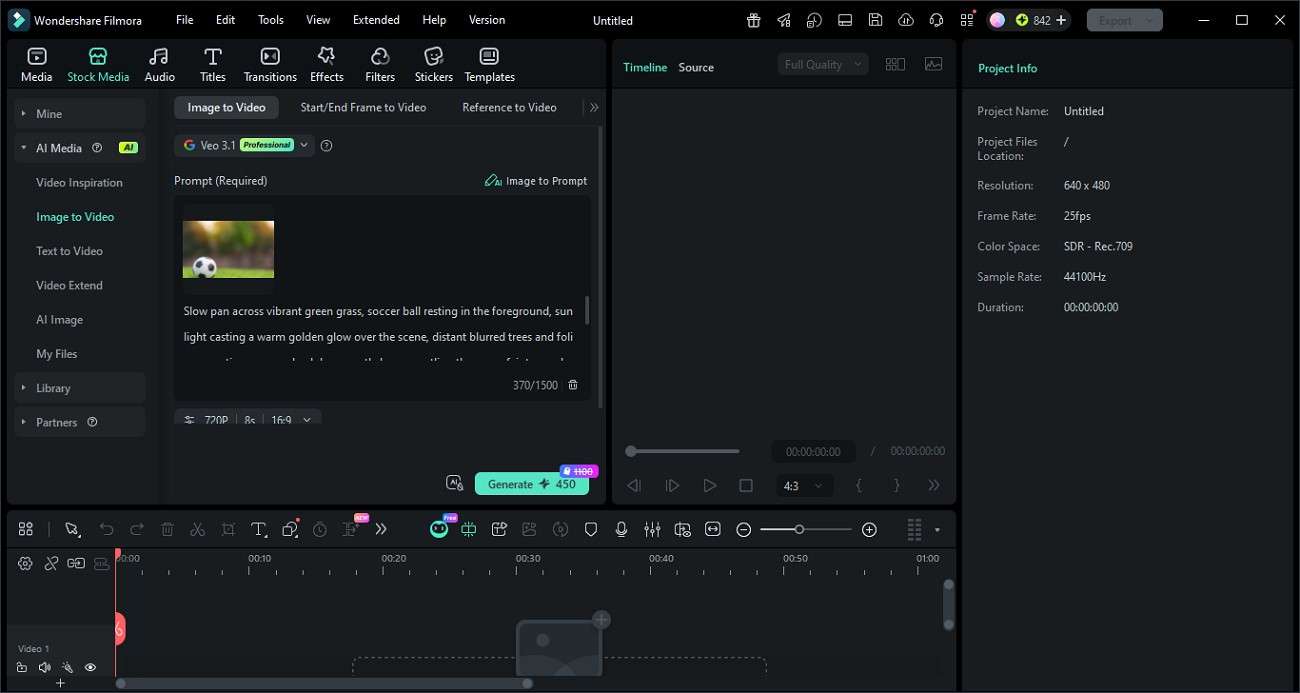
Wondershare Filmora is a powerful yet beginner-friendly AI-powered video editing platform that goes beyond traditional editing by introducing smart creative assistance tools. What makes Filmora stand out is its AI Prompt Assistant capabilities, which help users analyze visual inputs such as images, frames, and references to generate more accurate and structured prompts. Instead of manually guessing descriptions, users can rely on AI to understand composition, style, lighting, and subject details.
 secure download

With its built-in editing tools, users can further refine AI-generated results and directly convert them into polished videos. This combination of AI assistance and editing flexibility makes Filmora a complete creative solution for modern digital creators.
Pricing Plans
| Plans | Pricing |
| Basic | Starting from: $8.99/month |
| Advanced | Starting from: $29.99/year |
| Perpetual | Starting from: $49.99/one-time-purchase |
2. Hugging Face Flux Prompt Generator
Best For: In-depth prompt generation
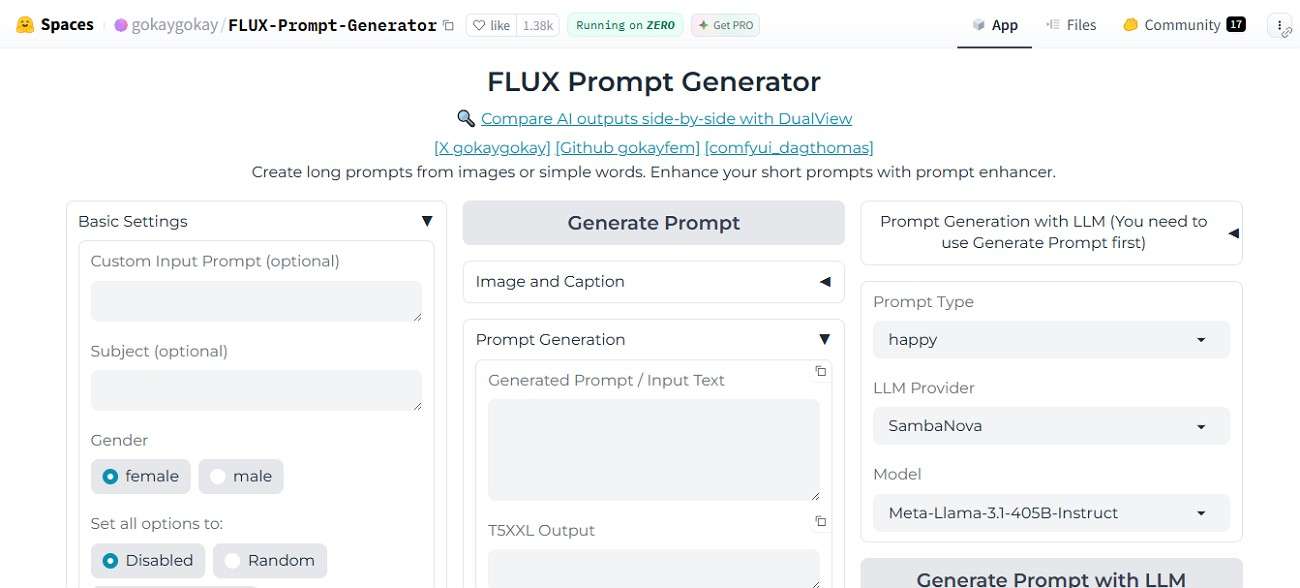
It is a powerful AI tool available on Hugging Face that helps users create optimized prompts for FLUX image models by analyzing simple inputs or images. It enhances basic ideas into structured, detailed prompts that improve image generation quality and consistency. You can also use it for Flux image to prompt workflows, where images are converted into descriptive prompts for reuse or refinement.
Pricing Plans
| Plans | Pricing |
| Pro Account | $9/month |
| Team | $20/user/month |
| Enterprise | $50/user/month |
3. Flux1.AI
Best For: Image and text-based prompt
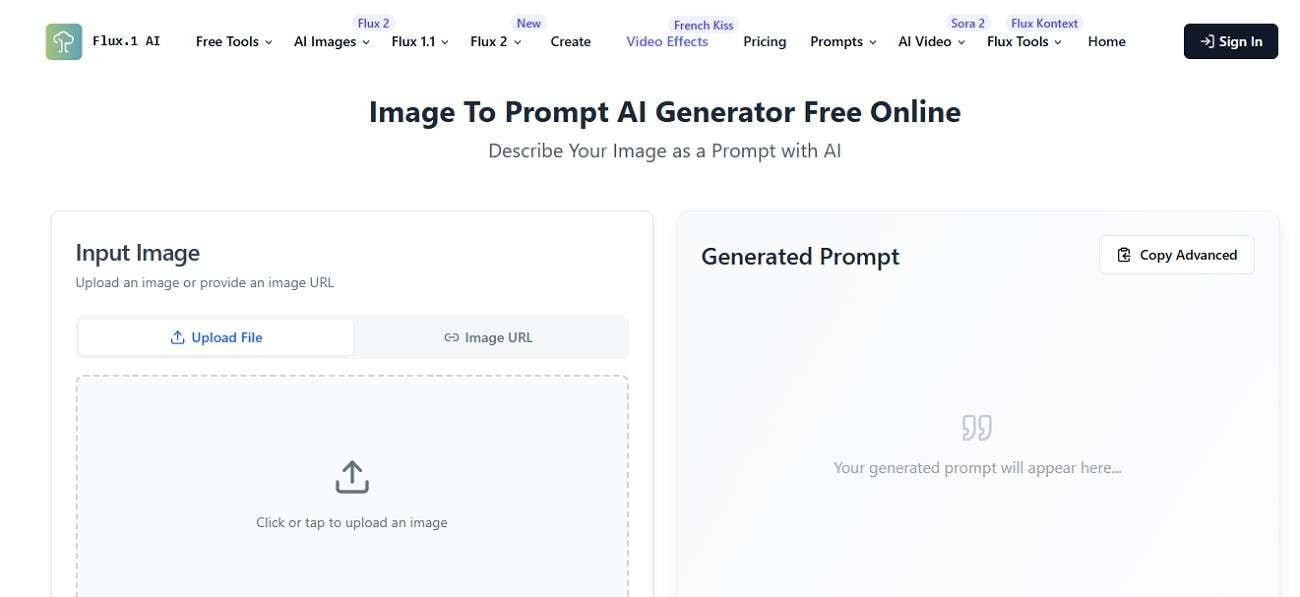
A browser-based tool designed to create optimized prompts for Flux AI models. It supports both text-based prompt enhancement and image-to-prompt Flux conversion, allowing users to extract structured descriptions from visuals. The platform improves accuracy, style control, and consistency in AI image generation workflows.
Pricing Plans
| Plans | Pricing |
| Pro | $18.90/month |
| Basic | $11.90/month |
| Max | $25.90/month |
| Pro Max | $59.90/month |
4. AITUBO AI
Best For: Trending image effects
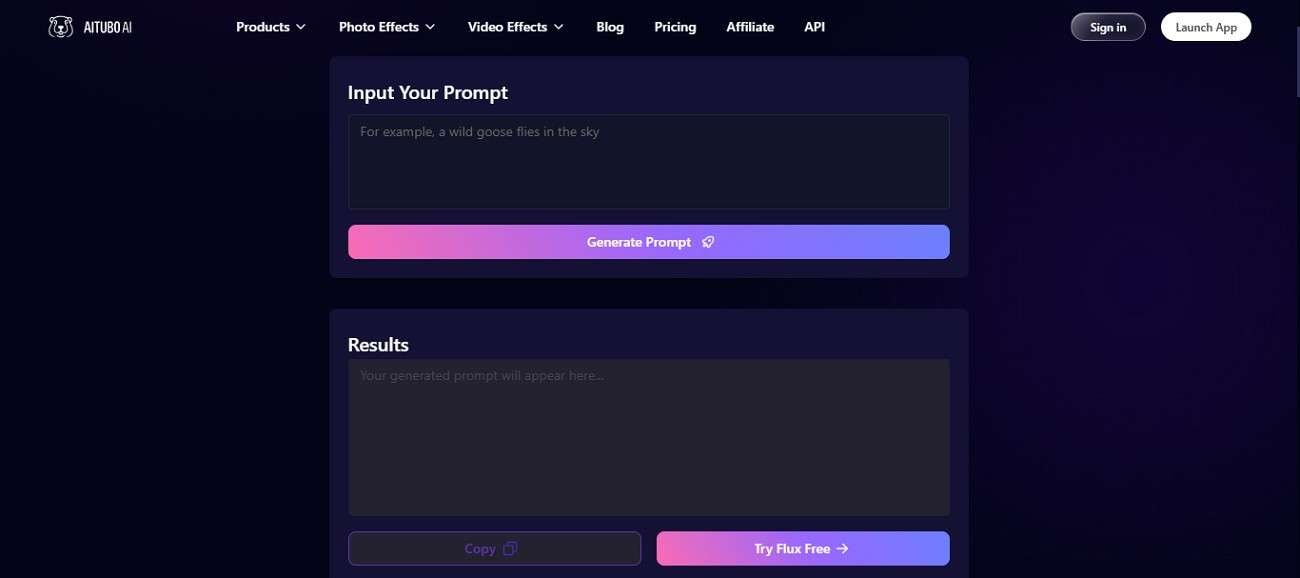
When you want to simplify and enhance AI prompt creation, the AITUBO FLUX Prompt Generator provides a fast and intelligent solution. The tool focuses on improving prompt quality by turning basic ideas into highly detailed instructions for better image generation results. It supports Flux AI image-to-prompt workflows, allowing users to generate optimized prompts from simple text or even existing visuals.
Pricing Plans
| Plans | Pricing |
| Basic | $13/month |
| Standard | $24/month |
| Pro | $45/month |
5. Black Forest Labs
Best For: AI image modeling
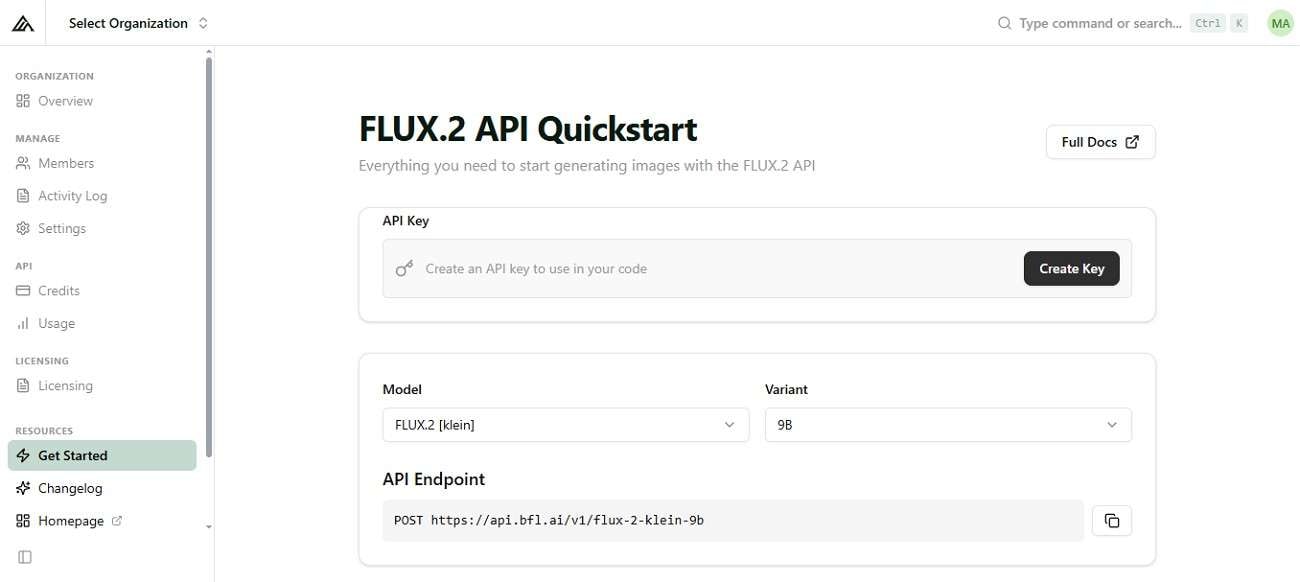
If you are exploring advanced AI image generation tools, Black Forest Labs (BFL) is one of the leading names. BFL provides highly advanced models that focus on Flux prompting, enabling users to create detailed, accurate, and photorealistic images from text or image inputs. These models are designed with strong prompt adherence, meaning they understand complex instructions more effectively and generate visually consistent results.
Pricing Plans
Customized Plans
6. Flyne AI
Best For: AI image generation
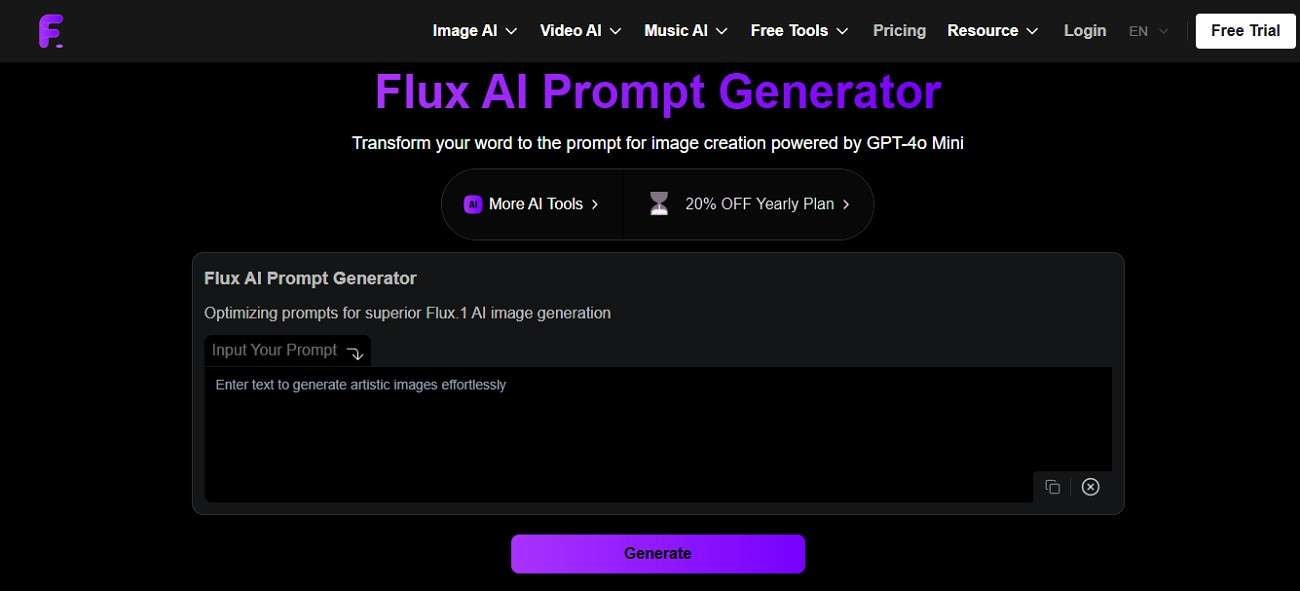
Flyne AI is a modern web-based tool designed to simplify and enhance AI prompt creation. It allows users to convert simple ideas or visuals into structured, detailed prompts optimized for FLUX. The tool also supports Flux image to prompt generator functionality, where images are analyzed to extract meaningful descriptions that can be reused.
Pricing Plans
| Plans | Pricings |
| Standard | $9.99/month |
| Popular | $19.99/month |
| Professional | $29.99/month |
7. Flux Pro AI
Best For: Prompt and image generation
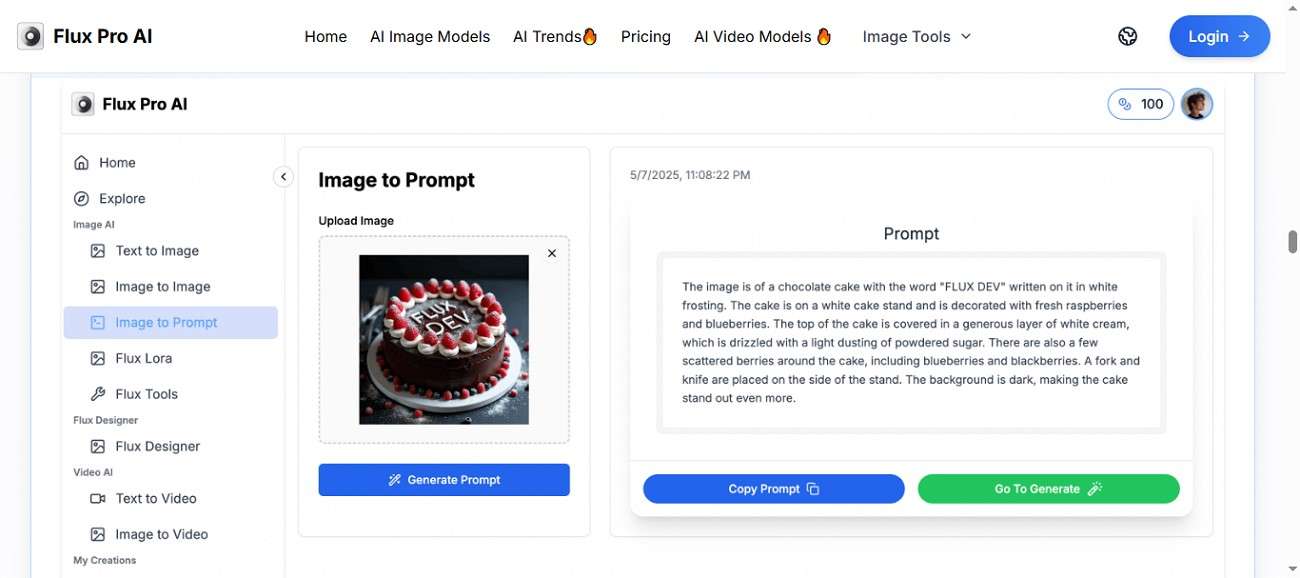
It is an advanced AI image generation platform designed for creators, designers, and marketers who want fast, high-quality visuals from simple text prompts. Powered by the Flux prompting model family, it delivers realistic, detailed, and stylized outputs with minimal effort. The platform supports multiple generation modes, making it suitable for both beginners and professionals.
Pricing Plans
| Plans | Pricing |
| Premium | $15.9/month |
| Enterprise | $55.9/month |
| Advanced | $22.9/month |
Part 3. Flux Prompt Generator vs. AI Prompt Assistants: Which Works Best?
As AI image creation tools continue to evolve, users are often faced with two popular options: Flux Prompt Generators and general AI Prompt Assistants. Understanding the difference between them can help you decide which tool better fits your creative workflow.
What Prompt Generators Do
Flux Prompt generators help users create well-structured and effective text prompts for AI tools. Instead of writing complex instructions manually, they convert simple ideas into detailed prompts that improve AI output quality. These tools save time, reduce errors, and make it easier for beginners to produce accurate, creative, and consistent results.
What AI Prompt Assistants Like Filmora Do
AI prompt assistants like Wondershare Filmora go beyond basic prompt generation by integrating AI directly into creative workflows. They help users generate, refine, and apply prompts within tools like video editing or image creation. This allows for faster content production, smarter suggestions, and a more seamless, beginner-friendly creative experience overall.
Which Is Better for Different Users
Choosing between a Flux prompt generator and an AI prompt assistant ultimately depends on your experience level and creative needs. To make this clearer, the following comparison table breaks down how each tool performs across different user types:
| Feature / Tool | Tool Type | Prompt Generation | Image-to-Prompt | Output Control | Built-in Editing Tools |
| Filmora | AI prompt assistant + video editor | Generates, refines, and enhances prompts using AI | Available with AI-based analysis | High control with editing and refinement tools | Video, audio, effects, and AI editing |
| Hugging Face Flux Prompt Generator | Standalone prompt generator | Generates structured prompts | Available | Depends on prompt quality | Not available |
| Flux1.AI | Standalone prompt generator | Enhances prompts from text/images | Available | Moderate control | Not available |
| Aitubo | Prompt + image generator | Converts ideas into detailed prompts | Available | Moderate control | Limited |
| Black Forest Labs | AI model provider | Requires manual prompt input | Supported via models | High but technical | Not available |
| Flyne AI | Prompt generator | Converts ideas/images into prompts | Available | Moderate control | Limited |
| FluxPro.ai | Prompt + image generator | Generates stylized prompts | Available | Moderate control | Basic image editing |
Part 4. Why Filmora Stands Out as the Best Option and How to Use It Effectively
When comparing all the tools discussed above, Wondershare Filmora clearly stands out, not just as a Flux prompt generator but as a complete AI-powered creative ecosystem. Here are some of the reasons why the tool stands out among others:
- All-in-One Creative Workflow: Unlike standalone Flux prompt generators that only help generate text prompts, Filmora allows users to generate, refine, and directly apply prompts.
- AI Prompt Assistant with Real Context: Filmora doesn't just create prompts; it analyzes visuals, scenes, and references to generate more accurate and context-aware prompts.
- Built-in Editing and Enhancement Tools: Most Flux tools stop at prompt creation, but Filmora includes video editing, effects, audio tools, and AI enhancements in one platform.
- Better Output Control and Refinement: With Filmora, users can edit, tweak, and enhance results after generation, ensuring higher consistency and professional-quality outputs.
How to Use Filmora for Prompt Generation?
Having learned all the details about Filmora, let us have a look at how to use this tool for Flux prompting from an image:
Step 1. Import Your Image into Filmora
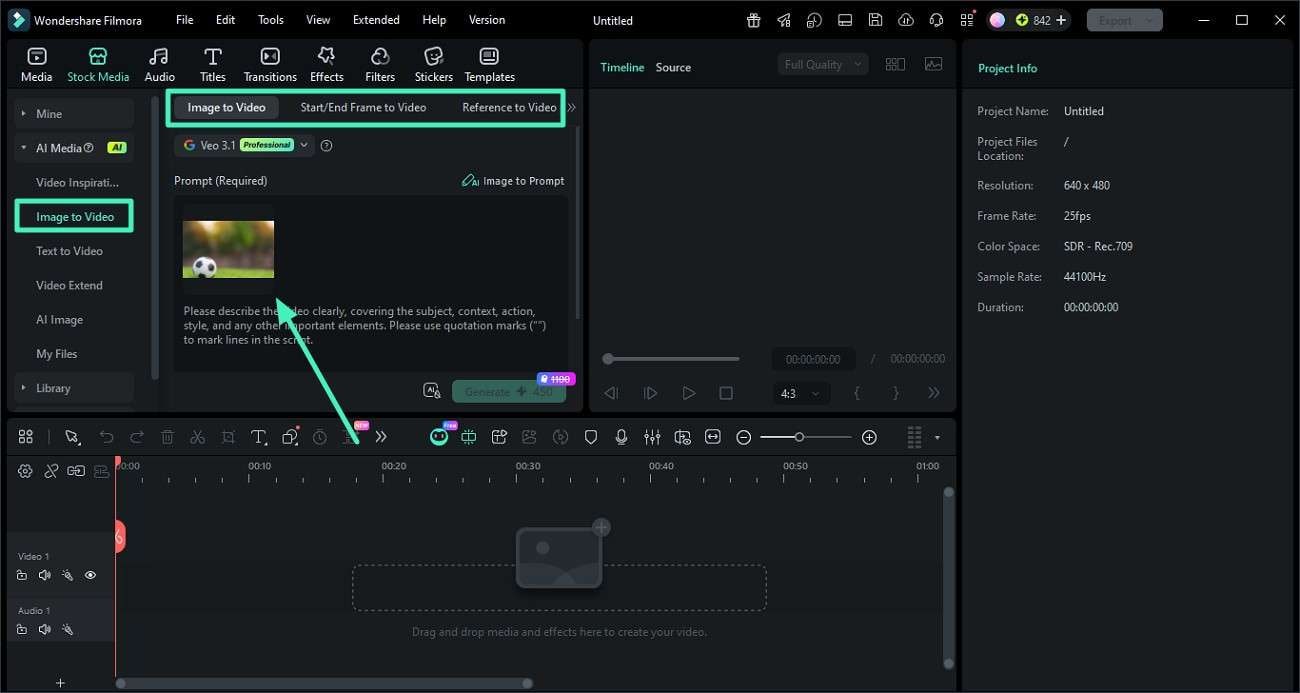
From the main interface, navigate to the left panel and choose the "Image to Video" feature. Select your preferred mode, such as "Image to Video," "Start/End Frame," or "Reference to Video." Then, upload your desired image using the available import option.
Step 2. Automatically Create AI Prompts from the Image
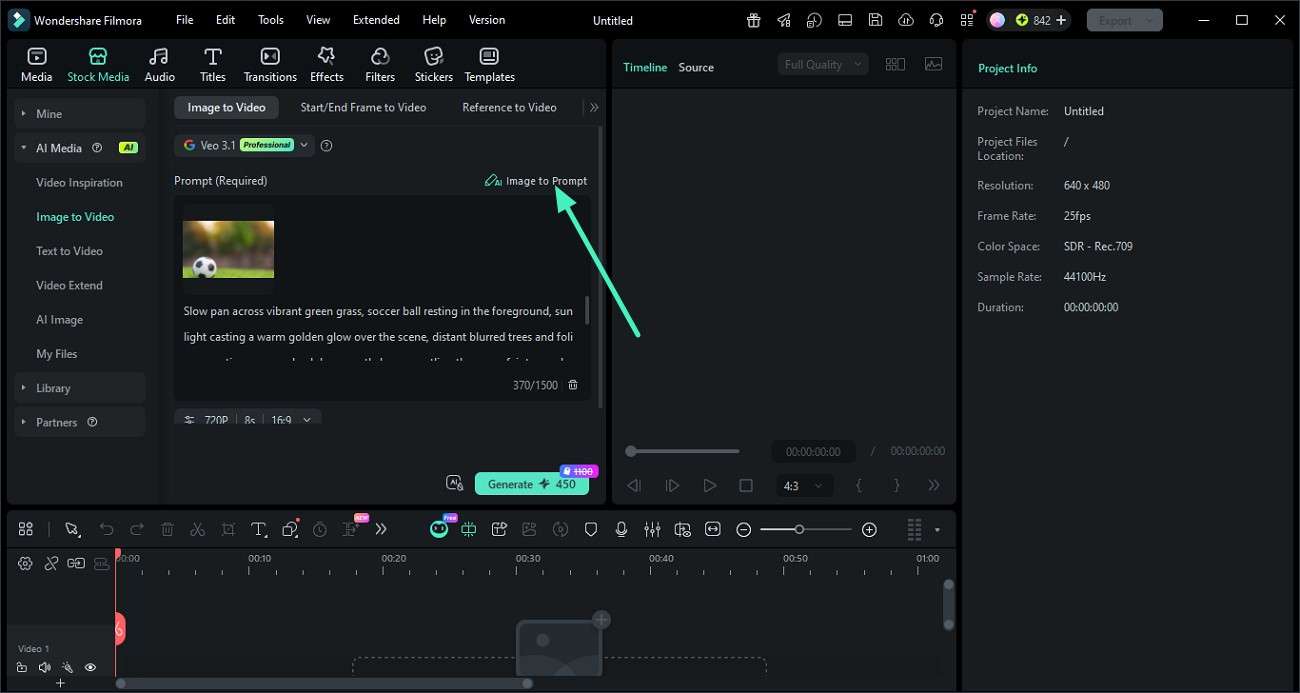
Once your image is added, find the "Image to Prompt" option and click on it. Filmora will analyze the visual elements and instantly generate a detailed, structured prompt based on the image.
Step 3. Use the Generated Prompt in Flux
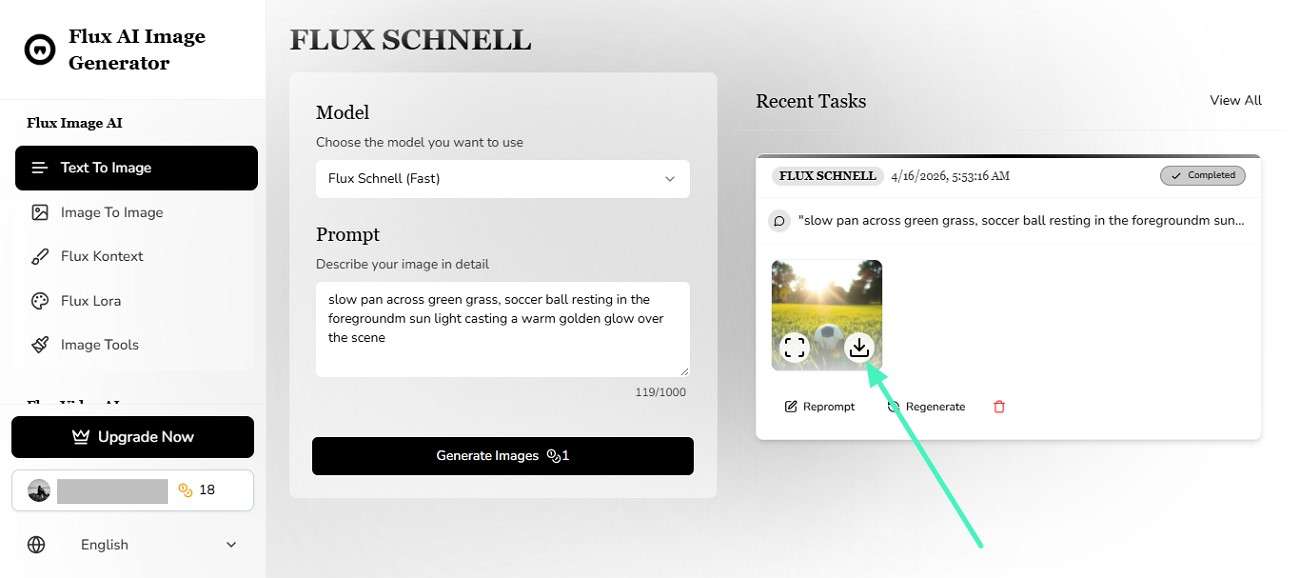
After the prompt is ready, copy it and paste it into your preferred Flux-based tool or platform. Then, run the prompt to generate AI images with improved accuracy and detail.
Step 4. Refine and Export Visuals with Filmora Tools
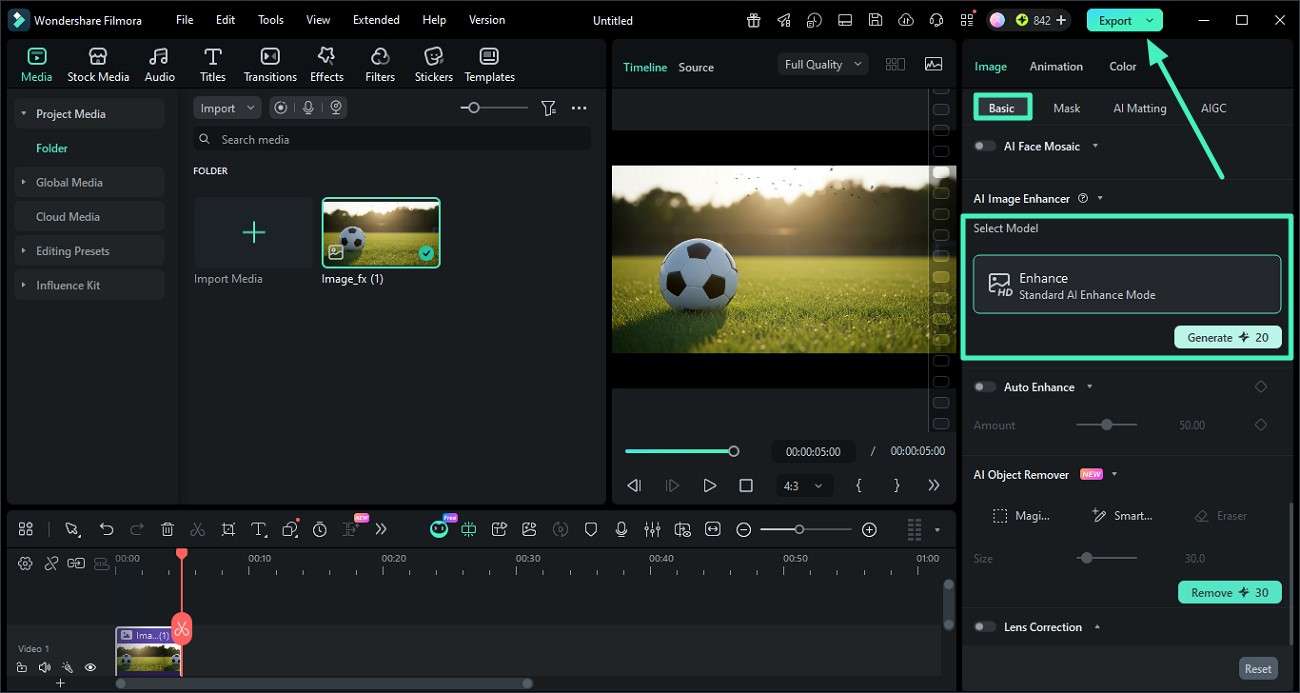
Import the generated image back into Filmora for further enhancement. Use the "AI Enhance" feature under the "Basic" panel and click "Generate" to improve quality.
 secure download
 Who Should Choose Filmora First?
When deciding on the right tool for your creative workflow, it becomes clear that some users benefit more from an all-in-one solution like Filmora. Here's who should choose the Flux image to prompt alternative first:
- Content Creators: Ideal for YouTubers and social media creators who need quick prompt generation along with built-in editing and export tools.
- Digital Marketers: Perfect for creating ads, thumbnails, and promotional visuals with consistent quality and faster turnaround.
- Beginner Designers: Great for users who want guided AI assistance without dealing with complex prompt structuring.
- Video Editors: Best suited for professionals who want to integrate AI-generated visuals directly into their editing workflow.
- Freelancers: Helpful for those handling multiple client projects who need an efficient, all-in-one creative solution.
Conclusion
To sum it up, this article provided a detailed guide on the top Flux prompt generators you can try. Each tool offers unique strengths for improving prompt quality and generating better AI images. However, if you want a completer and more efficient workflow, Filmora stands out as the best choice. It combines prompt generation, AI enhancement, and built-in editing features in one powerful platform.
secure download Frequently Asked Questions
-
1. What is a Flux prompt generator?
A Flux prompt generator is a tool that helps users convert simple ideas or images into structured prompts for AI image models. It improves clarity, detail, and consistency in AI-generated visuals. -
2. Which is better: Flux prompt generators or AI prompt assistants?
Flux prompt generators are useful for structured prompt creation, while AI prompt assistants offer a more complete workflow. Tools like Filmora go further by combining prompt generation with editing, enhancement, and export features in one platform. -
3. Can beginners use Flux prompt generator tools easily?
Yes, most Flux prompt generators are beginner-friendly, but some may still require learning prompt structures for best results. For a simpler experience with guided AI support, Filmora is often recommended. -
4. Do Flux prompt generators directly create images?
Some tools can generate or enhance prompts for image creation, but they usually rely on external AI image models. For users who want an all-in-one solution that includes prompt generation, image enhancement, and editing, Filmora is the right choice.
