

 100% Security Verified | No Subscription Required | No Malware


 ChatGPT
 Perplexity
 Gemini
 Claude
 Grok
Grok
You open an AI image generator, type a quick idea, and hit enter only to get results that feel off, blurry, or unrelated. That's where crafting the right ImageFX prompt makes all the difference. Instead of relying on guesswork, understanding how to structure prompts can unlock detailed, visually stunning outputs.
From choosing the right keywords to defining style, lighting, and composition, every element plays a role. This guide breaks down practical techniques to help you write smarter prompts, improve consistency, and turn simple ideas into high-quality AI-generated visuals that truly match your creative vision.
In this article
Part 1. What Is ImageFX Prompt and How It Works for AI Image Creation
An ImageFX prompt is a text-based instruction that guides an AI image generator in creating visuals. It describes elements such as subject, style, lighting, color, and composition. A well-crafted ImageFX prompt helps the AI clearly understand your intent, resulting in more accurate, visually appealing images. The more detailed and structured the prompt, the better the output quality and consistency.
How Prompts Control AI-generated Images
- Text Interpretation: The AI reads the ImageFX prompt and translates its words into visual elements such as objects, scenes, and actions.
- Keyword Weighting: It assigns importance to specific words, making strongly described terms more influential in the final image.
- Style Control: Style keywords such as realistic, anime, or cinematic determine the overall artistic direction.
- Detail Generation: The AI fills in missing details using learned patterns and contextual understanding from training data.
- Composition Control: Instructions about framing, angle, and perspective shape the layout of the generated image.
- Lighting & Mood Setting: Descriptions such as soft light or dramatic shadows define the atmosphere and emotional tone.
- Negative Prompting: It excludes unwanted elements to refine accuracy and improve image quality.

How Keywords, Styles, and Descriptions Shape ImageFX Prompts
- Keywords: In an ImageFX prompt guide, keywords act as the core instructions that tell the AI what to include in the image, such as objects, subjects, and actions. Strong and specific keywords improve accuracy and relevance.
- Styles: Style terms define the artistic direction of the image, such as realistic, watercolor, anime, or cinematic. They influence texture, color grading, and overall visual appearance.
- Descriptions: Provide detailed context, including the environment, lighting, mood, and composition. They help the AI refine the scene and produce more coherent and visually rich results.
Part 2. How to Write ImageFX Prompts
Creating high-quality AI images in ImageFX depends heavily on how well you craft your prompts. A clear, structured prompt helps the tool understand your idea accurately and generate more realistic, detailed, and visually appealing results.
Basic Structure of a High-Quality ImageFX Prompt for Best Results
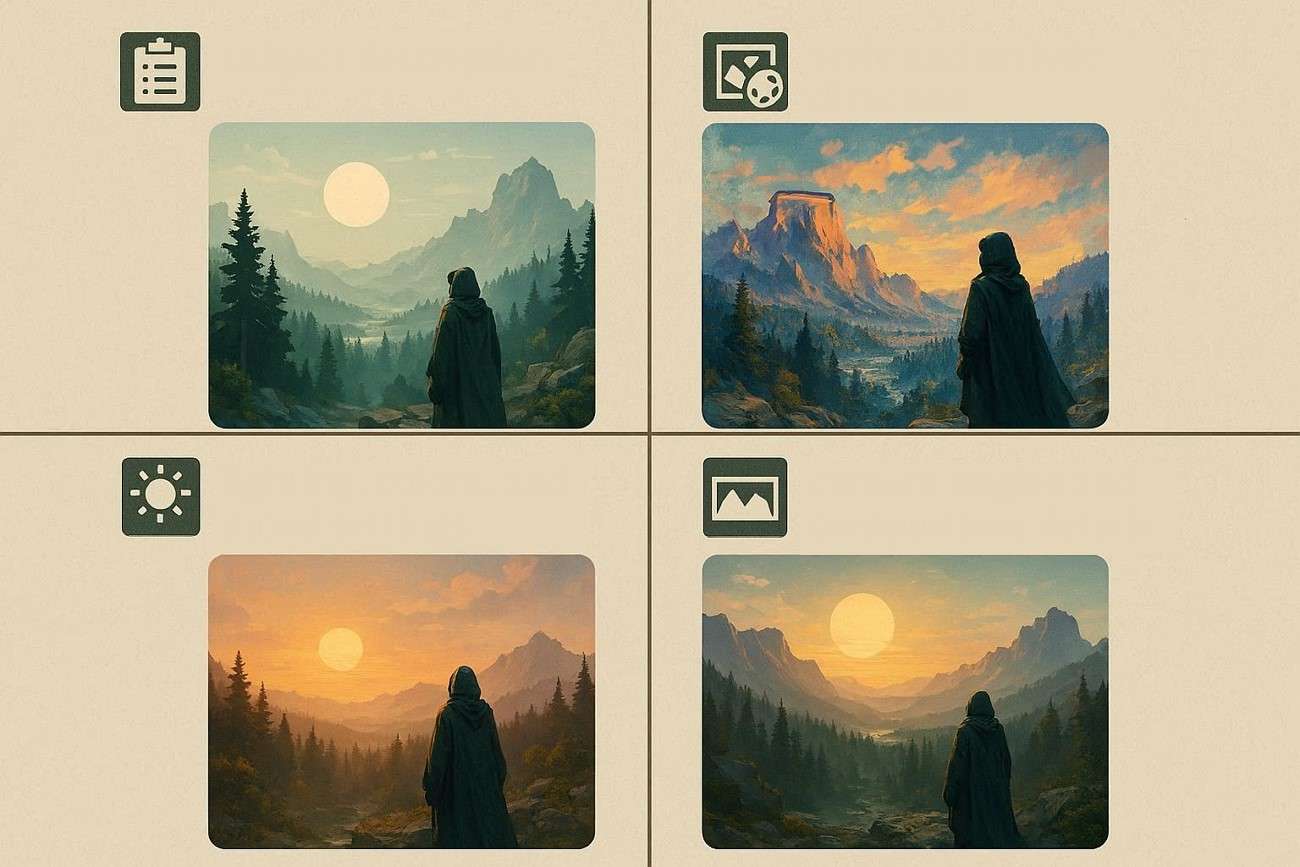
To achieve high-quality results from AI image generation, it is essential to structure your ImageFX prompt with clear and detailed elements. Mentioned below are the core components of the ImageFX prompts that will help you generate high-quality results:
- Subject Description: This defines the main focus of the image, such as a person, object, or scene, and sets the foundation for the entire composition.
- Style and Artistic Direction: This specifies the visual style, such as realistic, anime, cinematic, or digital art, guiding the overall look and feel.
- Lighting, Colors, and Mood Settings: Such details shape the image's atmosphere, including brightness, color tones, and emotional impact.
- Camera Angles and Composition Details: This controls perspective, framing, and positioning, such as close-ups, wide shots, or aerial views.
- Resolution and Quality Keywords: These enhance output clarity by indicating sharpness, detail level, and overall image quality.
Advanced ImageFX Prompt Tips to Create Professional AI Images
To create professional-quality AI images using ImageFX prompts, it is important to apply advanced techniques that give you more control over the final output. These tips help refine detail, style, and composition for better results.
-
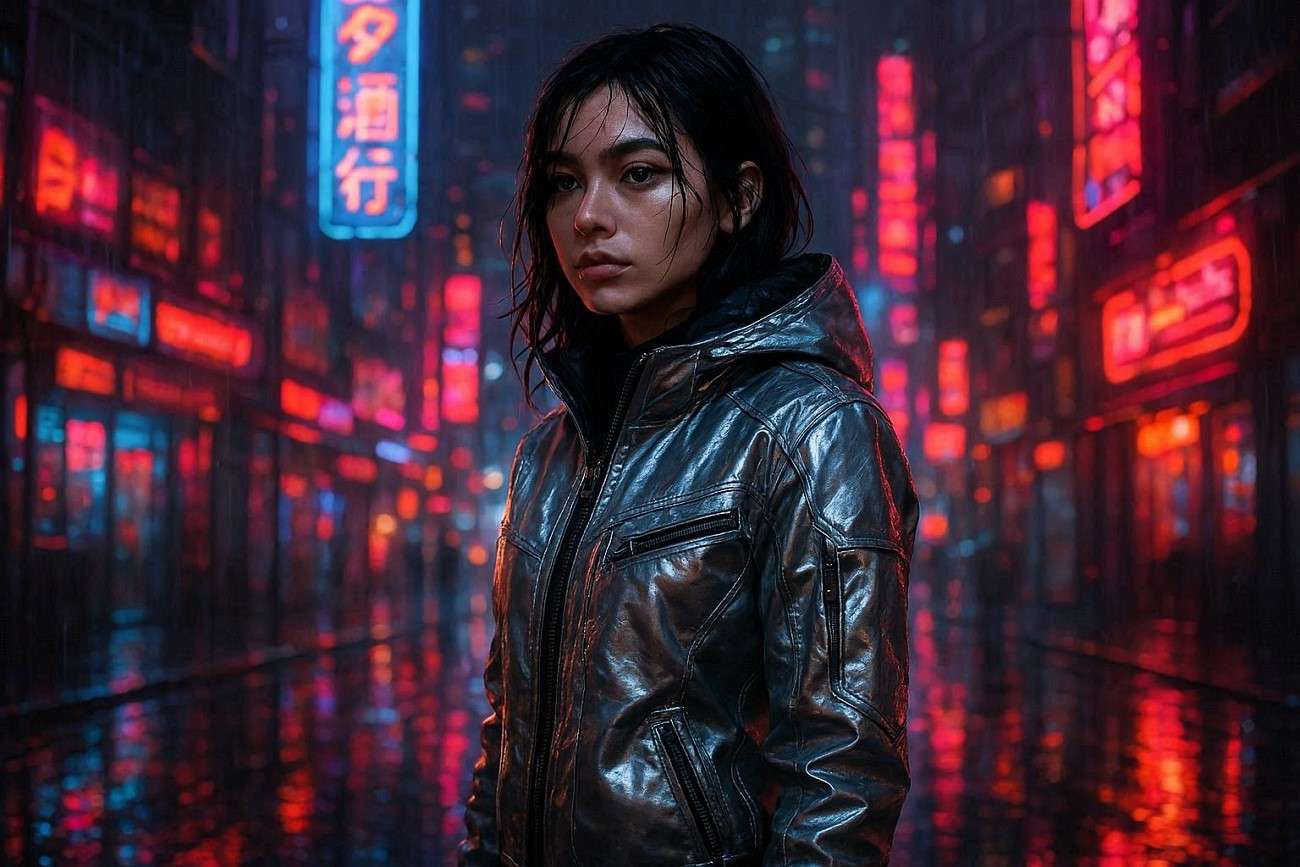
Use Layered Prompts: Build your ImageFX prompt step by step by adding subject, style, lighting, background, and mood to create structured and detailed outputs.
Example: "A young woman standing in a futuristic city, wearing a silver jacket, cyberpunk style, neon-lit environment, rainy night, reflective streets, cinematic mood, ultra-detailed, 4K resolution."
-
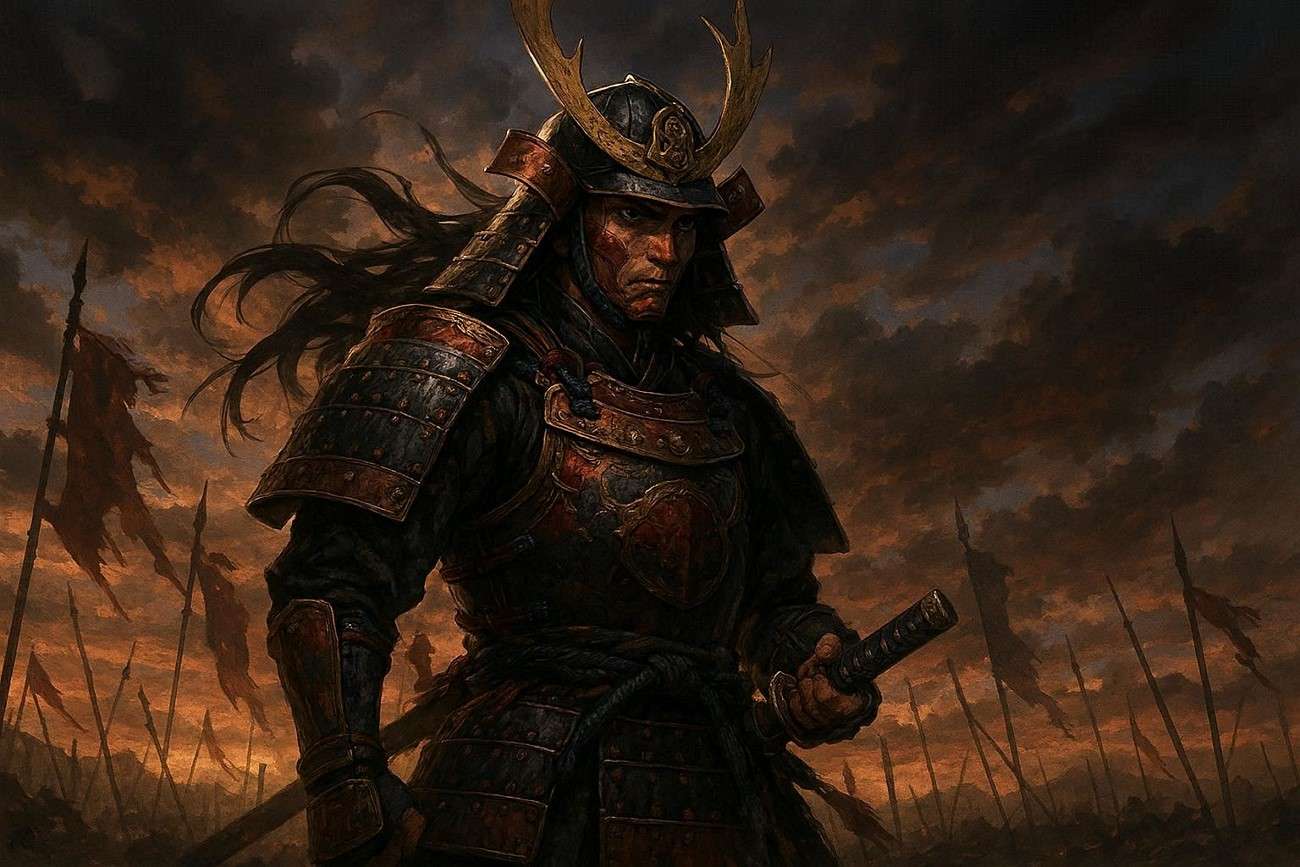
Combine Artistic Styles: Mix styles like cinematic realism, anime, or digital art to generate unique and visually creative results.
Example: "A samurai warrior in a battlefield, combining cinematic realism and anime style, dramatic sky, digital painting look, highly detailed armor, epic fantasy atmosphere."
-
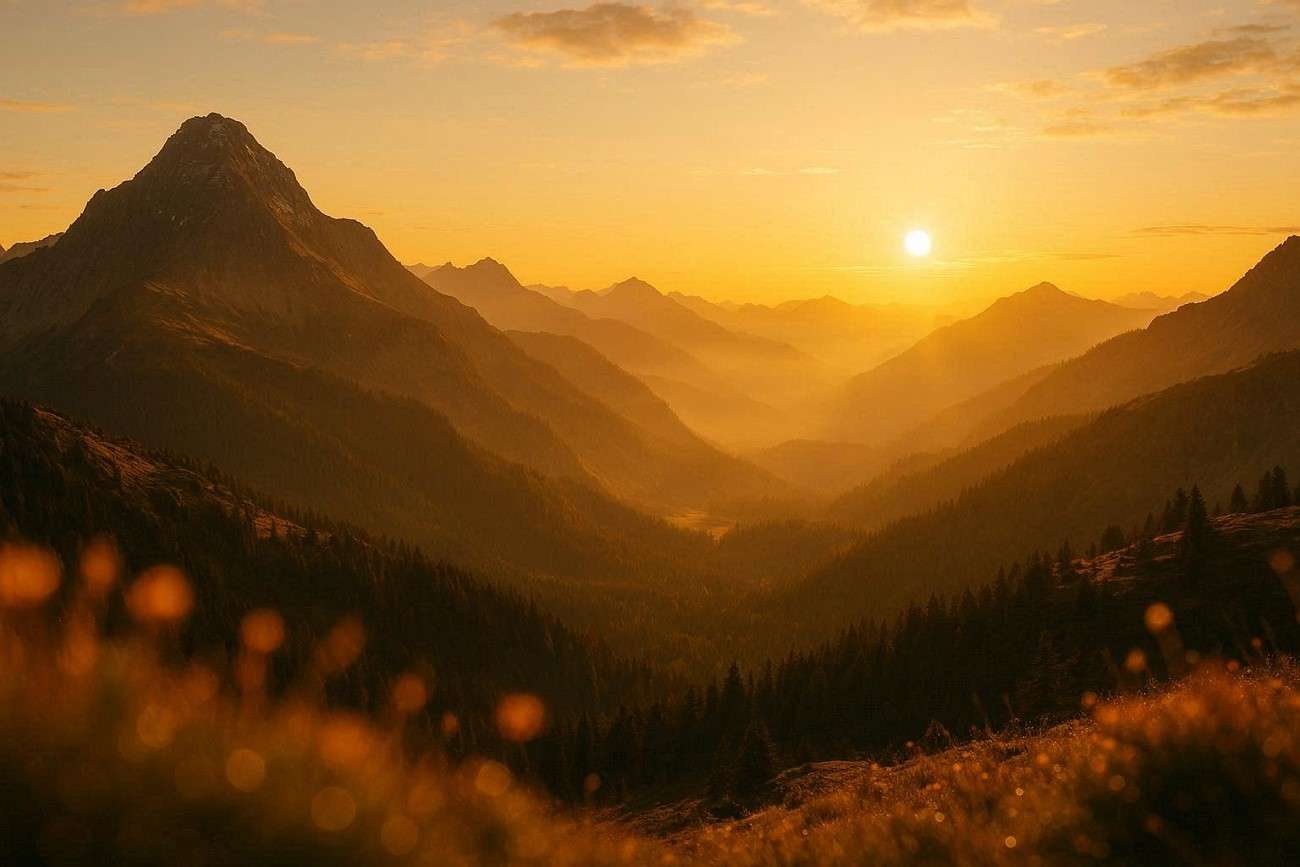
Use Cinematic and Photography Terms: Add phrases like depth of field, golden hour, wide-angle shot, or bokeh effect to improve realism and professional quality.
Example: "A mountain landscape at sunrise, golden hour lighting, wide-angle shot, depth of field, soft bokeh effect in the foreground, ultra-realistic photography style, 8K resolution."
-
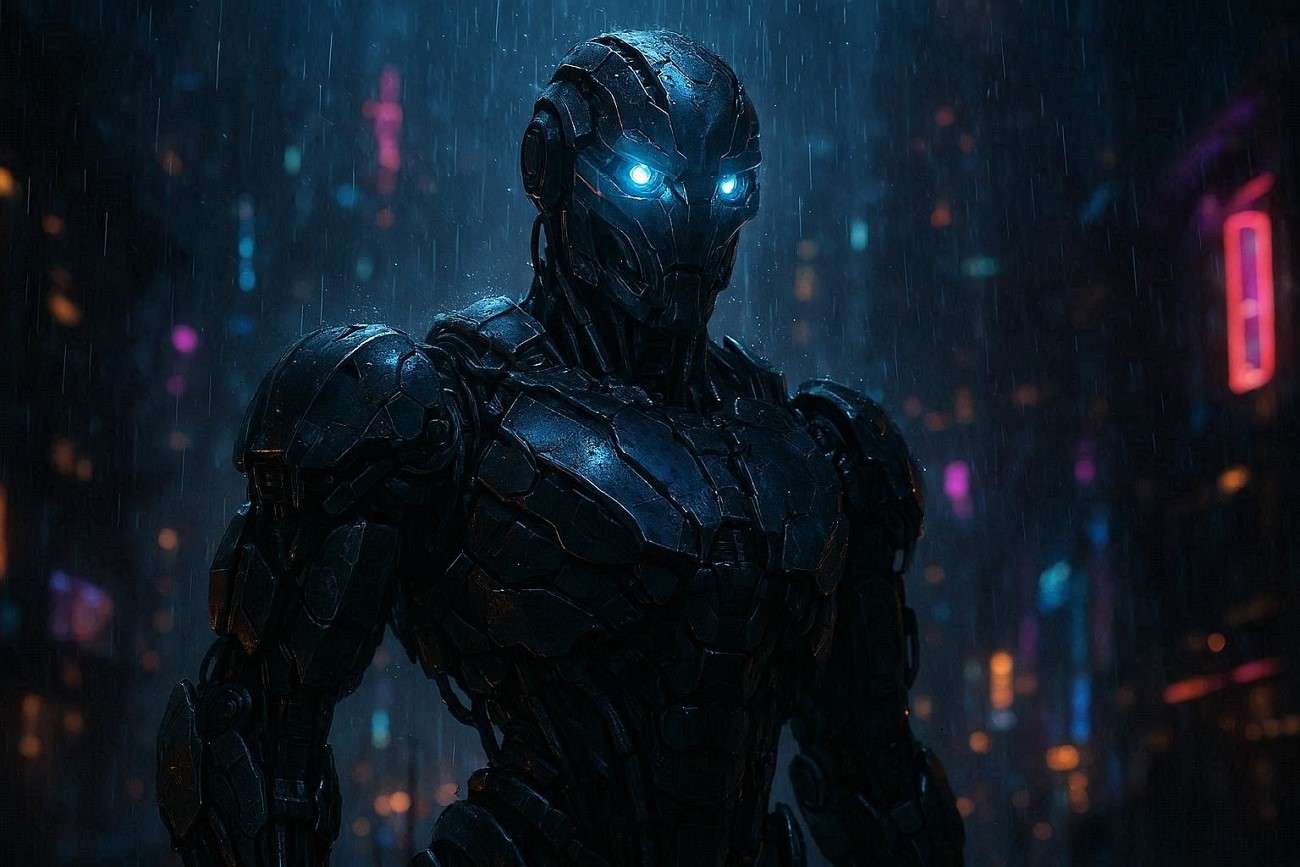
Experiment with Prompt Weights and Emphasis: Highlight important keywords to control what the AI focuses on most in the generated image.
Example: "A futuristic robot (high detail:1.5), glowing eyes (emphasis:1.3), standing in a dark cyber city, rain falling, neon lights reflecting on metal surface."
-
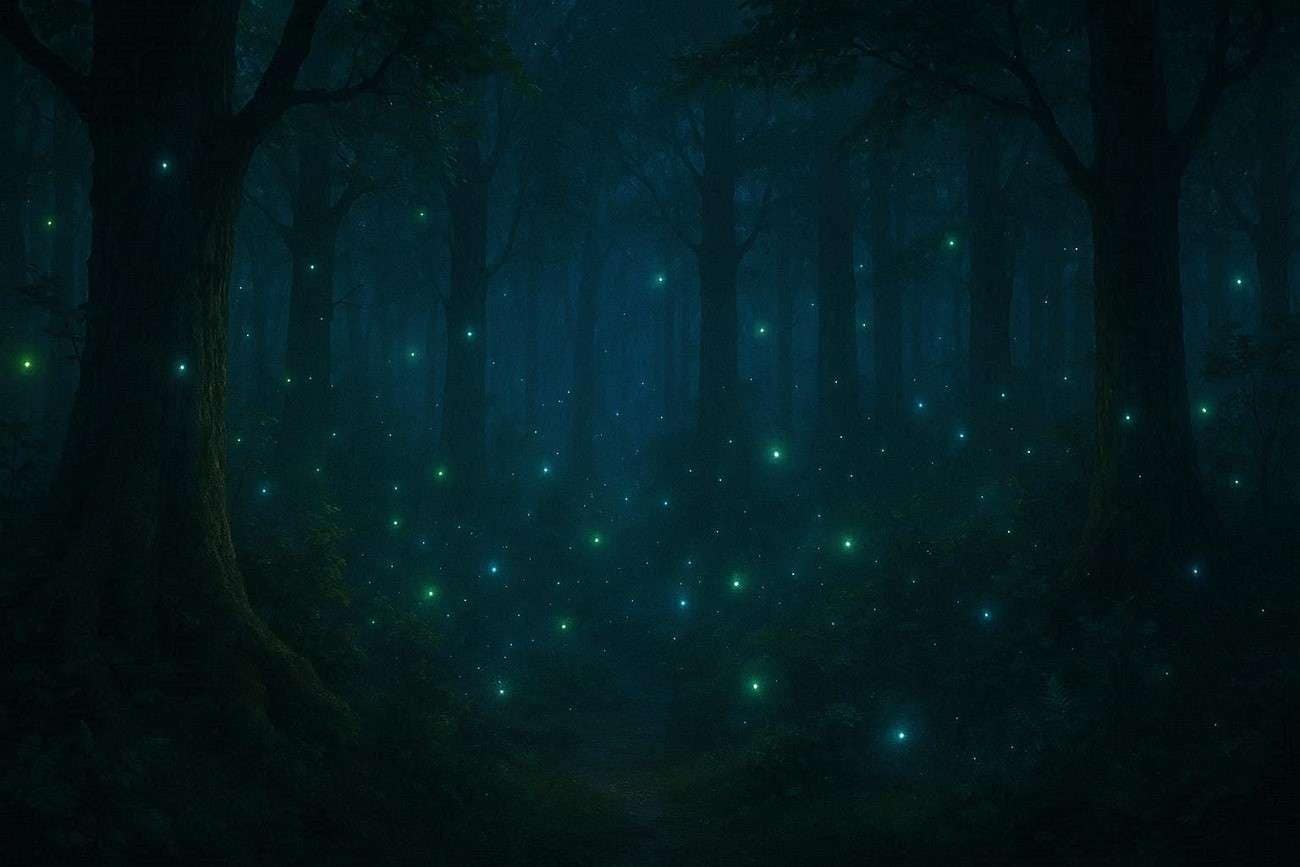
Iterate and Refine Prompts: Continuously adjust your prompts based on results to improve accuracy, detail, and overall visual consistency.
Example: "A dense enchanted forest at night, glowing blue and green magical lights floating between trees, misty atmosphere, cinematic lighting, ultra-detailed fantasy style, peaceful and mysterious mood."
Part 3. How to Convert Images Into ImageFX Prompts Using Smart Generators
One of the most efficient ways to convert images into structured prompts is by using an ImageFX prompt generator like Wondershare Filmora, which simplifies the entire creative process. With its advanced Image-to-Prompt feature, Filmora analyzes reference images and automatically extracts key visual elements, including subject, composition, lighting, style, and motion patterns. These details are then transformed into ready-to-use prompts that can guide AI tools like ImageFX for more accurate results.
The feature is available with the Image-to-Video function offered by Filmora that includes Image-to-Video, Start/End Frame to Video, and Reference-to-Video options. Each model uses AI-generated prompts to maintain visual consistency and improve motion quality. This flexibility ensures creators can fine-tune prompts for better accuracy and creativity.
 secure download

Key Features Offered By Filmora
- Image-to-Prompt Analysis: Filmora automatically analyzes uploaded images and converts visual details into structured AI ImageFX prompts for tools like ImageFX.
- Prompt Editing Controls: Users can refine generated prompts by adjusting the text according to their preferences.
- Prompt to Video: The generated prompt can be converted into videos using the different models available in Filmora.
- Copy Prompt Text: Users also get the ability to copy the generated prompt and paste it anywhere to repurpose it for their creativity.
- Export and Optimization Settings: Filmora allows users to set resolution, aspect ratio, and duration to optimize final AI-generated outputs.
Comprehensive Steps to Use Filmora Image to Prompt
As discussed, Filmora allows users to generate efficient prompts from images in no time. Let us have a look at the steps for using this function in the section below:
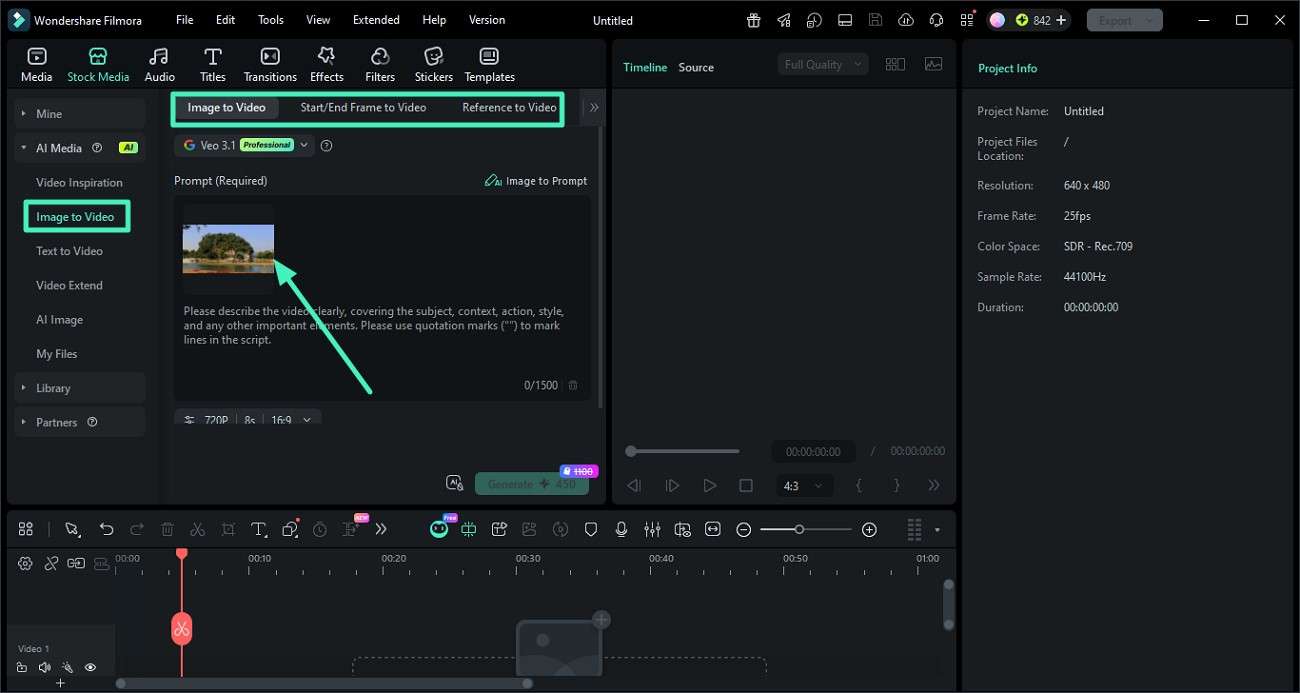
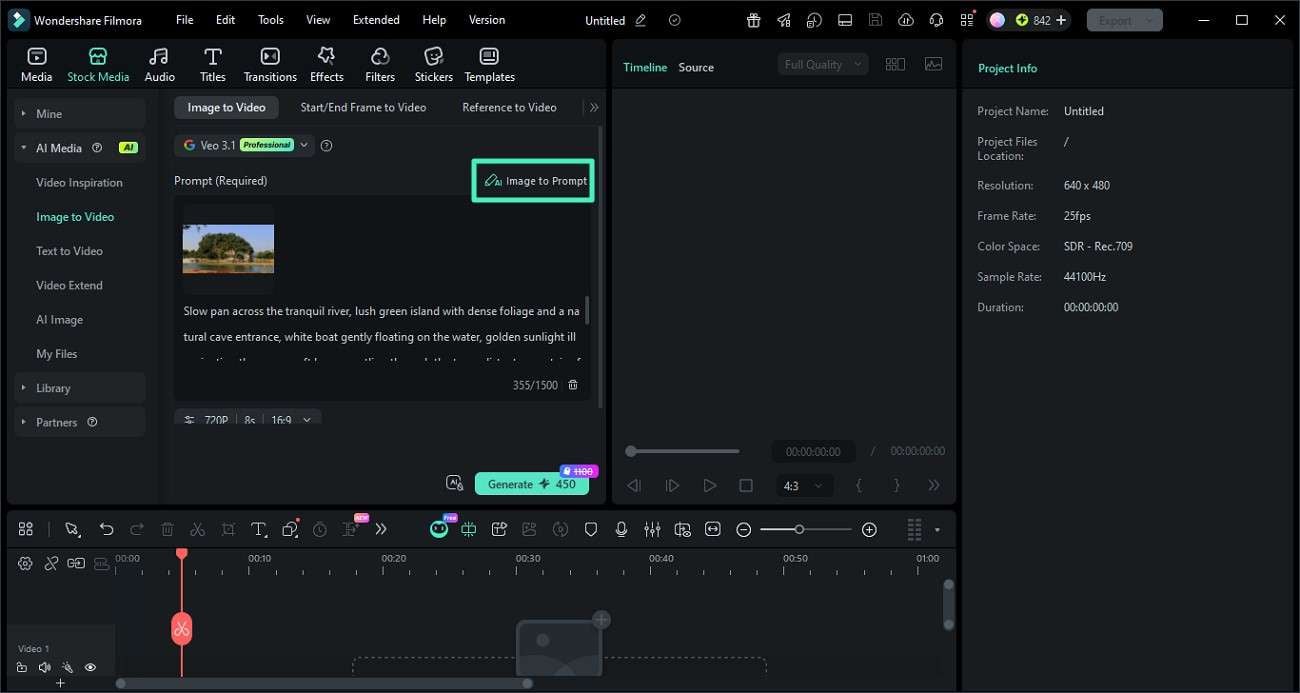
Step 1. Upload Image and Select "Image To Video"
Start by opening Filmora and creating a new project. From the left side panel, navigate to the "Image To Video" feature and choose a generation mode such as "Image to Video," "Start/End Frame," or "Reference to Video." After that, upload your image using the available import option.
Step 2. Generate an AI Prompt Using the "Image to Prompt" Feature
Once your image is loaded into the interface, click on the "Image to Prompt" button. The tool will automatically analyze the image and create a structured AI prompt based on its visual elements.
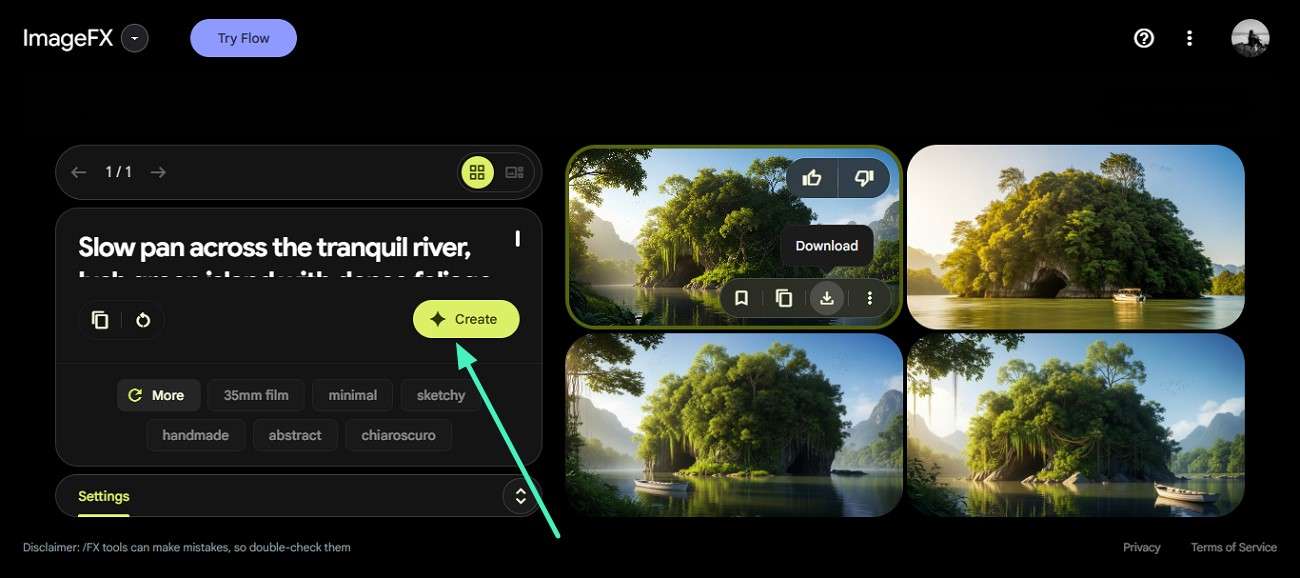
Step 3. Apply the Generated Prompt in ImageFX AI
After the prompt is ready, copy it and paste it into the ImageFX interface. Then press the "Create" button to generate AI images using the extracted prompt.
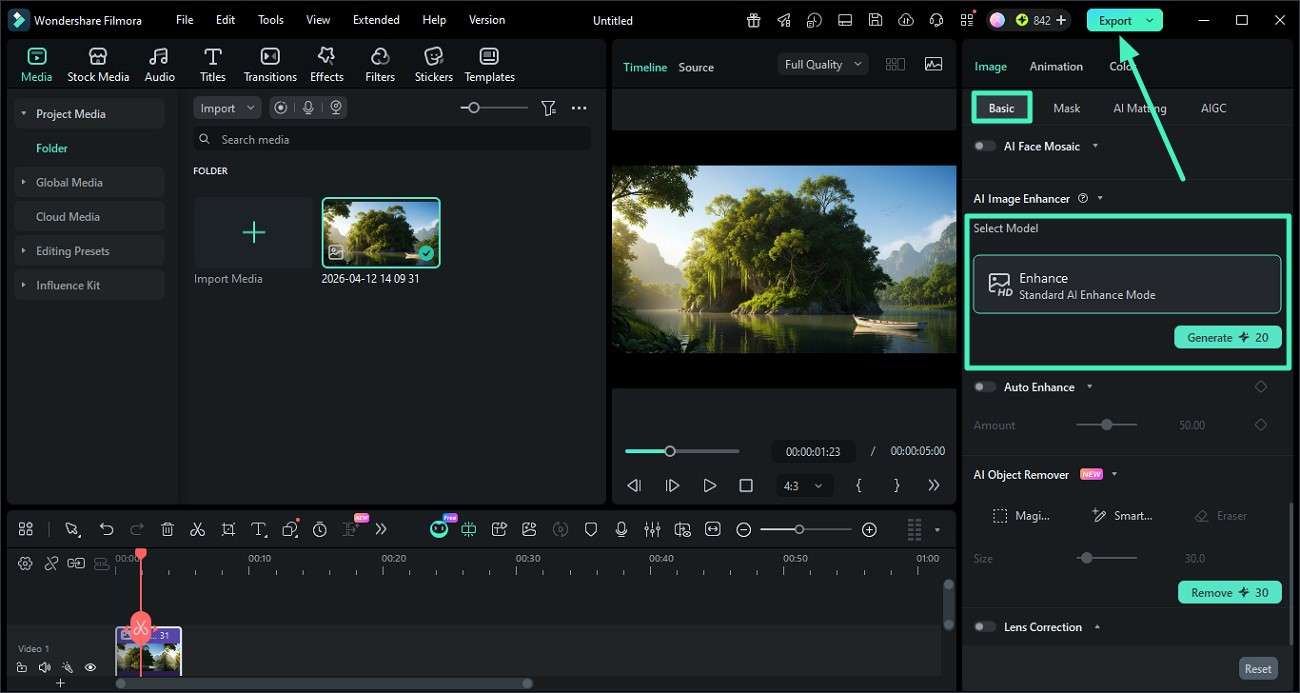
Step 4. Enhance Final Output Using Filmora Editing Tools
Finally, import the generated image back into Filmora. Under the "Basic" section on the right panel, select the "AI Enhance" option to improve quality, then click "Export" to save the final result to your device.
 secure download
 Part 4. Why Filmora Is the Best Option to Enhance ImageFX AI Creations
To improve and elevate AI-generated visuals, creators often need more than just prompt tools; they need a complete creative workflow. This is where Filmora stands out as a powerful solution for enhancing ImageFX Image to Prompt creations across different use cases.
- Cinematic Continuity for Videographers: Videographers use Filmora to generate ImageFX-ready prompts that ensure consistent lighting, framing, and motion style across all scenes.
- Rapid Visual Creation for Content Creators: Content creators rely on Filmora to instantly turn images into prompts for producing thumbnails, reels, and social media visuals without manual effort.
- Engagement-Driven Design for Social Media Managers: Social media managers use Filmora's Image-to-Prompt workflow to create trendy, high-quality AI visuals that boost engagement on Instagram and TikTok.
- Brand Identity Alignment for Marketing Teams: Marketing professionals extract style and composition from assets to ensure every AI-generated visual match brand tone and consistency.
- Creative Exploration for AI Artists: Digital artists use Filmora's multiple generation modes like Reference-to-Video and Start/End Frame to experiment with diverse artistic styles.
Conclusion
All in all, this article covered everything needed to know about ImageFX prompts and how to generate them. From understanding prompt structure to advanced techniques, you now have a complete guide to improve AI image quality. For even better results, Filmora stands out as a powerful choice, helping you create, refine, and enhance prompts for professional-grade visual content.
secure download Frequently Asked Questions
-
1. What is an ImageFX prompt?
An ImageFX prompt is a text instruction that guides AI in generating images by describing subject, style, lighting, and composition. A well-structured prompt helps create more accurate and visually appealing results. -
2. How can I improve my ImageFX prompt results?
You can improve results by adding detailed descriptions, using cinematic terms, defining styles clearly, and refining prompts through multiple iterations for better accuracy and creativity. -
3. Can Filmora help in generating better ImageFX prompts?
Yes, Filmora is highly useful because its Image-to-Prompt feature automatically extracts visual details from images and turns them into structured prompts, making the process faster and more accurate. -
4. Why should I use Filmora for AI image workflows?
Filmora enhances the entire creative process by allowing users to convert images into prompts, refine outputs, and even improve final visuals with AI Enhance, making it a powerful tool for creators working with ImageFX.
