

 100% Security Verified | No Subscription Required | No Malware


 ChatGPT
 Perplexity
 Gemini
 Claude
 Grok
Grok
YouTube has become a massive source of creative inspiration, but turning video content into structured AI prompts can be challenging and time-consuming. This is where YouTube video prompt generators play a powerful role. These tools analyze videos and automatically extract scenes, actions, lighting, camera movements, and visual styles into detailed text prompts.
In this guide, we explore the best YouTube video prompt generators available today. We will learn how they work and how you can transform extracted prompts into complete AI videos using modern editing tools like Filmora.
In this article
Part 1. Best YouTube Video Prompt Generators at a Glance
Before learning about the top YouTube prompt extractors in detail, let us have a look at their tabular comparison:
| Tool Name | Core Strength | Output Style | Best For | Ease of Use |
|---|---|---|---|---|
| VideoToPrompt.org | Advanced cinematic analysis | Highly detailed, structured prompts (camera, lighting, emotion) | Filmmakers, AI video creators, pro workflows | Moderate |
| TubePrompter | Technical breakdown of scenes | Structured prompts with shot composition & transitions | Prompt engineers, technical AI creators | Moderate |
| Video Galaxy AI | Creative interpretation | Artistic, mood-driven prompts | Concept artists, storytellers, creative AI users | Easy |
| VideoWeb .ai | Speed and simplicity | Basic, quick prompts | Beginners, fast content generation | Easy |
| TopYappers Video to Prompt | Beginner-friendly workflow | Simple descriptions from video links | New users exploring AI prompts | Easy |
Part 2. Top YouTube Video Prompt Generators Compared
Now let's break down each tool in more detail so you can understand where each one fits in your workflow:
VideoToPrompt.org
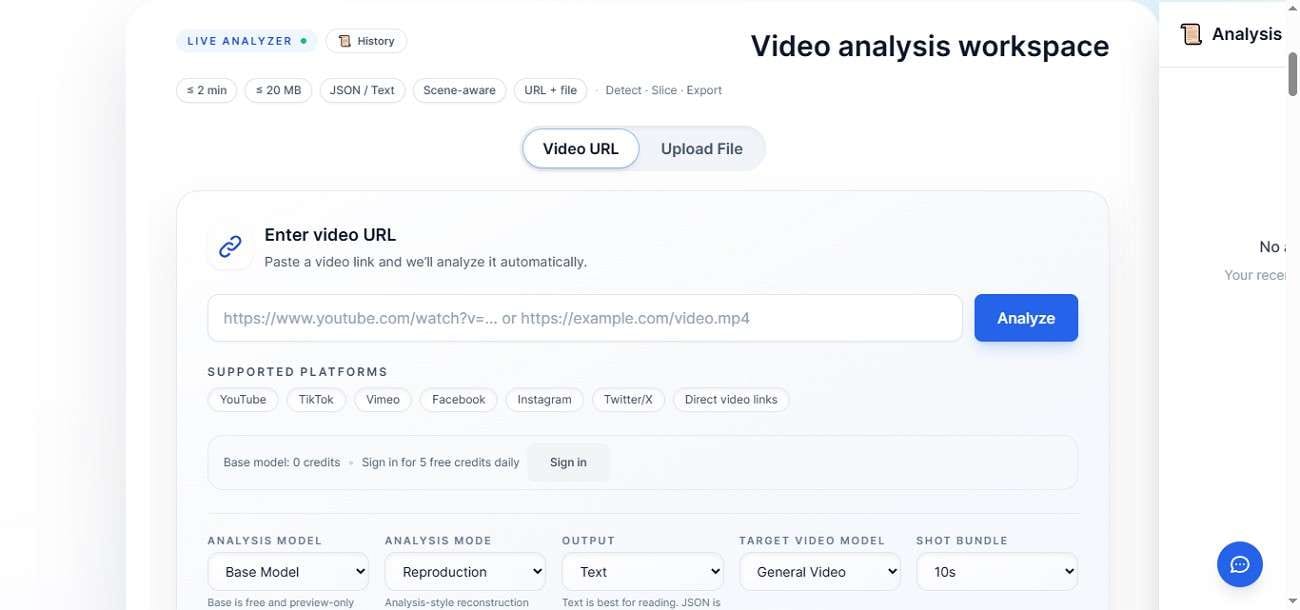
VideoToPrompt.org is an advanced YouTube video prompt generator that converts videos into highly detailed AI-ready prompts. It analyzes scenes, camera movement, lighting, and emotional tone to create structured outputs. Ideal for filmmakers and AI creators, it delivers cinematic-level accuracy, making it suitable for tools like Sora, Runway, and Midjourney workflows.
TubePrompter
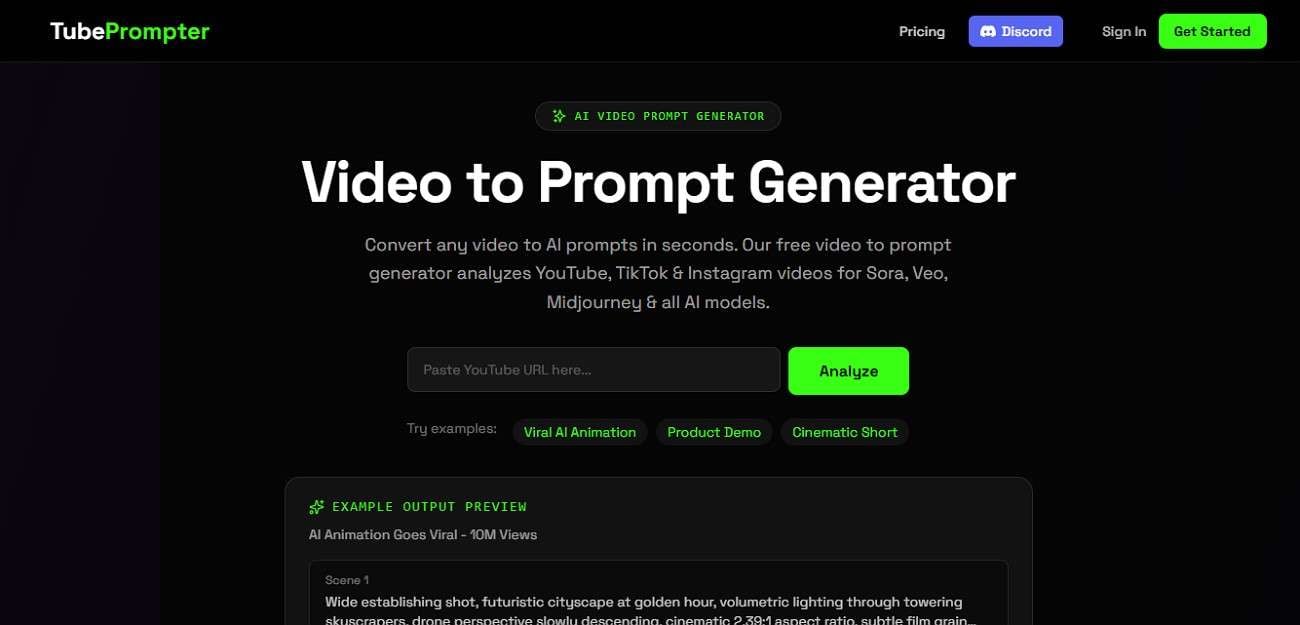
The tool is designed for converting YouTube videos into structured AI prompts with strong technical detail. It breaks down shots, transitions, and scene composition to help prompt engineers and creators build accurate AI video inputs. Its clear formatting and YouTube link support make it ideal for advanced AI video generation workflows.
Video Galaxy AI
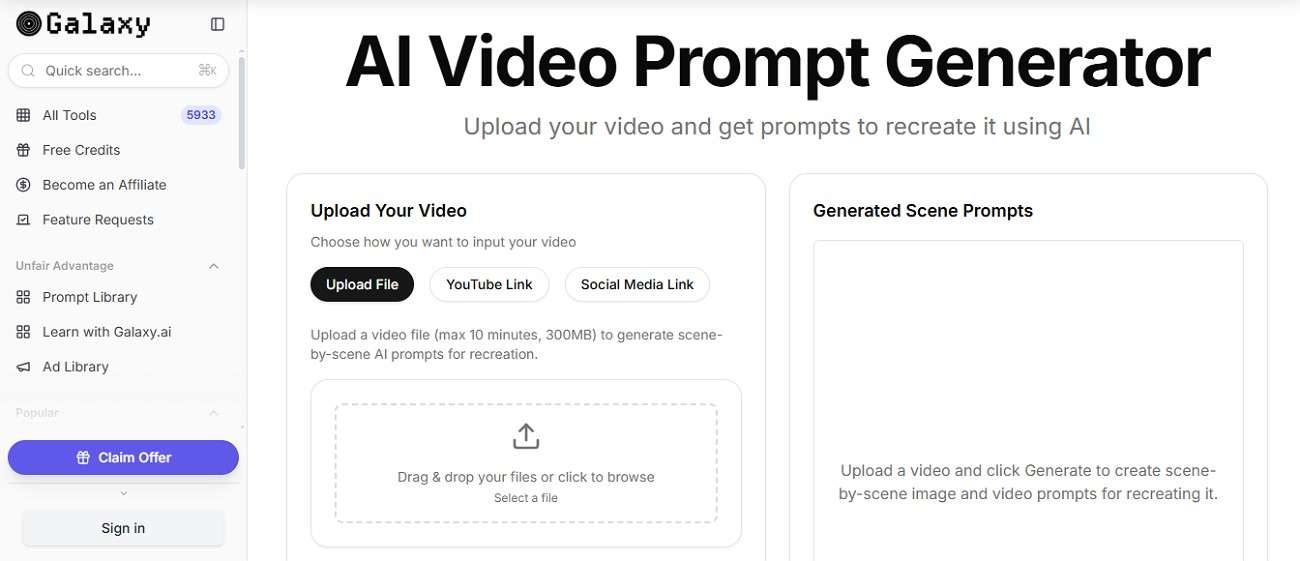
Video Galaxy AI focuses on creative interpretation of YouTube videos to AI prompts, turning them into imaginative AI prompts. Instead of purely technical breakdowns, it emphasizes mood, storytelling, and artistic direction. This makes it ideal for creators seeking inspiration for AI-generated visuals, concept art, or narrative-driven video projects.
VideoWeb.ai
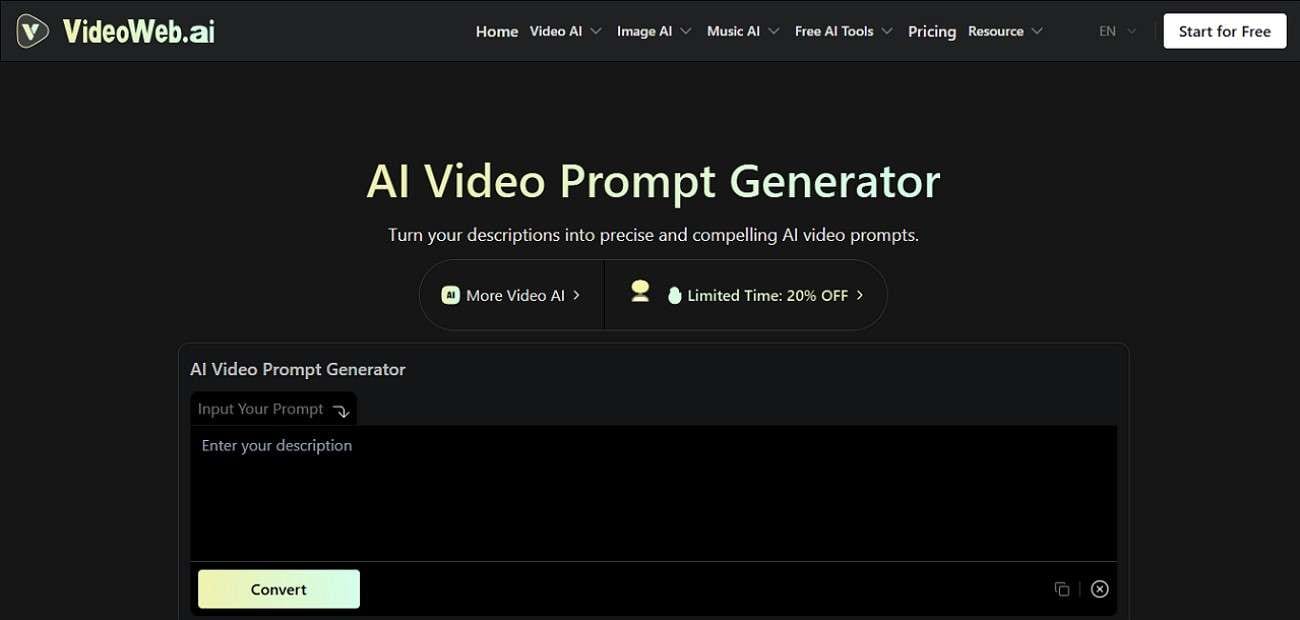
It is a fast and simple YouTube video to a prompt generator that converts video links into basic AI prompts. It focuses on speed and ease of use, making it perfect for beginners. While it does not offer deep cinematic analysis, it provides quick, usable prompts for general AI content creation tasks.
TopYappers Video to Prompt
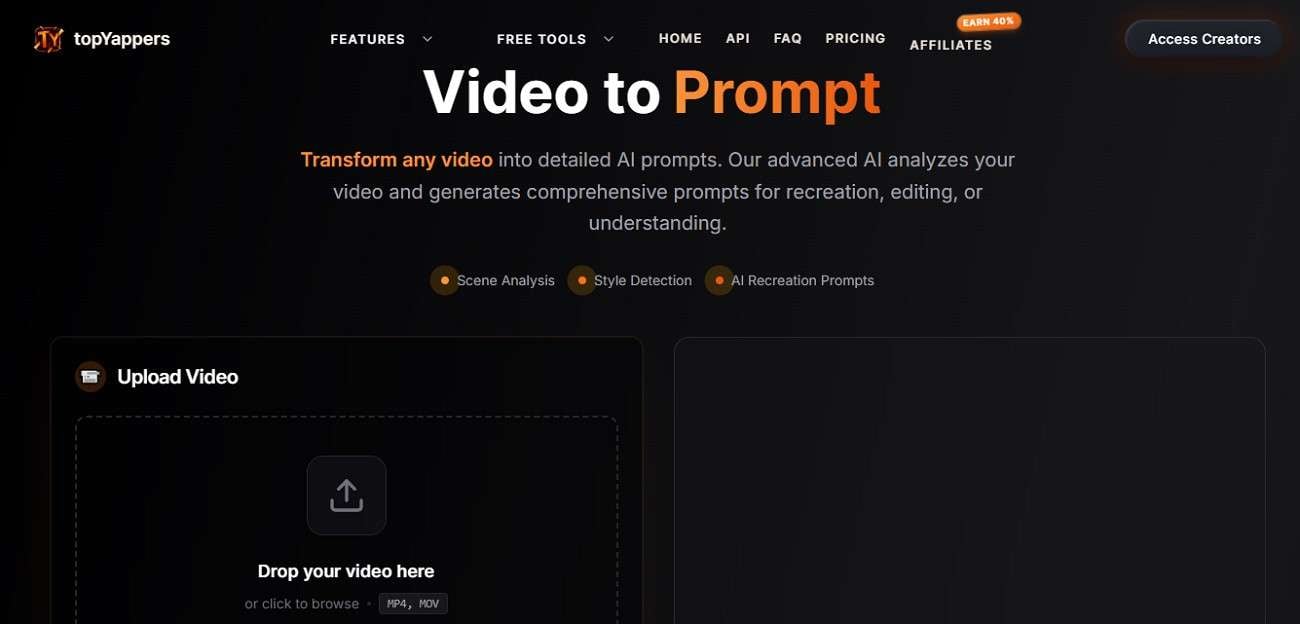
This YouTube video to AI prompt converter is a beginner-friendly tool that generates simple AI prompts from YouTube videos. Users only need to paste a video link to get quick descriptions. It is designed for ease of use rather than advanced analysis, making it ideal for those new to AI prompt generation and content creation workflows.
Part 3. How to Choose the Best YouTube Video Prompt Generator
Now that you've seen different tools and how they compare, it's important to understand the general factors that actually help you decide. Provided below are some of the things you can consider when opting for the YouTube video to prompt generator:
- Ease of Use: It makes tools accessible for beginners without technical knowledge. Simple interfaces allow quick prompt generation with minimal learning required.
- AI Model Compatibility: It ensures prompts work across different generative AI systems. Better compatibility increases flexibility for diverse creative production needs.
- Customization Options: It allows users to refine and improve generated prompts easily. This helps achieve more accurate and personalized AI outputs.
- Output Structure Clarity: It improves how well AI systems interpret generated prompts. Clear formatting results in more consistent and predictable video outputs.
- Cost and Accessibility: It decides whether tools suit personal or professional users. Free tools support beginners, while advanced features may require paid plans.
Part 4. After You Pick a YouTube Video Prompt Generator: Where Filmora Fits In
After you pick a YouTube video prompt extractor and extract structured prompts from videos, the next step is transforming those prompts into actual visual content. This is where Wondershare Filmora plays a key role in completing your AI workflow. Filmora is an AI-powered video editing and creation platform designed to turn ideas and text prompts into fully produced videos with minimal effort.
 secure download

Steps for Creating an AI Video From Prompts Using Filmora
With your AI-generated prompts prepared, the next stage is converting them into fully visual videos using Filmora's AI tools. Here is how you can do it:
Filmora Text to Video
Its Text to Video feature allows you to paste your YouTube video to AI prompt and automatically convert it into a complete video. Users can choose the duration and resolution quality of the video according to their preferences. To learn how to use this feature for video generation, read the steps provided below:
Step 1. Access the Text to Video Feature
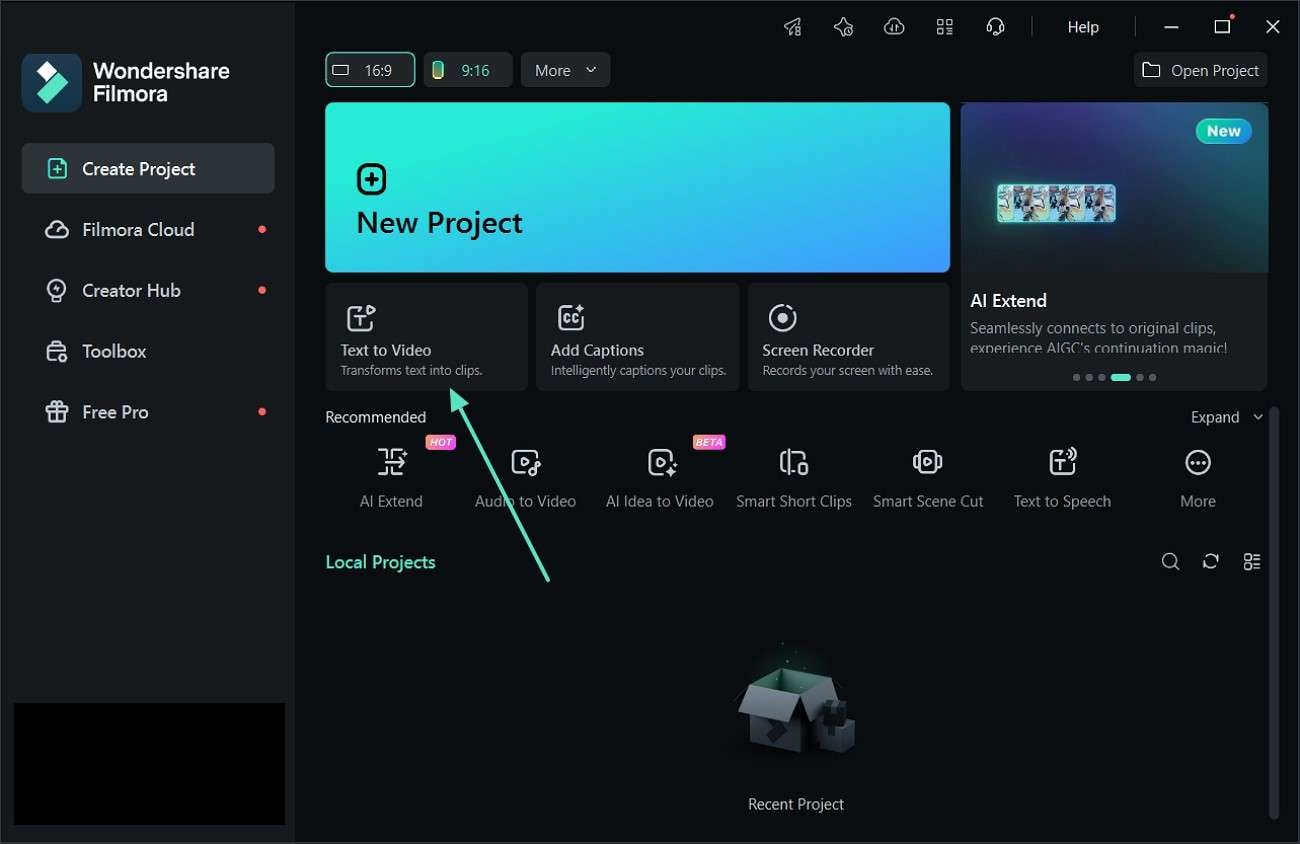
Start by opening Filmora on your computer. From the main dashboard, locate and select the "Text to Video" option to begin creating your AI-powered video project.
Step 2. Create a Video with AI Generation
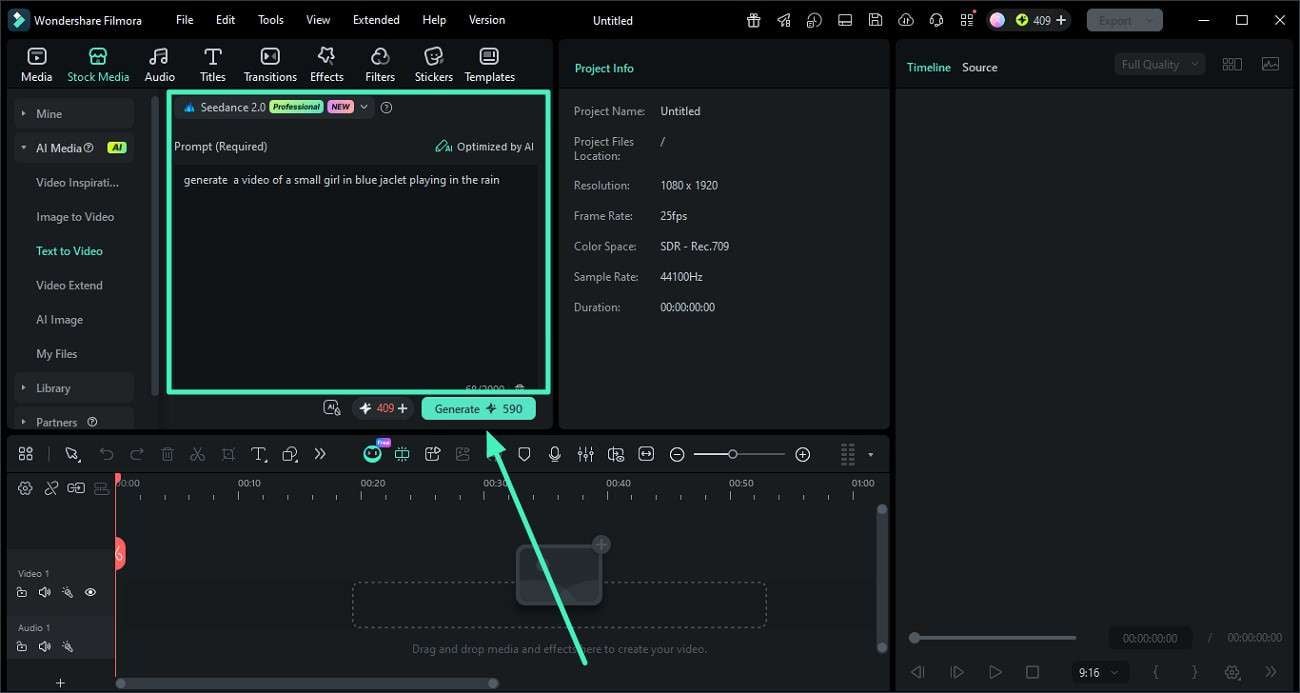
Choose an available generation mode such as Google Veo 3.1, OpenAI Sora 2, or the default setting. Insert your prepared prompt into the text box, make any necessary adjustments, and click "Generate" to start the AI processing.
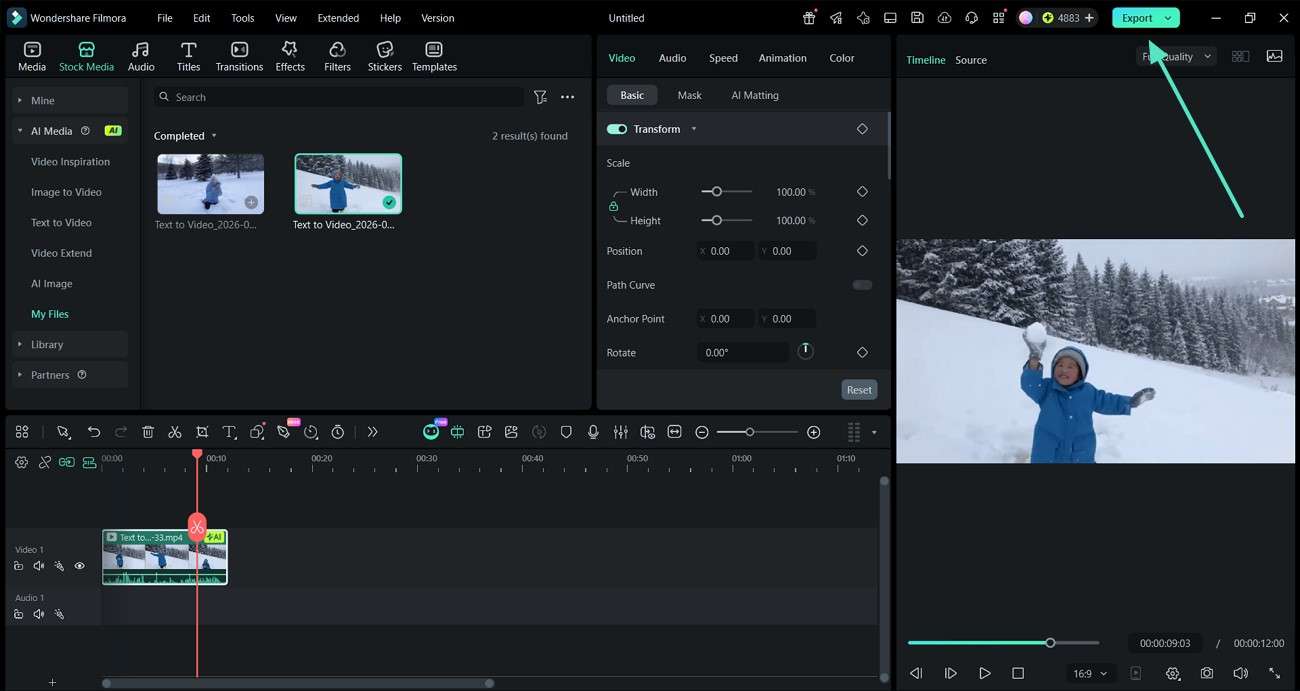
Step 3. Review and Save Output
After the video is generated, carefully watch the preview to check the results. If changes are needed, edit accordingly, then press "Export" to save the final version to your device.
 secure download
 Filmora Idea to Video
Another powerful feature is Idea to Video, which goes even further by converting simple concepts into full storytelling videos. It breaks your idea into scenes, builds a narrative flow, and generates a complete video draft. If you do not know how to use this feature for video generation after using the YouTube video prompt extractor, read the steps provided below:
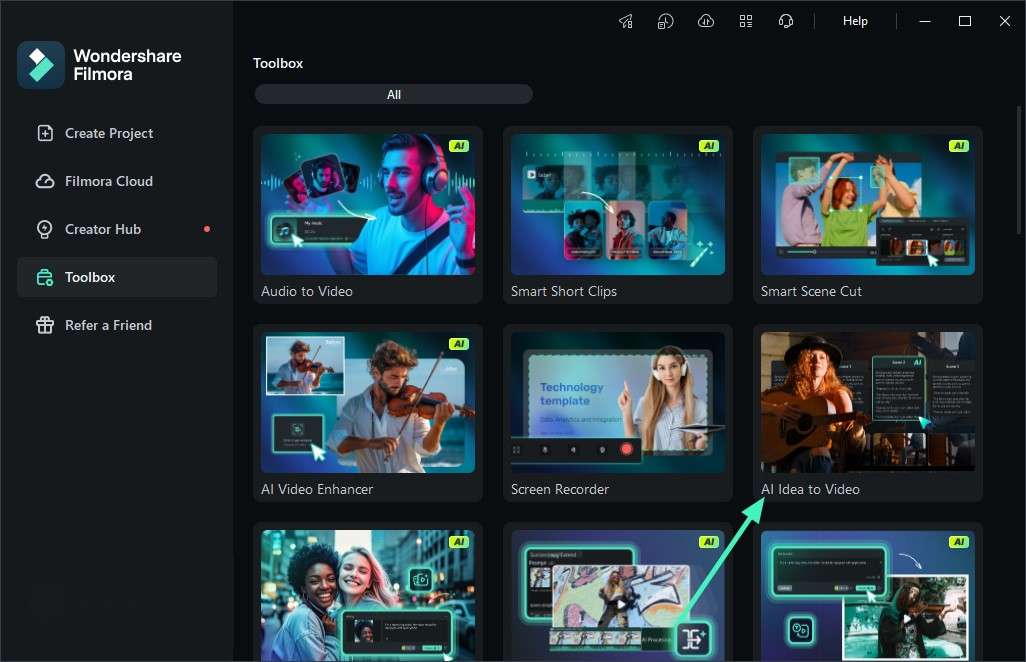
Step 1. Launch the Tool from the Toolbox
Begin by opening Wondershare Filmora and going to the Toolbox area. Inside it, choose the "AI Idea to Video" feature to start your project.
Step 2. Enter Prompt and Adjust Settings
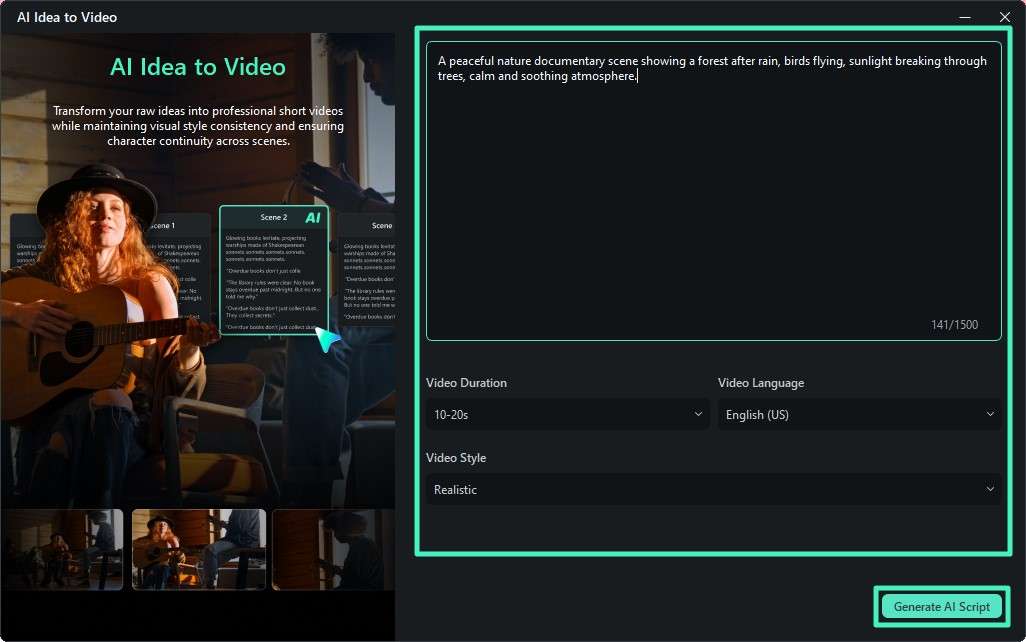
Paste your externally created prompt into the input section. Next, set your preferred options like video duration, language, and style. Then click "Generate AI Script" to move forward.
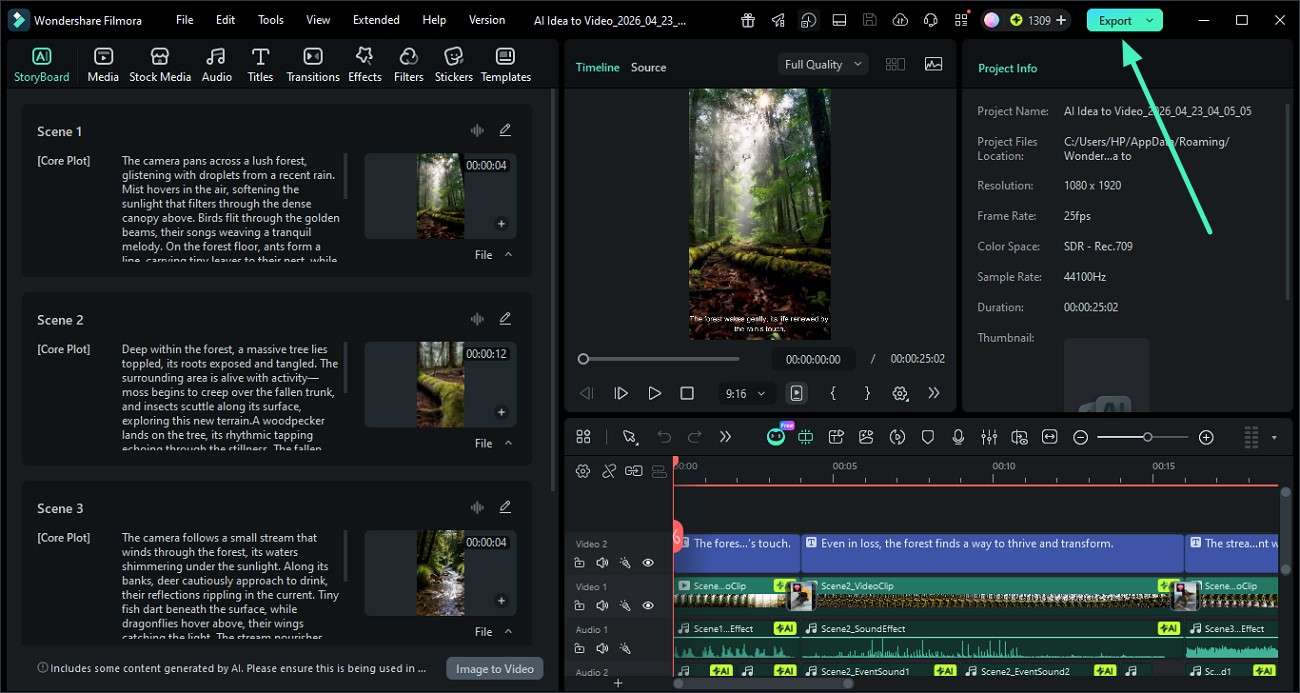
Step 3. Check AI-Generated Scene Plan
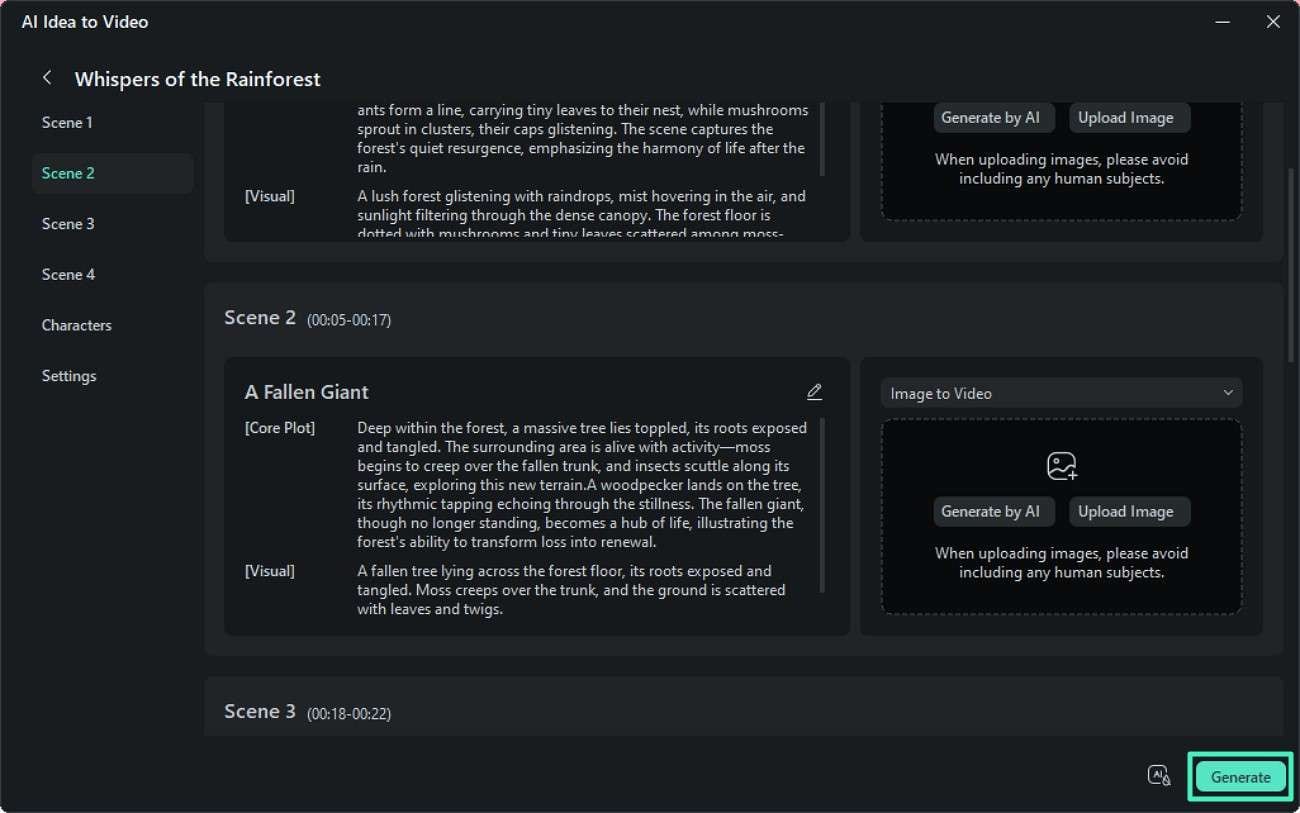
The system will automatically divide your idea into multiple scenes. Go through each scene preview carefully and refine if needed, then select "Generate" to continue video creation.
Step 4. Finalize and Export Video
Once the video is ready, review it in the editor window. Make any last edits if required, and when satisfied, click "Export" to download the finished video.
 secure download
 Conclusion
YouTube video prompt generators are changing the way creators work with AI. Instead of manually describing scenes, these tools instantly convert videos into structured prompts that can be used across modern AI platforms. Once you have your prompt, Filmora helps you bring it to life by converting text into fully edited videos using AI automation.
Frequently Asked Questions
-
1. What is a YouTube video prompt generator used for?
It converts YouTube videos into structured AI prompts for content creation. These prompts help generate new videos or visuals using AI tools. -
2. Do I need technical skills to use these tools?
No, most tools are beginner-friendly and require only a video link. They automatically generate prompts without complex setup. -
3. Can these prompts be used in all AI video tools?
Yes, most generated prompts work with popular AI platforms like Sora, Runway, and Midjourney. Compatibility may vary slightly depending on the tool. -
4. How does Filmora help after generating prompts?
Filmora turns text prompts into complete videos using AI features like "Text to Video" and "AI Idea to Video." It simplifies the process of creating professional-looking videos.
