
Indian Independence Day Text Templates & Guides
Explore popular 15 August text templates and how-to guides to elevate your patriotic videos.
Loading more Indian Independence Day text examples...
 Category:
 Duration:
 Aspect Ratio:
Everything You Need for Indian Independence Day Video Text
A perfectly designed Indian Independence Day text overlay can instantly ignite patriotic spirit in your audience. Filmora offers an extensive library of independence day text animation presets and vibrant graphics that drop seamlessly into your timeline. Whether you need an energetic 15 August video text opener or subtle independence day typography for your vlog, Filmora's tools provide ultimate creative freedom.
Dynamic Independence Day Title Templates
Dynamic Independence Day Title Templates
Stop building graphics from scratch when celebrating the 15th of August. Filmora's dedicated independence day title templates cover everything from tricolor lower thirds to energetic introductory bursts. These video templates are meticulously designed for 16:9 cinematic edits and vertical short-form platforms, complete with pre-configured animation curves.
- Drag and drop vibrant tricolor text overlays directly onto your timeline for instant patriotic styling.
- Utilize pre-animated entrance and exit effects to make your 15 August video templates visually engaging.
- Choose from dozens of customized layouts specifically formatted for viral reels and high-resolution broadcasts.
Customize Vibrant Independence Day Typography
Customize Vibrant Independence Day Typography
Take your patriotic message further by refining every detail of your on-screen graphics. Once you apply your Indian Independence Day text templates, you can effortlessly adjust the saffron, white, and green gradients. Tweak the kerning, apply golden shadows, and bend the text to match the flowing motion of the Indian flag using our advanced video effects.
- Apply stunning tricolor gradients and metallic golden borders to elevate your independence day text effects.
- Adjust line spacing and font weight to ensure your patriotic message reads clearly on any mobile device.
- Implement frame-level keyframing to synchronize your text motion perfectly with the background music.
AI-Powered Freedom Generators and Effects

AI-Powered Freedom Generators and Effects
Accelerate your workflow with Filmora's revolutionary AI Image Generator, featuring powerful models like GPT Image 2 and Nano Banana Pro to craft unique patriotic backgrounds for your text. Generate custom tricolor graphics, seamlessly transcribe patriotic speeches with auto caption, and layer your text over AI-generated historical scenes to produce a truly captivating 15 August tribute.
- Generate unique tricolor backgrounds and patriotic graphics using advanced models like ChatGPT Image 2.
- Convert spoken patriotic speeches into accurate on-screen text instantly using automated transcription tools.
- Blend your independence day typography with cinematic audio generated by the AI music generator.
Frequently Asked Questions About Independence Day Text
How to Create Indian Independence Day Text in Filmora
Open Filmora, select vibrant 15 August text templates, customize your patriotic message, and export your tricolor masterpiece.
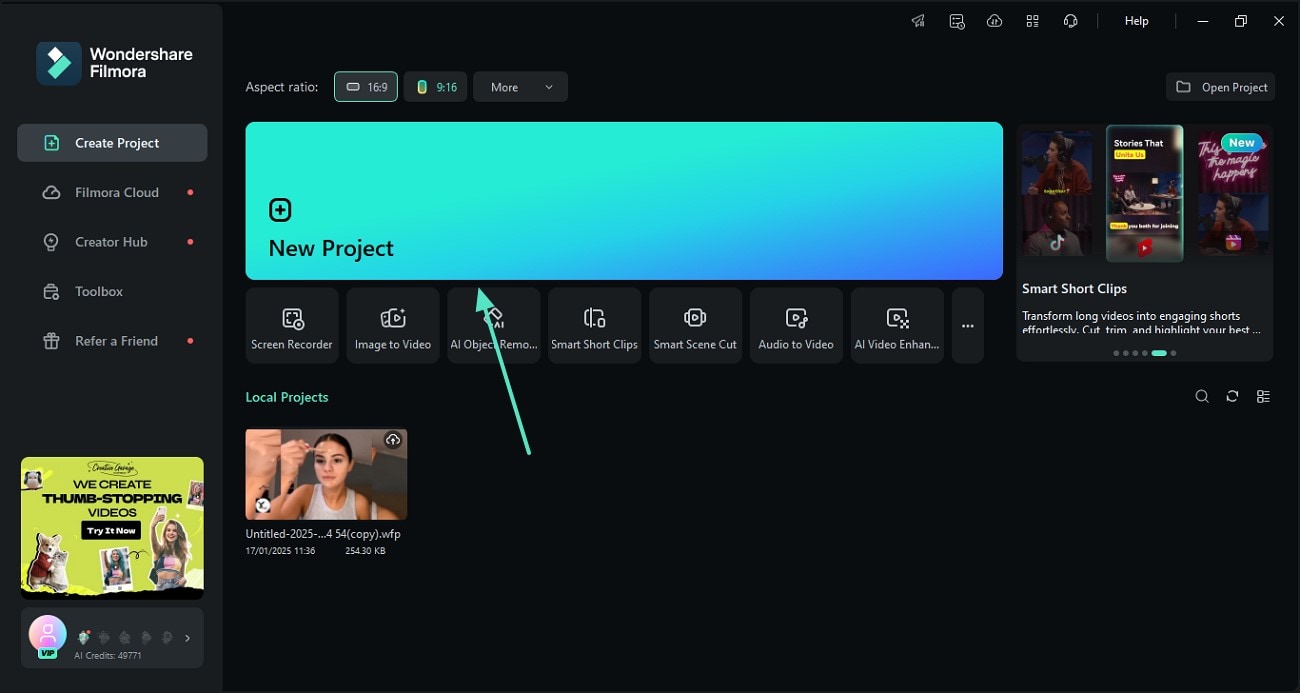
Step 1 Open Filmora and Import Your Footage
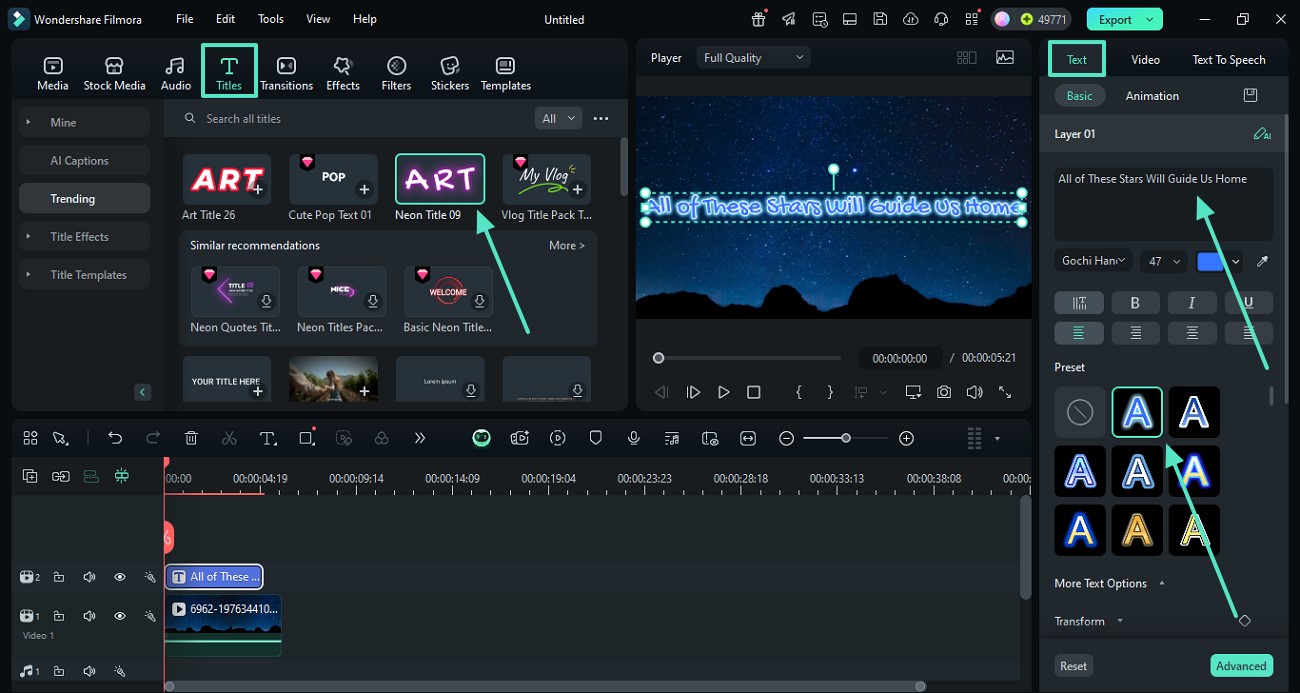
Step 2 Choose Independence Day Title Templates
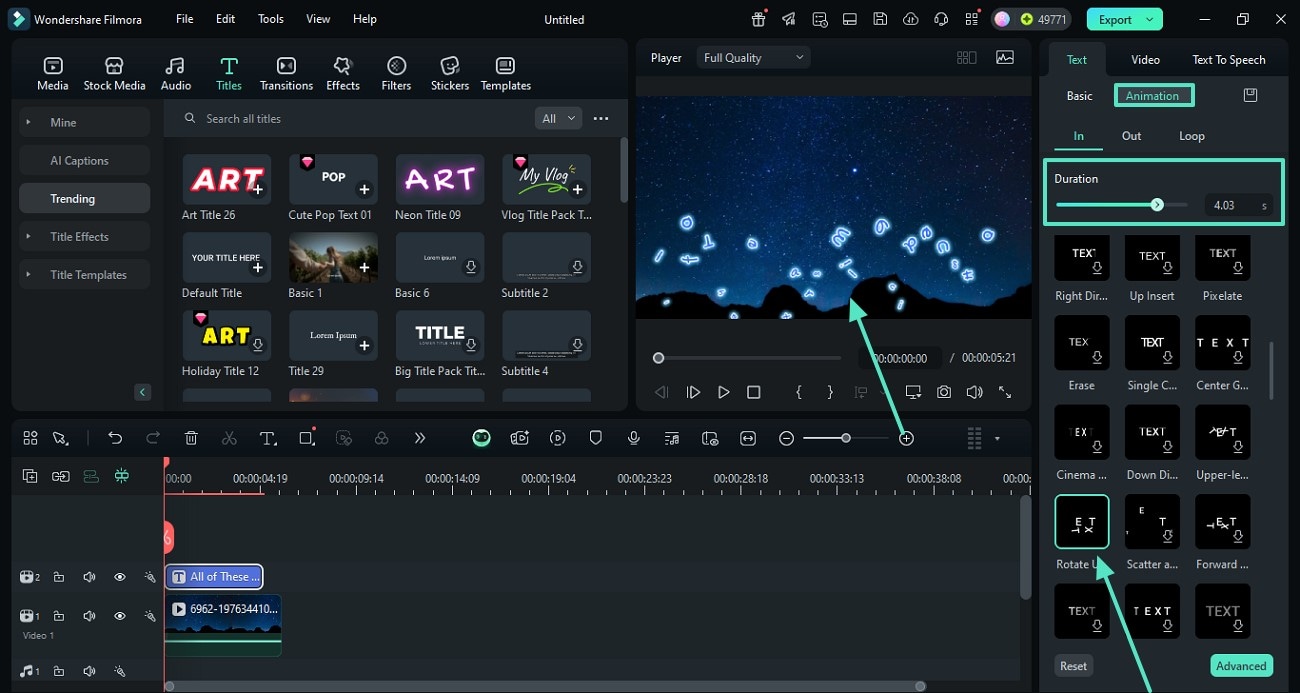
Step 3 Customize and Export Your Celebration Video
-
1: Open Filmora and Import Your Footage
Launch Filmora, create a new project, and import your 15 August video templates. Navigate to the titles panel to begin crafting your patriotic message. -
2: Choose Independence Day Title Templates
Browse the extensive library for Indian Independence Day text templates. Drag a tricolor graphic onto the timeline and modify the placeholder with your custom independence day typography. -
3: Customize and Export Your Celebration Video
Fine-tune the saffron and green gradients, apply a dynamic independence day text animation, and export your vibrant creation for social media.
Elevate Your Patriotic Edits Beyond Simple Text
Filmora goes beyond just providing Indian Independence Day text templates. You can integrate dynamic video transitions between your parade clips and utilize AI-driven color correction to make the saffron and green tones truly pop. Whether you are crafting a short social media tribute using vivid independence day text effects or producing a full-length documentary about the 15th of August, Filmora equips you with every creative asset needed to honor the occasion with cinematic brilliance.








