

 100% Security Verified | No Subscription Required | No Malware


 ChatGPT
 Perplexity
 Gemini
 Claude
 Grok
Grok
Use a dedicated city street cycling vlog filter to turn shaky commute clips into polished, binge-worthy ride videos with consistent color and contrast.
Below are Filmora-friendly filter ideas tailored to bike lanes, downtown traffic, and night rides so content creators can quickly match the mood of every urban route.
In this article
Golden Hour Bike Lanes and Evening Commutes
Warm Glow Commute
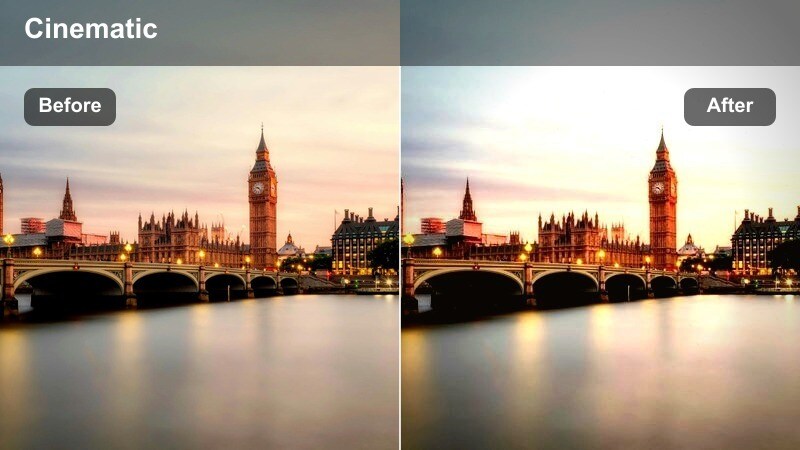
- Effect look: Soft golden highlights with lifted shadows and gentle contrast for late-afternoon cycling vlogs.
- Best for: After-work rides, slow-paced talking segments, and scenic bridge crossings at sunset.
- Editing tip: Slightly reduce saturation on skin tones to avoid orange faces when the sun hits directly.
Warm Glow Commute adds a cinematic layer to your golden hour bike footage by boosting warm tones while keeping shadows soft and flattering. In Filmora, you can start with a warm-toned filter or LUT, then fine-tune contrast so building details remain visible without crushing darker areas like underpasses or tree shade.
To keep the look natural, adjust HSL or skin-tone controls to pull back orange and red saturation on your face and hands. Combine this with a subtle vignette and a touch of highlight roll-off so the bright sky, glass reflections, and sun-kissed road stay under control while your bike lane and silhouette remain the clear focus of the frame.
Hazy Sunset Cruise
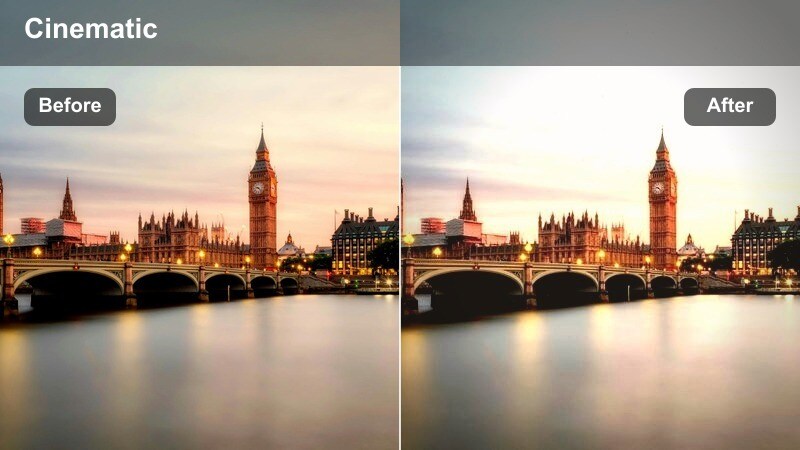
- Effect look: Dreamy low-contrast tones with a soft halation glow around bright lights and reflective surfaces.
- Best for: Slow cinematic B-roll of cruising past city parks, waterfront paths, and long boulevard rides.
- Editing tip: Lower clarity slightly but keep micro-contrast on wheels and the road so motion still feels crisp.
Hazy Sunset Cruise turns casual rolls through the city into nostalgic, almost film-like sequences by lowering overall contrast and softening highlights. In Filmora, you can mimic halation and glow using light bloom or glow effects layered over a base color filter, then dial back global contrast so the image feels calm rather than harsh.
Use masking or sharpness controls to selectively preserve detail on your wheels, chain, and road texture while letting the background melt into a soft haze. This works well on clips where the skyline or park foliage is too busy, allowing the filter to blend distractions into gentle color washes while your bike and body create the main movement in frame.
Sunflare Lens Pop
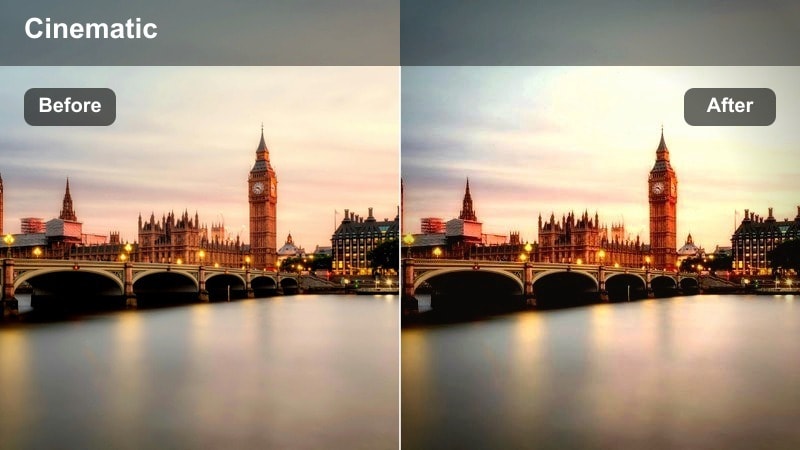
- Effect look: Punchy contrast with emphasized warm highlights and crisp detail where sunflares hit the lens.
- Best for: Handlebar-mounted shots facing forward into the sun and fast sprints between tall buildings.
- Editing tip: Use keyframes to fade this filter in only when sunflares appear to avoid harsh contrast in shaded sections.
Sunflare Lens Pop is designed for aggressive, energetic city rides where the sun blasts through gaps between buildings and street canyons. In Filmora, boost contrast and saturation slightly, then add a warm shift in the highlights so flares look intentional and dramatic instead of like accidental exposure spikes.
Because POV cycling footage often swings between bright light and deep shade, leverage keyframing on Filmora's filter strength or opacity. Gradually ramp the effect up as you approach direct sun and ramp it down when you return to shadowed blocks, keeping road detail, handlebars, and traffic readable while still getting that high-impact flare punch.
Overcast City Rides and Rainy Commutes
Matte Urban Commuter
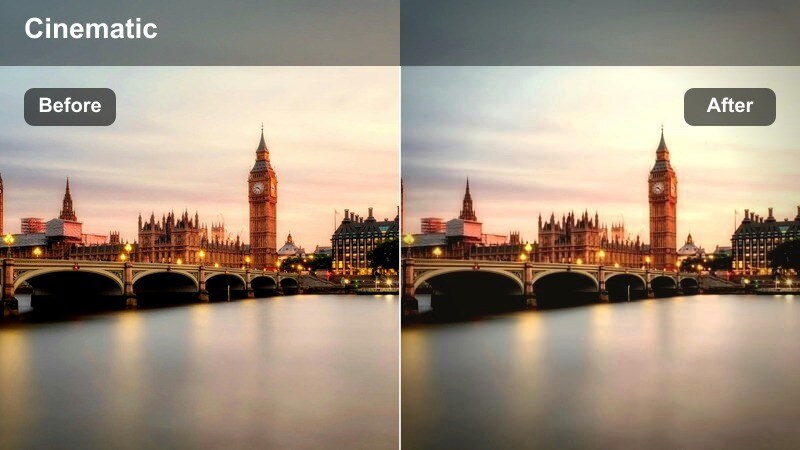
- Effect look: Muted tones and a subtle matte curve that flattens deep shadows from overcast streets.
- Best for: Cloudy morning commutes, winter bike lanes, and gray mid-day traffic scenes.
- Editing tip: Boost midtone saturation slightly so your jacket and bike frame stand out from dull sidewalks.
Matte Urban Commuter takes advantage of naturally soft overcast light by adding a gentle film-style matte curve, lifting blacks so undercars, underpasses, and dense shadows do not look muddy. In Filmora, you can simulate this by slightly raising the black point with curves and reducing extreme contrast while keeping midtones nicely defined.
To avoid a washed-out look, carefully increase saturation or vibrance in the midtones only, so your jacket, helmet, and frame decals pop against the neutral city backdrop. This approach keeps gray skies believable while giving commuters a clean, editorial aesthetic that feels cohesive across entire episodes shot in flat winter light.
Rain Slick Streets
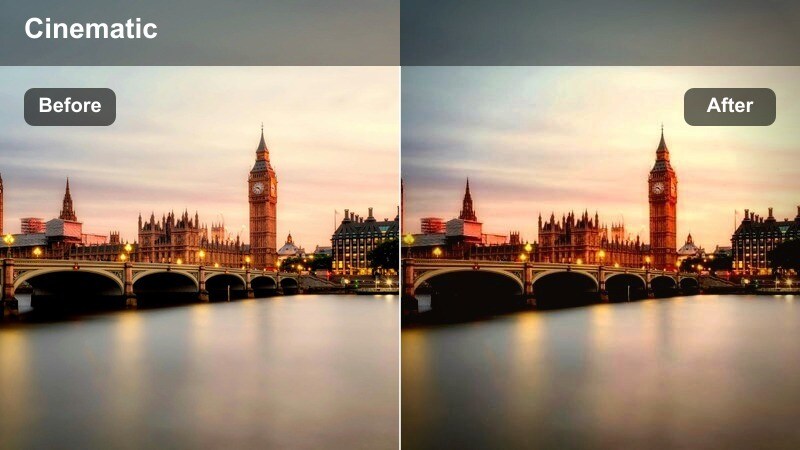
- Effect look: Cool, desaturated shadows with boosted reflections on wet pavement and puddles.
- Best for: Night or evening rides after rain, reflective crosswalks, and slow motion splashes near curbs.
- Editing tip: Increase vibrance instead of saturation to keep traffic lights and bike lights vivid without wrecking skin tones.
Rain Slick Streets leans into the drama of wet asphalt by cooling your shadows and gently lifting contrast on reflections, making puddles and crosswalks shimmer. In Filmora, combine a cool color temperature shift with localized contrast and highlight adjustments so the brightest parts of the road catch neon, signage, and car light spills.
Instead of pushing global saturation, use vibrance or selective color to enhance reds, ambers, and cyans that appear in reflections without oversaturating your skin or cycling kit. Slow-motion clips of tire spray and passing cars become especially striking with this filter applied, telling a clear weather story while keeping the overall image controlled and cinematic.
Foggy Bridge Ride
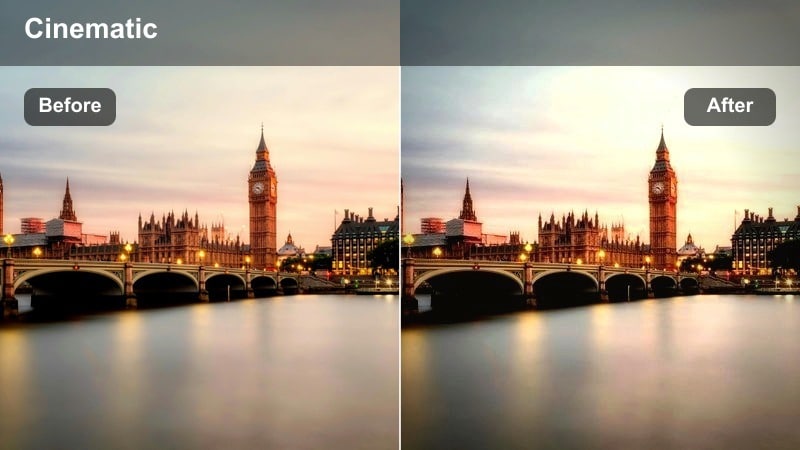
- Effect look: Soft low-contrast image with lifted blacks and a cool haze in the distance.
- Best for: Early morning bridge crossings, river paths, and industrial districts on foggy days.
- Editing tip: Use manual vignetting to keep focus on the bike lane while the background fades softly into the fog.
Foggy Bridge Ride is built for moody, atmospheric shots where skyscrapers fade into mist and bridge cables stretch off into soft haze. In Filmora, pull overall contrast down, lift blacks slightly, and introduce a gentle cool tint to the shadows so mist and river air feel chilly and dimensional instead of simply underexposed.
Add a subtle custom vignette or use Filmora's focus effects to darken corners and keep viewer attention on the lane markings and your path across the bridge. Strong leading lines from rails and cables work especially well with this filter, giving your cycling route a sense of depth even though the distant city details are intentionally blurred into the fog.
Neon Night Rides and Downtown Traffic
Neon Lane Racer
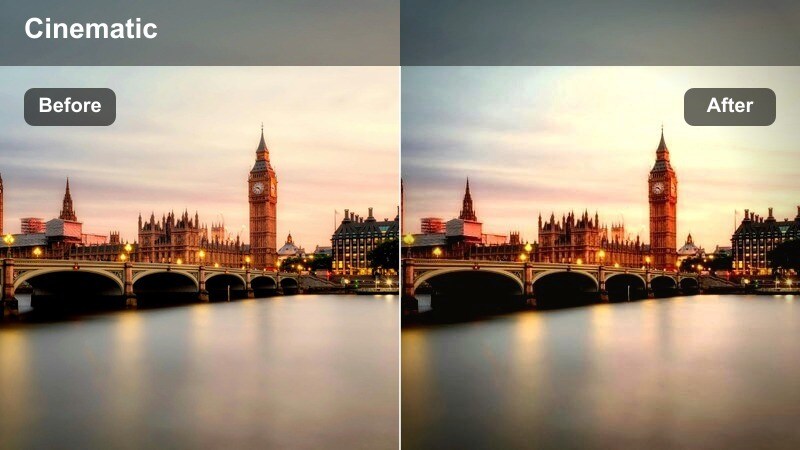
- Effect look: High-contrast, saturated neons with deep, rich blacks for night cycling in the city core.
- Best for: Downtown rides under billboards, LED-lit bike lanes, and fast lane-splitting shots.
- Editing tip: Use highlight roll-off to stop bright signage from clipping while still letting colors stay intense.
Neon Lane Racer is ideal when you ride through dense downtown districts lined with LED billboards and colorful storefronts. In Filmora, boost saturation in the neon color ranges you want to emphasize, then deepen blacks so the street and sky fall into a rich, graphic backdrop that lets signs and reflections blaze.
To avoid ugly clipping or unreadable signs, apply highlight roll-off using curves or highlight controls so bright areas keep their detail. Consider slightly underexposing your camera footage, then letting the filter stretch midtones in post, using Filmora scopes to ensure your face, handlebars, and key street elements remain visible against the hyper-saturated night environment.
City Noir Cycle
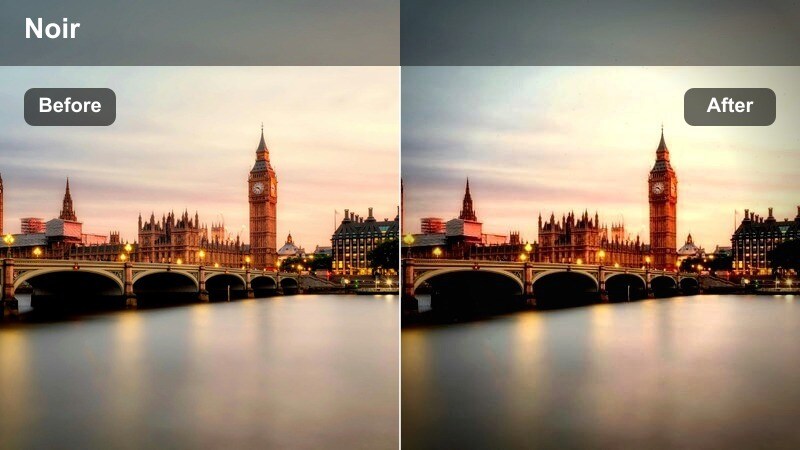
- Effect look: Cool-tinted shadows with selective desaturation and focused highlights on car lights and streetlamps.
- Best for: Moody storytelling vlogs, quiet late-night rides, and noir-style alleyway routes.
- Editing tip: Convert almost to monochrome by pulling down saturation, then let just reds or ambers show for traffic lights.
City Noir Cycle gives your late-night routes a cinematic, story-driven feel by stripping back most color and letting only key light sources stand out. In Filmora, decrease global saturation nearly to monochrome, then selectively restore reds or warm ambers so brake lights, indicators, and stoplights become visual accents in the frame.
Cool off your shadows and add a moderate contrast boost so silhouettes and reflections feel dramatic without turning into pure black blobs. This filter works especially well for narrated sections about safety, city life, or your thoughts during quiet rides, where the moody streets support the story rather than competing for attention.
Urban Light Trails
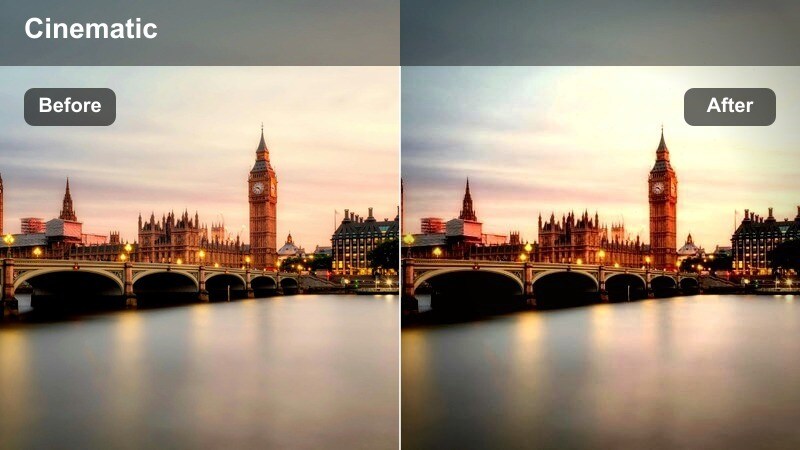
- Effect look: Vibrant, slightly overexposed highlights with smooth gradients on long-exposure style light streaks.
- Best for: Time-lapse city rides, tripod shots at intersections, and slow-motion passes under traffic lights.
- Editing tip: Combine with speed ramping in Filmora so light streaks feel dynamic without overwhelming your bike silhouette.
Urban Light Trails is tailored to time-lapses and fixed-angle shots where traffic flows around you, turning car lights into colorful streaks. In Filmora, apply a filter that pushes highlight brightness and saturation a bit above normal while preserving smooth gradients so the transitions between colors remain clean and modern.
Pair this look with speed ramping on your timeline so light movement syncs with music beats or key transitions, letting your bike silhouette act as the calm, stable subject in the middle of chaos. To keep the scene readable, avoid crushing the midtones; instead, let the filter create contrast between luminous streaks and gently darkened streets for a polished, energetic nighttime aesthetic.
Clean Daylight Street Routes and POV Bike Lanes
Crisp Day Commute
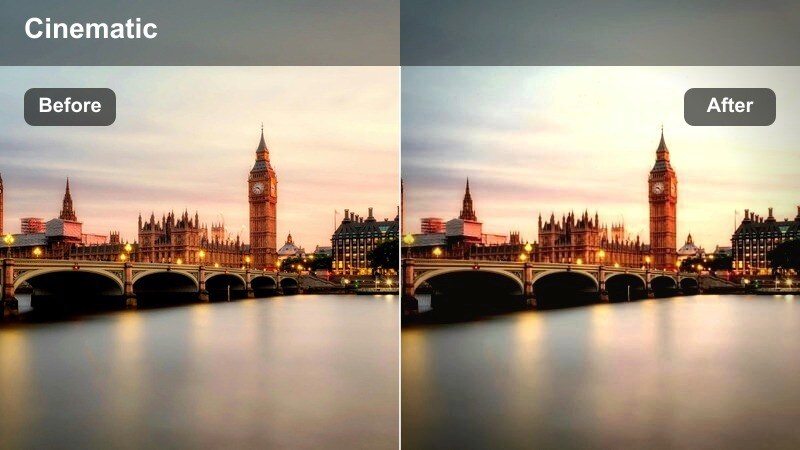
- Effect look: Bright, neutral color balance with a gentle contrast boost and clean whites for daytime streets.
- Best for: Helmet or chest-mounted POV rides through downtown, bike paths, and residential streets.
- Editing tip: Slightly lower sharpening to prevent building edges and road texture from looking overly digital.
Crisp Day Commute aims for a natural, broadcast-ready look that keeps your city rides clean and consistent from episode to episode. In Filmora, start with a neutral white balance, add a soft contrast curve, and make sure whites stay pure without clipping, so sky, lane markings, and building facades feel bright but still retain detail.
Because action cameras can oversharpen textures, reduce sharpening or apply a tiny bit of blur to avoid harsh edges in asphalt and brickwork. Save your adjustments as a custom preset in Filmora to apply this baseline look across all your regular commute vlogs, ensuring your channel has a reliable, professional visual foundation before you add more stylized filters to special segments.
City Contrast Pop
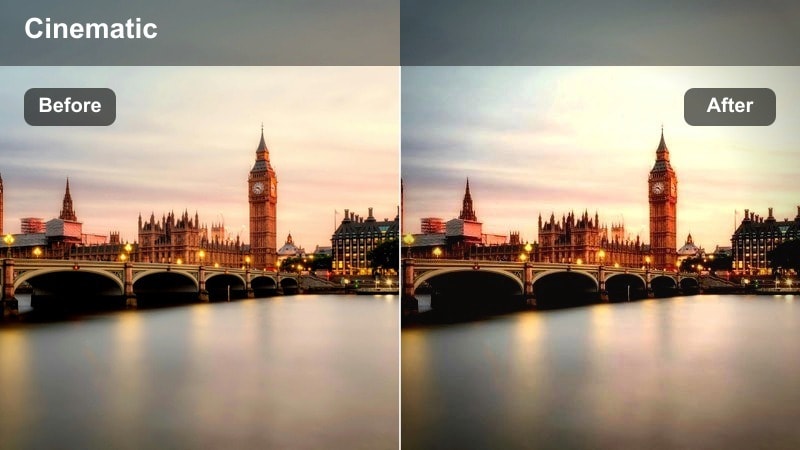
- Effect look: High micro-contrast and slightly boosted saturation that makes building lines and bike details stand out.
- Best for: Gear reviews while riding, bike-mounted camera tests, and downtown street feature showcases.
- Editing tip: Use this filter sparingly on faces; for talking segments, pull back contrast on your skin so pores and helmets do not look harsh.
City Contrast Pop is made for episodes where the architecture and gear are as important as the ride itself. In Filmora, increase micro-contrast and local clarity so window frames, lane paint, and bike components all snap into focus, giving your footage a crisp, techy feel that suits reviews and city tours.
To keep the look flattering when you cut to A-roll, use Filmora masks or separate clips so you can lower contrast and sharpness slightly on close-up shots of your face. This way, buildings and bikes can stay punchy and detailed while your skin remains smooth, preventing the overly digital or gritty effect that intense sharpening can create on helmets and facial features.
Soft City Story
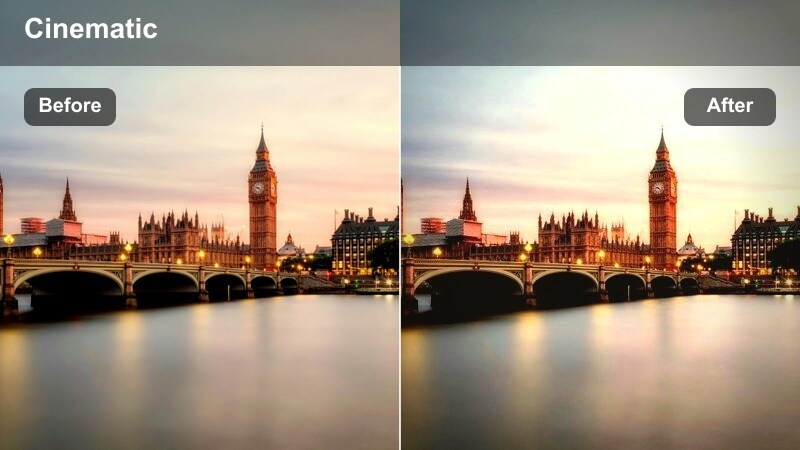
- Effect look: Gentle contrast with softer highlights and slightly warm mids to keep focus on storytelling, not textures.
- Best for: Talking-to-camera stops at intersections, park benches, and slow navigation explanations.
- Editing tip: Lower background sharpness using Filmora's blur or depth-of-field effects for story-focused scenes with this filter.
Soft City Story is a people-first filter, tuned to flatter your face and keep attention on what you are saying rather than every crack in the pavement behind you. In Filmora, reduce overall contrast a touch, soften highlights, and add a slight warm bias in midtones so skin looks healthy and inviting while still matching the surrounding city daylight.
Combine this look with background blur, bokeh, or depth-of-field effects to gently separate you from traffic, pedestrians, and signage. When you cut between this softer A-roll and punchier on-bike shots, keep white balance similar across both filters so the sky and pavement colors match; the main difference should be contrast and sharpness, clearly signaling when viewers are in story mode versus action mode.
Tips for Using City Street Cycling Vlog Filter Filters in Filmora
- Record a one-minute reference loop on your most common route and use it to test new filters in Filmora before grading an entire vlog.
- Organize your timeline by time of day, grouping golden hour, daylight, overcast, and night clips so you can apply different filters to each section in one pass.
- If your action camera supports flat or log profiles, keep Filmora contrast adjustments modest and rely on your chosen filter or LUT for most of the styling.
- Apply stabilization and, if needed, motion blur before color grading so your filters sit on smooth, watchable footage without amplifying jitters.
- Use Filmora keyframes to gradually change filter intensity when riding from bright streets into tunnels, underpasses, or heavily shaded avenues.
- Save your favorite city street cycling vlog filter combinations as custom presets and reuse them for recurring series like commute diaries or coffee runs.
- When mixing multiple filters in one episode, always match exposure and white balance first so transitions feel seamless across different routes and weather.
- Export short test clips with different filters and review them on your phone and desktop to be sure your cycling vlog look holds up across devices.
A well-chosen city street cycling vlog filter can turn everyday commutes into a consistent, bingeable series with a recognizable visual style.
Experiment with a few core filters for day, night, and bad weather rides, then refine them in Filmora so your audience instantly recognizes your downtown cycling lifestyle from the first frame.
 secure download

