

 100% Security Verified | No Subscription Required | No Malware


 ChatGPT
 Perplexity
 Gemini
 Claude
 Grok
Grok
These Filmora city sunset reflection skyline filters are designed for content creators who want to turn everyday urban evenings into cinematic visuals full of glowing windows, mirrored glass, and layered silhouettes.
From rooftop vlogs to time-lapse skylines and reflective storefronts, each filter in this collection focuses on enhancing golden-hour color, depth in the reflections, and clarity in the skyline so your city videos feel polished and atmospheric with minimal tweaking.
In this article
Golden Hour Rooftops and High-Rise Views
Warm Glass Glow
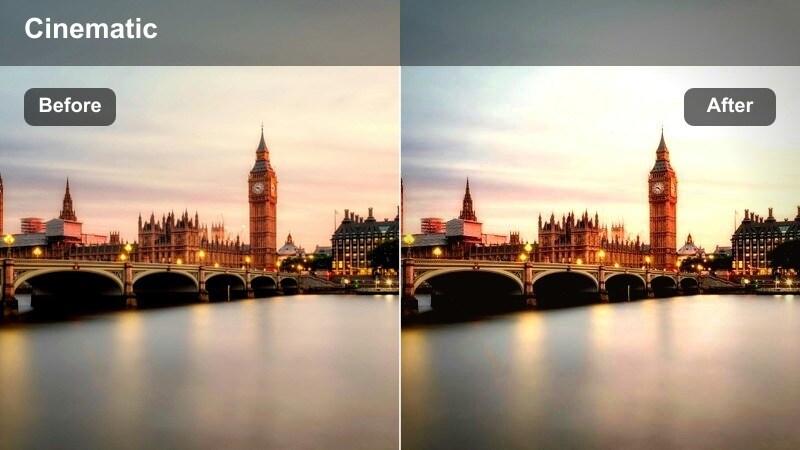
- Effect look: Soft golden warmth that brightens glass reflections and smooths midtones across the skyline.
- Best for: Rooftop vlogs, balcony shots, and skyline B-roll during late sunset.
- Editing tip: Lower contrast slightly if the sun is still strong to keep highlights in windows from clipping.
Warm Glass Glow wraps your rooftop scenes in a gentle golden cast that flatters both the skyline and any on-camera talent. In Filmora, it brightens reflective glass surfaces so high-rise windows and railings catch the last light of the day, while smoothing midtones to keep skin and sky gradients looking cinematic instead of harsh.
Use this preset on rooftop vlogs, balcony talking-head segments, or slow pans across the city. After applying it in Filmora, fine-tune exposure and contrast on your clip, then tweak saturation on orange and yellow tones to keep faces natural while retaining a warm, sunset-forward atmosphere across the skyline.
AI-Assisted Color Tuning for City Sunsets
Filmora AI color tools help these city sunset reflection skyline filters adapt to changing light, from bright golden-hour highlights to softer post-sunset glow, without complicated grading. You can quickly correct white balance shifts between cameras so the sky and windows feel cohesive from shot to shot.
Use AI color matching to sync rooftop clips with street-level reflections and interiors, then drop your favorite preset on top for a consistent, cinematic city look across your entire timeline.
 secure download

See City Reflection Filters in Action
Filmora lets you preview how each city sunset reflection skyline filter reshapes color and contrast across rooftops, glass towers, bridges, and street puddles. By comparing before-and-after views, you can quickly judge how much glow, silhouette, or reflection detail each preset adds.
Drop a few test clips from different angles onto the Filmora timeline, then cycle through filters and adjust intensity to find the one that best supports the story and mood of your urban sequence.
secure downloadPair Filters with LUTs for a Signature Look
In Filmora, you can stack these city sunset reflection skyline filters with 3D LUTs to craft a repeatable, branded look for your channel. The filter shapes reflections, silhouettes, and sky contrast, while the LUT defines your final color palette and mood.
Once you find a combination that flatters your city footage, save it as a custom preset so you can apply the same cinematic style to future skylines, no matter which city you are filming in.
secure downloadHazy Silhouette Sunset
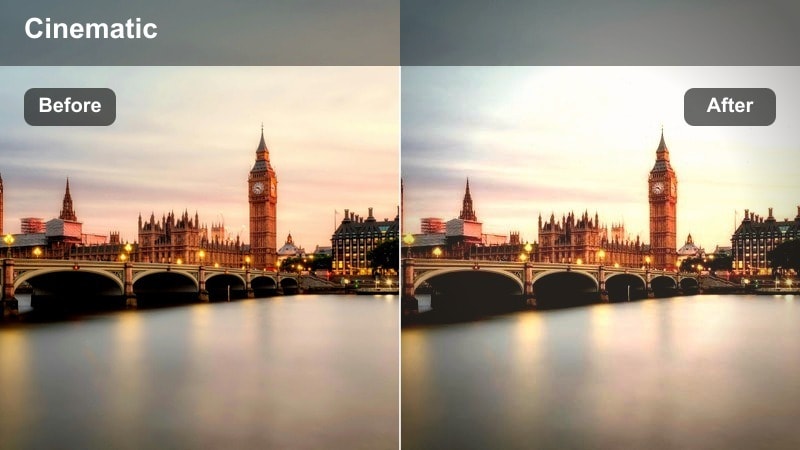
- Effect look: Softened contrast with deep silhouettes and a hazy, dreamlike sunset gradient behind skyscrapers.
- Best for: Wide establishing shots of the city skyline when the sun is low or just below the horizon.
- Editing tip: Increase clarity on the midtones only if you want to bring back subtle detail in the buildings without losing the dreamy haze.
Hazy Silhouette Sunset turns complex skylines into simple, graphic shapes against a pastel gradient sky. In Filmora, it lowers overall contrast just enough to keep color transitions in the sky soft, while deepening building shadows into bold silhouettes that hide distracting detail.
Apply this preset to your wide establishing shots at the start or end of a sequence, then use Filmora keyframes or opacity fades to transition into more detailed clips. Adjust midtone clarity if you need a hint of structure in the buildings while maintaining that dreamy, evening-haze feeling.
Chrome Sunset Reflect
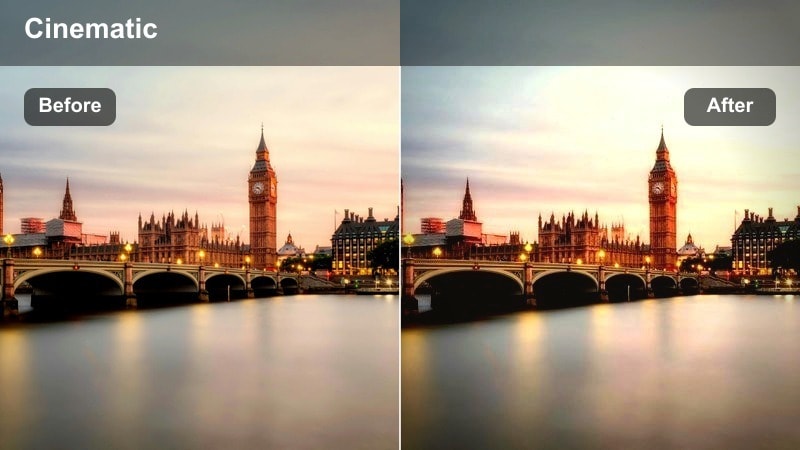
- Effect look: Crisp contrast with cool shadows and vibrant warm highlights that bounce off metallic and glass surfaces.
- Best for: Drone passes and telephoto shots of reflective skyscrapers during bright sunset.
- Editing tip: Boost sharpness subtly to enhance reflection detail but avoid oversharpening edges of the skyline.
Chrome Sunset Reflect is built for highly reflective downtown cores where steel and glass dominate the frame. In Filmora, it emphasizes warm sunset reflections while cooling down shadows, creating a dramatic contrast that makes buildings feel sleek and futuristic.
Use this preset on drone fly-throughs, gimbal moves, or tight telephoto angles that capture panels of glass mirroring the sky. After applying it, fine-tune sharpness and contrast in Filmora to keep reflections detailed without introducing halos or noisy edges along the skyline.
Street-Level Glass, Storefronts, and Puddles
Neon Window Flare
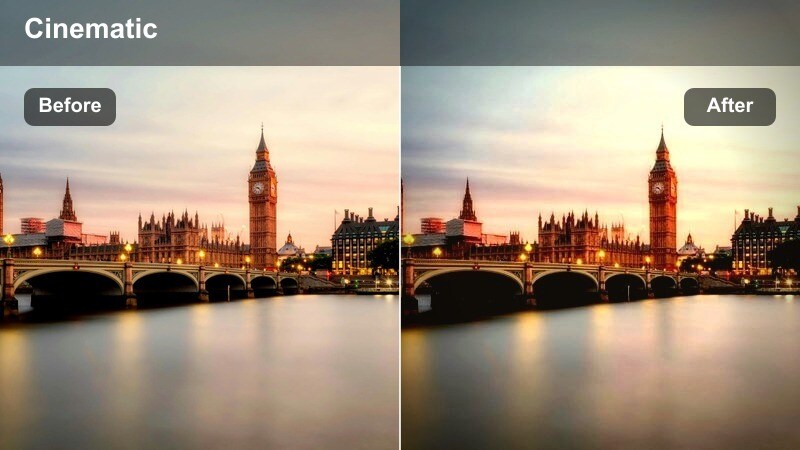
- Effect look: Punchy colors with bright neon highlights and softened shadows in glass reflections and window lights.
- Best for: Street portraits and B-roll looking through cafe windows and lit storefronts at blue-hour.
- Editing tip: Lower saturation on magentas if skin tones start to pick up too much color from neon signs.
Neon Window Flare pushes the vibrancy of city lights while gently softening shadows, making blue-hour streets feel rich and cinematic. In Filmora, this filter helps neon signage, cafe interiors, and car lights bloom slightly in reflections without turning the entire frame into a blown-out glow.
Apply it to street portraits shot through glass, walk-and-talk clips, or B-roll of busy storefronts. Then refine color in Filmora by selectively reducing magenta and red saturation around faces so your subject stays flattering while the background lights stay bold and eye-catching.
Puddle Skyline Mirror
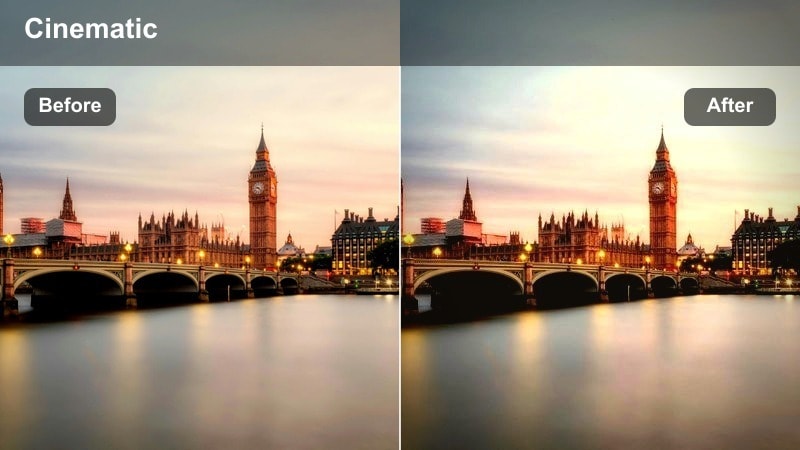
- Effect look: Enhanced contrast and clarity in lower-frame reflections with slightly muted upper-frame tones for balance.
- Best for: Handheld or tripod shots of skyline reflections in puddles, wet streets, and fountain surfaces.
- Editing tip: Tilt the frame in post if needed so the reflected skyline lines up pleasingly with the real one.
Puddle Skyline Mirror is tuned to pull detail and color out of water-based reflections, giving the lower half of your frame extra pop. In Filmora, it slightly mutes the upper portion of the scene so your eyes are naturally drawn to the reflection, whether it is in a puddle, fountain, or rain-slick street.
Use this preset after rainfall or around fountains where the skyline appears upside down. Once applied, adjust rotation or cropping inside Filmora to align the real and reflected skylines creatively, and experiment with slow-motion or reverse clips to make the water mirror feel even more surreal.
Storefront Gold Tint
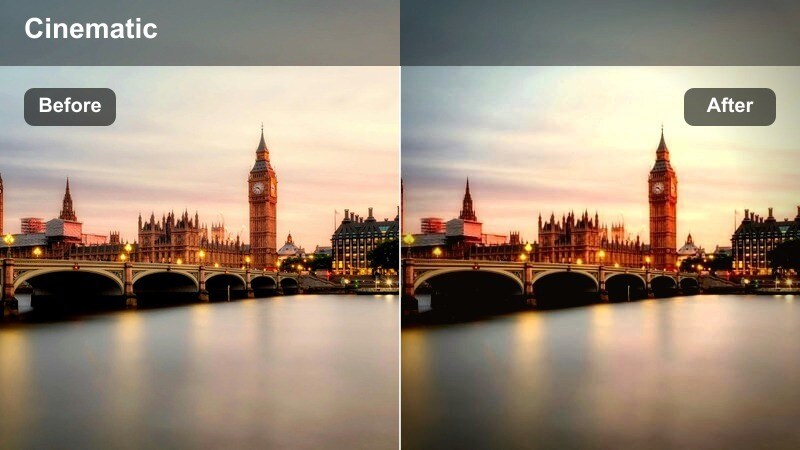
- Effect look: Warm, cozy color shift that emphasizes interior tungsten lights and subtle reflections on shop glass.
- Best for: Lifestyle content and product shots captured from the sidewalk peeking into warmly lit city shops.
- Editing tip: Pull down highlights slightly to keep interior lights from blowing out while keeping the warm mood intact.
Storefront Gold Tint wraps shop interiors in a rich, golden hue while keeping exterior street tones slightly cooler for contrast. In Filmora, this creates an inviting, cinematic separation between the warm interior world behind the glass and the cooler urban environment outside.
Apply it to lifestyle clips, product B-roll, or cozy cafe scenes shot from the sidewalk. Then fine-tune highlights and exposure in Filmora to keep hanging bulbs and display lights from clipping, preserving detail in both the products inside and the subtle reflections on the storefront windows.
Bridges, Overpasses, and Elevated Train Views
Sunset Bridge Silvers
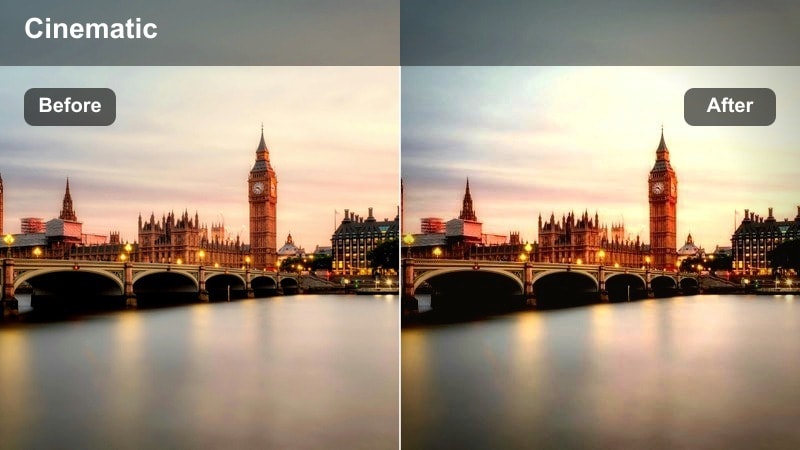
- Effect look: Cool metallic highlights with warm orange skies, keeping bridge structures crisp against the horizon.
- Best for: Walkway or car-mount shots crossing city bridges during colorful sunsets.
- Editing tip: Increase vibrance instead of saturation to keep sky colors strong without oversaturating metal surfaces.
Sunset Bridge Silvers accentuates the contrast between cold steel and warm skies, making bridge beams and cables stand out in graphic detail. In Filmora, it sharpens structural lines while preserving smooth gradients in the horizon, perfect for travel sequences and commute montages.
Use this preset on POV walks, car-mount shots, or gimbal moves that cross bridges into the city. After applying it, raise vibrance rather than saturation in Filmora to keep the sunset intense without turning the metal beams into unnaturally saturated colors.
Elevated Train Glow
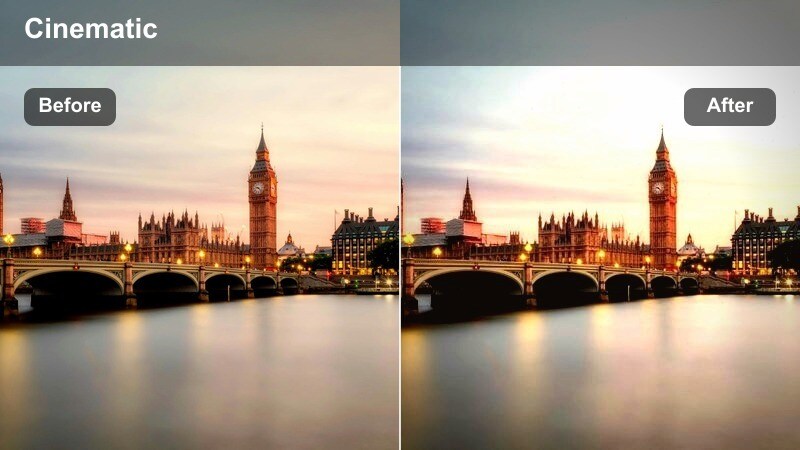
- Effect look: Soft highlight bloom on windows and rails with gently lifted shadows for more detail under tracks.
- Best for: POV shots from elevated trains, looking out at the city or down onto streets at golden hour.
- Editing tip: Use a subtle motion blur effect on cuts between clips to enhance the sense of speed and light streaks.
Elevated Train Glow is tailored for fast-moving views where window reflections and city lights streak past the camera. In Filmora, it adds a gentle bloom to bright areas while lifting shadows so the underside of tracks and passing buildings still hold detail.
Apply this preset to POV shots looking out train windows or down onto streets from elevated lines. Combine it with Filmora motion blur and speed ramp tools to emphasize movement, letting the glowing rails and reflections communicate energy without losing the structure of the city below.
Overpass Orange Fade
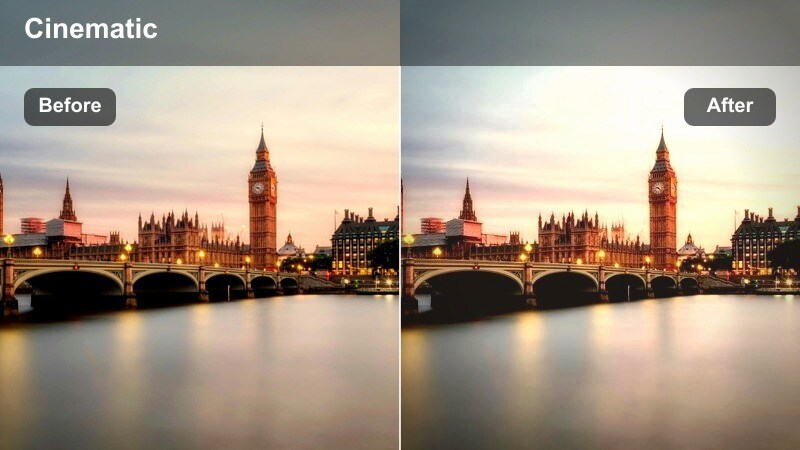
- Effect look: Faded contrast with warm orange midtones and soft gradients across concrete and skyline layers.
- Best for: Handheld sequences shot from overpasses looking toward the city center at sunset.
- Editing tip: Add a touch of film grain to complement the faded look and disguise minor noise in low light.
Overpass Orange Fade brings a nostalgic, cinematic softness to views of the city from above busy roads. In Filmora, it lowers contrast and warms midtones so concrete barriers, car trails, and distant towers all blend into a mellow, reflective mood.
Use it for voice-over segments, reflective travel moments, or transitions between energetic scenes. After applying the filter, add a small amount of film grain and gentle camera-move keyframes in Filmora to reinforce the analog, contemplative vibe of the overpass perspective.
Blue-Hour Skylines and Window Light
City Blue Hour Balance
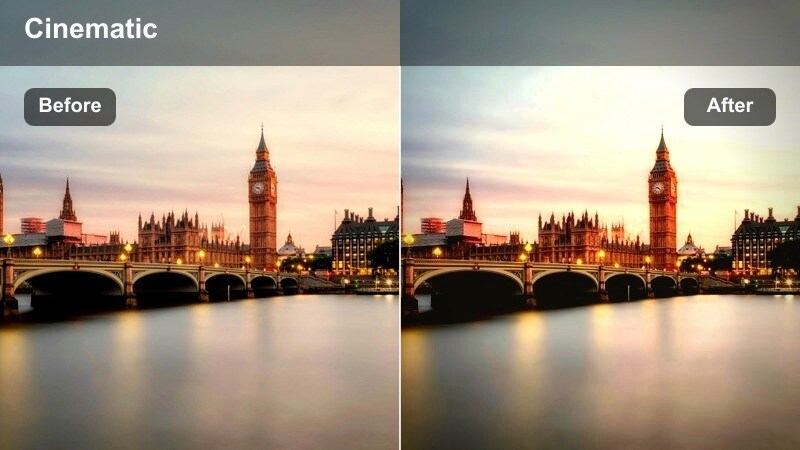
- Effect look: Balanced cool-blue skies with warm window lights and clean neutral tones in the buildings.
- Best for: Tripod skyline shots shot just after sunset when building windows first light up.
- Editing tip: Slightly lower blacks to deepen the sky while keeping window lights bright and crisp.
City Blue Hour Balance is optimized for that short window when the sky turns deep blue and office lights flicker on. In Filmora, it keeps building tones neutral while enhancing the contrast between cool skies and warm windows, resulting in a clean, modern city aesthetic.
Apply this preset to locked-off tripod shots or slow pans across the skyline. Then, adjust black levels and exposure inside Filmora to deepen the sky without crushing subtle detail in darker facades, ensuring window grids remain sharp and luminous against the evening backdrop.
Glass Tower Teal Sunset
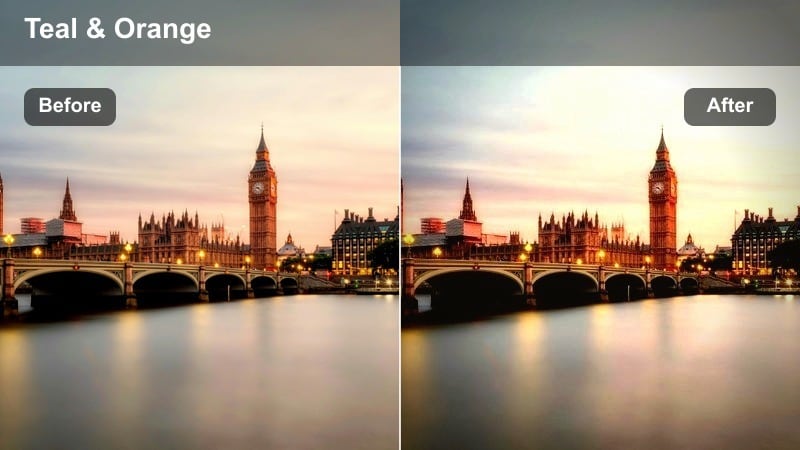
- Effect look: Teal-shifted shadows with warm orange highlights, emphasizing modern glass towers and their reflections.
- Best for: Modern business district skylines featuring full-glass towers at late sunset or early blue hour.
- Editing tip: Dial back the teal in shadows if older brick or stone buildings start to look unnaturally colored.
Glass Tower Teal Sunset leans into the popular teal-and-orange color contrast, tuned specifically for reflective skyscrapers. In Filmora, it pushes shadows toward teal while intensifying orange highlights, making glass towers look stylish and contemporary without overwhelming the scene.
Use this preset on business-district skylines, low-angle shots of corporate towers, or compressed telephoto views of multiple glass buildings. After applying it, selectively reduce teal or adjust HSL settings in Filmora if non-glass structures like brick or stone begin to pick up unwanted color shifts.
Sparkling Window Grid
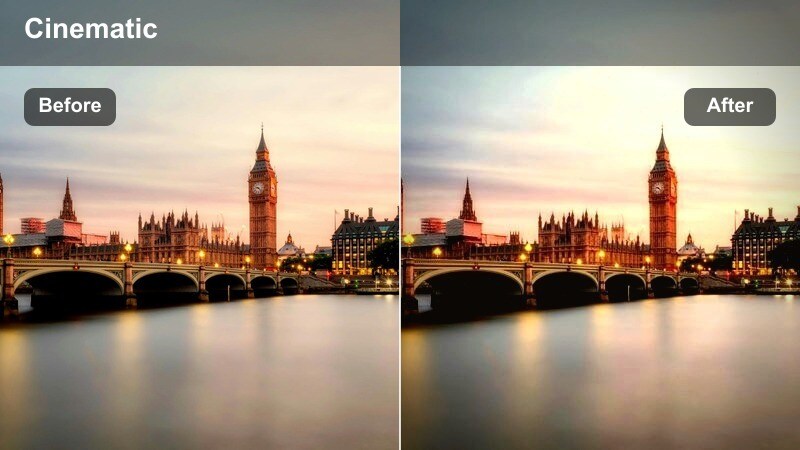
- Effect look: Extra highlight sparkle and micro-contrast around individual window lights forming geometric patterns.
- Best for: High-rise close-ups where rows of lit windows form graphic grids against the night sky.
- Editing tip: Reduce clarity on people or foreground elements if they appear too crunchy compared to the stylized windows.
Sparkling Window Grid is designed for tight shots of facades where patterns of lit windows are the main subject. In Filmora, it adds micro-contrast and highlight punch around each light, making the building read almost like an abstract design of glowing squares.
Apply it to telephoto close-ups or slow pans across high-rise faces at night. If your composition includes people or nearby objects, use Filmora masks or selective adjustments to ease clarity on those areas so the crisp, stylized sparkle stays focused on the window grid itself.
Tips for Using City Sunset Reflection Skyline Filter Filters in Filmora
- Shoot during golden hour and blue hour so the city sunset reflection skyline filters in Filmora have rich color gradients and natural contrast to enhance.
- Keep your lens, phone glass, and any foreground windows clean to avoid smudges and flares that distract from polished skyline reflections.
- Use a tripod or stable support for skyline and puddle shots, letting you lower shutter speed slightly without adding unintentional motion blur.
- Bracket exposures on intense sunsets to protect both bright window highlights and deep shadows, then apply your chosen Filmora filter to the best-balanced clip.
- Adjust filter intensity per shot instead of leaving every preset at 100 percent, matching the strength of the look to each scene s lighting.
- Combine these city sunset reflection skyline filters with Filmora LUTs and basic color tools to refine skin tones while keeping skies and windows dramatic.
- Test a few different filters on the same sequence in Filmora, then save your favorite combinations as custom presets for future urban projects.
City sunset reflection skyline filters in Filmora give content creators a fast way to turn casual urban footage into cinematic sequences filled with glowing glass, layered silhouettes, and dramatic skies.
Experiment with different presets across rooftops, streets, bridges, and window-lit towers, then save your favorite combinations so your city stories stay visually consistent from one project to the next.
secure download