

 100% Security Verified | No Subscription Required | No Malware

These Filmora filters are crafted to mimic a classic film color LUT, giving your footage the warmth, softness, and subtle grain of timeless cinema straight from the editing timeline.
Whether you create short films, vlogs, or narrative content, these classic film color LUT-style presets help content creators quickly dial in nostalgic tones without complex grading nodes.
In this article
Golden Hour Street Scenes
Warm Amber Reel
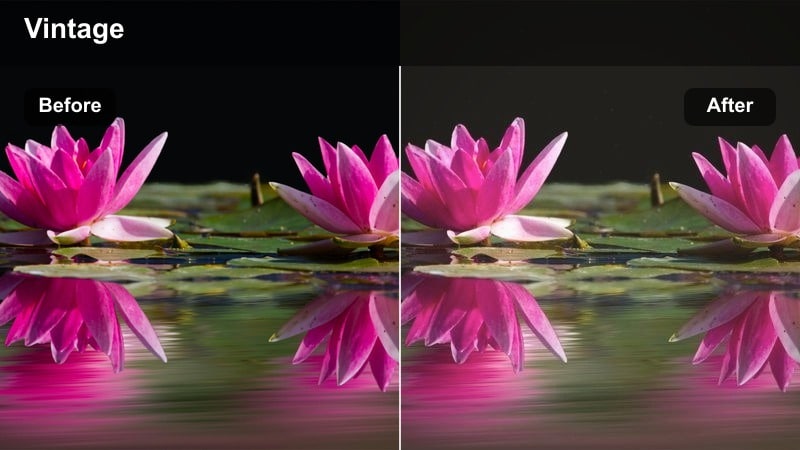
- Effect look: Soft golden highlights with gentle halation and slightly lifted blacks for a warm print feel.
- Best for: Sunset city walks, nostalgic street portraits, and handheld documentary moments.
- Editing tip: Lower contrast by 5-10 percent and add a subtle vignette to keep focus on faces in backlit scenes.
Warm Amber Reel brings the glow of late-afternoon film stocks into your Filmora timeline, wrapping city streets in a gentle amber wash and softening harsh digital contrast. Lifted blacks and delicate halation around highlights create the impression of light passing through real celluloid, making silhouettes and backlit subjects feel immediately more cinematic.
Use this filter on walking shots, observational vlogs, or romantic B roll to quickly dial in a cohesive classic film color LUT atmosphere across multiple clips. In Filmora, fine-tune exposure with the basic color controls, then add light film grain and a vignette to echo traditional print textures while preserving natural-looking skin tones.
Speed Up Classic Film Looks with AI-Powered Color Tools in Filmora
Instead of manually tweaking curves and color wheels, Filmoras AI color tools help you move from flat footage to a classic film color LUT-style look in just a few clicks. You can normalize exposure and color across mixed cameras, then apply warm or faded filters on top without fighting mismatched footage.
Use AI-driven color matching to quickly align your clips to a reference frame, then stack these classic film filters for consistent, story-driven grading across your entire timeline. This workflow is ideal when you are cutting between dialogue, street B roll, and travel scenes but want them all to share the same vintage palette.
 secure download

Preview Classic Film Filters on Real-World Footage
Filmora lets content creators audition multiple classic film filters in real time, so you can instantly compare looks on dialogue scenes, street B roll, or travel montages. Instead of relying on preset thumbnails, you see how each style handles real shadows, highlights, and motion in your edit.
Play back your sequence while toggling between presets to choose the filter that best matches your scenes emotion and pacing. This makes it easy to assign warmer looks to intimate moments and cooler, faded presets to reflective or moody sequences without guesswork.
secure download1000+ Video Filters and 3D LUTs
Beyond these vintage presets, Filmora includes a rich library of over a thousand video filters and 3D LUTs, so you can mix classic film color LUT styles with modern creative grades. Combine cinematic LUTs, light leaks, and texture overlays to build unique looks that still feel grounded in analog film aesthetics.
If you already use custom 3D LUTs, layer them with Filmora filters to shape contrast and color first, then add signature warmth, fade, or bloom as a finishing touch. This layered approach gives you precise control without the complexity of node-based grading systems.
secure downloadRetro City Fade
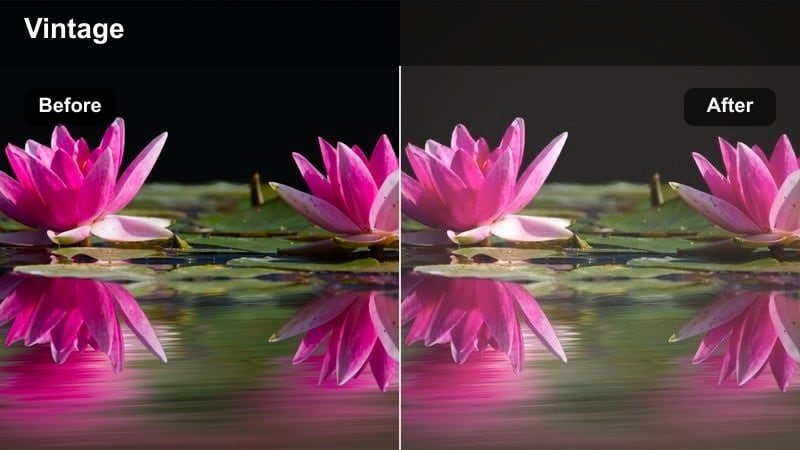
- Effect look: Muted contrast with creamy highlights and a soft teal shift in the shadows for a faded archival vibe.
- Best for: Urban b-roll, slow-motion street traffic, and moody establishing shots.
- Editing tip: Reduce clarity or sharpness slightly to avoid a digital look and lean into the faded film impression.
Retro City Fade softens the edges of modern cityscapes, lowering contrast and gently shifting shadows toward teal for an archival film feel. Bright windows and sky patches take on creamy highlights, which helps tame harsh dynamic range and makes contemporary footage look like it was scanned from an older print.
Apply this filter in Filmora to wide establishing shots, alley cutaways, or slow-motion traffic passes when you want a quieter, more reflective tone. Pair it with a small saturation reduction and subtle vignette to further separate subjects from the background while preserving the understated classic film color LUT style.
Kodak Street Chrome
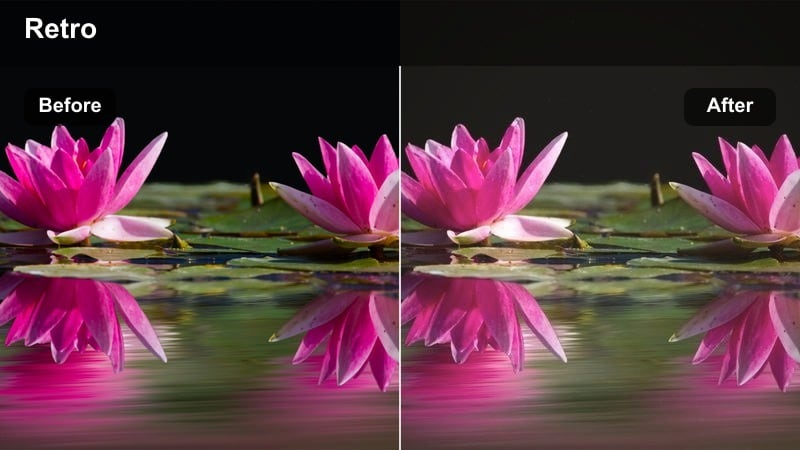
- Effect look: Punchy contrast with balanced warm skin tones and cooler asphalt and shadows for a classic film stock mix.
- Best for: Street fashion b-roll, short films, and cinematic vlogs in busy downtown areas.
- Editing tip: Adjust midtone exposure carefully so you keep detail in faces while preserving contrast in street textures.
Kodak Street Chrome brings a snappier, more graphic feel to urban footage by combining warm, flattering skin tones with cool, metallic shadows. The result is a color separation that feels rooted in classic film stocks, where subjects stand out crisply against pavements, glass, and chrome details.
Use this filter in Filmora when you want your city stories, streetwear shoots, or character portraits to feel bold but still grounded in a cinematic aesthetic. Fine-tune midtones around your subjects faces, then selectively lower saturation in neon signs or bright billboards so the classic film color LUT vibe stays stylish rather than overwhelming.
Intimate Indoor Dialogue Scenes
Soft Parlor Print
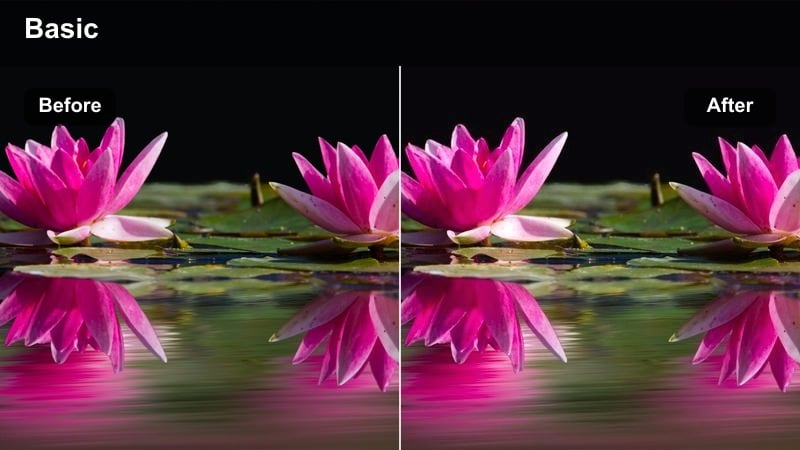
- Effect look: Low contrast, gentle highlights, and a warm beige cast that echoes classic interior film stocks.
- Best for: Living-room conversations, interview setups, and cozy narrative scenes.
- Editing tip: Keep exposure slightly under to avoid blowing out lamps and maintain the subtle classic print texture.
Soft Parlor Print is designed to make interiors feel calm and inviting, flattening contrast just enough to protect lamps, windows, and practical lights. The warm beige tint mimics vintage print stocks, smoothing skin tones and softening shadows so that dialogue remains the focus.
In Filmora, apply this filter to multi-angle interviews or narrative conversations and then fine-tune exposure using the basic color panel. If faces look too red or orange from warm bulbs, gently pull down orange saturation while leaving the overall warmth untouched to keep the classic film color LUT feel intact.
Sepia Reel Dialogue
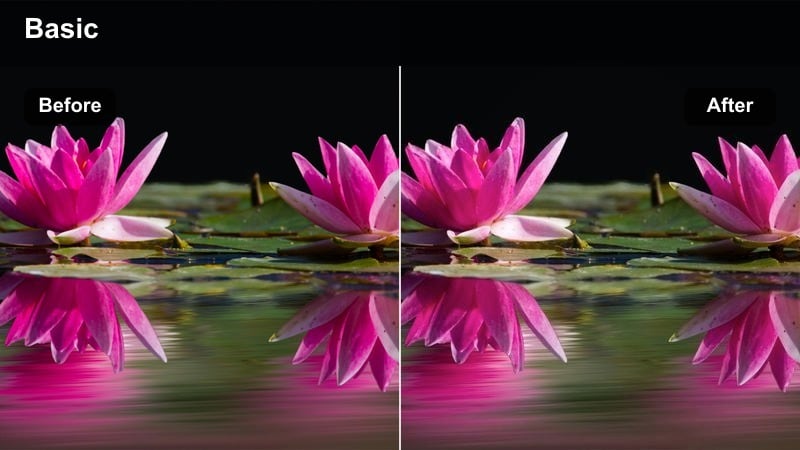
- Effect look: Subtle sepia tint with lifted blacks and soft roll-off, inspired by aged film prints.
- Best for: Period-style scenes, reflective monologues, and memory flashbacks.
- Editing tip: Fade audio slightly and use slower cuts to match the nostalgic, timeworn visual tone.
Sepia Reel Dialogue layers a gentle brownish tint over your footage, evoking aged film reels without pushing into heavy stylization. Lifted blacks remove harshness from shadows, while a soft highlight roll-off creates a dreamy, reflective mood ideal for memories or period-inspired scenes.
Apply this filter in Filmora to entire sequences that represent the past so viewers instantly recognize the time shift. Combine it with slower edits, subtle audio reverb, and film-burn or cross-dissolve transitions to weave a cohesive classic film color LUT thread through your flashbacks.
Faded Livingroom 35
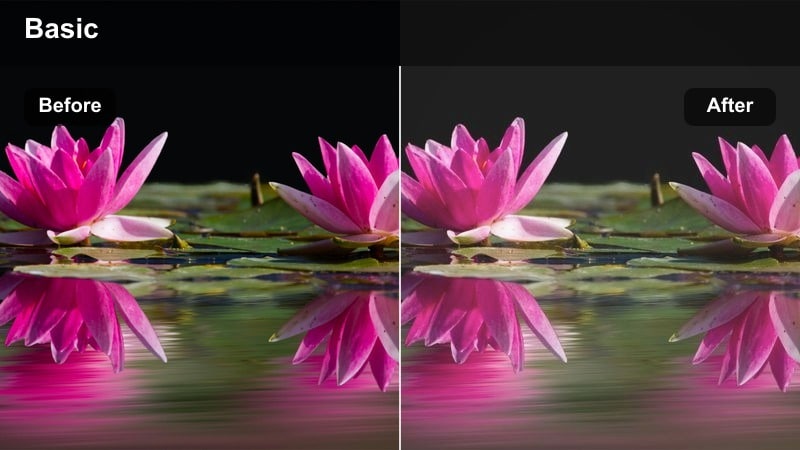
- Effect look: Soft pastel colors with reduced saturation and a gentle green bias in the shadows.
- Best for: Family scenes, casual vlogs at home, and relaxed tabletop conversations.
- Editing tip: Slightly increase midtone saturation if your camera profile is very flat to keep the image from looking washed out.
Faded Livingroom 35 transforms bright digital interiors into muted, pastel-toned spaces reminiscent of old 35mm prints. Saturation is lowered overall, and a slight green push in the shadows adds subtle character without drawing attention away from your subjects.
Use this filter in Filmora for everyday home vlogs, family gatherings, or quiet lifestyle content when you want a softer, more nostalgic backdrop. If your footage starts from a very flat profile, gently raise midtone saturation and add a little subject-only sharpening so people stand out against the delicately washed classic film color LUT background.
Moody Night Exterior Shots
Noir Street Film
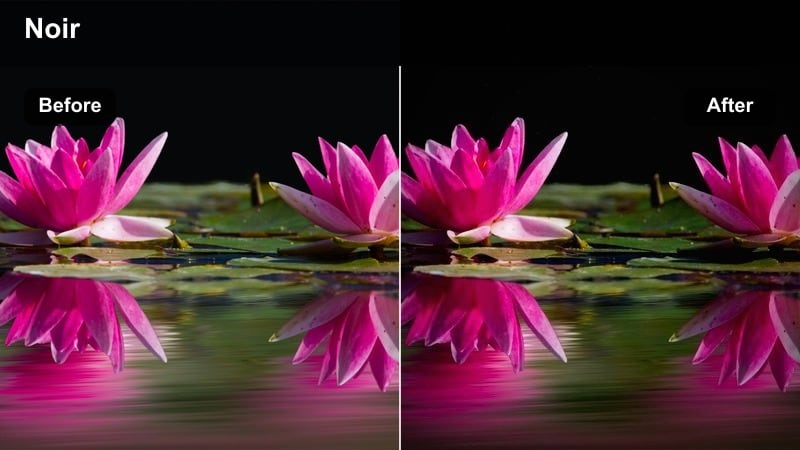
- Effect look: High contrast monochrome-inspired color with deep shadows and subtle blue steel in the midtones.
- Best for: Rainy alleys, crime drama exteriors, and silhouette-heavy scenes.
- Editing tip: Crush blacks just enough to hide digital noise but keep key silhouettes readable against streetlights.
Noir Street Film channels classic noir and crime cinema, boosting contrast to carve out deep shadows while leaving a cool steel tint in midtones. This treatment turns wet streets, smoke, and backlit subjects into graphic shapes that feel far removed from clean digital video.
In Filmora, use this filter for tense chases, lonely walks, or introspective night sequences where darkness is part of the story. Protect important silhouettes by adjusting overall exposure before applying the filter, then add slight film grain to merge noise into the stylized classic film color LUT look.
Tungsten Night Glow
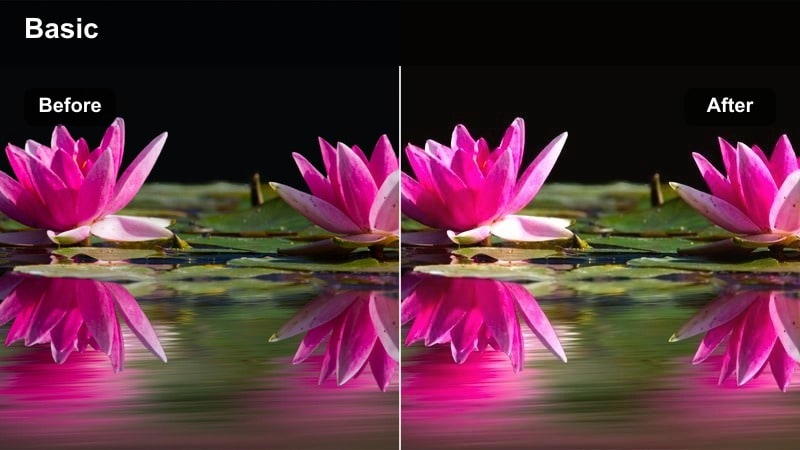
- Effect look: Warm tungsten-tinted highlights with cooler, slightly greenish shadows for a filmic city-night split tone.
- Best for: Street cafes, night markets, and handheld nightlife sequences.
- Editing tip: If neon dominates, pull magenta down slightly so the glow complements skin tones instead of overpowering them.
Tungsten Night Glow creates a cinematic split-tone effect by wrapping highlights in cozy orange warmth while pushing shadows cooler with a hint of green. This contrast between light sources and city darkness mimics the way traditional film stock reacts under mixed street and cafe lighting.
Drop this filter onto night markets, bar patios, or late-evening vlogs in Filmora to instantly add mood and depth. Keep an eye on magenta-heavy neon, dialing back its saturation so faces remain natural, and use subtle vignettes to keep the viewer focused on the warmest parts of the frame where your subjects sit.
Retro Neon Reel
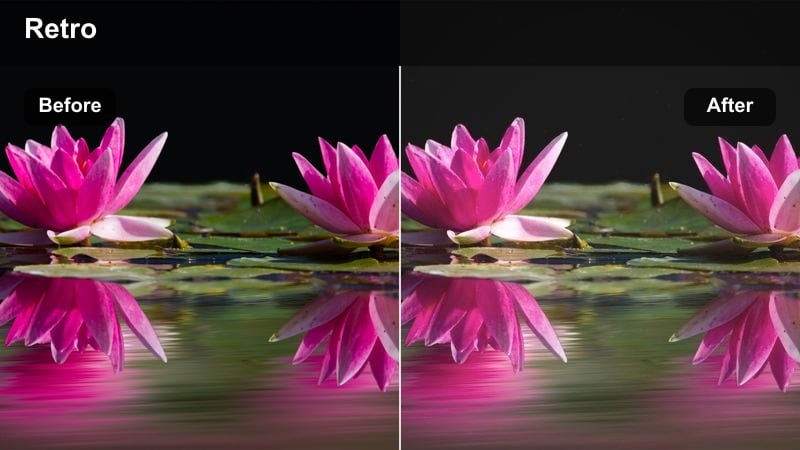
- Effect look: Soft-contrast neon with a slight magenta cast and gentle bloom around bright signs.
- Best for: Neon-lit streets, cyberpunk b-roll, and night club exteriors.
- Editing tip: Lower highlight clarity so neon tubes glow instead of appearing harsh and digital.
Retro Neon Reel softens hard digital neon, adding bloom and a touch of magenta that makes signs and reflections feel more like they were captured on vintage film. Contrast is relaxed to keep bright elements from clipping, while wet streets and glass surfaces pick up dreamy color reflections.
Use this filter in Filmora for nightlife montages, music videos, or visual essays where neon is a key storytelling element. Slightly underexpose in-camera, then apply the filter and lower highlight clarity so neon tubes glow, adding slow pushes or handheld moves to enhance the hazy classic film color LUT energy.
Daylight Outdoor Story Moments
Sunlit Road Trip
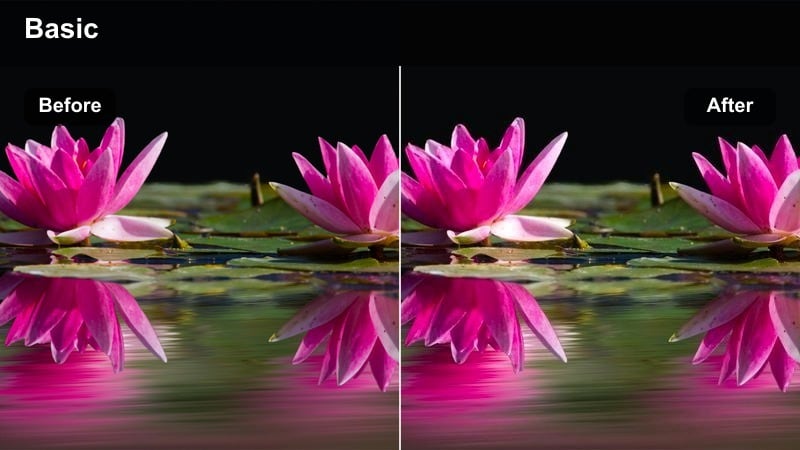
- Effect look: Warm midtones, slightly desaturated blues, and a soft highlight roll-off reminiscent of travel film diaries.
- Best for: Road trip montages, park scenes, and travel vlogs in bright sun.
- Editing tip: Add a light film grain layer to hide digital sharpness in skies and large flat areas.
Sunlit Road Trip wraps bright days in a gentle warmth while toning down intense digital blues in skies and water. The smooth highlight roll-off keeps clouds and sunlit faces looking organic, echoing the aesthetic of classic travel films rather than oversaturated tourism footage.
In Filmora, apply this filter across entire outdoor sequences for a consistent vacation or adventure mood. Balance exposure so highlights are not clipped, then introduce a light grain overlay and perhaps a touch of motion blur on driving shots to complete the relaxed classic film color LUT impression.
Timeless Plaza Frame
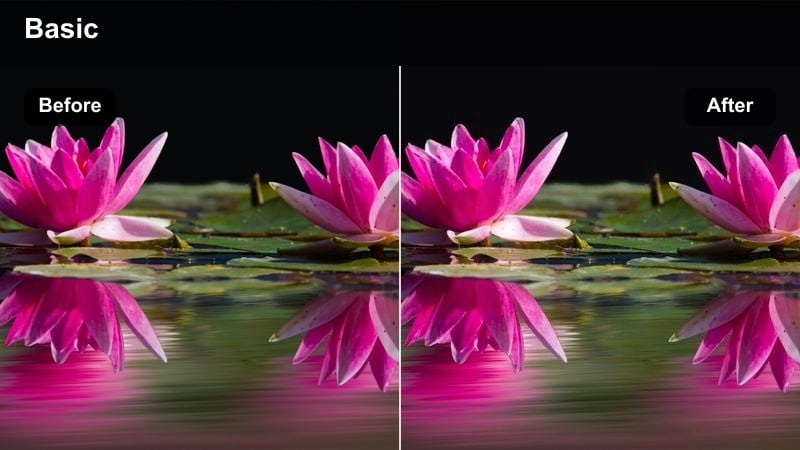
- Effect look: Balanced contrast with gentle warm highlights and a neutral, slightly softened color palette.
- Best for: City plazas, public squares, and everyday life b-roll in open daylight.
- Editing tip: Use slower push-ins or pans to pair with the calm, observational tone of this filter.
Timeless Plaza Frame gives open daylight scenes a restrained, documentary-style treatment that still feels cinematic. Contrast remains moderate, with just a touch of warmth in highlights and a softening of overall color, so crowds and architecture appear like frames from a classic film rather than hyper-digital captures.
Use it in Filmora for observational B roll, city walk-throughs, and social documentary footage where subtlety matters. Keep camera movements smooth and measured, and if the image feels too flat, nudge midtone contrast slightly while resisting the urge to over-saturate, preserving the understated classic film color LUT character.
Vintage Park Day
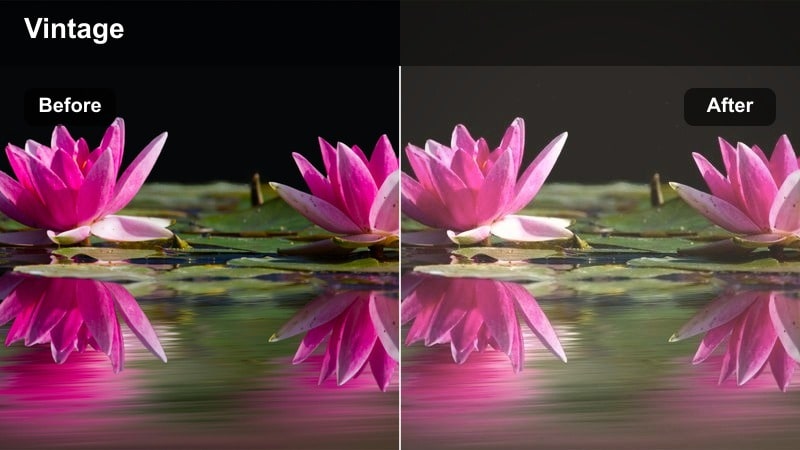
- Effect look: Soft greens, slightly warm skin tones, and gentle fade in shadows for a relaxed outdoor reel look.
- Best for: Park walks, playground vlogs, and casual outdoor storytelling.
- Editing tip: If foliage becomes too muted, increase green luminance instead of saturation to keep the filmic vibe.
Vintage Park Day calms down harsh digital greens and adds a subtle fade to shadows, giving parks and gardens a mellow, nostalgic glaze. Skin tones receive a slight warmth boost, helping subjects feel healthy and present without clashing with the softened surroundings.
In Filmora, drop this filter on strolls, family outings, or lifestyle content shot in nature-heavy locations. If trees and grass look dull, increase green luminance rather than saturation to maintain the classic film color LUT softness, and use gentle rack focus or zooms to underscore the relaxed, observational mood.
Tips for Using Classic Film Color Lut Filters in Filmora
- Shoot with the flattest picture profile your camera allows so these classic film filters have more latitude to shape contrast and color.
- Lock in consistent white balance while filming so skin tones stay stable when you swap between different classic film color LUT-style presets.
- Use film grain and a slight vignette on top of filters to sell the illusion of analog capture, especially in narrative pieces.
- Keep your highlights below clipping on set; classic film looks rely on gentle roll-off that is difficult to fake once detail is lost.
- Organize your timeline by scene type, then test one or two filters per group for faster decisions and a more cohesive final grade.
- Combine Filmoras AI color tools with these filters to quickly balance mixed-camera footage before you add creative vintage looks.
- Experiment with stacking a base LUT and a Filmora filter to separate technical color correction from creative styling.
- Save frequently used filter and adjustment combinations as custom presets so future projects can instantly match your signature film look.
Classic film color LUT-inspired filters in Filmora give content creators an easy way to turn digital clips into warm, nostalgic, story-ready visuals without diving deep into complex grading tools.
Start by matching a filter to each scenes mood, refine exposure and skin tones, then save your favorite combinations as presets so your future projects can instantly share the same timeless cinematic style.
secure download