

 100% Security Verified | No Subscription Required | No Malware

This cool tone minimal color LUT-inspired filter collection is designed for content creators who want clean, cinematic chill without over-saturated colors or heavy grading work.
Use these presets to cool down your highlights, keep skin tones natural, and introduce a subtle, minimal color palette that fits vlogs, desk setups, tech reviews, and aesthetic lifestyle content.
In this article
Blue Hour City Scenes
Cool Street Minimal
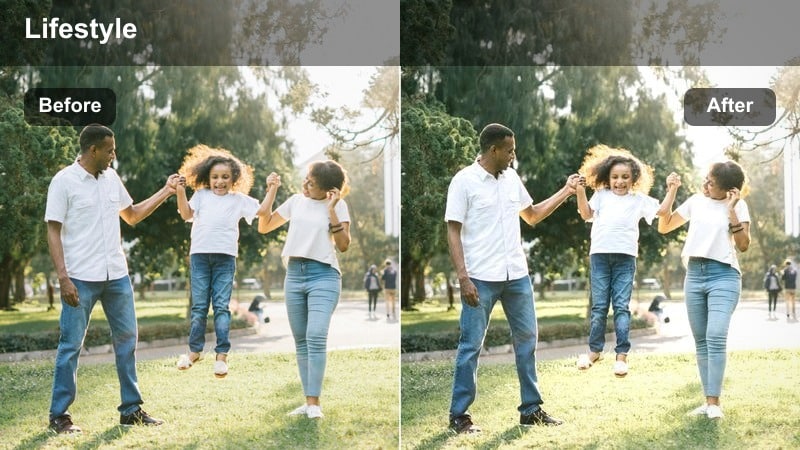
- Effect look: Soft desaturated city tones with a gentle blue shift in shadows and clean whites.
- Best for: Urban b-roll, street vlogs, and walking shots filmed during blue hour or cloudy days.
- Editing tip: Lower saturation by a few points after applying this filter to keep signage and traffic lights from stealing focus.
Cool Street Minimal gives your blue hour city clips a soft, airy look by pulling back saturation and nudging shadows into a subtle blue. In Filmora, it works especially well with wide street scenes, crosswalks, and crowd shots where you want the architecture and ambiance to stand out without bright colors overpowering the frame.
Apply this filter on an adjustment layer over your street sequence, then fine-tune saturation and brightness so skin tones stay natural while storefronts and signage settle into a clean, minimal palette. For talking walks, lightly warm midtones with Color Correction if faces become too cool, and use Filmora masks to keep neon signs from pushing the entire grade away from that calm, modern mood.
Midnight Monorail
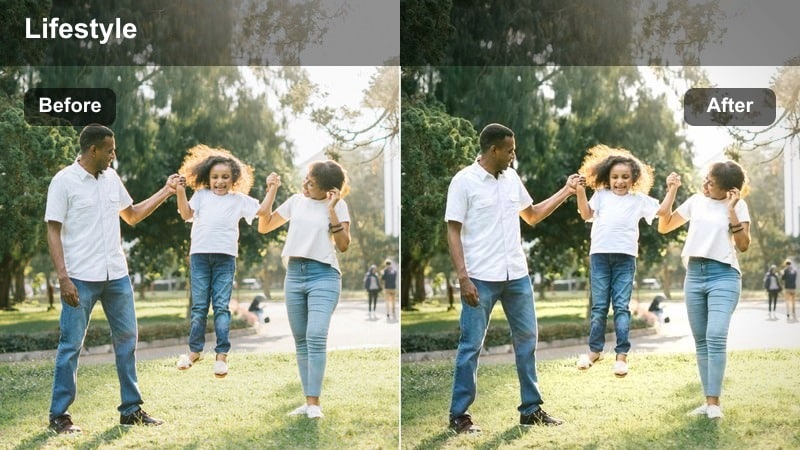
- Effect look: Deepened shadows with icy blues and reduced midtone contrast for a sleek transit vibe.
- Best for: Train platforms, subway sequences, and moving vehicle shots through city lights.
- Editing tip: Add a subtle motion blur or speed ramp to pair with this filter for a modern, techy montage feel.
Midnight Monorail leans into a cool, futuristic style by thickening shadows and cooling them toward icy blue while keeping highlight details from station lights and signage intact. In Filmora, use it on clips shot on platforms, escalators, or inside trains to create travel sequences that feel sleek and understated rather than noisy and colorful.
Place the filter on an adjustment layer above your transit b-roll and experiment with motion effects like speed ramping or Filmora transitions to sync the grade with camera movement. Keep exposure slightly under what you would normally use to preserve the polished night-tech mood, and pair it with leading-line compositions so rails and tunnels guide the viewer through the cool-toned frame.
 secure download
 secure downloadsecure download
Glass Tower Fade
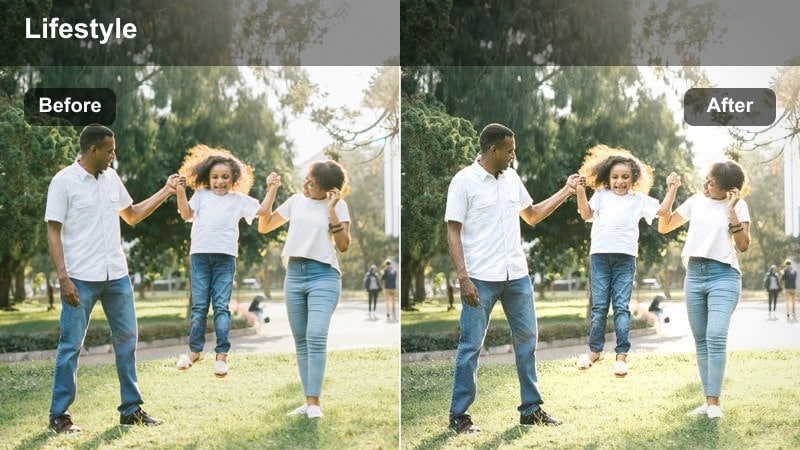
- Effect look: Softened contrast, cool-blue highlights, and lightly faded blacks for corporate skylines.
- Best for: Skyscraper b-roll, office exteriors, and financial district establishing shots.
- Editing tip: Increase clarity slightly after applying to keep window details and reflections crisp in wide shots.
Glass Tower Fade introduces a refined corporate feel by cooling highlights, slightly fading blacks, and pulling harsh contrast out of your skyline shots. In Filmora, it helps glass-heavy buildings and office exteriors look modern and premium without the intense punchiness that can distract from motion graphics or text overlays.
Use this filter for establishing shots at the start of videos, especially intros for business, productivity, or tech channels. After applying it on an adjustment layer, bump clarity to bring back fine detail in windows and reflections, then add simple, thin sans-serif titles so your typography matches the calm, minimal cool tone of the scene.
Minimal Desk and Setup Shots
Cold Desk Aesthetic
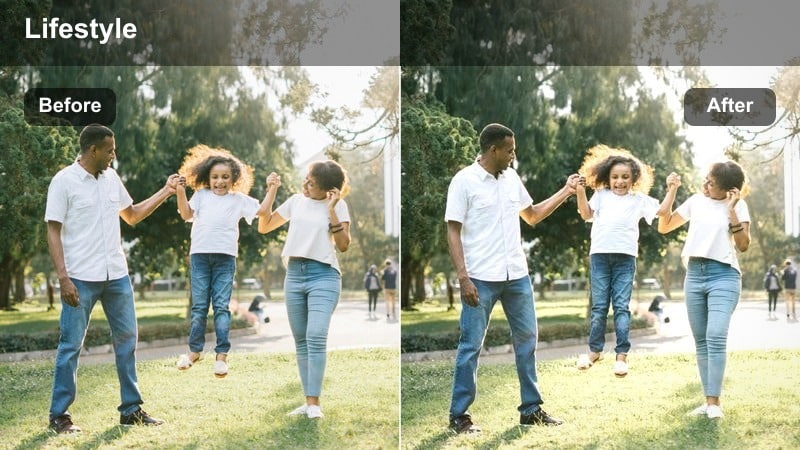
- Effect look: Clean whites, cool neutral shadows, and softened saturation for minimalist workspaces.
- Best for: Desk tours, productivity videos, and tech creator setups with white or light backdrops.
- Editing tip: Drop vibrance slightly to avoid colorful accessories pulling attention away from your main subject.
Cold Desk Aesthetic keeps your workspace footage bright and minimal by cooling shadows, keeping whites crisp, and taming overly vibrant accents. In Filmora, it is ideal for overhead desk shots, typing b-roll, and static A-roll scenes filmed against white or light gray walls where you want the frame to feel organized and distraction-free.
Apply the filter across your full desk sequence and then fine-tune vibrance and exposure so your monitor, keyboard, and key props stay the visual focus. If lamps and white surfaces are close to clipping, bring down highlights with Color Correction after the filter so you retain texture in the desktop while maintaining that polished cool tone throughout the edit.
Minimal Tech Cool
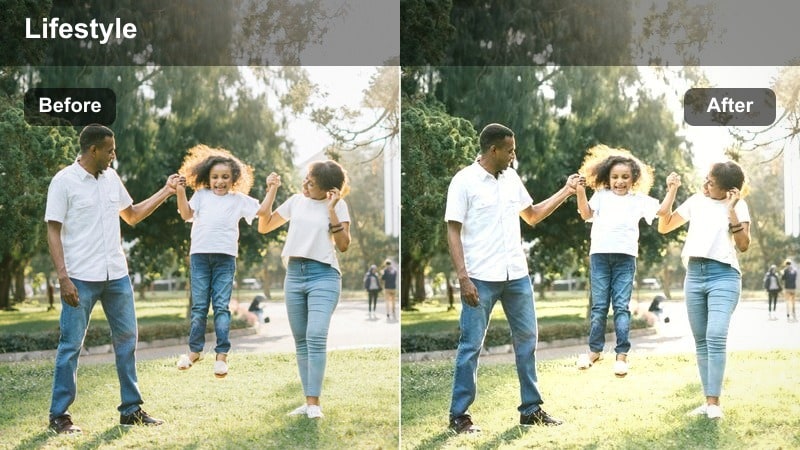
- Effect look: Understated teal shadows and gentle contrast for close-ups of gadgets and peripherals.
- Best for: Tech reviews, unboxings, and macro shots of devices on neutral backgrounds.
- Editing tip: Tighten your framing and use shallow depth of field; this filter shines on clean, uncluttered compositions.
Minimal Tech Cool adds a subtle teal cast to shadows and a gentle contrast curve that makes devices look sleek without feeling overgraded. In Filmora, this works beautifully on close-ups of smartphones, keyboards, earbuds, and accessories placed on simple backdrops for review segments or B-roll overlays in your edits.
Use the filter to set a consistent visual language across all your product shots, then use Color tools to slightly nudge brand colors into harmony with the cooler palette. Keep compositions tight and uncluttered; combined with shallow depth of field and this filter on an adjustment layer, your gear will sit in a modern, minimal environment that supports overlays, callouts, and on-screen specs.
Notebook Neon Chill
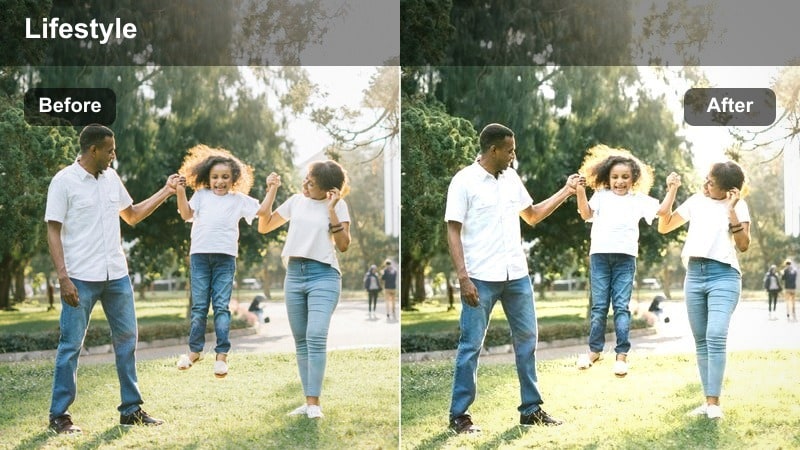
- Effect look: Muted warm tones with a cool cyan bias in shadows and a faint matte finish.
- Best for: Night desk shots with RGB lighting, laptop work sessions, and coding scenes.
- Editing tip: Dial back any colored LED saturation to keep the neon subtle and prevent color banding.
Notebook Neon Chill is tailored for late-night desk and coding scenes, cooling your dark areas toward cyan while muting warm casts and adding a light matte finish. In Filmora, it helps RGB lighting, monitors, and ambient glows feel cinematic instead of overpowering, perfect for lofi coding sessions or aesthetic night productivity vlogs.
Apply the filter, then use saturation controls to pull back overly strong LED colors that could cause banding or visual fatigue. If you are on camera near RGB lights, combine the grade with Filmora masks to gently protect skin tones, keeping your face and hands closer to neutral while the background stays in that chill, minimal neon environment.
Moody Interiors and Cafes
Soft Lofi Cool
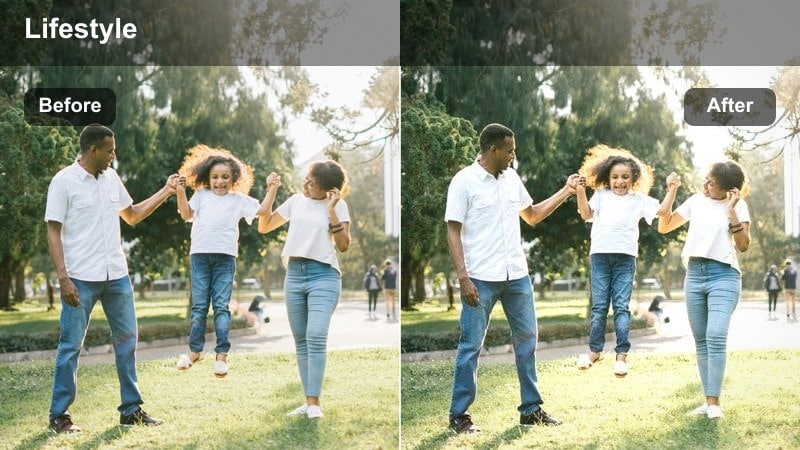
- Effect look: Lowered contrast, cool shadows, and gentle highlight bloom for calm, lived-in rooms.
- Best for: Lofi study vlogs, cozy room tours, and slow-paced lifestyle sequences.
- Editing tip: Add a soft vignette and keep cuts slower so the dreamy, minimal atmosphere has time to sink in.
Soft Lofi Cool dials down contrast and adds a soft cool tint to shadows, creating a dreamy, relaxed mood in bedrooms, studios, and workspaces. In Filmora, it shifts everyday interiors toward a cinematic lofi style that suits slow study vlogs, late-night journaling, or calm day-in-the-life sequences.
Apply this filter across your interior clips, then add a subtle vignette and slower cuts to let the viewer sit in the atmosphere. Use window light as your primary source when shooting, and avoid stacking strong warm lights in the same scene so the cool, minimal tonality stays cohesive from shot to shot in your timeline.
Iced Latte Minimal
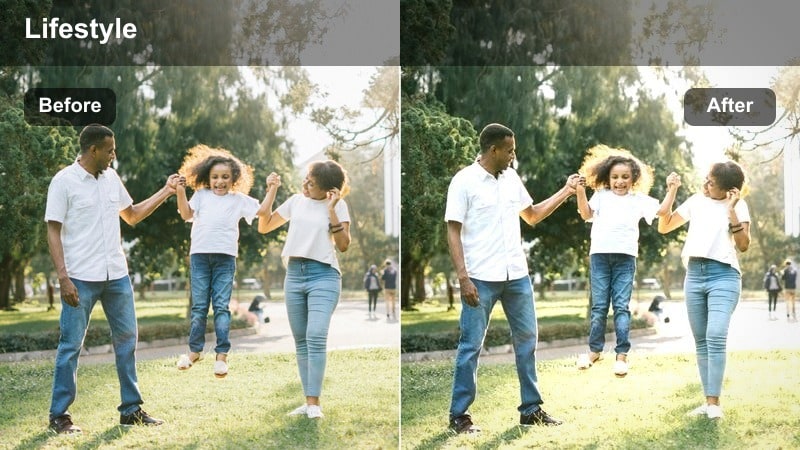
- Effect look: Cool midtones with slightly lifted blacks and controlled warm highlights from lamps.
- Best for: Cafe work sessions, laptop-in-coffee-shop scenes, and quiet conversation shots.
- Editing tip: Push temperature slightly cooler before applying if your camera leans very warm under tungsten lights.
Iced Latte Minimal balances the cozy warmth of cafe lamps with a generally cool, lifted midtone and black level, ideal for working or meeting scenes in coffee shops. In Filmora, it keeps wood tones and drinks natural while gently cooling the overall environment so the result feels modern, not orange.
If your footage was shot under heavy tungsten or mixed lighting, pull white balance a bit cooler before applying the filter so it can sit where it is intended. Then fine-tune shadows and noise reduction to keep darker corners clean, and avoid over-sharpening, which can highlight grain and break the smooth, minimal mood the grade is aiming for.
Apartment Blue Fade
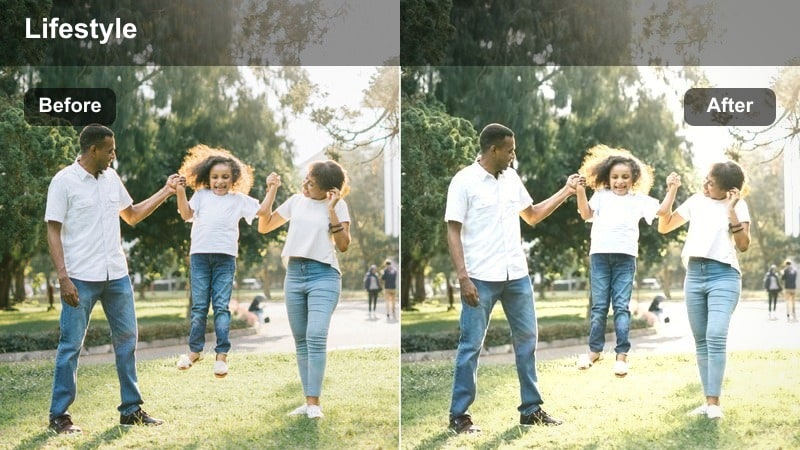
- Effect look: Faded blacks, delicate blue tint, and smooth midtones for cinematic apartment shots.
- Best for: Story-driven vlogs, talking-head segments in small spaces, and lifestyle morning routines.
- Editing tip: Reduce sharpness slightly to match the soft fade and aim for slower camera movements or tripod shots.
Apartment Blue Fade creates a soft, filmic look in small spaces by fading black levels, smoothing midtones, and adding a light blue wash. In Filmora, it is a strong match for narrative vlogs, introspective talking-head scenes, and morning routines where you want the environment to feel calm and story-ready.
Apply this filter to your apartment interior sequence and then slightly lower sharpness so fine edges match the gentle fade in the grade. Pair it with stable tripod shots or slow, intentional camera moves, and consider adding a bit of negative fill in-camera so faces hold gentle contrast even as the overall frame leans into a softer blue look.
Night City and Street B-Roll
City Rain Minimal
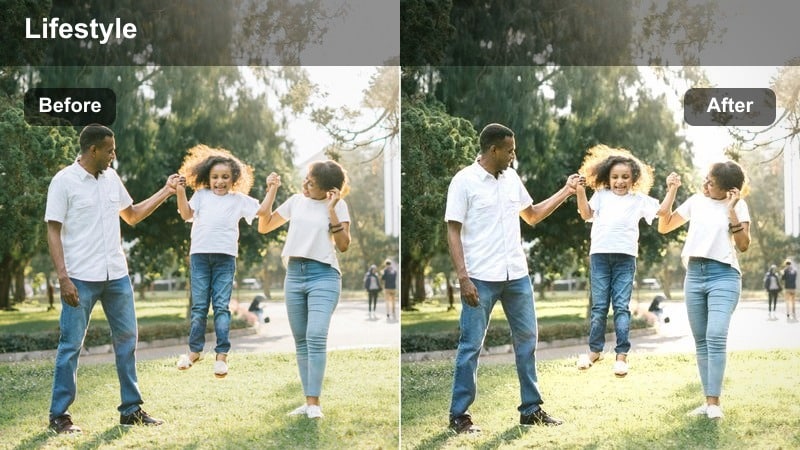
- Effect look: Cool cyan reflections, softened neon, and slightly lowered saturation for rainy nights.
- Best for: Rainy sidewalks, car light reflections on wet streets, and umbrella street shots.
- Editing tip: Stabilize your footage and use slower shutter speeds where possible to capture smooth, cinematic light trails.
City Rain Minimal turns wet streets into reflective, cyan-leaning canvases by cooling highlights and pulling back neon intensity. In Filmora, this filter is great for atmospheric night b-roll, emphasizing reflections in puddles and on asphalt while keeping the color palette controlled and not overly saturated.
Use it on sequences where car lights, storefronts, and umbrellas provide movement across the frame, then adjust saturation and contrast so the rain-slick surfaces remain the focal point. Stabilize handheld shots inside Filmora, and combine the filter with slower shutter or timelapse footage to produce smooth, minimal light streaks that support titles or voiceover.
Metro Tunnel Cool
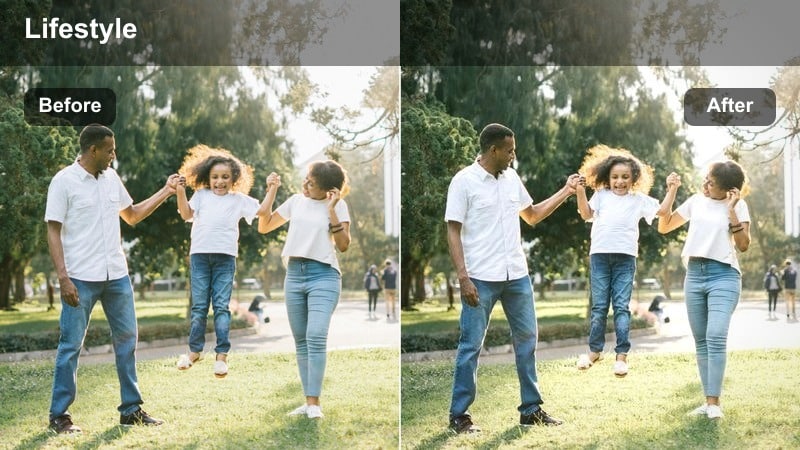
- Effect look: Deep, cool shadows with preserved midtone detail and softened colored ads.
- Best for: Subway tunnels, escalators, underground corridors, and dark station b-roll.
- Editing tip: Lift the shadows just a touch after applying to keep texture in dark corners without losing the moody depth.
Metro Tunnel Cool is built for underground spaces, deepening and cooling shadows while keeping midtone detail visible and taming loud advertising colors. In Filmora, it makes subway corridors, platforms, and escalators feel graphic and cinematic, ideal for transitions between scenes or city-travel montages.
Apply the filter and then slightly lift the shadows with Color tools so you maintain texture in dark corners without destroying the moody atmosphere. Combine it with symmetrical framing and center-weighted compositions, letting your subject move through the frame while the minimal cool grade and repeating tunnel lines keep the visuals clean and focused.
Cool Bridge Trails
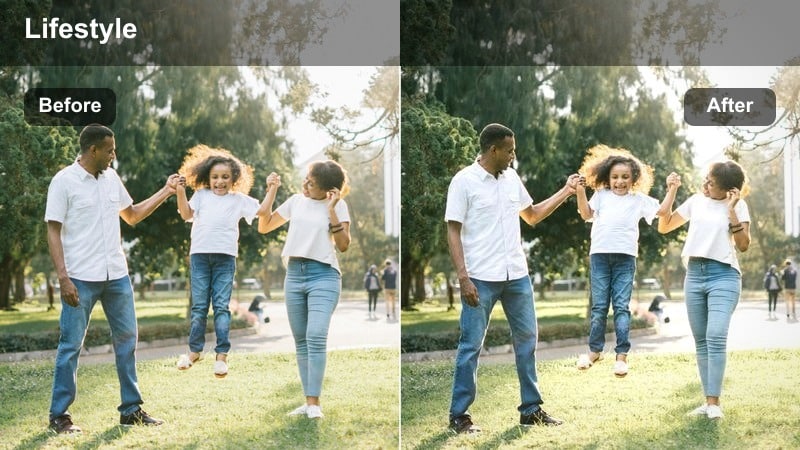
- Effect look: Cool-toned highlights with slightly toned-down reds and smooth, dark backgrounds.
- Best for: Long-exposure car light trails, overpass shots, and highway night scenes.
- Editing tip: Use slow shutter or timelapse, then add this filter and a touch of clarity for striking but minimal light lines.
Cool Bridge Trails emphasizes cool highlights and clean dark backgrounds so light trails from cars become the main visual element. In Filmora, the filter works best on long-exposure or timelapse shots of bridges and highways, where you want the city energy without the clutter of bright signage and oversaturated reds.
Once the filter is applied, gently increase clarity and contrast around the midtones to make the light paths stand out while keeping the rest of the frame understated. Avoid excessive camera movement and instead anchor your frame with a static object like a railing or lamppost, letting the motion in the lights and the cool minimal grade carry the sense of motion in your sequence.
Tips for Using Cool Tone Minimal Color Lut Filters in Filmora
- Shoot with a slightly neutral or warm white balance in-camera, then cool down the look in Filmora so skin tones do not start overly blue.
- Apply cool tone minimal filters on adjustment layers to control intensity across multiple clips at once without baking in the effect.
- Simplify your set design and remove strong color distractions so the subtle, desaturated palette can stand out clearly.
- Match white balance between shots before grading to avoid jarring jumps in coolness from clip to clip in the same sequence.
- Keep saturation and vibrance modest; these looks rely on restrained color and gentle contrast rather than bold hues.
- Use soft vignettes and only a little film grain, making sure any texture supports the calm, modern aesthetic instead of overpowering it.
- Test your chosen cool tone preset on both bright and dark scenes from the project to confirm the grade holds up consistently.
- Export short test clips and review them on your phone, laptop, and TV to ensure the cool tone remains clean rather than dull on different screens.
A cool tone minimal color LUT-style filter workflow helps content creators keep their videos clean, modern, and cohesive without spending hours on complex grading.
Start with one or two of these cool filters inside Filmora, refine them as presets for your channel, and you will quickly build a recognizable, chilled aesthetic viewers associate with your brand.
secure download