

 100% Security Verified | No Subscription Required | No Malware

Looking for couple video filters for Instagram that make every date night, cozy Sunday, and travel moment feel cinematic and share-ready in seconds? This preset collection is built for Instagram creators and lifestyle influencers who want a polished social glow without complex editing.
Below you will find 12 curated couple video filters that turn everyday clips into romantic reels and date stories with cohesive tones, soft highlights, and trending Instagram couple filter vibes tailored to modern social aesthetics.
In this article
Soft Romantic Glow Filters for Couple Stories
Sunlit Date Glow
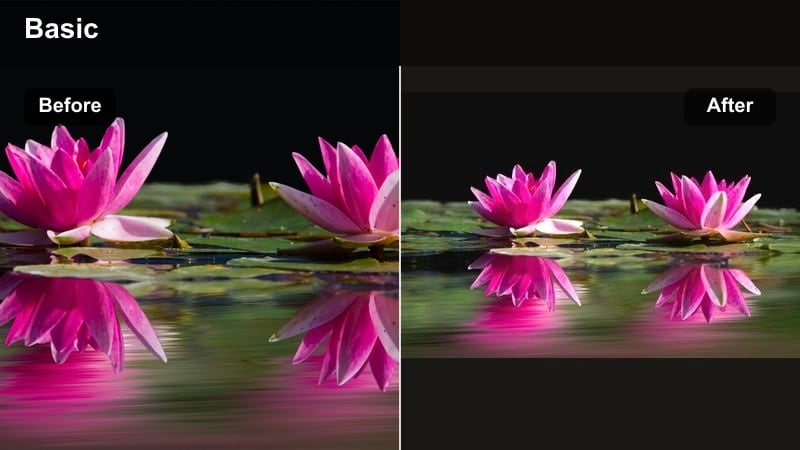
- Effect look: Warm, bright glow with softened skin tones and gentle highlight bloom for golden-hour dates
- Best for: Cafe dates by the window, brunch clips, park walks, and aesthetic day-in-the-life couple reels
- Editing tip: Lower the filter intensity to around 60-70 percent for clips shot in direct sunlight so skin tones stay natural and flattering.
Sunlit Date Glow wraps your couple videos in a soft, warm light that mimics late-afternoon sun, adding a gentle bloom to highlights and smoothing contrast just enough to feel romantic, not artificial. In Filmora, you can drop this filter onto your timeline clips to instantly give cafe dates, brunch angles, and park walks a cohesive, golden tone that feels perfect for Instagram stories and Reels.
To keep your couple instagram social look polished, combine this filter with Filmoras basic color tools: nudge exposure down slightly if your background is very bright, and use skin-tone controls to protect natural complexions. For sequences shot throughout the day, apply the same preset across all clips, then fine-tune intensity per shot so every frame feels like it was captured in perfect golden hour.
Pro tip - Balance glow with skin detail
If faces start to look too hazy, reduce highlight and bloom while keeping contrast slightly raised to preserve detail in eyes and hair. Pair this filter with subtle skin smoothing only; over-smoothing can clash with the natural, sunlit date effect you are aiming for.
Match Your Couple Filters to a Consistent Color Story
Use Filmoras AI-driven color tools to quickly align your couple video filters for Instagram so every reel, story, and grid clip shares the same romantic social edit mood. By analyzing the tones in your favorite love-story post, Filmora helps you echo that same color language across new content so your couple brand feels intentional and recognizable.
Analyze your favorite post, save its color signature, and apply similar tones across new date stories to build a consistent, on-brand couple aesthetic in just a few clicks. This is especially helpful when you mix clips from cafes, parks, and city nights but still want one unified couple instagram social vibe.
Open your latest couple reel in Filmora and generate an AI color match to unify your entire love story series.
 secure download

Preview Couple Filters in Real Time Before Posting
Filmora lets you scroll through multiple couple video filters and see instant previews so you can compare soft glow, retro date, and trendy reel looks side by side. Instead of guessing how a preset will treat your skin tones or backgrounds, you see the final romantic social edit in motion before you ever export.
Toggle intensity sliders and basic adjustments while the video plays to find the exact balance of glow, contrast, and color that fits your couples vibe. This makes it easy to test different couple reels filters against your chosen audio and pacing until everything feels ready for Instagram.
Import your clips, open the Effects or Filters panel, and audition a few romantic filter stacks before you commit.
secure downloadTurn Favorite Couple Filters into Reusable LUT-Style Presets
Once you dial in a romantic social edit you love, save it as a preset so you can apply the same couple video filters for Instagram to future reels in seconds. Filmora lets you preserve your color, glow, and contrast settings like a LUT, so every new clip can start from your signature couple look.
This workflow keeps your date stories, travel vlogs, and everyday couple clips visually consistent, even when lighting and locations change. Instead of rebuilding the same instagram couple filter from scratch each time, you simply load your preset, make light tweaks, and export.
Save your current filter stack as a custom preset in Filmora so your next couple reel starts with your signature look already baked in.
secure downloadSoft Rose Veil
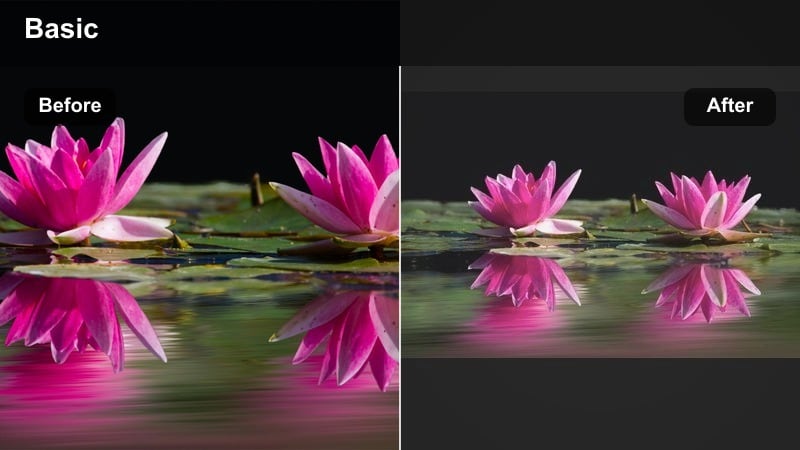
- Effect look: Delicate rosy tint, lowered contrast, and creamy midtones that wrap your couple clips in a dreamy pastel mood
- Best for: Engagement teasers, bouquet shots, close-up hand-holding, and romantic announcement reels
- Editing tip: Add a slight vignette to center the couple, and lower saturation on distracting background colors to keep the rose tone as the hero.
Soft Rose Veil gives your couple footage a gentle blush, smoothing harsh contrast and adding a pastel warmth that feels perfect for engagements and romantic reveals. In Filmora, drop this preset onto close-ups of rings, bouquets, or intertwined hands to create an instantly cinematic story date effect that feels curated for Instagram.
Use the HSL or color adjustment tools to subtly mute greens, blues, or other distracting tones so the rose tint can lead the mood. When building a full reel, apply Soft Rose Veil across every clip, then copy and paste the adjusted settings so your entire romantic social edit stays cohesive from first frame to last.
Pro tip - Keep skin natural under pink tones
Use the skin tone adjustment tool to pull back red or magenta if faces start to look sunburned under the rose tint. For consistency across a reel, copy the filter settings from your best clip and paste them onto the rest before making fine tweaks.
Cloudy Day Soft
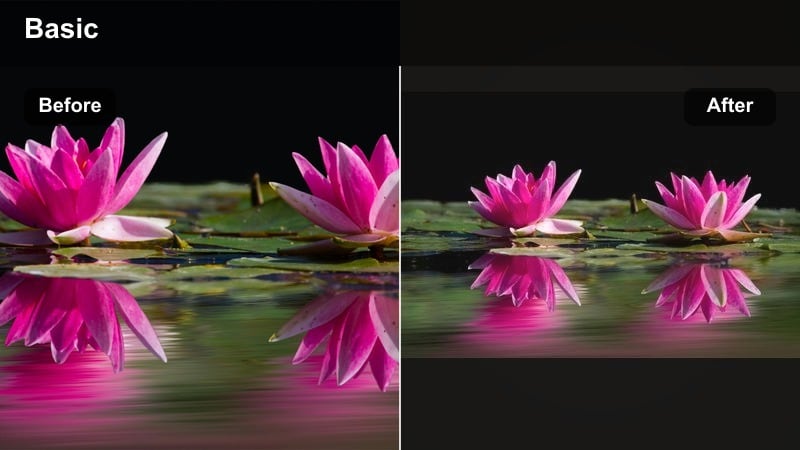
- Effect look: Muted highlights, gentle fade, and balanced neutral tones that turn overcast clips into cozy, cinematic moments
- Best for: Rainy afternoon walks, umbrella shots, window reflections, and moody date stories
- Editing tip: Slightly increase warmth and add a touch of grain to give cloudy scenes a nostalgic, film-inspired couple look.
Cloudy Day Soft is designed to rescue flat, gray footage by adding a mild fade, smoothing highlights, and shaping neutral tones into something cozy and cinematic. When you bring rainy walks or overcast city dates into Filmora, this filter gently lifts the mood without destroying the natural, soft-light feeling you captured.
Add a hint of film grain and a subtle warmth boost to make umbrellas, coats, and reflections feel like frames from an indie romance movie. For longer couple reels, mix slow-motion shots and gentle camera movement with this filter so your cloudy-day aesthetic feels intentional and soothing on Instagram.
Pro tip - Use motion for cozy mood
Combine this filter with slow pans, walking shots, or gentle camera sway to enhance the cinematic rainy-day feeling. If the scene looks too dull, nudge exposure up slightly and add a subtle highlight boost instead of cranking up saturation.
Story Date Effects for Aesthetic Couple Clips
Ticket Stub Tint
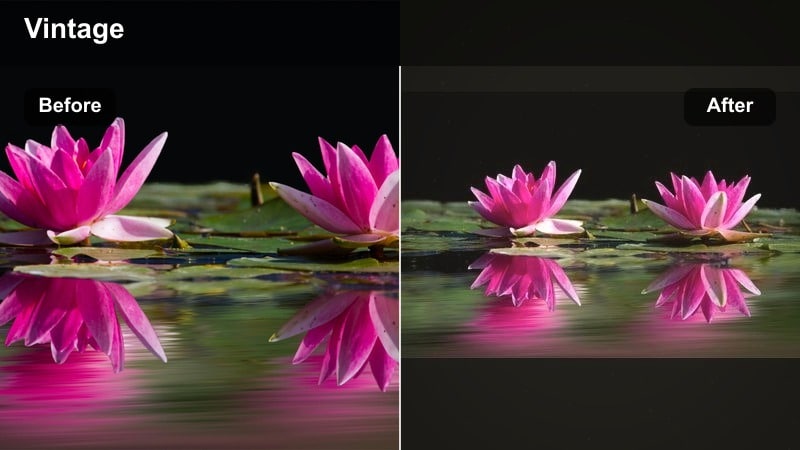
- Effect look: Retro-inspired color shift with slight teal shadows and warm highlights, mimicking vintage movie date vibes
- Best for: Cinema dates, concert clips, amusement park rides, and throwback-style story date edits
- Editing tip: Use this filter lightly on darker clips and increase midtone brightness so details remain visible in theaters or night venues.
Ticket Stub Tint recreates the classic teal-and-warm look of vintage movie posters, giving your date nights a nostalgic, cinematic feel. In Filmora, it works especially well on theater marquees, concert lights, and amusement park rides, shifting cool areas slightly teal while letting skin and highlights stay warmly romantic.
To keep night footage readable, raise midtone brightness and tweak shadows so your couple remains visible even in low light. When you cut a fast-paced Reel, apply Ticket Stub Tint across every shot, then fine-tune intensity per clip so the retro story date effect stays cohesive no matter how quickly scenes change.
Pro tip - Highlight neon and signage
Raise saturation slightly on reds and yellows to make theater signs and concert lights pop against the teal shadows. Trim your clips to match the beat of the music in your reel so the retro color mood feels dynamic instead of static.
Receipt Tape Date
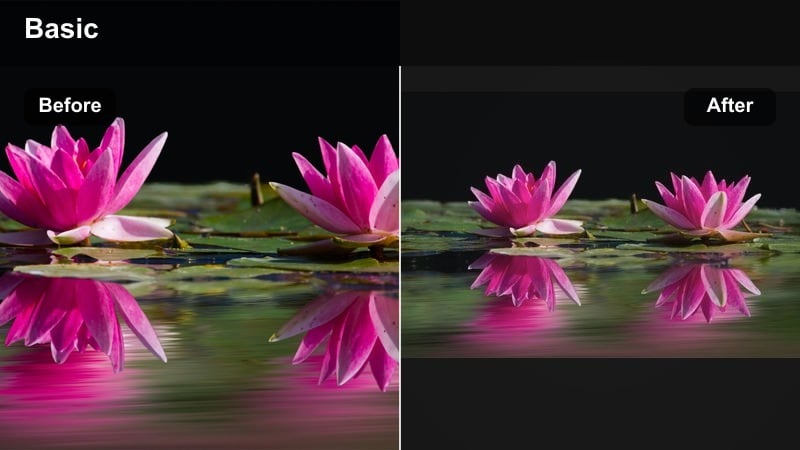
- Effect look: Clean, slightly desaturated tones with crisp whites and minimal contrast for a minimalist, lifestyle aesthetic
- Best for: Cafe receipts, bill-splitting shots, flat-lay date details, and day-in-the-life couple stories
- Editing tip: Crop vertically and keep negative space in your frame; this filter shines with simple compositions and clean backgrounds.
Receipt Tape Date is tailored for minimalist, lifestyle-style shots where text, coffee cups, and small details tell the story. When you bring flat-lay clips into Filmora, this filter brightens whites, slightly lowers saturation, and keeps contrast gentle so receipts, menus, and hands look modern and clean for Instagram.
Use vertical crops and generous negative space to lean into that curated couple instagram social aesthetic. Pair this look with simple title cards or animated text in Filmora so your bill-splitting moments, notes, and ticket snapshots become a cohesive narrative in Reels and Stories.
Pro tip - Lean into text and details
Film quick close-ups of receipts, tickets, or menus and let this clean filter keep text legible and aesthetic. Pair with gentle zooms in or out to make small everyday details feel intentional and story-driven.
Polaroid Date Frame
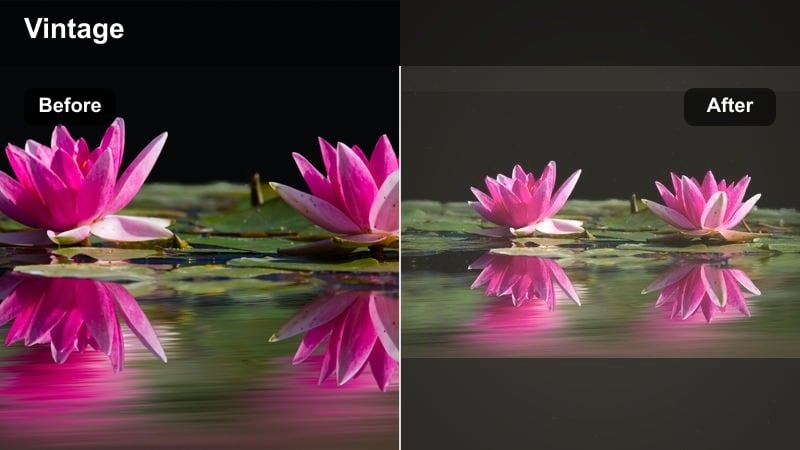
- Effect look: Subtle matte look with lifted blacks, soft film-like colors, and a hint of vintage warmth
- Best for: Photo booth snippets, mirror selfies, instant print moments, and nostalgic couple reels
- Editing tip: Add a slight blur or depth-of-field effect to the background to mimic shallow focus from instant cameras.
Polaroid Date Frame adds a matte finish with gently lifted blacks and warm color shifts, evoking instant film without heavy distortion. In Filmora, this makes mirror selfies, photo booth clips, and physical Polaroid shots feel like one unified, nostalgic couple reel.
Combine the filter with a light vignette or depth-of-field blur so your couple remains the focus while backgrounds fade softly away. To heighten the throwback feel, you can introduce subtle film dust or frame overlays in Filmora, creating a story date effect that looks like it came from an old photo album.
Pro tip - Match photos and video
Apply this filter to both your video clips and any stills you drop into the reel to create a seamless photo-film blend. Use brief pauses on key frames where the couple laughs or looks at each other to emphasize the nostalgic vibe.
Night Romance Filters for Polished Social Glow
City Lights Glimmer
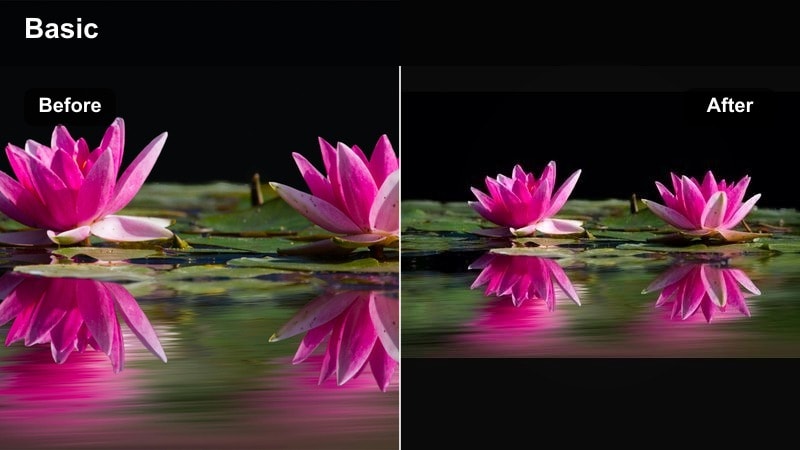
- Effect look: Rich contrast with boosted saturation in warm tones and subtle bloom on streetlights and city signs
- Best for: Night walks, rooftop bars, city skyline shots, and date night reels under neon or streetlights
- Editing tip: Slightly slow down your clips or use subtle speed ramps so the glowing lights and movements feel more cinematic.
City Lights Glimmer is made for neon nights, boosting warm tones and adding a delicate bloom to streetlights while preserving rich contrast. In Filmora, this filter instantly transforms handheld city walks or rooftop bar scenes into polished, cinematic couple content ideal for Instagram Reels.
To keep your faces visible, use selective exposure or masks to lift brightness on skin while letting the background keep its dramatic glow. Combine this filter with slow motion or gentle speed ramps so passing cars, reflections, and neon signs feel like part of a smooth, romantic social edit rather than random noise.
Pro tip - Keep faces visible in low light
Use selective exposure tools to brighten faces slightly without overexposing neon or streetlights behind you. If there is heavy noise in dark areas, add a light denoise effect before applying this filter to maintain clarity.
Candlelit Blur
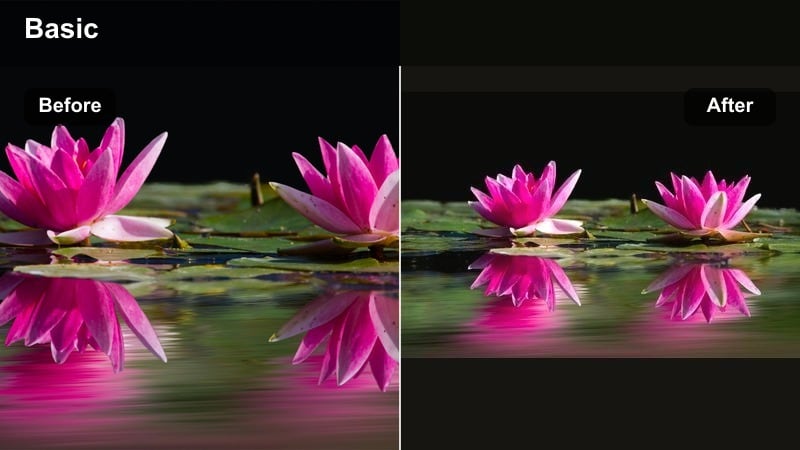
- Effect look: Soft-focus glow around warm light sources with gently lowered clarity and rich orange-gold tones
- Best for: Dinner dates, home-cooked evenings, cozy living room scenes, and romantic close-up shots
- Editing tip: Stabilize handheld clips and keep camera movement slow so the candlelight glow feels intentional, not shaky.
Candlelit Blur wraps your scene in golden, soft-focus warmth, emphasizing candles, lamps, and fairy lights while slightly lowering clarity. In Filmora, applying this filter to tight shots of faces, hands, and table details makes home dinners and intimate dates feel like slow, dreamy moments perfect for Stories and Reels.
Use stabilization tools to smooth shaky handheld clips so the glow feels deliberate, not accidental blur. If your footage turns too orange, fine-tune the orange and yellow channels in Filmoras color tools while keeping overall warmth high, preserving the romantic mood without overdoing skin saturation.
Pro tip - Let highlights breathe
Avoid exposing too bright at capture; it is better to keep candle flames slightly dim and then add glow with the filter. If skin tones become too orange, lower the saturation in orange hues instead of turning down global warmth.
Twinkle Fairy Fade
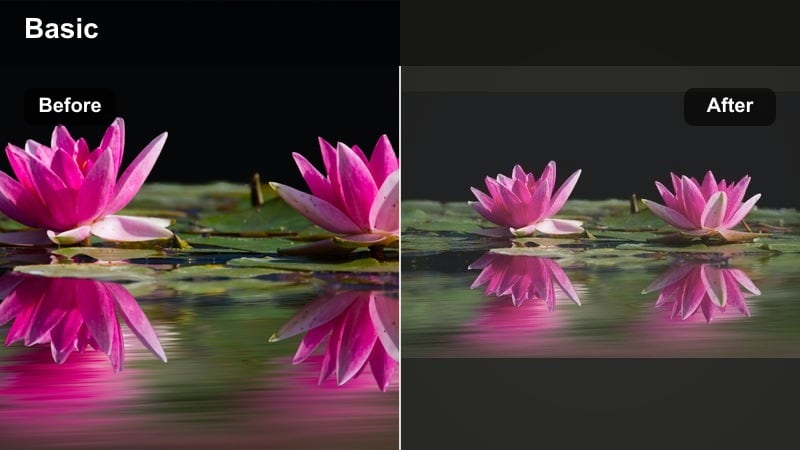
- Effect look: Gentle faded contrast with lifted blacks and enhanced sparkle on fairy lights and background bokeh
- Best for: Balcony setups, backyard lights, Christmas markets, and dreamy night couple stories
- Editing tip: Add a slow push-in zoom on clips with fairy lights to emphasize the soft bokeh and romantic atmosphere.
Twinkle Fairy Fade lifts your blacks and slightly fades contrast to create a soft, airy night look while boosting the sparkle of fairy lights and bokeh. In Filmora, it is ideal for balcony setups, backyard gatherings, and seasonal markets where tiny lights frame your couple in the background and foreground.
Use slow push-in zooms or gentle camera slides to let the bokeh move and shimmer, turning simple shots into magical, dreamy couple reels. If the fade feels too strong, you can restore some midtone contrast while keeping blacks lifted, balancing a dreamy atmosphere with enough detail for Instagram viewing on small screens.
Pro tip - Use depth for extra sparkle
Place fairy lights both in the foreground and background so this filter can create layered, sparkling bokeh. If the fade looks too flat, gently increase midtone contrast while keeping blacks slightly lifted for that dreamy touch.
Trendy Filters for Couple Reels and Viral Clips
Viral Split Tone
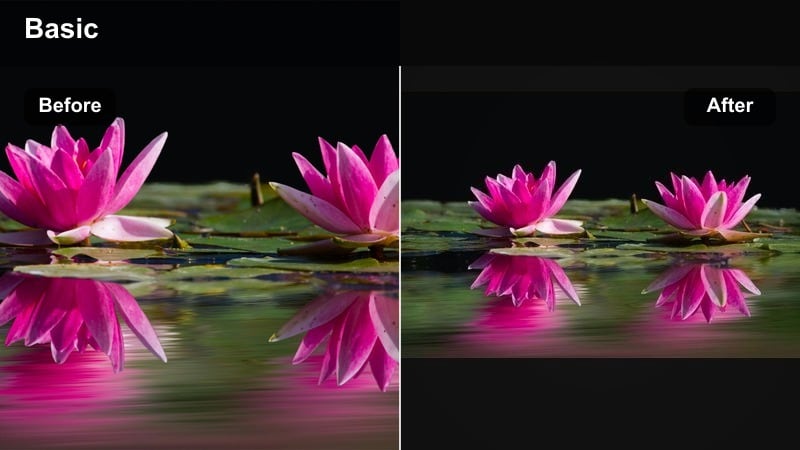
- Effect look: Modern split-toned style with cool shadows, warm highlights, and punchy contrast tailored to Reels
- Best for: Transition reels, outfit changes, travel montages, and on-trend couple challenges
- Editing tip: Match the beat of your audio by cutting on strong drum hits, then keep this filter consistent across all cuts for a cohesive look.
Viral Split Tone gives your couples content a bold, modern edge with cool shadows, warm highlights, and crisp contrast that suits fast-paced Reels. In Filmora, it is perfect for transitions, outfit changes, and challenge videos where every cut needs to feel sharp and algorithm-ready.
Build your edit around the music, cutting on beats and applying this filter across every angle so the color style ties the whole reel together. If colors start to feel too intense, lower global saturation slightly and let the split tones and contrast deliver the visual impact your couple instagram social feed needs.
Pro tip - Avoid over-saturation
If bold colors start to clip, lower global saturation slightly and rely on contrast and split tones for impact instead. Use this filter at full strength on wide shots, then reduce intensity a bit on close-ups to keep skin natural.
Grainy Story Tape
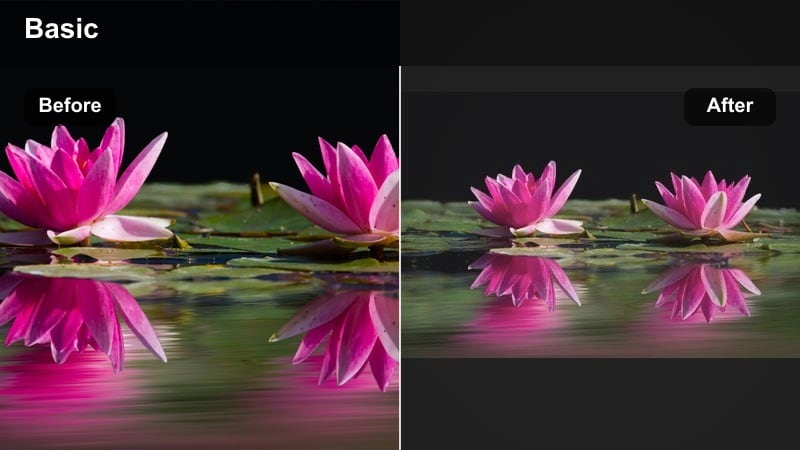
- Effect look: Subtle film grain, slightly muted saturation, and a tape-style faded edge for nostalgic reels
- Best for: Story-style vertical montages, weekend recaps, and casual behind-the-scenes couple content
- Editing tip: Keep clips short and stack multiple angles in a single reel so the grain and tape feel intentional and dynamic.
Grainy Story Tape adds a delicate film grain and soft faded border that turns simple vertical clips into analog-feeling story tapes. In Filmora, this filter is ideal for weekend recaps and behind-the-scenes couple content, making everyday moments feel curated yet casual enough for Instagram Stories.
Stack short clips back-to-back with quick cuts so the grain and tape aesthetic feel purposeful and rhythmic. If your original footage is noisy, lightly denoise it in Filmora first, then apply this effect so the added grain looks cinematic instead of messy.
Pro tip - Use grain as a unifier
Apply this grainy filter across clips from different days to make the full recap reel feel cohesive. If the footage is already noisy, slightly denoise first and then add this controlled grain so the texture stays pleasing.
Clean Influencer Glow
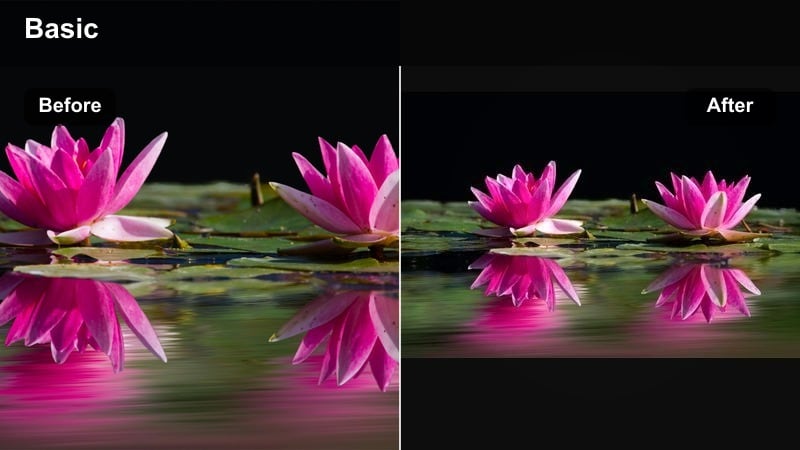
- Effect look: Bright whites, lifted midtones, and subtle skin-friendly glow tuned for influencer-style feeds
- Best for: Lifestyle vlogs, morning routines, get-ready-with-me couple reels, and brand-friendly posts
- Editing tip: Keep shadows soft and avoid heavy contrast so overlays, captions, and brand tags remain easy to read.
Clean Influencer Glow is built for bright, airy feeds, lifting midtones and polishing whites while keeping skin smooth and flattering. In Filmora, this filter works beautifully on morning routines, home vlogs, and brand-friendly clips where clarity and skin-friendly glow matter as much as style.
Use consistent white balance across your shoots so this filter delivers the same clean look on every new upload. Keep contrast moderate so text overlays, stickers, and tags remain easy to read on Instagram, ensuring your couple instagram social presence looks professional and cohesive on the grid.
Pro tip - Think in grid, not just reels
Test how this filter looks on your profile grid by exporting a frame; adjust warmth and exposure so it matches your existing brand aesthetic. Use consistent white balance across shoots so this clean glow filter delivers the same polished look on every new post.
Tips for Using Couple Instagram Social Filters in Filmora
- Shoot with similar lighting and white balance across your couple clips so filters enhance your look instead of fixing mismatched footage.
- Keep filter intensity between 50-80 percent for most scenes to avoid over-editing and preserve natural skin tones.
- Use one main filter per reel and only minor tweaks between clips to maintain a consistent romantic aesthetic.
- Export a short test reel and watch it on your phone before posting to check if the glow and contrast feel right on Instagram.
- Pair your filters with fitting audio, smooth cuts, and simple text overlays so the visuals and storytelling feel cohesive.
- Save your favorite Filmora presets and reuse them on new date nights to keep your couple instagram social style instantly recognizable.
- Mix soft romantic filters for close-ups with bolder, trendy looks for wide shots, but keep the overall color temperature similar.
- Use Filmoras AI color and preset tools to quickly match new clips to your best-performing couple reels and stories.
With the right couple video filters for Instagram, even simple clips of holding hands, laughing on the sofa, or walking through the city can feel like mini movie scenes that your audience wants to rewatch and share.
Experiment with these romantic social edits in Filmora, save your favorites as presets, and build a consistent, polished glow across every date story and couple reel you post.
