

 100% Security Verified | No Subscription Required | No Malware


 ChatGPT
 Perplexity
 Gemini
 Claude
 Grok
Grok
Romantic couple videos live or die by mood: soft skin tones, warm light, and just enough glow to feel dreamy without looking fake. The right couple video filters can instantly turn a simple date clip into a polished love story ready for YouTube, Instagram, or Reels.
Below are 12 Filmora filter ideas built for couples and lifestyle creators. Each one focuses on balanced skin tones, flattering light, and subtle couple video effects so your date vlogs and romantic edits look cinematic, cohesive, and easy to replicate.
In this article
Warm Romantic Glow Filters
Golden Hour Soft Glow
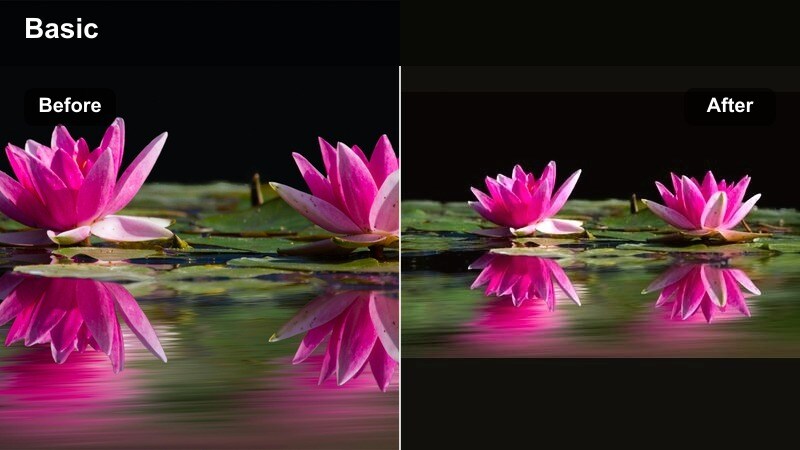
- Effect look: Warm, sun-kissed glow with softened highlights that mimics sunset light on skin.
- Best for: Outdoor date videos, beach walks, golden hour picnics, and engagement-style shots.
- Editing tip: Lower intensity to around 40–60 percent to keep skin tones natural, and slightly reduce contrast if your original footage was shot in harsh midday light.
A flattering warm filter that wraps your couple shots in gentle golden light without blowing out highlights. In Filmora, Golden Hour Soft Glow works especially well when you want to fake a sunset vibe from footage that was shot earlier in the afternoon or when the sky was not quite as magical as you hoped.
Apply the filter, then fine-tune exposure and contrast so both faces sit comfortably in the midtones. Use Filmora masks if one partner is closer to the sun and appears brighter, and remember to keep highlight detail in hair and clouds by watching your scopes while you adjust the intensity slider.
Pro tip: Match glow to real light in your scene
If your footage was shot in cloudy or indoor light, reduce the glow and warmth so the effect still feels believable rather than obviously filtered.
To keep skin from turning orange, nudge the temperature up slightly but pull the saturation down a touch in Filmora’s color panel.
Instant Couple Aesthetics with Filmora’s AI Color Tools
Filmora’s AI-powered color and filter tools help you lock in balanced skin tones and romantic glow with almost no manual grading. Start with a preset that fits your couple vibe, then let AI refine exposure, white balance, and tone for every clip.
You can save your favorite adjustments as a custom preset, so every new date vlog or romantic edit stays consistent with just one click. It is an easy way for couples and lifestyle creators to develop a recognizable visual style.
Open Filmora, apply a romantic filter preset to a short couple clip, and use AI enhancements to fine-tune skin tones before building your full edit.
 secure download

Preview Romantic Filters on Your Own Date Footage
Instead of guessing how a couple video filter will look, drag your real date clips to the Filmora timeline and quickly cycle through presets. Watch how each one treats highlights on your faces, background lights, and outfit colors.
This quick demo approach helps you choose a filter that looks good across indoor and outdoor shots, so your final edit feels cohesive from the first hug to the last goodbye scene.
Import 3–5 different date clips into Filmora and test at least three warm romantic filters side by side to see which one flatters your real lighting setup.
secure downloadBuild a Reusable Couple Filter and LUT Library
Once you dial in a look that flatters both partners, save it as a preset or export the settings as a LUT. This lets you apply the same couple video effects to future trips, anniversaries, and proposal edits without rebuilding from scratch.
Over time, you can organize presets for daytime dates, night city walks, indoor cozy scenes, and special events, making it easy to keep your couple content consistent across platforms.
Create a project folder labeled with your preset title, then save your favorite romantic filter and LUT variations there so you can reuse them on future couple videos.
secure downloadCandlelit Romance
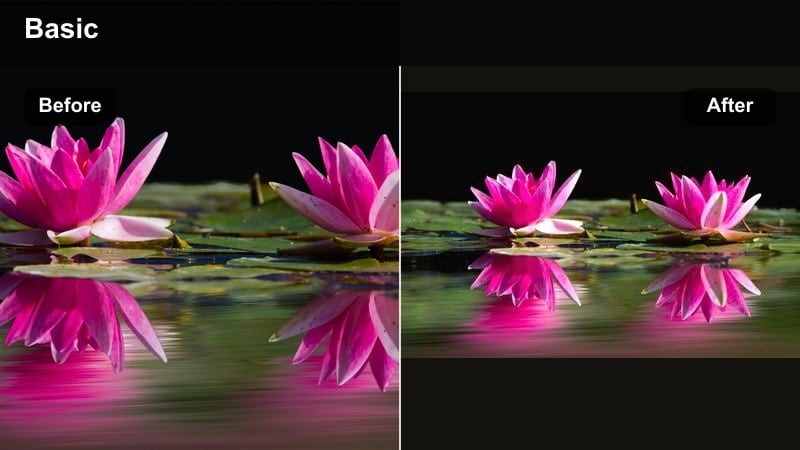
- Effect look: Soft, low-contrast glow with warm highlights that imitate candle or string-light ambience.
- Best for: Indoor dinner dates, anniversary celebrations, cozy night-in vlogs, and proposal teasers.
- Editing tip: Add a subtle vignette to draw attention to faces and reduce sharpness slightly so the candlelight looks dreamy instead of noisy.
Candlelit Romance creates a cozy, intimate mood perfect for romantic dinner scenes and low-light couple clips. In Filmora, it helps smooth out harsh digital noise from small cameras or phones while keeping the warm sparkle in candles and fairy lights.
Apply the filter, then gently raise exposure if your faces are too dark, and use the vignette controls to keep the viewer’s eyes centered on the table. If your camera introduced color shifts in mixed lighting, use Filmora’s white balance sliders to unify the scene before dialing in the final glow intensity.
Pro tip: Tame noisy shadows in low light
Low-light scenes often have grain, which glow filters can exaggerate. Use a light touch of noise reduction before adding the filter.
If skin looks too yellow, push the tint slightly toward magenta to balance the warmth from the candles.
Rosy Date Glow
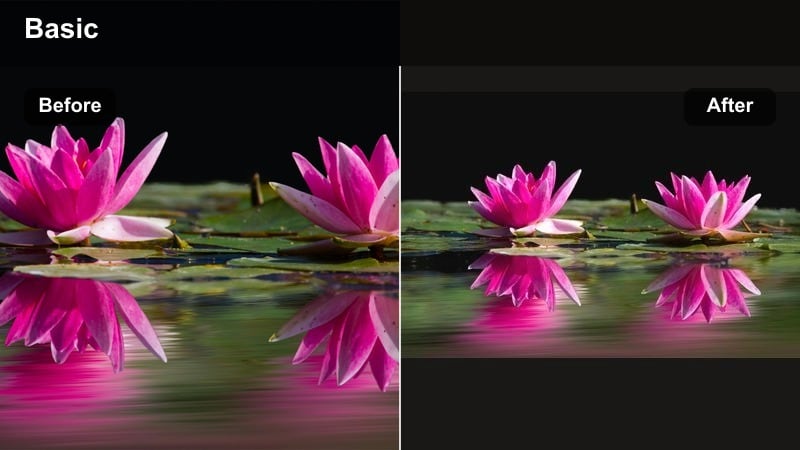
- Effect look: Soft pink highlights and gentle warm midtones for a subtle romantic blush effect.
- Best for: First-date vlogs, proposal reveals, and close-up couple shots where expressions matter.
- Editing tip: Apply the filter and then slightly reduce saturation on reds to keep lips and skin from becoming too intense on camera.
Rosy Date Glow adds a natural-looking blush that flatters both partners during emotional close-ups. It is especially effective when you want reactions, smiles, or a surprise proposal reveal to feel warmer and more heartfelt without obvious color grading.
In Filmora, combine this filter with gentle skin smoothing and eye enhancement to create a polished portrait look. Check red and magenta saturation in the HSL panel so lipstick, flowers, or decor do not overpower your faces, and keep the effect subtle on medium to deep skin tones for a believable finish.
Pro tip: Use rosy tones as a subtle accent
Keep pink tones slight so they support skin instead of overpowering the scene, especially on medium to deep skin tones.
If your background has bright reds or pinks, tame them with selective color so they do not steal attention from your faces.
Balanced Skin Tone Filters for Couples
Neutral Soft Portrait
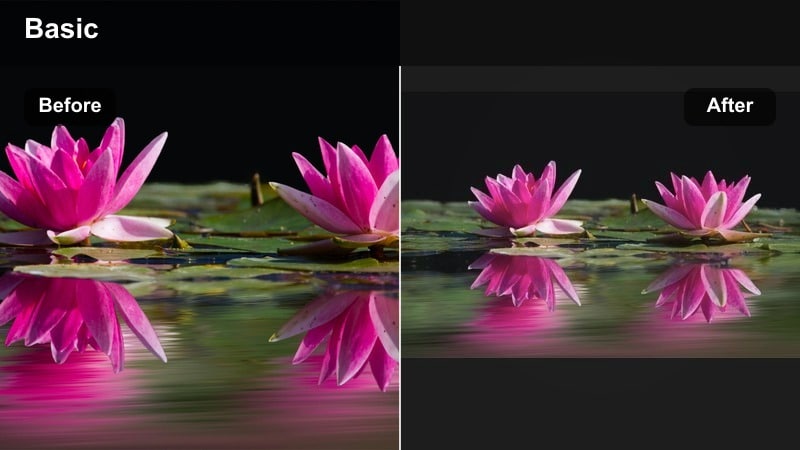
- Effect look: Clean, neutral color with softened contrast and slight smoothing that flatters all skin tones.
- Best for: Talking-to-camera couple videos, Q&A sessions, storytime vlogs, and intros for romantic edits.
- Editing tip: Use this as a base look, then stack a very gentle warm filter on top when you shift into date b-roll or montage sequences.
Neutral Soft Portrait is a reliable everyday couple filter that keeps both partners’ skin tones natural and even across different lighting. It is a strong base grade for sit-down videos where clarity and authenticity matter more than heavy stylization.
In Filmora, save this setup as a preset and apply it at the start of every new project so your channel’s A-roll always looks consistent. You can then add warmer, more romantic filters just to b-roll sections, keeping your storytelling clear while still giving date vlogs a cinematic lift.
Pro tip: Balance mixed skin tones in one frame
If you and your partner have different skin tones, start with a neutral filter, then make tiny exposure tweaks with masks if one face appears brighter or darker.
Avoid heavy warm filters in mixed lighting because they can over-shift one partner’s skin while still looking fine on the other.
Soft Olive Balance
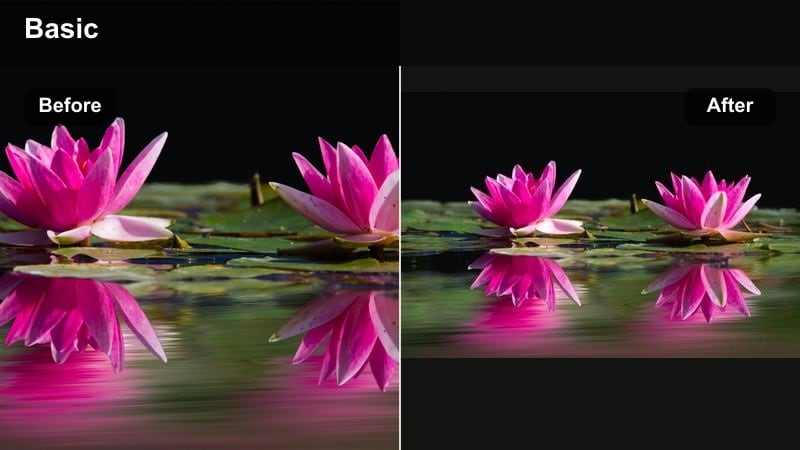
- Effect look: Gentle, slightly warm neutral grade that keeps olive and tan skin from going too orange or green.
- Best for: Outdoor brunch dates, travel vlogs in bright sun, and rooftop hangouts during the day.
- Editing tip: Dial back saturation in greens slightly so grass or trees do not spill color onto skin, then add a touch of clarity to eyes.
Soft Olive Balance is designed for outdoor couple footage, protecting natural skin tones while still delivering a polished lifestyle look. It is ideal when you film around grass, foliage, or brightly painted walls that can cast unwanted color onto your faces.
Within Filmora, use the HSL tools to desaturate greens and yellows while this filter is active, then bring back micro-contrast in eyes and hair with subtle clarity or sharpening. This keeps complexions true-to-life in full sun, even when your backgrounds are packed with bold colors.
Pro tip: Control green spill from backgrounds
Trees, grass, and colored walls can cast tints onto skin; use HSL tools to desaturate those hues while the filter is active.
If skin still leans green, slide the tint slightly toward magenta and recheck across a few different frames.
Soft Matte Comfort
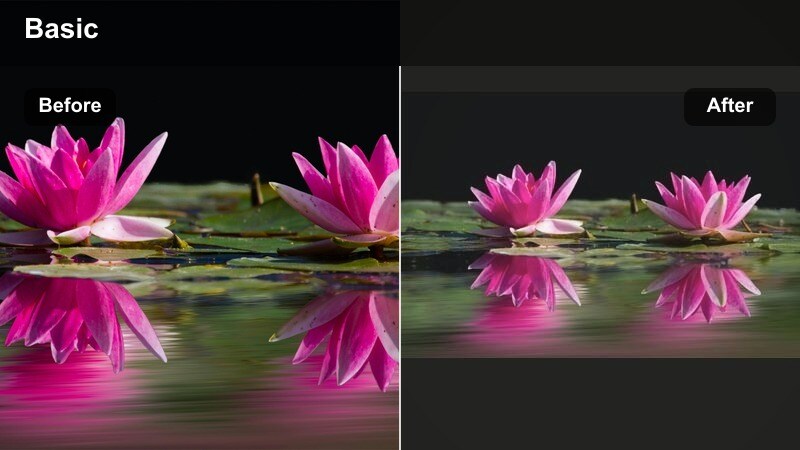
- Effect look: Low-contrast, lightly matte finish that gently reduces shine on faces without looking flat.
- Best for: Cozy apartment vlogs, lazy Sunday montages, and casual everyday couple content.
- Editing tip: Add a tiny bump in sharpness on eyes and eyelashes while keeping overall contrast low for a calm, intimate feel.
Soft Matte Comfort brings a matte, cinematic touch that helps control oily highlights and adds a calm mood to everyday clips. It is great for vlog-style sequences where you are in comfy clothes on the sofa, cooking, or relaxing at home.
In Filmora, reduce overall contrast, then slightly lift blacks to soften harsh edges while preserving enough structure in midtones. Add selective sharpening to eyes and key details like coffee cups or hands intertwined so the scene feels intimate but not dull.
Pro tip: Use matte looks to calm busy scenes
If your background is visually busy, a soft matte filter helps draw focus to faces and hands instead of clutter.
Avoid over-matting; keep a subtle S-curve in contrast so the image still feels alive and three-dimensional.
Cinematic Filters for Romantic Edits
Teal & Amber City Date
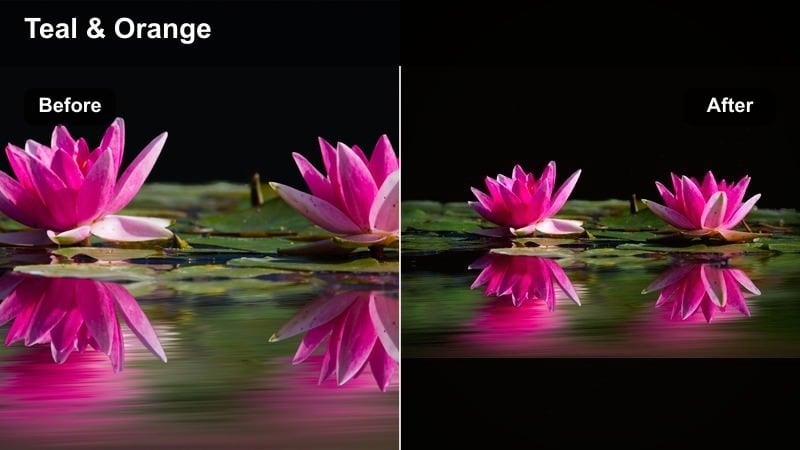
- Effect look: Modern teal shadows with warm amber highlights for a cinematic city vibe.
- Best for: Night city walks, fairground dates, and neon-lit b-roll sequences.
- Editing tip: Apply this filter mostly to wide b-roll shots and keep close-up talking clips more neutral to preserve natural skin tones.
Teal & Amber City Date turns urban night walks into movie-like sequences with cool shadows and golden highlights. It is perfect when your date footage includes streetlights, arcades, or fairground rides that already have strong color contrast.
Use Filmora’s keyframing and masking to apply the strongest grade to wide b-roll while leaving close-up shots slightly more neutral. After adding the filter, reduce blue and cyan saturation if skin starts to drift toward teal, and adjust intensity until the style supports your story instead of overpowering it.
Pro tip: Keep eyes and skin natural in stylized grades
After applying teal-and-amber looks, selectively pull saturation down in blues and cyans to prevent skin from drifting toward teal.
If the scene feels too dramatic for a lighthearted vlog, lower filter intensity until it supports the mood instead of changing it.
Soft Film Date Vlog
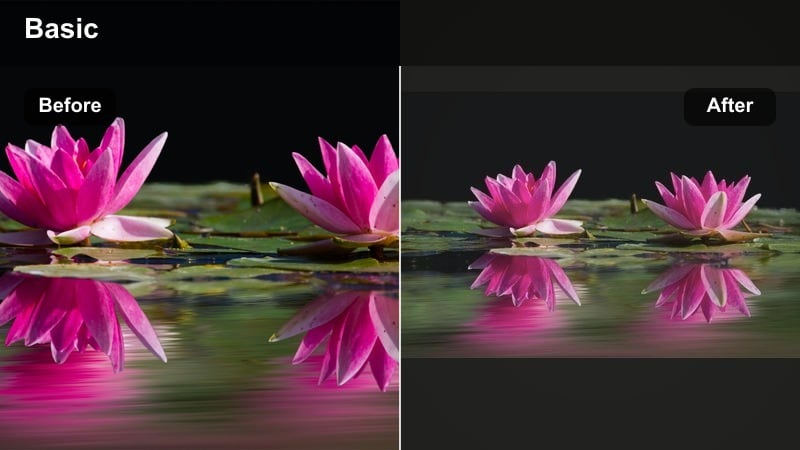
- Effect look: Gentle film-style fade in blacks, mild grain, and slightly lifted shadows for a nostalgic movie feel.
- Best for: Montage sequences, flashback moments, and story recaps of your relationship or travel dates.
- Editing tip: Keep fake grain subtle and pair with slow crossfades to sell the nostalgic feeling instead of making the clip look old or damaged.
Soft Film Date Vlog brings classic movie character to your couple edits with a light fade and touch of grain. It works beautifully for memory-style recaps, anniversaries, or travel highlight reels that tell your story over time.
In Filmora, start with a neutral correction, then add this filter and gently lift the blacks to avoid pure, inky shadows. Keep the grain slider modest so your footage feels cinematic rather than aged, and combine with slower transitions and softer background music to emphasize the emotional tone.
Pro tip: Use film fade to support story structure
Reserve film-style filters for flashbacks or highlight sections so viewers instantly sense a time shift in your narrative.
Pair with gentle background music and slower pacing to enhance the emotional tone of the sequence.
Cinematic Street Romance
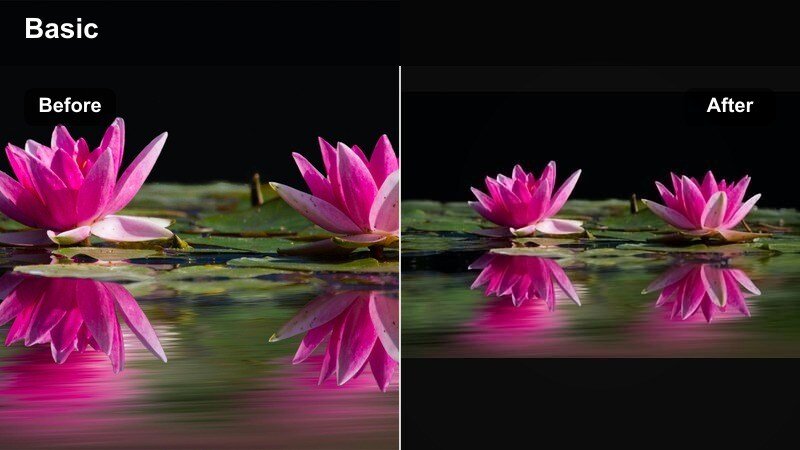
- Effect look: Rich contrast, deep but clean shadows, and slightly cool midtones for dramatic street scenes.
- Best for: Rainy day dates, umbrella walks, and dramatic slow-motion shots in urban locations.
- Editing tip: Shoot with a bit of negative space in the frame; this filter looks best when there is room for deep, moody shadows.
Cinematic Street Romance adds a dramatic edge to moody weather and urban backdrops while keeping skin tones under control. It is ideal for slow-motion walks, rainy embraces, or reflective moments between busy city scenes.
In Filmora, deepen contrast carefully with curves, making sure you still see texture in hair, coats, and wet streets. If highlights on faces start to clip, pull overall exposure down before applying the filter, then fine-tune saturation so the cool midtones feel stylized but not lifeless.
Pro tip: Lean into contrast without crushing detail
Use curves to deepen shadows only after confirming you can still see texture in hair, jackets, and dark backgrounds.
If highlights on faces clip, pull down overall exposure slightly before applying the filter so the look remains controlled.
Date Vlog and YouTube Couple Filter Essentials
Day-in-Our-Life Vlog
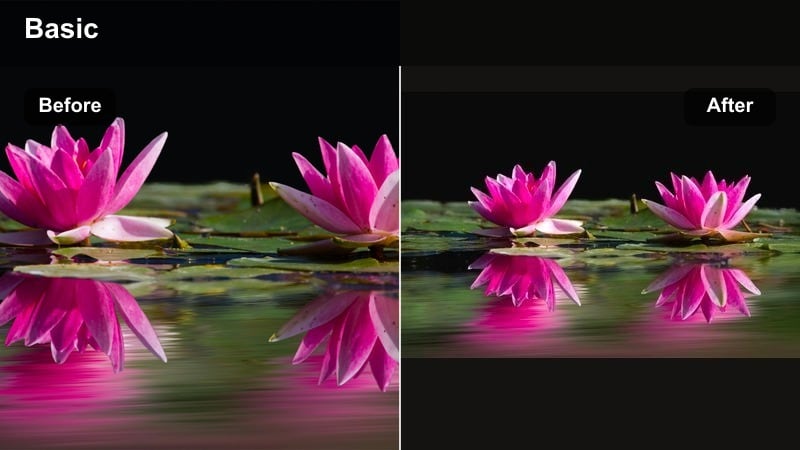
- Effect look: Clean, bright, vlog-style color with soft highlights and a slight push toward warm neutrals.
- Best for: Daily couple vlogs, morning routines, grocery date videos, and casual lifestyle content.
- Editing tip: Keep exposure slightly on the bright side and use this filter consistently across clips to build a recognizable channel style.
Day-in-Our-Life Vlog is a YouTube-ready base filter that keeps your couple content bright, relatable, and consistent. It is built for everyday routines and casual videos where you want an inviting, lifestyle look that still appears natural.
In Filmora, apply this preset to all A-roll and most b-roll, then save it as your default project look for the channel. Slightly overexpose in-camera and fine-tune in the color panel so whites stay clean, skin looks healthy, and your thumbnails match the final video style.
Pro tip: Turn your filter into a channel signature
Save your favorite Filmora adjustments as a preset so every couple video starts from the same bright, polished base.
Audiences associate color with your brand, so keep this look stable across thumbnails and long-form vlogs.
Aesthetic Date Vlog Filter
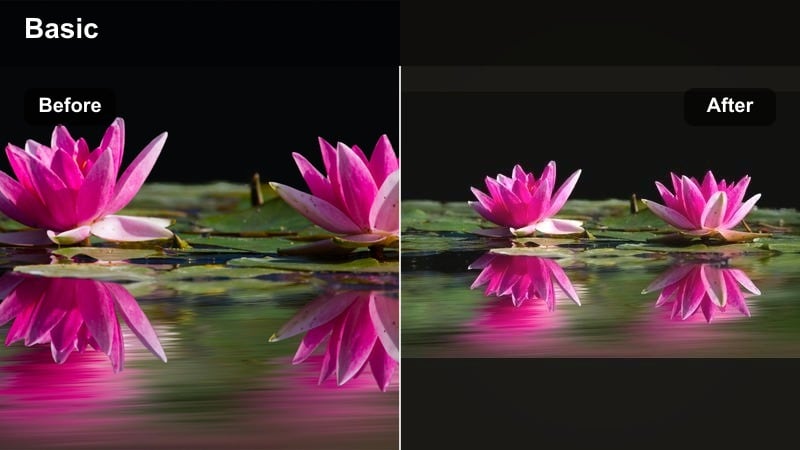
- Effect look: Muted pastel tones, slightly lowered contrast, and a gentle warm tint for a soft aesthetic feed.
- Best for: Cafe dates, bookstore trips, picnic vlogs, and aesthetic Reels or Shorts compilations.
- Editing tip: Reduce saturation in bright primaries so outfits and decor look cohesive, and apply the same filter to both horizontal and vertical edits.
Aesthetic Date Vlog Filter gives your date videos a soft, Pinterest-style mood that performs well on Instagram, TikTok, and YouTube Shorts. It pulls back heavy colors, creating a cohesive palette where skin tones and outfits feel curated.
In Filmora, experiment with HSL to mute bright reds, blues, and greens so signage, packaging, or decor do not compete with your faces. Use this same preset on both vertical and horizontal exports to keep your social feeds visually unified, then create a slightly brighter variant just for eye-catching thumbnails.
Pro tip: Keep your grid and channel visually cohesive
Use this filter on both photos and videos where possible so your feed looks unified when viewers scroll.
Create a separate slightly brighter version for thumbnails so they pop without breaking your aesthetic.
Date Night Luxe
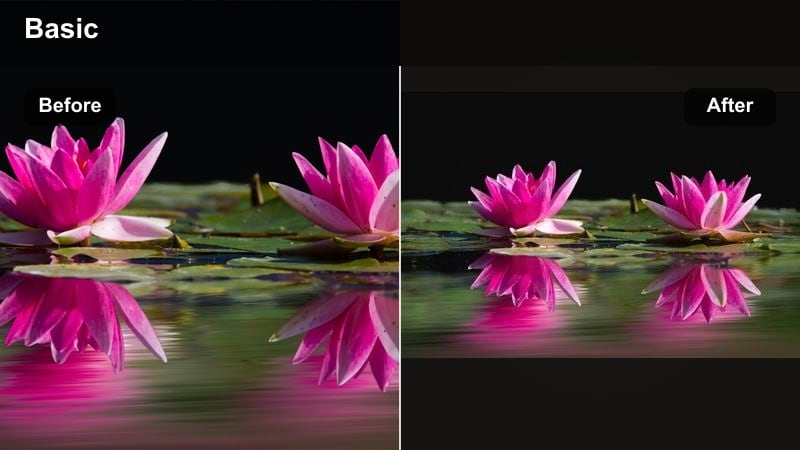
- Effect look: Rich midtones, controlled highlights, and subtle warm contrast that feels polished and premium.
- Best for: Anniversary dinners, dress-up nights, hotel dates, and more formal couple occasions.
- Editing tip: Add a light vignette and a bit of sharpening on jewelry, glasses, or decor to accent the luxury feel.
Date Night Luxe elevates fancy evenings into cinematic sequences suitable for YouTube, TikTok, or wedding-style reels. It emphasizes rich midtones and controlled highlights, keeping skin glowing while table decor and outfits appear elegant.
Within Filmora, combine this filter with gentle vignetting and local sharpening to highlight rings, glasses, or restaurant details. Use it only on elevated scenes within a vlog so viewers feel a clear shift from casual daytime footage into a more glamorous atmosphere.
Pro tip: Separate casual and luxe looks in your edits
Use this luxe filter only for elevated scenes so viewers feel a clear shift when you move from daily life to special occasions.
If switching between looks in one edit, cut on music beats or transitions so the visual change feels intentional and smooth.
Tips for Using Couple Video Romantic Filters in Filmora
- Shoot slightly flatter in-camera so Filmora’s couple video filters have room to add contrast and glow without clipping highlights or crushing shadows.
- Pick one or two core filters for your entire couple channel so subscribers start to recognize your romantic visual style.
- Always check skin tones on both partners in multiple clips before committing to a filter, especially when filming indoors and outdoors in the same vlog.
- Reduce saturation on bright reds and greens after applying romantic filters to keep the focus on faces and hands instead of background distractions.
- Use softer, warmer filters for slow romantic moments and cleaner neutral filters for talking segments and Q&A sections.
- Adjust filter intensity instead of stacking too many effects; one well-tuned preset usually looks better than several strong filters combined.
- For date vlog filters, test how your look appears on mobile screens since most viewers will watch your couple content on phones.
- Set white balance before applying filters so the effect remains consistent between different locations in your romantic edit.
Couple video filters should enhance the emotion already in your footage, not bury it under heavy effects. By focusing on romantic glow, balanced skin tones, and a few cinematic looks, you can turn simple date clips into polished stories that feel intentional and cohesive across YouTube and social platforms.
Experiment with a handful of Filmora presets, then refine and save your favorites as go-to couple looks. Once you have a reliable set of filters for everyday vlogs, cinematic edits, and special occasions, every new romantic video becomes faster to edit and more on-brand for your shared story.
