

 100% Security Verified | No Subscription Required | No Malware

Daily vlog filters for Instagram can turn simple clips into aesthetic stories that feel cohesive, cinematic, and on brand. With the right IG video color grade, your everyday coffee runs, work days, and travel moments instantly look more intentional and professional.
Below are 12 curated Instagram vlog filters designed for creators and reels vloggers who want quick, repeatable looks. Use them on Reels, Stories, and IGTV vlogs to build a recognizable aesthetic without spending hours color grading every video.
In this article
Soft Aesthetic Daily Vlog Filters
Soft Morning Glow
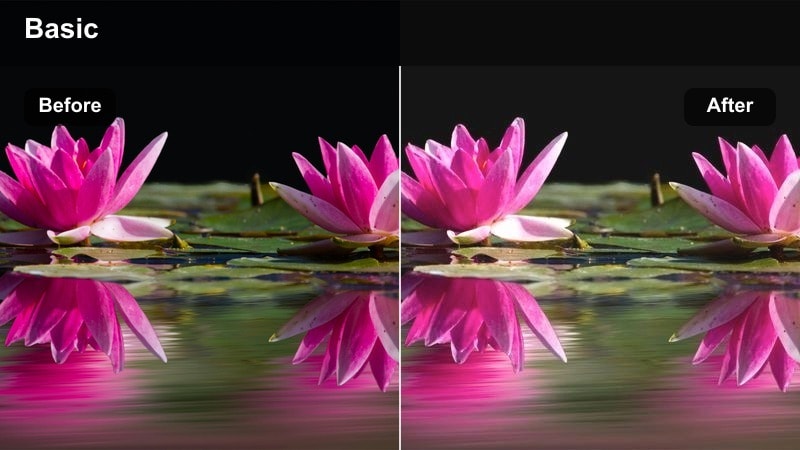
- Effect look: Gentle pastel tones with soft highlights and a subtle warm tint that makes morning routines look cozy and dreamy.
- Best for: Slow morning vlogs, coffee clips, journaling shots, and bedroom or desk setups with natural window light.
- Editing tip: Lower the filter intensity to around 60 to keep skin tones natural and slightly raise exposure if your room is dim.
Soft Morning Glow wraps your daily morning vlog footage in a warm, pastel atmosphere that instantly feels intentional on Instagram. It smooths out harsh shadows from early light, gently brightens key areas like your coffee mug or notebook, and keeps whites softly creamy instead of stark. The subtle warm tint adds that cozy, just woke up vibe that works perfectly for Reels and Stories that focus on slow routines.
In Filmora, apply this filter to your entire morning sequence, then fine tune exposure and warmth per clip so your skin stays natural. Use keyframing to slightly increase brightness when you move closer to the window and decrease it when you step back into the room. Combine Soft Morning Glow with Filmora text templates and gentle transitions for a cohesive aesthetic that you can reuse as your signature morning look.
Match Your Daily Vlog Filters With AI Color Tools
Instead of guessing what look fits your clips, use Filmora s AI driven color tools to analyze your video and suggest a matching aesthetic. This keeps your daily vlog filters for Instagram consistent, even when you film in different lighting and locations.
You can start with a neutral grade, then let AI refine exposure, contrast, and color temperature before you stack stylistic filters on top. The result is smoother IG video color grade workflows and less trial and error for every new reel or story.
 secure download

Preview Daily Vlog Filters on Reels, Stories, and IGTV
Filmora lets you preview multiple filters on the same clip in real time so you can quickly decide what suits a morning routine versus a night drive. This saves you from exporting several test videos to Instagram just to compare looks.
You can duplicate a clip on the timeline, apply different vlog filters to each copy, and play them back side by side. Once you pick your favorite, save it as a preset that you always use on your aesthetic Instagram vlog series.
secure downloadTurn Your Favorite Instagram Vlog Filter Into a Reusable LUT
When you find a look you love, Filmora allows you to save its color settings and turn them into a LUT style preset. This means you can apply the same aesthetic across mobile clips, camera footage, and even horizontal YouTube vlogs in one click.
Keeping a small library of two or three go to grades helps your audience recognize your style instantly. Use one LUT for bright lifestyle vlogs, one for cinematic evenings, and one neutral option for long talking segments.
secure downloadMinimal Cream Diary
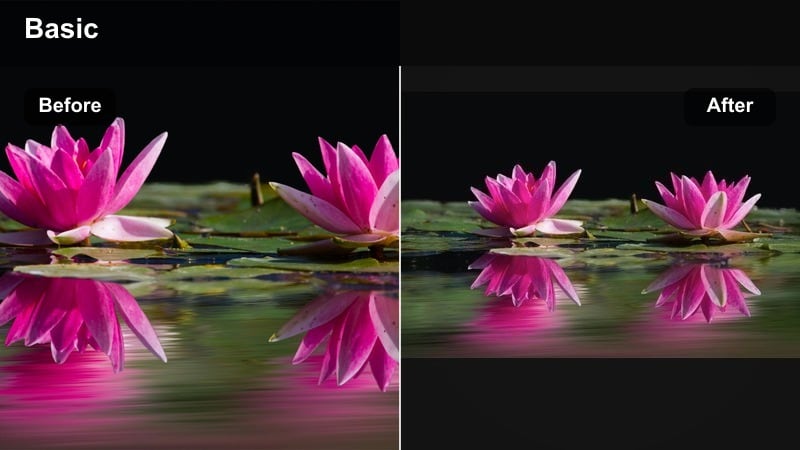
- Effect look: Creamy whites, softened contrasts, and slightly muted colors for a clean, minimal lifestyle aesthetic.
- Best for: Home diaries, desk tours, flat lays, and neutral outfit clips in a white or beige environment.
- Editing tip: Reduce saturation for strong colors like red or orange to keep the minimal vibe consistent across your feed.
Minimal Cream Diary is designed for creators who love a neutral, lifestyle brand aesthetic on Instagram. It softens contrast, turns whites into creamy tones, and mutes bold colors so your feed looks airy and curated. This works especially well for flat lays, desk setups, and outfits where beige, white, and light wood tones dominate the frame.
Inside Filmora, apply the filter to your entire home vlog sequence, then head into the HSL or color controls to selectively lower saturation on reds and oranges. This keeps random items like labels or decor from stealing attention. Save this combination as a preset so every neutral home story or reel can be graded in one click, keeping your aesthetic Instagram vlog style consistent over time.
Soft Skin Vlog
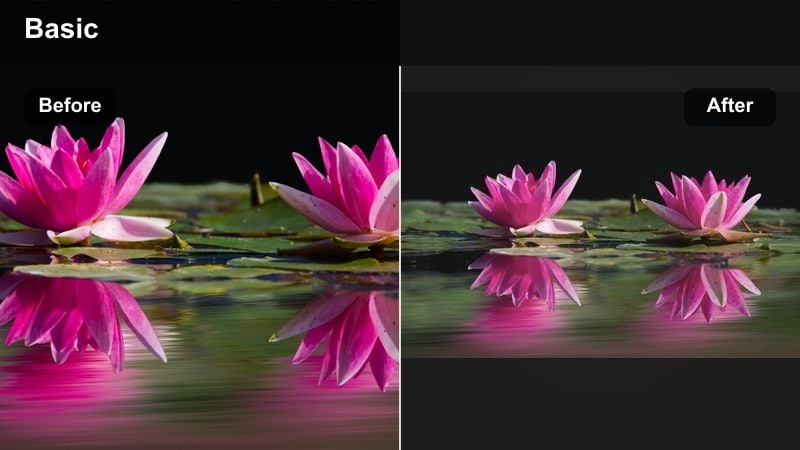
- Effect look: Smooth, flattering skin tones with gentle contrast and minimal color shift for natural looking talking clips.
- Best for: Face to camera vlogs, GRWMs, check in updates, and Q and A style vertical clips.
- Editing tip: Use subtle skin smoothing only and avoid over sharpening to keep your vlog authentic on high resolution screens.
Soft Skin Vlog is built for talking segments where your face is the focus. It keeps colors close to real life but subtly evens skin texture, lifts shadows, and softens contrast so you look rested and polished without an obvious beauty filter. This makes it ideal for GRWM reels, Q and A videos, and check in moments across Stories and IGTV.
In Filmora, combine this filter with the built in face enhancement or skin smoothing at a low strength, then slightly decrease sharpness on close ups to avoid a crunchy look. You can also use Filmora s keyframing to gently adjust exposure as you move in and out of light, keeping your skin tone consistent across cuts so your whole daily vlog feels seamless.
Cinematic Everyday Vlog Filters
Urban Film Wash
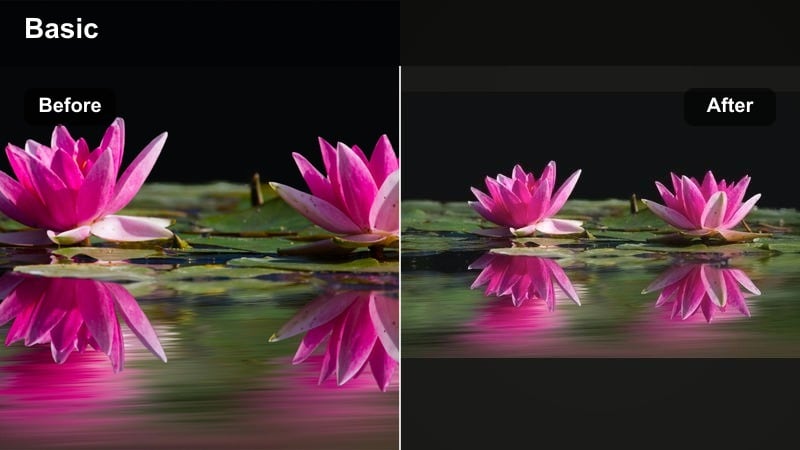
- Effect look: Soft film inspired fade with lifted blacks, cooler shadows, and subtle grain for cinematic city diaries.
- Best for: Street walks, commute clips, coffee shop b roll, and nighttime neon details in the city.
- Editing tip: Add gentle motion blur on transitions and keep clips short to make the film look feel punchy on vertical reels.
Urban Film Wash gives your city vlogs a nostalgic, cinematic feel by lifting the blacks, cooling down shadows, and adding a hint of grain. Lights, signs, and reflections gain a soft film wash that makes everyday commutes and coffee runs feel like stylized diary entries instead of casual phone clips.
When editing in Filmora, apply Urban Film Wash to your b roll sequences, then add a slight vignette and motion blur on key transitions for a more immersive film look. Keep your clips short and rhythmic on the timeline, and sync cuts to the beat of your soundtrack so the film style feels intentional and dynamic on Instagram Reels.
Evening Cinema Vlog
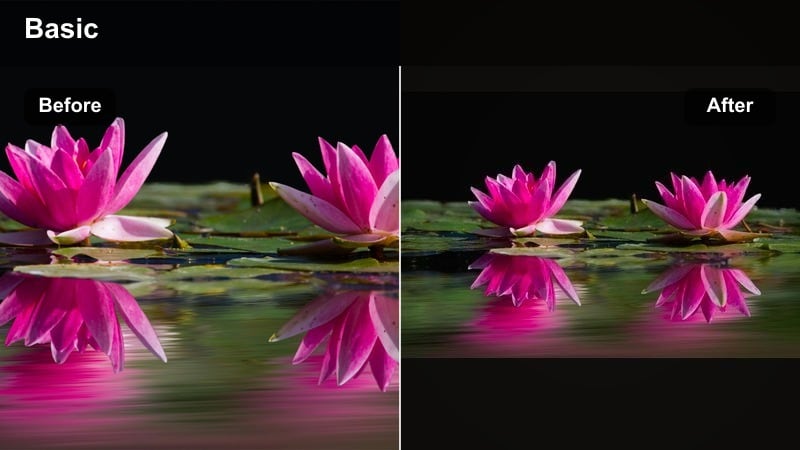
- Effect look: Moody warm highlights with rich contrast and teal shadows that mimic classic evening cinema color grading.
- Best for: Golden hour walks, rooftop sunsets, dinner dates, and nighttime drives.
- Editing tip: Underexpose your footage slightly when filming, then apply this filter and raise shadows to protect glowing highlights.
Evening Cinema Vlog pushes your evening clips into a classic teal and orange inspired movie grade. Warm highlights wrap around skin and lights, while teal shadows deepen the sky, buildings, and background, giving even simple rooftop or street shots a dramatic, cinematic finish fit for Reels and IGTV.
In Filmora, start with slightly underexposed footage, then apply the filter and carefully lift shadows to keep detail without losing the glow of signs and sunsets. Use Filmora s color wheels to fine tune midtones if skin looks too orange, and stack light grain only on select b roll shots so your main talking segments stay clean and Instagram ready.
Documentary Neutral
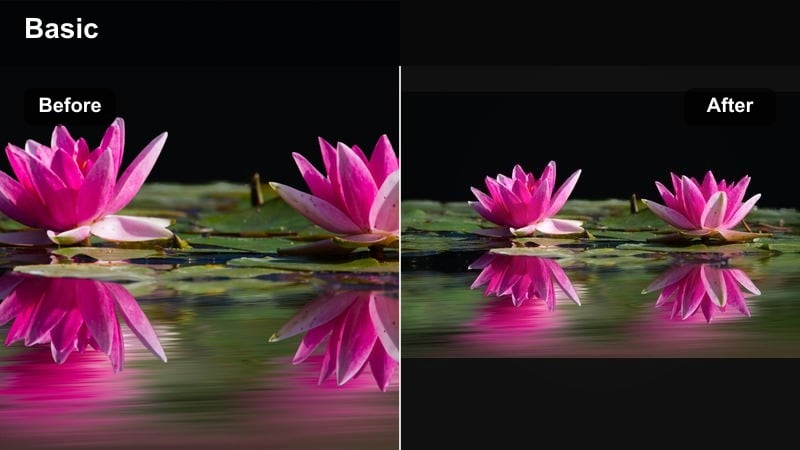
- Effect look: Balanced exposure, true to life color, and gentle contrast that looks professional but not overly stylized.
- Best for: Day in the life vlogs, productivity diaries, and any story driven content where clarity matters.
- Editing tip: Lock white balance when filming and keep this filter at full strength to maintain consistent color across long vlogs.
Documentary Neutral is your go to filter when you want a professional, realistic look without strong stylization. It evens out contrast, balances exposure, and keeps colors true, which is perfect for longer day in the life or productivity vlogs where viewers need to clearly see your workspace, text overlays, and subtle details.
In Filmora, use Documentary Neutral as your baseline grade for all clips in a longer IGTV or multi part Reel series. After applying it, add any additional creative filters only to cutaway shots, leaving your main talking segments clean. This workflow keeps your color consistent, speeds up editing, and lets you reuse this neutral grade as a foundation for future Instagram vlog projects.
Vibrant Lifestyle Instagram Vlog Filters
Bright Market Day
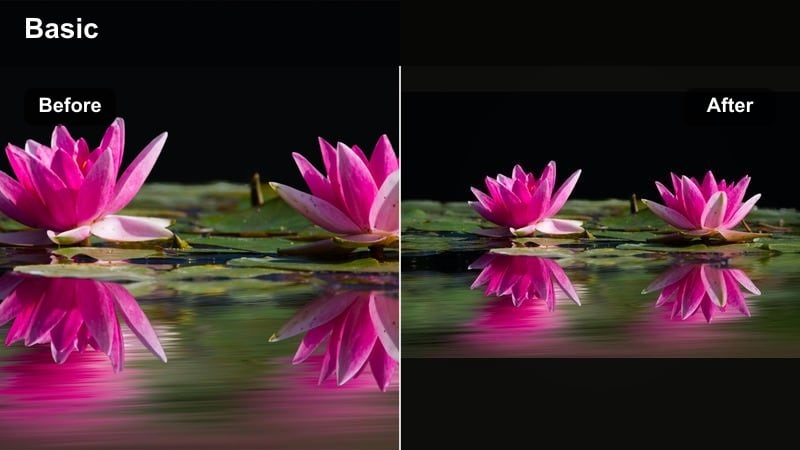
- Effect look: Punchy saturation with crisp whites and lively midtones that make colors in food, flowers, and outfits pop.
- Best for: Farmers markets, brunch vlogs, travel street food, and colorful outfit of the day clips.
- Editing tip: Lower contrast slightly on harsh midday sun shots to avoid clipped highlights while keeping the energy high.
Bright Market Day turns mundane errands into vibrant lifestyle content by boosting saturation and clarity while keeping whites clean. Food, flowers, and bold outfits jump off the screen, making your market strolls, brunch tables, and travel bites feel like high energy travel vlogs on Instagram.
Within Filmora, apply this filter to your outdoor shopping or food sequences and then slightly lower contrast on shots filmed in strong midday sun to keep highlights under control. If skin tones become too intense, use the HSL controls to tame warm colors while keeping greens and blues vivid, so your reel stays lively without looking overprocessed.
Pastel Travel Diary
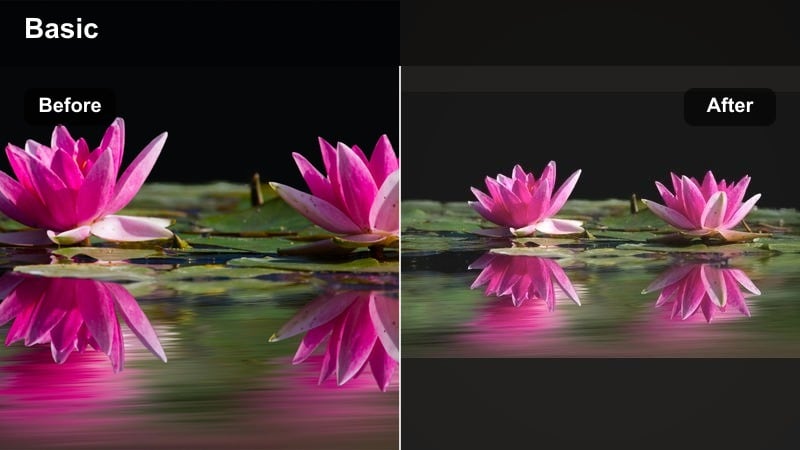
- Effect look: Soft pastel colors with slightly lifted shadows, lower contrast, and a dreamy travel postcard feel.
- Best for: Beach walks, city breaks, parks, and any outdoor daily vlog where the sky is visible.
- Editing tip: Increase sharpness only a little to keep the pastel softness and avoid over crisp details looking harsh.
Pastel Travel Diary is ideal when you want your everyday walks to resemble dreamy travel postcards. It lowers contrast, lifts shadows, and turns skies, buildings, and greenery into soft pastels that flatter both landscape shots and casual outfit clips.
In Filmora, apply this filter to sequences where the sky or open space dominates the frame. Add a light touch of sharpness and clarity so details remain readable while preserving the soft, hazy mood. Combine the grade with slow motion or gentle zooms to enhance the dreamy feel of your Instagram Reels and Stories.
Kitchen Color Pop
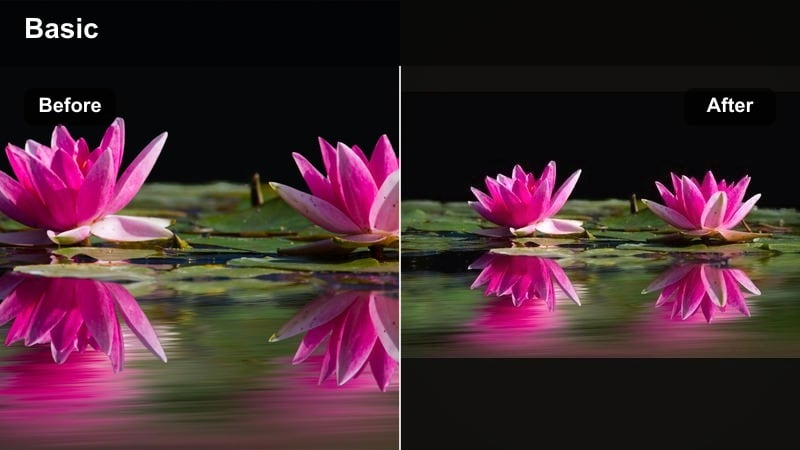
- Effect look: Vibrant yet clean pop on food colors with controlled contrast and slightly warmer whites for cozy kitchen scenes.
- Best for: Cooking vlogs, meal prep, coffee making, and baking reels filmed in home kitchens.
- Editing tip: Reduce saturation on yellows if overhead warm lights create color casts, then raise clarity on food texture details.
Kitchen Color Pop focuses on making ingredients and dishes look appetizing, enhancing reds, greens, and browns while keeping whites warm and inviting. It is tailored for meal prep reels, recipe breakdowns, and cozy coffee routines that you want to share to Instagram in a polished yet homely way.
When editing in Filmora, apply the filter to all your cooking clips, then use color adjustment to tone down strong yellows caused by warm overhead lights. Increase clarity and a bit of contrast on close ups of chopping or plating so textures stand out, and trim shots tightly so viewers stay focused on the food and not the background clutter.
Moody and Retro Daily Vlog Filters
Cozy Late Night
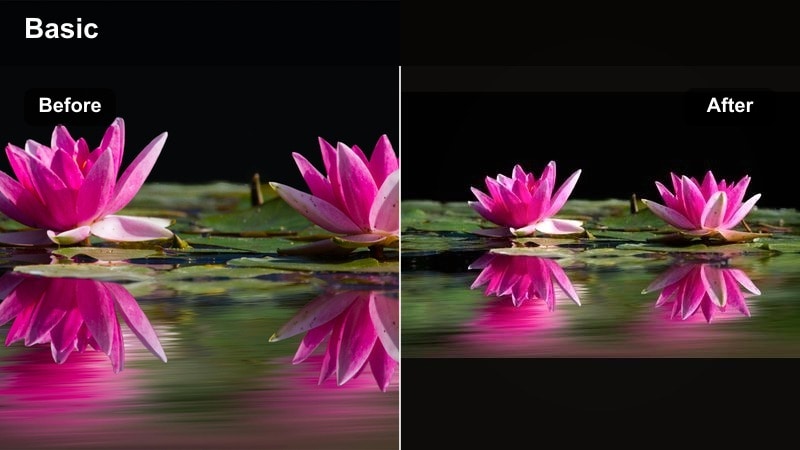
- Effect look: Warm indoor glow with deeper shadows and softened highlights that adds intimacy to night routines.
- Best for: Nighttime wind downs, skincare routines, study sessions, and slow productivity vlogs filmed after dark.
- Editing tip: Lower exposure slightly before applying the filter, then lift shadows just enough so your face is visible without killing the mood.
Cozy Late Night leans into the warmth of lamps and candles, deepening shadows and softening highlights to create an intimate, end of day vibe. It is perfect for skincare routines, journaling, studying, or quiet work sessions you share as night vlogs on Reels or IGTV.
In Filmora, start by slightly lowering exposure on your raw clips, then apply Cozy Late Night and gently raise shadows so your face and key objects are visible. Add slower transitions and linger on certain shots to let the warm tones breathe, creating a calm, binge worthy nighttime series your audience will expect on your Instagram feed.
Retro Daily Tape
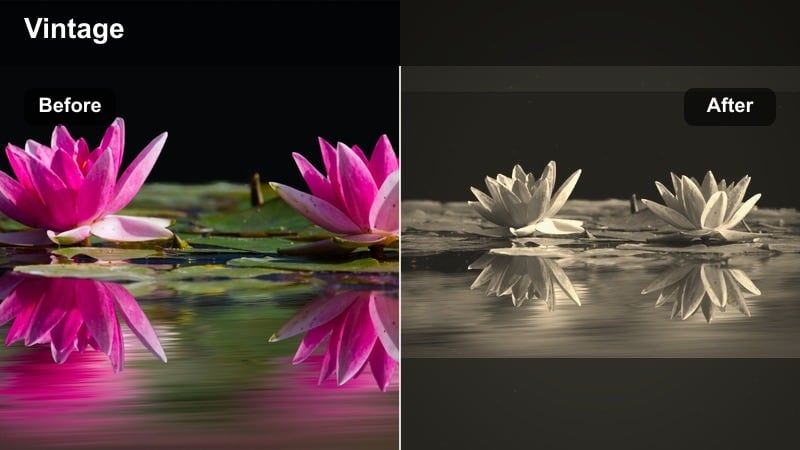
- Effect look: Vintage camcorder vibe with slight color shift, lower saturation, and optional grain for nostalgic daily vlogs.
- Best for: Childhood throwbacks, weekend hangouts, travel flashbacks, and montage style reels.
- Editing tip: Keep clips short and use jump cuts or quick zooms to mimic old home video pacing with this retro look.
Retro Daily Tape recreates the feel of old home videos, using muted colors, subtle color shifts, and grain to make everyday moments feel like treasured memories. It works especially well for montage reels of friends, weekend trips, or flashback style edits on Instagram.
In Filmora, apply this filter across your montage clips, then add simple timestamp overlays and static wide shots to sell the camcorder illusion. Use jump cuts, quick zooms, and freeze frames to recreate that imperfect, nostalgic pacing that keeps viewers watching through your entire reel.
Overcast Coffee Run
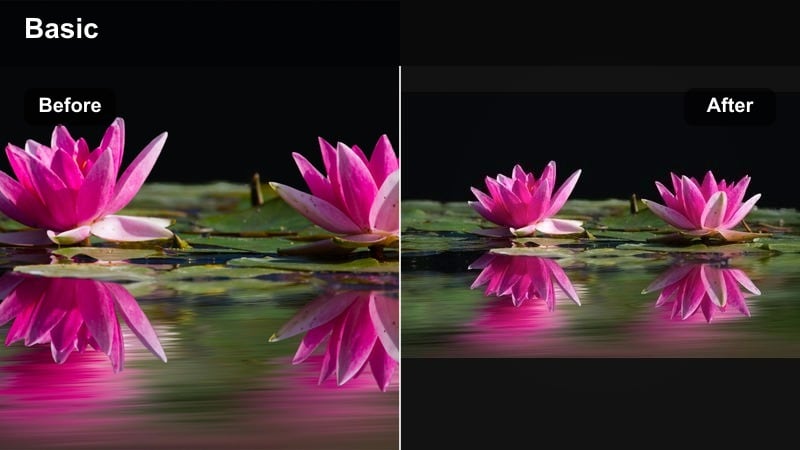
- Effect look: Cool tone, low contrast grade that embraces cloudy day lighting while keeping skin tones soft and flattering.
- Best for: Rainy day walks, café study vlogs, errands on cloudy days, and moody window seat clips.
- Editing tip: Slightly raise midtones if the scene feels too flat and add a touch of vignette to center focus on your subject.
Overcast Coffee Run turns grey, rainy days into a moody aesthetic instead of something you have to fix. It cools down the scene, slightly lowers contrast, and keeps skin tones soft so your cloudy walks and café sessions look intentional and calm on Instagram.
In Filmora, apply this filter to rainy or cloudy sequences, then raise midtones a little if the footage feels too flat. Add a soft vignette and pair the grade with slower music and minimal text, using lowercase captions to match the relaxed, introspective mood for your daily vlog filter Instagram edits.
Tips for Using Daily Vlog Filter Instagram Filters in Filmora
- Film all clips for a series in similar lighting so your chosen daily vlog filter feels cohesive across the entire reel.
- Set your phone s resolution and frame rate before shooting and stick to it so your filters and color grades behave predictably.
- Keep filter intensity under 80 for face clips to avoid unnatural skin tones on Stories and IGTV.
- Create two or three signature filters for different scenarios like morning, outdoors, and night to keep your brand flexible but consistent.
- Add light noise or grain only on cinematic b roll, not on text heavy clips, so on screen captions remain clear.
- Batch edit multiple clips with the same filter, then only fine tune exposure or white balance per shot for speed.
- Always rewatch your reel with sound on after grading, because the color mood should match the music and pacing.
- Preview your IG video color grade on both dark and light app themes to ensure nothing looks overly dark or washed out.
Using the right daily vlog filters for Instagram turns ordinary routines into polished, shareable stories without needing advanced color grading skills. By saving a few go to looks for mornings, outdoor clips, and night vlogs, you can move faster while keeping your visual brand consistent.
Experiment with these styles in Filmora, refine the intensity, and save your favorites as presets so every new reel, story, or IGTV vlog starts from a strong aesthetic base instead of from scratch.
secure downloadNext: Try Daily Vlog Filters for Reels: Dynamic Looks for Short Vertical Videos
