

 100% Security Verified | No Subscription Required | No Malware


 ChatGPT
 Perplexity
 Gemini
 Claude
 Grok
Grok
Digital Blue sits where tech, clarity, and emotion meet. It feels cool, precise, and trustworthy, but it can also be electric and cinematic when pushed toward neon or deep midnight tones. That is why Digital Blue shows up everywhere from app interfaces and startup logos to futuristic title sequences and moody documentary grades.
For video creators, this color is a natural fit for YouTube thumbnails, intros, overlays, lower-thirds, and channel branding. In this guide you will find 15 ready-to-use Digital Blue color palettes with HEX codes, built for Filmora users and creators who want consistent, modern visuals across vlogs, explainers, livestreams, and social posts.
In this article
Cinematic Digital Blue Color Palettes
Neon Midnight Skyline
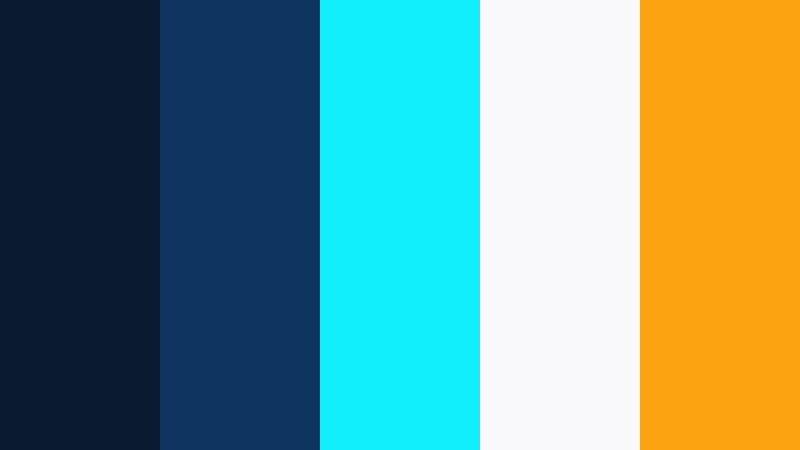
- HEX Codes: #0a1a2f, #0f3460, #0ff0fc, #f9f9fb, #fca311
- Mood: Electric, futuristic, and cinematic with a night-city glow.
- Use for: Perfect for techy title sequences, cyberpunk intros, and fast-paced gaming highlight reels.
This palette combines deep navy shadows with neon cyan and a hit of warm gold, echoing glowing billboards against a midnight city sky. The contrast between #0a1a2f, #0f3460, and the almost electric #0ff0fc makes motion graphics, HUD elements, and animated titles feel fast and high-tech.
Use the softer #f9f9fb as a base for text and UI-style overlays, then reserve #fca311 for key buttons, subscribe CTAs, and important on-screen prompts. It works beautifully for YouTube gaming intros, cyberpunk-themed edits, channel rebrands, and thumbnails where you want Digital Blue to feel bold, modern, and impossible to scroll past.
Pro Tip: Build a Cinematic Digital Blue Look in Filmora
To keep a Neon Midnight Skyline look consistent, design all your main elements around these HEX codes, then mirror them in Filmora. Use #0a1a2f or #0f3460 for background solids, title cards, and lower-thirds, and pull #0ff0fc into outlines, accent strokes, and animated shapes. This creates a cohesive Digital Blue system that ties intros, b-roll transitions, and end screens together.
You can also sample your Digital Blue tones directly inside Filmora when adding text and graphics. Save your favorite color swatches as presets so the same neon cyan and gold accents show up across every gaming highlight reel, channel trailer, and short-form clip without guessing the values each time.
AI Color Palette
If you have a reference image of a neon skyline or a frame graded with this palette, you can use Filmora to spread that Digital Blue mood across your full edit. Filmora's AI Color Palette feature analyzes the color balance of your hero shot and applies a matching look to the rest of your clips.
Import your footage, pick a frame that nails the deep blues and neon accents you love, then let AI handle the heavy lifting. It is a fast way to make your A-roll, b-roll, cutaways, and thumbnails all feel like they belong to the same futuristic universe.
 secure download

HSL, Color Wheels & Curves
Once your base palette is in place, Filmora's HSL, color wheels, and curves controls help you fine-tune the Digital Blue range. You can deepen #0a1a2f toward richer shadows, make #0ff0fc slightly more teal or cyan, and push the highlights toward cooler or warmer whites depending on your story. Tools like these, shown in Filmora's advanced color grading tutorials on YouTube, give you precise control without needing a full grading suite.
Use the shadow and midtone wheels to keep your dark areas in a consistent navy, then nudge the curve to add contrast so neon accents pop without crushing detail. Adjusting HSL for the blue and cyan channels keeps skin tones natural while the environment stays unapologetically Digital Blue.
secure download1000+ Video Filters & 3D LUTs
To move even faster, you can build your Digital Blue aesthetic on top of Filmora's built-in looks. Filmora's video filters and 3D LUTs make it easy to add cinematic contrast, soft bloom, or stylized neon vibes in a few clicks, then fine-tune the result to match your HEX palette.
Stack a clean contrast LUT with a glow or light-leak filter to give your Neon Midnight Skyline edits extra atmosphere. Save your favorite combinations as custom presets so every new intro, short, or highlight reel can match your established Digital Blue brand instantly.
secure downloadDeep Ocean Documentary
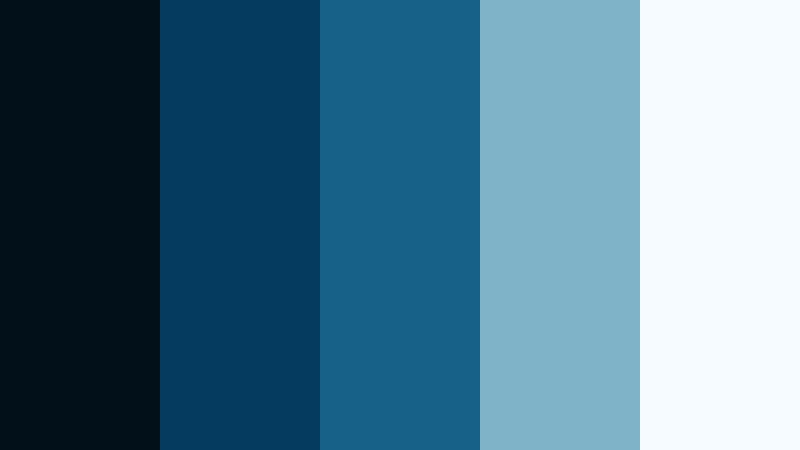
- HEX Codes: #021019, #053b5e, #176087, #7fb3c8, #f5fbff
- Mood: Calm, immersive, and thoughtful like a nature documentary.
- Use for: Great for travel films, underwater b-roll, and reflective storytelling edits.
This palette walks from abyss-dark #021019 through layered sea tones into airy #f5fbff, mimicking how light filters through deep water. It feels contemplative and immersive, which is perfect for slow pans, aerial shots over the ocean, or macro details in travel and nature films.
Use the darker blues as backgrounds for lower-thirds and captions, and keep lighter tones for text, UI shapes, and infographic overlays. In thumbnails and covers, combining the deep base with #7fb3c8 highlights creates enough contrast to stay readable while preserving that calm Digital Blue mood.
Rainy City Reflections
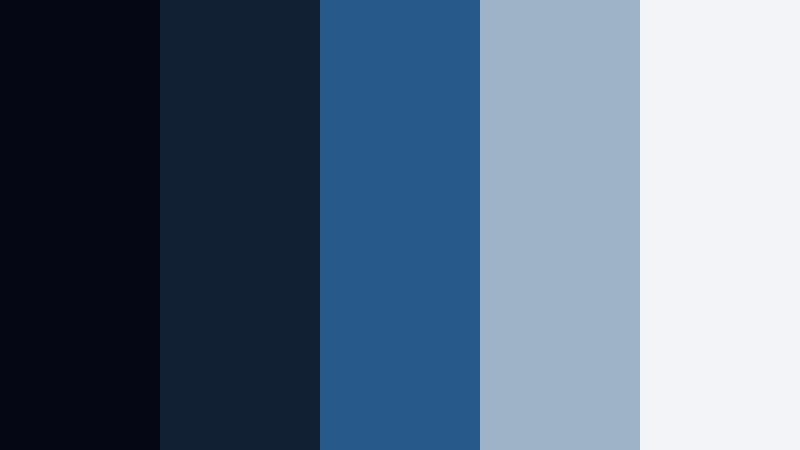
- HEX Codes: #050814, #112032, #275a8a, #9fb3c8, #f2f4f7
- Mood: Moody, introspective, and slightly noir with a soft urban glow.
- Use for: Use for city vlogs, emotional montages, and story-driven short films.
Muted Digital Blue tones like #050814 and #112032 set a late-night, rainy-street atmosphere, while #9fb3c8 and #f2f4f7 suggest soft reflections on wet pavement and overcast skies. The palette feels cinematic but intimate, ideal for voiceover-driven stories and emotional beats.
Pair dark backgrounds with lighter blue-grays for subtitles, timestamps, and chapter titles in your city vlogs. On YouTube thumbnails, a hint of #275a8a around subjects or title text keeps everything readable without breaking the moody, introspective feel.
Techno Grid Horizon
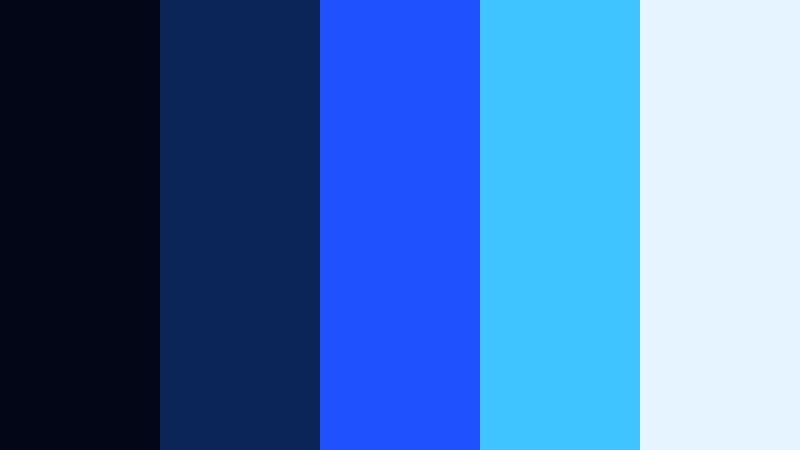
- HEX Codes: #020617, #0b2559, #1f51ff, #40c4ff, #e5f4ff
- Mood: Energetic, digital-first, and highly modern.
- Use for: Ideal for app promos, motion-graphics explainers, and channel branding for tech content.
Techno Grid Horizon leans into crisp, electric blues that feel native to screens and dashboards. Deep #020617 and #0b2559 set a clean digital canvas, while #1f51ff and #40c4ff provide the high-energy accents you would expect in a tech launch event or product teaser.
Use #e5f4ff as a light UI background for stats, charts, and tutorial overlays. This palette works especially well for tech YouTube channels, SaaS intro videos, and animated explainers where you want Digital Blue to signal innovation and clarity.
Satellite Night Orbit
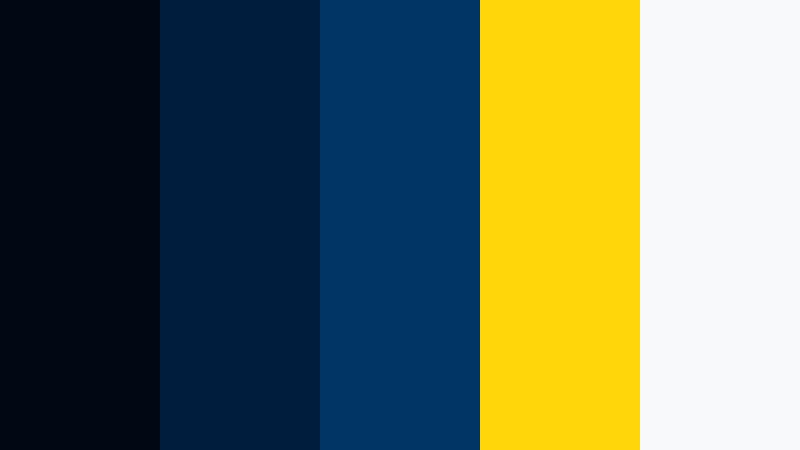
- HEX Codes: #000814, #001d3d, #003566, #ffd60a, #f8f9fa
- Mood: Epic, spacey, and adventurous with a hint of sci-fi nostalgia.
- Use for: Perfect for cinematic trailers, space or science explainers, and title cards.
Satellite Night Orbit layers inky space blues with a bright solar gold #ffd60a and soft white #f8f9fa. The contrast feels like satellite imagery and starfield flyovers, giving your edits a sense of scale and discovery.
Let #000814 or #001d3d dominate your backgrounds for intros and lower-thirds, then drop #ffd60a into key icons, subscription badges, or callouts so they read instantly. This is a strong choice for STEM content, sci-fi fan edits, cinematic teasers, and any channel that wants Digital Blue to feel astro-inspired and bold.
Minimal & Modern Digital Blue Color Palettes
Clean SaaS Dashboard
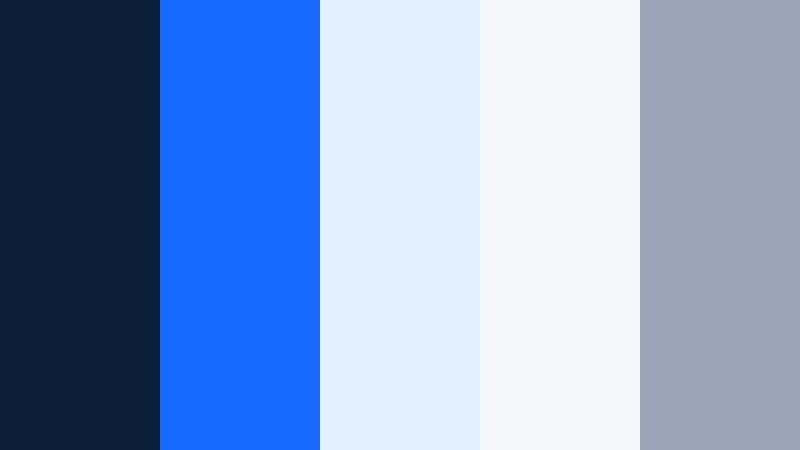
- HEX Codes: #0b1f3b, #1769ff, #e3f0ff, #f5f7fb, #9aa5b8
- Mood: Fresh, professional, and trustworthy with a product-design vibe.
- Use for: Great for UI mockups, product tours, and startup explainer videos.
Clean SaaS Dashboard combines a robust Digital Blue core (#0b1f3b, #1769ff) with soft neutrals that look straight out of a modern web app. It feels reliable and polished, perfect for explaining complex tools in a simple, visually friendly way.
Use #1769ff for key buttons, highlight text, and motion accents, while #e3f0ff and #f5f7fb make ideal backgrounds for charts, screen recordings, and annotation boxes. This palette is a natural fit for software tutorials, pitch decks turned into video, and YouTube channels that speak to founders, marketers, or productivity fans.
Nordic Screen Minimal
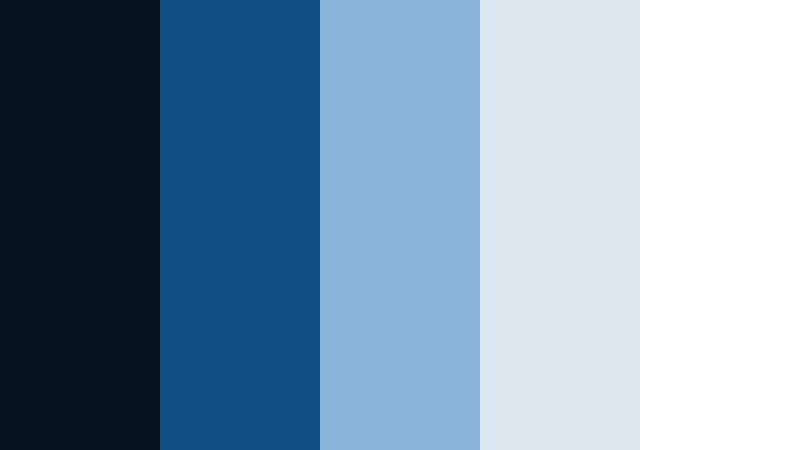
- HEX Codes: #06121f, #124f84, #8ab4d9, #dde7f0, #fefefe
- Mood: Cool, airy, and restrained with Scandinavian minimalism.
- Use for: Use for minimalist channel branding, productivity content, and calm UI-driven edits.
This palette keeps everything light and breathable. Deep Digital Blue #06121f anchors the design, while #8ab4d9, #dde7f0, and #fefefe open up the frame and give plenty of room for text and icons. The mood is calm and focused rather than loud.
Use it for productivity vlogs, Notion-style tutorials, or minimal brand identities where you want Digital Blue without harsh contrast. White or light gray backgrounds with #124f84 accents keep your thumbnails and title cards sleek and highly legible on any device.
Blueprint Interface Grid
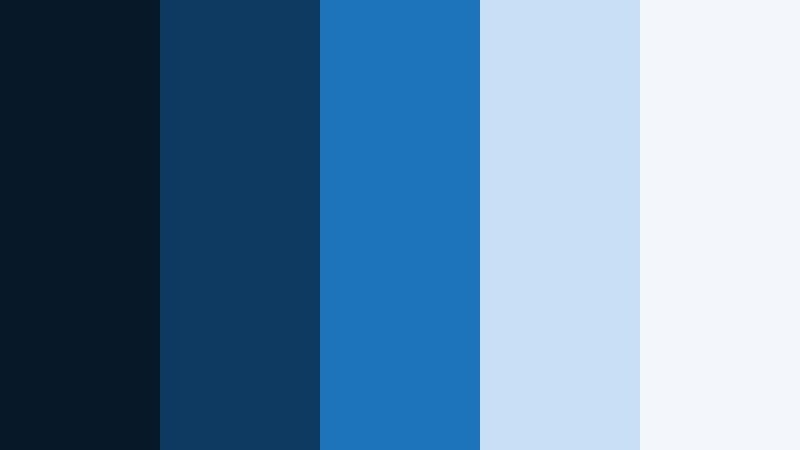
- HEX Codes: #071829, #0e3a62, #1c74bb, #c7e0f5, #f3f6fb
- Mood: Structured, intelligent, and design-focused like a digital blueprint.
- Use for: Ideal for UI breakdowns, motion infographics, and behind-the-scenes design videos.
Blueprint Interface Grid echoes technical drawings and wireframes, using layered Digital Blue shades with airy highlights. #071829 and #0e3a62 serve as sturdy bases, while #1c74bb and #c7e0f5 bring in readable, modern contrast.
This palette works well for videos dissecting app design, mapping user flows, or teaching visual thinking. Use #f3f6fb behind text-heavy slides and keep your lines, arrows, and diagrams in the mid blues to echo the feel of a blueprint while staying video-friendly.
Glassmorphism Cloud Deck
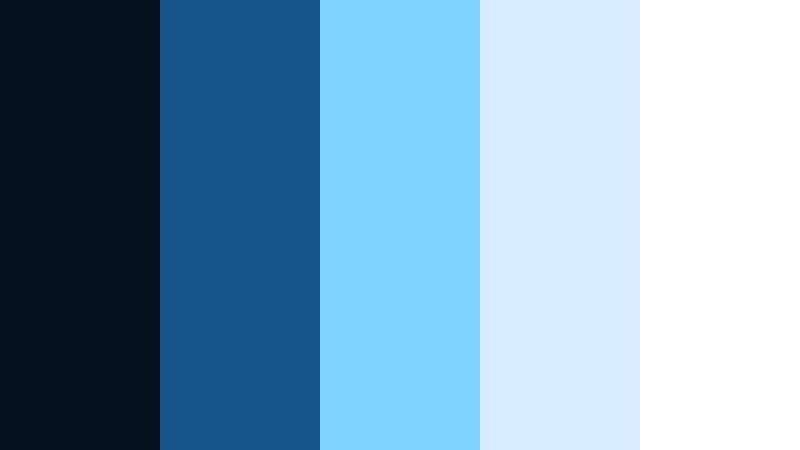
- HEX Codes: #04111f, #16558a, #7fd3ff, #d7ecff, #ffffff
- Mood: Light, glossy, and futuristic with a cloud-OS feel.
- Use for: Great for overlay lower-thirds, app launches, and clean social explainers.
Glassmorphism Cloud Deck channels modern operating systems and cloud dashboards. Deep #04111f keeps depth in the frame, while #7fd3ff, #d7ecff, and #ffffff suggest frosted glass and floating panels over a Digital Blue base.
Use semi-transparent shapes in these blues as lower-thirds or labels over your footage. It is excellent for SaaS launches, app walkthroughs, and social explainers where you want a futuristic, cloud-native look without overwhelming your visuals.
Corporate Studio Lights
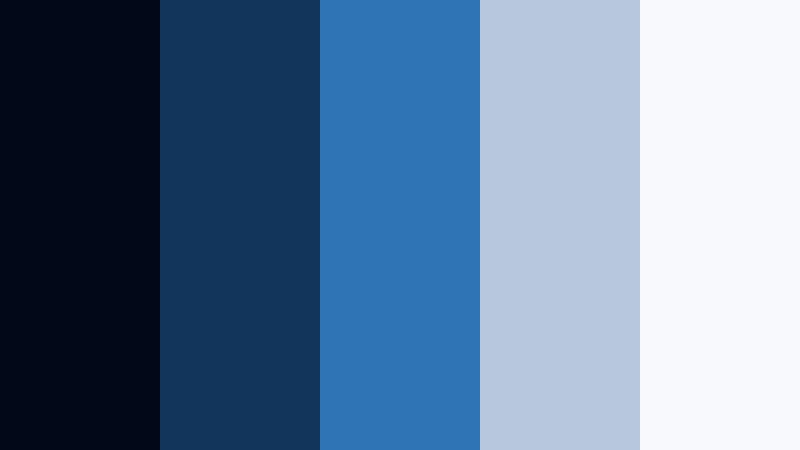
- HEX Codes: #020817, #12355b, #2f74b5, #b7c8dd, #f7f9fc
- Mood: Confident, professional, and broadcast-ready.
- Use for: Perfect for corporate intros, webinar branding, and talking-head studio setups.
Corporate Studio Lights balances serious Digital Blue tones with soft studio neutrals. #020817 and #12355b feel like a controlled studio backdrop, while #b7c8dd and #f7f9fc act like diffused light hitting your set.
This palette is ideal for webinars, online courses, LinkedIn-style content, and company announcement videos. Keep your backgrounds in the dark blues, use #2f74b5 for logo marks and section titles, and rely on the lighter hues for clean text and slide-style overlays.
Playful & Social Digital Blue Color Palettes
Creator Studio Pop
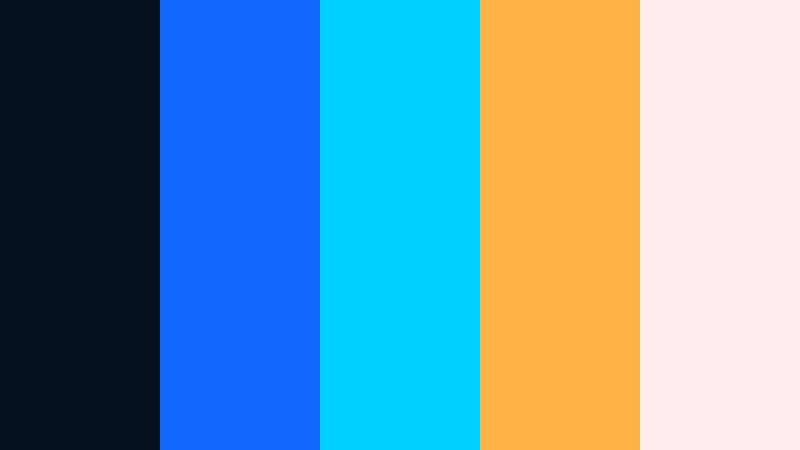
- HEX Codes: #05111f, #1167ff, #00d0ff, #ffb347, #ffecef
- Mood: Fun, energetic, and creator-driven with a pop-art twist.
- Use for: Great for YouTube thumbnails, channel banners, and punchy reels or shorts.
Creator Studio Pop mixes vivid Digital Blue (#1167ff) and aqua #00d0ff with cheerful peach and coral tones. It feels like a creator workspace lit by LEDs, stickers, and colorful gear.
Use the blues for your core branding and backgrounds, then let #ffb347 and #ffecef pop up in badges, emojis, and callouts on thumbnails or vertical videos. This palette reads fast on mobile, making it perfect for shorts, reels, and TikTok-friendly edits.
Streaming Arcade Glow
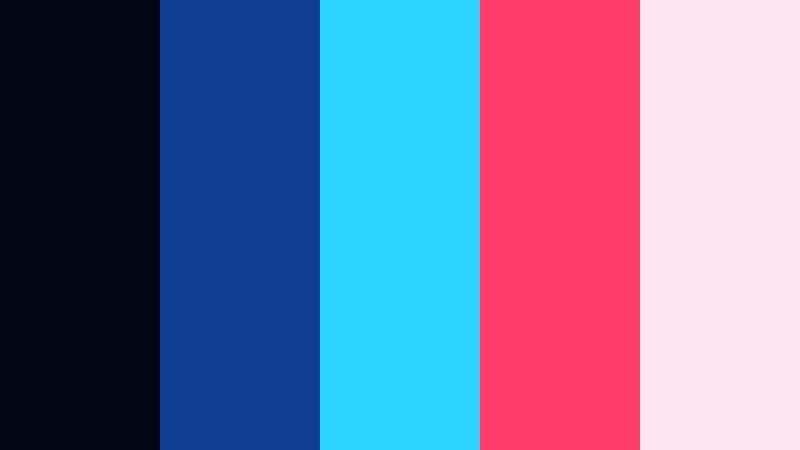
- HEX Codes: #020513, #0f3d92, #2dd4ff, #ff3c6a, #ffe5f0
- Mood: Lively, neon, and gamer-centric with a retro arcade buzz.
- Use for: Ideal for streaming overlays, esports intros, and gaming highlight thumbnails.
Streaming Arcade Glow pairs a strong Digital Blue base with bright cyan and hot magenta, creating a neon arcade aesthetic. #020513 and #0f3d92 provide a deep stage for your gameplay, while #2dd4ff and #ff3c6a act as glowing accent lights.
Use these bright tones in stinger transitions, alert animations, and subscribe buttons. In thumbnails, outlining your character or avatar with cyan or magenta against a dark-blue background helps your content jump off crowded gaming feeds.
Vlog Morning Latte
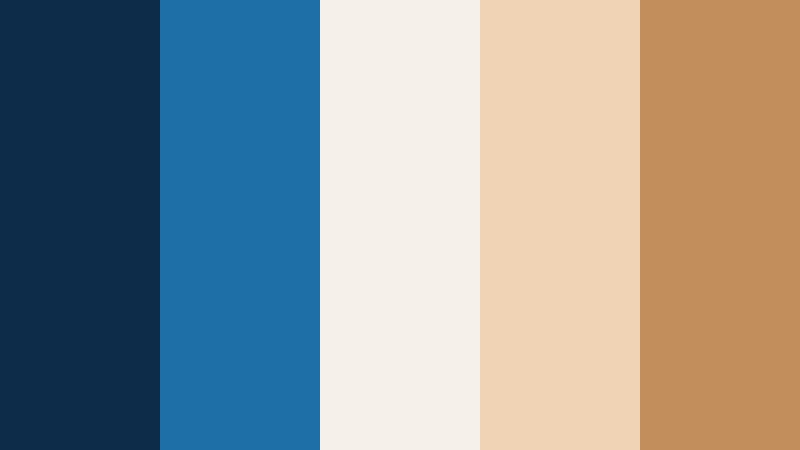
- HEX Codes: #0c2c4a, #1e6fa8, #f5f0e8, #f0d3b4, #c28f5c
- Mood: Cozy, relaxed, and lifestyle-friendly with a cafe warmth.
- Use for: Use for daily vlogs, morning routines, and chilled lifestyle edits.
Vlog Morning Latte blends soft coffee browns with calm Digital Blue, balancing tech overlays with human warmth. #0c2c4a and #1e6fa8 suggest a cool early-morning screen, while #f0d3b4 and #c28f5c recall latte foam and wooden tables.
Use blue for your timestamps, chapter markers, and subtle line accents, and bring the warm tones into lower-thirds or intro cards. The result feels inviting and personal, ideal for routine vlogs, study-with-me videos, and cozy lifestyle content.
Summer Pool Stories
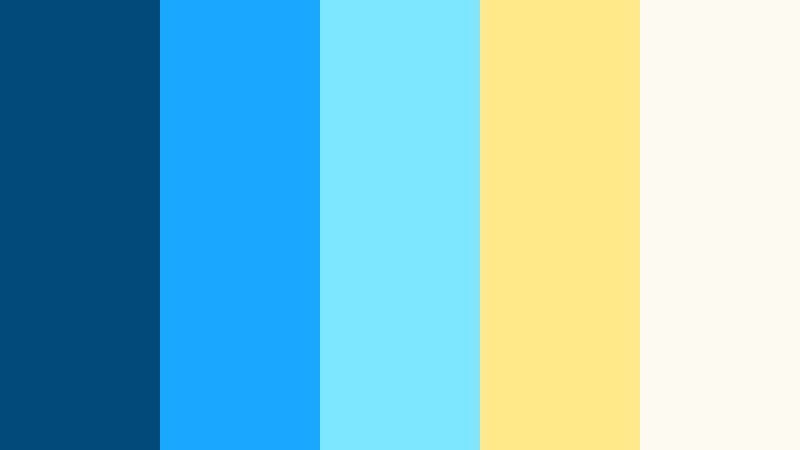
- HEX Codes: #024b7a, #1aa8ff, #7ee7ff, #ffe98a, #fffaf1
- Mood: Sunny, splashy, and carefree like a pool day.
- Use for: Perfect for travel vlogs, vacation recaps, and summer product promos.
Summer Pool Stories is all about bright aqua blues and soft sunlight. #024b7a keeps a bit of depth, while #1aa8ff and #7ee7ff feel like shimmering pool water. #ffe98a and #fffaf1 bring in a gentle yellow glow for a holiday vibe.
Use these tones in title cards, map animations, and playful stickers on your travel edits. On thumbnails, block out a sky or pool background in Digital Blue and drop your title in pale yellow or white for a high-energy, instantly readable summer look.
Elegant & Premium Digital Blue Color Palettes
Digital Sapphire Luxe
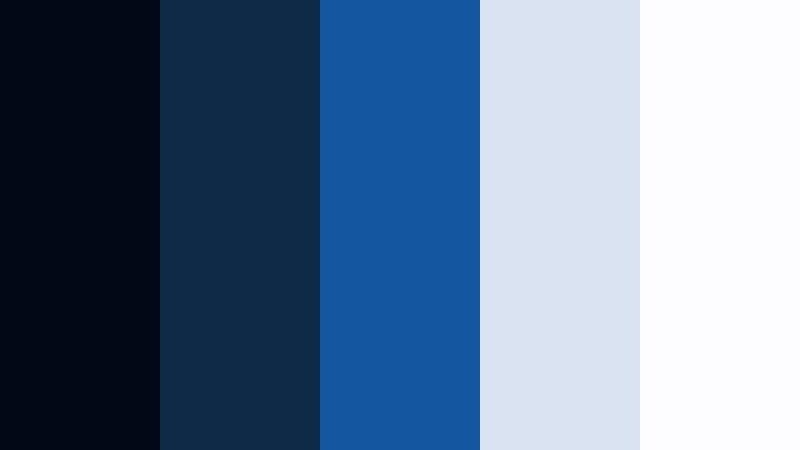
- HEX Codes: #020816, #0e2a47, #1556a1, #d9e3f2, #fdfdff
- Mood: Luxurious, composed, and editorial with a jewel-tone core.
- Use for: Great for premium brand intros, fashion lookbooks, and high-end product reveals.
Digital Sapphire Luxe leans on rich jewel-tone blues like #0e2a47 and #1556a1, offset with cool, soft highlights. It feels curated and high-end without losing clarity, making it ideal for brands that want to appear polished and aspirational.
Use darker tones for background washes and gradient overlays on product shots, with #d9e3f2 and #fdfdff reserved for logos, typography, and fine-line accents. This palette works beautifully for premium intros, fashion campaigns, luxury tech, and portfolio showreels where Digital Blue should read as sophisticated rather than flashy.
Midnight Studio Monochrome
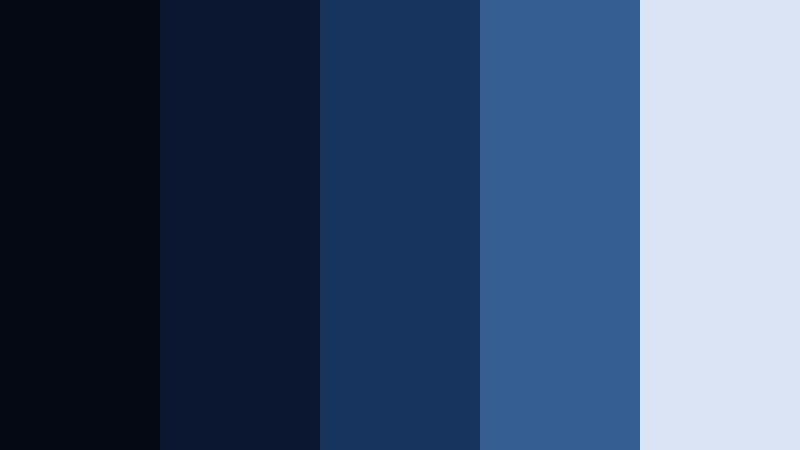
- HEX Codes: #050914, #0b1630, #16345d, #355f93, #dbe4f5
- Mood: Refined, focused, and quietly dramatic.
- Use for: Ideal for talking-head podcasts, interview sets, and minimalist brand films.
Midnight Studio Monochrome is a near-monochrome ladder of Digital Blue shades, which keeps everything cohesive and understated. From deep #050914 to gentle #dbe4f5, each tone feels like a controlled light level in a professional studio.
Use darker shades for backdrops and vignettes, mid blues for graphical elements, and the lightest tone for clean text. This palette is excellent for podcasts, interviews, and thoughtful brand films where you want the subject and message to stand out against a smooth, consistent Digital Blue environment.
Tips for Creating Digital Blue Color Palettes
When you build your own Digital Blue palettes for video and design, small decisions about contrast, accents, and brightness have a big impact on how professional your content feels. Keep these practical tips in mind as you customize and expand on the palettes above.
- Combine one deep Digital Blue with at least one light neutral so titles and UI elements stay readable on both desktop and mobile screens.
- Use a single warm accent color (gold, coral, or soft yellow) to guide attention to buttons, CTAs, and key text without overwhelming the blue base.
- Check contrast by viewing your thumbnails at very small sizes to ensure text and faces still stand out against Digital Blue backgrounds.
- Match your in-camera footage to your palette by adjusting white balance and saturation before adding overlays, so the overall color story feels intentional.
- Stick to 3 to 5 main colors per palette in Filmora (one dark, one mid blue, one light, plus 1 to 2 accents) to avoid a messy, unbranded look.
- Use slightly desaturated Digital Blue for educational and corporate content, and more saturated or neon blues for gaming, tech, and social-first edits.
- Test your colors on both light and dark mode layouts if you design overlays or assets that might sit over different types of footage.
- Create and reuse color presets inside Filmora so your Digital Blue combinations stay consistent across intros, lower-thirds, end screens, and shorts.
Digital Blue is one of the most versatile colors for modern creators. It can feel cinematic, professional, playful, or luxurious depending on how you combine it with neutrals and accents. With the 15 palettes above, you have ready-made HEX codes for cinematic grades, social banners, channel branding, and overlays that instantly look more intentional.
Experiment with these palettes in Filmora by applying them to titles, shapes, filters, and color grades until you find a look that matches your brand personality. Once you lock in your favorite Digital Blue combination, save it as your signature style and reuse it across every new video so viewers recognize your content at a glance.
Whether you are editing documentaries, vlogs, livestreams, or product promos, a consistent Digital Blue palette can make your channel feel more cohesive and professional in just a few sessions.
secure download