

 100% Security Verified | No Subscription Required | No Malware


 ChatGPT
 Perplexity
 Gemini
 Claude
 Grok
Grok
This Film Grain Cinematic LUT-inspired filter collection is built for content creators who want rich texture, subtle noise, and a timeless movie feel without complex grading workflows.
Use these filters to add character to digital footage, blend shots from different cameras, and give your edits the organic grain and contrast of classic cinema in just a few clicks.
In this article
Gritty Night Street Stories
Midnight Noir Grain
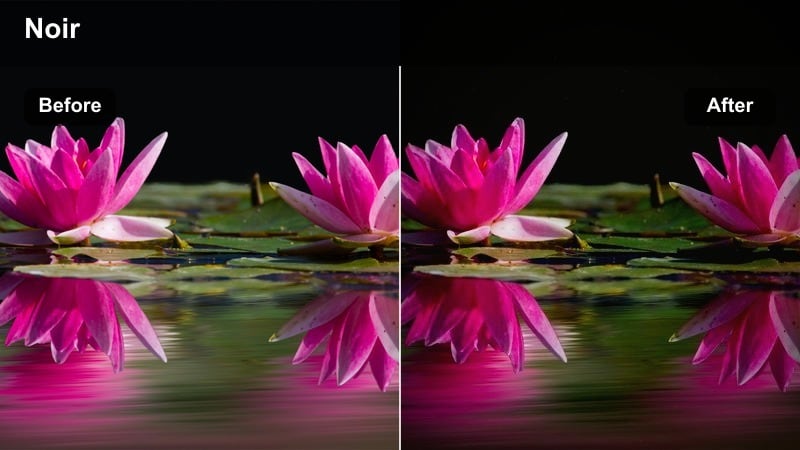
- Effect look: Deep contrast black-and-white with pronounced fine grain that feels like a 1960s crime thriller.
- Best for: Night street vlogs, noir short films, moody character portraits, and handheld alleyway sequences.
- Editing tip: Lower saturation before applying and slightly crush the blacks to make the grain blend naturally into the shadows.
Midnight Noir Grain transforms clean digital night footage into stark, monochrome drama, ideal when you want your Filmora edit to channel vintage crime cinema. The fine grain structure sits heavily in the shadows while highlights stay punchy, giving lonely streetlights and wet pavement a bold, graphic look that instantly feels intentional and cinematic.
In Filmora, apply this filter toward the end of your grade, then refine exposure so your subject remains readable against dark backgrounds. Use it on street vlogs, character walks, or narrative inserts, and combine with subtle vignettes and slow push-ins to give even simple alleyway shots the weight of a classic noir opening sequence.
Pair Grain with Smart Color Control
Filmora s AI-powered color tools help you prep your footage before you add any film grain cinematic LUT-style filters. Clean exposure and balanced color ensure the grain from these presets looks organic instead of amplifying technical mistakes.
Use automatic color matching and AI-driven adjustments to quickly align different cameras or locations, then stack your chosen grain filter on top for a polished, cohesive result that still feels like it was shot on film.
 secure download

See the Film Grain Filters in Action
Before you lock in a look, test Filmora s Film Grain Cinematic LUT-inspired filters on a short sequence that includes faces, highlights, and deep shadows. Side-by-side comparisons make it easy to see how each preset handles texture and contrast across different parts of the frame.
Use the live preview and A B comparison in Filmora to quickly switch between gritty night looks and softer, nostalgic options until you find the perfect match for your story and pacing.
secure downloadCombine Filters with LUTs for Deeper Looks
For more advanced results, stack Filmora s cinematic LUTs under these grain filters to separate color design from texture. LUTs can define your overall tone and contrast, while the Film Grain Cinematic LUT-style filters add the tactile, analog character on top.
Fine-tune LUT intensity and filter strength together until your footage has the exact blend of color, depth, and grain that fits your narrative, from polished travel edits to gritty short films.
secure downloadNeon Haze Grain
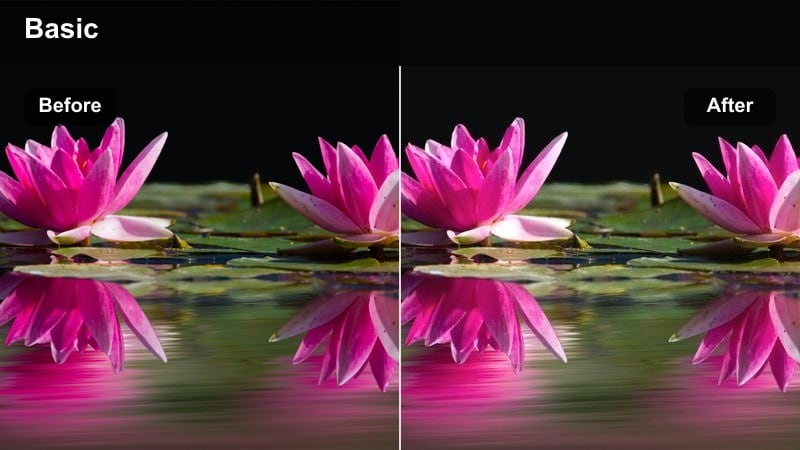
- Effect look: Soft neon glow with fine cinematic grain and lifted blacks for a dreamy, futuristic city feel.
- Best for: Cyberpunk-inspired b-roll, city nightlife montages, music videos, and neon-lit storefront shots.
- Editing tip: Slightly lower highlights after applying to keep neon signs from clipping and let the grain stay visible in bright areas.
Neon Haze Grain gives your Filmora edits a stylized, cyberpunk edge by wrapping neon lights and wet streets in a soft halo of color and texture. Lifted blacks keep shadows from going completely dark, so the fine grain remains visible even in low-light patches, tying together reflections, signs, and silhouettes into a cohesive cinematic frame.
Drop this filter on nightlife b-roll, music video performances, or branded city visuals where you want a surreal, buzzing energy. In Filmora, refine saturation and HSL if one color channel becomes too dominant, then adjust filter intensity so skin tones feel stylized yet natural, while the grain amplifies the glow instead of overwhelming it.
Rain-Soaked Reel
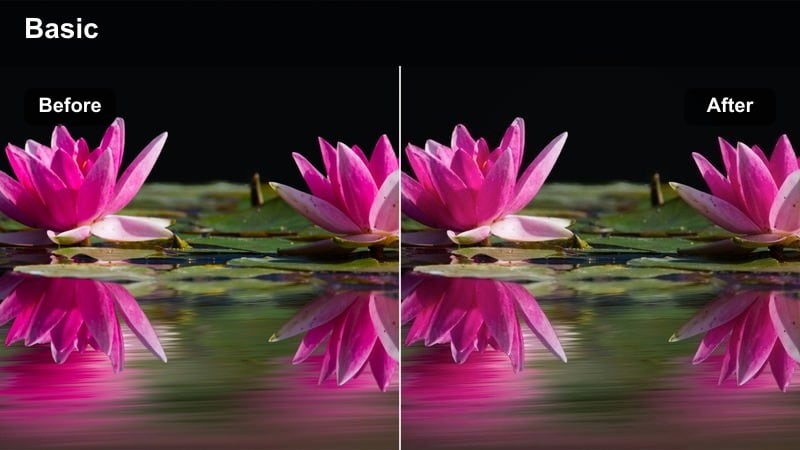
- Effect look: Muted colors with cool tones, heavier mid-grain, and soft blooming highlights that feel like a rainy thriller.
- Best for: Rainy sidewalks, taxi window shots, reflective puddles, and emotional night dialogue scenes.
- Editing tip: Reduce sharpness slightly to avoid clashing with the stronger grain pattern and enhance the cinematic softness.
Rain-Soaked Reel leans into cool tones and damp textures, making wet glass, umbrellas, and street reflections feel moody and story-driven. The mid-sized grain adds weight to midtones and backgrounds, while softened highlights allow street lamps, traffic lights, and storefronts to bloom gently across your Filmora timeline.
Use this filter on car window shots, rain-drenched streets, or emotional conversations where the environment reflects the character s state of mind. In Filmora, slightly pull down saturation and clarity, then fine-tune contrast so your subjects remain readable through the drizzle while the grain turns every droplet and reflection into a cinematic detail.
Daylight Urban Dramas
Concrete Chronicle
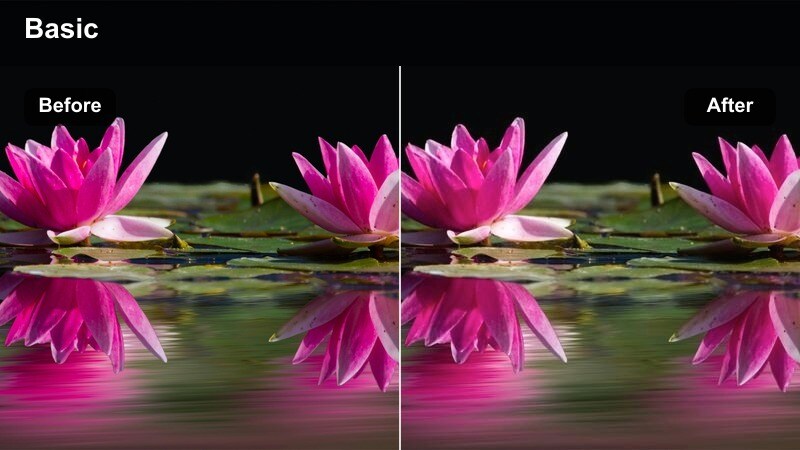
- Effect look: Neutral color grade with subtle fine grain and gentle contrast suited to documentary-style city stories.
- Best for: Street interviews, city life documentaries, handheld walk-and-talks, and observational b-roll.
- Editing tip: Slightly raise shadows and lower contrast if you want a more natural, journalistic tone while still keeping texture.
Concrete Chronicle is designed for creators who want a grounded, documentary feel without sacrificing subtle cinematic polish. The fine grain adds just enough texture to flatten digital sharpness, while the neutral color palette keeps skin tones, buildings, and traffic looking honest and believable in your Filmora edits.
Drop this filter on street interviews, observational city footage, or vlog segments where authenticity matters more than heavy stylization. In Filmora, adjust exposure and shadow levels to keep details visible in faces and signage, and use the grain as a unifying layer that gently connects multiple shooting locations and camera sources into one cohesive story.
Sun-Faded Reel
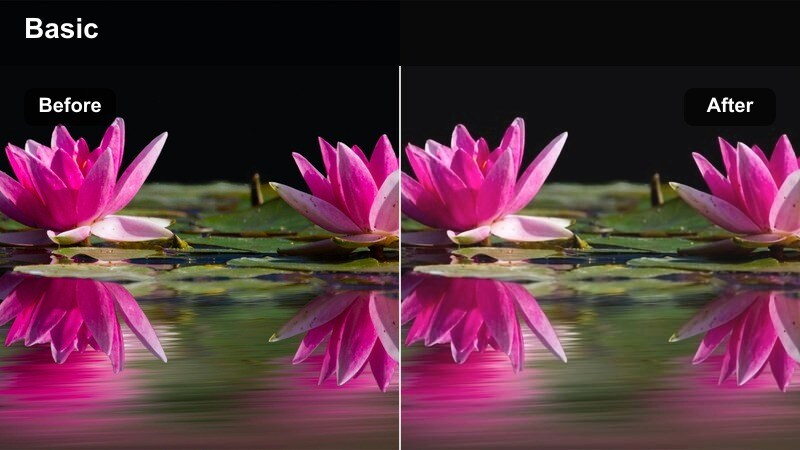
- Effect look: Soft, slightly washed-out colors with light grain that evokes old photo prints under bright sun.
- Best for: Urban lifestyle montages, rooftop hangouts, skate clips, and casual day-in-the-life vlogs.
- Editing tip: Lower overall saturation just a touch to sell the faded look and keep skin tones from appearing too modern.
Sun-Faded Reel gives bright daytime footage an instant nostalgic twist, softening colors and adding a delicate grain that feels like aged photo albums. Highlights stay airy, while the washed-out palette in Filmora makes rooftops, parks, and sidewalks look like sun-bleached memories instead of hyper-digital snapshots.
Use this filter for lifestyle vlogs, friends hanging out, or skate sessions where you want a carefree, timeless atmosphere. In Filmora, gently reduce saturation and contrast, then fine-tune white balance toward warmer tones if you want a golden, summery vibe that still keeps the grain subtle and flattering on skin.
Subway Grain Drift
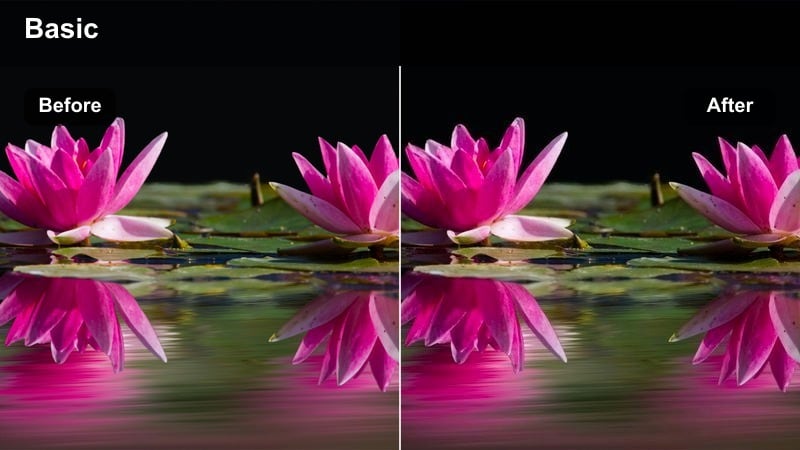
- Effect look: Cool, desaturated tones with visible mid-size grain and a slight green cast resembling gritty transit films.
- Best for: Subway platforms, train rides, underground walkways, and commuter lifestyle edits.
- Editing tip: Use a slower shutter or light motion blur in-camera to let the grain flow with movement instead of fighting it.
Subway Grain Drift pulls your palette toward cooler, slightly industrial tones, giving stations, tunnels, and trains a gritty cinematic realism. The mid-size grain is more noticeable than a subtle overlay, lending tactile character to tiles, signage, and crowd movement within your Filmora sequences.
Apply this filter to commute montages, underground b-roll, or moody travel edits where the city s infrastructure becomes part of the narrative. In Filmora, tame any harsh fluorescent shifts with white balance adjustments before you apply the filter, then fine-tune contrast so the grain supports shapes and faces without turning dark corners into muddy, unreadable blocks.
Intimate Interior Scenes
Apartment Art House
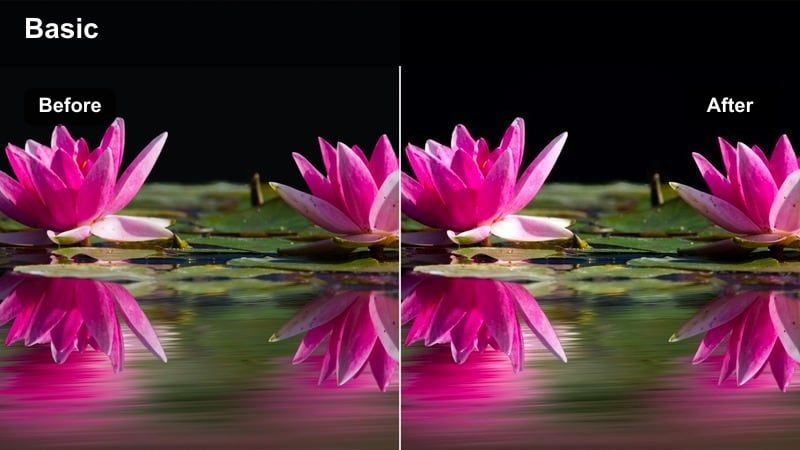
- Effect look: Warm, low-contrast grain with gentle halation around practical lights for an indie film living-room vibe.
- Best for: Dialogue-heavy scenes, self-taped monologues, cozy room tours, and cinematic talking-head content.
- Editing tip: Dim your background by lowering shadows a bit so the grain accentuates depth instead of distracting from faces.
Apartment Art House is tailor-made for interior storytelling, wrapping lamps and window light in a soft glow while a fine grain adds indie-film texture. The low-contrast look keeps skin tones gentle and forgiving in Filmora, so talking-heads and intimate scenes feel inviting rather than hyper-realistic or clinical.
Use this filter on vlogs, interviews, or scripted scenes shot in bedrooms, studios, and living rooms. In Filmora, slightly darken backgrounds and ease off sharpening, letting the grain create micro-contrast on its own so your subjects stay flattering and the overall frame feels like a scene lifted from a small-budget festival film.
Projector Dream Grain
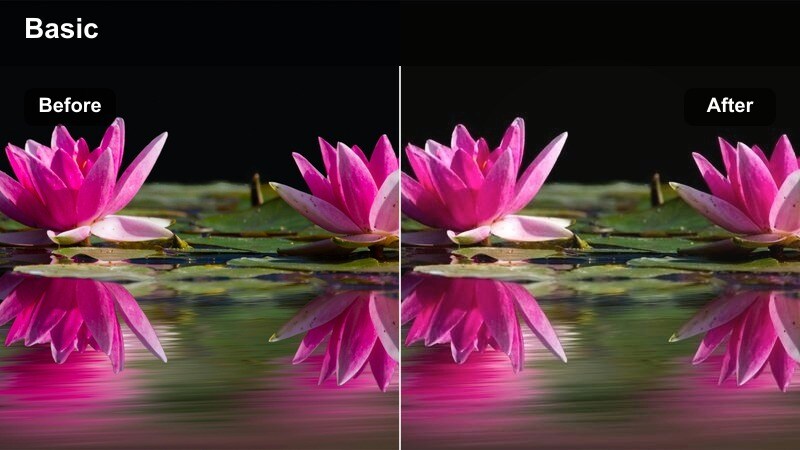
- Effect look: Soft focus feel with pronounced grain in the darker areas and a subtle blue tint to shadows.
- Best for: Home cinema setups, projection on walls, bedroom movie nights, and nostalgic storytelling pieces.
- Editing tip: Underexpose slightly in-camera or in edit before applying so projector light and screen glow appear more dramatic.
Projector Dream Grain emphasizes the glow of screens and projectors, wrapping rooms in a low-light dreaminess with grain that blooms in the shadows. The subtle blue tint in the darker areas, combined with a soft-focus impression, makes your Filmora edits feel like half-remembered scenes from late-night movie marathons.
Apply this filter to bedroom stories, living-room screenings, or handheld sequences where the only light source is a TV or projector. In Filmora, gently lower exposure and keep blacks from crushing completely so the pronounced grain in the shadows has space to breathe, adding depth and emotion instead of just noise.
Coffeehouse Reel
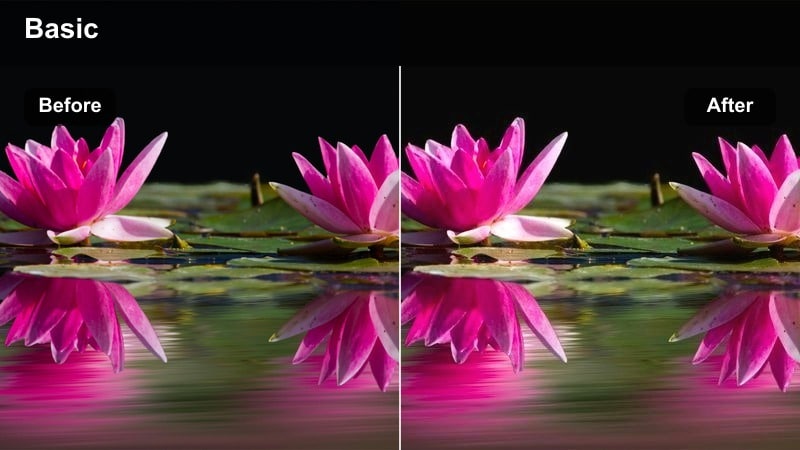
- Effect look: Warm midtones, gentle contrast, and soft grain that gives cafes and coworking spaces a cinematic social vibe.
- Best for: Cafe b-roll, laptop work sessions, creator meetups, and lifestyle vlogs shot in cozy interiors.
- Editing tip: Mask faces or key objects and keep them a bit cleaner by lowering filter intensity on those areas for focus.
Coffeehouse Reel turns everyday cafe scenes into atmospheric, cinematic snapshots by combining warm midtones with a soft, flattering grain. Wooden tables, latte foam, and laptop screens gain subtle texture in Filmora, while the gentle contrast keeps the overall frame relaxed and easy on the eyes.
Use this filter for creator workdays, co-working b-roll, or casual meetups where conversation and ambiance matter. In Filmora, guide attention with masks or radial gradients, keeping your subject slightly cleaner while backgrounds carry more grain, so viewers feel immersed in the space without losing focus on the story you tell.
Epic Visual Montages
Montage Master Grain
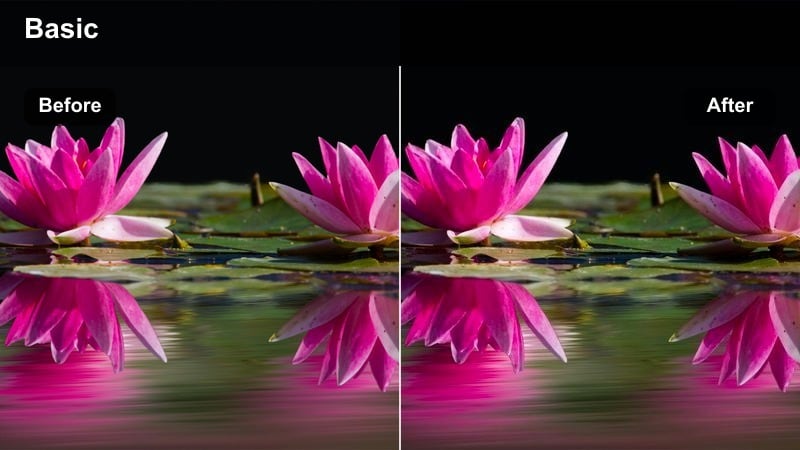
- Effect look: Balanced color and medium grain, designed to unify mixed cameras and lighting into one cinematic sequence.
- Best for: Travel reels, creator showreels, recap videos, and fast-cut YouTube intros.
- Editing tip: Apply on an adjustment layer across the full sequence to keep different clips visually cohesive.
Montage Master Grain is a versatile workhorse preset built to tie together clips from multiple locations, times of day, and even different cameras. The medium grain level sits confidently across your Filmora timeline, smoothing out small differences in sharpness and color so fast cuts feel like one continuous cinematic world.
Apply this filter on an adjustment layer over your entire reel or showreel, then fix outliers with minor exposure and color tweaks underneath. In Filmora, this approach lets you work quickly, building energetic edits where every shot shares the same textured, filmic wrapper, whether it is drone footage, handheld vlogs, or stabilized b-roll.
Trailer Cut Grit
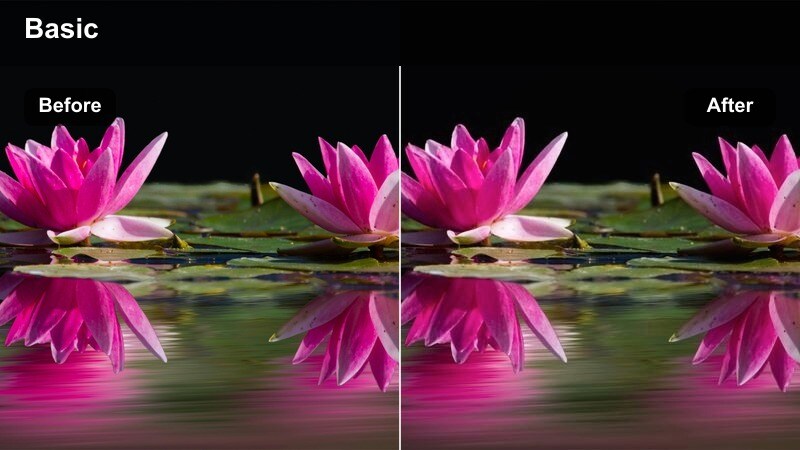
- Effect look: High energy, punchy contrast with visible grain that feels like a modern blockbuster trailer.
- Best for: Channel promos, film trailers, sports intros, and hype reels with fast pacing.
- Editing tip: Add slight speed ramps and cut on action, letting the grain reinforce impact without overwhelming quick shots.
Trailer Cut Grit cranks up contrast and texture, giving your Filmora edits the intensity of a theatrical trailer or sports intro. The visible grain reinforces movement and impact, adding rough edges to explosions, city lights, and high-speed action that would otherwise look too clean in a purely digital workflow.
Use this filter for channel promos, commercial teasers, or event recaps where every cut needs to feel like a punch. In Filmora, combine it with rhythmic editing, speed ramps, and bold typography, keeping titles slightly cleaner on separate layers so the grain stays in the background, enhancing energy without reducing legibility.
Archival Memoir Grain
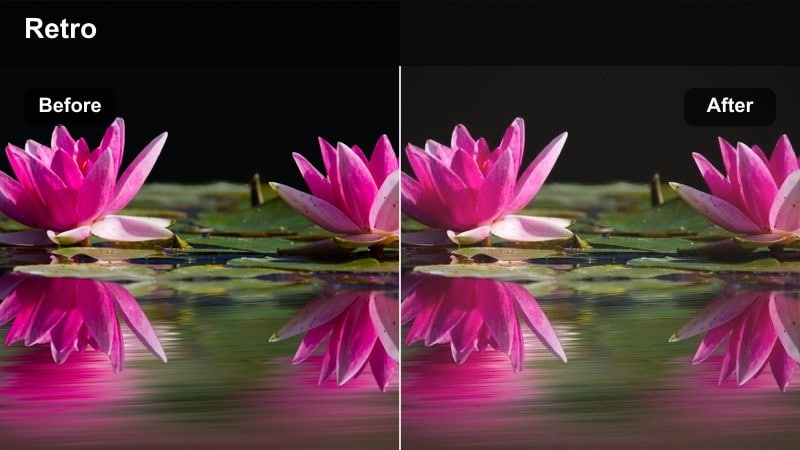
- Effect look: Heavy, textured grain with slightly faded colors mimicking aged archival footage and home movies.
- Best for: Flashbacks, memory sequences, family retrospectives, and historical-style montage segments.
- Editing tip: Slow down footage slightly and use longer dissolves so the archival texture feels deliberate rather than like a glitch.
Archival Memoir Grain pushes grain and fading much further, creating a look reminiscent of old film reels and early home videos. Colors lean softer and slightly worn in Filmora, while the heavy texture makes every frame feel like it has lived on a shelf for years before being rediscovered.
Apply this filter to flashbacks, family compilations, or historical recreations where you want viewers to sense time passing. In Filmora, support the effect with slower pacing, cross-dissolves, and perhaps subtle film burn overlays, then gently lift midtones if important faces or details start to disappear beneath the nostalgic haze.
Tips for Using Film Grain Cinematic Lut Filters in Filmora
- Keep ISO as low as possible when filming so the filter s grain feels intentional instead of competing with harsh sensor noise.
- Apply grain filters on an adjustment layer at the top of your Filmora effect stack so you can fine-tune intensity without redoing your entire grade.
- Use masks to keep faces, logos, and key text areas slightly cleaner while backgrounds and skies carry more of the film grain texture.
- Match contrast, exposure, and white balance across all clips before adding grain so no single shot looks unnaturally noisy.
- Experiment with different grain strengths for different scenes: subtle for dialogue and interviews, heavier for flashbacks, montages, and dream sequences.
- Combine film grain cinematic LUT-style filters with color LUTs, but adjust each layer s opacity to avoid over-processing your footage.
- Preview your edit at full resolution and in motion, not just as still frames, to ensure the grain pattern feels natural and not distracting.
Film grain cinematic LUT-style filters give content creators a fast, reliable way to turn clean digital footage into textured, story-driven visuals. Each preset in Filmora is tuned to add character, unify mixed cameras, and evoke specific moods without requiring complex grading skills.
Start by choosing one or two presets that fit your channel s overall tone, then refine opacity, contrast, and color matches until they slip seamlessly into your workflow. As you grow more comfortable, combine these filters with storytelling color grading LUTs to build layered, signature looks that keep your edits feeling timeless and uniquely yours.
secure download