

 100% Security Verified | No Subscription Required | No Malware

This collection of Filmora food close up warm color filters is designed for content creators who want every dish to look rich, cozy, and irresistible on camera.
From golden brunch shots to dramatic moody dinners, these filters give your close up food videos consistent warmth, soft highlights, and appetizing saturation with minimal tweaking.
In this article
Golden Brunch and Daylight Food Moments
Sunny Plate Glow
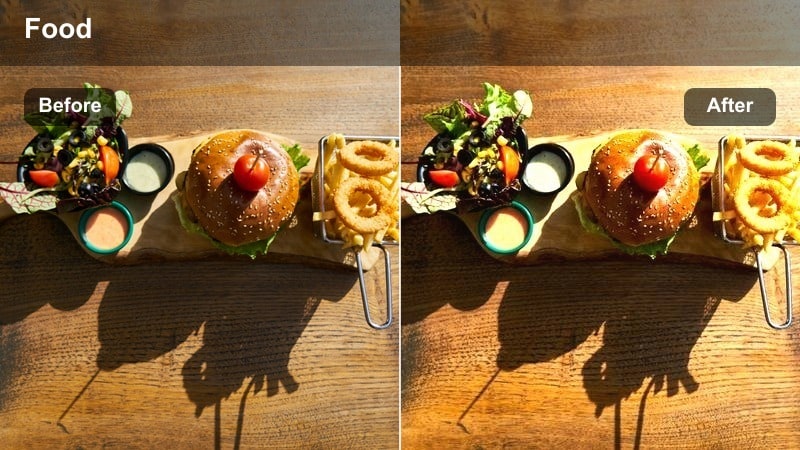
- Effect look: Soft golden warmth with gentle contrast for bright breakfast plates.
- Best for: Brunch reels, smoothie bowls, pancakes, and sunlit kitchen counters.
- Editing tip: Lower highlights slightly to keep whipped cream and white plates from clipping.
Sunny Plate Glow adds a subtle golden wash and controlled contrast that flatters bright daytime food scenes without blowing out whites. It is ideal when you are shooting near a window or in a naturally lit kitchen and want your close ups to feel fresh, cozy, and inviting while still keeping detail in powdered sugar, whipped cream, and ceramic plates.
In Filmora, apply Sunny Plate Glow to your brunch clips, then fine tune exposure and highlight levels in the Color panel so the brightest parts of the dish stay textured. Use keyframed adjustments if light changes during the shot, and combine with gentle stabilization for smooth, scroll stopping brunch reels across Instagram, TikTok, and YouTube Shorts.
AI-powered warmth that keeps food looking real
Filmora AI color tools help you keep every shot in your brunch sequence consistently warm without turning plates, napkins, or skin tones unnaturally orange. You can match your hero Sunny Plate Glow shot across B-roll, overheads, and handheld clips in just a few clicks.
Apply your favorite food close up warm color filter, then use AI Match Color and tone controls so each clip in the timeline shares the same appetizing glow from prep to the final plated reveal.
 secure download

See your food filters in action before you commit
With Filmora real time preview, you can quickly audition multiple warm food filters on the same brunch close up and compare how each one affects color, contrast, and appetite appeal. This is perfect when you are testing whether Sunny Plate Glow, a punchier look, or a softer cafe style grade best fits your channel.
Once you land on a combination you love, save it as a custom preset so you can apply the same warm, recognizable look to every future recipe, cafe vlog, or weekend brunch reel in a single click.
secure downloadMix filters with LUTs for a signature food style
Filmora includes 1000 plus video filters and 3D LUTs you can stack with these warm food presets to create a unique, branded look. Start with a gentle film style LUT and then layer a food specific filter like Sunny Plate Glow or Golden Grain Crisp for a richer grade that still feels natural.
Use HSL and advanced color controls to nudge individual hues, such as boosting reds in berries or toning down yellows in table surfaces, so your hero dish always stands out while the overall palette stays cohesive.
secure downloadGolden Grain Crisp
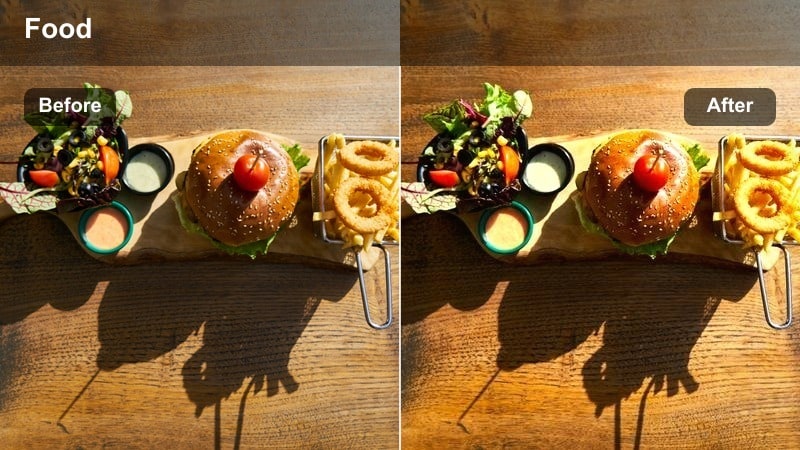
- Effect look: Crunchy midtone contrast with a toasted golden cast.
- Best for: Close ups of cereal, granola, toast, and crispy baked goods.
- Editing tip: Increase clarity sparingly; combine with a slight vignette to pull attention to the food texture.
Golden Grain Crisp pushes midtone contrast and adds a toasted golden tint that makes every crumb, flake, and crust look extra crunchy. It is especially effective on macro shots of granola, cereal bowls, and toasted bread where surface detail sells the texture and helps viewers almost feel the bite.
Inside Filmora, apply Golden Grain Crisp to your close ups, then use subtle vignetting and sharpening to keep focus locked on the crispiest area of the frame. Pair it with sound design like crunches or spoon clinks, and consider slow motion or macro shots to fully showcase the enhanced textures this filter brings out.
Cafe Window Warmth
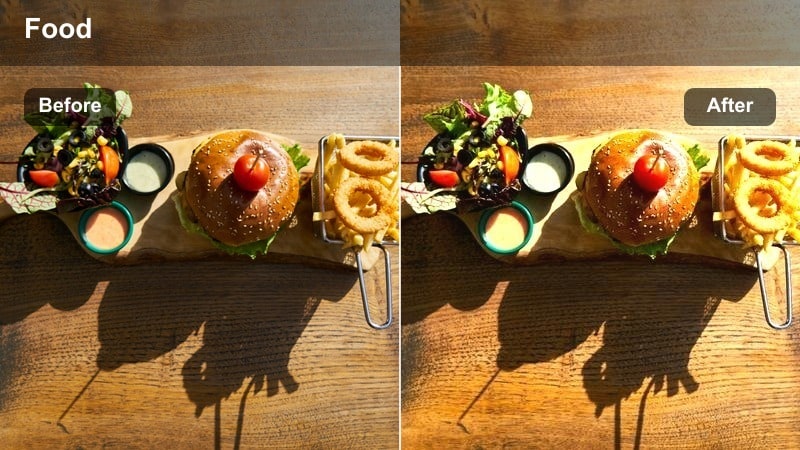
- Effect look: Soft cafe-style warmth with delicate highlights and a cozy glow.
- Best for: Coffee cups, pastries, and brunch plates by a window or at a cafe table.
- Editing tip: Add a slight blur or film grain to the background for an authentic cafe ambience.
Cafe Window Warmth wraps your coffee and pastry close ups in a gentle, lifestyle friendly glow that mimics natural light streaming through a cafe window. Whites stay creamy, shadows stay soft, and the overall warmth makes latte art, croissants, and table details feel relaxed and cinematic rather than harsh.
In Filmora, drop this filter onto your cafe B roll, then soften backgrounds with a touch of blur or film grain so the hero cup or plate remains the star. Combine with subtle camera motion, like slider or handheld push ins, and keep exposure slightly on the bright side to enhance the airy cafe mood this preset is built for.
Cozy Home Kitchen Cooking Scenes
Stovetop Ember Glow
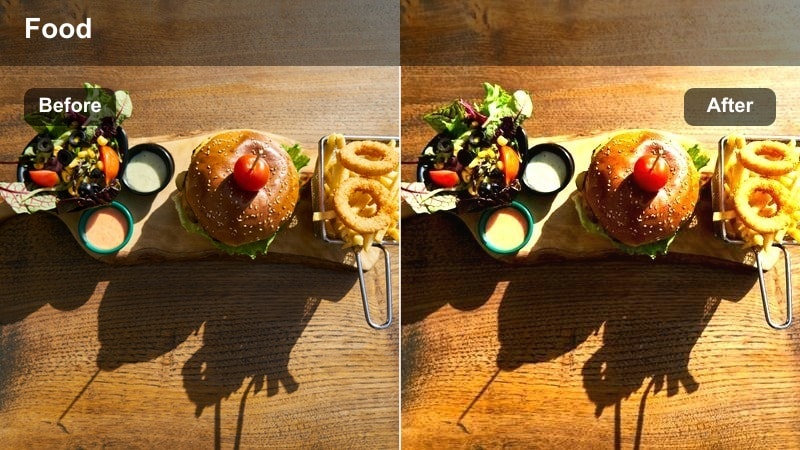
- Effect look: Deep amber warmth that makes simmering sauces and stews feel hearty and rich.
- Best for: Close ups of pots, pans, and bubbling dishes on the stove.
- Editing tip: Slightly desaturate reds if tomato-based dishes start to look too intense.
Stovetop Ember Glow leans into deep amber tones and rich contrast to give simmering stews, curries, and sauces a comforting, slow cooked feel. It emphasizes the bubbles, steam, and color gradients across the surface of your dish so cooking in progress shots look cinematic, not flat.
When editing in Filmora, apply Stovetop Ember Glow to your stovetop clips and adjust saturation on reds and oranges so tomato bases and chili oils stay appetizing instead of neon. Use slow motion and tighter crops to focus on bubbling details, and add subtle steam or smoke overlays if you want to push the cozy kitchen atmosphere even further.
Cutting Board Cozy
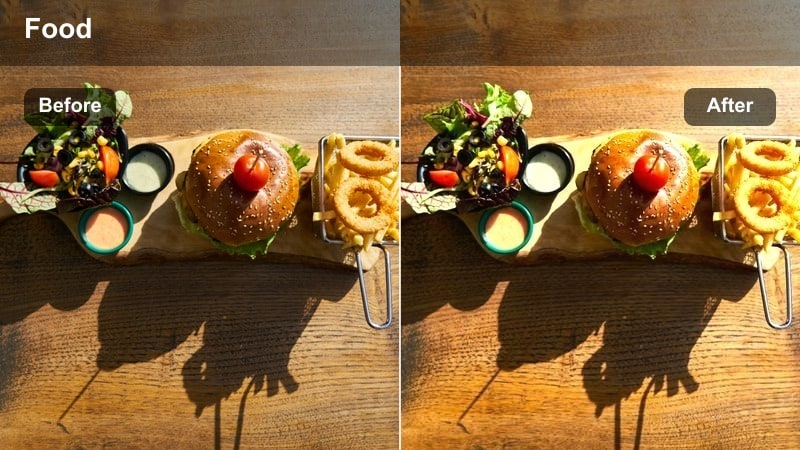
- Effect look: Soft, low-contrast warmth that flatters chopping and prep shots.
- Best for: Close ups of slicing vegetables, herbs, and ingredients on wooden boards.
- Editing tip: Increase sharpness around the knife edge to emphasize motion and precision.
Cutting Board Cozy adds gentle warmth and slightly lowered contrast, perfect for turning simple prep work into part of a relaxed cooking narrative. It works especially well with wooden boards and neutral countertops, keeping colors of herbs and vegetables rich without making edges too harsh.
In Filmora, use this filter on your sequence of chopping shots, then add selective sharpening or masking around the knife and focal ingredients to highlight movement. Cut rhythmically to your music or voiceover so each slice feels intentional, and keep background elements consistent across clips so the warm grading remains seamless from one angle to the next.
Oven Bake Warmth
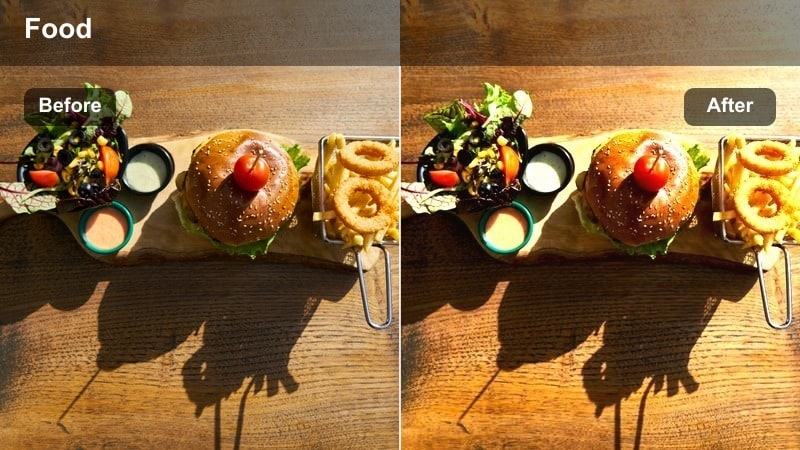
- Effect look: Golden-orange accent that mimics the glow of an oven light.
- Best for: Close ups of trays going in or out of the oven and baked dishes on hot racks.
- Editing tip: Dial down saturation in the shadows to prevent dark areas from turning overly orange.
Oven Bake Warmth simulates the intense but cozy glow of an oven interior, giving your baking shots that just finished, fresh from the oven feeling. It enriches browning on crusts, cookies, and casseroles while keeping the overall frame warm and inviting.
In Filmora, apply this filter to your in oven and pull out clips, then fine tune shadow saturation so darker areas do not turn muddy or too orange. Combine with sound effects like tray clinks and soft crackling, and consider a gentle zoom or speed ramp as the oven door opens to make the reveal of your baked goods even more satisfying.
Warm Evening Dining and Restaurant Vibes
Candlelight Plating
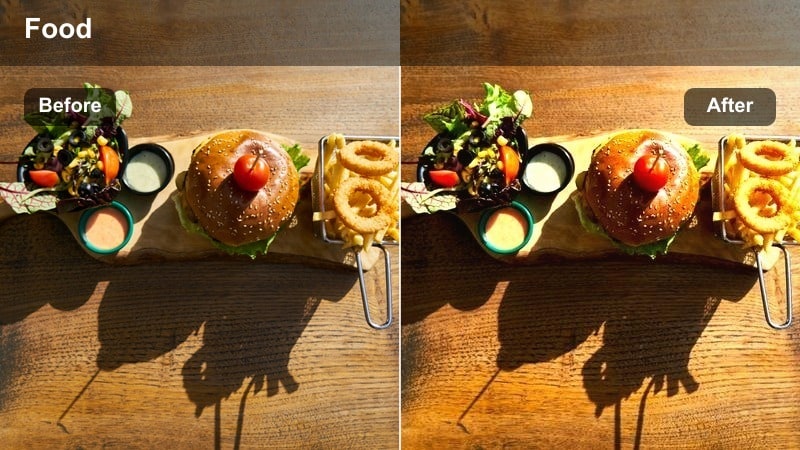
- Effect look: Subtle golden highlights with gently lifted shadows for low light dinners.
- Best for: Romantic dinners, tasting menus, and moody restaurant close ups.
- Editing tip: Use selective brightness on the main dish only to keep the surrounding table dim and intimate.
Candlelight Plating is tuned for low light dinner scenes where you want to keep the ambiance dark and romantic while still showing off the food. It gently lifts shadows and adds golden highlights so sauces, garnishes, and plate details remain visible without destroying the moody atmosphere.
Inside Filmora, combine this filter with selective brightness or masks that target only the plated dish, allowing the rest of the table to fall off into soft darkness. Use noise reduction sparingly to maintain a natural texture, stabilize handheld restaurant footage, and pair the visual warmth with subtle background audio from the dining room for a true evening immersion.
Bistro Amber Tone
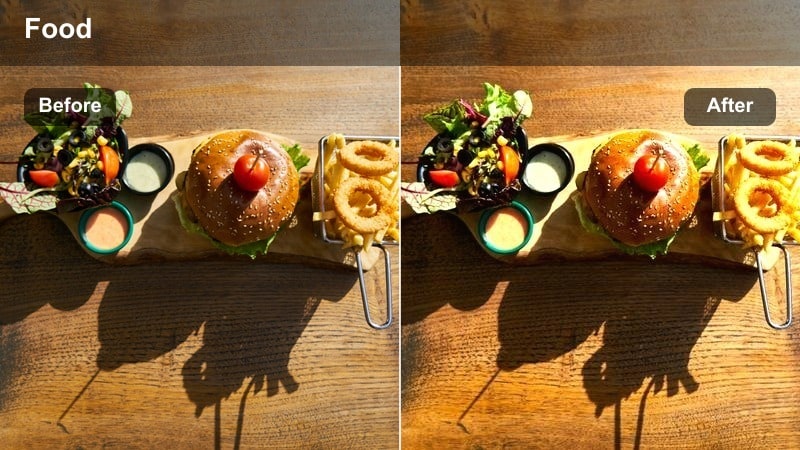
- Effect look: Amber-heavy warmth with gentle contrast that suits bistro and bar food.
- Best for: Burgers, fries, shared plates, and bar snacks on dark tables.
- Editing tip: Boost local contrast on key ingredients like melted cheese or charred edges.
Bistro Amber Tone wraps burgers, fries, and bar snacks in a rich amber palette that feels straight out of a cozy pub or bistro. It keeps overall contrast moderate so details in buns, melted cheese, and charred edges come through while reinforcing the relaxed, evening hangout mood.
In Filmora, apply this filter to tabletop close ups and tighten your framing so cluttered restaurant backgrounds do not distract from the hero dish. Use local contrast and sharpness on focal elements like burger patties or crispy fries, and cut between wide and extreme close ups to build mouthwatering sequences for reels, shorts, or full length restaurant reviews.
Wine & Share Plates
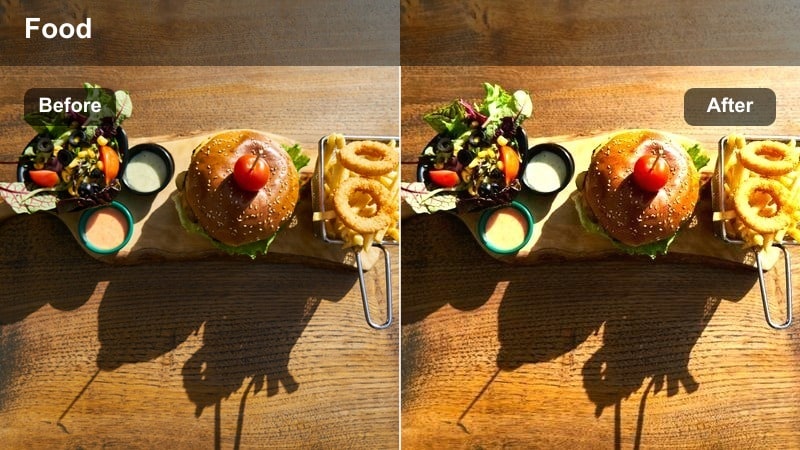
- Effect look: Muted warmth with soft highlights that flatter glass, sauces, and shared dishes.
- Best for: Wine glasses, tapas, and shared platters under warm indoor lighting.
- Editing tip: Slightly reduce highlights in the glass areas to keep reflections pleasing, not harsh.
Wine & Share Plates tones down harsh contrast and adds a gentle, muted warmth that flatters reflective glassware and glossy sauces. It is ideal for capturing the social side of dining, where hands, glasses, and shared dishes all appear in frame without any single element looking blown out or desaturated.
Within Filmora, use this preset on dinner party and tapas clips, then refine highlight levels around wine glasses and metallic cutlery to keep reflections smooth. Mix in slow, handheld movements and shots of people clinking glasses or sharing food, and let the soft, warm grade unify your entire social dining montage.
Short-Form Reels and Social Media Food Content
Snack Reel Boost
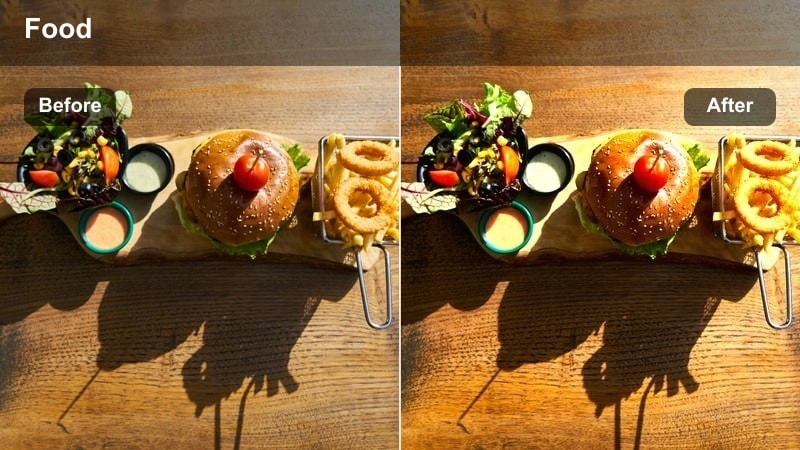
- Effect look: Punchy saturation and warm highlights designed for vertical snack videos.
- Best for: Quick snack shots, hand-held bites, and ASMR-style crunch moments.
- Editing tip: Combine with speed ramps to emphasize bites, drizzles, and pulls in your edit.
Snack Reel Boost is tuned specifically for attention grabbing vertical content, pushing saturation and warm highlights so snacks pop even on small phone screens. It keeps skin tones relatively natural while making chips, cookies, and candy bars look bold and irresistible in fast paced reels.
In Filmora, apply this filter to close handheld shots of bites, drizzles, and cheese pulls, then add speed ramps or quick cuts synced to music for maximum impact. Always check your edit on a vertical canvas preview to ensure framing works for Reels, Shorts, and TikTok, and tweak temperature slightly if hands or faces drift too orange.
Sauce Pour Slowmo
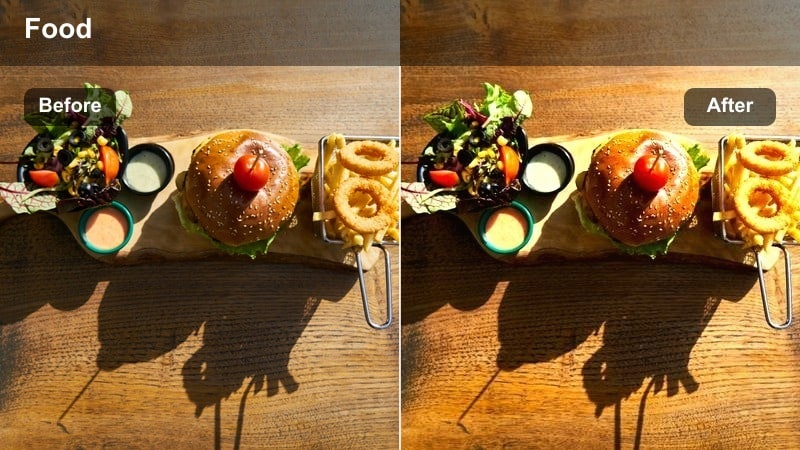
- Effect look: Smooth gradients, extra warmth on highlights, and subtle contrast for drizzles.
- Best for: Close ups of sauce, syrup, or chocolate being poured in slow motion.
- Editing tip: Shoot at higher frame rates and stabilize first, then apply the filter to avoid flicker.
Sauce Pour Slowmo enhances flowing liquids by smoothing gradients and adding a touch of extra warmth to highlights, making chocolate, caramel, and dressings look glossy and luxurious. It maintains enough contrast so the stream stands out clearly against the background and the food beneath.
When editing in Filmora, first stabilize and slow your footage, then add this filter so the pour remains buttery smooth without introducing flicker. Use backlighting where possible to catch reflections along the liquid, and cut in tight so viewers can appreciate every ripple and drip enhanced by the warm, cinematic grade.
Thumbnail Heat Pop
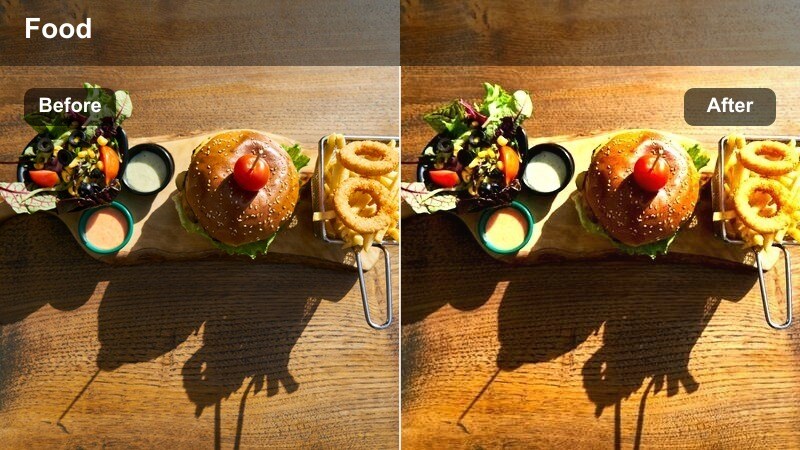
- Effect look: High-impact warmth, boosted contrast, and selective saturation for thumbnails.
- Best for: YouTube and short-form cover images featuring hero dishes in close up.
- Editing tip: Apply to a still frame or exported image and fine-tune exposure before adding text overlays.
Thumbnail Heat Pop is designed to make your hero dish stand out instantly in crowded feeds and search results. It adds strong warmth, extra contrast, and targeted saturation that keeps food looking juicy and bold while preserving enough detail for small preview sizes.
In Filmora, choose a sharp still frame from your timeline or export a separate image, then apply Thumbnail Heat Pop and refine exposure, contrast, and sharpness. Once the food looks punchy and appetizing, bring the image into Filmora or your graphics tool to add clean, readable text in the negative space you framed around the dish.
Tips for Using Food Close Up Warm Color Filter Filters in Filmora
- Shoot food under soft, directional light so warm filters enhance, rather than fix, your base footage.
- Lock white balance in camera to avoid color shifts between clips when applying the same warm filter preset.
- Frame tighter than you think on key textures like crusts, sauces, and fillings to make the most of close up filters.
- Use a neutral or wooden background so strong warm color filters do not clash with bright tablecloths or decor.
- Always check how your graded food looks on a phone screen, since most viewers will watch your content on mobile.
- Save your favorite filter, LUT, and color adjustments as Filmora presets to keep your food content style consistent.
- Combine slow motion with close ups when using sauce and cheese filters to fully show off enhanced textures.
- Layer subtle vignette and blur effects after color grading to guide attention to the most appetizing part of the frame.
These food close up warm color filter presets help content creators give every dish a cozy, appetizing glow with minimal manual grading.
Combine them with thoughtful lighting, tight framing, and Filmora AI tools to turn everyday meals, recipes, and restaurant visits into consistently cinematic food content.
secure download