

 100% Security Verified | No Subscription Required | No Malware


 ChatGPT
 Perplexity
 Gemini
 Claude
 Grok
Grok
This collection of high end fashion cinematic LUT-style filters is made for content creators who want luxury, editorial-grade color in just a few clicks.
Use these filters to give lookbooks, runway clips, campaigns, and TikTok fashion edits a polished cinematic finish that feels straight out of a designer ad.
In this article
Runway Glamour and Editorial Studio Tones
Runway Gold Sheen
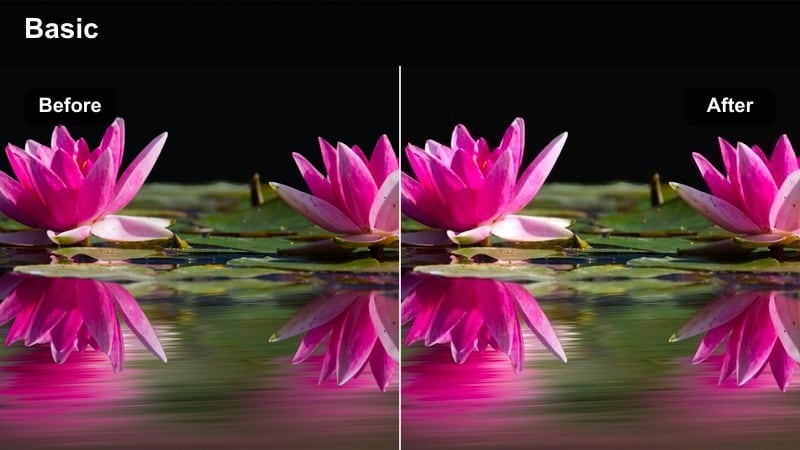
- Effect look: Warm, glossy highlights with gently lifted shadows for a premium runway glow.
- Best for: Backstage runway footage, catwalk close-ups, and slow-motion accessory shots.
- Editing tip: Pair with a slight vignette and 60–80 percent filter intensity to keep skin tones controlled and luxurious.
Runway Gold Sheen wraps your footage in a soft, golden glow that feels straight out of a luxury catwalk film. Highlights gain a polished sheen while shadows lift just enough to preserve detail in fabrics, hair, and accessories without crushing blacks.
In Filmora, apply this filter to your runway or backstage clips, then fine tune intensity until skin looks luminous but still natural. Use HSL controls to gently desaturate yellows if the gold starts to dominate, and combine with a subtle vignette so faces, jewelry, and metallic details become the clear focus of each frame.
Match Every Outfit With Smart Color
Filmora AI color tools help this high end fashion cinematic LUT-style look adapt to any palette, from monochrome tailoring to jewel-tone gowns. Instead of regrading each shot, AI color matching keeps tones aligned across the entire runway or lookbook sequence.
Balance your base exposure and white balance with AI before you stack on Runway Gold Sheen so whites stay clean, skin stays true, and the warm glow feels intentional instead of overpowering.
 secure download

Preview High End Fashion Filters in Real Time
Filmora lets you preview filters like Runway Gold Sheen in real time just by hovering over them in the effects panel. You can instantly compare warm runway looks, clean studio tones, or moody city grades on the same clip.
Import a short test shot of your model, hover across multiple filters, and lock in the one that best matches your brand palette, lighting, and platform ratio before you start batch grading the entire project.
secure download1000+ Video Filters and 3D LUTs
Beyond dedicated fashion looks, Filmora includes a full library of filters and 3D LUTs so you can combine this runway style with cinematic grades, film emulations, and brand-specific palettes. Layer effects, adjust blending, and save your own presets for each collection drop.
Use the built in HSL and color wheels alongside LUTs to refine skin tones, maintain product accurate colors, and keep your visual identity consistent across platforms and seasons.
secure downloadStudio White Editorial
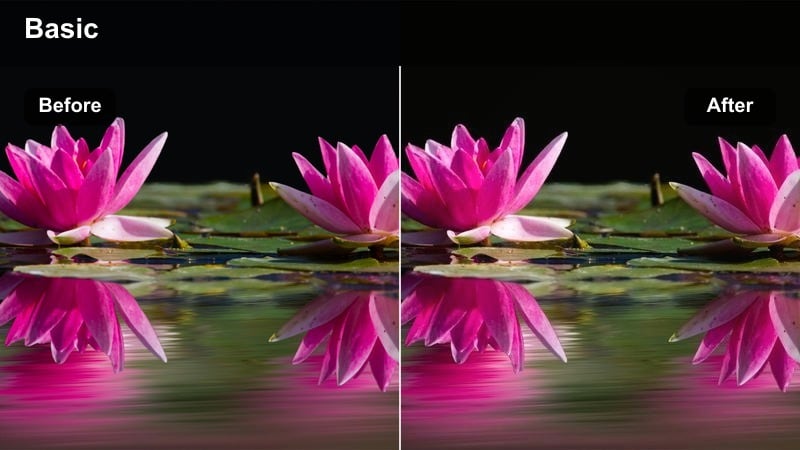
- Effect look: Clean, bright whites with soft contrast and neutral, magazine-style color.
- Best for: Lookbook shoots on seamless backdrops, e-commerce fashion, and studio reels.
- Editing tip: Lower saturation slightly and boost clarity to mimic the crispness of luxury print editorials.
Studio White Editorial gives your seamless backdrops a gallery clean finish while keeping outfits and models looking realistic and refined. Whites stay bright and slightly cool so garments pop without color casts, and the softer contrast flatters most skin tones and materials.
Apply this filter in Filmora to your studio lookbooks, then reduce saturation a touch for a modern editorial feel. Use the color wheels to hold highlights just on the cooler side, and if backgrounds start to clip, lower exposure slightly so the filter can rebuild nuance in the whites while maintaining a high end studio vibe.
Crystal Showfloor
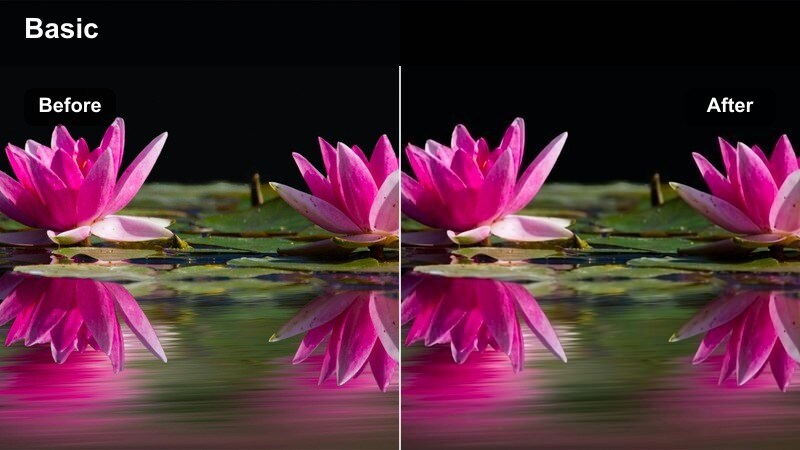
- Effect look: Cool, glassy tones with sharp midtone contrast and polished reflections.
- Best for: Runway shows on glossy floors, mirrored sets, and luxury boutique interiors.
- Editing tip: Add a tiny amount of Filmora sharpening and reduce noise to emphasize the reflective, crystal-like feel.
Crystal Showfloor shifts your palette toward sleek, cool tones that emphasize glass, mirrors, and polished runway surfaces. Midtones gain extra contrast so reflections and contours stand out, while highlights remain controlled to avoid harsh clipping on reflective floors.
Use this filter in Filmora on runway or boutique interiors where lights bounce across the scene. Add a hint of sharpening and noise reduction to make reflections appear clearer, and if the look feels too cold on skin, warm only the midtones in the color panel so complexions stay flattering while highlights and shadows remain elegantly icy.
Street Couture and City Night Fashion
Neon Couture Night
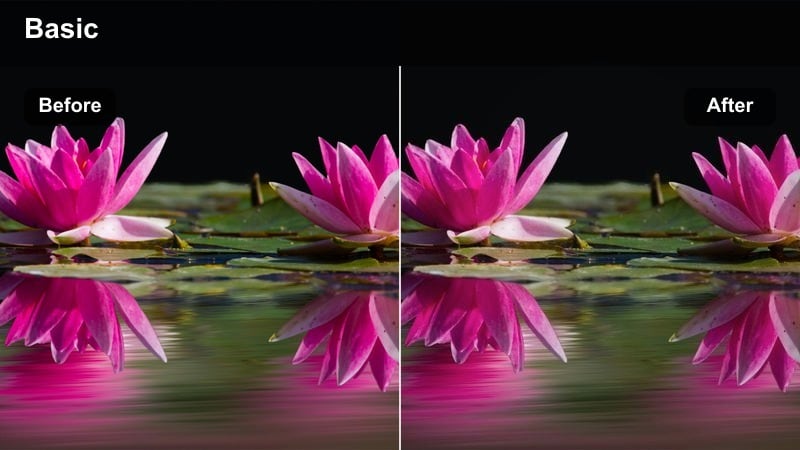
- Effect look: Deep cinematic contrast with saturated neon highlights and rich blacks.
- Best for: Nighttime street style, rooftop shoots, and city lights fashion campaigns.
- Editing tip: Lower filter intensity to 70 percent and slightly lift shadows so outfit details remain visible in darker scenes.
Neon Couture Night is designed to make neon signage, taillights, and city glows explode with color while preserving the sophistication of high fashion silhouettes. Blacks become rich and inky, while bright hues stay punchy enough to feel cinematic without turning into a social media style overfilter.
In Filmora, apply this filter to your night footage and dial intensity down to around 70 percent so you keep shape and texture in fabrics. Use color masks to protect outfit tones, keeping them slightly brighter than the background glow, and adjust HSL to calm magenta in skin if the neon environment pushes complexions too far.
City Lux Matte
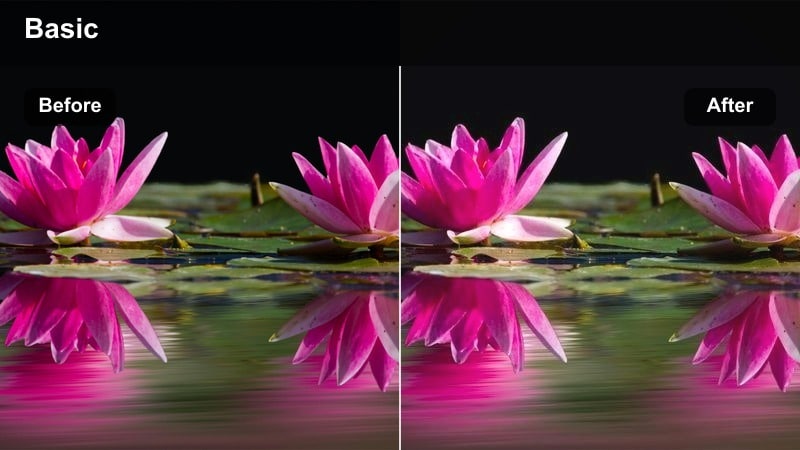
- Effect look: Soft matte blacks with warm highlights for a cinematic, street-campaign feel.
- Best for: Day-to-night city fashion, sidewalks, crosswalks, and urban outfit reels.
- Editing tip: Combine with a subtle Filmora film grain effect to echo luxury billboard and print campaigns.
City Lux Matte turns ordinary sidewalks and crosswalks into polished campaign backdrops, softening shadows while keeping enough depth to feel current and premium. Warm highlights wrap around skin and fabrics, giving outfits a gentle glow that suits both casual and tailored looks.
Apply this filter in Filmora to lifestyle and street style sequences, then add a light film grain layer for a billboard ready finish. Avoid pushing the matte effect too far; keep some shadow contrast so the grade feels expensive rather than vintage, and use highlight controls to keep sneakers, logos, and bags crisp against the softened scene.
Highline Sunset Chic
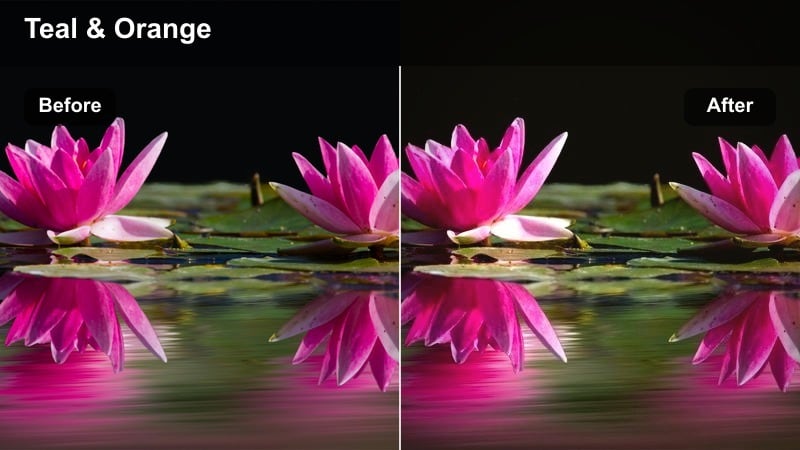
- Effect look: Golden-hour warmth with gentle teal shadows and soft lens-inspired glow.
- Best for: Rooftop lookbooks, balcony shots, and elevated streetwear at sunset.
- Editing tip: Shift the white balance a touch cooler in-camera or in Filmora to keep whites from going too orange.
Highline Sunset Chic captures the romance of golden hour with warm highlights and subtle teal shadows that add depth to city skylines. A soft glow effect emulates lens bloom, making hair, silhouettes, and flowing fabrics look naturally backlit and cinematic.
Use this filter in Filmora on rooftop and balcony fashion stories, slightly cooling the overall white balance to keep white pieces from drifting into orange. Reduce highlight contrast on reflective fabrics like satin and metallics, and consider masking the face to gently lower saturation so skin remains flattering while the city and sky stay richly colored.
Atelier Details and Luxury Close-Up Shots
Silk Detail Soft
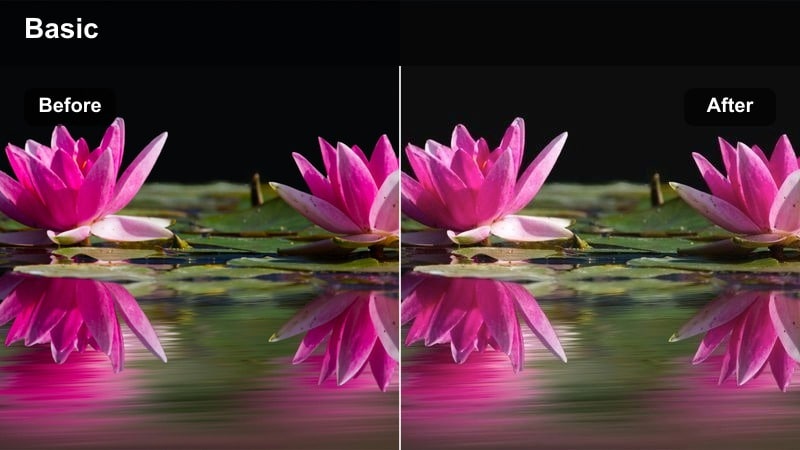
- Effect look: Gentle low-contrast look with creamy highlights and subtle pastel tints.
- Best for: Close-ups of fabrics, jewelry, stitching, and behind-the-scenes atelier work.
- Editing tip: Use shallow depth of field in-camera and keep filter intensity under 80 percent to retain fine fabric detail.
Silk Detail Soft is tuned for macro fashion moments, adding creamy highlights and a slight pastel wash that flatters delicate materials. Contrast is lowered just enough to avoid harsh edges on sequins, silk, and beadwork, while still preserving a sense of dimensionality.
In Filmora, apply this filter to close-up shots of hands, textures, and embellishments, then keep intensity below 80 percent so threads and stitches remain crisp. Boost midtone clarity to help detail pop without adding harshness, and deepen only the darkest shadows a touch if the overall image begins to feel too flat.
Couture Makeup Focus
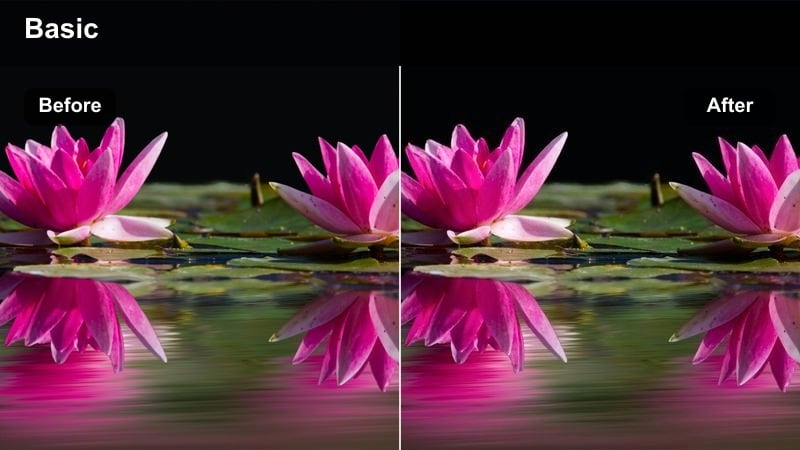
- Effect look: Neutral cinematic contrast tailored to skin tones with softly emphasized lips and eyes.
- Best for: Beauty close-ups, hair and makeup reels, and accessories framing the face.
- Editing tip: Use Filmora's face recognition tools to lightly smooth skin while keeping eyes and lips extra sharp.
Couture Makeup Focus delivers a refined beauty grade that keeps skin tones believable while subtly drawing attention to eyes and lips. Contrast and saturation sit in a neutral, editorial sweet spot, avoiding the plastic look of heavy filters while still feeling polished on camera.
Use this filter in Filmora on headshots, makeup reels, and any frame where the face sells the look. Combine it with gentle facial smoothing, slightly lift exposure on the face area, and keep overall saturation just under typical levels so bold lip colors and graphic liners look runway ready rather than overly filtered.
Label Tag Focus
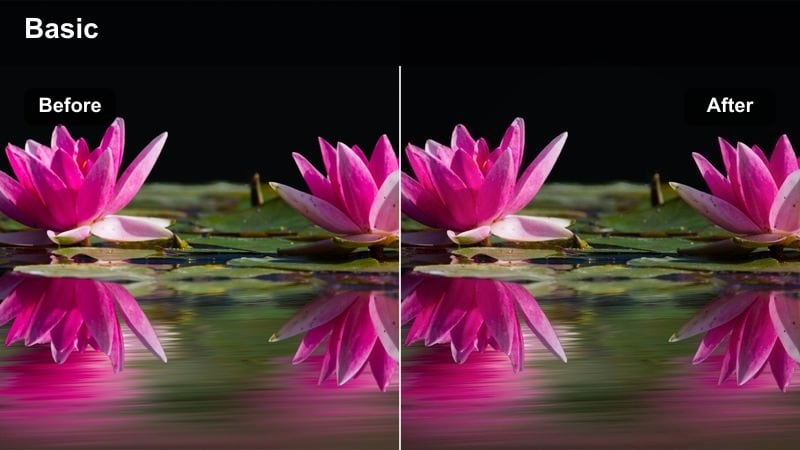
- Effect look: Cool-neutral palette with crisp micro-contrast on logos, tags, and hardware.
- Best for: Designer labels, bag close-ups, shoe details, and brand storytelling shots.
- Editing tip: Zoom slightly in Filmora and add a gentle vignette to center attention on logos and metallic accents.
Label Tag Focus is tailored for brand storytelling, giving logos, embossed leather, and metal hardware a sharp, premium presence. Colors stay cool neutral so product tones match reality, while local contrast enhances fine details in stitching and print.
In Filmora, apply this filter to tight shots of tags, zippers, buckles, and branding, then add a subtle vignette to draw the eye to the center. Increase sharpen and clarity only on the logo area using masks, and keep saturation modest so gold, silver, and printed details feel sophisticated rather than flashy.
Campaign Film and Narrative Fashion Edits
Monochrome Campaign Noir
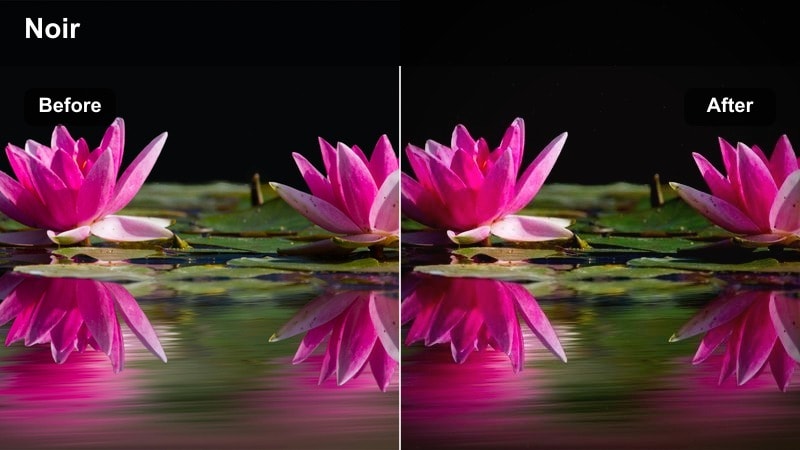
- Effect look: High-contrast black and white with rich midtones and deep cinematic blacks.
- Best for: Timeless campaign films, dramatic walking shots, and silhouette storytelling.
- Editing tip: Adjust the luminance of reds in Filmora to control how skin tones render in black and white.
Monochrome Campaign Noir strips color from your fashion film while keeping texture, tailoring, and movement front and center. Deep blacks and bright highlights create a striking contrast, while rich midtones ensure garments never lose their dimensionality.
Use this filter in Filmora for dramatic walk cycles, minimal sets, or concept driven campaigns, and adjust the luminance of red and orange channels to refine how skin appears in grayscale. Pair with slow motion and deliberate framing so every step, pose, and fabric movement feels like a standalone campaign still.
Desert Editorial Glow
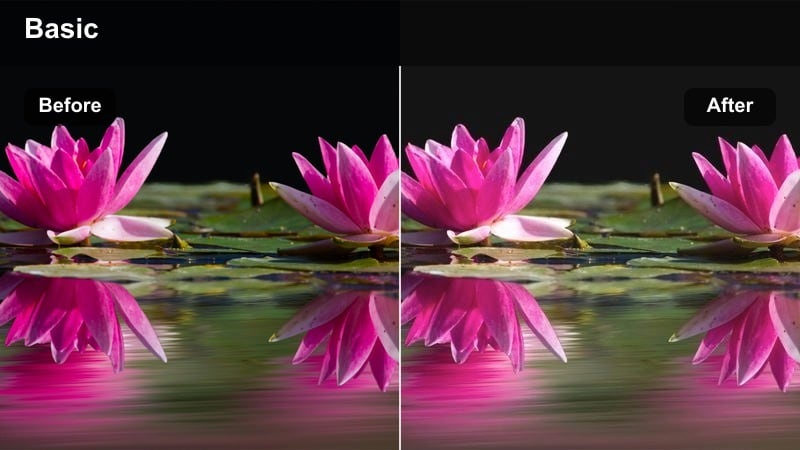
- Effect look: Warm sand-toned highlights with gently faded shadows and soft cinematic haze.
- Best for: Outdoor campaign stories, minimal architecture, and long-lens walk sequences.
- Editing tip: Add a subtle Filmora lens flare and reduce clarity a touch for a dreamier editorial feel.
Desert Editorial Glow brings sun drenched warmth and soft haze to campaign footage shot around minimalist architecture or bright stone backdrops. Highlights lean toward sand and beige tones, while slightly faded shadows and low clarity introduce a dreamlike, editorial softness.
Apply this filter in Filmora to long lens walks, architectural cutaways, and open air fashion stories. Dial back orange saturation so skin and beige outfits stay distinct, then use keyframed exposure to gently control highlights during pans or quick moves, preserving a controlled, luxury aesthetic even in harsh daylight.
Gallery Art Film
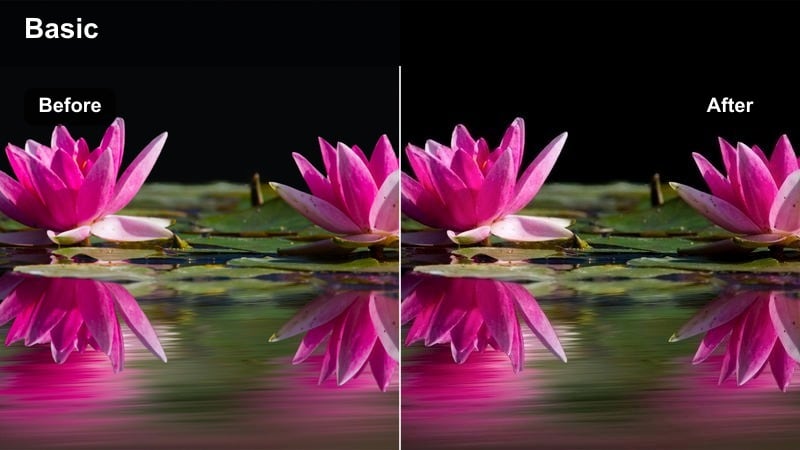
- Effect look: Muted gallery tones with cool shadows and carefully controlled saturation.
- Best for: Fashion stories in museums, galleries, and architectural interiors.
- Editing tip: Reduce global saturation, then selectively raise saturation for key pieces in Filmora to guide the viewer's eye.
Gallery Art Film desaturates and cools your scene just enough to evoke a curated exhibition space, letting garments read like moving artworks. Shadows lean cool and subtle, while overall saturation stays restrained so shapes, lines, and styling choices take the lead.
Inside Filmora, apply this filter to gallery shoots and interior fashion narratives, then lower global saturation a bit further if needed. Use masks to selectively boost color and contrast on the main outfit or hero accessory so it pops gently against the more subdued environment, and pair with slower edits or push in zooms to match the calm, considered tone.
Tips for Using High End Fashion Cinematic Lut Filters in Filmora
- Shoot with consistent white balance across each scene so high end fashion cinematic LUT-style filters stay clean and do not introduce strange color shifts on fabrics.
- Keep exposure slightly under rather than over to protect highlights on reflective materials such as satin, sequins, patent leather, and polished accessories.
- Use filter intensity as a creative slider in Filmora; most luxury fashion grades look best between roughly 60 and 85 percent strength.
- Create A and B versions of your edit on the timeline with different filters so you can compare which grade best matches your brand grid or channel aesthetic.
- Always preview your graded fashion clips on both mobile and desktop screens, since contrast and saturation can feel stronger or flatter depending on the display.
- Group similar shots on the timeline and apply the same base filter before making individual tweaks, keeping your entire lookbook or campaign film visually consistent.
- Combine filters with Filmora color tools like HSL and color wheels to fine tune specific outfit colors without breaking overall cinematic balance.
- Export short test clips and review them in your social apps or ad platforms to confirm that blacks, whites, and key brand colors display as intended.
With the right high end fashion cinematic LUT-style filters, your runway clips, lookbooks, and campaign films can instantly feel like luxury ads.
Build a consistent visual language across all your fashion content by pairing these Filmora filters with careful exposure, framing, and brand-focused storytelling.
secure download