

 100% Security Verified | No Subscription Required | No Malware


 ChatGPT
 Perplexity
 Gemini
 Claude
 Grok
Grok
The Home Cooking Lifestyle Filter collection is designed for creators who film in real kitchens and want every simmering pot, chopping board, and table scene to feel inviting on camera.
These Filmora presets balance warm tones, gentle contrast, and soft highlights so your home cooking content looks fresh, appetizing, and story-driven even in mixed indoor lighting.
In this article
Soft Morning Light in the Kitchen
Golden Breakfast Glow
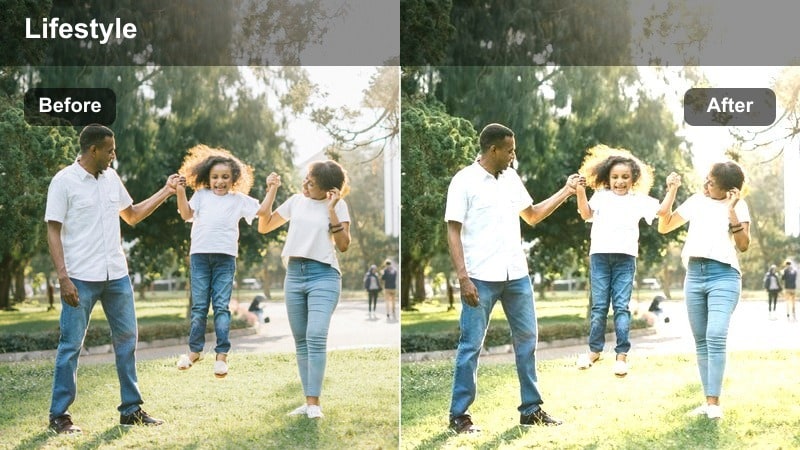
- Effect look: Soft golden warmth that brightens wooden counters and makes steam and sunlight feel cozy without overexposing whites.
- Best for: Morning coffee routines, breakfast prep, slow weekend cooking vlogs by a window.
- Editing tip: Lower the strength slightly for very bright kitchens and add a tiny vignette to keep focus on the mug or plate.
Golden Breakfast Glow wraps your morning kitchen footage in a gentle golden tone that flatters natural light spilling through windows. It subtly lifts exposure on counters, steam, and mugs while protecting bright whites, so your space looks sunlit rather than blown out.
In Filmora, apply this filter to clips from your morning routine, then fine-tune intensity with the slider to match different lighting conditions. If your cabinets or tiles are very white, cool the white balance a touch and add a light vignette so viewers focus on key details like your coffee pour or breakfast plate.
Use AI to Match Your Home Cooking Aesthetic
Filmora AI can analyze a short sample from your kitchen footage and automatically suggest filters that suit your lighting and color style. This makes it easy to choose a Home Cooking Lifestyle Filter that matches your existing vlogs or social posts.
Once you find a look you love, save it as a custom preset so every new recipe, morning routine, or kitchen vlog keeps the same cozy, recognizable visual identity.
 secure download

Preview Filters on Real Kitchen Footage
With Filmora, you can drag and drop Home Cooking Lifestyle Filters directly onto your raw kitchen clips to see how they respond to window light, tungsten bulbs, or mixed indoor lighting. Toggle them on and off to compare before and after in real time.
Use split-screen or A/B comparison to test several filters on the same shot, then lock in the one that best supports your story, whether it is a quiet breakfast routine or a late-night snack vlog.
secure downloadPair Filters with Indoor Soft Light Vlog LUTs
For a more cinematic home cooking look, first apply an indoor soft light vlog LUT in Filmora to normalize color and exposure in dim or mixed lighting. Then layer a Home Cooking Lifestyle Filter on top to give your footage its final warm, cozy character.
This two step workflow helps keep skin tones natural and consistent from stove to table, while your filters add the finishing touch that defines your kitchen aesthetic.
secure downloadFresh Morning Minimal
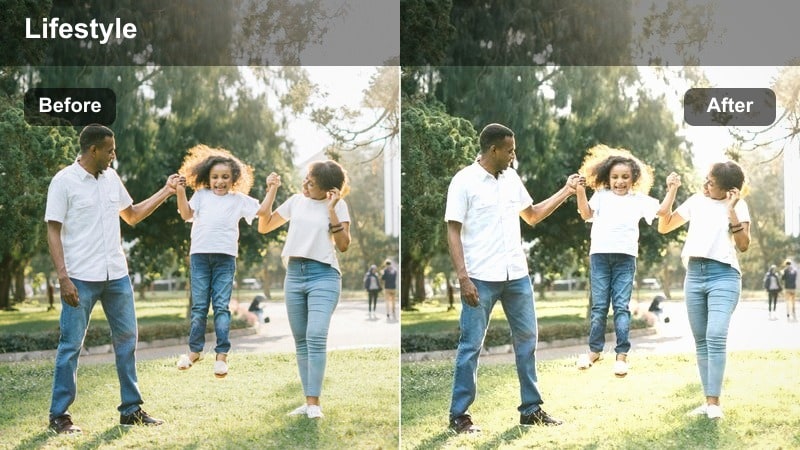
- Effect look: Clean, low-contrast tones with gentle brightness and neutral colors that feel airy and uncluttered.
- Best for: Minimalist kitchens, simple breakfast bowls, aesthetic countertop shots for social media.
- Editing tip: Raise exposure slightly and keep saturation modest so your clips match well with text overlays and graphic elements.
Fresh Morning Minimal keeps your kitchen light and airy with neutral whites and soft shadows that work especially well in modern, uncluttered spaces. By lowering contrast and saturation, it lets shapes and compositions shine without overwhelming viewers with color.
In Filmora, use this filter on overhead countertop shots, aesthetic reels, and scenes where you plan to add titles or on-screen graphics. Slightly increase exposure to give your whites a clean, editorial feel, and monitor highlights with scopes to avoid clipping on glossy tiles or dishes.
Cozy Morning Grain
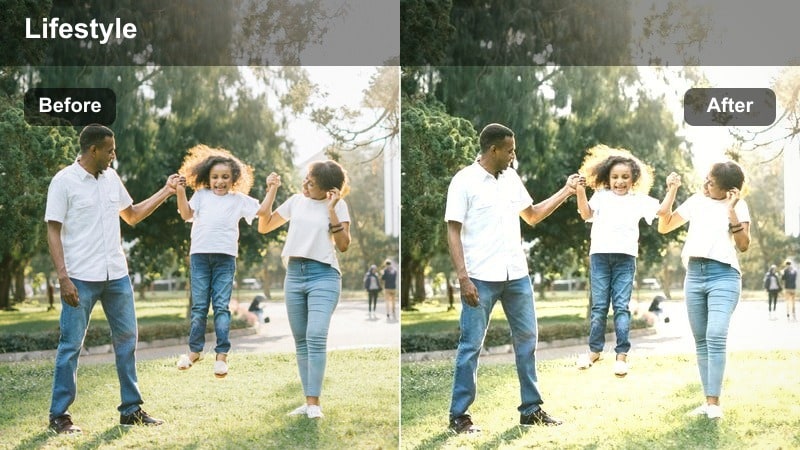
- Effect look: Muted warmth with a hint of soft grain that gives handheld kitchen clips a nostalgic, documentary feel.
- Best for: Diary-style cooking vlogs, morning baking, handheld walk-throughs of your kitchen routine.
- Editing tip: Keep the grain intensity subtle and stabilize your clips to make the nostalgic texture feel intentional instead of noisy.
Cozy Morning Grain adds a gentle film-like grain and muted warmth that make your handheld kitchen clips feel intimate and nostalgic. It is ideal when you want your footage to resemble a personal diary or a soft documentary rather than a polished commercial.
Apply this filter in Filmora to walk-and-talk sequences, mixing and baking shots, or behind-the-scenes moments. Keep grain strength low for higher resolution footage and consider using stabilization, so the texture reads as a stylistic choice while your cooking details remain clear.
Warm Evening and Dinner Cooking
Stovetop Amber Glow
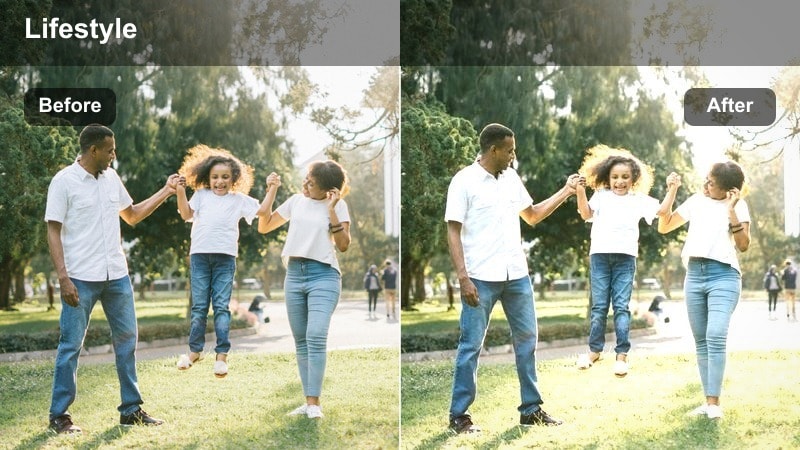
- Effect look: Deep warm tones with rich contrast that emphasize the glow from stove burners and under-cabinet lights.
- Best for: Dinner prep, simmering pots, and moody cooking sequences shot under warm indoor bulbs.
- Editing tip: Dial back saturation on oranges if your bulbs are very yellow so the warmth looks cinematic instead of overly orange.
Stovetop Amber Glow leans into the warmth of evening bulbs and burner flames, creating rich, amber-toned scenes with bold contrast. It highlights steam, reflections, and bubbling pots, perfect for transforming routine dinner prep into something cinematic.
Use this filter in Filmora on close-ups of simmering dishes, ladling sauces, and shots focused on your stovetop area. If your kitchen lighting is very yellow, slightly reduce orange saturation or cool the midtones so skin tones stay natural while the background keeps that cozy golden look.
Family Dinner Soft Warm
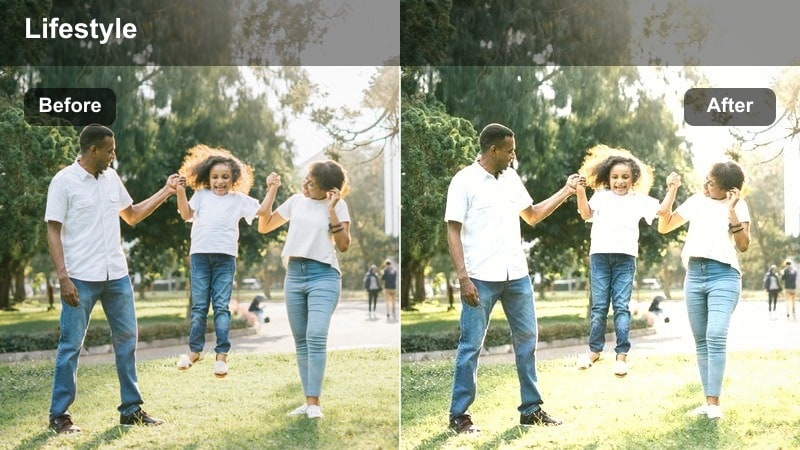
- Effect look: Gentle warm highlights with softened contrast and flattering skin tones for people gathered around the table.
- Best for: Family-style dinners, shared plates, and conversational shots across the table.
- Editing tip: Use a shallow depth-of-field shot and keep filter intensity moderate to preserve expressions and small gestures.
Family Dinner Soft Warm is tuned to flatter faces and create a welcoming, shared-meal atmosphere. The softened contrast and warm highlights make overhead fixtures and candles feel comforting, while skin tones remain smooth and natural.
In Filmora, apply this filter to medium and wide shots of people passing dishes, talking, and laughing around the table. Pair it with shallow depth of field footage to keep attention on expressions, and if cheeks look too red or yellow, gently reduce red saturation in HSL while retaining the cozy ambiance.
Evening Pan Sizzle
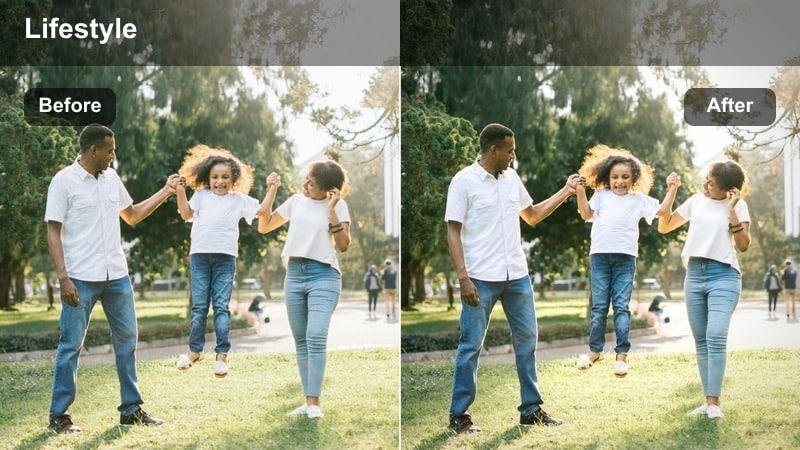
- Effect look: Punchy contrast with crisp highlights on oil, steam, and sizzling textures while keeping shadows slightly lifted.
- Best for: Close-up cooking shots, sizzles, flips, and high-energy montage sequences for recipe intros.
- Editing tip: Cut your clips to the beat and add mild slow motion; the filter will emphasize textures and motion in each frame.
Evening Pan Sizzle amplifies the drama in your stove-top close-ups by boosting contrast and sharpening bright highlights on oil and steam. Shadows stay lifted enough that details in dark pans and countertops remain visible, giving your edits a high-energy, appetizing feel.
Use this filter in Filmora for montage sequences, hero sizzle shots, and quick cuts that open or close your recipe videos. Increase shadow brightness slightly before applying it if your stove area is very dark, then sync cuts to music and experiment with short slow-motion segments to maximize texture and impact.
Tabletop Storytelling and Plating
Neutral Plate Focus
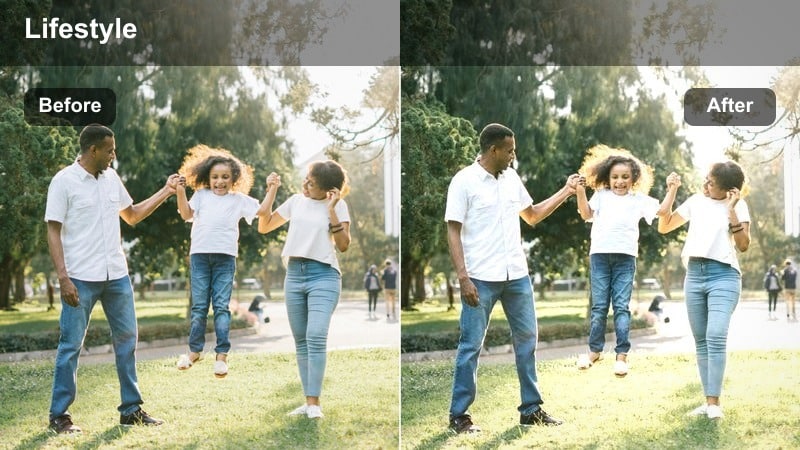
- Effect look: Soft neutral tones with gentle clarity that keep plates and hands looking true-to-life without heavy stylization.
- Best for: Recipe steps, top-down shots, and simple how-to sequences on the countertop or table.
- Editing tip: Use this filter as a base look, then tweak saturation per color for ingredients you want to highlight.
Neutral Plate Focus delivers a clean, documentary style look that keeps colors and textures close to real life. It slightly boosts clarity so ingredients and hands appear crisp without pushing contrast or saturation too far.
Apply this filter in Filmora to step-by-step tabletop sequences, especially top-down shots where clarity matters most. Use it as a base grade, then adjust individual color channels so key ingredients stand out while the overall tutorial remains visually consistent from step to step.
Rustic Wooden Table
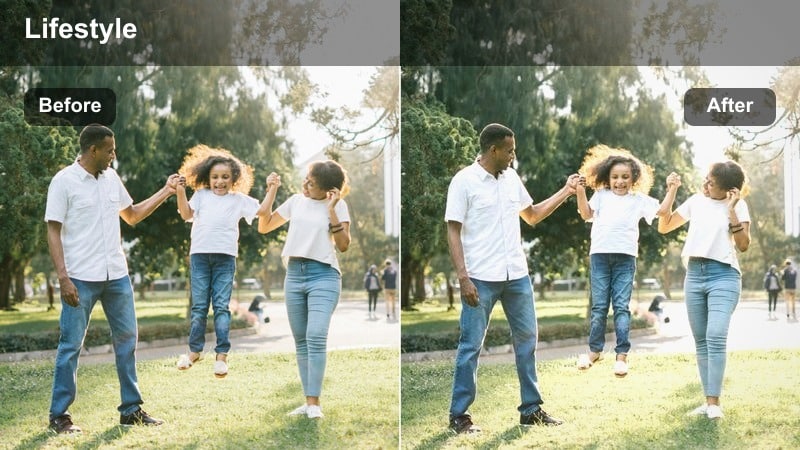
- Effect look: Earthy, slightly desaturated tones that emphasize wood grain and ceramics for a farmhouse-style atmosphere.
- Best for: Rustic table settings, wooden boards, and lifestyle shots that show your kitchen as a lived-in space.
- Editing tip: Lower saturation in greens and blues slightly to keep the focus on warm woods and neutral dishes.
Rustic Wooden Table leans into earthy hues and gentle desaturation, making wood grain, linen, and ceramics feel tactile and homey. It is ideal for farmhouse-inspired scenes or any setup where the table itself is part of the story.
In Filmora, use this filter on close-ups of cutting boards, wide shots of styled tables, and lifestyle details like folded napkins or stacked plates. Reduce green and blue saturation a bit more if needed so the viewer naturally focuses on warm browns, creams, and the food itself.
Bright Plating Pop
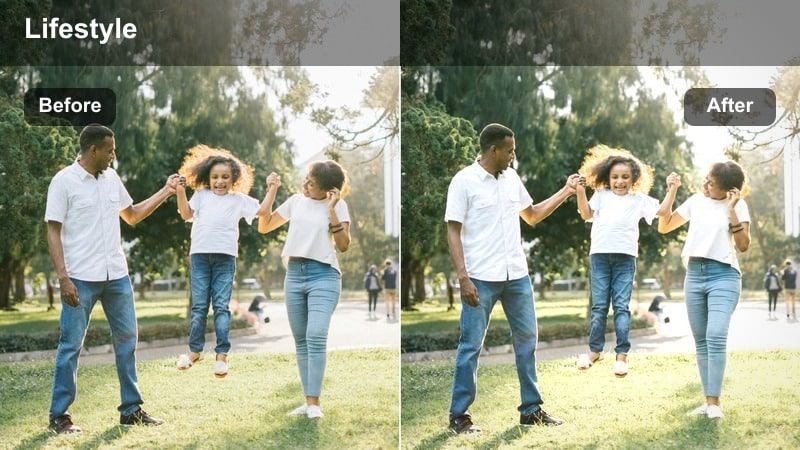
- Effect look: Vibrant yet controlled saturation with crisp highlights that make plates and garnishes stand out on camera.
- Best for: Final beauty shots, hero plates, and thumbnail-friendly frames of finished dishes.
- Editing tip: Frame your plate in the center and slightly lower contrast so colors pop without feeling harsh on smaller screens.
Bright Plating Pop is designed to make finished dishes and garnishes look vivid and eye-catching. It boosts color and micro-contrast while maintaining control over highlights so plates do not look overly glossy or artificial.
Apply this filter in Filmora to your hero shots, social media thumbnails, and any final reveal of the dish. Consider lowering contrast a touch for mobile viewing and capture a few locked-off frames specifically for thumbnails, keeping framing centered so text overlays are easy to add later.
Lifestyle Moments Around the Kitchen
Casual Kitchen Chat
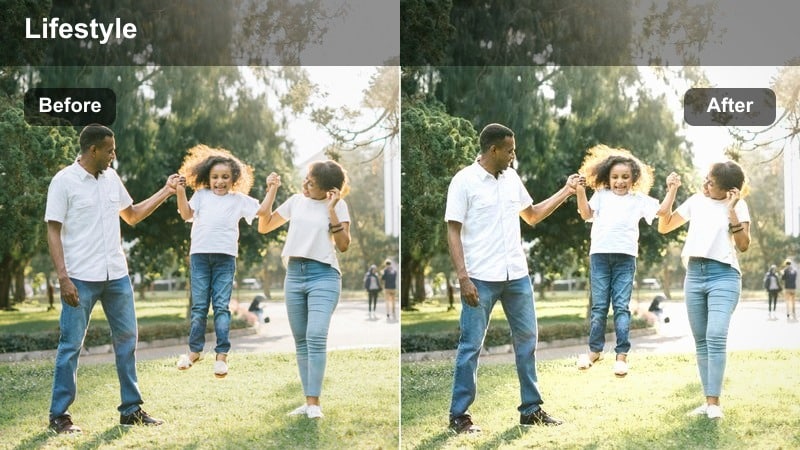
- Effect look: Balanced warmth and gentle contrast tuned for talking-to-camera shots in front of cabinets or counters.
- Best for: Intro and outro segments, storytime vlogs, and informal recipe explanations in the kitchen.
- Editing tip: Position yourself slightly sideways to a window and use this filter to smooth skin while keeping the background clean.
Casual Kitchen Chat balances warmth and contrast to flatter your face while keeping cabinets and counters looking tidy and neutral. It adds just enough softness to feel inviting without sacrificing the clarity that viewers expect in talking-to-camera segments.
In Filmora, apply this filter to your intros, outros, and storytime clips, especially when you are framed medium or medium-close. Shoot with a stable tripod, leave some negative space for text overlays, and adjust filter strength to maintain natural skin tones under your kitchen lighting.
Slow Evening Cleanup
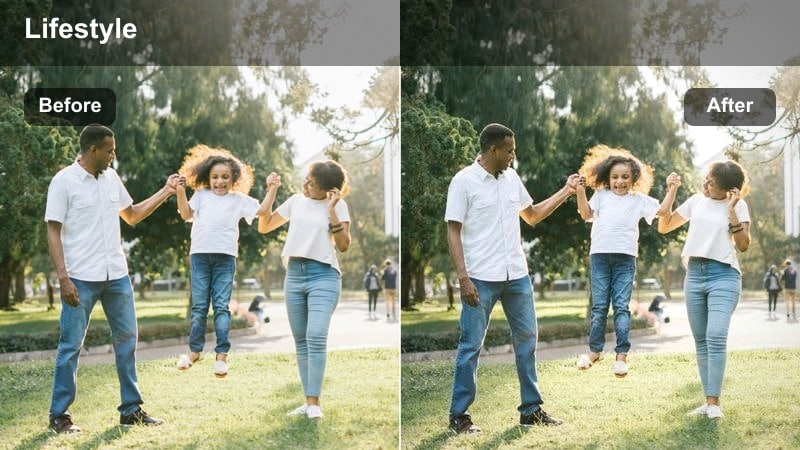
- Effect look: Muted, slightly cooler tones with softened highlights for calm end-of-day kitchen routines.
- Best for: Dishwashing, wiping counters, and quiet cleanup montages that close your vlog.
- Editing tip: Pair this filter with slower music and a touch of slow motion to make simple tasks feel cinematic and relaxing.
Slow Evening Cleanup shifts your palette toward muted, slightly cooler tones to capture the calm of end-of-day routines. Highlights soften so sink reflections and countertop gleam do not feel harsh, creating a soothing, reflective atmosphere.
Use this filter in Filmora at the end of your episodes for dishwashing and tidying montages. Avoid over-brightening the frame, let some corners fall into shadow, and combine with slow-motion and gentle music to turn simple chores into a peaceful closing sequence.
Weekend Batch Cook
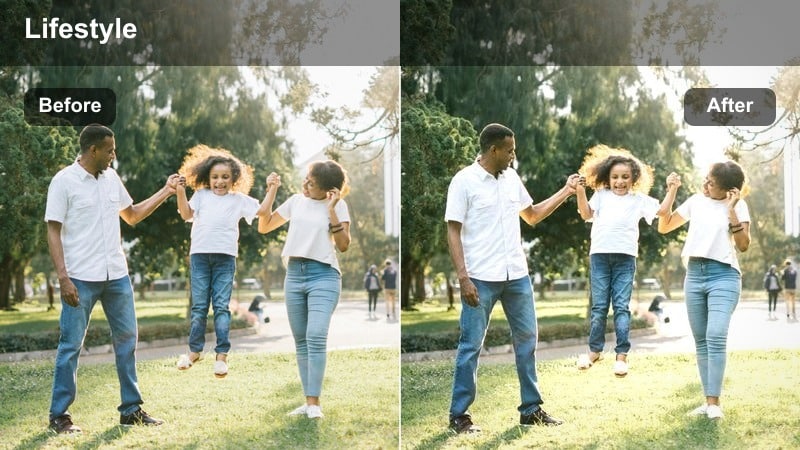
- Effect look: Lively midtones with softened highlights that keep multiple containers and ingredients readable and organized on screen.
- Best for: Meal prep sessions, batch cooking, labeling containers, and fridge-organization vlogs.
- Editing tip: Use static, wide shots and this filter to show your whole workspace clearly, then mix in close-ups for variety.
Weekend Batch Cook is tuned to keep busy kitchen counters readable and bright, even when they are full of containers and ingredients. Lively midtones and soft highlights prevent labels and textures from blowing out while maintaining a positive, productive mood.
Apply this filter in Filmora to wide overhead or slightly elevated shots of your entire workspace during meal prep. Combine static wide angles with occasional close-ups, and let the filter maintain consistency across clips so viewers can track your progress from empty counter to fully prepped meals.
Tips for Using Home Cooking Lifestyle Filter Filters in Filmora
- Shoot near a window or diffuse your overhead light to give these filters soft, even illumination to work with.
- Lock white balance in-camera so the warmth from your filters stays consistent across different shots.
- Film a short test sequence in the same kitchen conditions and try three filters before committing to a full video look.
- Keep your background tidy and remove distracting items so the viewer focuses on your cooking and lifestyle, not clutter.
- Match one filter family to an entire episode or series so your home cooking content builds a recognizable visual identity.
- Combine filters with gentle color tuning in Filmora, such as small exposure and saturation tweaks, instead of heavy corrections later.
- Export short test clips and review them on both phone and desktop screens to confirm that contrast and warmth feel right everywhere.
The Home Cooking Lifestyle Filter collection helps you turn everyday kitchen routines into cinematic, story-ready footage with just a few simple adjustments in Filmora.
Experiment with different presets for morning, dinner, and lifestyle moments, then save your favorites as a signature look that viewers instantly recognize as yours.
secure downloadNext: Indoor Soft Light Vlog LUT: Gentle Color for Dim Home Spaces
