

 100% Security Verified | No Subscription Required | No Malware

Instagram Reel filters for reels editing can completely change how your content feels, from beauty tutorials to high-converting product reels and scroll-stopping lifestyle clips.
Below are 12 performance-focused filters and reels editing presets you can recreate in Filmora to improve watch time, save rate, and overall engagement on your Reels.
In this article
High-Energy Looks for Engagement-Focused Reels
Punchy Pop Boost
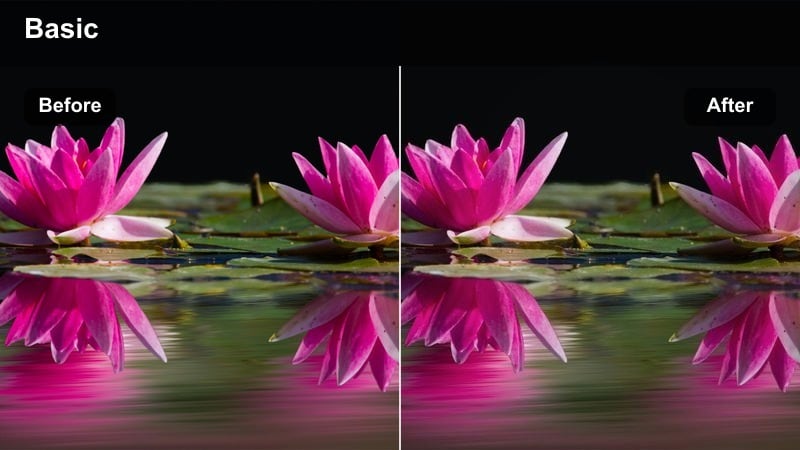
- Effect look: Bold, saturated colors with crisp contrast that make every frame feel more energetic and clickable.
- Best for: Engagement-focused reels with fast cuts, transitions, hooks, and on-screen text.
- Editing tip: Increase saturation and clarity slightly, then add a subtle vignette and sharpen text layers so hooks stand out in the first second.
Punchy Pop Boost is ideal when you want your hook frame to explode with color in the feed and stop viewers mid scroll. In Filmora, you can recreate this by nudging saturation, vibrance, and contrast up, then using the Sharpen and Clarity controls to give edges and text more bite without destroying skin tones.
To keep this instagram reel video effect from feeling too harsh, dial back the darkest shadows and add a light vignette so eyes lock onto your subject and headlines. This combination works especially well on fast-paced engagement reels that rely on bold captions, countdowns, or reaction-style cuts where every frame needs to feel high energy.
Use Filmora's AI Tools to Build Reel-Ready Filter Presets
Instead of guessing color settings every time, you can save your favorite Instagram Reel filters for reels as reusable presets directly in Filmora. This lets you apply the same high-performing look to any new reel in one click.
Combine Filmora's AI-powered color correction, face retouch, and color match tools to quickly adapt one winning look across engagement-focused reels, beauty tutorials, and product showcases without starting from scratch.
 secure download

Preview Your Filters in Reel Format Before Posting
Edit in a vertical 9:16 sequence so you can see exactly how your instagram reel video effect will appear on the For You and Explore pages. This helps you design filters that keep faces clear, text readable, and colors scroll-stopping on mobile screens.
Use side-by-side before-and-after clips in Filmora to preview how each filter affects skin tone, product color, and on-screen text before exporting. That way, you can compare two or three looks quickly and pick the strongest performer for engagement.
secure downloadAccess 1000+ Video Filters and 3D LUTs in Filmora
Filmora includes a large library of built-in filters, overlays, and 3D LUTs so you can create your best reel filters without complex color grading. You can start from a preset, then tweak exposure, color, and sharpness to match your brand.
Once you land on a combination you like, save it as a custom preset so you can reuse it across engagement hooks, beauty clips, and product reels in seconds, keeping your whole profile visually consistent.
secure downloadClean Text Readable
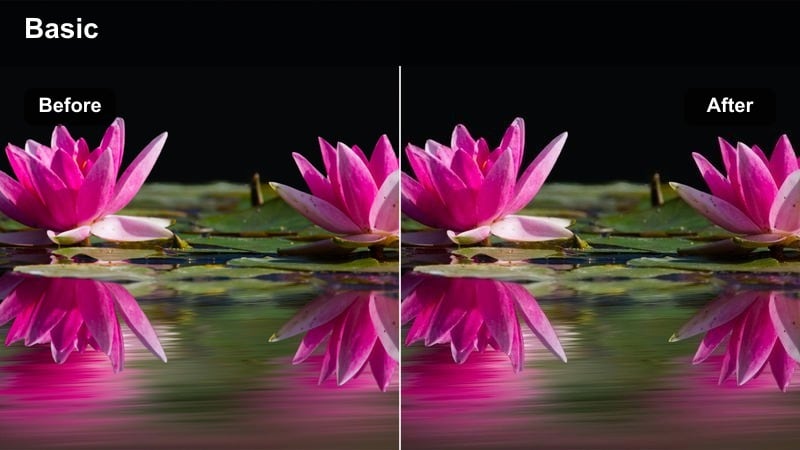
- Effect look: Bright, neutral colors with lowered contrast and softened shadows to keep captions and stickers sharply readable.
- Best for: Hooks with lots of on-screen text, carousels turned into Reels, and list-style educational content.
- Editing tip: Reduce contrast a bit, lift shadows, and avoid heavy color shifts so white and black text overlays remain crisp and easy to read on mobile.
Clean Text Readable is designed to keep your text-first reels, tutorials, and listicles easy to skim in noisy feeds. In Filmora, gently lower contrast and blacks so that dark areas do not swallow your typography, then brighten midtones to make white captions and stickers pop without glowing.
This look pairs well with simple backgrounds, screen recordings, or talking head shots where your main hook lives in the caption or bullet points. Always preview the reel in a small window or on your phone from inside Filmora so you can confirm every word stays legible once it is compressed by Instagram.
Viral Glow Punch
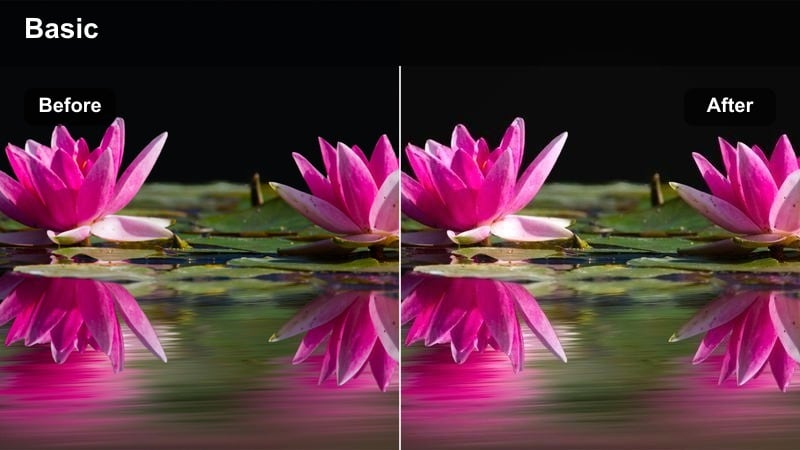
- Effect look: High-contrast, warm-toned glow that adds shine to skin highlights and makes lights sparkle slightly.
- Best for: Reaction reels, trending audio lip-syncs, and shareable memes that need a glossy, viral look.
- Editing tip: Duplicate your clip, blur the top layer slightly, set it to Screen or Add in Filmora, then lower opacity to create a subtle glow over this filter.
Viral Glow Punch gives your reels that glossy, almost studio-lit feeling that viewers associate with high-performing content. Start in Filmora by warming the temperature, boosting contrast, and slightly lifting highlights so faces and light sources feel shiny without blowing out.
Then build the signature glow: copy your video layer, add a small Gaussian blur, change the blend mode to Screen or Add, and reduce opacity until you see a soft halo around bright areas. This is a powerful instagram reel filters for reels editing combo for reaction clips, lip-syncs, and meme-style reels that need to look polished yet fun.
Soft Glam Filters for Beauty Tutorials and Get Ready With Me Reels
Soft Skin Glow
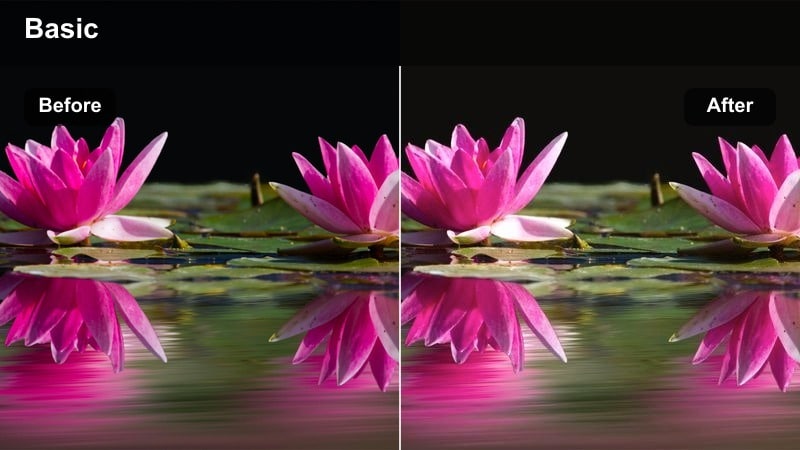
- Effect look: Gentle softening on skin, lifted shadows, and slightly warm tones that flatter complexions without looking fake.
- Best for: Beauty tutorials, GRWM reels, skincare routines, and close-up makeup application shots.
- Editing tip: Use Filmora's skin smoothing lightly, then pair this filter with a tiny highlight boost on the cheeks and nose using masks.
Soft Skin Glow is your go-to beauty reel filter when you want flattering, creator-first visuals that still feel honest. In Filmora, apply a light touch of skin smoothing on the face region only, then warm the white balance a few points and lift shadows so under-eye areas do not look harsh.
For extra polish, add a masked adjustment layer over the high points of the face and increase highlights and a hint of saturation to mimic a softbox or ring-light glow. This style helps makeup details remain visible while keeping the overall impression soft, glam, and bingeable for viewers who love GRWM and skincare content.
Neutral Vanity Light
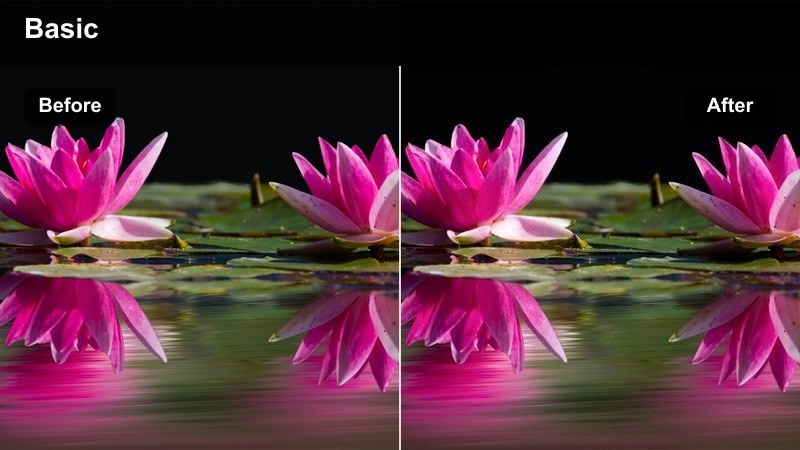
- Effect look: Bright, neutral-white balance with clean highlights, similar to ring-light or vanity mirror lighting.
- Best for: Step-by-step makeup breakdowns, product shade comparisons, and hairstyling tutorials.
- Editing tip: Use a white object in the frame to set white balance in Filmora, then apply this filter and reduce saturation of background colors that distract from the face.
Neutral Vanity Light focuses on accurate, true-to-color visuals so your audience can trust what they see on screen. In Filmora, use the white balance picker on a neutral object to remove color casts, then increase exposure until skin and product pans look bright but still retain texture.
Next, selectively lower saturation in the background using masks or HSL controls so walls, clothing, or decor do not steal attention from the face and products. This is especially important when you are showcasing foundation, concealer, or hair color where shade accuracy directly impacts conversions and saves.
Rosy Glam Highlight
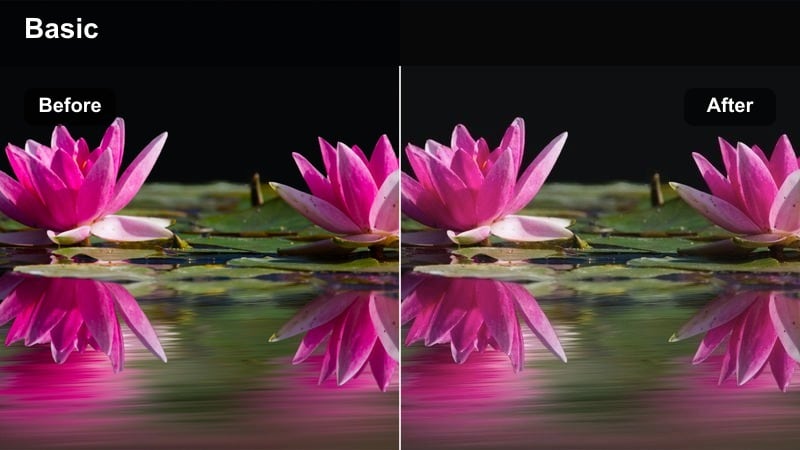
- Effect look: Soft pinkish highlights, slightly lifted midtones, and a gentle vignette that keeps focus on the face.
- Best for: Romantic makeup looks, blush tutorials, and before-and-after glam transformations.
- Editing tip: Use Filmora's color wheels to nudge highlights toward soft pink and add a subtle vignette; keep contrast moderate to protect detail in shimmer and glitter.
Rosy Glam Highlight leans into romantic, feminine aesthetics that flatter blush-heavy or glow-based looks. Start by raising midtones and shifting highlights slightly toward magenta in Filmora's color wheels so your shimmer and blush read as soft pink rather than orange or red.
Then, add a gentle vignette and a bit of softness to the background so the viewer's eye stays glued to the cheekbones, eyes, and lips during your key glam moments. This filter pairs perfectly with slow-motion reveals, transition spins, and before-and-after clips where the highlight and blush transformation is the star of the reel.
Conversion-Driven Filters for Product Reels
Crisp Product Focus
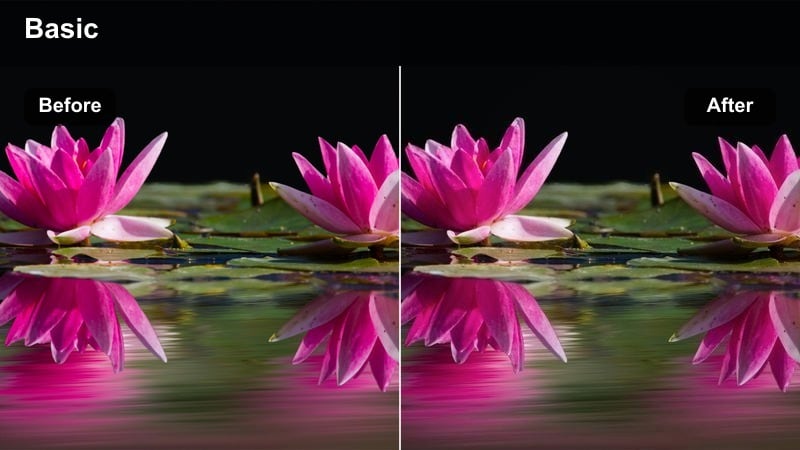
- Effect look: Cool-neutral tones with strong clarity and sharpness that show every product detail clearly.
- Best for: Unboxings, product demos, and reels showing material textures, packaging, and small design details.
- Editing tip: Boost sharpness and clarity slightly, decrease noise on darker areas, and use a subtle vignette to keep attention locked on the product.
Crisp Product Focus is built to make your products look premium, tactile, and ready to buy. In Filmora, cool the white balance slightly, increase clarity and sharpness, and enable noise reduction to keep darker packaging or shadows from looking grainy on mobile screens.
Use a small vignette and, if needed, a mask-based blur on the background to mimic a shallow depth of field that pushes the product forward. This approach is perfect for ecommerce-style reels where logos, labels, and textures need to stay pin-sharp for screenshot shoppers and viewers pausing to inspect details.
Warm Brand Story
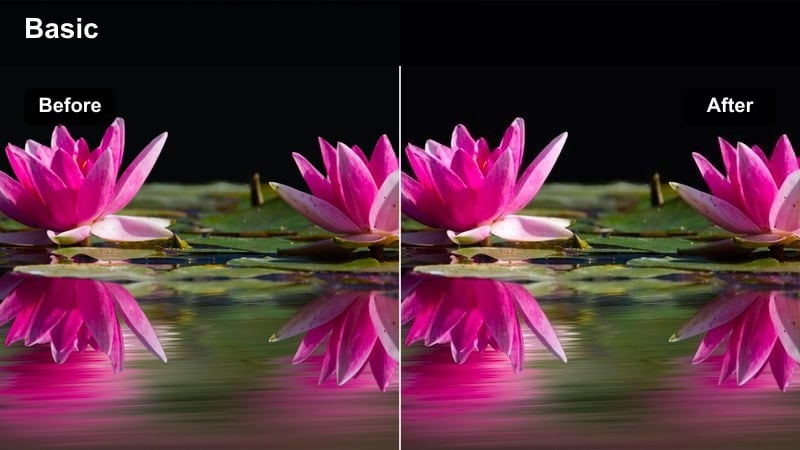
- Effect look: Warm, inviting tones with softened contrast that make brand stories feel approachable and cozy.
- Best for: Founder story reels, behind-the-scenes packing orders, and lifestyle product storytelling.
- Editing tip: Push temperature slightly warm, reduce harsh contrast, and lower saturation of any distracting background colors that compete with your product.
Warm Brand Story adds emotional warmth to your product content, making viewers feel like they are inside your studio or small business. In Filmora, slide temperature toward warm, slightly lower contrast, and soften shadows so the entire frame feels gentle and welcoming.
Then, reduce saturation in competing colors like vivid decor or clothing, while preserving natural warmth in skin tones, cardboard boxes, and wood textures. This creates a cohesive, cozy atmosphere ideal for reels that showcase your process, team, or packaging moments designed to build brand loyalty and save-worthy stories.
Minimal Ecom Studio
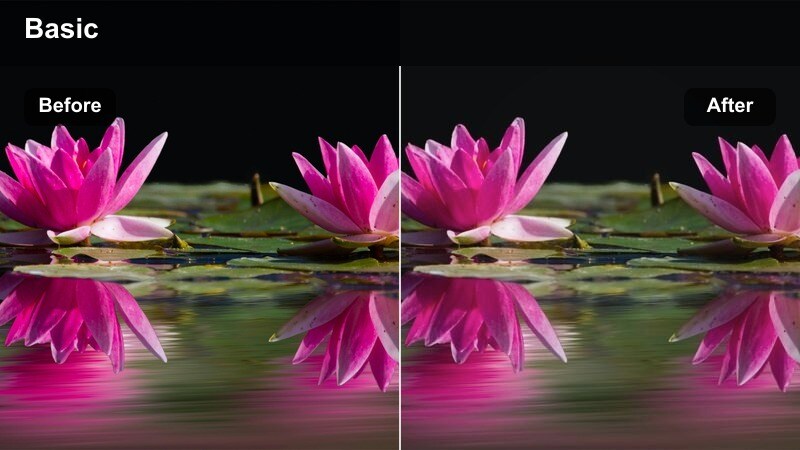
- Effect look: Bright, low-saturation whites with neutral shadows that mimic a clean studio product shoot.
- Best for: Catalog-style reels, price or feature callouts, and carousel-style product sequences.
- Editing tip: Lift exposure on backgrounds, keep whites crisp but not blown out, and desaturate any strong color cast from walls or props.
Minimal Ecom Studio is perfect when you want your product reels to feel like polished catalog pages or website hero images. In Filmora, increase exposure and adjust highlights so your white surfaces look bright and even, but monitor the scopes to avoid clipping important detail on labels or light packaging.
Next, neutralize any color cast in shadows and whites by gently adjusting tint and saturation, aiming for a clean, near-clinical studio look. This filter works extremely well with bold price text, feature overlays, and split-screen comparisons, because the neutral backdrop lets your messaging do the selling.
Lifestyle and Day-in-the-Life Filters for Scroll-Stopping Vlog Reels
Soft Morning Routine
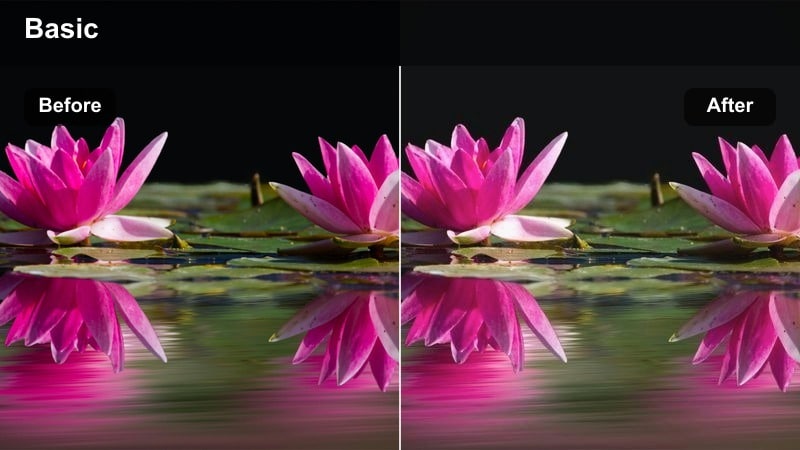
- Effect look: Bright, airy highlights with slightly muted colors and gentle contrast to evoke calm morning vibes.
- Best for: Morning routines, journaling reels, coffee moments, and slow-paced lifestyle vlogs.
- Editing tip: Lift exposure and shadows, slightly lower saturation, and add a soft vignette so the frame feels bright but still focused.
Soft Morning Routine captures that peaceful, slow-start feel that performs well with aesthetic and wellness audiences. In Filmora, bring up exposure and shadows so interiors feel full of daylight, then slightly mute overall saturation to keep the palette calm and cohesive.
Finish by lowering contrast a touch and applying a gentle vignette so the viewer's attention sits on your morning rituals: coffee pours, journaling, skincare, or window shots. This look works beautifully with slower music and subtle ambient sounds, making your reels feel like mini cinematic vlogs instead of loud, pushy content.
Urban Day Out
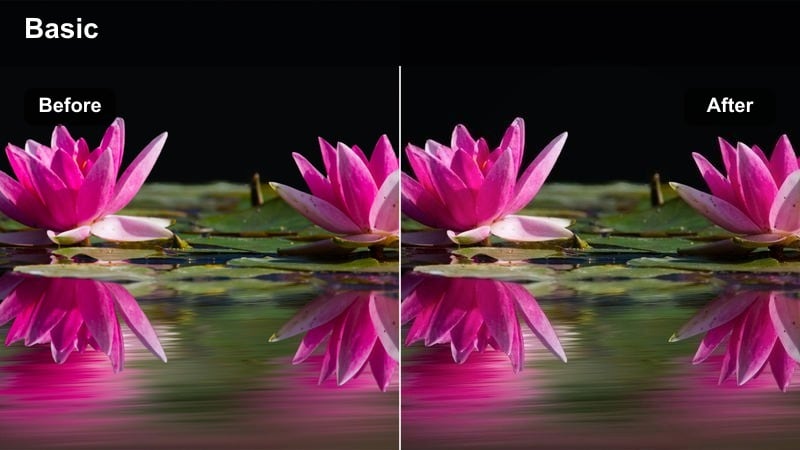
- Effect look: Neutral yet punchy tones with lifted shadows and slightly cool highlights, ideal for city walks and daily errands.
- Best for: Day-in-the-life city vlogs, outfit-of-the-day reels, and travel lifestyle clips shot outdoors.
- Editing tip: Raise shadows to recover detail in buildings and streets, then nudge highlights cooler to balance mixed daylight and storefront lighting.
Urban Day Out balances cinematic city colors with enough clarity to keep outfits, buildings, and signage looking sharp. In Filmora, start by lifting shadows to reveal details in sidewalks, storefronts, and street scenes, then cool the highlights just enough to tame warm reflections and mixed light.
Add a modest boost to saturation and clarity so murals, traffic lights, and clothing colors stay punchy without overpowering skin tones. This filter is great for quick-cut vlogs that jump between cafes, shops, and street corners while still feeling like one cohesive, branded day-in-the-life reel.
Night City Glow
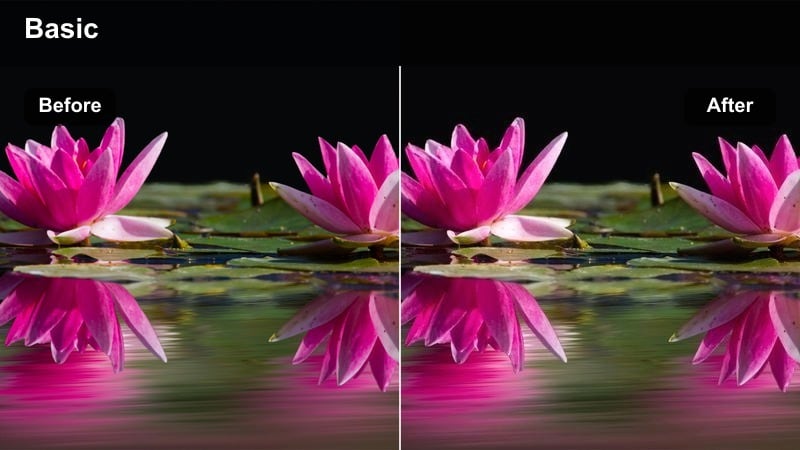
- Effect look: Moody, contrasty look with vivid neon colors and lifted exposure to keep faces visible in low light.
- Best for: Night-out vlogs, cityscapes, and reels featuring street lights, signs, and nightlife.
- Editing tip: Increase exposure and noise reduction, push saturation on blues and reds, and add slight glow to bright signs for a cinematic night feel.
Night City Glow lets you keep nightlife reels dramatic and colorful without sacrificing face visibility. In Filmora, first raise exposure and apply noise reduction to clean up high-ISO footage, then deepen blacks to restore contrast while keeping midtones bright enough for clear skin detail.
Use HSL controls to target neon blues, reds, and purples for extra saturation, and add a subtle glow effect to signs and headlights to enhance the cinematic mood. This filter is especially effective on club entrances, rooftop views, and walking shots under street lights, where you want both the environment and your subject to stand out.
Tips for Using Instagram Reel Filters For Reels Editing Filters in Filmora
- Create one signature filter for hooks and another softer version for the rest of the reel to avoid visual fatigue while maintaining brand consistency.
- Always test how your filter looks on both front and back camera footage, as phone cameras handle exposure, color, and noise very differently.
- Export a short 5 to 10 second draft reel from Filmora to check how Instagram compression affects sharpness, gradients, and subtle glow effects.
- Keep skin tones natural in beauty and lifestyle reels by reducing or shifting saturation on the background instead of globally over the whole frame.
- Save presets in Filmora for each recurring format you shoot, such as product demos, on-screen text tutorials, or day-in-the-life vlogs.
- When creating filters for engagement hooks, prioritize contrast and clarity, then tone them down slightly for longer storytelling sections.
- Use Filmora's keyframes to gradually adjust filter intensity so transitions, punchlines, or reveals hit harder without jarring visual jumps.
- Check your filters on multiple devices if possible so brightness and contrast feel balanced across different screens and viewing environments.
The right Instagram Reel filters for reels can turn simple clips into polished content that earns more watch time, shares, and follows across engagement-focused reels, beauty tutorials, and high-intent product videos.
Start by picking one or two filters from this list that match your brand, recreate them as presets in Filmora, and apply them consistently so your Reels become instantly recognizable in the feed.
secure downloadNext: Cinematic Instagram Reel Filters for Premium Visual Stories
