100% Security Verified | No Subscription Required | No Malware

These Filmora filters are crafted to mimic Instagram Reels luxury lifestyle LUTs, giving your content a polished, cinematic glow that screams high-end and aspirational.
Whether you shoot designer outfits, supercars, rooftop views, or minimalist interiors, you can mix these filters inside Filmora to achieve an on-trend luxury aesthetic in just a few clicks.
In this article
Golden Hour Glamour for Fashion and Rooftop Reels
Sunset Champagne Glow
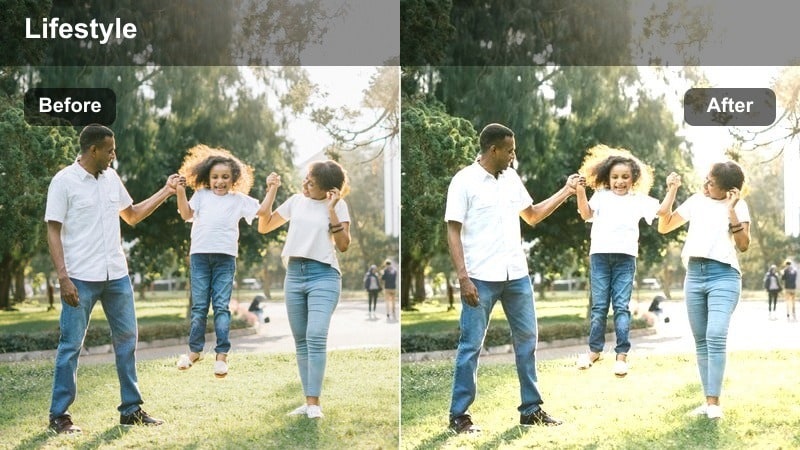
- Effect look: Soft golden highlights with gentle bloom that wraps subjects in a champagne-tinted glow.
- Best for: Rooftop parties, fashion close-ups, and golden hour outfit transitions on Instagram Reels.
- Editing tip: Lower contrast slightly on backlit shots so skin tones stay smooth and the champagne glow does not clip the highlights.
Use Sunset Champagne Glow when your footage already has warm sunset light and you want to amplify that high-end, celebratory feeling. In Filmora, drop this filter over your clips to add a soft bloom around hair, glass, and metal, so every frame feels like a luxury campaign still.
Combine it with subtle slow motion and smooth transitions in Filmora for outfit reveals, toasts, and rooftop cheers moments. Keep your backgrounds simple and let the glow highlight faces, accessories, and glass reflections for an aspirational Instagram Reels look.
Match Your Luxury Palette with AI Color Tools
Use Filmora's AI-driven color tools to keep your Instagram Reels luxury lifestyle LUT-style filters consistent from clip to clip. Once you lock in a hero aesthetic, you can quickly align all supporting shots to the same refined palette.
By analyzing one perfectly graded shot, Filmora helps you apply a similar mood to the rest of your timeline so your entire reel feels curated and on-brand, whether you are showing rooftops, interiors, or travel moments.
 secure download

Preview Luxury Filters in Real Time
Filmora lets you hover and preview filters instantly on your clips, so you can test multiple luxury looks before you commit to one. This makes it easy to see how different golden, rosy, or neutral grades affect your outfit, skin tone, and background in real time.
Combine these previews with quick tweaks to exposure, contrast, and saturation to recreate the feel of high-end Instagram Reels LUTs without a complex grading workflow.
secure downloadBlend Filters with LUTs for Signature Reels
Stack Filmora filters with built-in LUTs to push your luxury aesthetic further while still editing fast enough for daily Instagram Reels. This layering lets you mix cinematic contrast and color shifts with softer lifestyle filters for a tailored, signature look.
Once you find a combination that fits your fashion, travel, or home content, save it as a custom preset so every new reel starts with the same recognizable high-end style.
secure downloadGolden Rooftop Luxe
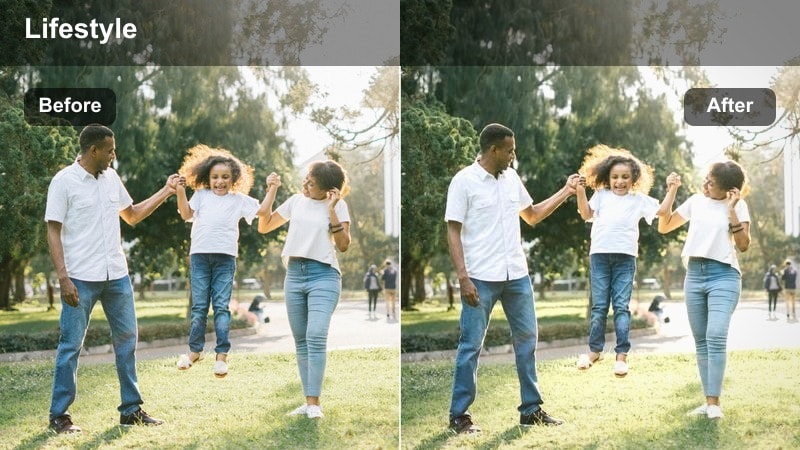
- Effect look: High-contrast golden tones with rich blacks that give a premium, editorial rooftop feel.
- Best for: City skyline shots, slow-motion hair flips, and walk-in transitions on high terraces or balconies.
- Editing tip: Increase Filmora's saturation only on warm tones to avoid over-coloring the sky while keeping skin luminous.
Apply Golden Rooftop Luxe to clips where you want bold, punchy contrast and a dramatic city backdrop. In Filmora, this filter deepens blacks in railings, buildings, and shadows while pushing highlights into a glowing, editorial gold that feels like a luxury fashion campaign.
Use it with walk-in transitions, hair flips, and 120 fps slow motion to make simple rooftop moves look expensive. Add speed ramps and smooth camera motion in Filmora, and let the filter create that high-budget rooftop commercial impression in your Instagram Reels.
Rosy Dusk Sheen
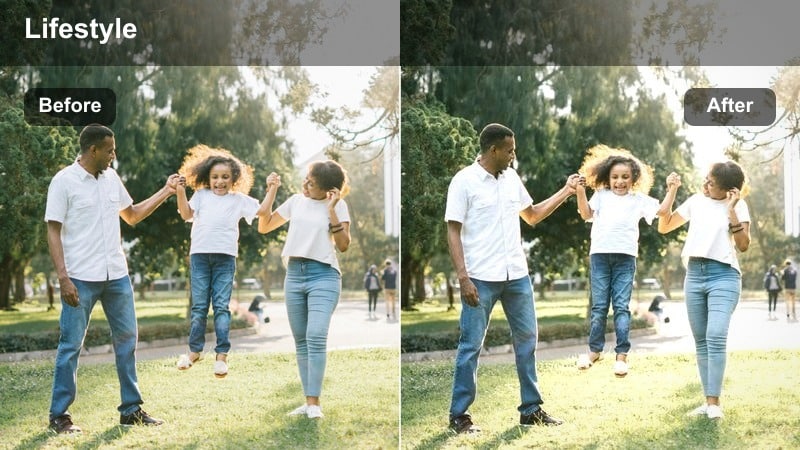
- Effect look: Subtle pink-gold tint that softens edges and adds a dreamy dusk sheen over the frame.
- Best for: Close-up beauty shots, jewelry showcases, and slow pan fashion reveals during late afternoon.
- Editing tip: Use slight Filmora blur on the background only so the rosy tint stays delicate while the subject's eyes remain sharp.
Rosy Dusk Sheen is ideal for flattering skin tones and giving accessories a soft, romantic sparkle. When you apply it in Filmora, it gently lifts warm mids and adds a pink-gold wash that turns everyday dusk light into a dreamy luxury filter.
Use it for close-up beauty reels, ring and watch showcases, or delicate hair and makeup transitions. Combine with selective blur or depth-of-field effects in Filmora to keep eyes and jewelry tack sharp while the background melts into a rosy haze.
Supercar and City Nights Luxury Reels
Neon Asphalt Luxe
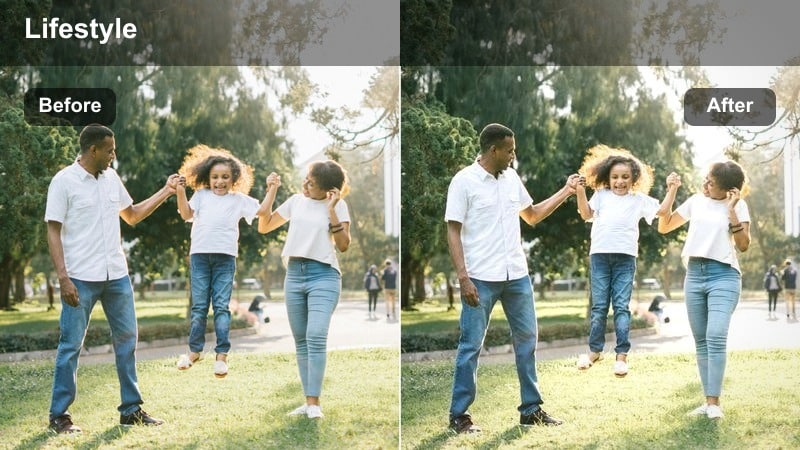
- Effect look: Deep contrast with glossy blacks and vibrant neon highlights across streets and car surfaces.
- Best for: Night drives, supercar reels, and cinematic B-roll of city streets and reflections.
- Editing tip: Use Filmora's highlight control to keep neon signs readable while maintaining inky, luxurious shadows.
Neon Asphalt Luxe is built for high-impact night visuals where light bounces off metal, glass, and wet streets. In Filmora, drop this filter onto your supercar or city B-roll to push blacks into a rich gloss while neon lights explode with saturated color.
Pair it with speed ramps, motion blur, and lens flares in Filmora for sequences of gear shifts, tunnel exits, and city fly-bys. This combination turns regular dashcam or handheld footage into cinematic car commercial moments perfect for Instagram Reels.
City Amber Noir
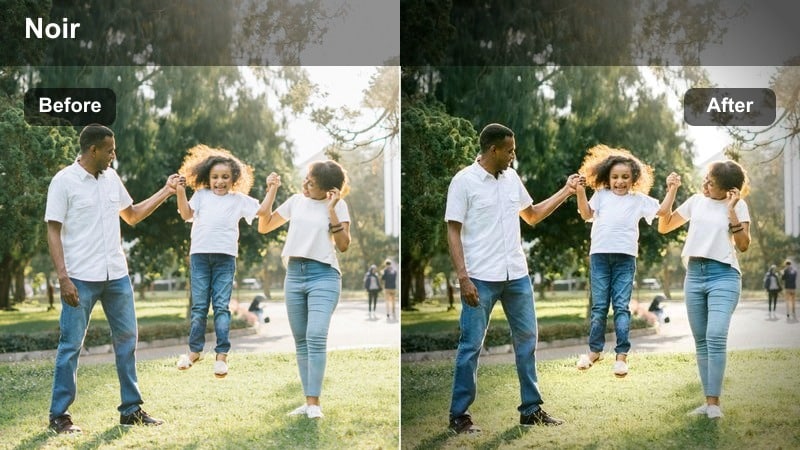
- Effect look: Moody warm highlights mixed with cool shadows, giving streets a polished noir luxury feel.
- Best for: Night walks in designer outfits, hotel arrivals, and lobby entrances in upscale city locations.
- Editing tip: Slightly lower Filmora saturation before adding the filter if your footage has mixed lighting that looks too chaotic.
City Amber Noir creates a cinematic split between warm streetlights and cool, inky shadows, ideal for late-night outfit and lifestyle reels. In Filmora, it adds depth to dark areas while gently glowing amber around lamps, doors, and signs for that luxury-noir atmosphere.
Use it on clips where you are walking through streets, entering hotels, or gliding through lobbies. Stabilize your footage in Filmora, then add this filter to transform ordinary city walks into moody, polished sequences that feel straight from a premium brand film.
Penthouse Nightview
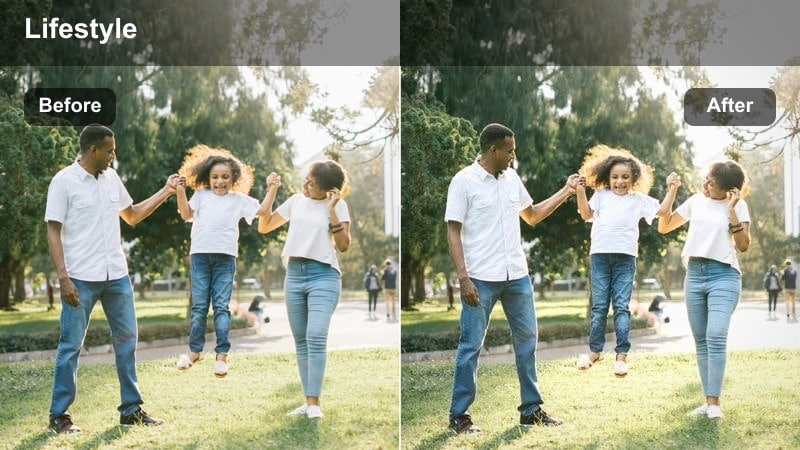
- Effect look: Clean cool midtones with crisp window lights and a subtle teal shift that feels ultra-modern.
- Best for: Penthouse windows, skyline time-lapses, and evening routines in high-rise apartments.
- Editing tip: Increase Filmora clarity slightly but avoid over-sharpening, so the skyline stays detailed without creating noise.
Penthouse Nightview is perfect for scenes that combine interior comfort with panoramic city lights. In Filmora, the filter cools midtones slightly and emphasizes window lights and skyline details, giving your apartment or hotel views a sleek, futuristic edge.
Apply it to evening routines, desk setups facing the city, or static tripod shots of your view. Add gentle zoom-ins or pan moves in Filmora to create a cinematic push toward the skyline, and let the filter handle the crisp, modern luxury mood.
Yacht and Resort Daylight Luxury Reels
Marina Pearl Bright
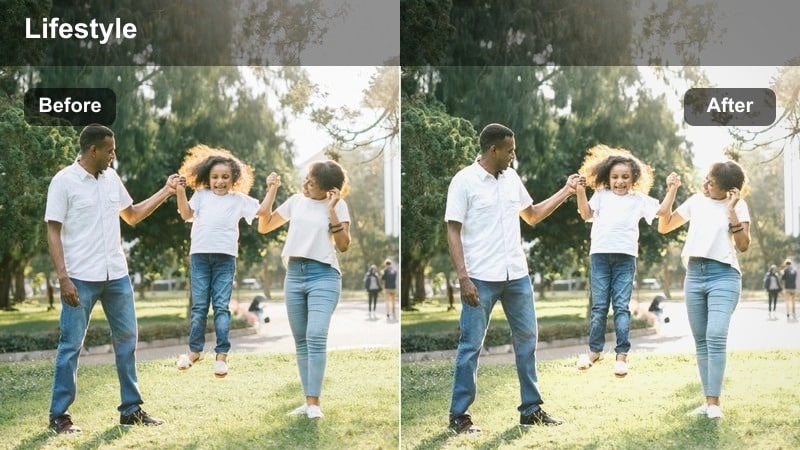
- Effect look: Clean, bright whites with soft cyan blues that give water and yachts a polished magazine look.
- Best for: Yacht decks, marina walks, and beach club entrances in direct daylight.
- Editing tip: Use Filmora exposure to slightly darken before applying this filter so the bright whites do not blow out in harsh sun.
Marina Pearl Bright is designed to make whites spotless and water vividly clean, ideal for yacht and poolside content. In Filmora, it brightens scenes while carefully tinting blues toward a soft cyan, giving your decks, railings, and waves that editorial travel-magazine finish.
Apply it to wide shots of marinas, yacht walk-throughs, and sunny boat days. Use Filmora's exposure and highlight controls to protect detail in white surfaces before adding the filter, so every sail, cushion, and deck plank looks crisp and expensive on Instagram Reels.
Resort Ivory Glow
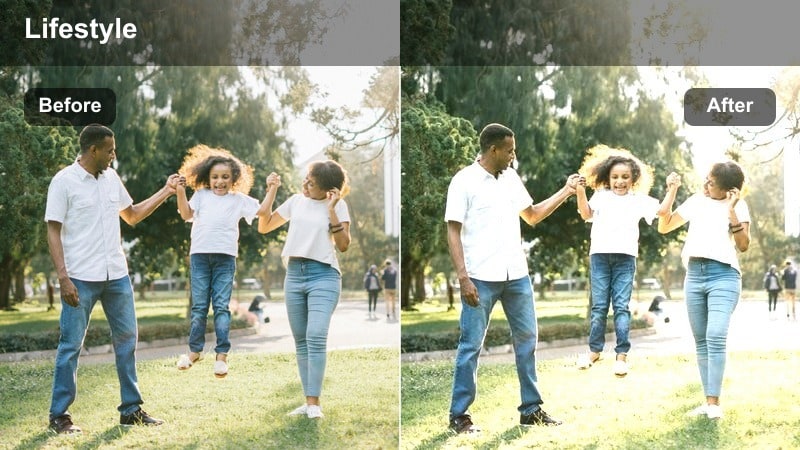
- Effect look: Warm ivory highlights with soft contrast that flatter skin and pale resort architecture.
- Best for: Poolside lounging, resort walk-throughs, and luxury breakfast balcony reels.
- Editing tip: Dial down Filmora sharpness a bit to keep walls silky smooth and avoid harsh lines on bright stone or tiles.
Resort Ivory Glow wraps your resort visuals in a gentle, creamy warmth that flatters both people and architecture. In Filmora, it slightly lowers contrast, warms highlights, and smooths edges, making white stone, tiles, and linens look soft and inviting.
Use it for balcony breakfasts, corridor tours, and slow poolside walks. Combine the filter with Filmora's stabilization and slower camera moves to enhance the calm, indulgent mood for your resort-focused Instagram Reels.
Cabana Sand Luxe
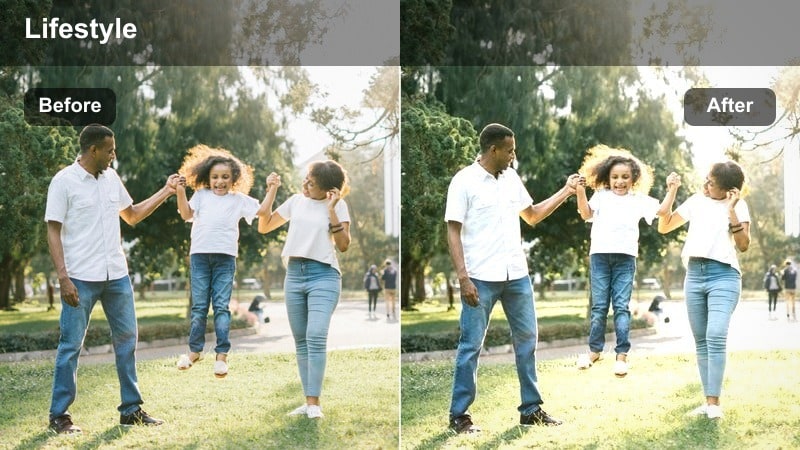
- Effect look: Muted warm tones with soft shadows that give cabanas and sunbeds a chic editorial look.
- Best for: Sunbed transitions, beach club entrances, and outfit-of-the-day reels by the water.
- Editing tip: Lower saturation slightly before applying this filter for an intentionally understated, neutral luxury palette.
Cabana Sand Luxe turns bright, busy beach scenes into calm, sand-toned editorial layouts. In Filmora, this filter mutes strong colors and softens shadows, so umbrellas, sunbeds, and outfits blend into a cohesive, neutral luxury palette.
Apply it to OOTD transitions, cabana reveals, and poolside room-to-lounger walk-throughs. When styling your set and wardrobe, lean into beiges, whites, and soft browns, then let the filter in Filmora tie everything together into a minimal, high-end aesthetic.
Minimalist Interior and Everyday Luxury Reels
Penthouse Soft Neutral
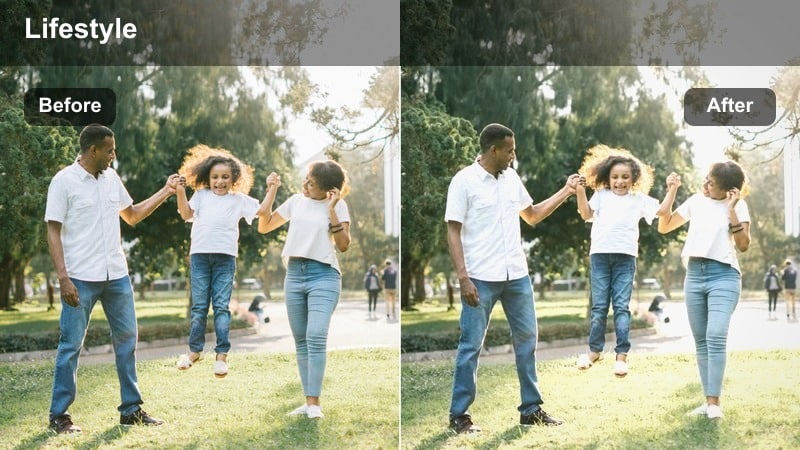
- Effect look: Balanced neutral tones with gentle contrast that highlight clean lines and modern furniture.
- Best for: Living room tours, coffee table setups, and morning routine reels in minimalist apartments.
- Editing tip: Use Filmora's white balance to correct any yellow room lights before applying this filter for true neutral walls.
Penthouse Soft Neutral is tailored for interiors that emphasize light, space, and curated decor. In Filmora, it balances warm and cool tones while keeping contrast gentle, ensuring walls, sofas, and decor look clean and sophisticated rather than harsh.
Use it on apartment tours, shelf styling, and morning coffee rituals. Straighten vertical lines using Filmora's crop and transform tools, then apply the filter to create that editorial, high-rise lifestyle vibe perfect for minimalist luxury Reels.
Marble Counter Luxe
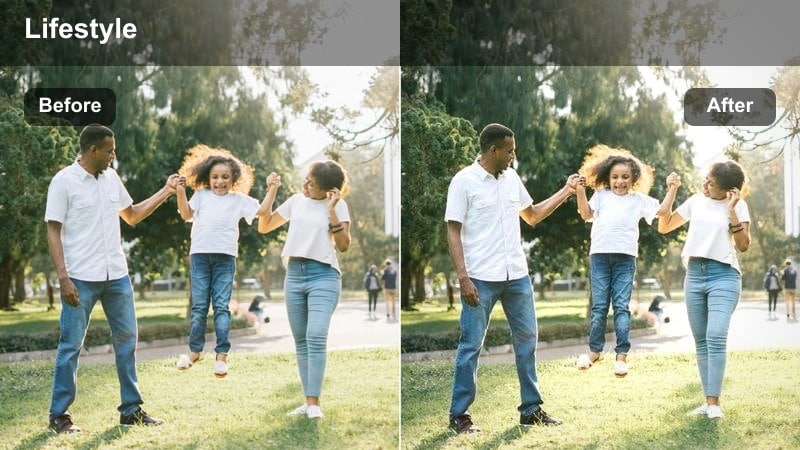
- Effect look: Cool, crisp highlights that make marble, glass, and metallic surfaces pop with subtle shine.
- Best for: Kitchen island shots, workspace setups, and flat-lay reels of tech and accessories.
- Editing tip: Use Filmora's vignette lightly to darken edges and draw attention to the center of your marble or glass surface.
Marble Counter Luxe enhances texture and shine on surfaces like stone, glass, and metal, giving your counters and desks a premium staging look. In Filmora, it cools highlights slightly and increases clarity so veins in marble and reflections in glass stand out.
Apply it to flat-lays, coffee setups, unboxings, and tech arrangements. Add a gentle vignette and slow circular camera movement in Filmora to keep focus on your hero items, turning simple surfaces into high-end product-display scenes for Instagram Reels.
Closet Atelier Chic
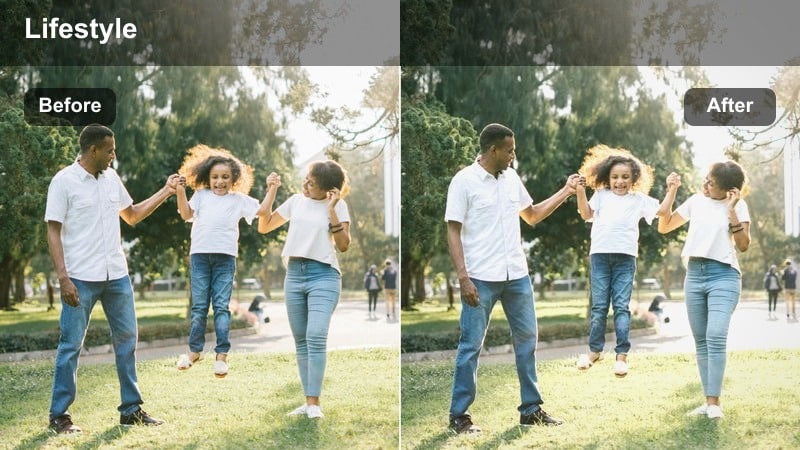
- Effect look: Soft, slightly desaturated tones that highlight fabrics, hangers, and wardrobe organization.
- Best for: Closet tours, outfit planning reels, and luxury shopping hauls in walk-in wardrobes.
- Editing tip: Reduce Filmora saturation of bright colors like reds so the wardrobe reads as calm, curated, and high-end.
Closet Atelier Chic is all about making wardrobes feel like designer showrooms. In Filmora, it softens saturation and contrast just enough to calm busy clothing rails, while still preserving texture and detail in fabrics, bags, and shoes.
Use it for closet tours, outfit planning grids, and haul try-ons shot inside your wardrobe. Combine the filter with slow pans, labeling text, and gentle background music in Filmora to create an organized, aspirational closet aesthetic viewers will want to save and rewatch.
Tips for Using Instagram Reels Luxury Lifestyle Luts Filters in Filmora
- Shoot in the highest resolution your phone allows, then crop in Filmora so luxury filters have more detail and flexibility to work with.
- Keep your color palette simple on set, using mostly neutrals plus one accent color to let these luxury filters and LUT-style looks shine.
- Stabilize shaky handheld shots in Filmora before adding strong contrast filters, so movement feels smooth rather than jittery.
- Batch-edit several clips with the same filter settings in Filmora, then fine-tune only your hero shots for efficient luxury-grade workflows.
- Use natural light whenever possible and let filters refine the mood instead of trying to fix harsh or mixed lighting completely.
- Add subtle Filmora grain to specific luxury looks, like city night reels, to introduce a refined, cinematic texture without heavy noise.
- Export with a high bitrate from Filmora and avoid over-compressing, so glossy highlights, deep shadows, and fine details stay clean.
- Test each filter on both wide and close-up shots to confirm that your chosen luxury style works across the full reel before publishing.
With the right mix of Filmora filters, you can recreate the feel of Instagram Reels luxury lifestyle LUTs and give every clip a polished, aspirational finish.
Experiment with different combinations, save your favorite looks as presets, and build a consistent luxury style that your audience immediately recognizes in their feed.
secure download