

 100% Security Verified | No Subscription Required | No Malware


 ChatGPT
 Perplexity
 Gemini
 Claude
 Grok
Grok
Lens Shadow Brown is a grounded, cinematic brown that feels like a blend of soft shadow, warm coffee, and worn camera leather. It suggests trust, stability, and a quiet confidence, which is why it works so well for creators who want their content to feel warm, professional, and thoughtfully crafted. Compared with flat neutrals, Lens Shadow Brown adds depth and texture without overwhelming the frame.
In video editing, branding, thumbnails, intros, and channel art, this hue can tie your whole visual identity together. Below are 15 Lens Shadow Brown color palettes with ready to use HEX codes that work beautifully in Filmora for color grading, graphic overlays, titles, and social assets. Whether you are styling cinematic vlogs, YouTube thumbnails, or branded Reels, you can lift these palettes directly into your projects.
In this article
Cinematic Warm Lens Shadow Brown Color Palettes
Golden Reel Drift
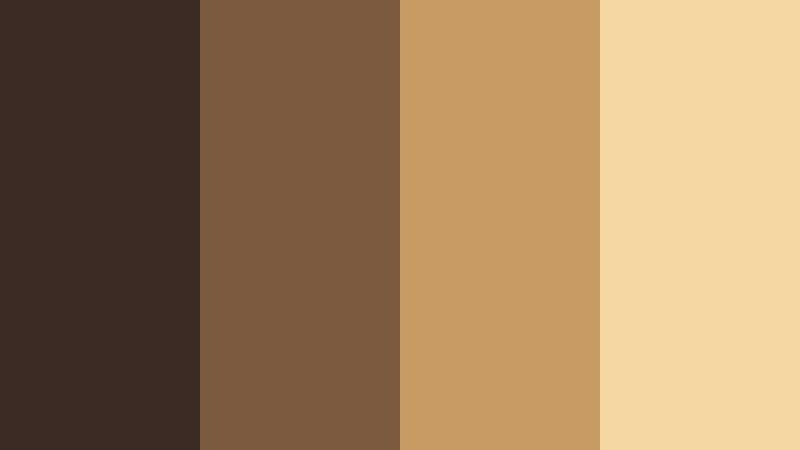
- HEX Codes: #3c2b24, #7b5a3f, #c79b63, #f4d7a1
- Mood: Warm, cinematic, and nostalgic with a soft golden haze.
- Use for: Works well for cinematic vlogs, travel films, and storytelling intros that need a warm filmic tone.
Golden Reel Drift wraps Lens Shadow Brown in layers of caramel, honey, and pale gold. It feels like looking at your footage through a warm sunset filter, with deep shadows that still keep details and highlights that glow rather than clip.
Use this palette for cinematic intros, chapter cards, and thumbnail backgrounds when you want to promise a soft, story driven experience. In Filmora, you can pull these HEX codes into titles, overlays, lower thirds, and even subtle gradient mattes so your vlogs, reels, and banners all share the same golden film look.
Pro Tip: Build a Cinematic Lens Shadow Brown Look in Filmora
To keep Golden Reel Drift consistent across your entire edit, treat Lens Shadow Brown as your visual anchor. Use the darkest hex (#3c2b24) for text shadows, frames, and overlays, while the lighter tones (#c79b63 and #f4d7a1) work perfectly for titles, call to action buttons, and subtle background shapes.
Inside Filmora, you can reuse this palette for everything from your opening logo sting to B roll captions and end screens. Save color presets for text and shapes so every export, short, and repurposed clip still feels like it belongs to the same warm, film inspired brand.
AI Color Palette
If you already have a still frame graded with Golden Reel Drift, you can turn it into a reference for your whole project. Filmora's AI Color Palette feature analyzes that reference frame and automatically transfers the Lens Shadow Brown balance and golden highlights to other clips.
Import your footage, pick a hero shot that nails the mood, then run AI Color Palette to match your A roll, B roll, and cutaway scenes. This gives your vlog or short film a unified, professional color story without having to tweak each clip by hand.
 secure download

HSL, Color Wheels & Curves
Once your overall color is matched, fine tune Lens Shadow Brown with HSL, color wheels, and curves. Slightly lowering saturation in the browns and warming the midtones keeps skin tones flattering while preserving that filmic, golden mood. Use shadows and midtone wheels to keep darks rich, and curves to pull a gentle S shape for extra contrast without crushing detail.
You can combine these tools with Filmora's color correction controls to nudge Golden Reel Drift toward a more dramatic, contrasty reel or a softer, pastel vlog while still keeping the same base palette.
secure download1000+ Video Filters & 3D LUTs
If you want Lens Shadow Brown to feel even more cinematic, combine this palette with Filmora's ready made looks. Filmora's video filters and 3D LUTs make it easy to add halation, film grain, and stylized contrast that sit on top of your Golden Reel Drift tones.
Try warm film LUTs or vintage filters to push the golden highlights, then dial back intensity so your HEX based design elements still read clearly. This keeps your titles, overlays, and footage living in the same cohesive, film inspired world.
secure downloadStudio Backlot Ember
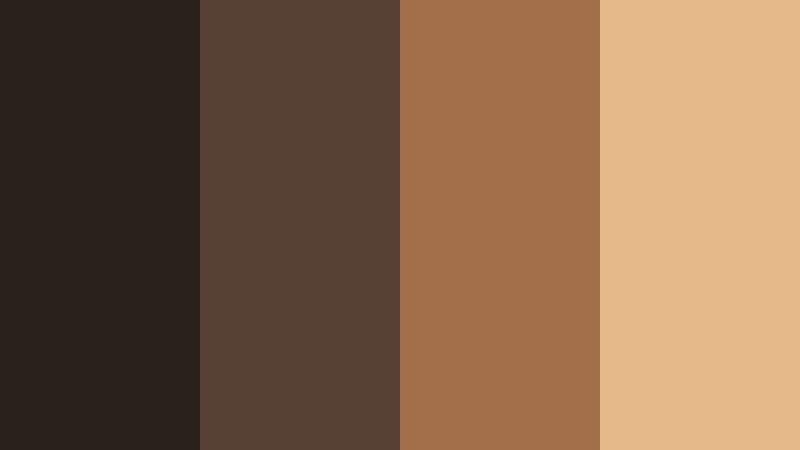
- HEX Codes: #2a211d, #574034, #a36f4a, #e6b98a
- Mood: Smoky, grounded, and dramatic like a studio backlot at dusk.
- Use for: Ideal for narrative shorts, behind the scenes footage, and dramatic podcast video backdrops.
Studio Backlot Ember leans into the darker side of Lens Shadow Brown, with smoldering midtones and ember like highlights. It feels like warm light spilling across production gear and brick walls just after sunset.
Use it for narrative thumbnails, podcast set designs, and BTS lower thirds where you want drama without harsh contrast. In Filmora, apply the deeper browns to backgrounds and shape layers, then let the lighter hex values carry text, callouts, and icons.
Retro Lens Fade
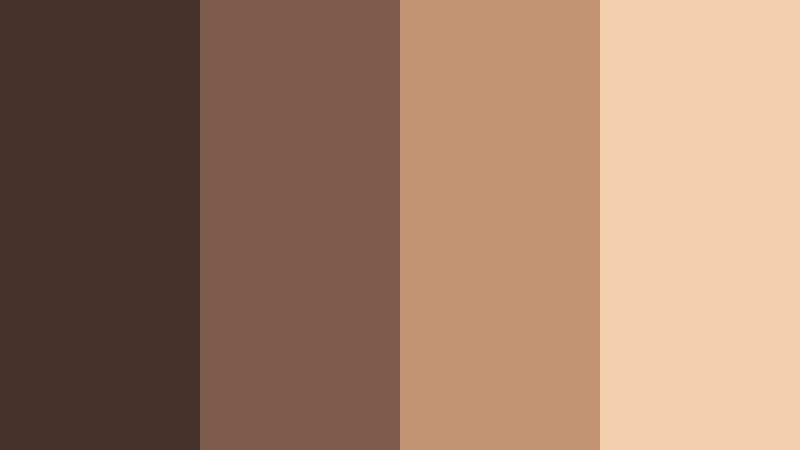
- HEX Codes: #43312a, #7d5b4a, #c19372, #f0cfac
- Mood: Retro, gently faded, and soft like aged film prints.
- Use for: Great for retro travel diaries, memory montages, and nostalgic title cards.
Retro Lens Fade softens Lens Shadow Brown into a washed, analog inspired spectrum. The tones feel like they have lived on old photo paper, with subtle fade and creamy highlight rolloff.
This is ideal for memory edits, old trip recaps, and family story thumbnails. Use the mid browns as backgrounds for chapter titles, then add film grain and a slight blur in Filmora to complete the vintage illusion while keeping captions readable.
Coffeehouse Frame
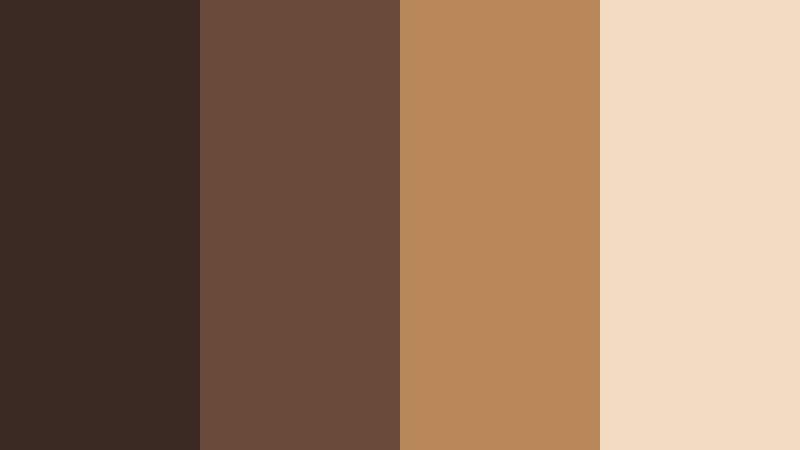
- HEX Codes: #3b2a24, #6a4a3b, #b7875a, #f2dbc1
- Mood: Cozy, intimate, and inviting like a warm cafe interior.
- Use for: Perfect for sit down vlogs, interviews, and lifestyle content set in cafes or studios.
Coffeehouse Frame blends rich espresso tones with milk foam highlights. It captures the feeling of handwritten notes, background chatter, and warm light reflecting off wooden tables.
Use this palette for talking head vlog frames, lower thirds, and channel banners that promise honest, relaxed conversations. In thumbnails, pair the lightest tone with bold typography over a darker Lens Shadow Brown background to keep text crisp on mobile.
Dusty Projector Glow
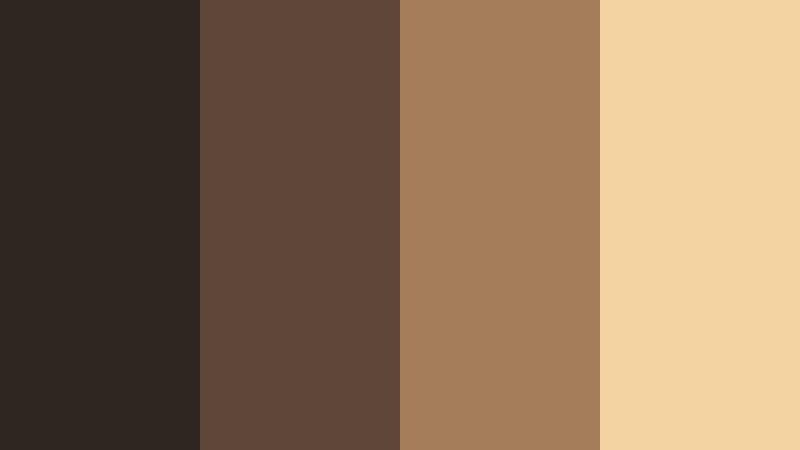
- HEX Codes: #2f2521, #5e4638, #a57d5b, #f3d3a2
- Mood: Hazy, nostalgic, and softly glowing like a vintage projector beam.
- Use for: Use for documentary openers, film essays, and soft cinematic lower thirds.
Dusty Projector Glow captures the warm, speckled feeling of an old reel flickering on screen. The browns stay deep and shadowy, while the highlights glow like dust motes in a beam of light.
Apply it to essay style video titles, documentary chapter cards, and graphic overlays that sit above archival footage. In Filmora, use the lighter hex as a soft gradient behind text to separate it from darker footage without breaking the overall mood.
Moody Urban Lens Shadow Brown Color Palettes
City Alley Grain
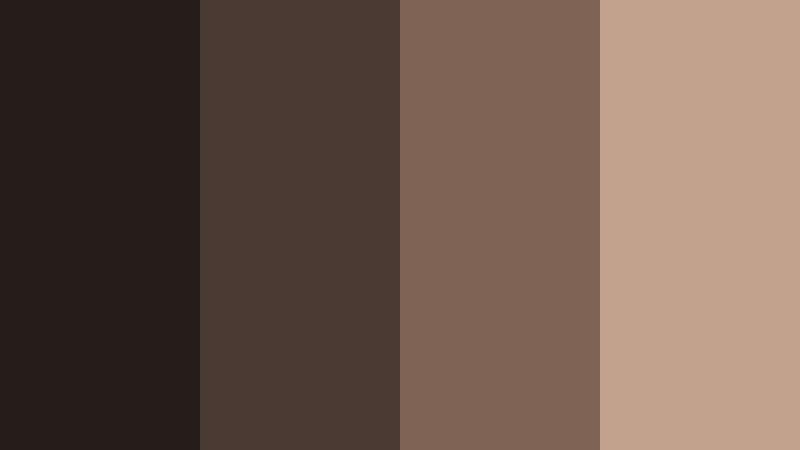
- HEX Codes: #241c19, #4a3a33, #7f6354, #c2a18c
- Mood: Gritty, urban, and textured with a film grain feel.
- Use for: Best for street photography edits, skate videos, and moody city b roll.
City Alley Grain takes Lens Shadow Brown into the streets, with inky shadows, muted midtones, and a dusty highlight that feels like sodium streetlights. It works especially well when paired with visible grain and handheld shots.
Use this palette on skate edits, night walks, and moody city reels. In your thumbnails and title cards, keep backgrounds dark and use the softest brown for legible text so your titles remain readable against busy city frames.
Neon Patina Night
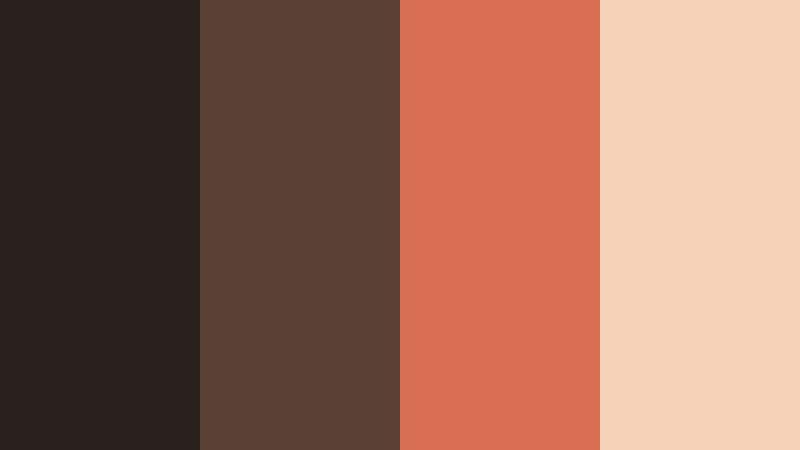
- HEX Codes: #2a211f, #5b4036, #d96f52, #f5d3b8
- Mood: Edgy and cinematic, mixing grungy browns with a punch of neon warmth.
- Use for: Great for nightlife vlogs, music videos, and stylized urban intros with a bold accent color.
Neon Patina Night grounds your frame in grungy Lens Shadow Brown, then cuts through with a vibrant coral neon accent. It feels like neon signs bouncing off concrete and metal at night.
Use the bright hex (#d96f52) sparingly as an accent for key words, shapes, or icons in thumbnails and intro titles. The browns keep your visuals moody and cinematic, while the coral highlight draws the viewer's eye exactly where you need it.
Subway Tunnel Fade
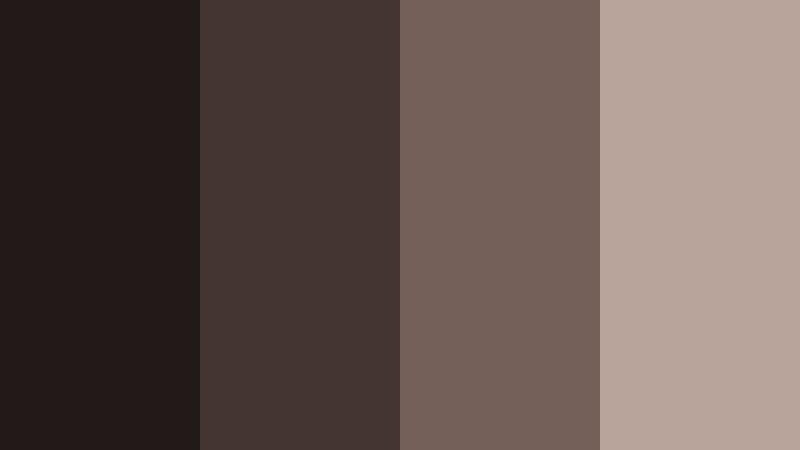
- HEX Codes: #211a18, #453530, #746059, #b9a49b
- Mood: Subdued, industrial, and introspective with cool tunnel shadows.
- Use for: Works for documentary city sequences, commute montages, and slow paced travel edits.
Subway Tunnel Fade is a cooler, more muted take on Lens Shadow Brown. The shadows feel like the underside of platforms, and the highlights resemble worn tiles and metal railings.
It pairs well with reflective, slower content like commute montages or quiet city studies. Use the lighter tones for captions and progress bars, while keeping most of the frame in deep, soft browns to protect the moody, introspective vibe.
Old Brick Frame
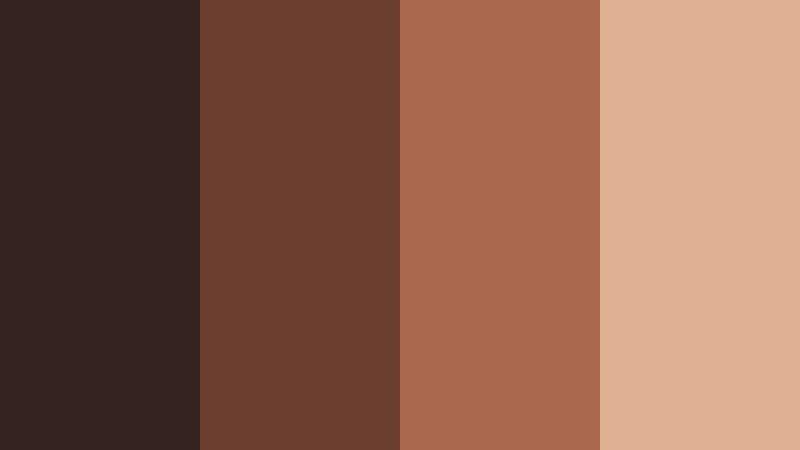
- HEX Codes: #34231f, #6b3e30, #a9684e, #deb193
- Mood: Historic, textural, and warm with exposed brick character.
- Use for: Ideal for architecture reels, studio loft tours, and creative workspace showcases.
Old Brick Frame mixes Lens Shadow Brown with clay and brick reds, capturing the feel of converted lofts, old factories, and textured city walls. It is warm but still rugged and urban.
Use it to brand architecture shorts, studio tours, and workspace makeovers. In your designs, let the deeper hues act as frames or borders around footage, and use the pale brown for text and UI elements so everything stays clean and legible.
Soft Natural Lens Shadow Brown Color Palettes
Morning Latte Light
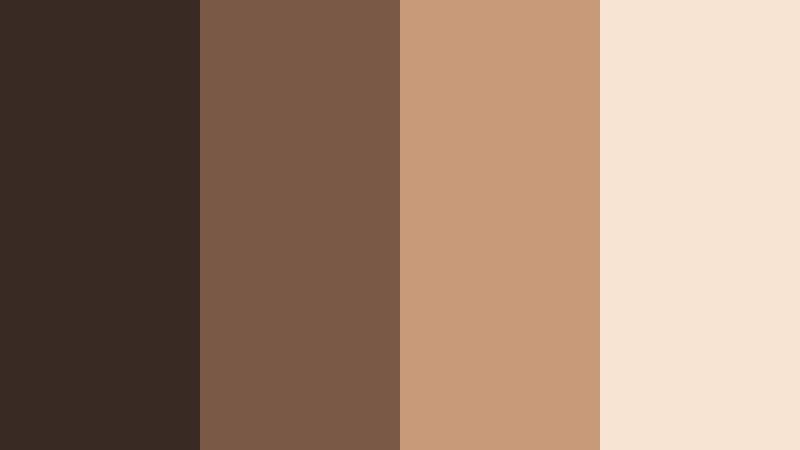
- HEX Codes: #3a2a24, #7a5a47, #c79b7a, #f7e4d2
- Mood: Soft, comforting, and bright like morning light over a latte.
- Use for: Perfect for lifestyle vlogs, desk setups, and aesthetic reels with lots of natural light.
Morning Latte Light keeps Lens Shadow Brown cozy but airy, with soft foam highlights and warm, light filled midtones. It is ideal for content that feels slow, gentle, and comforting.
Use the darkest tone for small accents and icons, and let the lighter HEX values dominate backgrounds, overlays, and thumbnails. Pair with clean typography to create an aesthetic that fits productivity, journaling, and daily routine content.
Dune Trail Haze
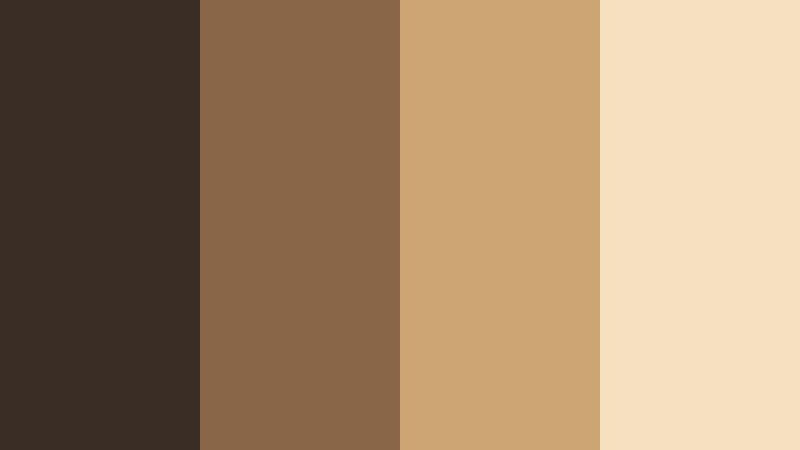
- HEX Codes: #3a2d26, #8a6649, #cda574, #f5e0c0
- Mood: Airy, sun kissed, and adventurous like hiking across sand dunes.
- Use for: Great for outdoor travel vlogs, desert footage, and sunlit adventure sequences.
Dune Trail Haze feels like wind over warm sand. Lens Shadow Brown anchors the palette, while sandy golds and pale highlights evoke dunes and sun flares.
Use it on travel vlog openers, maps, and location lower thirds. In Filmora, this palette works especially well when combined with light leaks and lens flare overlays to amplify the sun kissed adventure mood.
Cabin Window Calm
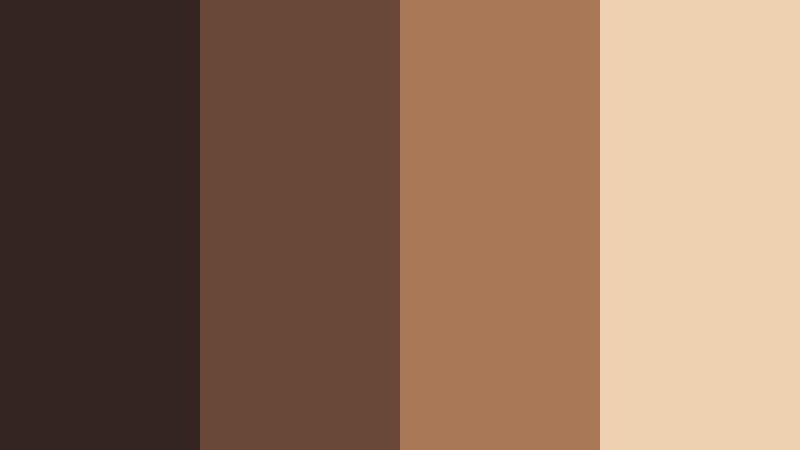
- HEX Codes: #352520, #694837, #a97856, #edd1b0
- Mood: Peaceful, rustic, and cozy like a cabin surrounded by trees.
- Use for: Use for slow living content, nature vlogs, and ambient study videos.
Cabin Window Calm turns Lens Shadow Brown into wood grain, pine scents, and soft lamplight. The palette is rustic but polished, perfect for slow living aesthetics.
Apply it to ambient study loops, nature soundscapes, and cozy weekend vlogs. Use the lighter beige as a subtle frame or border around your video canvas to keep everything feeling warm and inviting.
Autumn Storyboard
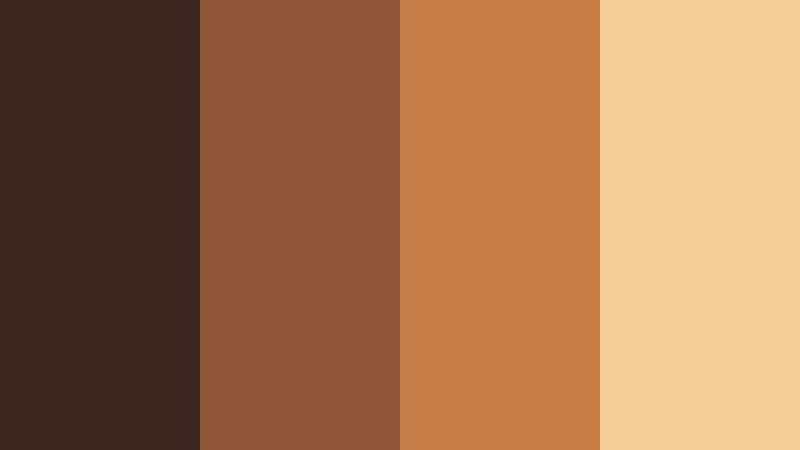
- HEX Codes: #3b2720, #915538, #c97d46, #f4ce95
- Mood: Storybook warm and seasonal, inspired by early autumn leaves.
- Use for: Ideal for fall lookbooks, cozy bakes, and seasonal announcement posts.
Autumn Storyboard leans into pumpkin and maple notes built on a Lens Shadow Brown base. It feels like early fall light, crunchy leaves, and warm spice.
Use it for seasonal campaigns, recipe thumbnails, and fall vlog branding. In your Filmora edits, let the richer oranges draw attention to text and callouts, while the darker brown holds shadows and frames together.
Minimal Modern Lens Shadow Brown Color Palettes
Lens Minimal Noir
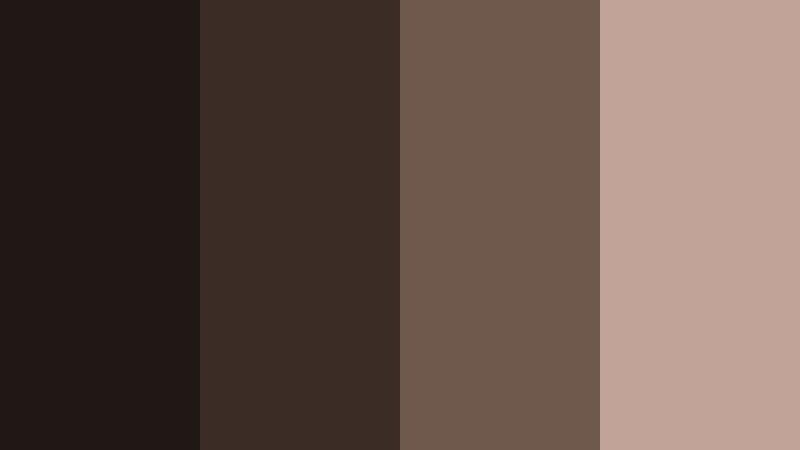
- HEX Codes: #1f1815, #3b2c26, #6f584c, #c1a497
- Mood: Sleek, understated, and modern with a subtle noir twist.
- Use for: Great for tech reviews, minimalist brand intros, and clean UI overlays.
Lens Minimal Noir uses deep Lens Shadow Brown almost like black, then lifts into soft taupes for a sleek, modern finish. It is refined and restrained, perfect for creators who want their visuals minimal but not sterile.
Use the darkest tones as your background and accent color, then rely on the lighter taupes for text, icons, and graphic dividers. This palette suits tech videos, cinematic channel branding, and clean UI overlays in Filmora.
Editorial Sepia Frame
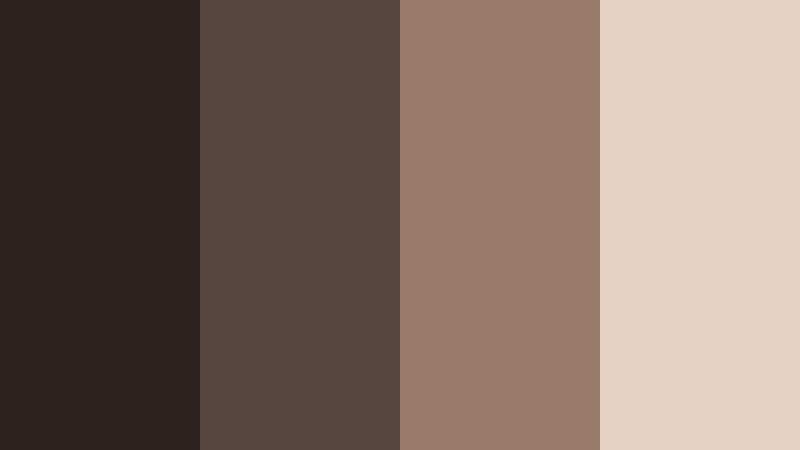
- HEX Codes: #2c211d, #57463f, #9a7b6a, #e5d2c4
- Mood: Editorial, polished, and calm like a high end magazine spread.
- Use for: Perfect for fashion reels, lookbooks, and branded storytelling with a soft sepia tone.
Editorial Sepia Frame turns Lens Shadow Brown into a soft sepia magazine aesthetic. The tones are polished, desaturated, and calm, which works beautifully for sophisticated branding.
Use it for lookbooks, product highlights, and portfolio reels. In Filmora, pair this palette with clean sans serif fonts and generous negative space so your footage and design elements feel like cohesive pages from a premium editorial layout.
Tips for Creating Lens Shadow Brown Color Palettes
Lens Shadow Brown is flexible enough to feel cinematic, urban, or minimal, as long as you balance it with the right highlights, accents, and contrast. These tips will help you shape palettes that look great in both video frames and graphic elements.
- Always pair Lens Shadow Brown with at least one lighter neutral (cream or beige) so text and icons stay readable on thumbnails and overlays.
- Use a slightly warmer highlight color for lifestyle, travel, and food content, and a cooler or muted highlight for tech, urban, or documentary edits.
- Limit bright accent colors to one hue per palette (such as coral or mustard) so the overall look stays cohesive and cinematic.
- Check contrast on mobile by zooming your thumbnails down to a small size and testing whether titles still stand out against Lens Shadow Brown backgrounds.
- Keep brand consistency by saving your chosen HEX codes as presets for text, shapes, and backgrounds inside Filmora and reusing them across all assets.
- Match your footage to your design palette: if your overlays use warm Lens Shadow Brown, nudge your color grade slightly warmer so they do not clash.
- Use darker Lens Shadow Brown tones for frames, borders, and lower thirds, while reserving lighter tones for key information and calls to action.
- When in doubt, build from three roles: one dark anchor browns, one midtone, and one light highlight, then optionally add a single accent color.
Lens Shadow Brown color palettes can instantly shift your content from flat to cinematic, giving your channel or brand a warm, confident visual identity. Whether you lean into cozy cafe vibes, gritty city tones, or sleek editorial looks, this color grounds your visuals and makes them feel intentional.
Try dropping these HEX codes into Filmora for titles, overlays, and color grading, then refine with AI Color Palette, HSL, and LUTs until the entire project feels unified. The more consistently you use your palette across videos, shorts, and social posts, the more recognizable your visual style becomes.
Experiment with a few of the palettes above, save your favorites as presets, and let Lens Shadow Brown become the backbone of your cinematic branding.
secure download