

 100% Security Verified | No Subscription Required | No Malware


 ChatGPT
 Perplexity
 Gemini
 Claude
 Grok
Grok
Moody couple video filters help you turn ordinary relationship clips into cinematic moments filled with tension, vulnerability, and emotional romantic tones. With the right balance of contrast, shadows, and soft color shifts, you can guide viewers to feel every glance, touch, and silence between your subjects.
Whether you are crafting rainy date edits, dark relationship montages, or intimate portrait reels, Filmora offers flexible filters that make it easy to shape the emotional temperature of each scene. Below are 12 curated moody couple filters tailored for storytelling creators and portrait editors who want deeper feelings in every frame.
In this article
Soft, Gloomy Tones for Subtle Relationship Drama
Soft Rainy Vignette
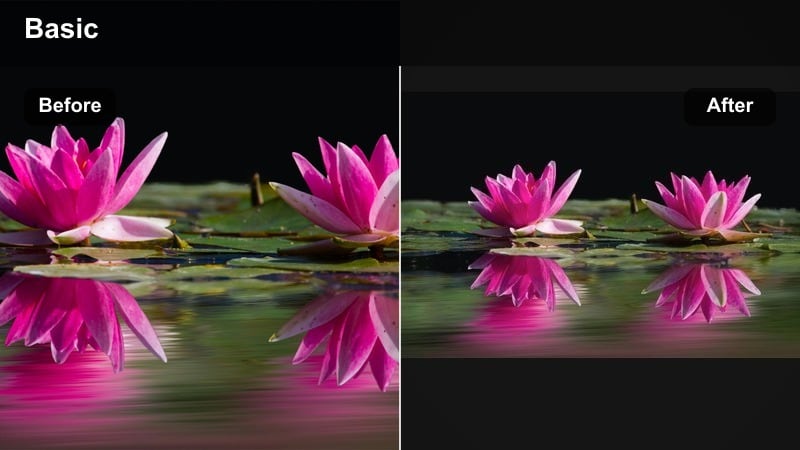
- Effect look: Low-contrast shadows with a faint vignette that softens the edges while keeping the couple gently in focus.
- Best for: Rainy date edits, quiet walks under umbrellas, and window reflections during overcast days.
- Editing tip: Lower highlights slightly and add a touch of film grain to enhance the rainy mood without making the scene feel too dark.
Soft Rainy Vignette wraps your couple in gentle shadows, pulling attention toward the center of the frame while letting the edges slip into a calm darkness. In Filmora, this look is perfect when you want rainy moments to feel contemplative rather than gloomy, adding just enough haze and vignette to create a cinematic stillness.
Apply this filter to handheld umbrella walks, puddle reflections, or quiet bus stop scenes, then fine-tune exposure and grain so details in the faces remain visible. Paired with slow cuts and subtle sound design, Soft Rainy Vignette turns everyday wet-weather clips into emotional beats that feel pulled from an indie film.
Shape Moody Couplescapes with AI-Powered Color Control
Filmora’s AI color tools help you fine-tune each moody couple filter so your rainy date edits and dark relationship cuts stay consistent from shot to shot. Instead of manually matching every clip, you can quickly harmonize tones, contrast, and atmosphere across an entire sequence.
Use AI-driven color matching to copy the look of your favorite shot and apply it to the rest of your timeline, then refine shadows and skin tones with simple sliders. This keeps your emotional romantic tones cohesive whether you filmed indoors, outdoors, or on different days.
Open a moody couple clip in Filmora and try auto color match on a short sequence to see how quickly your entire scene can fall into the same emotional palette.
 secure download

Preview Moody Couple Filters in Real Time
With Filmora’s instant filter previews, you can scrub through your timeline and audition multiple moody couple looks without committing. See how soft gloom, deep shadows, or bittersweet warmth affect your story beats before you lock them in.
Stack filters, adjust intensity, and toggle them on and off to feel the emotional difference each look creates. This quick experimentation lets storytelling creators build a visual language for their couples the same way they build a soundtrack.
Drop a few of these filters on your favorite emotional relationship clip and toggle visibility to discover which look best supports the scene.
secure downloadTurn Filters into Reusable Looks with LUTs
Once you dial in the perfect moody couple filter mix for a series or recurring character arc, you can save it as a LUT-style preset in Filmora. That way, your future rainy date edits and portrait sequences can instantly share the same emotional fingerprint.
Reusing a consistent look across episodes or social posts reinforces your visual brand and makes each new chapter of the relationship feel connected. You spend less time rebuilding grades and more time refining the narrative.
Save your favorite moody couple filter tweaks as a custom preset so you can reuse that exact tone in the next warm couple video filters you create.
secure downloadMuted City Lovers
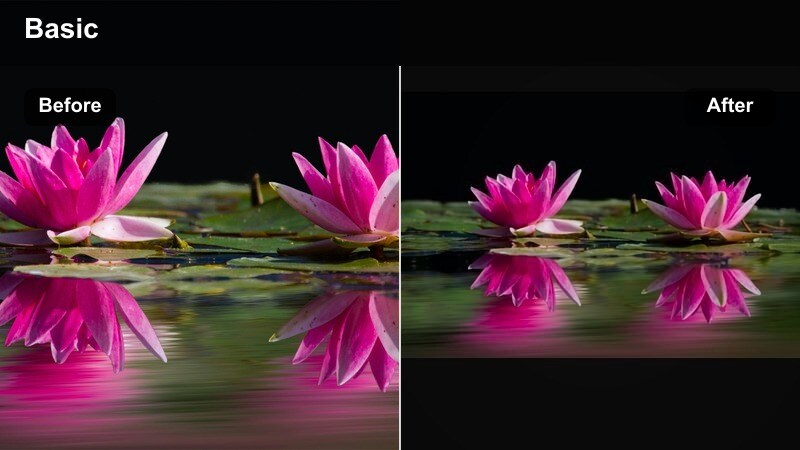
- Effect look: Desaturated city colors with slightly lifted blacks, giving an urban melancholy that still feels intimate.
- Best for: Street date montages, couple walks through alleys, and handheld city clips with subtle drama.
- Editing tip: Dial back saturation on bright signs or clothing while keeping a bit of warmth in skin tones to maintain emotional connection.
Muted City Lovers is designed to strip away the visual noise of neon signs and busy storefronts so your couple becomes the quiet center of the frame. By lifting blacks and desaturating most colors, the filter turns any city location into a soft, introspective backdrop.
In Filmora, combine this look with gentle handheld shots, slowed-down motion, and a slightly warm skin-tone adjustment to keep the relationship feeling alive against a subdued urban palette. It is ideal for city walks, rooftop scenes, and alleyway conversations where you want the environment to whisper instead of shout.
Fogged Window Glance
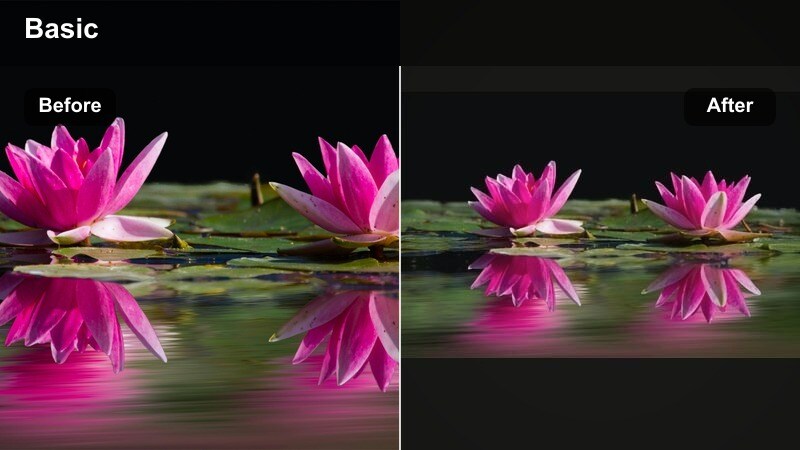
- Effect look: Hazy highlights and softened midtones that mimic looking through a fogged or rainy window at the couple.
- Best for: Indoor scenes shot through glass, cafe dates, and quiet car rides during bad weather.
- Editing tip: Add a subtle blur or glow on the brightest areas to amplify the feeling of distance and longing between the viewer and the scene.
Fogged Window Glance creates the feeling of watching a private moment from the outside, with softened midtones and gleaming highlights that echo misted glass. It is perfect for storytelling where the viewer is meant to feel slightly removed, like glimpsing a couple in a cafe or through a rain-streaked windshield.
Use this filter in Filmora on layered timelines with reflection shots, then enhance the mood with light blur and overlays. The result is a dreamy, observational aesthetic that adds emotional distance and longing, especially when paired with slow push-ins or static tripod shots.
Deep Shadows for Intense, Conflicted Romance
Noir Argue & Embrace
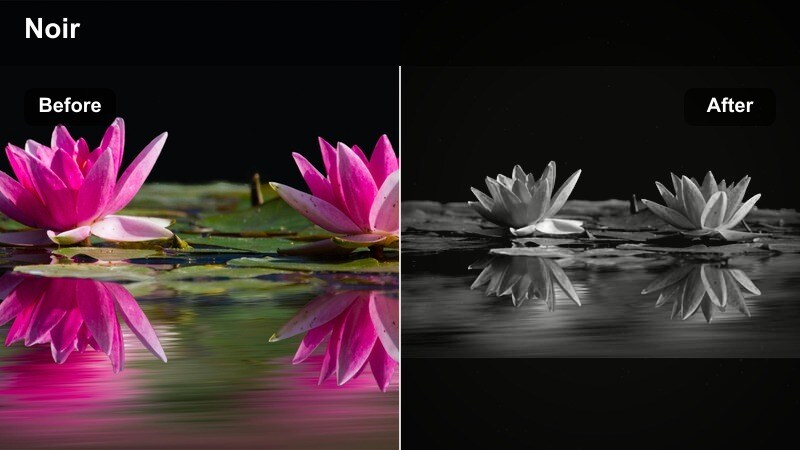
- Effect look: High contrast with rich blacks and minimal color, creating a near-noir aesthetic with emotional focus on silhouettes.
- Best for: Dark relationship edits, arguments in dim rooms, or late-night reconciliations lit by a single source.
- Editing tip: Frame your subjects near a window or lamp, then reduce exposure slightly so facial highlights cut dramatically through the darkness.
Noir Argue & Embrace leans into heavy contrast and deep blacks to make every gesture and silhouette feel loaded with meaning. Colors are nearly stripped away, so light and shadow do most of the emotional storytelling.
In Filmora, pair this filter with minimalistic set-ups using a single window, lamp, or doorway as your key light. Adjust exposure and contrast so the couple’s faces partially disappear into the darkness, making body language and framing carry the tension of arguments, confessions, and reconciliations.
Stormy Room Whispers
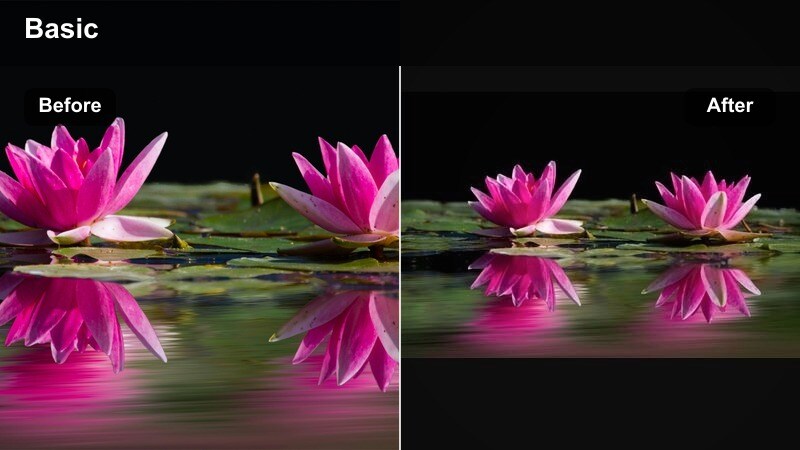
- Effect look: Cool shadows with a faint cyan tint and slightly crushed blacks, giving an anxious, stormy feel to interior scenes.
- Best for: Tense conversations by the window, late-night confessions, and quiet pre-breakup moments.
- Editing tip: Pull down the blue curve in highlights while lifting it in shadows to keep faces readable but the background emotionally cold.
Stormy Room Whispers introduces a cool cyan cast to your shadows, turning ordinary interiors into emotionally charged spaces. The subtly crushed blacks add weight and seriousness, ideal for scenes where unspoken feelings hang in the air.
Apply this filter in Filmora on shots near windows, doorways, or dim lamps, then fine-tune the color curves so faces remain visible while the room itself feels cold and distant. The contrast between readable expressions and frosty surroundings helps visualize emotional disconnect or pre-breakup tension.
Shadow Hug Corridor
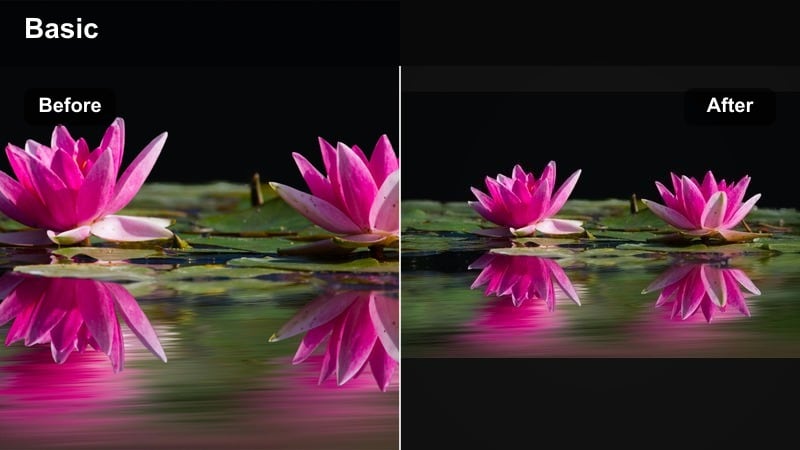
- Effect look: Directional shadows and lifted contrast that frame the couple in a narrow beam of light, like a hallway embrace.
- Best for: Secret hallway hugs, doorframe goodbyes, and narrow space scenes with strong backlight.
- Editing tip: Crop vertically for reels and center the couple in the brightest area; use a vignette to deepen surrounding darkness and tension.
Shadow Hug Corridor focuses the viewer’s attention by isolating the couple in a strip of light surrounded by deep shadow. This framing instantly adds privacy and intensity, making even brief hugs or partings feel pivotal.
In Filmora, this look works especially well for vertical edits aimed at social platforms. Combine it with vignettes, subtle zoom-ins, and careful cropping so the shaft of light always falls across your subjects, turning narrow hallways and doorframes into naturally cinematic stages.
Melancholy Glow for Emotional Romantic Tones
Golden Sad Sunset
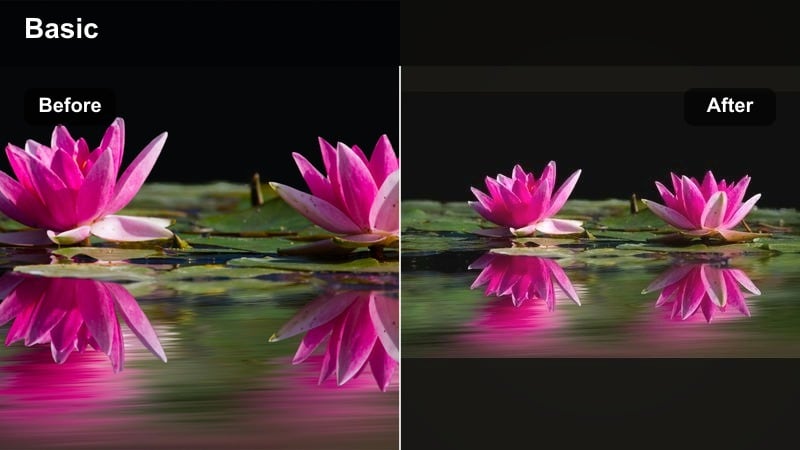
- Effect look: Warm golden highlights with gently faded blacks that feel nostalgic and bittersweet, like a goodbye at sunset.
- Best for: Beach farewells, balcony scenes during golden hour, and reflective walking shots at dusk.
- Editing tip: Slightly reduce clarity and add a touch of lens flare so bright edges bloom, reinforcing that dreamy, almost-memory feeling.
Golden Sad Sunset turns natural golden hour light into a bittersweet glow, fading the blacks so scenes feel like memories rather than present tense. It is ideal for farewell shots, reflective walks, or moments of quiet realization.
In Filmora, combine this filter with gentle slow motion, soft transitions, and light flares to emphasize the sense of time slipping away. A small clarity reduction will help faces and edges bloom, giving your couple’s last looks and handholds a tender, wistful finish.
Amber Bedroom Memories
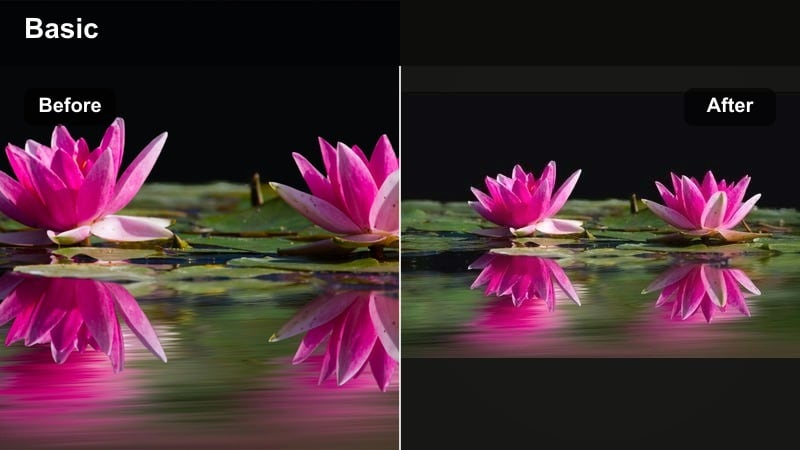
- Effect look: Soft amber midtones with slightly muted saturation, mimicking lamplight in an intimate bedroom or small apartment.
- Best for: Cozy bed scenes, late-night talks on the floor, and quiet shots of shared routines.
- Editing tip: Keep camera movement slow and stable; combine with gentle zoom-ins to let the warm tone underline growing closeness.
Amber Bedroom Memories bathes your scenes in warm, lamplit midtones that make even simple apartment spaces feel emotionally loaded. The slightly muted saturation keeps the look soft and nostalgic rather than overly vibrant.
Use this filter in Filmora on clips of nightly rituals, shared breakfasts, or conversations on the floor, then add slow zooms or subtle push-ins to underline intimacy. Repeating this look across multiple domestic scenes helps your audience track the evolution of the relationship through a consistent, comforting glow.
Candlelit Distance
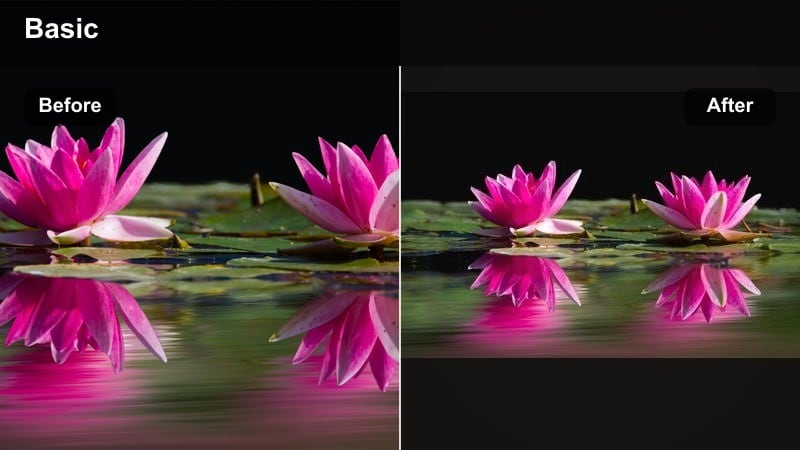
- Effect look: Soft glowing highlights with subtle orange-tinted shadows that mimic candlelit evenings full of unspoken words.
- Best for: Dinner table scenes, anniversaries, or quiet nights where the couple feels close yet emotionally distant.
- Editing tip: Let one subject fall slightly into shadow while the other stays in the glow to emphasize emotional imbalance.
Candlelit Distance captures the warmth of dinners and celebrations while hinting at emotional space between the characters. Glowing highlights and orange shadows make tables, glasses, and skin shimmer, even as darkness pools in the gaps.
In Filmora, apply this look to anniversary dinners, special occasions, or late-night talks, then shape your lighting and exposure so one partner sits more in shadow. This visual imbalance, combined with thoughtful cutting between close-ups and wides, turns the filter into a subtle storytelling device about closeness and separation.
Rainy Date Aesthetic and Broken-Heart Montages
Wet Street Reflection
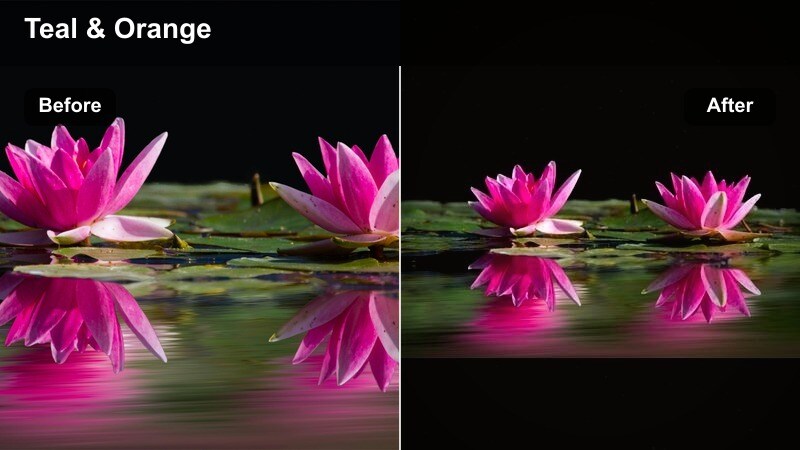
- Effect look: Cool, glossy highlights on wet surfaces with gentle teal shadows, adding cinematic shine to rainy exteriors.
- Best for: Night walks in the rain, breakup strolls through empty streets, and reflective sidewalk shots.
- Editing tip: Slow your footage slightly and use gentle crossfades so the reflections feel like lingering memories on the pavement.
Wet Street Reflection transforms rainy sidewalks and roads into glowing mirrors that echo your couple’s emotions. Cool highlights and teal shadows add a polished, cinematic feel that works beautifully for night walks and reflective montages.
In Filmora, slow your clips a little, then add soft crossfades or dissolves between shots so reflections stretch and blend like memories. Frame puddles and wet asphalt prominently and let the filter deepen the shine, turning the ground beneath your characters into a visual metaphor for regret or renewal.
Overcast Heartbreak
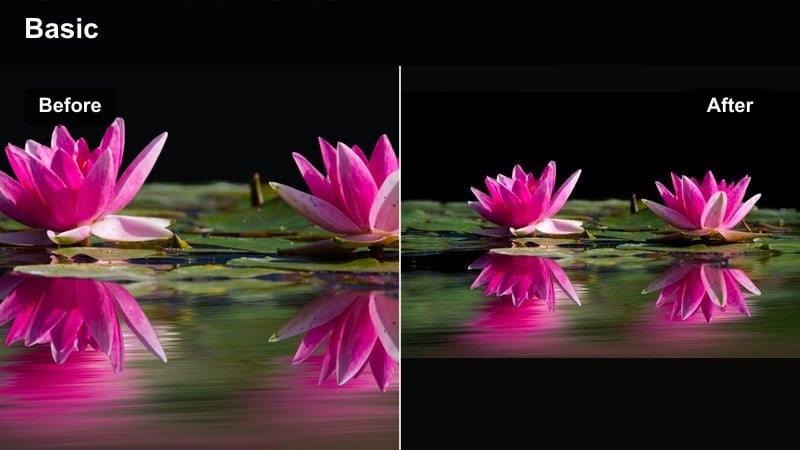
- Effect look: Flat, muted daylight tones with slightly cooler whites that make outdoor scenes feel heavy and overcast.
- Best for: Park bench breakups, train station goodbyes, and slow walking shots after a fight.
- Editing tip: Reduce saturation of greens and blues a bit more so the couple’s clothing or skin remains the main source of life in the frame.
Overcast Heartbreak uses flattened contrast and cool whites to make bright daylight feel emotionally heavy and drained. Grass, sky, and buildings all lose some of their vibrancy so the couple’s presence becomes the primary source of life in the frame.
Apply this filter in Filmora to cloudy exteriors, then lower the saturation of greens and blues while carefully preserving warm skin tones. Compositions with wide empty spaces, benches, and long paths work especially well, letting the setting echo emotional fatigue and loneliness.
Late Train Regret
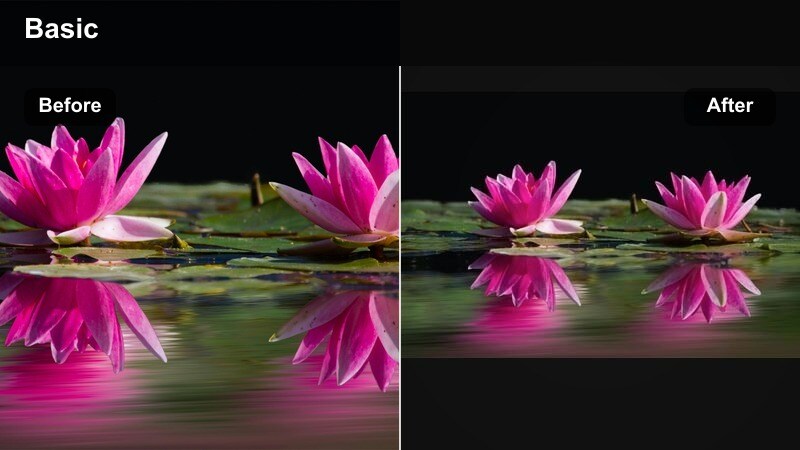
- Effect look: Cool tungsten mix with subtle motion blur emphasis, ideal for stations and moving lights in the background.
- Best for: Train station farewells, bus stops at night, and moments where one person leaves and the other stays.
- Editing tip: Cut on passing lights or train movement while holding the filter consistent, so every streak of light feels like time slipping away.
Late Train Regret blends cool tones with warm tungsten hints, emphasizing moving lights and motion blur to suggest time racing forward. It is perfect for platforms, bus stops, and departure scenes where characters miss chances or say final goodbyes.
In Filmora, apply this filter across your entire station sequence so passing trains, flares, and streetlights all share the same atmosphere. Time your cuts to passing lights or train cars, letting each streak of motion feel like another second slipping away, while the consistent color grade ties the whole emotional arc together.
Tips for Using Couple Moody Tone Filters in Filmora
- Shoot slightly underexposed when planning for moody couple filters so you preserve highlight detail and give yourself room to deepen shadows.
- Keep skin tones gently warm even in dark relationship edits so viewers stay anchored to the couple’s humanity amid the gloom.
- Use slower cuts and longer holds on reactions when working with heavy shadows or haze so the audience has time to read the emotion.
- Mix close-ups of hands, eyes, and small gestures with wide moody shots to keep your storytelling personal and cinematic.
- If a filter feels too strong, reduce its intensity rather than removing it; subtle versions often feel more realistic and emotional.
- Match your music and sound design to the tone of the filter, allowing color and audio together to carry the emotional arc.
- Group rainy date edits or breakup scenes on separate tracks so you can apply consistent moody filters to the whole block at once.
- Export a short test clip with your chosen filter and watch it on a phone, since many couple reels and portraits are viewed on mobile screens.
Moody couple video filters give you precise control over how every glance, silence, and touch lands with your audience, from soft rainy nostalgia to intense shadowed confrontations. Start by pairing one or two of these looks with your next emotional relationship clips, then refine them into saved presets so your entire body of work carries a recognizable, cinematic mood.
Use these filters to shape the emotional rhythm of your edits, letting color, contrast, and light echo the ups and downs of the relationship you are portraying. As you explore, trust your own reaction to each look; if a filter makes you feel the scene more deeply, it is probably the right choice for your story.
secure downloadNext: Warm Couple Video Filters for Cozy, Hopeful Love Stories
