

 100% Security Verified | No Subscription Required | No Malware


 ChatGPT
 Perplexity
 Gemini
 Claude
 Grok
Grok
Warm couple video filters instantly wrap your scenes in golden light, flattering skin tones and turning simple moments into romantic memories. For family creators and lifestyle vloggers, they are perfect for sunset dates, cozy living-room clips, and beach couple videos that feel cinematic instead of casual.
This guide walks you through 12 Filmora-style warm couple video filters designed to enhance golden skin tones, amplify sunset romance effects, and give every golden date video a consistent, dreamy look from clip to clip.
In this article
Golden Romance Filters for Couples
Sunset Hug Glow
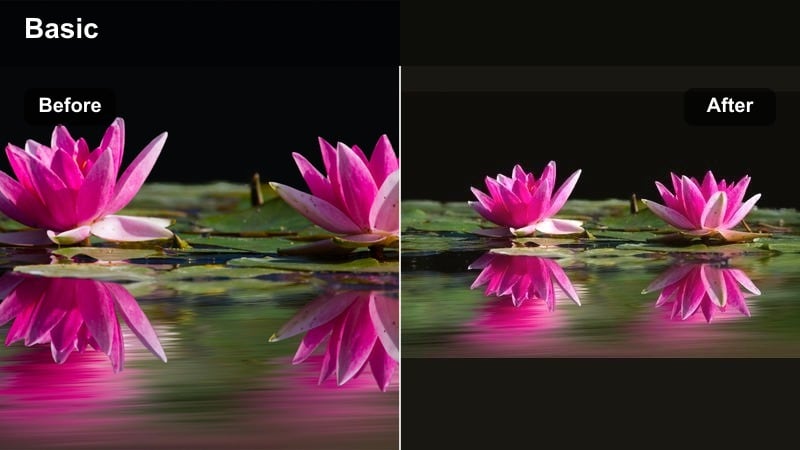
- Effect look: Soft golden glow with lifted mids and gentle bloom around highlights, ideal for hugging or close-up couple moments.
- Best for: Sunset dates on the beach, rooftop golden hour vlogs, and close-up talking shots with warm backgrounds.
- Editing tip: Lower contrast slightly and bump saturation just on oranges to avoid oversaturating the sky while keeping skin radiant.
Sunset Hug Glow is a creamy warm couple filter that wraps your footage in a soft, romantic glow, perfect for hugs, cuddles, and close-up shots where emotion is front and center. In Filmora, it gently lifts midtones and introduces a subtle bloom effect around highlights so that sunlit edges, hair, and hands feel dreamy without destroying detail.
Use this style on beach walks, rooftop sunsets, or balcony chats where natural light is already golden. Apply it to your A-roll of talking together, then match your B-roll of handholding or laughing with the same filter for a cohesive couple warm tone. For phones that already soften footage, add a touch of sharpness or clarity in Filmora so that eyes and hair stay crisp while the filter handles the romantic softness.
Pro tip: Balance warm glow with sharp details
If your lens or phone already softens the image, keep clarity or sharpness slightly above default when using Sunset Hug Glow.
This maintains detail in hair and eyes while the filter handles the dreamy warmth, preventing your final video from looking blurry.
Use AI to Lock in Your Warm Couple Aesthetic
Filmora's AI-driven color tools can analyze your favorite warm couple clip and suggest a matching palette for the rest of your timeline. This keeps golden skin tones and sunset romance effects consistent, even if you filmed on different days or devices.
Import one hero golden date video, let AI read its color mood, and then apply the same style to beach couple videos, indoor dates, and travel footage. The result is a unified warm look that feels intentional from the first scene to the last.
Try sampling your best warm couple clip and apply the AI-matched look across your entire project.
 secure download

Preview Warm Couple Filters on Your Own Footage
Before committing to a final look, drop several warm couple video filters onto a short test sequence with a mix of close-ups, wide shots, and movement. This lets you see how each filter handles real-world skin tones, clothing colors, and background lights.
Use quick split-screen comparisons inside Filmora to decide which filter feels most authentic to your relationship and channel style. Save your favorite as a preset so you can recreate the same warmth in future episodes or series.
Build a 15-30 second test timeline and compare filters side by side before editing the full vlog.
secure downloadCombine Warm Filters with LUTs for Extra Style
If you already use LUTs for your channel, layer them carefully with warm couple video filters to add more cinematic personality. Start with a subtle LUT at low intensity, then fine-tune with a warm filter to protect skin tones from going too orange or muddy.
For family creators and lifestyle vloggers, this combination is powerful for multi-location stories, where a LUT shapes the overall mood while the warm filter keeps every romantic moment flattering and inviting.
Experiment with a light cinematic LUT first, then adjust warmth and skin tones using your favorite couple filter.
secure downloadGolden Date Soft
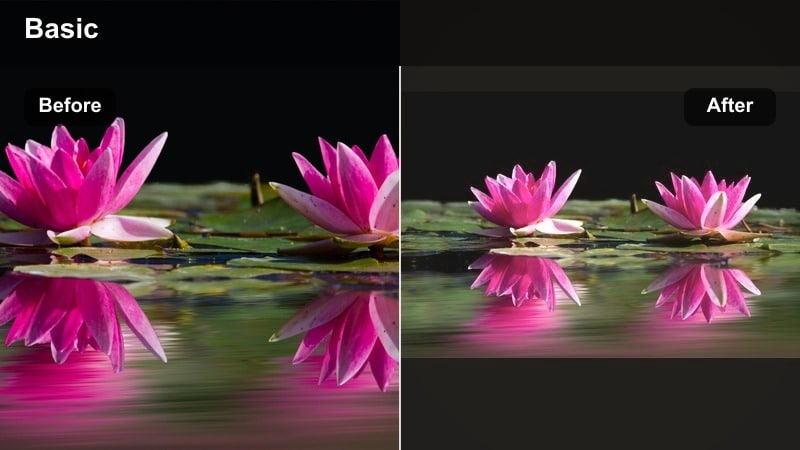
- Effect look: Smooth, pastel warmth with slightly faded blacks and creamy highlights for a film-like golden date video feel.
- Best for: Candlelit dinners, city park strolls at golden hour, and indoor couple montages by a window.
- Editing tip: Use gentle vignette to pull attention to faces and apply slight noise or grain for a nostalgic, cinematic finish.
Golden Date Soft brings a pastel, film-inspired glow to your clips, fading the deepest blacks and softening highlights just enough to feel dreamy. In Filmora this filter is perfect when you want your couple warm tone to feel like a highlight reel, especially for first dates, anniversaries, or travel diaries cut to music.
Apply it to slow-motion shots of walking hand in hand, pouring drinks, or laughing across a restaurant table. Add a subtle vignette and a small amount of film grain from Filmoras effects library so the filter feels intentional and cinematic. If skin looks too orange, use the HSL panel to pull down orange saturation and nudge red slightly so both partners stay naturally glowing.
Pro tip: Protect skin from looking too orange
If skin starts to look overly orange with Golden Date Soft, pull back saturation in the orange channel while boosting red slightly.
This keeps the glow of the sunset while preserving realistic, flattering skin tones on both partners.
Golden Halo Couple
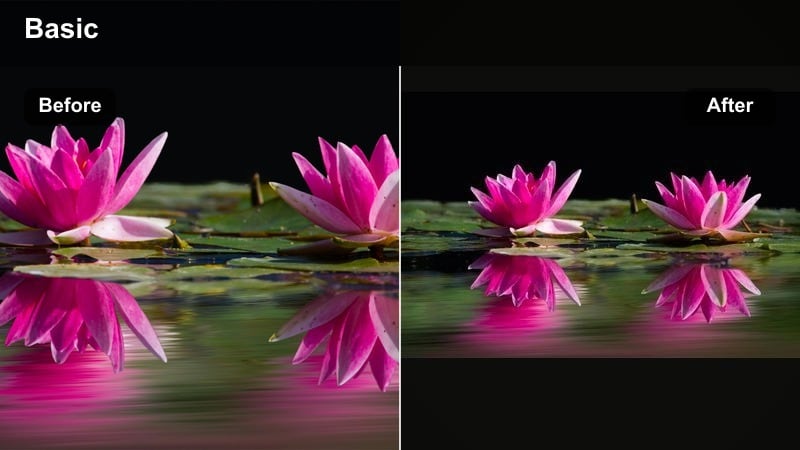
- Effect look: Bright, punchy warmth with a subtle halo around highlights and a crisp contrast curve for standout couple shots.
- Best for: Proposal videos, surprise date reveals, and any hero shot where you want the couple to pop from the background.
- Editing tip: Add a slight slow motion or speed ramp on key moments to let the golden halo effect really register with viewers.
Golden Halo Couple is designed for your most unforgettable moments, adding a bright, punchy glow and distinctive halo around highlights. In Filmora, it increases contrast and warmth so that the couple pops off the background, making it ideal for proposals, big reveals, or your favorite thumbnail frames.
Use it sparingly on key shots in your timeline, like the exact moment of a ring reveal or a dramatic lift-and-spin hug. Before applying the filter, reduce highlights slightly so the halo does not blow out skin texture, then pair it with a gentle slow motion or speed ramp so viewers can fully absorb the intensity of the scene.
Pro tip: Keep highlights under control
Reduce highlight intensity slightly before applying Golden Halo Couple if your footage is already very bright.
This prevents faces from losing texture while still letting the halo and pop of contrast mark the special moment.
Beach Couple Warm Filters
Tropical Gold Kiss
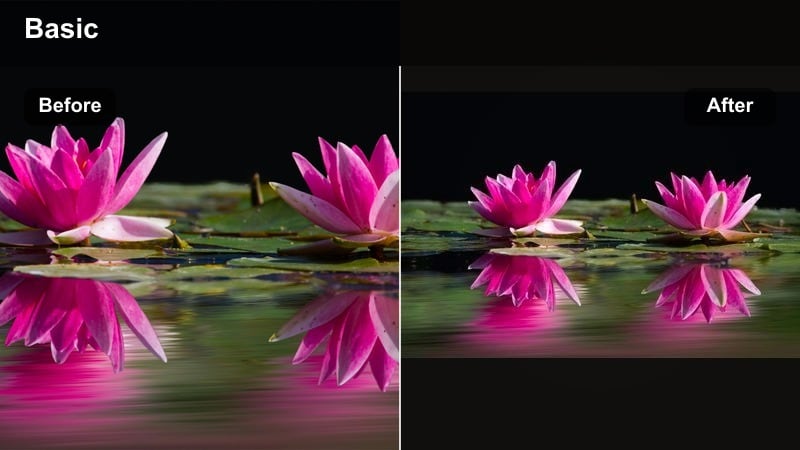
- Effect look: Vibrant golden warmth with boosted teals and blues, giving beach couple videos a glossy travel-vlog vibe.
- Best for: Beach walks, ocean-side kiss shots, and playful couple clips in shallow water or by the shoreline.
- Editing tip: Use HSL to deepen aquas slightly while keeping skin tones bright so the water and sky frame your couple naturally.
Tropical Gold Kiss blends golden skin tones with rich teal seas and skies, ideal for travel vlogs and tropical vacations. In Filmora this filter enhances both warmth and saturation, giving your beach couple videos a polished, postcard-ready look without sacrificing realism.
Apply it to walking, splashing, or drone shots along the shoreline, then fine-tune blues and aquas in HSL so the ocean becomes a cinematic backdrop. To unify clips shot at different times of day, first adjust each clips white balance, then apply Tropical Gold Kiss across the board for a seamless golden date video aesthetic.
Pro tip: Match separate clips from different times of day
If you filmed across different light conditions, tweak white balance per clip first, then apply Tropical Gold Kiss consistently.
This ensures your beach montage looks unified, as if it was captured in one perfect golden hour session.
Sunkissed Shoreline
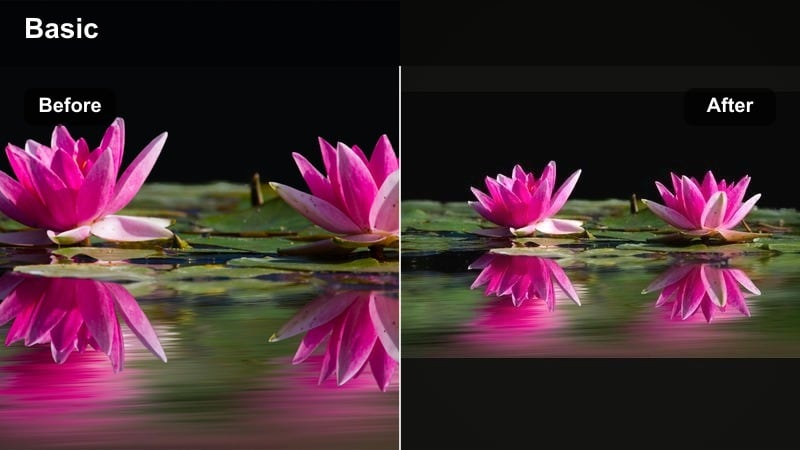
- Effect look: Soft sun-kissed tones with gentle contrast and a warm push in yellows to emphasize sand and hair highlights.
- Best for: Barefoot beach walks, slow-motion running shots, and cinematic B-roll of hands, waves, and footprints.
- Editing tip: Add light motion blur or smoother transitions between beach scenes to keep the warm, dreamy mood flowing.
Sunkissed Shoreline is a gentler beach-grade that emphasizes golden sand, warm hair highlights, and soft skin tones. In Filmora, it slightly boosts yellows and warms shadows, making every step along the shoreline feel nostalgic and intimate rather than overly saturated.
Use it for slow-motion jogs, footprints in the sand, and close-ups of interlocked hands against waves. Combine the filter with Filmoras smoother transitions or light motion blur effects so your cuts flow like a continuous memory, reinforcing the relaxed, romantic mood of the sequence.
Pro tip: Use subtle sound design with warm visuals
Pair Sunkissed Shoreline with gentle wave and ambient beach sounds at a low volume under your music.
The combination of soft audio and warm visuals sells the relaxed, romantic tone much stronger than visuals alone.
Golden Tide Romance
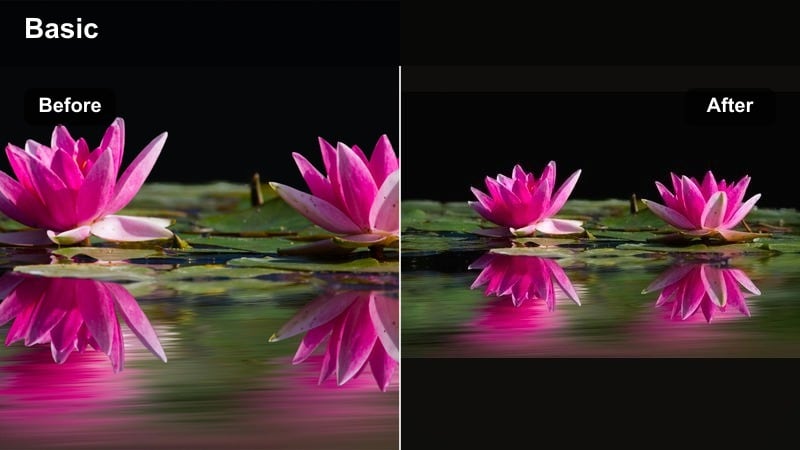
- Effect look: Deep, cinematic warmth with rich shadows and a slight amber tint in midtones for dramatic sunset romance effects.
- Best for: Silhouette shots at sunset, drone passes over the couple, and emotional slow-motion sequences near the water.
- Editing tip: Experiment with slightly slower frame rates or gentle zoom-ins to let the moody, amber warmth develop on screen.
Golden Tide Romance turns your sunset shoreline into a cinematic finale, adding deep amber midtones and rich shadows that emphasize silhouettes. In Filmora this filter is ideal for the emotional end of a vlog, a proposal at dusk, or a reflective walk by the water.
Apply it to wide establishing shots, overhead drone clips, and slow-motion spins near the tide. To enhance the drama, combine the filter with subtle zoom-ins or slower playback speeds so the warmth has time to register, then layer in lens flare overlays for sun-facing shots to push the movie-style look even further.
Pro tip: Stack with subtle lens flares
Add minimal, natural lens flare overlays to sun-facing shots graded with Golden Tide Romance.
This combination can make even smartphone beach clips feel like professionally shot scene transitions.
Indoor Cozy Warm Couple Filters
Candlelight Embrace
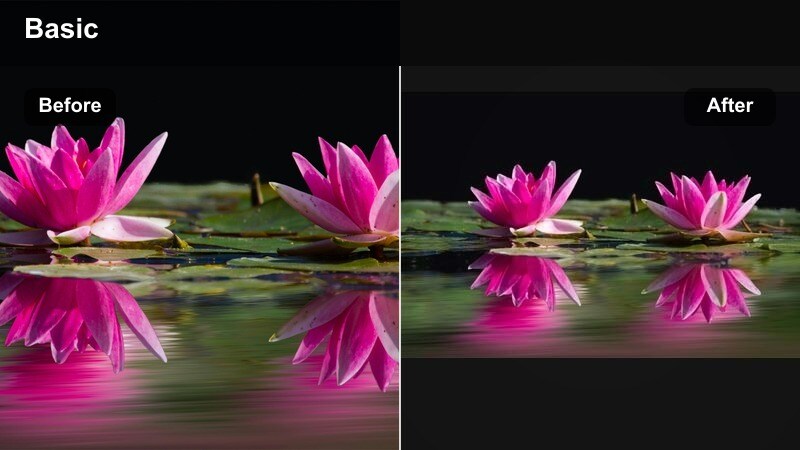
- Effect look: Soft low-light warmth with gentle noise reduction and lifted shadows for cozy, candlelit couple scenes.
- Best for: Indoor date nights, kitchen cooking vlogs, blanket forts, and movie-night montages on the couch.
- Editing tip: Lower highlights slightly to avoid blown-out candles and raise shadow detail just enough to see facial expressions clearly.
Candlelight Embrace is built for dim interiors, lifting shadows and warming tones so your couple stays visible without losing the intimate, low-light mood. In Filmora, it adds subtle noise reduction and warmth that works especially well with candles, string lights, or TV glow.
Use it on cooking-together vlogs, cozy couch scenes, or blanket-fort TikTok-style edits. Dial down highlights before applying the filter to prevent candle flames from clipping, then add a gentle stabilization pass in Filmora so handheld footage feels intentional and soothing rather than shaky.
Pro tip: Stabilize handheld indoor shots
Use Filmora’s stabilization tools lightly before adding Candlelight Embrace to reduce shakiness in dark scenes.
Stable framing combined with warm, cozy grading keeps your intimate indoor clips watchable and relaxing.
Living Room Golden
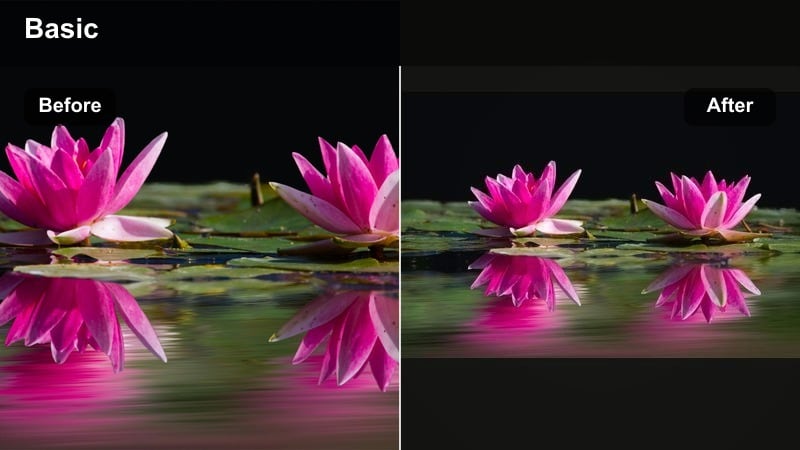
- Effect look: Balanced warm tones with neutral whites and slightly boosted contrast to brighten everyday indoor couple footage.
- Best for: Family vlogs, morning routines, unboxing videos shot together, and casual behind-the-scenes moments.
- Editing tip: Adjust white balance per clip to neutral before dropping this filter on top to avoid mixed color casts from lamps and windows.
Living Room Golden gives everyday couple content a clean but inviting glow, making your home look bright without pushing colors too far. In Filmora, it adds gentle warmth and contrast while keeping whites neutral, which is crucial when you have a mix of window light and indoor bulbs.
Apply it to talking-head clips on the couch, morning coffee routines, or family updates filmed in shared spaces. Correct each clips white balance first, then add the filter and save your tweaks as a custom preset so future vlogs automatically match your established warm couple aesthetic.
Pro tip: Create a repeatable indoor look
Save your favorite tweaks on top of Living Room Golden as a custom preset to use across future family and couple videos.
Consistent indoor grading makes your channel feel cohesive and recognizable, especially for returning viewers.
Coffee Date Amber
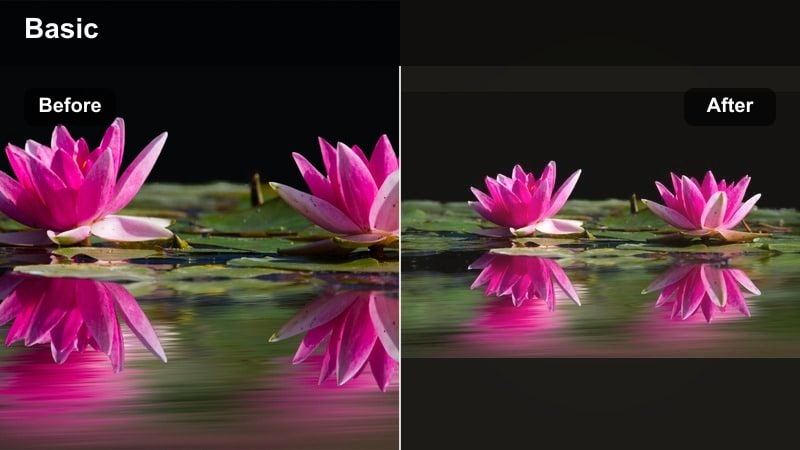
- Effect look: Rich amber warmth with gentle fade and subtle desaturation in greens, mimicking cozy cafe color palettes.
- Best for: Coffee shop dates, bookstore walks, and cozy city corners where warm lights dominate the scene.
- Editing tip: Use tighter framing and slower cuts to let viewers notice the amber details in wood, cups, and decor.
Coffee Date Amber leans into rich, amber tones that echo cafe lights, wooden tables, and warm decor. In Filmora this filter slightly fades contrast and mutes greens so the entire scene feels like a tucked-away corner in your favorite coffee shop.
Use it for over-the-shoulder shots of lattes, page flips in a bookstore, or quiet chats at a window seat. Keep your edits slower and focus on close-ups of hands holding mugs, latte art, and subtle glances so the amber mood has time to breathe, then tame any cool window light by gently reducing blue saturation before applying the filter.
Pro tip: Tame mixed lighting in cafes
If bright windows clash with yellow indoor lights, lower blue saturation slightly before applying Coffee Date Amber.
This keeps the warmth consistent across the scene and avoids distracting cool patches in the background.
Story-Driven Warm Filters for Couple Montages
Memory Lane Warmth
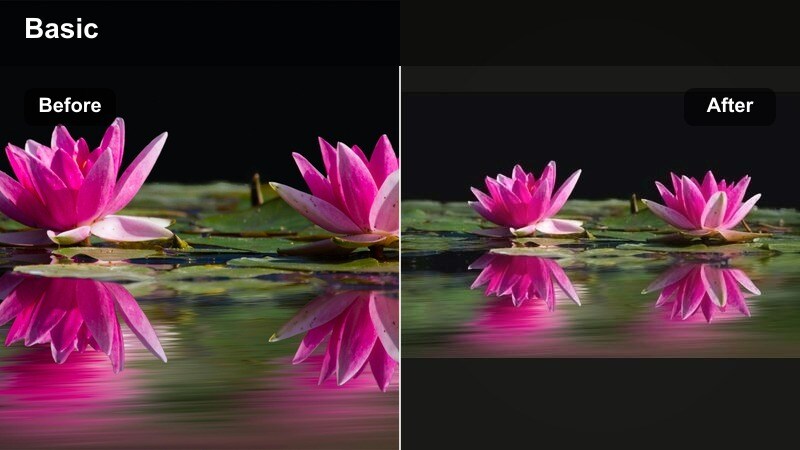
- Effect look: Softly faded warm tones with subtle grain and lowered contrast for a nostalgic home-movie atmosphere.
- Best for: Throwback compilations, anniversary highlight reels, and childhood-to-now couple story videos.
- Editing tip: Mix still photos with video clips under this filter and add gentle zoom-ins to make old memories feel alive.
Memory Lane Warmth is designed to unify years of footage into one cohesive love story, softening contrast and adding gentle grain for a home-movie feel. In Filmora this filter works beautifully on both new and older clips, smoothing out camera differences and tying everything together with a warm nostalgic wash.
Apply it to montages that blend still photos, phone videos, and DSLR shots, especially for anniversaries or timeline-style edits. Use Filmoras pan-and-zoom on photos and subtle crossfades between clips so the faded warmth feels like turning pages in a shared scrapbook.
Pro tip: Unify different camera sources
Apply Memory Lane Warmth to phone clips, DSLR footage, and old archives to minimize differences between cameras.
Fine-tune exposure per clip but keep the same filter strength so the story feels continuous and intentional.
Sunset Storyline
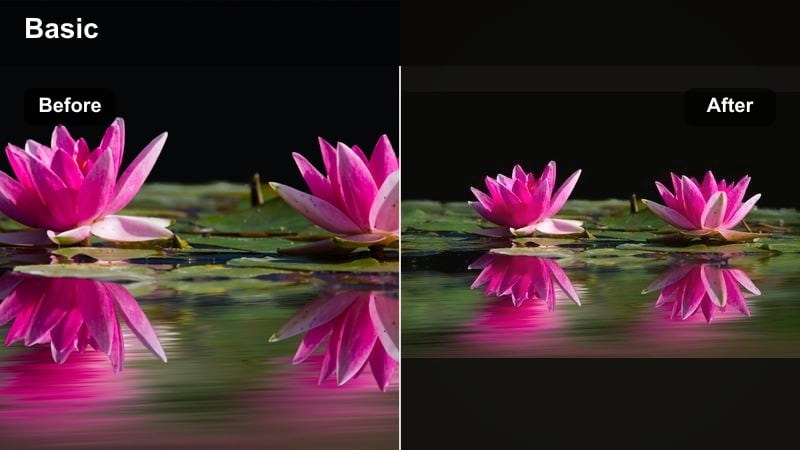
- Effect look: Warm cinematic contrast with gentle color separation between skin tones and skies for storytelling at dusk.
- Best for: Voiceover love stories, travel vlogs that follow a couple through a day, and emotional B-roll sequences at sunset.
- Editing tip: Use this filter only on key story beats and intercut with cleaner shots to create emotional peaks in your edit.
Sunset Storyline emphasizes warm skin while keeping skies distinct and dramatic, making it ideal for narrative-heavy sequences. In Filmora, it boosts cinematic contrast and introduces subtle color separation, so your couple stands out clearly against dusk backgrounds.
Use this filter on select scenes that carry emotional weight, like walking-and-talking shots under voiceover or pivotal travel moments. Intercut these graded clips with cleaner, more neutral footage to create emotional peaks, aligning the warmest, most saturated shots with important lines in your narration or on-screen text.
Pro tip: Guide viewers with color contrast
Let the warmest shots graded with Sunset Storyline coincide with important words in your voiceover or captions.
This subconscious link between color and message helps viewers remember the moments you care about most.
Golden Vow Highlight
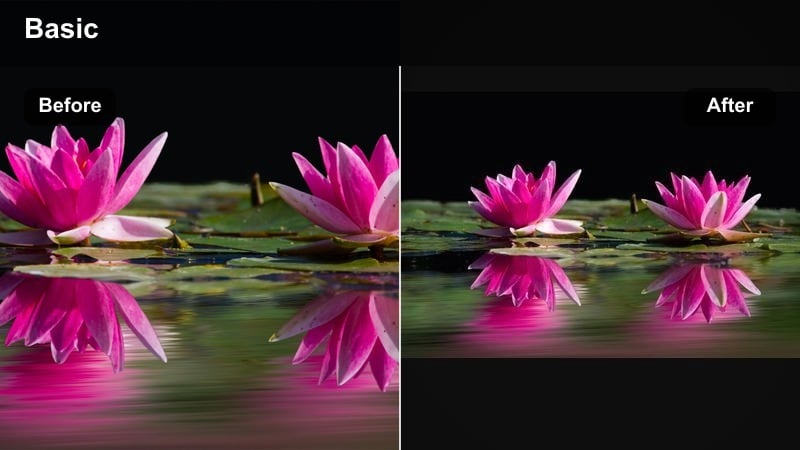
- Effect look: Elegant warm highlight boost with clean blacks, ideal for rings, hand details, and emotional close-ups.
- Best for: Proposal close-ups, wedding vows, ring reveals, and emotional reaction shots in romantic videos.
- Editing tip: Apply subtle slow zoom-ins on hands or faces while using this filter to focus the viewer on micro-expressions.
Golden Vow Highlight focuses on fine details, brightening warm highlights while preserving deep, clean blacks. In Filmora this filter is made for close-ups of hands, rings, eyes, and subtle reactions, drawing attention to micro-moments that matter most in proposals or vow videos.
Use it on tight shots of intertwined fingers, ring boxes opening, or teary smiles, and pair it with slow zoom-ins or gentle push-ins using Filmoras keyframing. Keep background music soft and prioritize clean dialogue or vows so the visual warmth and audio intimacy work together.
Pro tip: Pair with clean audio for maximum impact
Record clear vows or spoken words and keep background music lower when using Golden Vow Highlight on close-ups.
The combination of warm visual focus and intimate sound captures the meaning of the moment without distractions.
Tips for Using Couple Warm Tone Filters in Filmora
- Shoot during golden hour whenever possible so your warm couple filters enhance, rather than invent, natural light.
- Lock white balance on your camera or phone before recording to avoid color shifts across clips that are hard to correct later.
- Watch teeth and the whites of eyes; if they look too yellow, reduce yellow saturation selectively in Filmoras HSL controls.
- Use gentle vignettes on busy beach or city scenes to subtly pull attention back to the couple in the frame.
- Save your favorite warm look as a custom preset so every new vlog or date montage can match in just one click.
- Be cautious with heavy color changes on shadows in low light to keep details from turning muddy or blotchy.
- Preview your edit on both phone and desktop screens to confirm that warmth and skin tones feel natural everywhere.
- Mix wide, medium, and close-up shots graded with the same filter to create a cohesive romantic sequence.
Warm couple video filters help you turn everyday dates, family moments, and travel adventures into golden, romantic stories your audience will want to replay. By picking just one or two go-to warm looks, you can give your channel a recognizable aesthetic that flatters both partners in every frame.
Start by testing a few of these filters on a short sequence, lock in the warmth that best matches your brand, and save it as a preset for future uploads. With consistent color, your viewers will focus more on your connection and story, and less on distracting differences between clips.
