

 100% Security Verified | No Subscription Required | No Malware


 ChatGPT
 Perplexity
 Gemini
 Claude
 Grok
Grok
Moonstone Blue sits between teal and sky blue, balancing calmness with a modern, slightly techy edge. It feels trustworthy and soothing, which is why it works so well for creators who want their content to feel cinematic yet approachable. In color psychology, soft blues are linked to clarity, focus, and relaxation, making them ideal for storytelling, productivity content, and reflective vlogs.
On screen, Moonstone Blue shines in video intros, YouTube thumbnails, lower thirds, channel banners, and branded overlays. Paired with gentle neutrals or pastel accents, it becomes a versatile base color for cinematic LUTs, Instagram reels, and cohesive brand systems. Below are 15 Moonstone Blue color palettes with HEX codes you can plug directly into your edits, graphics, and titles in Filmora.
In this article
Soft And Serene Moonstone Blue Color Palettes
Coastal Morning Haze
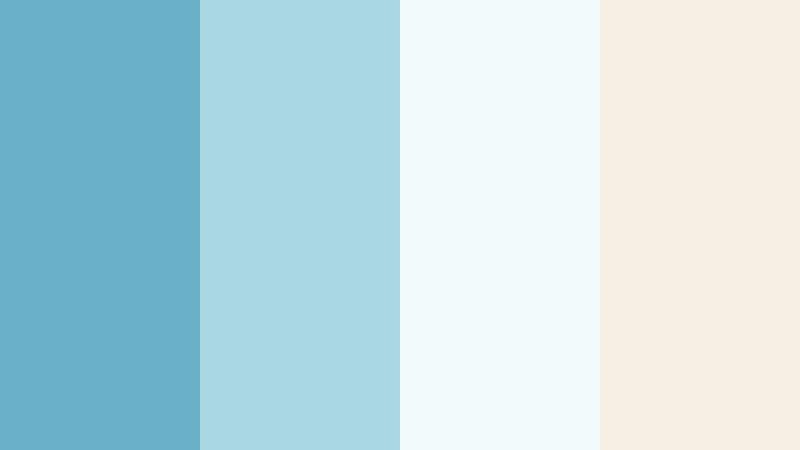
- HEX Codes: #6bb0c9, #a9d7e2, #f3fafc, #f7efe3
- Mood: Gentle, airy, and calming like a quiet walk by the sea at sunrise.
- Use for: Works well for vlogs, travel recaps, and lifestyle thumbnails where you want a light, coastal feel.
Coastal Morning Haze blends a soft Moonstone Blue with misty sky tones and warm sand, creating a palette that feels breezy and uplifting. The cool blues keep everything fresh and clean, while the off whites and pale beige stop the frame from feeling cold.
Use this combination for day-in-the-life vlogs, beach travel recaps, and minimalist branding where you want skin tones to stay natural against subtle blue accents. In Filmora, apply these HEX codes to text, title cards, and icon overlays, then balance your footage with gentle color grading so the entire intro-to-outro flow feels like one calm, coastal story.
Pro Tip: Build a Cinematic Moonstone Blue Coastline Look in Filmora
To keep a Coastal Morning Haze vibe across your whole edit, start by designing your thumbnail, intro title, and lower thirds with the same Moonstone Blue and sand HEX values. Then, in Filmora, reuse these colors in your subtitles, shapes, and callout elements so every frame feels like part of one visual identity.
For vlog sequences, softly lift the midtones and reduce saturation in other colors so the Moonstone Blue details stand out without overpowering your footage. This gives your channel a calm, consistent coastal feel, whether you are editing full YouTube episodes, Shorts, or social teasers.
AI Color Palette
You can also turn this palette into a ready-made look for your footage using Filmora's AI Color Palette. Grab a still frame from your favorite coastal shot or build a simple color card with these HEX codes, then use Filmora's AI Color Palette feature to match the mood across all your clips.
AI Color Palette analyzes the reference image and automatically pushes your entire video toward that same Moonstone Blue atmosphere. It is a fast way to give B-roll, A-roll, and B-roll cutaways the same soft, seaside tone without manually tweaking each shot.
 secure download

HSL, Color Wheels & Curves
Once the overall palette is in place, refine your Moonstone Blue tones with Filmora's HSL, color wheels, and curves. Slightly lowering saturation in greens and boosting the luminance of blues makes sea and sky shots feel lighter and more cinematic, while keeping the Moonstone Blue accents crisp.
On the color wheels, you can push shadows a touch toward teal and lift highlights toward warm beige to echo sand tones. If you want a deeper breakdown, check out Filmora's YouTube tutorials on color correction and grading, then apply those steps to fine tune this soft coastal look for your own channel.
secure download1000+ Video Filters & 3D LUTs
If you want to stylize your Moonstone Blue quickly, Filmora's library of filters and LUTs can nudge your footage toward dreamy, retro, or clean editorial looks in one click. Start from a Moonstone Blue base, then stack filters that add subtle bloom, soft contrast, or pastel fades to reinforce the coastal mood.
Filmora's video filters and 3D LUTs make it easy to keep a consistent color story across vlogs, cinematic B-roll, and social cuts without spending hours on manual grading.
secure downloadSnowfall In Moonlight
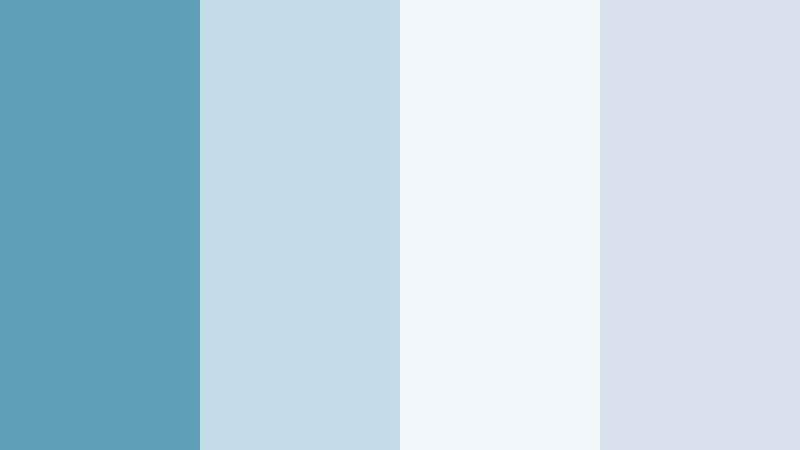
- HEX Codes: #5f9fb8, #c2dde8, #f0f6fa, #d9e2ec
- Mood: Quiet, wintry calm with a clean and peaceful atmosphere.
- Use for: Perfect for cinematic B-roll, winter product promos, and soft spoken content where clarity and calm are key.
Snowfall In Moonlight pairs cool Moonstone Blue with frosted whites and pale grays, creating a crisp, winter air feeling. It delivers a clean, minimal canvas that keeps attention on your subject while adding a subtle cinematic chill.
Use this palette in Filmora for winter product showcases, meditative talking head videos, and calm music visuals. Apply the lighter tones to text and background shapes, and let the deeper blue support call-to-action buttons or logo marks so everything stays legible even against bright scenes.
Lakeside Sketchbook
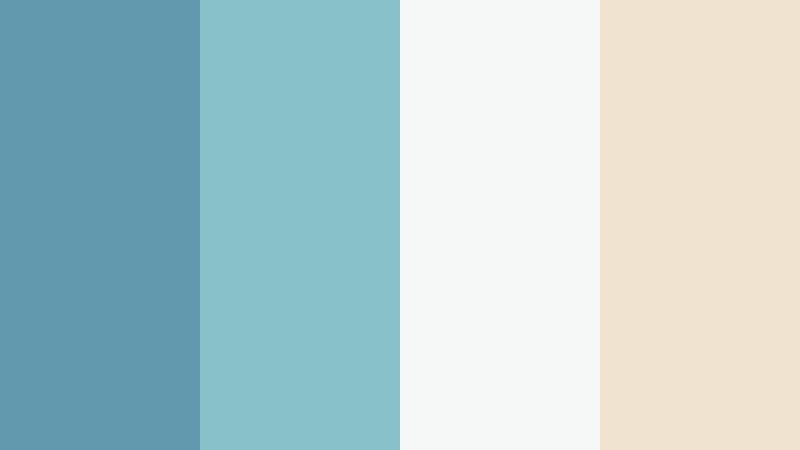
- HEX Codes: #6399af, #88c2c8, #f5f8f6, #f0e3d0
- Mood: Artistic, reflective, and lightly nostalgic, like sketching by a quiet lake.
- Use for: Great for creative tutorials, journaling content, and channel branding that aims for thoughtful, cozy vibes.
Lakeside Sketchbook mixes muted Moonstone Blue with soft cream and a hint of green, giving your visuals a hand-crafted, reflective personality. It feels gentle and creative rather than loud or corporate.
Apply the blues to backgrounds and frames, then reserve the warm cream for titles, captions, and key icons. In Filmora, this palette works especially well for notebook-style intros, hand-drawn overlays, and aesthetic B-roll sequences in art, journaling, or study-with-me content.
Foggy Harbor Drift
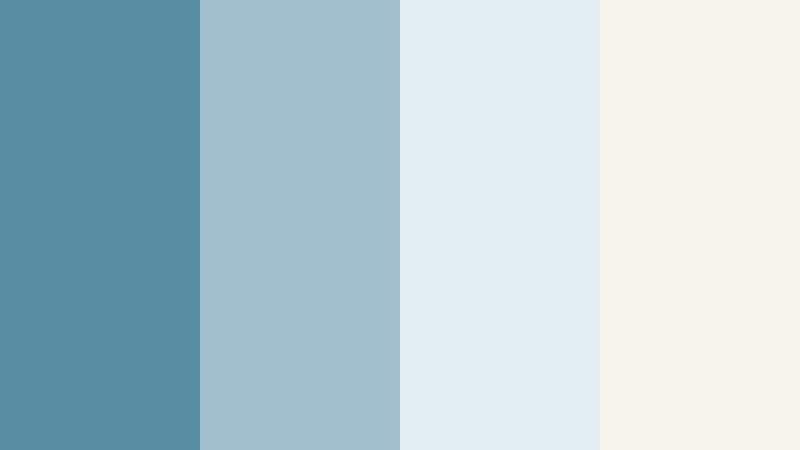
- HEX Codes: #578ea4, #9fc0cc, #e2edf1, #f6f3ea
- Mood: Dreamy and cinematic, evoking a misty harbor at dawn.
- Use for: Ideal for ambient music videos, slow travel films, and intro sequences with a gentle cinematic tone.
Foggy Harbor Drift leans into moody blue grays and soft neutrals, creating an atmosphere of mist, distance, and quiet movement. It is subtle enough for long-form storytelling but still distinct enough to give your edit a recognizable style.
Use the deeper tones in title bars, lower thirds, and gradient overlays, while keeping your text in the pale off whites for contrast. This palette shines in Filmora when you combine it with slow transitions, soft fades, and minimal typography to build a dreamy harbor aesthetic.
Quiet Loft Afternoon
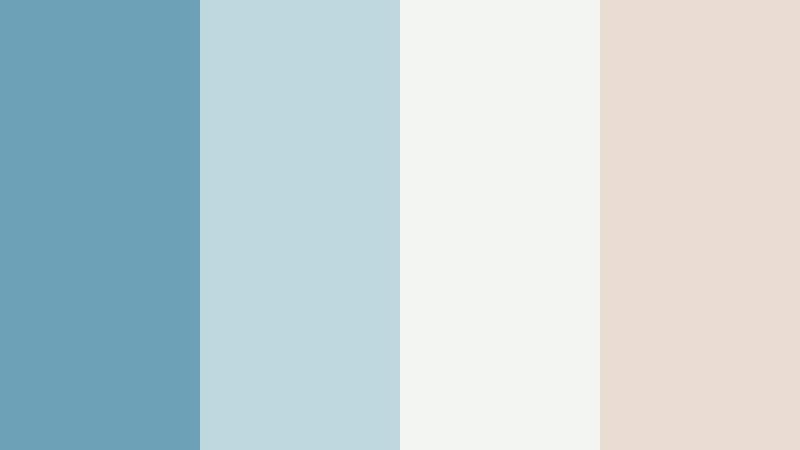
- HEX Codes: #6da2b6, #bdd9de, #f3f5f2, #e7dccf
- Mood: Relaxed, modern, and slightly bohemian, like a sunlit city loft.
- Use for: Use for home decor reels, study-with-me videos, and soft lifestyle branding that feels approachable and warm.
Quiet Loft Afternoon combines Moonstone Blue with warm beige and off white, blending cool clarity with cozy sunlight. It is modern but not sterile, making it ideal for lifestyle channels and soft branding.
Bring this palette into Filmora for room makeover reels, morning routines, and productivity edits. Use the warm beige for background panels and keep Moonstone Blue for headings, buttons, and simple line icons so your graphics echo natural light streaming into a loft.
Modern And Minimal Moonstone Blue Color Palettes
Nordic Blueprint
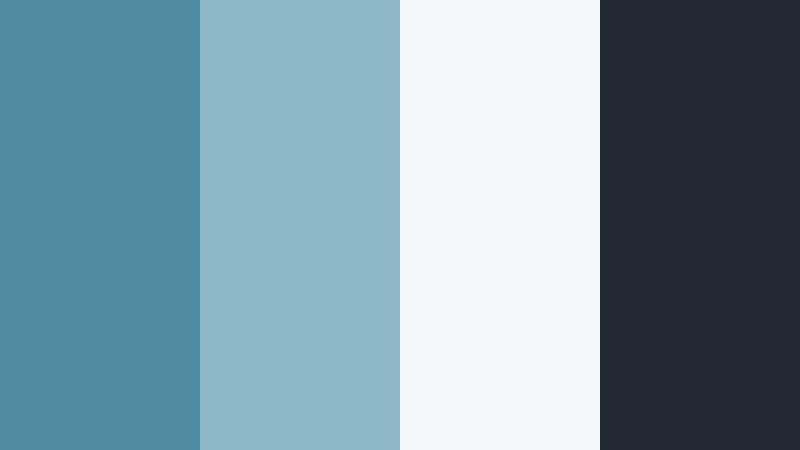
- HEX Codes: #4f8ba1, #8fb8c5, #f5f7f8, #222831
- Mood: Clean, structured, and confident with a Scandinavian edge.
- Use for: Great for tech explainers, app promos, and clean motion graphics intros that need clarity and authority.
Nordic Blueprint balances cool Moonstone Blue with bright white and deep charcoal, giving your visuals a crisp, high-contrast modern feel. It signals clarity, trust, and sophistication, which works perfectly for tech, productivity, and education channels.
In Filmora, place the dark charcoal behind key titles and UI mockups, use Moonstone Blue for highlight elements and buttons, and keep body text in the light neutral. This approach makes your YouTube thumbnails bold and readable, while your intros and lower thirds feel like clean product UI.
Digital Tide Grid
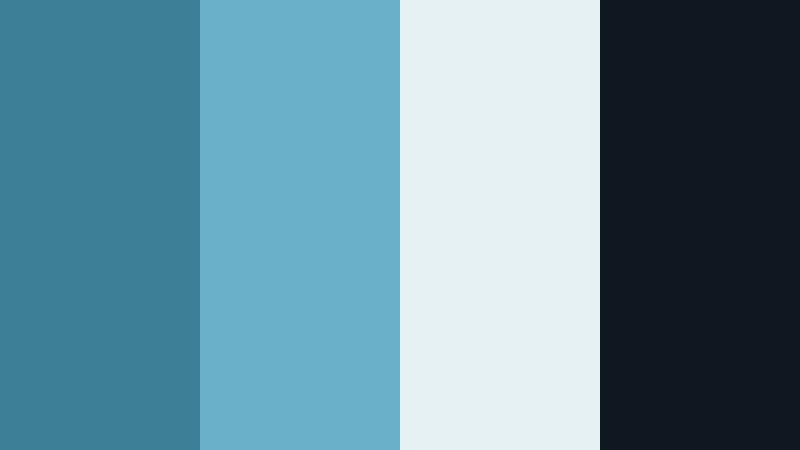
- HEX Codes: #3c7f96, #6bb0c9, #e6f1f4, #0f1720
- Mood: Futuristic, focused, and slightly techy with a cool digital sheen.
- Use for: Perfect for UI showcases, product launches, and channel branding focused on innovation and tech reviews.
Digital Tide Grid intensifies Moonstone Blue with deeper teal blues and a nearly black navy, then offsets them with a soft cyan white. The result is a sleek, future-forward palette that feels at home in dashboards, interfaces, and launch graphics.
Use the darkest tone as a backdrop for UI screens, timelines, and graphs in Filmora, then let the lighter blues highlight progress bars, icons, and text. This palette works especially well for animated overlays, subscription callouts, and sidebars in tech-focused content.
Glass Tower Reflections
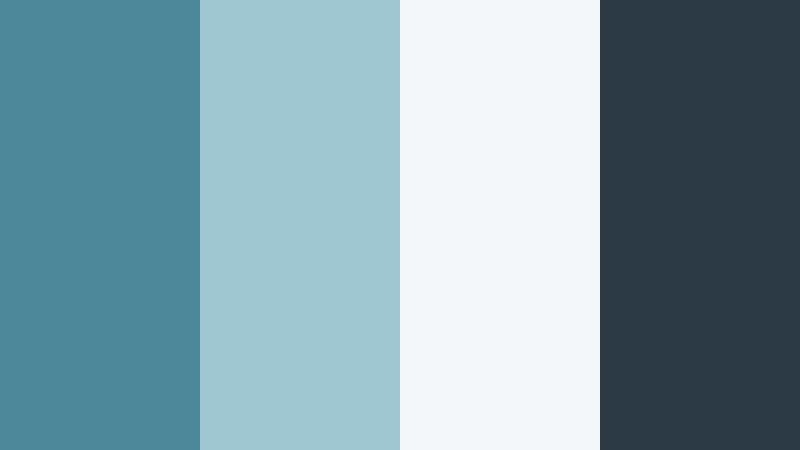
- HEX Codes: #4c879a, #9ec7d2, #f4f7f9, #2b3a44
- Mood: Urban, polished, and corporate with a cinematic skyscraper feel.
- Use for: Use for business explainers, portfolio reels, and LinkedIn focused content that needs a refined edge.
Glass Tower Reflections captures the feeling of city glass and steel, mixing cool blues with clean off white and a pragmatic dark gray. It is ideal if you want your visuals to look corporate and cinematic at the same time.
In Filmora, use the bright neutral as the base of presentation slides or text blocks, frame them with the darker gray, and layer Moonstone Blue for accent lines and logos. This palette is perfect for pitch videos, portfolio showcases, and professional intros that still feel visually engaging.
Minimal Studio Air
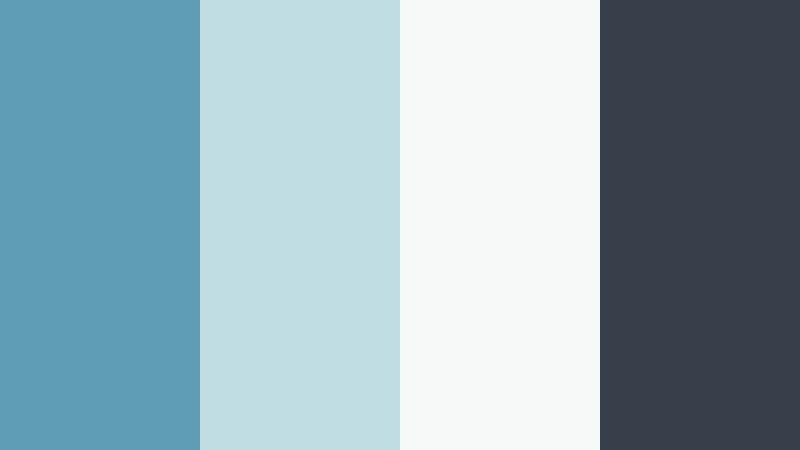
- HEX Codes: #5e9db4, #c1dde4, #f7f9f8, #373f4a
- Mood: Balanced, minimalist, and airy with a design studio sensibility.
- Use for: Ideal for design tutorials, productivity content, and channel rebrands using clean, high end visuals.
Minimal Studio Air pairs a restrained Moonstone Blue with almost white and a soft, inky gray, creating a layout that feels like a high-end design studio. It is understated but sharp, great for channels that talk about UX, branding, or creative workflows.
Apply the light tones as wide margins and negative space, then use Moonstone Blue to draw the eye toward titles, section labels, and progress elements. In Filmora, this palette keeps your thumbnails uncluttered and your on-screen graphics feeling editorial rather than flashy.
Quiet Interface Glow
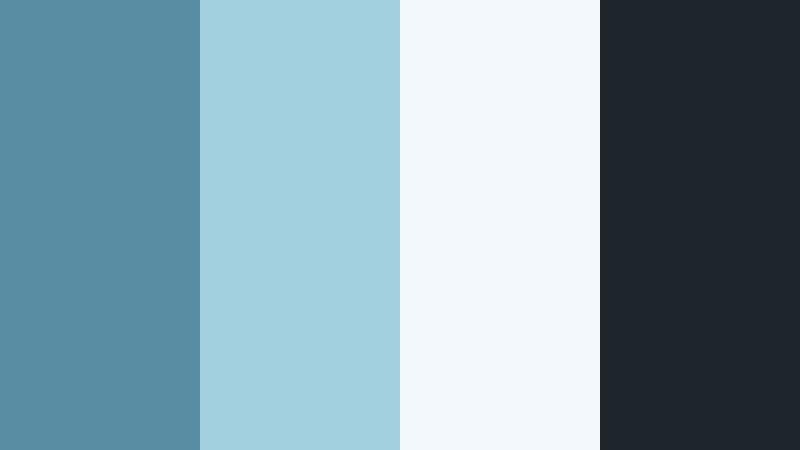
- HEX Codes: #598da4, #a3d0df, #f2f8fb, #1e252b
- Mood: Softly futuristic and friendly, like a calm app interface at night.
- Use for: Great for UI mockups, SaaS promos, and onboarding animations that should feel welcoming and clear.
Quiet Interface Glow mixes Moonstone Blue with soft cyan highlights and a dark, muted background tone. It feels like a night mode UI that is easy on the eyes while still being inviting and clear.
Use the darkest shade as a base layer, then pick Moonstone Blue and cyan for buttons, toggles, and key numbers in your motion graphics. In Filmora, this palette is excellent for onboarding animations, product walkthroughs, and tutorial overlays that echo modern app design.
Dreamy And Romantic Moonstone Blue Color Palettes
Moonlit Garden Whisper
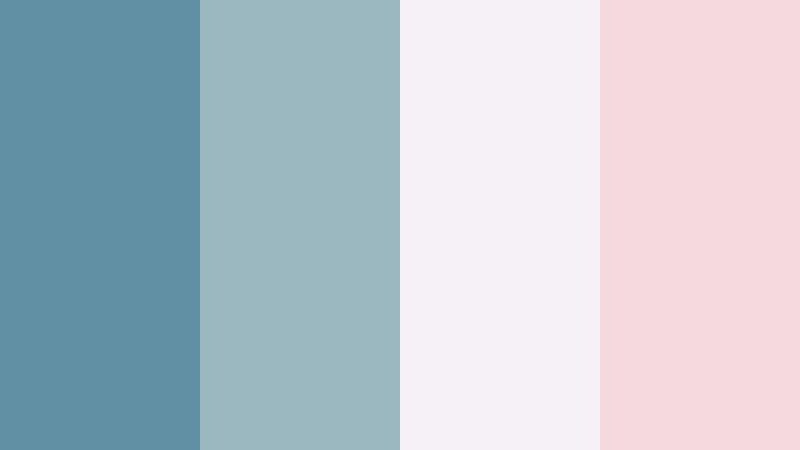
- HEX Codes: #618fa3, #9bb8c0, #f6f1f7, #f4d9de
- Mood: Romantic, dreamy, and softly magical like a garden under moonlight.
- Use for: Perfect for wedding films, engagement reels, and dreamy storytelling edits with a gentle emotional tone.
Moonlit Garden Whisper softens Moonstone Blue with blush pink and lavender-tinted whites. It feels delicate, emotional, and a little bit magical, which is ideal for romantic storytelling.
Use the blue for subtle shadows and frame edges, while blush and soft white carry key text, date stamps, and monograms. In Filmora, this palette pairs beautifully with slow motion shots, light leaks, and gentle overlays for weddings, proposals, and emotional highlight reels.
Seashell Letters
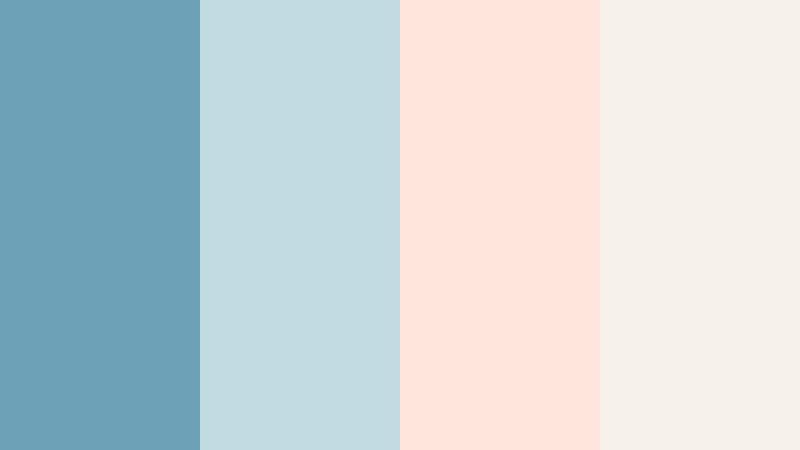
- HEX Codes: #6ba2b7, #c1dbe0, #ffe5dc, #f7f1eb
- Mood: Nostalgic and sentimental, like handwritten notes by the sea.
- Use for: Works nicely for nostalgic travel edits, photo slideshows, and personal storytelling vlogs.
Seashell Letters blends a gentle Moonstone Blue with peachy shell tones and creamy white. It has a warm, memory-filled character that suits stories about past trips, letters, and personal milestones.
In Filmora, use the peach and cream as backgrounds for captions or diary-style titles, and let the blue frame photos or underline key phrases. This palette works especially well for slideshow edits, scrapbook-style transitions, and narrated travel diaries.
Tidal Storybook
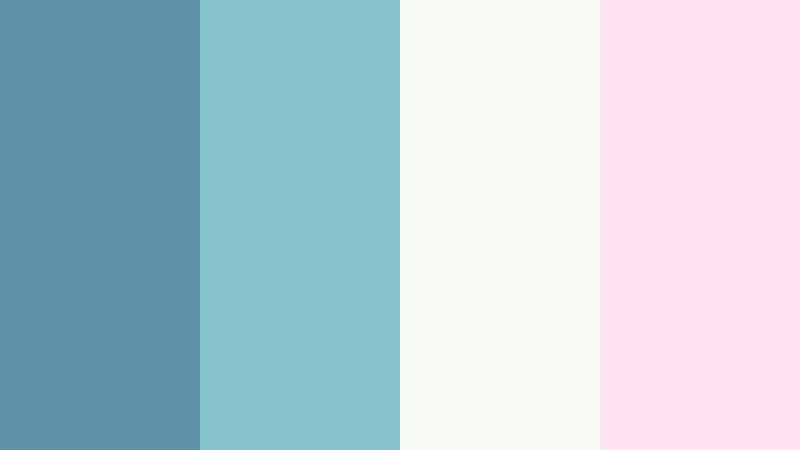
- HEX Codes: #5c92aa, #84c4c8, #f8fbf4, #ffe3f1
- Mood: Whimsical and storybook like with hints of fantasy seaside tales.
- Use for: Ideal for animation, kids content, or dreamy brand intros that lean into playful imagination.
Tidal Storybook combines a fresh Moonstone Blue with minty teal, soft white, and pastel pink. It feels playful and imaginative, like illustrations from a gentle seaside fairy tale.
Use this palette in Filmora for animated openers, kids content, or whimsical educational videos. Apply the pastel tones to backgrounds and shapes, reserve the deeper blue for outlines and headlines, and you will get friendly, approachable thumbnails and intros that still look cohesive.
Harbor Lights Serenade
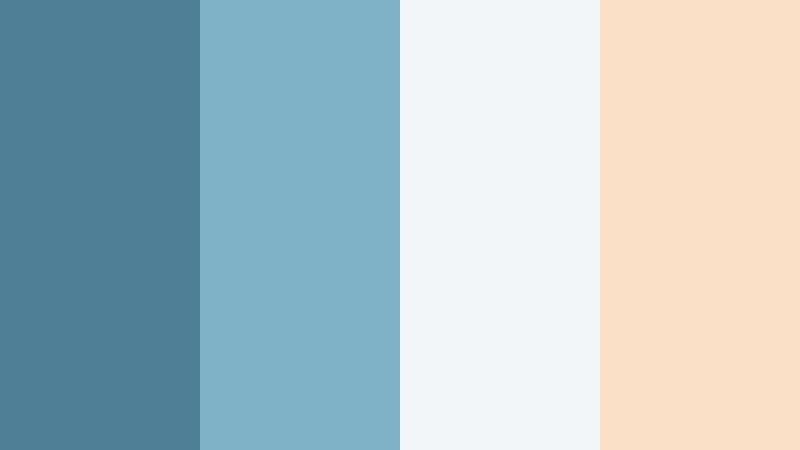
- HEX Codes: #4f7f96, #7fb2c7, #f3f6f8, #f9e0c7
- Mood: Cinematic and sentimental, like watching city harbor lights shimmer at dusk.
- Use for: Use for city romance edits, lyrical music videos, and emotional montage sequences.
Harbor Lights Serenade adds warm champagne highlights to deeper Moonstone Blue shadows, echoing the glow of city lights on water. It feels refined and emotional, making it great for lyrical, music-driven edits.
Use the blues for gradients and vignettes around your footage, and introduce the warm beige for text, flares, or small highlight shapes. In Filmora, this combination works beautifully with crossfades, slow zooms, and subtle film grain overlays to achieve a sophisticated dusk-time mood.
Driftwood Daydream
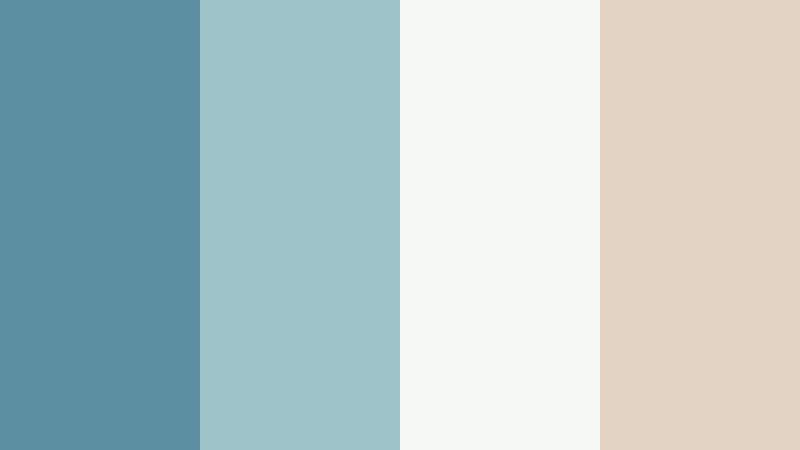
- HEX Codes: #5c8fa2, #9ec4c9, #f5f7f5, #e3d3c3
- Mood: Earthy, poetic, and coastal boho with a relaxed daydream feel.
- Use for: Great for slow living vlogs, beach lifestyle edits, and brand aesthetics focused on mindful calm.
Driftwood Daydream merges Moonstone Blue with driftwood beige and soft ivory, creating a palette that feels grounded yet dreamlike. It is coastal but with an earthy, boho twist.
Apply the beige to textured backgrounds or frame elements and use the blues for text accents, headings, or icons. In Filmora, this palette suits slow living content, yoga or mindfulness videos, and relaxed beach lifestyle edits where you want an atmosphere of quiet presence and calm.
Tips for Creating Moonstone Blue Color Palettes
Moonstone Blue is flexible enough to feel coastal, techy, or romantic depending on what you pair it with. A few simple rules will help you combine it with other colors so your videos, thumbnails, and branding stay clear, legible, and on theme.
- Balance cool and warm tones: Pair Moonstone Blue with warm neutrals (beige, champagne, soft peach) to avoid a cold or sterile look, especially for lifestyle and vlog content.
- Protect text readability: Use the lightest shade in your palette for backgrounds and the darkest for text or icons, keeping a strong contrast ratio, particularly on small mobile screens.
- Limit your accent colors: Choose one main Moonstone Blue, one neutral, and one accent (like Stardust Pink or warm sand) so thumbnails and overlays do not look overcrowded.
- Match footage temperature: If your camera footage is warm, cool it slightly in Filmora so Moonstone Blue elements do not clash; if the footage is cool, warm your neutrals to balance skin tones.
- Keep branding consistent: Reuse the same HEX codes across intros, lower thirds, end screens, and channel art so viewers immediately recognize your visual style.
- Use saturation with intent: For cinematic looks, slightly desaturate Moonstone Blue and your background colors; for kids or animation content, push saturation a bit higher for a playful pop.
- Test on thumbnails first: Design your YouTube thumbnail or cover image in your chosen palette, then mirror those colors inside your Filmora project so everything matches from first click to final frame.
- Check in dark and light mode: Preview your graphics against both light and dark backgrounds to be sure your Moonstone Blue combinations stay legible in different viewing environments.
Moonstone Blue gives you a calm, contemporary base that can lean coastal, corporate, or romantic depending on your supporting colors. Used thoughtfully, it can define your channel identity, make your thumbnails instantly recognizable, and give your edits a polished, cinematic edge.
Try importing these HEX codes into Filmora and build a simple style guide for your text, shapes, and overlays. Once you lock in a Moonstone Blue palette that feels right for your brand, you can reuse it across intros, outros, Shorts, and social teasers to keep your creative presence cohesive.
Experiment, save your favorite looks as presets in Filmora, and let these Moonstone Blue color combinations inspire your next video series, vlog season, or rebrand.
secure download