

 100% Security Verified | No Subscription Required | No Malware

If your mountain clips look flat or washed out on Instagram, the right video filter can pull out icy blues, golden ridgelines, and crisp alpine air in a single tap. These curated Filmora filter styles are built to give your outdoor content a cohesive, cinematic look that stands out in the feed.
Below you will find 12 mountain video filters for Instagram inspired by alpine LUTs and outdoor aesthetics, plus quick editing tips tailored for Reels. Each style is designed for creators who post hiking, skiing, climbing, and moody summit content on their Instagram outdoor accounts.
In this article
Crisp Alpine Daylight Filters
Glacier Glow
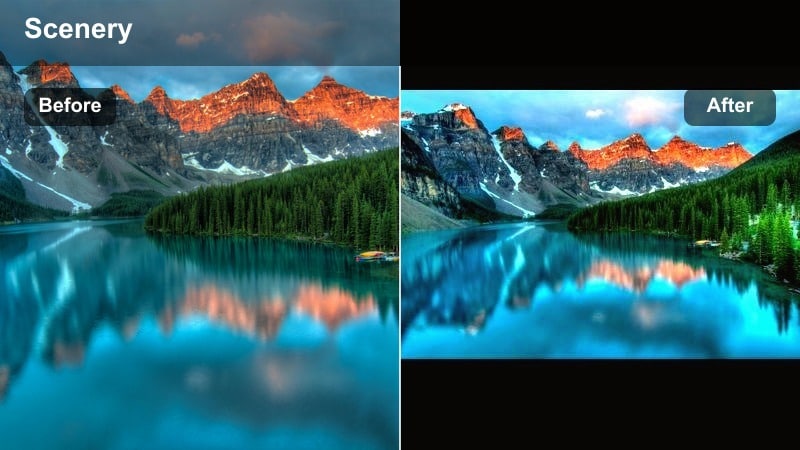
- Effect look: Bright, clean daylight with boosted cool blues and sharp contrast for snow and ice.
- Best for: Sunny ridge walks, glacier views, and wide establishing shots of alpine valleys.
- Editing tip: Lower exposure slightly and raise highlights to keep snow crisp while avoiding blown-out skies.
Glacier Glow is a clear alpine filter that emphasizes icy blues and detailed snow, perfect when you want your high-altitude clips to feel like they were shot on a bluebird day. In Filmora, apply Glacier Glow to bring out subtle shades in glaciers, cornices, and wind-sculpted drifts while keeping the overall scene clean and modern for Instagram.
Use this style on wide vistas, drone passes, and ridge POVs where white snow and deep shadows dominate the frame. Combine it with Filmora tools like stabilization and slight clarity boosts to keep snow patterns defined, then export vertical 9:16 cuts for Reels so those crisp peaks fill the screen.
Match Your Mountain Aesthetic in One Click
Filmora s AI tools can analyze your favorite mountain clips and suggest filters that echo their color palette, from frosty glacier blues to softer granite golds. This makes it easy to build a consistent alpine aesthetic without manually tweaking every slider for each new shot.
Once you dial in a look you love, save it as a custom preset so your hiking, climbing, and camping edits all snap into the same signature style with one click. This keeps your Instagram grid cohesive even when lighting and locations change from trip to trip.
 secure download

Preview Filters on Your Mountain Shots
In Filmora, you can drag a raw mountain clip into the timeline and quickly cycle through different outdoor aesthetic filters to see how each one treats snow, rock, trees, and sky. This is the fastest way to find out whether a crisp alpine look or a softer, faded tone works better for your Instagram audience.
Use the side-by-side comparison view to check details in bright peaks and deep shadows before you commit. When you see a version that holds onto texture while still delivering mood, save that choice for your Reels cut of the same scene.
secure downloadTurn Filters into a Cohesive Alpine LUT Look
Filmora lets you stack filters with advanced color adjustments so you can turn any favorite look into a reusable alpine LUT style. After applying a mountain video Instagram filter, fine-tune HSL, curves, and exposure until you have a grade that feels polished enough for branded content.
Once you are happy with the balance between icy shadows and warm highlights, save those settings so you can apply the same treatment across an entire trip s worth of clips. This workflow delivers a premium LUT-like finish without needing complex grading software.
secure downloadRidgeline Clear
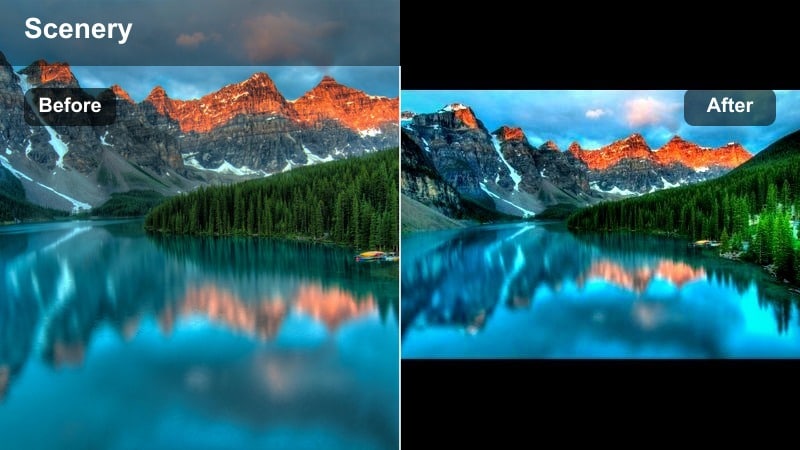
- Effect look: Neutral, high-clarity filter with slightly boosted saturation for rocks, pines, and blue skies.
- Best for: Day hikes, trail POVs, and handheld trekking shots where you want natural yet polished color.
- Editing tip: Add a touch of stabilization and a light vignette so the viewer s eye stays on the path and distant peaks.
Ridgeline Clear keeps your mountain scenes true to life while making every rock and pine tree feel a little sharper for the feed. In Filmora, it is ideal for long trail sequences where you want consistent daylight color without an overly stylized or moody grade.
Use it across multiple clips from the same hike to give your Reel a documentary-style flow. Combine Ridgeline Clear with Filmora s stabilization, dynamic crop, and subtle vignette tools to keep attention locked on the path ahead and the horizon line in the distance.
Summit Air
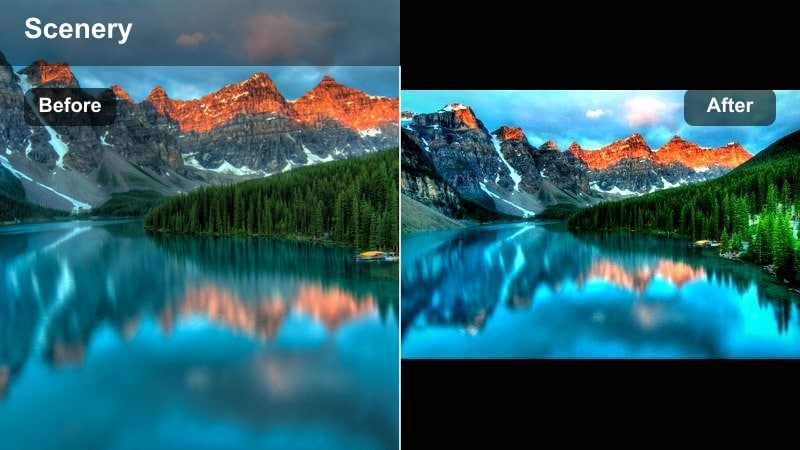
- Effect look: Soft contrast with lifted shadows and clean whites, giving a breezy, airy summit feel.
- Best for: Top-of-peak moments, drone flyovers, and sitting-on-the-edge shots with lots of negative space.
- Editing tip: Slightly desaturate greens and add a tiny bit of blur to the background to draw attention to the subject.
Summit Air is designed to make your highest moments feel as light and expansive as the altitude itself. The lifted shadows and gentle contrast create a modern, minimalist look that resonates with clean outdoor aesthetics on Instagram and Reels.
In Filmora, apply Summit Air to hero shots like standing on a pinnacle or looking down over a sea of clouds. Combine it with slow, controlled movements and subtle background blur to isolate your subject, then export in vertical format so the open sky fills the frame from top to bottom.
Golden Hour Mountain Filters
Alpine Gold
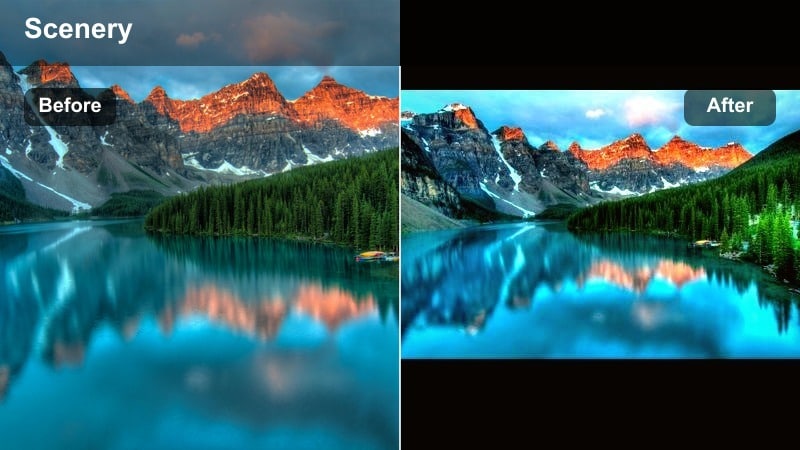
- Effect look: Warm, amber highlights with softened shadows that intensify sunrise and sunset glow on peaks.
- Best for: First light on ridges, sun-kissed rock faces, and camp scenes at blue-hour turning to gold.
- Editing tip: Pull back saturation in yellow slightly to keep grasses and jackets from looking neon under warm light.
Alpine Gold leans into the magic of sunrise and sunset by wrapping peaks in rich amber light and smoothing out harsh transitions in contrast. It is especially effective on clips where the sun is skimming across ridgelines or catching the tops of tents and gear.
In Filmora, drop Alpine Gold onto time-lapses or slow pans to exaggerate the shift from cool dawn to warm morning. Adjust HSL to control yellows and oranges so your golden hour still feels natural, then crop vertical for Reels that open with a glowing horizon line.
Campfire Haze
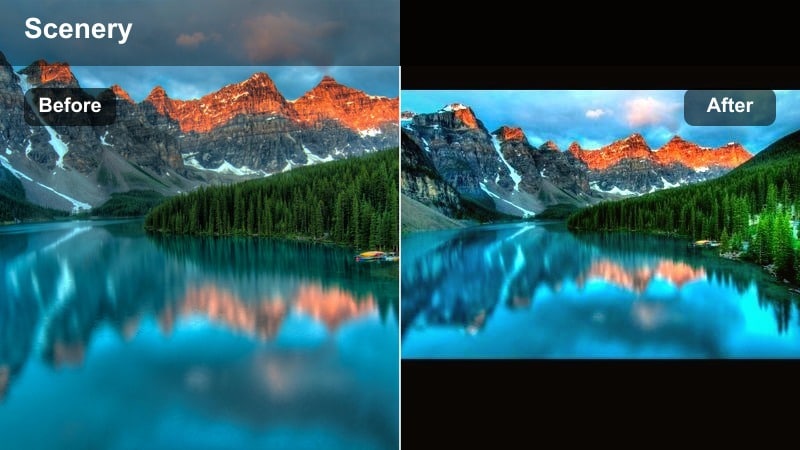
- Effect look: Soft, hazy filter with desaturated greens and warm oranges that mimic campfire and dusk.
- Best for: Camp setups, tent interiors, cozy backpack shots, and storytelling clips around the fire.
- Editing tip: Use gentle film grain and slower crossfades between shots to lean into the nostalgic, story-driven feel.
Campfire Haze is all about storytelling, turning ordinary camp chores into nostalgic sequences that feel like memories. The softened contrast and warmer tones echo lantern light, headlamps, and flickering flames at the end of a long day in the mountains.
Use Filmora to string together short clips of pitching your tent, brewing coffee, or sharing a meal, then apply Campfire Haze across the entire sequence. Add film grain, crossfades, and a gentle acoustic soundtrack to build a cozy, shareable Reel that fans will watch to the end.
Ember Ridge
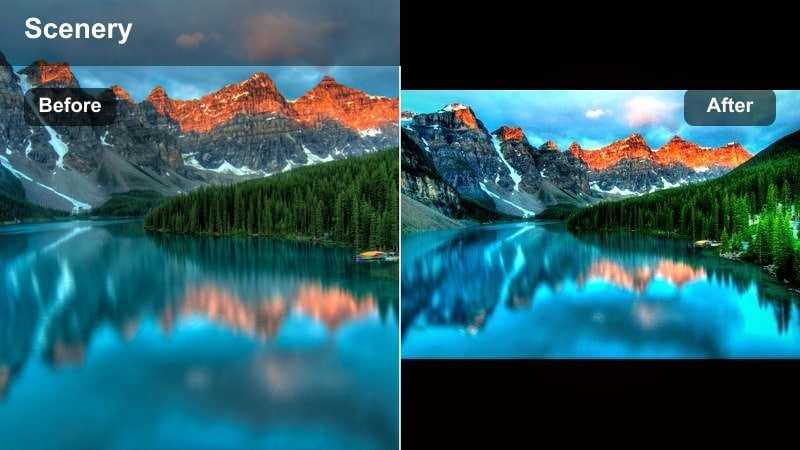
- Effect look: High contrast warm filter with deep shadows and punchy reds and oranges for dramatic silhouettes.
- Best for: Silhouetted hikers, peaks against blazing skies, and slow-motion shots of clouds at sunset.
- Editing tip: Increase contrast but lower overall brightness; let the sky carry the color while the foreground stays darker.
Ember Ridge turns your sunsets into bold, graphic shapes by leaning hard into silhouettes and fiery skies. Foregrounds darken into clean outlines, letting intense reds and oranges dominate the frame for maximum impact on small mobile screens.
In Filmora, expose your footage for the sky, then apply Ember Ridge and push contrast until the ridgeline becomes a solid shape. Add slow pans, zooms, or even subtle speed ramps synced to the beat of your audio to highlight shifting cloud patterns and color gradients.
Moody Fog and Storm Filters
Cloudline Mood
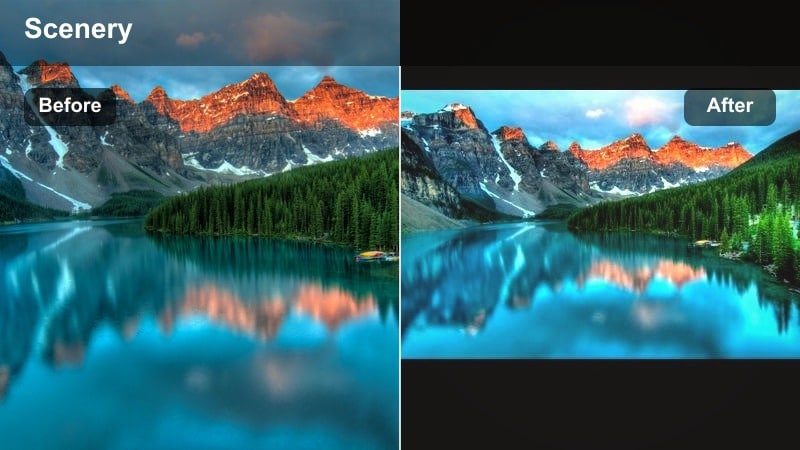
- Effect look: Muted tones with cool shadows, lifted blacks, and a soft matte finish for misty days.
- Best for: Foggy ridges, clouds rolling through valleys, and broody time-lapse content.
- Editing tip: Reduce saturation of greens and blues, then add slight vignette to keep the focus in the center of the frame.
Cloudline Mood is built for those low-visibility days when peaks disappear into mist but atmosphere is everywhere. The lifted blacks and matte finish convert flat, gray scenes into moody, cinematic visuals that still read clearly on Instagram.
In Filmora, apply Cloudline Mood to wide landscapes, then cut in slow-motion close-ups of raindrops, wet jackets, or swirling clouds. Keep the palette desaturated, use a gentle vignette, and let subtle movement carry the storytelling in your Reels.
Stormcrest
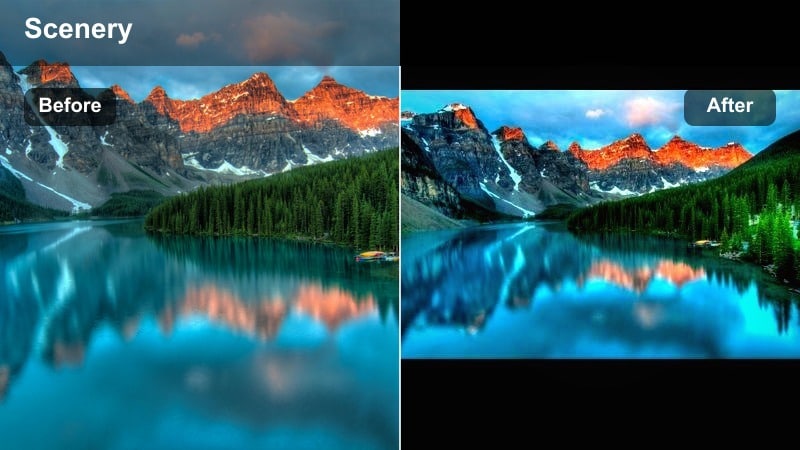
- Effect look: High drama, deep shadows, and boosted local contrast with cool cyan and steel blue highlights.
- Best for: Storm fronts, rolling thunderheads, jagged peaks, and high-contrast rock faces.
- Editing tip: Use slower frame rates for subtle motion and avoid over-sharpening, which can make clouds look crunchy.
Stormcrest adds cinematic grit to incoming weather by deepening shadows and pushing highlights toward cool, metallic tones. It is especially strong on jagged skylines and turbulent clouds where contrast and structure are key.
Use Filmora to slow storm footage slightly so the motion feels heavy and menacing, then layer Stormcrest on top. Skip aggressive sharpening and rely instead on the filter s built-in contrast to keep textures strong without introducing artifacts in the sky.
Pine Shadow
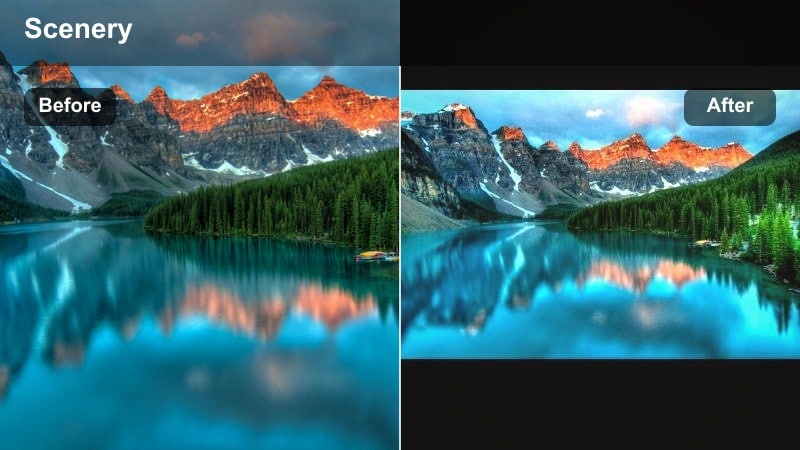
- Effect look: Deep, foresty greens with cool shadows and slight fade in blacks for misty woodland trails.
- Best for: Dense forests, waterfalls, shaded canyon paths, and moody approach footage before the summit.
- Editing tip: Raise midtones slightly to keep details in tree trunks and rocks while maintaining a dark forest feel.
Pine Shadow focuses on the shaded side of mountain adventures, emphasizing cool, rich greens and gentle fade in the darkest parts of the frame. It works perfectly for approach hikes, waterfalls, and deep-forest b-roll before you break into the open.
In Filmora, pair Pine Shadow with slow, deliberate camera moves, adding a touch of ambient sound or soft music to support the moody vibe. Later in the same Reel, you can transition into a brighter alpine filter to visually mark the moment you leave the trees and hit the ridge.
Cinematic Alpine LUT-Style Filters
Alpine LUT Clean
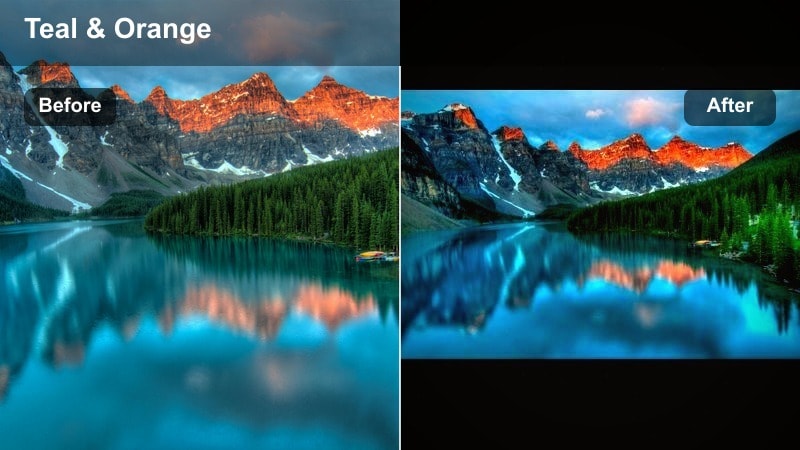
- Effect look: Balanced cinematic grade with teal shadows, neutral midtones, and crisp whites for a LUT-like finish.
- Best for: Hero shots for Reels covers, drone fly-throughs, and branded outdoor content.
- Editing tip: Lock white balance before filming, then apply Alpine LUT Clean and tweak temperature minimally to keep footage consistent.
Alpine LUT Clean is a versatile, modern grade that makes almost any mountain scene feel big-budget and intentional. Teal-inflected shadows and neutral midtones deliver that classic cinematic contrast without going overboard on saturation.
Inside Filmora, use Alpine LUT Clean as your base treatment for hero shots, cover frames, and sponsored content. Keep white balance consistent in-camera, then make small global tweaks only, so your entire Reel or carousel has one unified, professional color language.
Granite Cinema
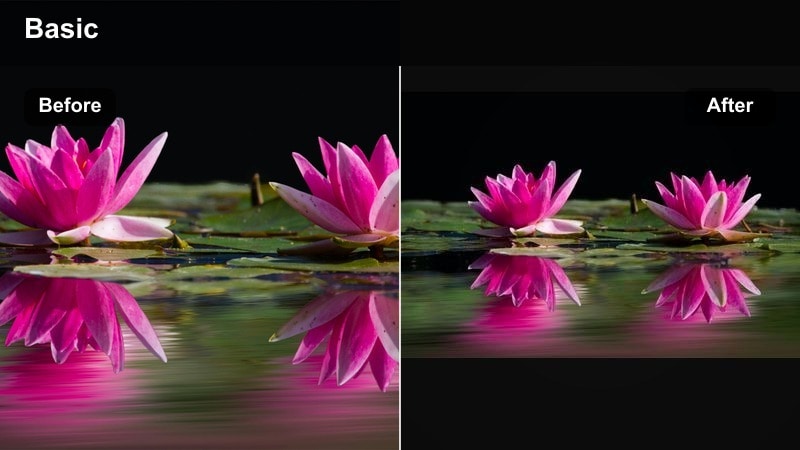
- Effect look: Cool, slightly desaturated cinematic filter with strong contrast and emphasis on rock texture.
- Best for: Climbing routes, close-ups of rock, via ferrata, and detailed shots of gear against stone.
- Editing tip: Add a bit of sharpening and clarity, then limit saturation of reds to keep rope and gear from overpowering the frame.
Granite Cinema is tailored to make stone look epic, from gritty boulders to towering big walls. Its cool cast and firm contrast bring out micro-texture in cracks and crimps, making each move and handhold feel more dramatic on screen.
Use Filmora to cut between wide wall shots and tight gear details, then apply Granite Cinema to every clip in the sequence. Light sharpening and clarity boosts help highlight rock texture, while restrained reds keep ropes and helmets from stealing focus from the climb itself.
Ridge Reel
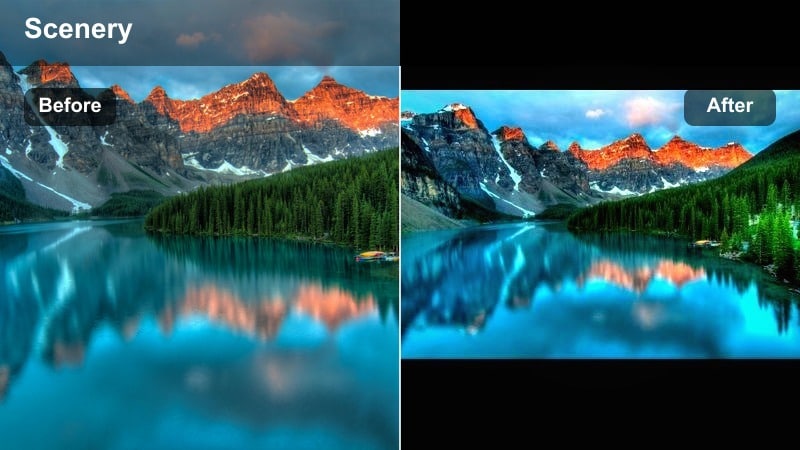
- Effect look: Punchy, social-ready filter with boosted local contrast, slightly cool highlights, and vivid but controlled color.
- Best for: Fast-paced Reels, transitions, and trending sounds paired with bold ridge and summit moments.
- Editing tip: Cut on the beat of your audio, add light speed ramps, and keep Ridge Reel on every clip for a unified look.
Ridge Reel is built for the algorithm: bold, bright, and immediately eye-catching on a vertical screen. The vivid colors and tight contrast make ridgelines, cliff drops, and summit jumps pop in the first second of viewing.
In Filmora, build quick-cut sequences that follow the beat of your chosen audio track, using Ridge Reel as the thread that ties all your shots together. Add tasteful speed ramps, match cuts, and text overlays, and your mountain videos will feel sharp, energetic, and ready to be shared and saved.
Tips for Using Mountain Video Instagram Filter Filters in Filmora
- Shoot slightly flatter in-camera so your mountain video filters for Instagram have more dynamic range to work with and hold detail in snow and sky.
- Keep one or two signature filters as your go-to looks so your outdoor grid feels consistent and recognizable at a glance.
- Avoid over-saturating greens; cooler, more muted tones usually look more natural for alpine forests and high meadows.
- Export vertical 9:16 and double-check framing in Filmora s preview so summits, ridgelines, and faces are not cropped out in Reels.
- When using an Instagram mountain filter on snow scenes, lower exposure and highlights first, then add contrast to avoid blown-out whites.
- Use the same filter across all clips in a single Reel to prevent jarring jumps in color and keep your storytelling smooth.
- Add gentle film grain to moody fog and storm grades to introduce texture without distracting digital noise.
- Save your favorite alpine Instagram LUT style as a custom preset in Filmora so you can color-match entire trips with one click.
With the right mountain video filters for Instagram, even simple trail clips can feel cinematic, cohesive, and on-brand for your outdoor account. Filmora makes it easy to apply, tweak, and reuse these looks so your color grading stays consistent from summit to summit.
Pick two or three of these alpine looks as your core presets, apply them consistently, and your followers will start to recognize your signature mountain aesthetic instantly. As you refine your favorite styles in Filmora, your Instagram grid will begin to tell a clearer, more professional visual story of every peak you climb.
secure download