

 100% Security Verified | No Subscription Required | No Malware


 ChatGPT
 Perplexity
 Gemini
 Claude
 Grok
Grok
If your mountain clips look flat or washed out on Reels, the right filters can bring back the chill in the air, the glow on the peaks, and the drama in the sky. With dedicated mountain video filters for reels, you can turn quick phone shots into cinematic alpine reels that stand out in the feed.
Below are 12 Filmora-ready filter styles crafted for Reels creators and outdoor videographers shooting mountain content. Each includes the effect look, when to use it, and a fast editing tip so you can grade Instagram Reels mountain content in minutes, not hours.
In this article
Warm Mountain Light and Golden Ridge Filters
Sunrise Peak Glow
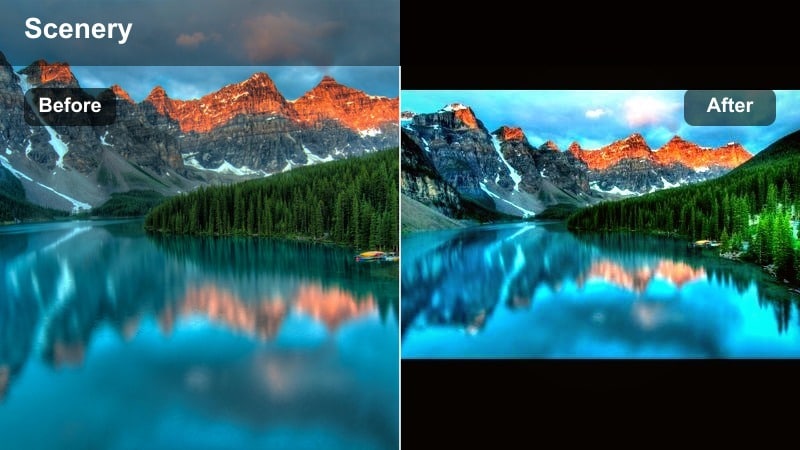
- Effect look: Soft golden warmth with subtle lifted shadows and a gentle bloom that wraps highlights around ridgelines.
- Best for: Blue-hour to early sunrise mountain hikes where the sky is brighter than the foreground and faces need extra warmth.
- Editing tip: Lower the filter intensity to around 60 percent and slightly reduce exposure to keep the sky from clipping while still feeling warm.
Sunrise Peak Glow is designed to rescue chilly, gray dawn footage and add a cozy golden layer that feels like real first light. In Filmora, it gently brightens faces and foreground elements while controlling highlight bloom on the horizon, so your ridgelines remain crisp instead of blown out.
Use this filter on timelapses of the sky waking up, hikers cresting a ridge at blue hour, or camp scenes just before the sun breaks the skyline. Apply it to your vertical clips, then fine tune intensity per shot to keep skin tones believable while still selling that cinematic, early-morning mood.
Let Filmora’s AI pick the perfect mountain filter
Instead of scrolling endlessly through presets, use Filmora’s AI-driven color tools to detect skies, snow, and skin tones in your mountain clips and recommend filters that fit your scene. This gives you an instant shortlist of looks tuned to your footage instead of generic options.
The AI analyzes contrast, lighting, and color balance so you can jump straight to styles that flatter foggy ridges, bluebird summit days, or warm valley sunsets. From there, you only need small slider tweaks to lock in a reel-ready alpine look.
 secure download

Preview mountain video filters in real time
Filmora’s filter preview lets you hover over each style and instantly see how it will transform your mountain footage in the timeline. This makes it easy to compare warm golden-hour looks with cooler summit styles on the exact same clip without committing.
You can quickly audition several aesthetics against your chosen soundtrack, then lock in the one that best matches your pacing and mood. That way, your grading choices support your story instead of fighting it.
secure downloadMatch filters with LUTs for consistent reels
Combine these mountain filters with Filmora’s cinematic LUTs to give your Reels, long-form edits, and thumbnails the same cohesive color language. Once you find a pairing you like, you can turn it into a repeatable alpine style instead of starting from scratch each time.
Save your favorite filter plus LUT combo as a custom preset and reuse it across trips or series. Your followers will start to recognize your signature mountain look the second your reel appears in their feed.
secure downloadAlpine Golden Trail
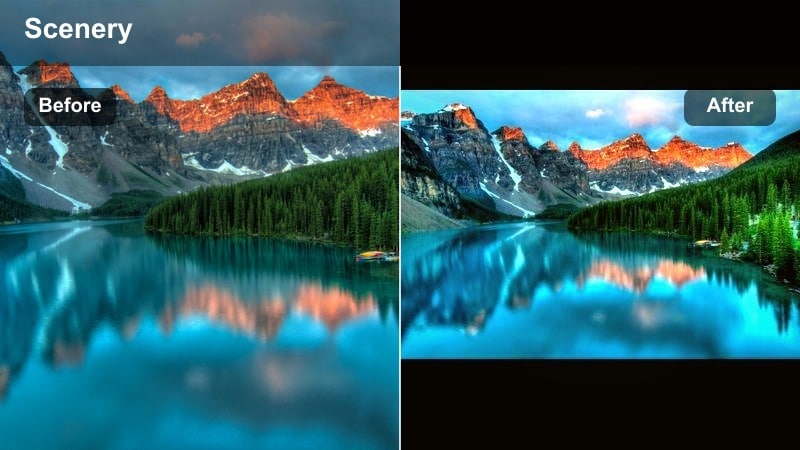
- Effect look: Rich amber midtones with slightly crushed blacks, giving rocky paths a deep, cinematic glow.
- Best for: Late afternoon switchbacks, trekking shots, and POV trail walks framed by peaks.
- Editing tip: Add a small clarity boost after applying the filter to emphasize gravel, rocks, and boot textures without oversharpening the sky.
Alpine Golden Trail focuses on midtone richness, making dirt paths, rocks, and boots feel textured and story driven. In Filmora, it is ideal for POV steps, following shots of hikers, or any sequence where the trail itself is the main character.
Apply this filter to a series of clips from the same hike to build a cohesive trekking montage, then gently push clarity or sharpness on the ground only using Filmora’s adjustment tools. Paired with speed ramps or beat-matched footsteps, it creates an immersive sense of movement through golden late-day light.
Ridgefire Golden Hour
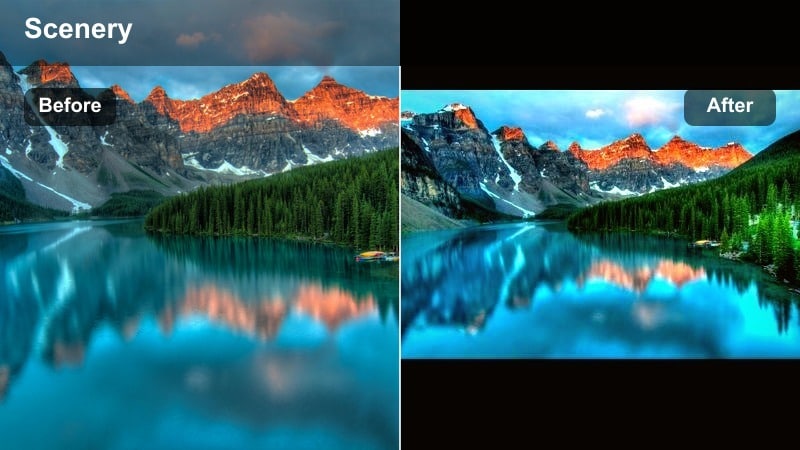
- Effect look: High-contrast golden highlights with a slight orange tint in the sun and crisp shadows along the ridge.
- Best for: Silhouetted hikers, sunstar shots, and drone clips flying along sunlit ridgelines at golden hour.
- Editing tip: Drop saturation on yellows slightly after applying the filter so skin tones stay natural while the sky stays dramatic.
Ridgefire Golden Hour leans into drama, boosting highlight glow and ridge contrast for bold, cinematic silhouettes. It works especially well in Filmora on drone passes where the sun skims across peaks or where hikers are backlit against an intense sky.
Use it sparingly on your most epic shots, such as sunstars or summit-wide reveals, and moderate yellow saturation to prevent banding or oversaturated faces. Cut these hero moments on musical peaks in your Reel timeline to maximize impact.
Cool, Crisp Summit and Snow Filters
Glacier Clarity
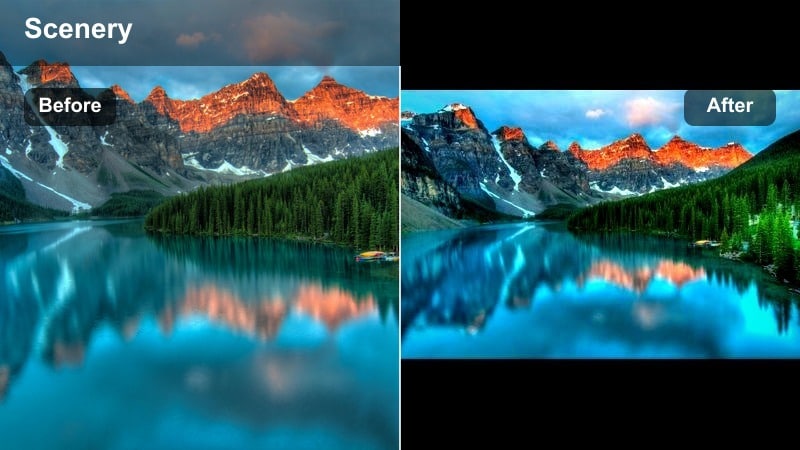
- Effect look: Cool, clean whites with a slight cyan lift in shadows and increased micro-contrast on snow and ice.
- Best for: Snowy summits, glacier walks, and winter ridge lines where you want icy, high-altitude vibes.
- Editing tip: Use the vignette slider lightly to draw focus away from blown-out snow edges and toward your subject in the center.
Glacier Clarity keeps snow looking bright and pure without drifting into dull gray or heavy blue. In Filmora, it adds fine contrast to icy details, helping crevasses, footprints, and wind patterns in the snow stand out even after social media compression.
Apply it to summit selfies, ridge lines with heavy snowpack, or glacier approach shots. If the whites feel too intense, pair the filter with a gentle vignette and dial back blue saturation slightly so your subject remains the focus while the environment still feels sharply arctic.
Alpine Air Clean
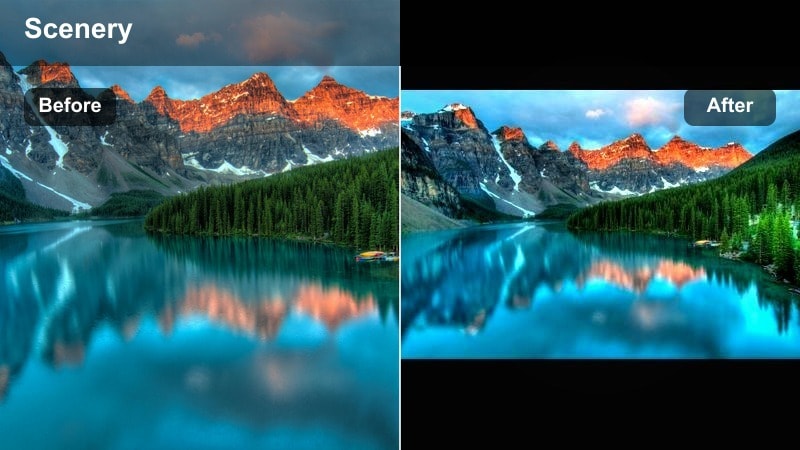
- Effect look: Neutral, bright whites with a hint of teal in the sky and lifted midtones for a clean, airy feel.
- Best for: Bright daytime hikes, ridgeline walk-and-talks, and drone passes above clouds.
- Editing tip: Increase contrast slightly if your camera shoots flat; this keeps the airy look without losing edge definition on rocky details.
Alpine Air Clean is made for those bluebird days when the light is generous and you want everything to feel spacious and breathable. It brightens midtones while preserving believable color, so your clouds, cliffs, and hikers all read clearly in a vertical Reels frame.
Use it on talking head updates filmed on a ridge, or on wide drone shots floating above cloud layers. In Filmora, add a subtle contrast boost or mild depth-of-field blur to backgrounds to keep your subject crisp while preserving that sense of altitude and open sky.
Frostline Cinematic
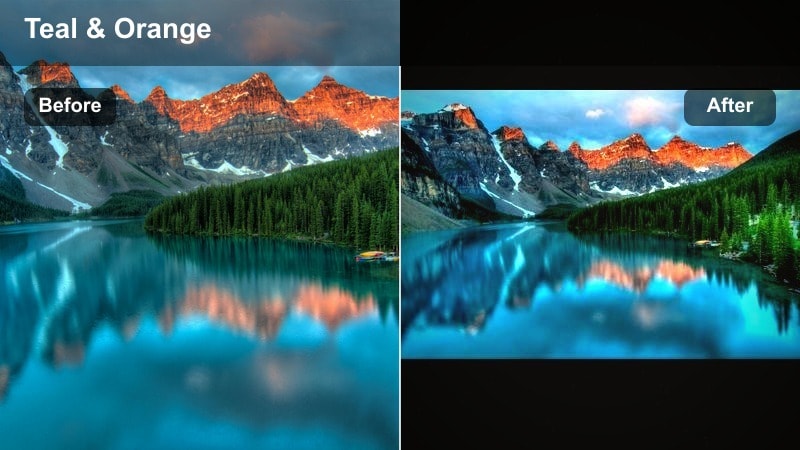
- Effect look: Cool teal-and-orange cinema balance with desaturated greens and slightly soft highlights for a filmic winter mood.
- Best for: Stormy summit days, cloudy ridges, and toned-down winter forest approaches to the peaks.
- Editing tip: Reduce sharpness a touch after applying to keep the cinematic softness and avoid crunchy noise in cloudy skies.
Frostline Cinematic brings a classic teal and orange split to your winter mountain reels, emphasizing cool shadows and gently warm skin or wood tones. The softened highlights help flatten harsh digital edges, giving phone footage a more filmic texture in Filmora.
Apply it to moody overcast climbs, snowfalls, or tree-lined approaches where you want the environment to feel cold but your subject relatable. Slightly pulling back global sharpness and keeping grain under control will keep the cinematic mood consistent across all your clips.
Moody, Foggy, and Atmospheric Alpine Filters
Cloudsea Mist
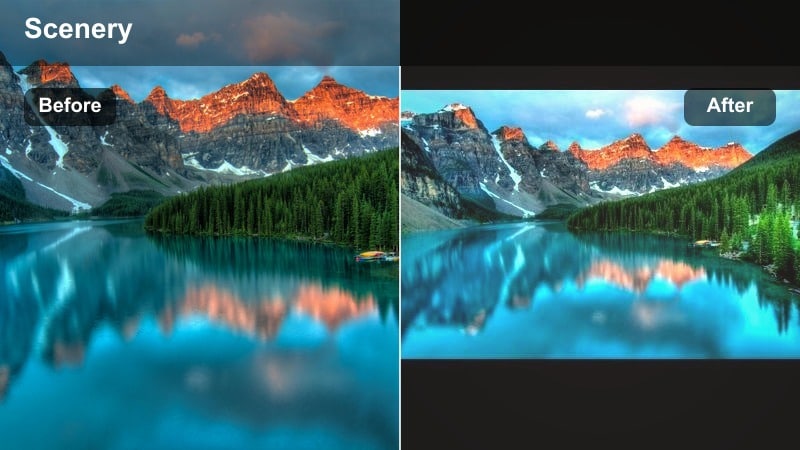
- Effect look: Low-contrast, matte blacks with lifted shadows and a soft haze that wraps around fog and clouds.
- Best for: Foggy valleys, cloud inversions, and slow pan shots across misty ridges.
- Editing tip: Slightly lower saturation after applying if the scene feels too dreamy; the desaturation enhances the ethereal mood.
Cloudsea Mist turns flat, gray, or fog-bound days into intentional, atmospheric sequences. By lifting blacks and softening contrast, it emphasizes the flow of clouds and fog across your frame, which looks especially good on slower pans or tripod shots in Filmora.
Use it on sunrise inversions above a sea of clouds, mist wrapping around trees, or hikers disappearing into the haze. After applying, nudge saturation downward and cut your clips to slower, ambient tracks so the gentle motion and soft color can breathe in the vertical Reels format.
Stormfront Dramatic
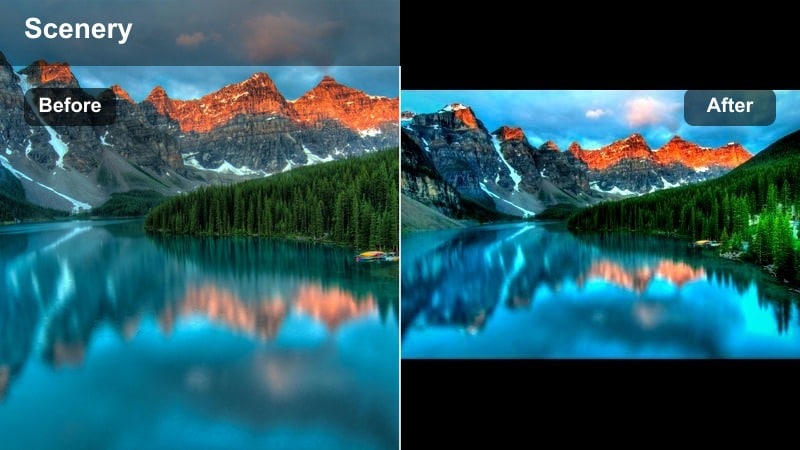
- Effect look: High contrast with deep blues in shadows, muted highlights, and extra texture in clouds for a dramatic, impending-storm feel.
- Best for: Building thunderheads, fast-moving storm fronts, and time-lapse clips of clouds racing across peaks.
- Editing tip: After applying, tweak local contrast on the sky only so foregrounds stay clean while cloud structure pops.
Stormfront Dramatic is built for charged weather, plunging shadows into rich blue while pulling striking texture from storm clouds. In Filmora, it can transform ordinary overcast footage into trailer-style tension, especially when paired with speed changes or short timelapses.
Apply it to sequences of clouds rolling over ridges or storms closing in on camp, then refine contrast and saturation using masking or sky selection tools so your foreground remains readable. Sync quick zooms or cuts to audio hits to amplify the sense of incoming weather.
Ember Valley Dusk
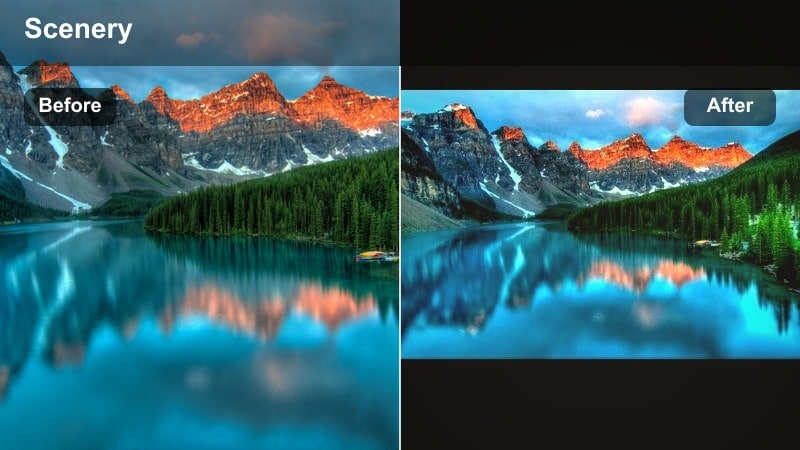
- Effect look: Muted blues with warm, ember-like oranges in the midtones and slightly faded blacks for a nostalgic dusk feel.
- Best for: Campfire scenes, twilight in the valley, and closing shots of tents under fading light.
- Editing tip: Increase the warmth slider a little if your campfire looks too pale; aim for rich oranges that do not blow out the flame detail.
Ember Valley Dusk leans into the cozy, end-of-day feeling with warm ember tones and soft, faded shadows. It is perfect in Filmora for the final chapter of your mountain reel, shifting the palette from bright daytime hues into a more nostalgic, storybook dusk.
Use it on campfires, lantern shots, and silhouettes of tents against a dim sky. Apply the filter to your last few clips only, slightly increase warmth on the fire itself, and let the overall saturation taper off to create a natural visual outro for your Reel.
Creator-Friendly Mountain Reel Filters for Social
Reels Mountain Pop
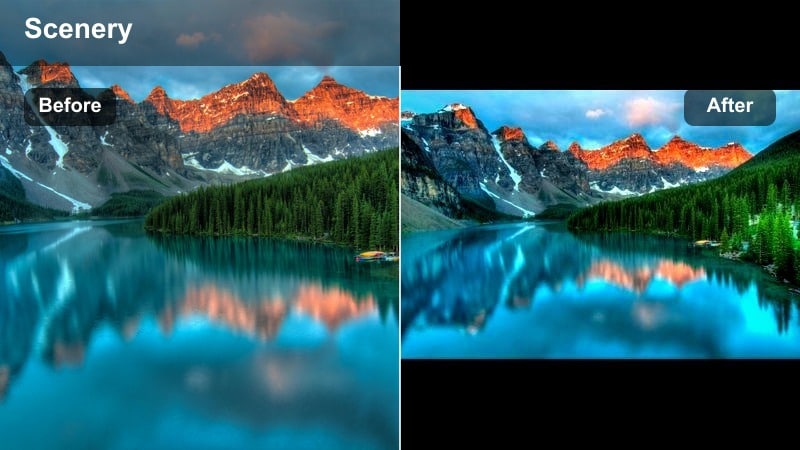
- Effect look: Punchy contrast, bright midtones, and boosted but clean saturation tailored for vertical Reels compression.
- Best for: Handheld phone footage of hikes, quick selfie updates on the trail, and behind-the-scenes mountain content.
- Editing tip: Keep the filter intensity under 80 percent to avoid oversaturated greens; let the mountains pop without looking cartoonish.
Reels Mountain Pop is tuned specifically for small screens and social compression, keeping edges crisp and colors lively after upload. It makes quick handheld shots and selfies feel intentional and vivid when edited in Filmora for vertical formats.
Apply it to your more casual clips, like pack check-ins, snack breaks, or quick summit reactions. Pair the filter with bold on-screen text, tight framing, and snappy cuts, keeping intensity under 80 percent so your landscapes stay vibrant but believable.
Creator Cinematic Alpine
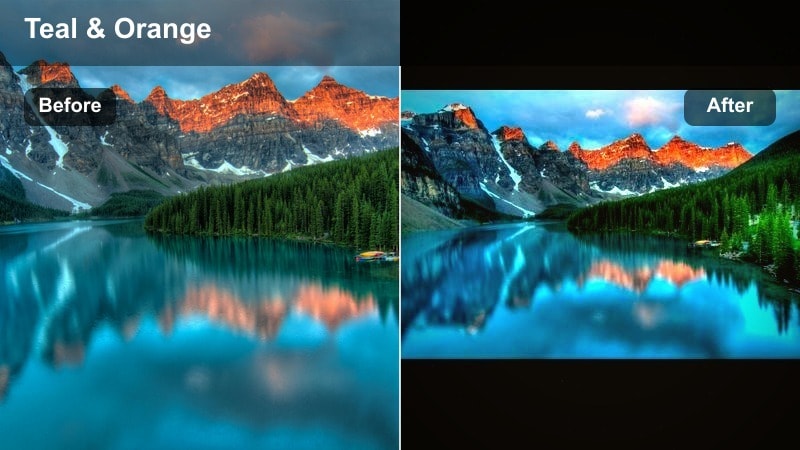
- Effect look: Soft teal shadows, warm skin tones, and gentle halation around bright edges for a polished cinematic creator style.
- Best for: Talking-to-camera clips on a ridge, gear breakdowns at camp, and cinematic alpine reels with a personal narrative.
- Editing tip: Lightly reduce highlights after applying so your face stays properly exposed against bright snow or sky.
Creator Cinematic Alpine bridges creator aesthetics with adventure footage, flattering skin tones while still giving the environment a cool, cinematic edge. In Filmora, it is ideal for talking head intros, voice-over pieces to camera, or sponsored gear segments filmed in the mountains.
Use it on shots where you are the focus, especially against bright backgrounds like snowfields or skies. Pull highlights down slightly and, if needed, selectively reduce saturation on bright jackets or gear so your face remains the clear focal point of the Reel.
Trail Edit Quickfix
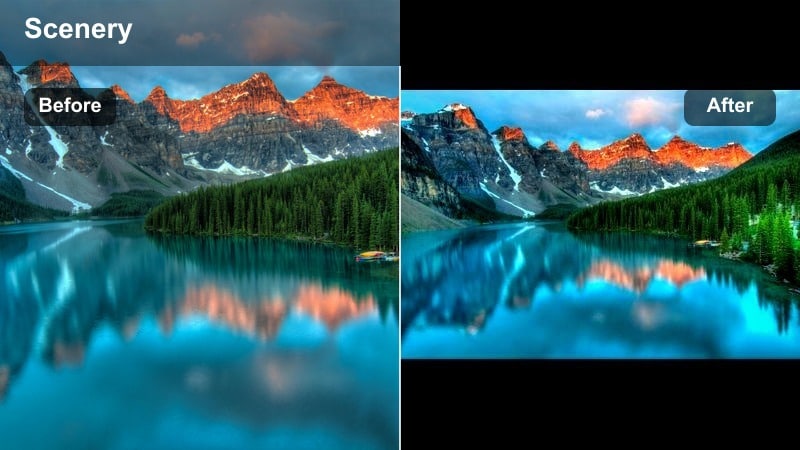
- Effect look: Balanced contrast with subtle color correction that evens out mixed lighting and rapid exposure changes.
- Best for: Mixed lighting hikes where you pass through forest, open slopes, and shaded gullies in a single sequence.
- Editing tip: Apply this filter first, then adjust exposure clip by clip; it gives you a clean base look across the entire reel.
Trail Edit Quickfix is a utility filter designed to normalize inconsistent mountain footage before you add heavier styling. It smooths out jumps between sun and shade, taming color shifts so your Reel feels like one continuous journey when edited in Filmora.
Begin your edit by dropping this filter on all your clips from a hike, then tweak exposure and white balance on only a few key shots. Once everything matches, you can layer more creative filters on highlight moments without fighting mismatched color or contrast from scene to scene.
Tips for Using Mountain Video Reels Filter Filters in Filmora
- Expose slightly darker in-camera when shooting bright snow or skies, then use a mountain video filter for reels to pull detail back without clipping.
- Shoot short, steady clips with clear subject separation; strong compositions let cinematic alpine reels filters work their magic without feeling overprocessed.
- Keep one main color story per reel, such as cool summits or warm ridges, and avoid mixing too many filter styles on a single post.
- Always check your reel on a phone screen before posting, since contrast-heavy mountain filters can look different on mobile than on desktop.
- Combine filters with subtle speed ramps and beat-matched cuts to turn simple trail clips into dynamic reels that hold attention past the first few seconds.
With the right mountain video filters for reels, even quick phone shots from your last hike can feel like scenes from a full-budget adventure film. Start with a base correction look, then pick warm, cool, or moody styles that match the story you want to tell from ridge to valley.
Save your favorite presets in Filmora so every new alpine project loads with your signature reels mountain filter and mountain reel LUT combo. Once your look is locked in, you can focus on capturing better lines, cleaner transitions, and more immersive outdoor reels.
secure download