

 100% Security Verified | No Subscription Required | No Malware

Muted color tone video filters are perfect for creators who want cinematic stories without loud colors, helping you guide attention to composition, emotion, and light instead of bright saturation.
These Filmora presets give you soft, desaturated palettes that work across vlogs, travel films, city b-roll, and narrative videos while staying fast and easy to apply in your everyday editing workflow.
In this article
Muted Tones for Urban Stories and City B-Roll
Soft City Haze
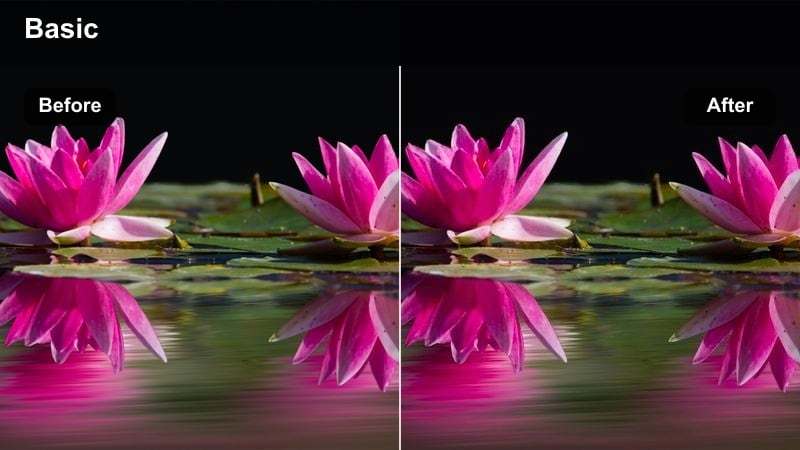
- Effect look: Gently desaturated city palette with softened contrast and a subtle cool haze over midtones.
- Best for: Urban b-roll, city lifestyle vlogs, cinematic walking shots, and street fashion reels.
- Editing tip: Lower overall saturation by 5-10 percent and slightly lift blacks to keep shadows soft and filmic.
Soft City Haze gives your city footage a quiet, cinematic polish by trimming back harsh saturation and lowering contrast just enough to feel like a modern film grade. In Filmora, it works especially well on handheld walking shots, street reflections, and everyday city life where you want movement and framing to stand out more than bright signage or traffic colors.
Apply this muted color tone video filter early in your grade, then refine exposure and white balance so skin tones stay natural inside the cooler urban environment. For extra control, add a gentle vignette and use Filmoras masking tools to slightly brighten your main subject, helping them pop against the softened, hazy streets.
Build Your Own Muted Color Tone Palette with Filmora AI
Filmoras AI-powered color tools can analyze your footage and suggest subtle curves, saturation trims, and contrast adjustments that match the muted look you have in mind. Start from a preset like Soft City Haze, then let AI propose refinements so your whole timeline feels cohesive.
Once you like the mood, save your settings as a custom preset so you can apply the same muted palette to future vlogs, b-roll, and shorts with one click.
 secure download

See Muted Color Tone Filters in Action
To quickly compare different muted palettes, duplicate a short clip on your Filmora timeline and apply a different filter to each version. Toggling visibility or playing them side by side makes it easy to see how each look treats shadows, skin, and highlight roll-off.
Focus on which filter best supports your story mood rather than which one simply looks strongest; subtle differences in contrast and saturation can completely change the emotional tone of a scene.
secure download1000+ Video Filters and 3D LUTs
Beyond muted tone presets, Filmora includes a large library of creative filters and 3D LUTs so you can mix understated looks with bolder, stylized grades when a project calls for it. You can start with a muted base, then layer a light film-style LUT for extra character and color nuance.
Use the Effects panel to browse categories like cinematic, vintage, and lifestyle, testing combinations on duplicate clips until you find the balance between subtle and expressive that fits your edit.
secure downloadConcrete Pastel Wash
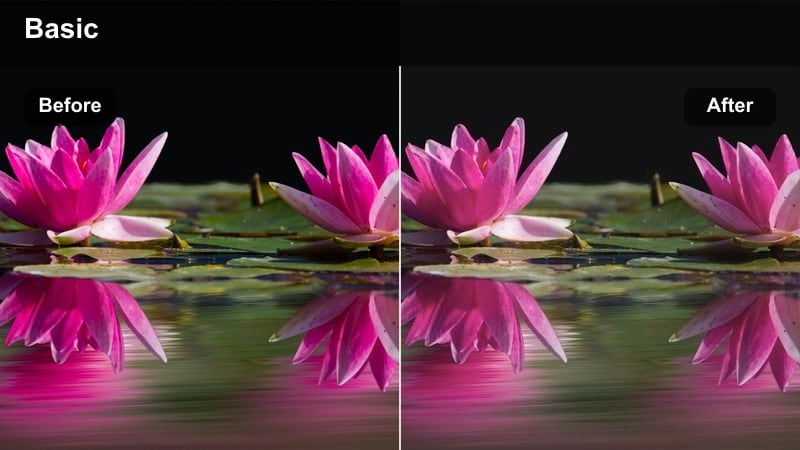
- Effect look: Soft pastel wash over concrete grays with reduced saturation and gentle highlight roll-off.
- Best for: Architectural shots, rooftop scenes, drone passes over cityscapes, and minimal street edits.
- Editing tip: Decrease clarity slightly and add a small amount of film grain to avoid a flat, lifeless image.
Concrete Pastel Wash is designed to tame hard city textures, turning harsh concrete and metal into smoother, pastel-like tones. In Filmora, it gives rooftop montages, skyline time-lapses, and drone flyovers a cohesive muted color tone video filter look without losing the sense of scale or depth.
Combine this preset with light film grain and a mild vignette to keep the frame feeling organic and cinematic. If your sky or building edges appear too sharp after desaturation, lower clarity or sharpness slightly in Filmoras color controls to support the soft, calm mood.
Subway Muted Noir
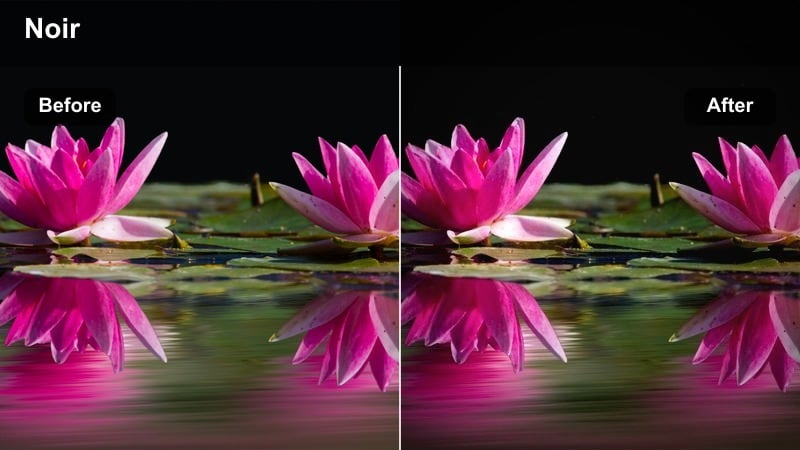
- Effect look: Low-saturation, low-contrast urban noir look that softens neon colors and deepens shadows slightly.
- Best for: Subway footage, underground parking scenes, late-night street sequences, and moody b-roll.
- Editing tip: Protect detail in the darkest parts by raising shadow levels a bit after applying the filter.
Subway Muted Noir leans into a darker, moodier city aesthetic, ideal for underground platforms, tunnels, and late-night streets. It pulls neon and LED colors back from oversaturated to cinematic, while keeping enough detail in the shadows to preserve atmosphere.
In Filmora, apply this filter to your night sequences and then fine-tune the blacks with the curve controls so important details do not clip to pure black. Use color tuning to selectively reduce blues and magentas if signage still feels loud, and pair the look with subtle motion blur or handheld camera moves for grittier b-roll.
Muted Color Filters for Moody Travel Vlogs
Overcast Coastline
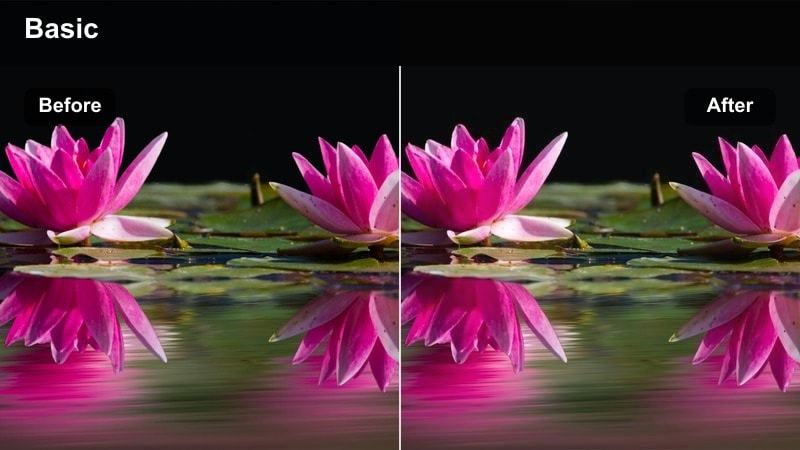
- Effect look: Soft, gray-blue desaturation with gentle contrast, ideal for overcast or foggy travel footage.
- Best for: Seaside travel vlogs, cliff viewpoints, harbor walks, and misty landscape b-roll.
- Editing tip: Reduce vibrance instead of saturation to keep subtle color separation in skies and water.
Overcast Coastline is built to embrace cloudy, hazy days rather than fight them, turning washed-out skies and flat water into a cohesive, calm palette. It gently cools tones and lowers saturation so your coastal travel vlogs feel cinematic and intentional, even when the weather is not perfect.
In Filmora, use this muted color tone video filter across all your seaside clips to unify mixed lighting and weather conditions. Adjust vibrance to maintain separation between sea, sky, and cliffs, and if skin tones drift too cold, use the HSL or color tuning tools to warm only the orange range while keeping the environment cool.
Dusty Backpack Trail
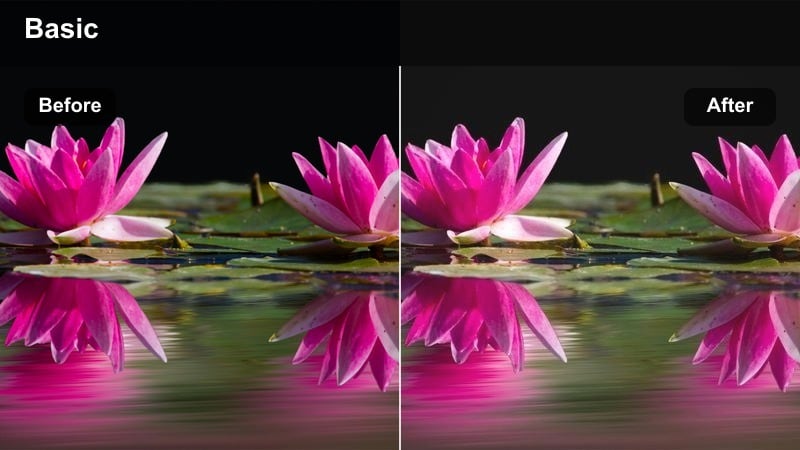
- Effect look: Earthy, muted browns and greens with lowered saturation and a slight warm fade in shadows.
- Best for: Backpacking journeys, forest footpaths, roadside travel logs, and handheld adventure shots.
- Editing tip: Dial back contrast and lift blacks to keep foliage from looking overly crunchy or digital.
Dusty Backpack Trail gives hiking and road-trip footage a worn-in, documentary feel by muting greens and browns and adding a gentle warmth in the shadows. Trails, tents, and backpacks take on an earthy tone that feels timeless and cinematic rather than overly vibrant.
In Filmora, apply this filter to your outdoor sequences and then fine-tune contrast so leaves and grass stay soft instead of crunchy. Use local adjustments to keep your subject slightly brighter and sharper than the surroundings, and stabilize handheld clips if needed so the relaxed, muted look matches smooth, watchable motion.
Quiet Old Town
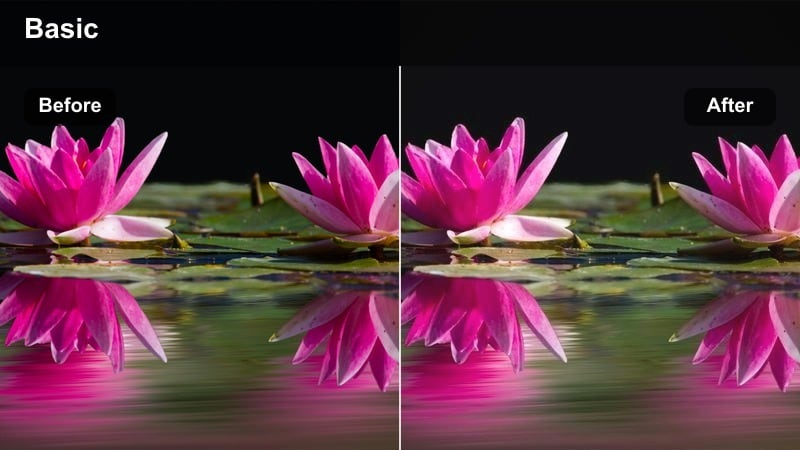
- Effect look: Soft, desaturated warm tones that smooth out harsh color differences in older streets and buildings.
- Best for: Old town walks, historical streets, narrow alley vlogs, and architectural b-roll.
- Editing tip: Gently darken the edges of the frame to focus attention on the middle of narrow alley compositions.
Quiet Old Town softens busy, colorful historic streets into a calm, unified warm palette. It gently desaturates paint, signage, and shop fronts so textures in stone, brick, and wood become the visual focus instead of clashing colors.
Inside Filmora, combine this muted color tone video filter with a subtle vignette and slightly boosted midtone contrast to keep cobblestones and facades crisp. Use masks to brighten faces or key architectural details so they stand out in narrow alleys, and stabilize handheld walking shots to maintain the peaceful, unhurried feeling this preset creates.
Subtle Muted Filters for Intimate Lifestyle Scenes
Apartment Soft Morning
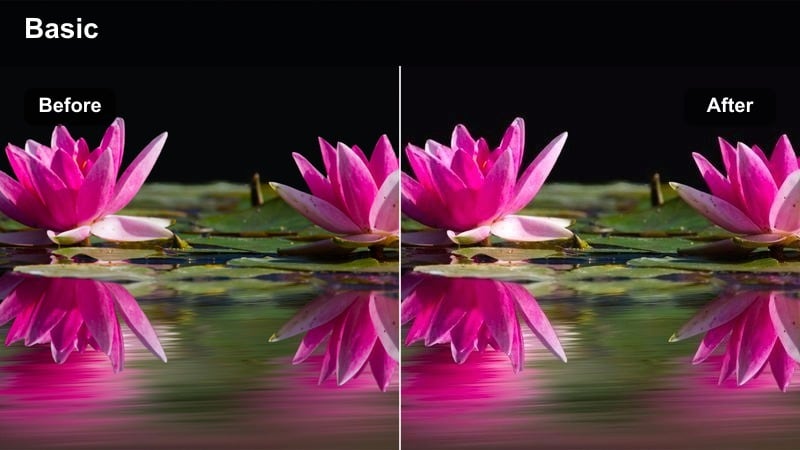
- Effect look: Low-saturation, soft contrast look with gentle warm highlights and slightly lifted shadows.
- Best for: Morning routines, cozy apartment vlogs, desk setups, and calm lifestyle b-roll.
- Editing tip: Reduce highlight sharpness and keep exposure slightly lower than normal to maintain a quiet, calm mood.
Apartment Soft Morning is tuned for interior lifestyle content, taking the edge off mixed light sources and bright decor. It lightly lifts shadows, warms highlights, and lowers saturation, transforming normal rooms into soft, cinematic spaces ideal for routines, journaling, or coffee shots.
Within Filmora, apply this filter, then nudge exposure a bit lower than your usual preference so whites do not overpower the frame. Use the curve tool to add a gentle S-curve for depth without sacrificing softness, and position subjects near windows or lamps so the natural light works with the muted palette to sculpt faces.
Workspace Muted Focus
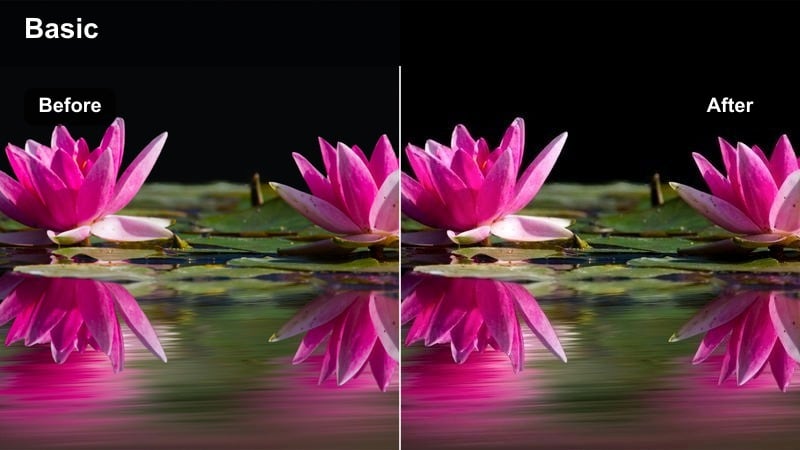
- Effect look: Cool-neutral muted tones that remove color distractions around screens, gear, and desk setups.
- Best for: Productivity vlogs, desk tours, editing tutorials, and remote work lifestyle content.
- Editing tip: Lower saturation of blues and cyans to calm down monitor glare while keeping hands and faces natural.
Workspace Muted Focus is tailored for creators who film at their desks or studios, where RGB lights, product packaging, and screen colors can easily distract. It nudges tones toward a cool-neutral palette and trims saturation so the viewer naturally pays more attention to hands, faces, and key products.
In Filmora, combine this muted color tone video filter with selective adjustments on monitor areas to slightly lower their brightness and blue saturation. Then, use sharpening and mild exposure boosts on the items you are showcasing so they stand out clearly without relying on loud colors.
Evening Lamp Glow
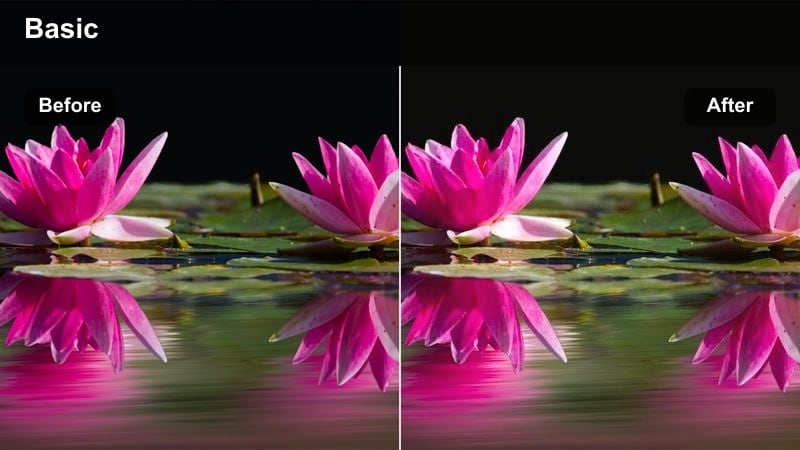
- Effect look: Warm, muted tones with gently rolled-off highlights around lamps and practical lights.
- Best for: Evening vlogs, reading scenes, conversations in living rooms, and low-key lifestyle clips.
- Editing tip: Slightly decrease saturation of yellows to prevent lamp light from looking overly orange or distracting.
Evening Lamp Glow centers your scenes around practical lights like lamps and string lights, warming the frame while keeping saturation controlled. Highlights roll off smoothly so bright bulbs and shades feel gentle rather than blown out, perfect for cozy nighttime vlogs or quiet conversations.
After applying this preset in Filmora, add a soft radial mask around your main lamp and raise exposure slightly within the mask to create a natural focal point. Keep the rest of the frame a bit darker and muted, and reduce yellow saturation if the light starts to look too orange, ensuring the mood stays intimate and cinematic.
Cinematic Muted Filters for Narrative and Short Films
Faded Memory Scene
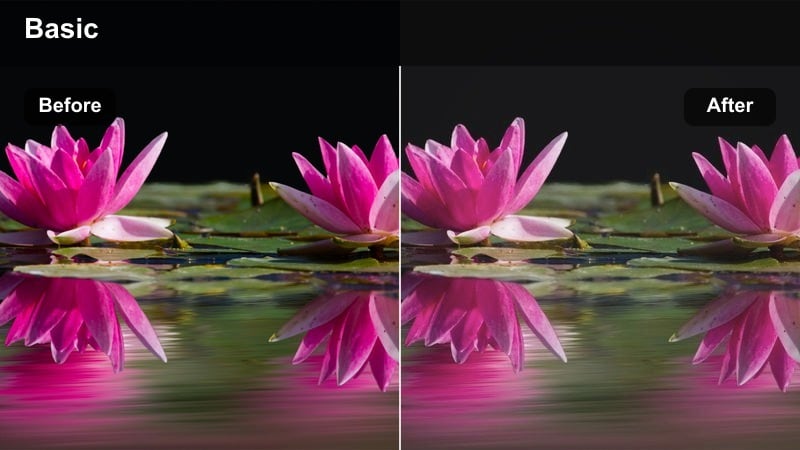
- Effect look: Muted, low-contrast look with desaturated colors and slightly lifted blacks for a memory or flashback feel.
- Best for: Flashbacks, dream sequences, reflective monologues, and nostalgic b-roll in short films.
- Editing tip: Lower saturation more in the background than on your subject using masks for a subtle emotional emphasis.
Faded Memory Scene is designed to instantly signal flashbacks, dreams, or introspective moments through a soft, washed look. It lifts blacks, reduces contrast, and desaturates colors so the scene feels like a recollection rather than present-day reality.
Within Filmora, apply this muted color tone video filter to your flashback clips, then use masks to keep your character slightly more saturated and bright than the background. This contrast between subject and environment subtly guides the viewer to the emotional core of the scene while preserving the overall faded mood.
Low-Key Dialogue Muted
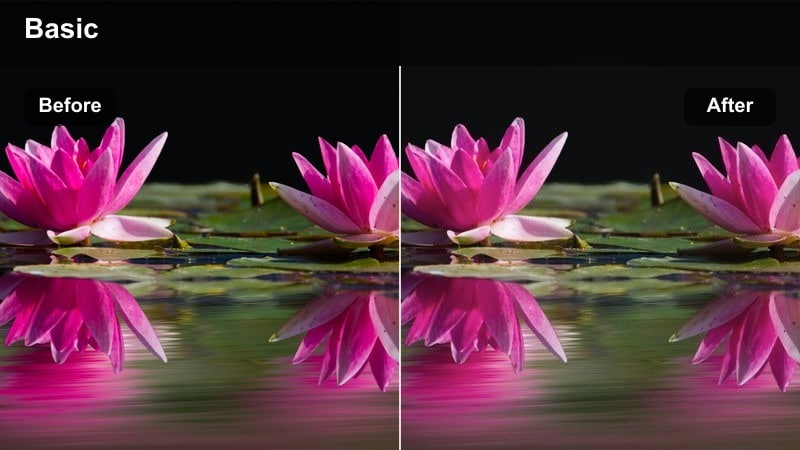
- Effect look: Neutral, low-saturation look that slightly darkens backgrounds while keeping skin tones soft and readable.
- Best for: Dialogue scenes, interviews in narrative projects, and close-up character moments.
- Editing tip: Fine-tune exposure on faces with a gentle mask instead of raising global brightness.
Low-Key Dialogue Muted gives conversation scenes a restrained, cinematic grade that never distracts from performance. Backgrounds sit a little darker and less saturated, while skin tones remain soft and natural, helping viewers focus on expressions and eye lines.
In Filmora, drop this filter onto all angles of a dialogue sequence for consistency, then fine-tune each shot with local exposure masks on faces. Keep saturation modest and avoid heavy sharpening so the image feels polished but understated, allowing pacing and acting to carry the emotional weight.
Industrial Fadeout
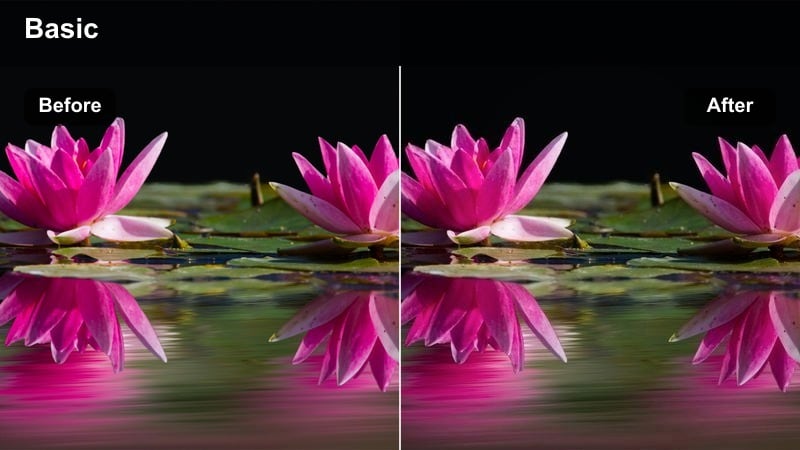
- Effect look: Cool, gritty-but-muted tones that flatten overly colorful industrial spaces into controlled cinematic palettes.
- Best for: Factories, parking garages, warehouse scenes, and closing sequences with a somber tone.
- Editing tip: Add a slight blue tint to shadows and keep midtones neutral to avoid a heavy color cast.
Industrial Fadeout is ideal for locations filled with mixed paints, safety signs, and bright industrial colors that can easily clash on camera. It cools the palette, mutes saturation, and slightly softens contrast, turning factories, garages, and warehouses into controlled cinematic spaces.
Using Filmora, apply this muted color tone video filter, then tweak the color balance so shadows lean subtly blue while midtones stay neutral and readable. Increase texture or micro-contrast on walls and machinery to keep the setting gritty, and favor slow, deliberate camera moves that let viewers absorb the environment without bright colors stealing attention.
Tips for Using Muted Color Tone Video Filter Filters in Filmora
- Always color-correct exposure and white balance before applying muted color tone video filters so they behave predictably.
- Use masks to keep faces slightly more saturated than backgrounds so subjects remain engaging in a muted scene.
- Avoid over-sharpening muted footage; let soft contrast and texture carry the cinematic feel.
- When mixing clips from different cameras, apply the same muted filter and then fine-tune contrast and warmth per clip.
- Pair muted color tone video filters with gentle sound design and slower pacing to fully support the mood.
- Keep your scopes open while grading so muted does not accidentally become underexposed or muddy.
- Limit bright accent colors to one or two per frame so they stand out against the muted palette.
- Export a short test sequence with your chosen muted filter before grading an entire project to ensure the look holds up across scenes.
Muted color tone video filters help content creators shape mood quickly, guiding attention toward story and composition instead of bright, distracting colors.
Start with the presets that best match your scenes, then gradually build your own muted look library that you can reuse across travel vlogs, urban edits, and narrative projects.
secure download