

 100% Security Verified | No Subscription Required | No Malware

Nature footage can look flat and lifeless straight out of the camera, especially when you are shooting quick clips for Instagram. With the right nature video filters for Instagram, you can instantly shift colors into earthy, botanical tones that match your aesthetic grid.
Below are 12 curated filter ideas you can recreate in Filmora to give your Instagram nature posts and Reels a cohesive look, from soft forest greens to golden sunlit trails and moody woodland vibes.
In this article
Soft Forest and Botanical Aesthetic Filters
Mossy Forest Soft Matte
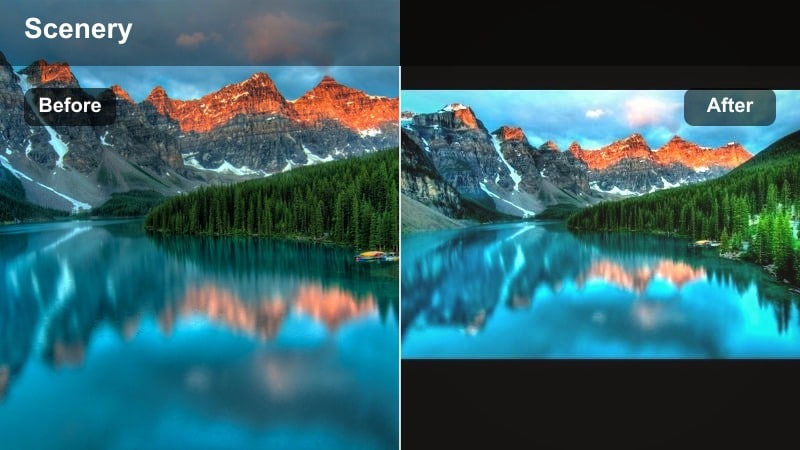
- Effect look: Gentle green lift with lowered contrast and soft matte shadows for a dreamy forest aesthetic
- Best for: Slow pan shots of mossy trees, forest floors, macro leaves, and misty woodland paths
- Editing tip: Reduce clarity slightly and add a subtle vignette to keep attention on the center of the frame while preserving leaf details
This soft, muted forest filter is ideal when your raw woodland clips look a bit harsh or digital. In Filmora, you can recreate Mossy Forest Soft Matte by gently lifting the blacks, lowering overall contrast, and nudging the green and yellow channels toward softer, mossy hues. The result is a velvety green palette that feels calm, cinematic, and perfect for aesthetic Reels.
For practical use, start with a global color adjustment to reduce contrast, then use HSL to subtly desaturate neon greens while keeping texture visible in moss, bark, and leaves. Add a light vignette in Filmora to frame your subject and keep the viewer’s eye on the center of the path or main tree. Export short 6 to 10 second loops to create a cohesive mossy row on your Instagram grid.
Pro tip: Balance greens with warm highlights
If the greens look too neon, pull back saturation in the green and yellow channels while lifting warmth in the highlights for skin friendly tones.
For Instagram grids, keep this look consistent across a set of 3 to 6 posts to create a coherent mossy, botanical row.
Use Filmora’s AI tools to dial in your nature aesthetic faster
Instead of tweaking every clip from scratch, use Filmora’s AI powered color matching and presets as a base, then nudge exposure, contrast, and HSL sliders for your signature nature look. AI tools can quickly bring different forest, river, and trail clips into the same tonal family so your Instagram feed feels intentional.
Once you build a combination that fits your Instagram nature account, save it as a custom preset so every forest walk, river shot, or plant tour starts from the same foundation. Over time, you can refine that preset to match changes in your style or seasons while staying recognizable to your followers.
 secure download

Preview your nature video filters before posting to Instagram
Use the split screen or before and after view in Filmora to quickly test multiple nature filters on the same clip and decide which one fits your grid. This makes it easy to compare earthy, cool, and moody looks side by side before you commit to a full Reel or carousel.
Try stacking a light global filter with minor HSL tweaks to fine tune individual colors like sky blues, leaf greens, or trail browns for each Reel. Subtle adjustments on top of a base filter help you adapt to different lighting conditions while keeping your overall aesthetic consistent.
secure downloadCombine earthy LUTs with subtle filters for cinematic results
Start with a cinematic earthy Instagram LUT to set the overall tone, then apply Filmora’s color correction and effects to soften or intensify the look for each clip. LUTs give you fast, repeatable results, while fine tuning exposure and HSL helps you adapt to different scenes like forests, rivers, and city parks.
By saving these combinations as presets, you can keep your Instagram nature videos consistent whether you are filming forests, beaches, or backyards. Over time, this creates a recognizable style that followers associate with your name and makes batch editing your Reels much faster.
secure downloadBotanical Film Wash
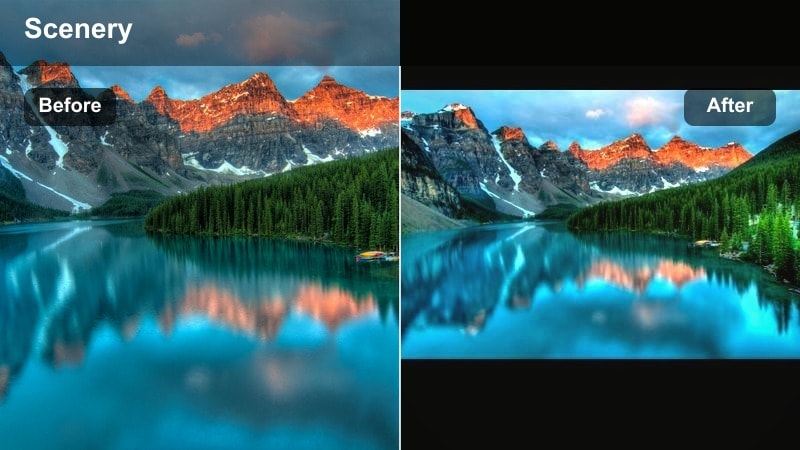
- Effect look: Light film style fade with creamy highlights, slightly desaturated primaries, and soft teal shadows
- Best for: Botanical garden tours, greenhouse content, and slow motion clips of flowers and plants
- Editing tip: Add a subtle film grain layer at low opacity to enhance the analog feeling without overpowering delicate floral details
Botanical Film Wash is perfect when you want your greenhouse or garden tours to feel like pages from a vintage photo book. In Filmora, lower saturation slightly, lift the black point, and add a soft fade using the curves tool to get those creamy highlights and gentle contrast. Introduce a hint of teal in the shadows to modernize the look while keeping it dreamy.
To make plant details stand out, slow your clips down with higher frame rate footage and add a light grain effect on top. This keeps your flowers sharp but gives the overall Reel an organic, film inspired texture that stands out from default Instagram filters.
Pro tip: Use slow motion for botanical detail
Shoot at a higher frame rate and slow the footage down in Filmora to let viewers enjoy subtle details like moving petals or dew drops.
Combine this filter with gentle push in keyframed zooms to make Reels feel more dynamic while keeping the aesthetic calm.
Sage Leaf Minimal
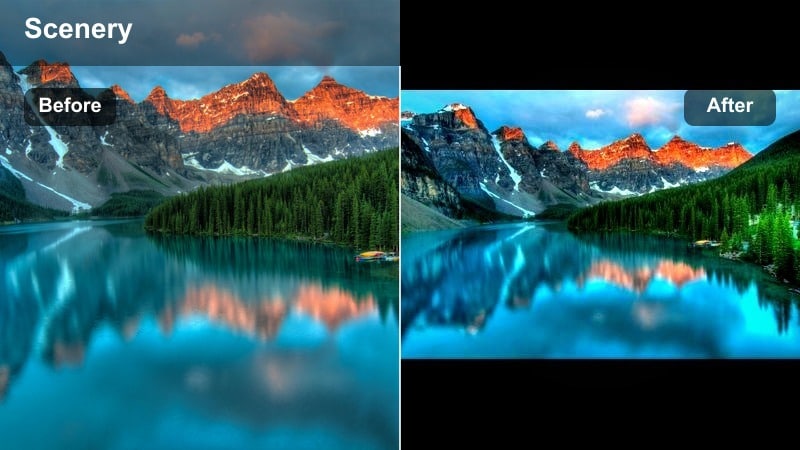
- Effect look: Clean, desaturated greens with slightly cool midtones and crisp whites for a minimalist botanical feed
- Best for: Flat lay nature shots, plant styling Reels, and aesthetic desk plus greenery content
- Editing tip: Lift exposure a touch and keep shadows soft to avoid harsh contrast, then sharpen lightly for leaf texture
Sage Leaf Minimal works well when you want a design forward feed with plenty of negative space. In Filmora, cool the temperature a little, reduce green saturation, and brighten whites to give your shots that airy, editorial feeling. This helps busy scenes like plant desks or flat lays feel calm and structured.
Sharpen just enough to keep leaf veins and paper textures clear, and avoid heavy contrast so your whites do not clip. Alternating these minimal clips with more detailed close ups will keep your Instagram grid balanced and visually pleasing.
Pro tip: Think in negative space
Compose your shots with empty areas around your subject so the subtle sage tone can frame your focal point cleanly.
On Instagram, alternate this minimal filter with more detailed close ups to keep your grid visually balanced.
Warm Earthy Filters for Trails and Golden Hour
Golden Trail Glow
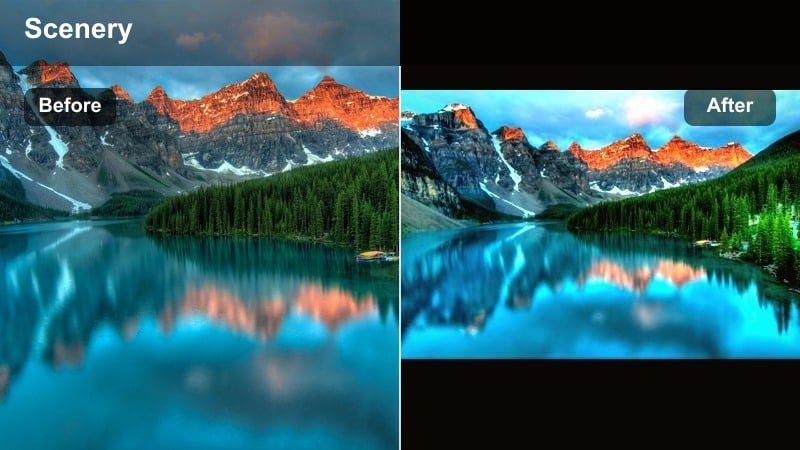
- Effect look: Warm golden highlights, lifted shadows, and slightly boosted saturation in oranges and browns
- Best for: Hiking vlogs, trail walks, and sunset clips with strong backlight or sun flares
- Editing tip: Use Filmora’s highlight controls to avoid blown out skies while pushing warmth into midtones for a dreamy glow
Golden Trail Glow turns simple hiking clips into nostalgic, sun drenched memories. To create it in Filmora, warm up the white balance, increase saturation in oranges and browns, and gently lift shadows so you retain detail in darker trees or rocks. This gives your backlit shots a soft, glowing atmosphere without losing information in the sky.
You can also add a subtle glow or light leak effect near the sun to emphasize flares and footsteps. Keep clips short and movement driven, like walking shots or hair in the wind, so the golden tones feel energetic and perfect for Reels.
Pro tip: Shoot into the sun with care
Expose for the sky or bright areas and recover shadow detail later so the golden filter has more dynamic range to work with.
Short 5 to 7 second clips with strong movement, like steps or hair in the wind, pair especially well with this warm aesthetic.
Earthy Travel LUT Style
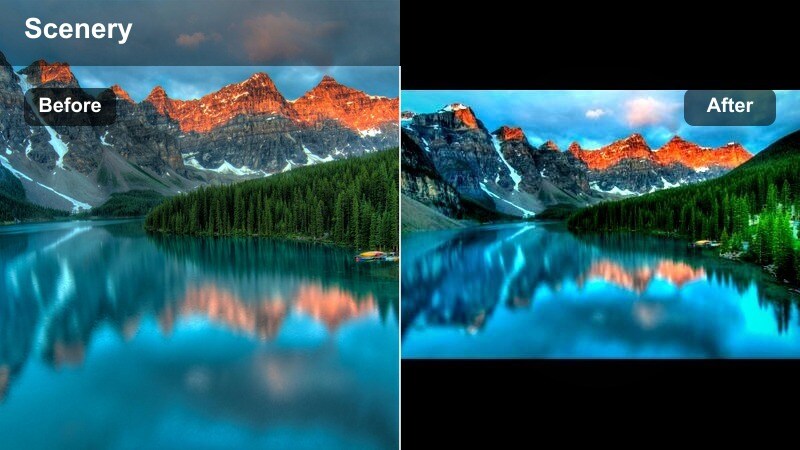
- Effect look: Cinematic earth tones with deeper contrast, rich browns, and subdued greens inspired by travel LUTs
- Best for: Mountain views, rocky trails, desert scenes, and cinematic travel transitions
- Editing tip: Lower saturation in blues to keep skies from competing with the earthy foreground and add a slight fade to soften deep shadows
Earthy Travel LUT Style is ideal for creators who want their nature vlogs to resemble travel films. Start with an earthy LUT in Filmora or build the look manually by deepening contrast, boosting browns, and muting vibrant greens. Then reduce blue saturation so skies and water do not dominate the frame.
Use this look across all clips in a travel Reel, from sweeping drone shots to close up steps on a trail, for a cohesive, cinematic timeline. A subtle fade in the shadows keeps the mood filmic rather than overly harsh.
Pro tip: Match clips across locations
Apply similar contrast and saturation settings on every clip in a sequence so different landscapes still feel cohesive.
Use Filmora’s color copy and paste to quickly sync this earthy look across an entire travel Reel.
Campfire Amber Haze
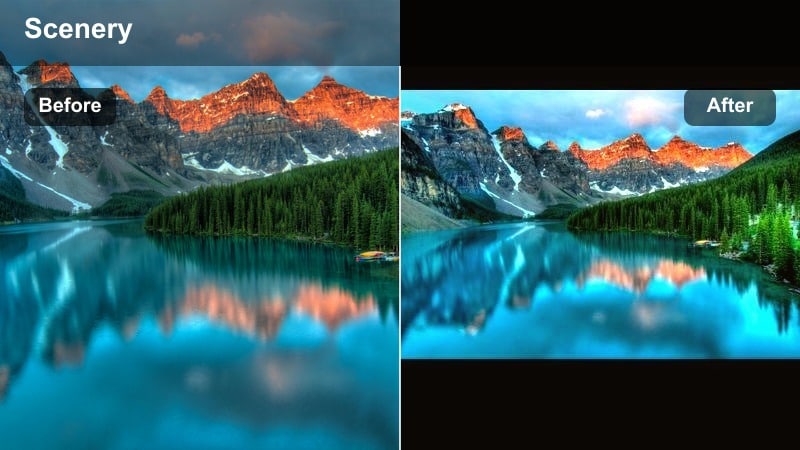
- Effect look: Deep amber warmth, softened highlights, and subtle glow around light sources for cozy campfire vibes
- Best for: Night campfire scenes, lantern shots, tents, and evening outdoor gatherings
- Editing tip: Add a touch of blur or glow to the brightest areas and pull shadows slightly up so faces stay visible in low light
Campfire Amber Haze is the perfect filter when you want to share cozy night memories without your footage turning too dark or noisy. In Filmora, push the white balance toward warm, increase saturation in reds and yellows, and soften highlights to keep flames from clipping. A gentle glow effect around lanterns and fire adds to the intimate mood.
Lift shadows just enough so faces and surroundings remain visible, and consider reducing orange saturation slightly if skin tones become too intense. Short, looping clips of flickering flames or friends laughing around the fire work especially well with this look.
Pro tip: Protect skin tones in warm scenes
If skin starts to look too orange, reduce saturation in the orange channel while keeping reds and yellows a bit higher for fire detail.
Keep these clips short and loop friendly so followers can rewatch the cozy glow on your Instagram feed.
Cool and Clean Filters for Rivers and Mountains
Alpine Air Clean
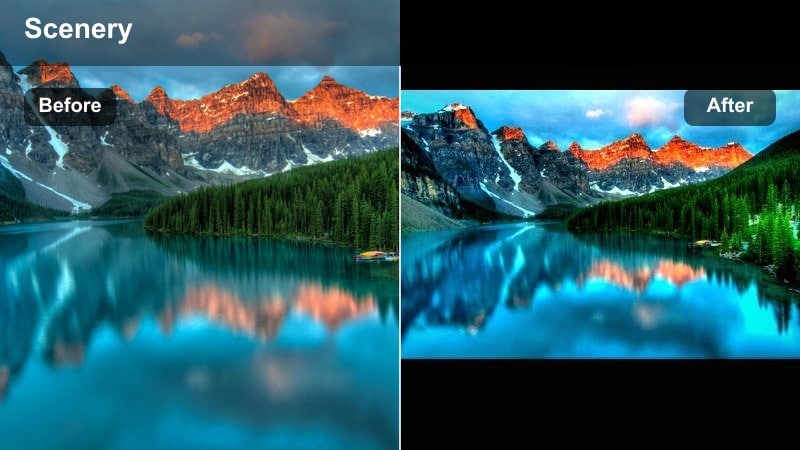
- Effect look: Cool temperature, lifted whites, and crisp contrast that makes snow, clouds, and peaks feel sharp and fresh
- Best for: Mountain ranges, snowy scenes, alpine lakes, and distant ridgelines
- Editing tip: Use Filmora’s HSL to slightly desaturate cyan while keeping deeper blue in lakes and skies for a polished outdoor look
Alpine Air Clean gives high altitude footage a crystal clear, refreshing feel. Cool the white balance, increase whites, and sharpen slightly in Filmora to emphasize detail in snow, rocks, and clouds. This filter works well for static tripod shots and slow pans alike.
To avoid oversaturated skies, gently reduce cyan saturation and adjust blue luminance so lakes and sky stay rich but not neon. Pair this clean look with steady camera movement or timelapse style edits to showcase the scale of the landscape.
Pro tip: Avoid crushed whites in bright scenes
Lower overall exposure a touch and recover highlights so details in clouds and snow remain visible after adding contrast.
Combine this look with slow, steady camera movement to emphasize the vastness of alpine landscapes.
Riverstone Teal Shift
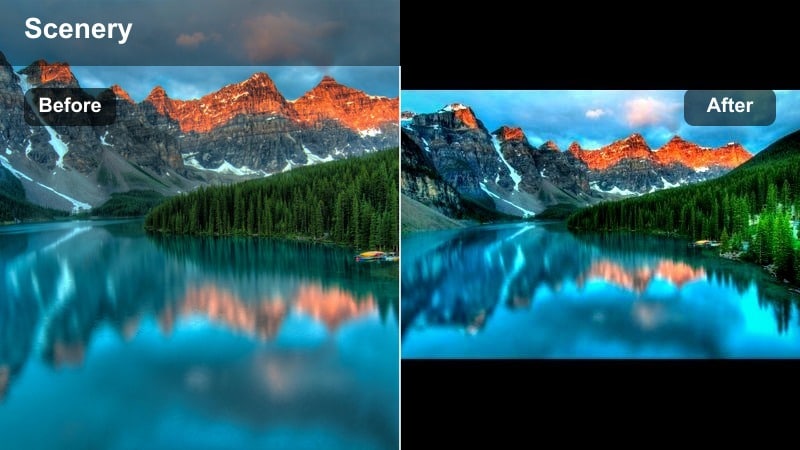
- Effect look: Teal tinted water tones, softened greens, and balanced contrast for modern travel style river aesthetics
- Best for: Waterfalls, rivers, streams, and coastal clips where water is a key subject
- Editing tip: Shift aqua and blue hues slightly toward teal while reducing their luminance to avoid overly bright, unnatural water
Riverstone Teal Shift is designed to make water the star of your shot without looking overly edited. In Filmora’s HSL panel, push blue and aqua hues toward teal and lower their luminance a bit to add depth and richness to rivers and waterfalls. Keep greens softer so the teal tones in the water have room to stand out.
Use this look consistently across all your water based clips so followers instantly recognize your style. Speed ramps and edits synced to music can make flowing water feel more dynamic, especially in Reels and Shorts.
Pro tip: Use speed ramps with watery clips
Add gentle speed ramps to flowing water footage in sync with your audio for more engaging Reels.
Keep this teal look consistent anytime water is a main subject to build a recognizable style on your Instagram nature account.
Misty Morning Soft Blue
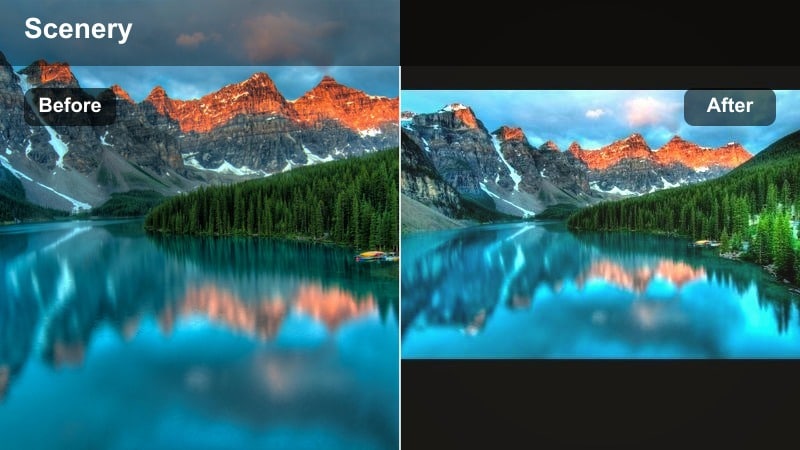
- Effect look: Low contrast with soft blues and greys, gentle fade, and minimal saturation for foggy, calm atmospheres
- Best for: Foggy forests, lakes at dawn, minimal mountain silhouettes, and moody overcast days
- Editing tip: Drop overall saturation and add a small amount of fade in the curves to keep the image airy and filmic
Misty Morning Soft Blue is ideal for quiet, atmospheric clips where mood matters more than color. Lower contrast, reduce saturation, and add a soft fade in Filmora to create this ethereal look. A cool temperature and slight blue tint in the shadows emphasize fog, mist, and distant silhouettes.
This filter fits sunrise, fog, and rainy day content especially well. Use longer cuts, slow camera moves, and ambient audio for Reels that feel like visual meditation rather than fast paced edits.
Pro tip: Lean into negative space and slowness
Let fog and sky occupy most of the frame, making small details like birds or boats stand out against the soft blue wash.
Use longer, slower cuts and ambient audio or subtle music to match the calm of this moody nature aesthetic.
Moody Woodland and Creative Instagram Nature Filters
Deep Woodland Moody
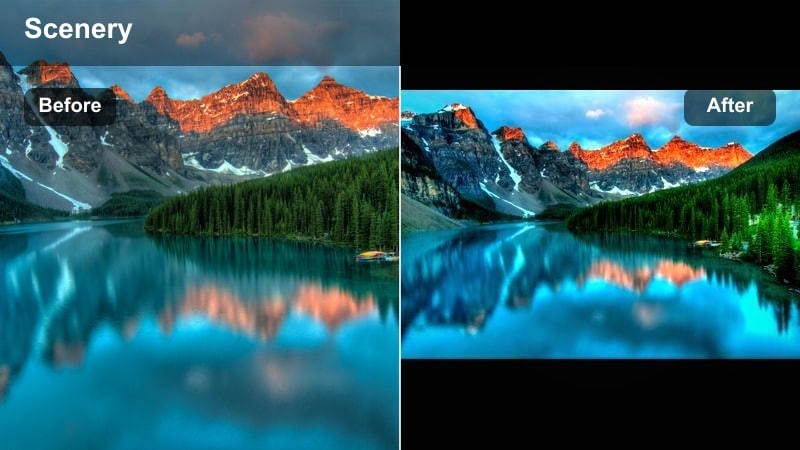
- Effect look: Darkened shadows, muted greens, and subtle cyan split toning in the shadows for a cinematic forest mood
- Best for: Dense forests, paths under tree canopies, and moody story driven outdoor edits
- Editing tip: Reduce luminance in green while lifting a bit of exposure on the subject to keep them visible within a darker scene
Deep Woodland Moody is perfect when you want your forest content to feel like a scene from a fantasy or thriller film. In Filmora, deepen shadows, desaturate greens, and add a hint of cyan to the darkest tones using color grading tools. This pulls attention to pockets of light and gives your clips a dramatic, story ready atmosphere.
Use masks or keyframes to subtly brighten your subject while keeping the surroundings darker. This directs the viewer’s eye and makes it easier to follow characters along a path or through dense trees in your Instagram Reels.
Pro tip: Direct the eye with light
Use vignettes and selective brightening on your subject so the viewer’s eye moves naturally through the dark scene.
For carousels or multi clip Reels, open with the brightest shot and then move into darker frames for a narrative feel.
Fernroom Botanical Aesthetic
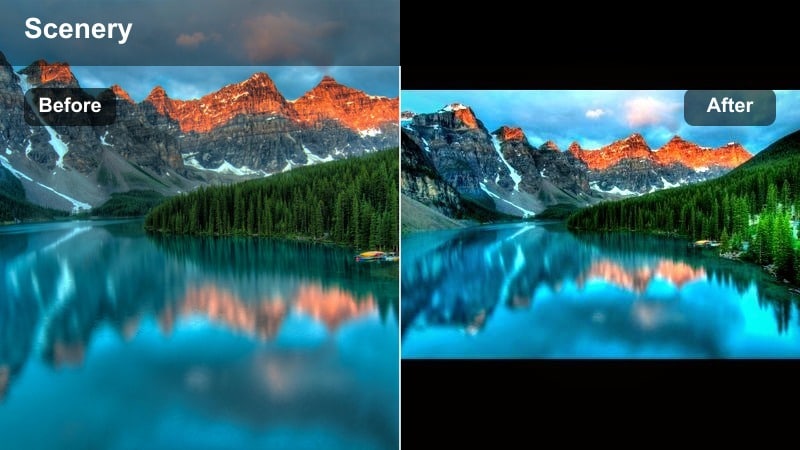
- Effect look: Rich, deep greens with slightly warm highlights and softened contrast for lush indoor jungle vibes
- Best for: Indoor plant rooms, fern collections, macro leaf shots, and botanical styling content
- Editing tip: Add subtle blur on the edges with Filmora’s effects and keep focus sharp on one hero plant element
Fernroom Botanical Aesthetic is made for plant parents and indoor jungle creators. To build it in Filmora, boost green saturation and deepen shadows slightly while keeping highlights warm and inviting. This combination makes your plant corner feel dense and immersive without turning too dark.
Add a mild edge blur or depth of field effect so one feature plant or leaf becomes the hero of the frame. This is great for Reels that showcase plant care routines, repotting, or room tours with a consistent, lush visual identity.
Pro tip: Create looping plant Reels
Film slow camera arcs around a plant and cut so motion starts and ends in similar positions for smooth loops.
Use the same botanical aesthetic filter on a full series of plant care tips for a clearly branded Instagram highlight.
Earthy Grainy Journal
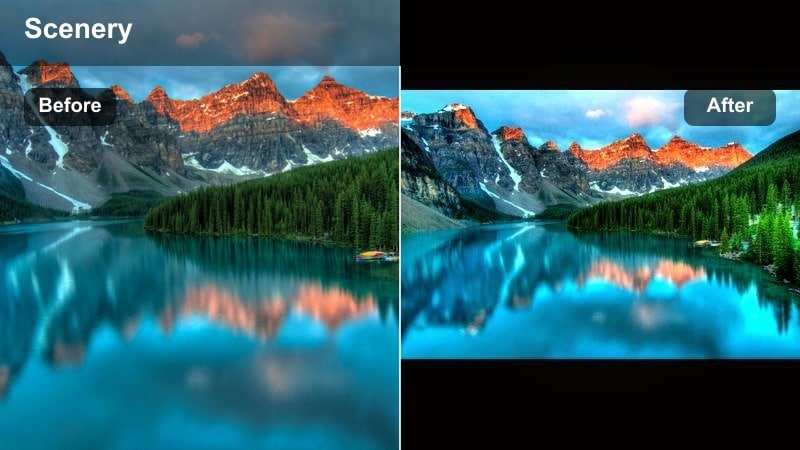
- Effect look: Muted earth tones, warm midtones, subtle grain, and a gentle vignette for diary style nature clips
- Best for: Nature journaling, sketchbook flips, field notes, and slow walks with handheld footage
- Editing tip: Add just enough grain to feel analog, then stabilize handheld shots slightly for a polished but intimate style
Earthy Grainy Journal is ideal for creators who document their time outdoors in a personal, diary like way. In Filmora, warm the midtones, mute bright colors, and add a subtle vignette to draw focus toward the center of the frame. A light layer of grain completes the analog, notebook inspired vibe.
This filter fits perfectly with clips of sketchbooks, pressed leaves, handwriting, or handheld walks through fields and forests. Soft stabilization can smooth out shaky clips while still preserving the intimate, in the moment feeling that suits journal style Reels.
Pro tip: Pair with handwritten overlays
Add simple text or handwriting style overlays in Filmora to label plants, places, or dates for a storybook feel.
Keep color adjustments subtle so the text remains readable and the earthy background stays gentle on the eyes.
Tips for Using Nature Video Instagram Filter Filters in Filmora
- Batch edit several nature clips with the same filter so your Instagram grid and Reels feel unified.
- Match your filter intensity to the light: use softer looks for bright midday footage and stronger mood for cloudy or low light scenes.
- Always check skin tones if you appear on camera; adjust orange and red channels to keep them natural even with heavy greens or teals.
- Export a short test Reel and watch it on your phone before posting to ensure the filter does not look overdone on smaller screens.
- Create two or three signature nature looks, like warm trails and cool rivers, and rotate them intentionally instead of changing styles every post.
- Save your favorite color settings as custom presets in Filmora so you can apply your go to nature filters in a single click.
- Use vignettes, selective color, and masks to keep your subject readable when working with very dark or very bright nature scenes.
- Adjust sharpening and noise reduction together so detailed textures like leaves, rocks, and water stay crisp without looking too grainy.
With a few well chosen nature video filters for Instagram, you can turn quick outdoor clips into a recognizable visual style that followers instantly associate with your account.
Use Filmora to build, save, and refine your favorite earthy and botanical aesthetics so every forest walk, plant video, and hiking Reel feels polished and on brand.
secure download