

 100% Security Verified | No Subscription Required | No Malware


 ChatGPT
 Perplexity
 Gemini
 Claude
 Grok
Grok
Night Scene Blue is the color of city skylines at midnight, quiet harbors, and glowing screens in the dark. It feels calm yet intense, carrying a sense of depth, focus, and subtle drama. In color psychology, deep blues often suggest trust, clarity, and sophistication, while darker navy tones add mystery and cinematic weight.
Because of this, Night Scene Blue is a favorite for YouTube intros, thumbnails, channel branding, lower thirds, and cinematic b-roll. It frames skin tones beautifully, makes bright accents pop, and works across vlogs, tech explainers, travel edits, and music videos. Below you will find 15 ready-made Night Scene Blue color palettes with HEX codes, designed for creators and Filmora users who want consistent, professional visuals in every frame.
In this article
Cinematic Night Scene Blue Color Palettes
Midnight City Skyline
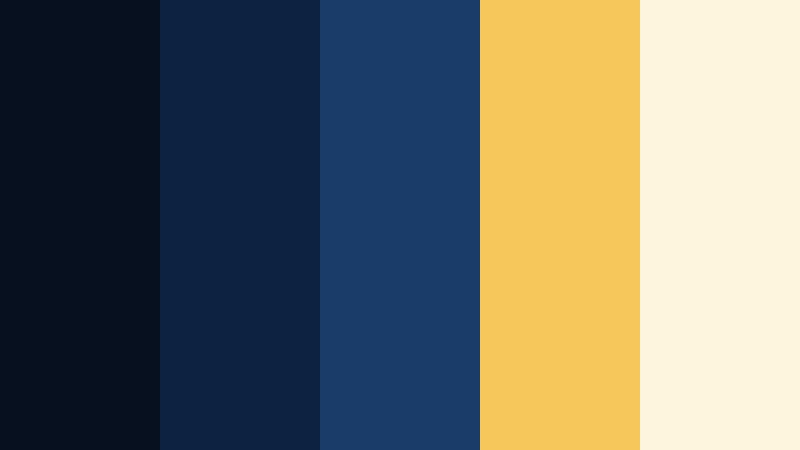
- HEX Codes: #06101e, #0b2340, #1a3c68, #f5c85b, #fef5dd
- Mood: Cinematic, urban, and slightly mysterious with a hint of golden drama.
- Use for: Use this palette for night city b-roll, tech startup promos, or cinematic YouTube intros with neon accents.
Midnight City Skyline layers inky navy and deep Night Scene Blue with rich golden highlights, just like a lit skyline cutting through the dark. The blues (#06101e, #0b2340, #1a3c68) set a serious, cinematic base, while the warm gold and cream (#f5c85b, #fef5dd) read like windows and streetlights glowing against the night.
This palette works brilliantly for intros, end screens, and lower thirds where you want a cool, trustworthy base but still need eye-catching contrast. Use the darkest blue for backgrounds, mid blues for overlays and panels, and the golds for CTAs, titles, and logo marks. It also grades beautifully into night city footage, tech explainers, and channel branding where you want modern, high-end vibes.
Pro Tip: Build a Cinematic Night Scene Blue Look in Filmora
To turn the Midnight City Skyline palette into a full visual identity, keep your darkest Night Scene Blue as the consistent background across your edit. In Filmora, you can set that hue in your titles, lower thirds, and solid color layers so every intro, b-roll segment, and outro feels connected.
Then, reserve the Cinematic Copper-like gold from this palette for accents: subscribe buttons, animated shapes, progress bars, or key on-screen keywords. By repeating the same blue and gold combination in overlays, transitions, and thumbnail frames, your channel or campaign will instantly look more cinematic and cohesive.
AI Color Palette
If you already have a reference image of a glowing skyline or a finished frame colored with this palette, you can let Filmora do the heavy lifting. Filmora's AI Color Palette feature analyzes the colors in that reference and transfers the mood to the rest of your clips.
Simply choose a clip or still with your ideal Night Scene Blue look, open AI Color Palette, and apply it to the rest of the timeline. This keeps blues, golds, and highlights consistent across multi-camera edits, b-roll, intros, and shorts without manual tweaking for every shot.
 secure download

HSL, Color Wheels & Curves
Once your Night Scene Blue look is in place, use Filmora's HSL, color wheels, and curves to fine-tune it. Slightly deepen the blues in the shadows for a more cinematic feel, then lift the warm tones in the midtones so the golden accents stay bright and readable. You can also adjust individual blue hues in the HSL panel to match your exact HEX targets and preserve brand consistency.
On the curves, a gentle S-curve increases contrast without crushing detail in the dark areas of your night scenes. Color wheels help you push shadows toward deep navy while keeping highlights closer to soft ivory, giving you that polished blue-hour aesthetic often seen in professional color grading breakdowns.
secure download1000+ Video Filters & 3D LUTs
If you want to move faster, Filmora's video filters and 3D LUTs make it easy to lean your footage toward a Night Scene Blue mood with one click. Start from a blue-toned cinematic LUT, then nudge the hues to align with your exact HEX values for consistency with thumbnails and channel art.
You can stack subtle filters for glow, grain, or halation to push the city lights and Cinematic Copper-style highlights, then save your combination as a custom preset. That way, every new video you edit can instantly pick up the same Midnight City Skyline mood.
secure downloadHarbor Lights Drift
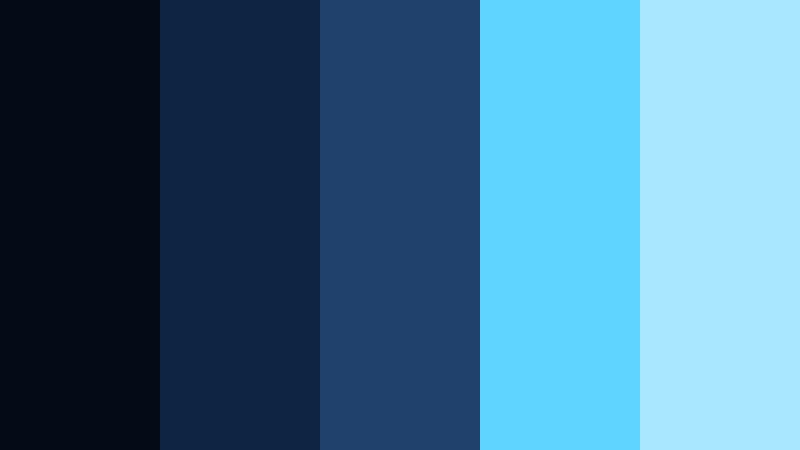
- HEX Codes: #050b16, #0f2442, #1f416b, #5fd4ff, #a8e7ff
- Mood: Calm yet dramatic, with a cool nautical atmosphere and soft neon shimmer.
- Use for: Great for travel vlogs, harbor montages, or reflective voiceover scenes set near water.
Harbor Lights Drift starts with deep, almost-black Night Scene Blue and gradually softens into richer marine blues, finishing with icy aqua highlights. It feels like watching harbor reflections ripple across dark water, with distant neon signs and ship lights breaking the darkness.
Use the deepest tones as your background for titles, end screens, and overlays, then apply the aqua accents to text, icons, or waveform visualizers. This palette works especially well on travel thumbnails, map overlays, and documentary-style lower thirds, giving anything water-related a cool, cinematic story feel.
Subway Noir Frame
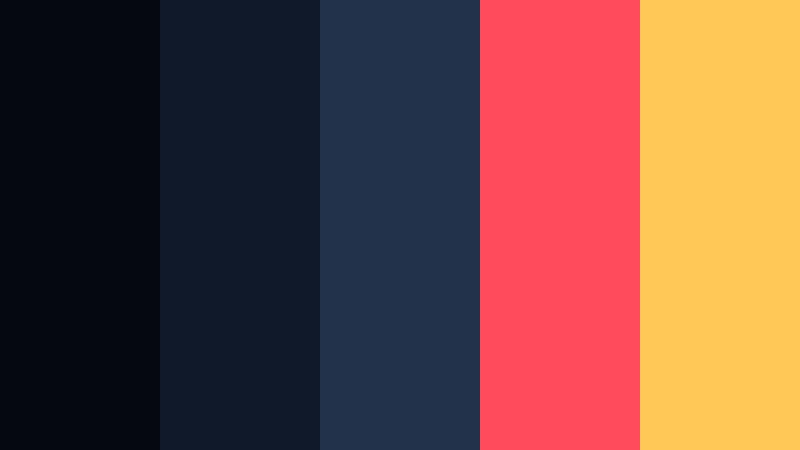
- HEX Codes: #050711, #10192a, #21324a, #ff4b5c, #ffc857
- Mood: Edgy, urban, and noir-inspired with bold pop accents.
- Use for: Use this for gritty documentaries, street edits, or music videos needing a tense underground feel.
Subway Noir Frame wraps your visuals in layers of dark, inky blue, then slices through them with bold coral red and smoky gold. The base colors feel like the walls and shadows of a subway platform, while the vibrant accents mimic warning lights, signage, and fast-moving trains.
For video, keep the blues as your dominant grading choice and use the red and gold sparingly on text, overlays, and key graphic beats. This creates a strong visual rhythm for street edits, rap videos, and urban case studies. Thumbnails can lean into the contrast by placing white or gold type over the darkest blue, with a red bar or badge to draw instant attention.
Rainy Alley Bokeh
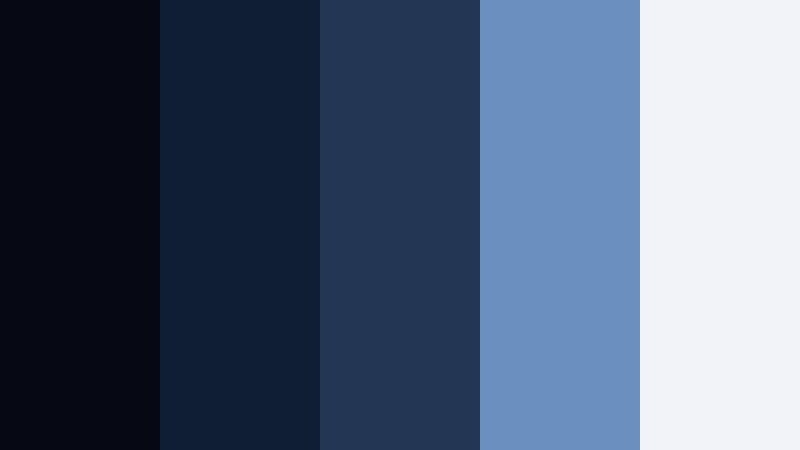
- HEX Codes: #060914, #0f1e33, #233754, #6b8fbf, #f1f3f9
- Mood: Melancholic and cinematic, like a quiet rain-soaked street after dark.
- Use for: Perfect for emotional story sequences, slow vlogs, or cinematic text overlays on moody footage.
Rainy Alley Bokeh moves from dense, shadowy Night Scene Blue to misty whites and desaturated sky tones. It feels soft and reflective, like blurred streetlights through raindrops on a lens. The palette balances depth with tenderness, making it ideal for emotional storytelling.
Use the darker hues in your color grade to deepen shadows, then bring in the lighter blue and off-white for titles, captions, and overlays so text stays readable. This palette shines in cinematic storytime videos, introspective vlogs, breakup edits, or any sequence where you want the night to feel gentle and thoughtful rather than harsh.
Soft & Romantic Night Scene Blue Color Palettes
Moonlit Balcony Whisper
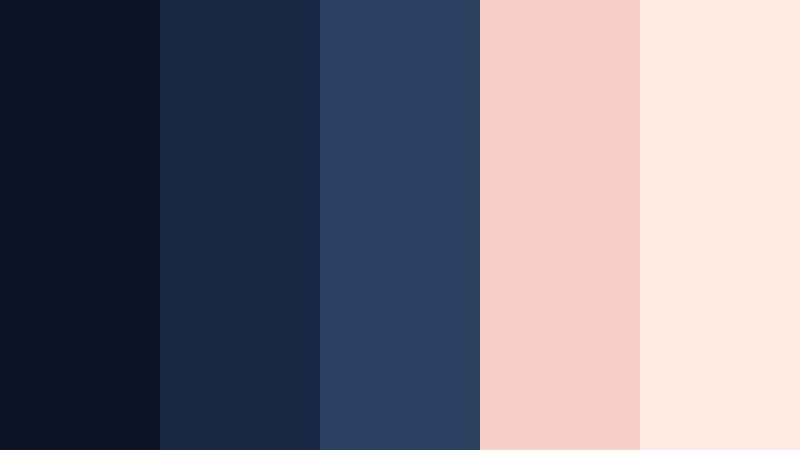
- HEX Codes: #0a1324, #182744, #2b3f60, #f9d0c7, #ffeae3
- Mood: Soft, romantic, and nostalgic with a cinematic love-story feel.
- Use for: Use for romantic vlog sequences, engagement highlight reels, or soft storytelling intros.
Moonlit Balcony Whisper blends velvety Night Scene Blue shadows with gentle blush and peach tones, like a balcony lit by distant city lights and a warm window glow. The blues keep everything feeling calm and slightly mysterious, while the pastel accents add warmth and emotion.
For video and thumbnails, use the darker blues in backgrounds, borders, and subtle vignettes, then highlight key words or icons with the soft pinks. Wedding teasers, couple vlogs, and cozy date-night edits feel instantly more cinematic when you tint midtones toward the deeper blues and reserve the blush tones for overlays, titles, or animated hearts and frames.
Starlit Cafe Corner
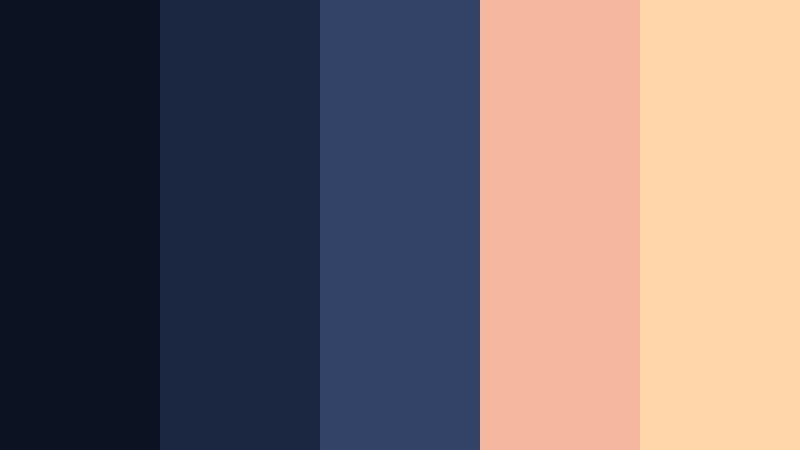
- HEX Codes: #0b1221, #1b2640, #334267, #f6b7a0, #ffd6aa
- Mood: Cozy, intimate, and slightly vintage, like a late-night cafe date.
- Use for: Great for lifestyle vlogs, cozy talking-head setups, or reels featuring warm interiors at night.
Starlit Cafe Corner pairs cool, enveloping Night Scene Blue walls with caramel and apricot lighting. It captures the feeling of sitting in a cafe window at night, surrounded by conversation and soft music, while the city hums outside.
This palette is ideal for talking-head setups filmed in bedrooms, studios, or cafes. Grade your footage slightly toward the blues in shadows, keep skin tones natural, and then use the warm peach and apricot for titles, bullet points, and callouts. Thumbnails can feature your subject framed in blue with warm type and icons to suggest comfort and connection.
Quiet Rooftop Echo
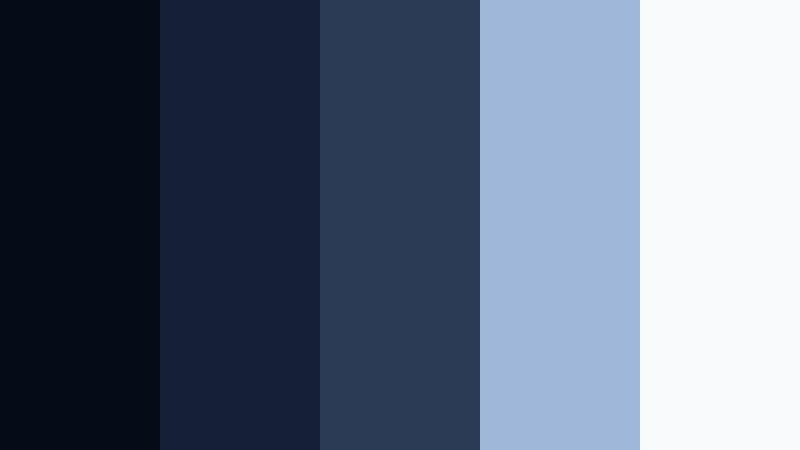
- HEX Codes: #050c18, #151f36, #2b3a55, #9fb7d9, #f8fafc
- Mood: Reflective and airy, with a balance of cool night air and soft serenity.
- Use for: Use for reflective narrations, study-with-me content, or calm rooftop b-roll at twilight.
Quiet Rooftop Echo moves from near-black blue to airy sky-inspired tints and clean off-white. It feels like the quiet space above a busy city where you can finally think, journal, or watch the stars. The palette is calm, minimalist, and ideal for focus-heavy content.
Apply the deepest blues to backgrounds and overlays, then use the lighter blue and off-white for text, icons, and timelines. This combination works very well for productivity channels, study-with-me videos, or reflective storytelling, where you want clarity and calm without flatness. For branding, it also doubles as a clean, modern look for banners and channel headers.
Neon Heartbeat Glow
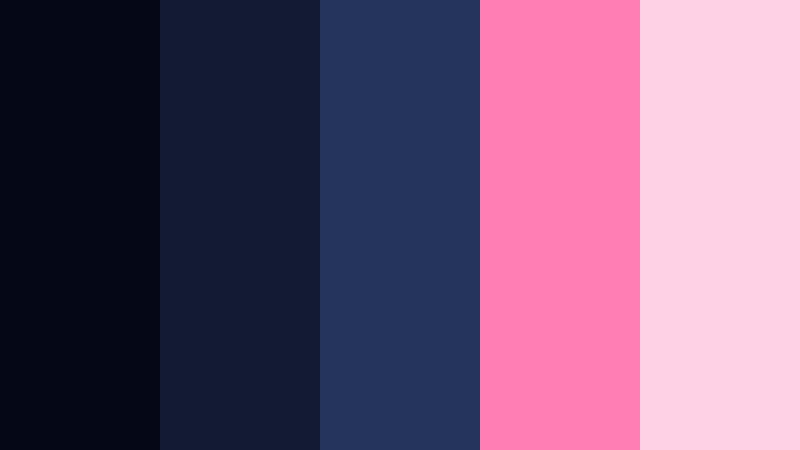
- HEX Codes: #050716, #131b32, #25345a, #ff7fb3, #ffd1e5
- Mood: Dreamy and youthful, with a romantic neon energy.
- Use for: Perfect for date-night vlog edits, K-pop inspired reels, or playful social content.
Neon Heartbeat Glow mixes moody Night Scene Blue foundations with bright pink neon and soft blush highlights. It feels like a neon sign reflected on wet pavement, but in a softer, more romantic way. The overall mood is playful, dreamy, and very social-media friendly.
Use the blues as the main grade and UI color, then let the pinks carry your CTAs and important on-screen text like lyrics, captions, or timestamps. This palette is perfect for TikTok and Reels-style edits, K-pop fan videos, or stylized vlogs, especially when you add subtle glow, light streaks, or animated hearts in Filmora.
Bold & Vibrant Night Scene Blue Color Palettes
Arcade Neon Storm
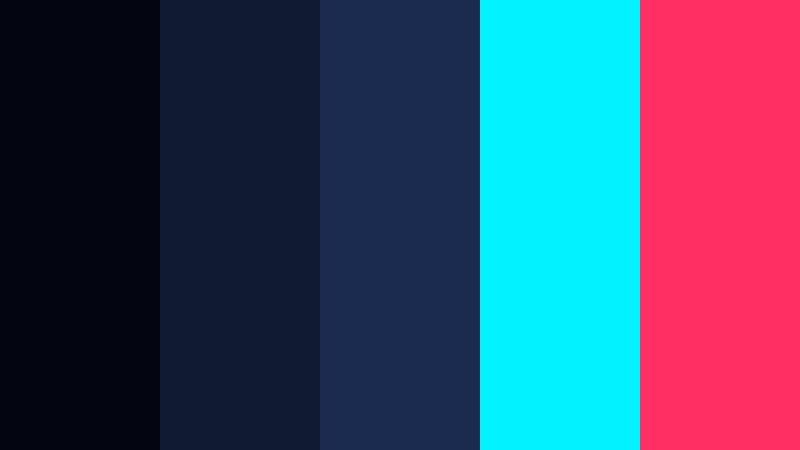
- HEX Codes: #030510, #101b33, #1a2b4f, #00f3ff, #ff2e63
- Mood: Electric, high-energy, and bold like a retro arcade night.
- Use for: Use for gaming channels, tech promos, or high-intensity edits with glitch effects.
Arcade Neon Storm leans fully into cyberpunk: dense Night Scene Blue shadows set the stage for shocking cyan and hot magenta highlights. It immediately suggests screens, LED strips, and fast-paced gameplay or motion graphics.
For video, keep most of the frame in the darker blues to preserve legibility, then inject the cyan and magenta into HUD overlays, lower thirds, and scene transitions. Thumbnails look powerful when you combine a dark blue background with cyan outlines and magenta text or character cutouts, especially for gaming and tech content.
Highway Light Trails
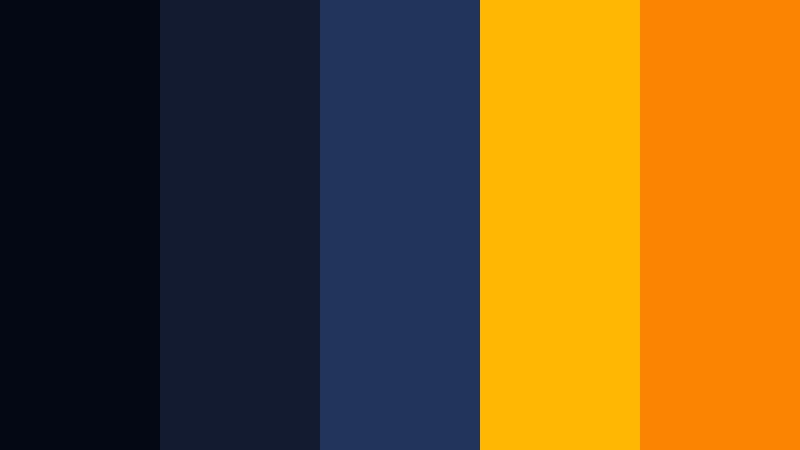
- HEX Codes: #040714, #121b30, #23345a, #ffb703, #fb8500
- Mood: Dynamic, fast-paced, and cinematic with strong contrast.
- Use for: Perfect for travel montages, car edits, sport highlights, and fast-moving intros.
Highway Light Trails combines dark asphalt-inspired blues with bright amber and orange streaks. It feels like long-exposure photos of cars rushing through the night, capturing pure movement and speed.
In your edits, build a base grade with the blues, then use the warm oranges in motion graphics, progress bars, or animated strokes that follow movement. Sports intros, car commercials, and travel vlog sequences become more kinetic with this mix, especially if you drag the oranges into your text outlines or social handles in thumbnails.
Festival Laser Night
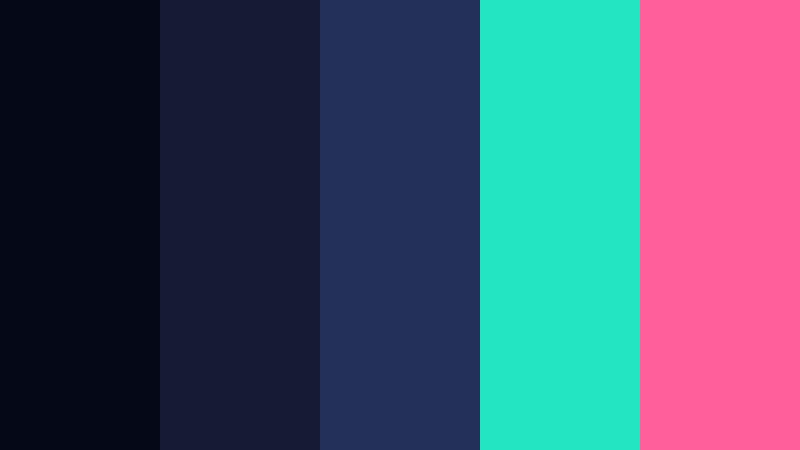
- HEX Codes: #050816, #151b34, #23315a, #21e6c1, #ff5f9a
- Mood: Party-ready, vibrant, and immersive like a live festival stage.
- Use for: Use in concert recaps, festival vlogs, dance reels, or music video lyric animations.
Festival Laser Night surrounds your scene with deep Night Scene Blue, then cuts through it with teal lasers and bright pink accents. The palette is loud, joyful, and full of energy, immediately evoking concerts and live events.
Use the blues to keep faces and environments grounded, then add the teal and pink in light streaks, equalizer bars, overlays, and animated text. This works especially well for recap edits, dance reels, and lyric videos, where bold typography and rhythm-based cuts can sync with the music and color pops.
Digital Skyline Pulse
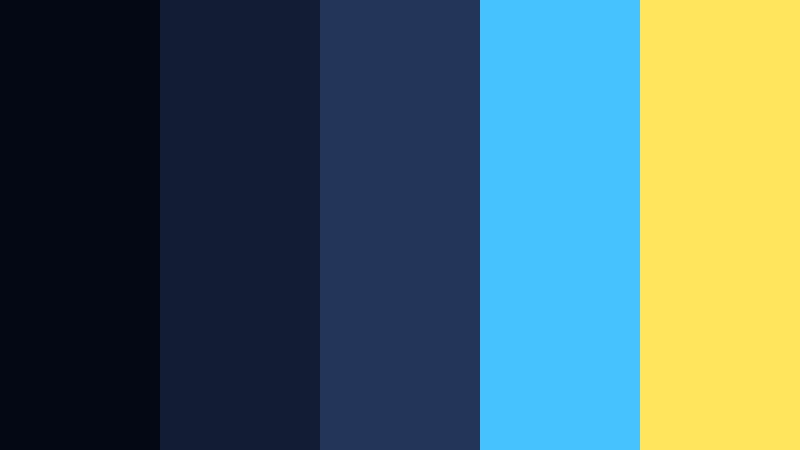
- HEX Codes: #030814, #121c33, #24355a, #46c2ff, #ffe45e
- Mood: Modern, techy, and futuristic with a bright digital edge.
- Use for: Ideal for app promos, startup explainers, and motion graphics for SaaS or fintech brands.
Digital Skyline Pulse uses layered Night Scene Blue tones as a digital backdrop, accented by vibrant cyan and soft yellow. It feels like an illuminated financial district or dashboard UI set against a night sky.
This palette is perfect for explainer videos, product demos, and B-roll overlays showing dashboards, charts, or app interfaces. Let the blues form your UI backgrounds and gradients, use cyan for highlights and interactive elements, and keep the yellow as a sparing accent for buttons, key numbers, and calls to action in both video and thumbnails.
Elegant & Modern Night Scene Blue Color Palettes
Luxury Marina Dusk
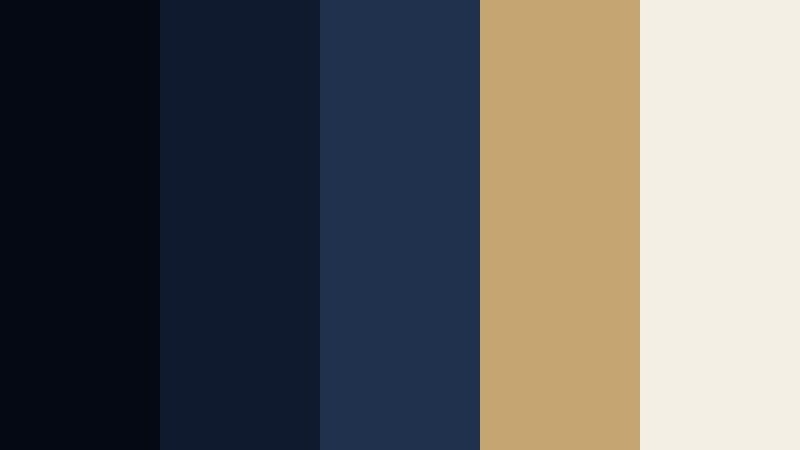
- HEX Codes: #050914, #101a2e, #1f314d, #c5a572, #f4efe5
- Mood: Sophisticated, calm, and premium with a coastal luxury aura.
- Use for: Use for yacht promos, luxury travel content, or premium course branding.
Luxury Marina Dusk mixes deep marine Night Scene Blue with muted gold and soft ivory. It recalls expensive yachts, quiet docks, and champagne at blue hour. The combination instantly reads as premium and aspirational.
Use the darker blues as the main backgrounds and transitions, the muted gold for headlines and logo marks, and the ivory for body text and clean UI panels. This palette is ideal for high-end travel videos, real estate tours, luxury product promos, or online course branding that aims to feel exclusive yet calm.
Minimal Studio Night
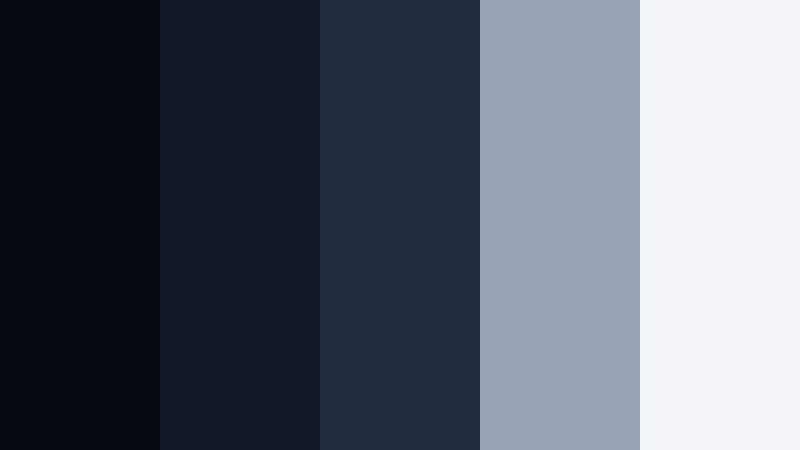
- HEX Codes: #050711, #121826, #202b3d, #9aa4b8, #f2f4f8
- Mood: Clean, minimal, and modern with a subtle studio feel.
- Use for: Perfect for productivity channels, tutorials, and minimal branding for YouTube or podcasts.
Minimal Studio Night builds a smooth gradient from very dark blue to cool gray and almost-white. It feels like a polished studio backdrop or a sleek app interface in dark mode, keeping focus on content rather than decoration.
This palette is great for tutorial channels, coding content, and podcasts where clarity is key. Use the darkest tones for backgrounds, mid blues and grays for panels and overlays, and the off-white for text. Because it is so neutral and modern, it also pairs well with accent colors from your logo if you want to add a subtle brand highlight.
Glass Tower Twilight
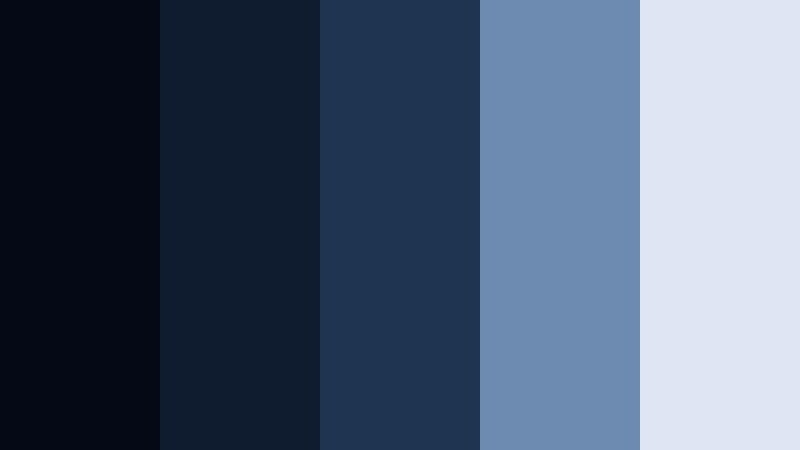
- HEX Codes: #050915, #0f1b2f, #1e3552, #6d8bb1, #dde6f2
- Mood: Polished, corporate, and calm like a glass office tower at blue hour.
- Use for: Use for corporate explainers, B2B promos, LinkedIn videos, and professional slide decks.
Glass Tower Twilight layers structured Night Scene Blue with steel blue and faint glass reflections. It feels corporate and stable, like a city of office towers just after sunset. The palette communicates trust, professionalism, and modernity.
Use the darker blues for backgrounds in explainers and webinar intros, then use the mid and light blues for graphs, diagrams, and text blocks. This palette fits perfectly for B2B promos, LinkedIn content, and portfolios where you want sleek but not flashy visuals. In thumbnails, a simple headshot against a dark blue block with light-blue text looks instantly credible.
Gallery After Hours
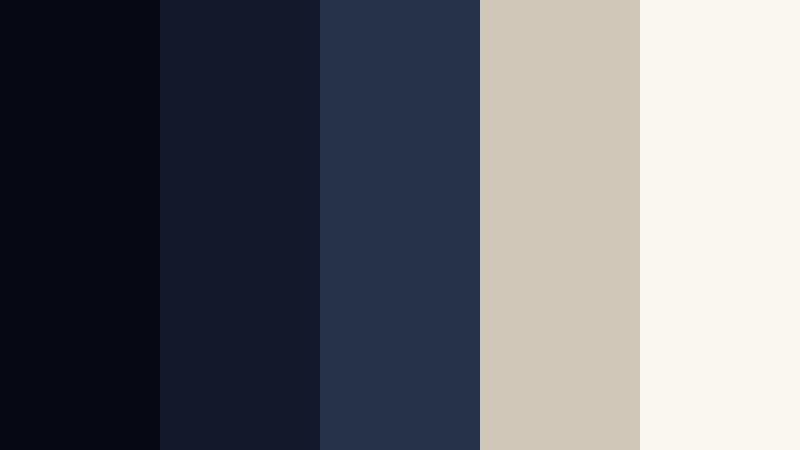
- HEX Codes: #060914, #12192a, #25324a, #d1c7b8, #faf7f1
- Mood: Artful, quiet, and refined with a modern gallery atmosphere.
- Use for: Ideal for portfolio reels, creative agency promos, and cinematic case study videos.
Gallery After Hours surrounds your visuals with deep Night Scene Blue but softens the space using warm stone neutrals and ivory. It feels like walking through an empty gallery after closing time, where the art is the only thing on display.
In your edits, use the blues as frames and negative space, and treat the warm neutrals as pedestals for your work: overlays behind text, panels for case study stats, or subtle borders around images. This palette is especially strong for designers, photographers, and agencies who want their work to stand out against a refined, cinematic backdrop in both video and thumbnails.
Tips for Creating Night Scene Blue Color Palettes
Night Scene Blue works across many styles, from romantic to cyberpunk, as long as you balance depth, contrast, and accent colors. Use the tips below to adapt these palettes or build your own for video editing and design.
- Pair deep Night Scene Blue with one warm accent (gold, copper, peach, or orange) to create cinematic contrast and guide the viewer toward titles, buttons, or key UI elements.
- Keep text highly readable by using light colors (ivory, pale blue, soft yellow) on dark blue backgrounds, and avoid putting low-contrast mid blues against each other for small text.
- Limit bright accent colors to 10 to 20 percent of the frame so your Night Scene Blue base stays dominant and your brand identity remains clear.
- Match your grade to your palette: use color wheels and HSL tools to push shadows toward your chosen Night Scene Blue while preserving natural skin tones in midtones.
- Design thumbnails using the darkest blue as a border or drop shadow, a mid blue for background shapes, and a single bright accent for CTAs and keywords.
- For intros and lower thirds, create reusable templates in Filmora using your exact HEX values so every new video stays on-brand without manual color picking.
- Consider platform and device: slightly increase brightness and contrast in Night Scene Blue palettes for mobile viewers so your dark tones do not look muddy on smaller screens.
- Test your palette on both footage and flat graphics (titles, charts, overlays) to ensure it works in motion as well as in static channel art and social posts.
Night Scene Blue color palettes can completely transform how your channel, brand, or project feels. From noir subway tunnels to luxury marinas and neon festivals, the right combination of blues and accents shapes mood, focus, and perceived production quality.
Use these 15 palettes as ready-to-go recipes for grading, titles, overlays, and thumbnails. Once you drop them into Filmora, you can refine each look with AI Color Palette, HSL, color wheels, curves, and filters until it perfectly matches your story and brand.
Experiment, save your favorite combinations as presets, and keep repeating them across intros, shorts, and long-form edits. Consistent Night Scene Blue visuals will make your content instantly recognizable wherever people discover it.
