

 100% Security Verified | No Subscription Required | No Malware

If you post night clips on Instagram, the right filter can turn grainy, flat footage into a moody aesthetic that your audience actually stops to watch. Filmoras filters and LUT-style presets make it easy to give every night video a cohesive dark Instagram look in just a few taps.
Below are 12 curated night video filters for Instagram that work beautifully for reels, city walks, late-night vlogs, and neon-lit portraits. Each option includes what the effect looks like, when to use it, and a quick editing tip so you can move fast and stay on-brand.
In this article
Cinematic Night Filters for City Streets
Neon Noir Glow
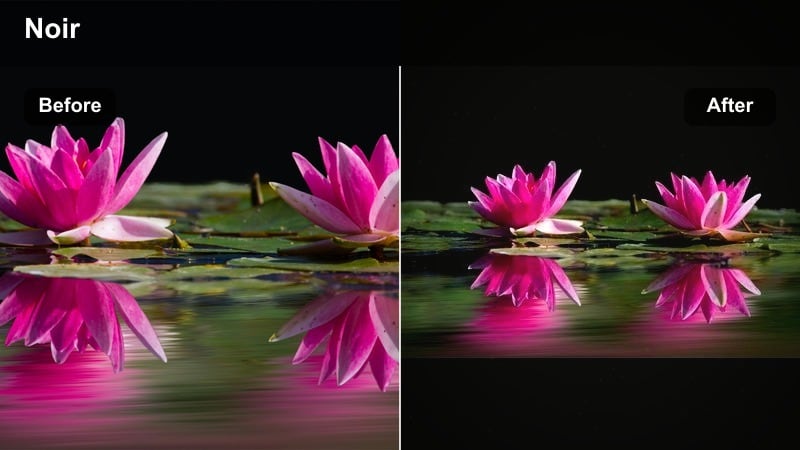
- Effect look: High-contrast, cool-toned night filter that makes neon signs and car lights glow while keeping shadows deep and dramatic.
- Best for: Urban night walks, rainy city streets, handheld B-roll for Instagram night posts and reels.
- Editing tip: Lower overall exposure slightly, then add a touch of clarity or sharpness so reflections on wet ground and glass surfaces pop without looking over-edited.
Neon Noir Glow is the go-to night video Instagram filter when you want neon and traffic lights to become the star of the shot. It leans into cool tones and intense contrast, so city scenes feel cinematic and stylized without losing the gritty texture of real streets. Wet asphalt, signage, and window reflections all pick up a subtle glow that instantly feels more like a movie still than a casual phone clip.
In Filmora, drop this filter on your night B-roll and then fine-tune exposure in the Color panel so your highlights sit just below clipping. Use the Sharpen or Clarity controls lightly to carve detail into rain, reflections, and building edges. Combined with smooth handheld movement or slow pans, Neon Noir Glow turns everyday downtown walks into scroll-stopping, moody reels that match dark Instagram LUT aesthetics.
Match Your Night Filters With AI-Powered Color Tools
Filmoras AI color tools can quickly balance exposure and white balance before you apply your night video filters for Instagram, which means less time fixing noisy shadows and strange light mixes. Clean base footage keeps your dark aesthetic strong without sacrificing important detail in faces, signs, or cars.
Use AI-enhanced color correction on your raw clips, then layer your favorite dark Instagram LUT or moody night aesthetic filter over the top. This workflow lets you keep consistent color from clip to clip while still leaning into the exact night mood you want for your reels and posts.
 secure download

Preview Night Filters on Sample Clips Before You Commit
Instead of guessing how a filter will look on your Instagram night posts, drop a few sample clips into a Filmora project and cycle through presets like Neon Noir Glow, Urban Movie Night, and Ink Deep Night. Side-by-side comparisons on real footage make it obvious which look fits your current reel or overall grid.
Export short test edits and check them on your phone in Instagrams interface before you decide. Once you find the filter that matches your vibe, save a custom preset in Filmora and apply it to full-length reels to keep your night content consistent with almost no extra work.
secure downloadExplore 1000+ Video Filters and 3D LUTs in Filmora
Filmora includes a large library of video filters, overlays, and 3D LUTs that cover everything from clean night grades to heavy dark aesthetic looks. You can layer these effects with blending modes, vignettes, and film grain to build a unique style that still starts from a proven preset.
Once you find a combination that works for your night reels, save it as a custom preset so you can apply the same stacked look in a single click. This is the fastest way to build a recognizable Instagram night style without manually recreating your grade every time.
secure downloadUrban Movie Night
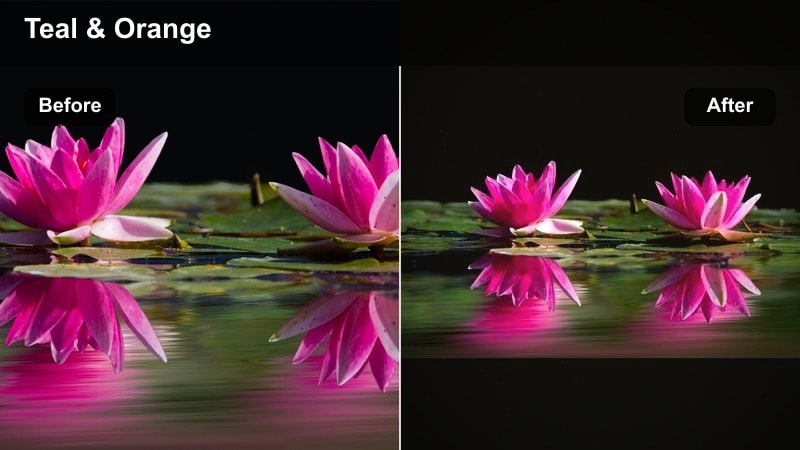
- Effect look: Cinematic teal and amber night filter with soft contrast, giving a film-style balance between warm streetlights and cooler shadows.
- Best for: Story-driven reels, dynamic night b-roll, couple walks, and POV clips in busy downtown areas.
- Editing tip: Stabilize clips slightly and add a subtle vignette to frame faces or subjects at the center so the movie-like color grade feels more intentional.
Urban Movie Night brings that classic teal-and-amber cinema look to your Instagram night content. Streetlights, car interiors, and window light skew warm, while shadows and sky stay cool, creating depth and contrast that feel straight out of a film trailer. The softer contrast keeps details in both highlights and shadows, which is perfect for noisy phone footage shot after dark.
Apply this filter in Filmora to all clips in a night reel first, then adjust exposure and white balance per shot. This top-down approach gives your entire sequence one unified color story. If skin tones push too orange under sodium lamps, use the HSL tools to gently reduce orange saturation and lift orange luminance so faces stay natural while the scene holds onto its cinematic, late-night vibe.
Midnight Street Chrome
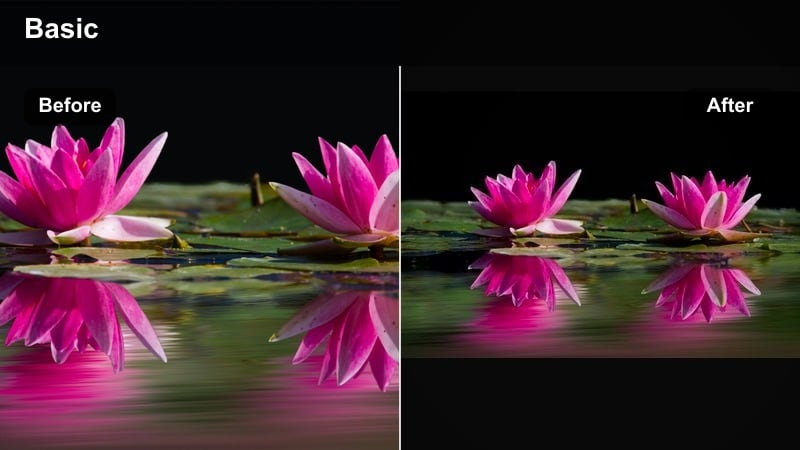
- Effect look: Cool metallic tones with lifted blacks that keep details in shadows but still feel dark and edgy, like a glossy magazine night shoot.
- Best for: Car shots, streetwear videos, sneaker close-ups, and reflective metal or glass surfaces at night.
- Editing tip: Use the filter, then slightly pull down saturation while boosting contrast so highlight reflections on cars and buildings stay punchy without color distractions.
Midnight Street Chrome is built for fashion-forward and automotive content where reflections matter as much as the subject itself. The lifted blacks preserve structure in shadow areas, while the cool metallic shift gives paint, chrome, and glass a high-end editorial shine. It keeps the scene dark but stylized, ideal for night shots that highlight sneakers, jackets, and city textures.
Inside Filmora, stack this filter on close-ups of details like wheel rims, jewelry, or metallic signage. Pull back overall saturation if the scene feels too colorful, then increase contrast or use the Curves controls to add snap to highlights. Combine with slow camera moves or dolly-like sliders so the reflections glide across the frame and the chrome effect grabs attention in Instagram reels and posts.
Moody Night Filters for Portrait Reels
Soft Shadow Portrait
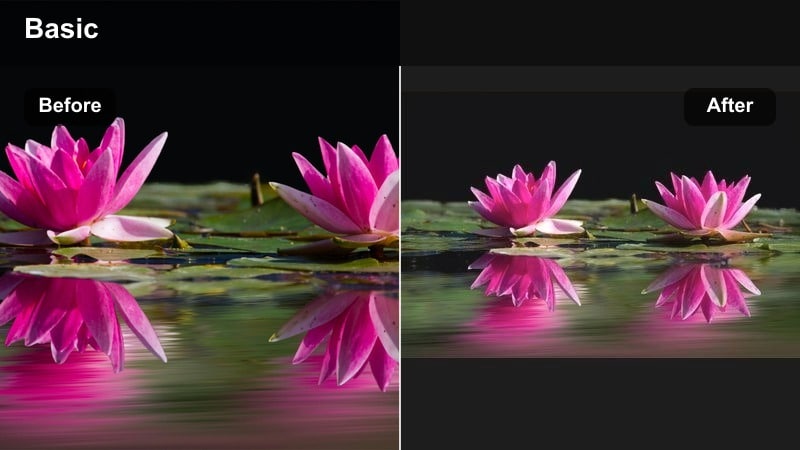
- Effect look: Gentle fade in the blacks with warm skin tones and softened contrast to create dreamy, intimate night portraits.
- Best for: Close-up talking reels, romantic night dates, soft aesthetic content, and creator intros recorded outdoors.
- Editing tip: Add a small amount of blur or reduce sharpness slightly to flatter skin, then use Filmoras face-lift or skin smoothing lightly so the filter does most of the work.
Soft Shadow Portrait focuses on flattering skin and gentle contrast, turning harsh night lighting into something soft and inviting. Blacks are slightly lifted, which keeps important facial details visible even when light sources are small or off to the side. Warm tones in skin and highlights make your subject feel close and approachable, perfect for talking-to-camera clips and romantic vlogs.
In Filmora, pair this filter with modest skin smoothing and a tiny reduction in overall sharpness to reduce texture without making the image look fake. Position your subject near one primary light source, like a shop sign or lamppost, and then fine-tune highlights so nothing clips. The result is an intimate look that works beautifully for Instagram portrait reels and story-style confessions.
Moody Night Aura
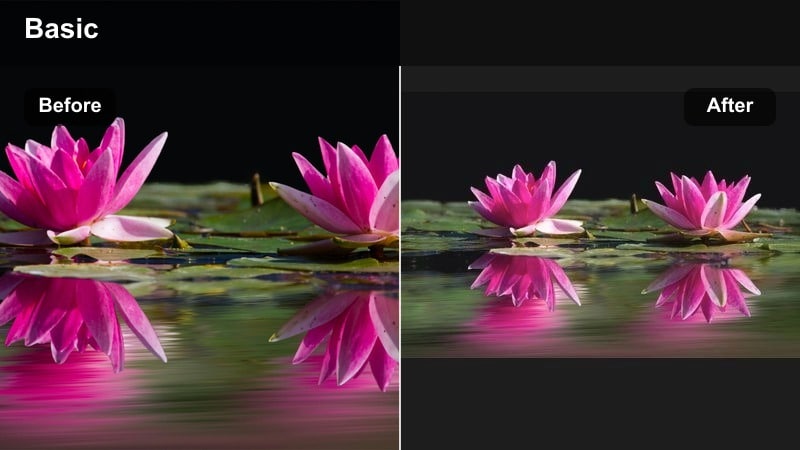
- Effect look: Deep blues and purples with soft haze in the midtones, giving portraits a dreamy, slightly surreal night aura.
- Best for: Creative self-portraits, music-inspired reels, and moody night aesthetic filter looks for storytelling accounts.
- Editing tip: Reduce saturation in greens so any background foliage does not compete with your subject, then fine-tune magenta balance for the exact mood you want.
Moody Night Aura wraps your subject in deep blues and purples to create a dreamy, almost music-video style grade. Soft haze in the midtones helps lights bloom and backgrounds blur into colored bokeh, turning even simple locations into atmospheric backdrops. This is a great choice when you want your Instagram night filter to feel more artistic than realistic.
After applying this filter in Filmora, dial down greens in the HSL panel so foliage or random signs do not steal attention. Adjust magenta and blue balance until the mood matches your soundtrack or voiceover. Shooting at a wide aperture to generate creamy bokeh will let this effect really shine, as distant lights pick up the purple-blue cast and support your moody night aesthetic.
Candlelit Street
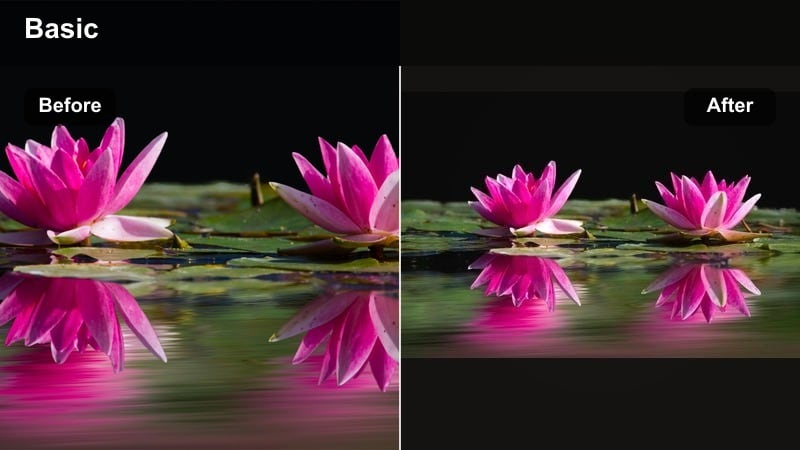
- Effect look: Warm, amber-toned filter inspired by candlelight, with gentle vignetting and soft roll-off in highlights for intimate night storytelling.
- Best for: Cafe vlogs, alleyway portraits, food content at night markets, and quiet street storytelling reels.
- Editing tip: Increase warmth slightly and boost orange luminance to brighten skin and food while leaving backgrounds darker for a focused, intimate look.
Candlelit Street mimics the soft, amber glow of candles and tungsten bulbs, great for cozy night scenes and food vlogs. Highlights roll off gently, so practical lights like lanterns and cafe bulbs glow instead of blowing out, creating a romantic and nostalgic tone. Subtle vignetting naturally pulls viewers eyes toward your subject in the center of the frame.
Use this filter in Filmora for night markets, outdoor dinners, and narrow alley shots where warm light falls off into darkness. Boost overall warmth slightly and raise orange luminance so skin, drinks, and dishes look inviting while keeping surrounding areas shaded. If things start to feel too orange, cool the shadows a touch to restore depth and preserve that intimate night-storytelling feel.
Dark Aesthetic Filters for Night Feeds
Ink Deep Night
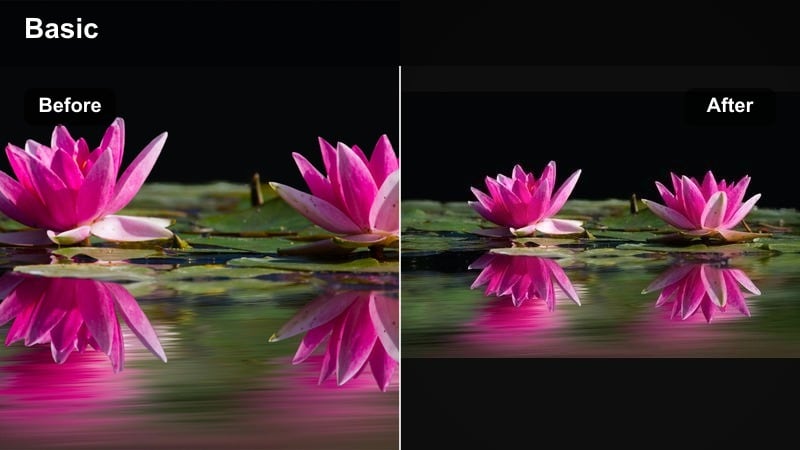
- Effect look: Crushed blacks, cool shadows, and minimal saturation for a bold, dark Instagram LUT style that screams late-night mood.
- Best for: Dark aesthetic content, shadowy alley shots, silhouette reels, and moody b-roll transitions.
- Editing tip: Expose slightly brighter than you want in camera, then use Ink Deep Night to crush the blacks in Filmora so the noise stays under control while still looking ultra moody.
Ink Deep Night is pure dark-aesthetic energy, with deep crushed blacks and muted colors that lean cool. It is perfect for silhouettes, shadowy corners, and minimal scenes where the vibe matters more than fine detail. The heavy contrast creates bold shapes that read clearly on small phone screens, making it ideal for reels viewers scroll through quickly.
When grading in Filmora, start with footage that is exposed a touch brighter than your final target; this keeps noise manageable before you push blacks down. Then apply Ink Deep Night and fine-tune the black point and contrast until your subject becomes a strong graphic element against the background. Light noise reduction on midtones only will help keep edges sharp while preserving that inky, late-night Instagram look.
Shadowcore Violet
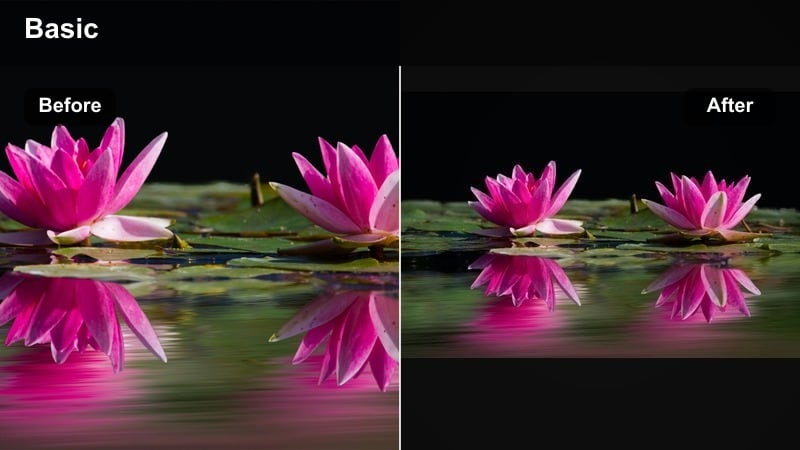
- Effect look: Desaturated base with subtle violet shadows and cool highlights, creating an alternative dark aesthetic that still feels polished.
- Best for: Street fashion, rooftop sessions, low-key performance clips, and moody night reels with music overlays.
- Editing tip: Dial back saturation in yellows and greens, then lightly boost magenta saturation so the violet tone reads clearly without overpowering the scene.
Shadowcore Violet adds a faint violet tint to shadows while keeping the rest of the frame tastefully desaturated. The result is a dark, alternative aesthetic that works beautifully with street fashion, rooftop performances, and music-driven content. Highlights stay cool and clean, so city lights and skyline details remain sharp against the stylized shadow color.
Apply this filter in Filmora and then reduce yellow and green saturation to strip away distracting hues from streetlights or signs. Boost magenta gently until the violet cast is visible but not neon. Composing with large negative spaces and silhouetted figures will help the subtle color grading stand out and give your reels a polished, editorial edge.
Noir Grid Lock
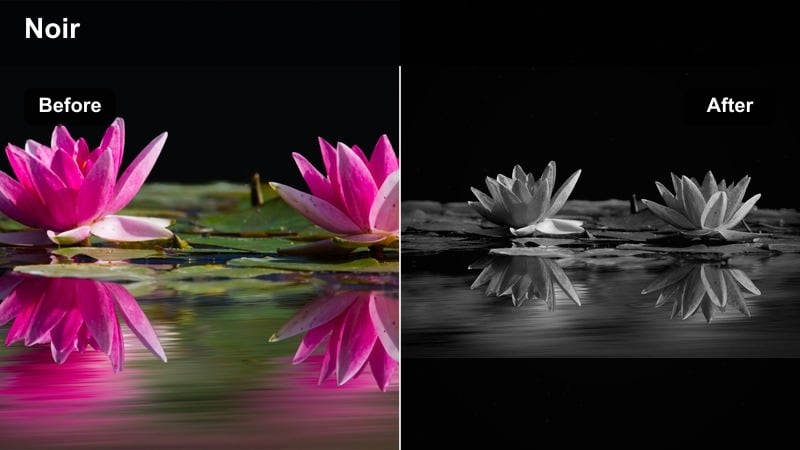
- Effect look: High-contrast monochrome leaning into deep grays and rich highlights, like a classic film noir look adapted for modern Instagram feeds.
- Best for: Architecture details, staircases, shadow patterns, and experimental night compositions focused on shape and light.
- Editing tip: Increase local contrast using Filmoras curves to emphasize leading lines, and add a strong vignette to lock the viewers eye in the center frame.
Noir Grid Lock strips color away and turns your night scenes into stark black-and-white compositions. High contrast jumps between deep grays and bright highlights, echoing classic film noir while fitting perfectly into a modern dark Instagram grid. It suits staircases, window frames, crosswalks, and anything that creates bold geometric shapes and shadow patterns.
In Filmora, convert your clips with this filter and then refine contrast using Curves to emphasize lines and silhouettes. Adding a vignette strengthens the central focus and reinforces that locked-in noir feel. Because color is gone, you can focus entirely on light placement and composition, making this filter ideal for experimental night shots and architectural reels.
Reels-Ready Night Filters and LUT-Style Looks
Reel Night Clean
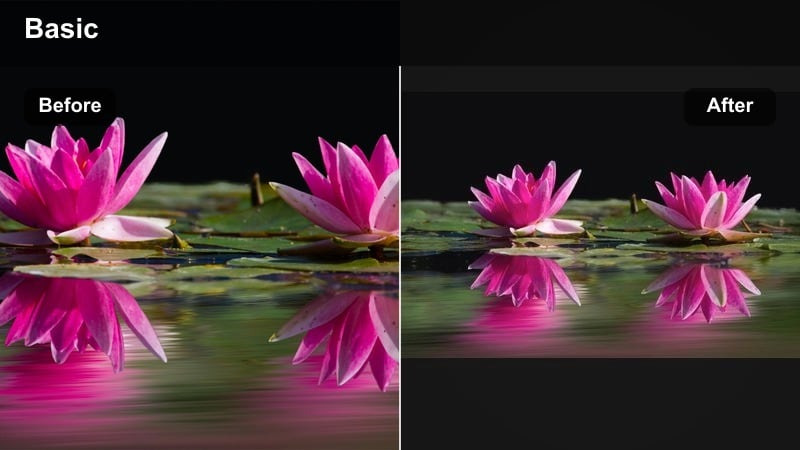
- Effect look: Balanced color, slightly lifted exposure, and gentle contrast tuned for vertical video compression so details stay clear in reels.
- Best for: Night reels with quick cuts, behind-the-scenes content, and vlog-style talking clips that need to stay bright but still feel like night.
- Editing tip: Apply the filter, then crop and frame for vertical early. Avoid crushing blacks too much because Instagram compression can hide shadow detail in reels.
Reel Night Clean is optimized specifically for how Instagram compresses and displays vertical video. It lifts exposure just enough to keep faces and important objects visible, while preserving the overall feel of night. Colors stay neutral and balanced, making this a reliable choice for mixed lighting environments like streets, bars, or events.
In Filmora, apply Reel Night Clean early in your workflow, then set your aspect ratio to vertical and frame your subject for reels. Keep contrast moderate and avoid ultra-deep blacks so compression does not smear details in dark areas. Slightly brightening midtones rather than global exposure will help your subject pop without over-lighting the background.
Night Feed Cohesive LUT
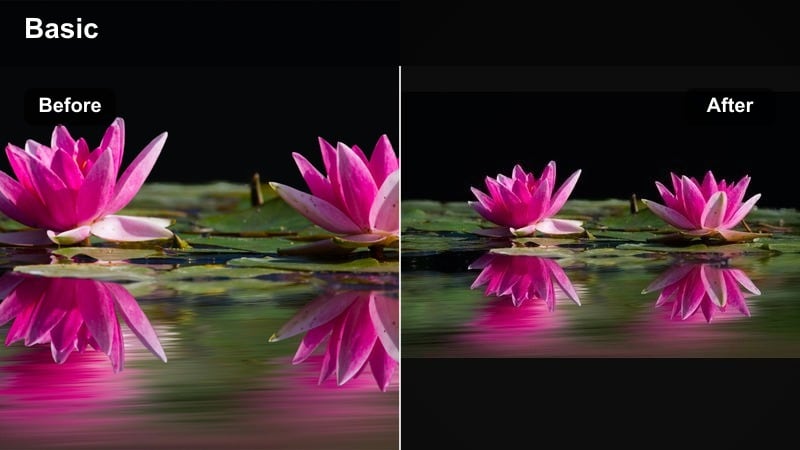
- Effect look: Dark Instagram LUT-inspired filter that unifies blues, oranges, and greens into a consistent palette across multiple clips.
- Best for: Creators building a consistent night video feed, multi-clip reels, and saved preset looks for recurring series.
- Editing tip: Create a custom preset in Filmora with this filter and your small exposure tweaks, then reuse it on every night project to keep your grid recognizable.
Night Feed Cohesive LUT is designed for creators who care about how their entire grid looks, not just a single reel. It harmonizes common night colors like blues, oranges, and greens into a tight palette, giving your posts a signature tone even when scenes change. The grade stays on the darker, moodier side without crushing important detail.
After you dial this look in on a few representative clips in Filmora, save it as a custom preset so every future night project can start from the same base. Apply the preset across all clips in a reel, then do quick exposure and white balance tweaks per shot. Over time, this repetition builds a recognizable brand style that followers can spot instantly in their feed.
Late Hour Haze
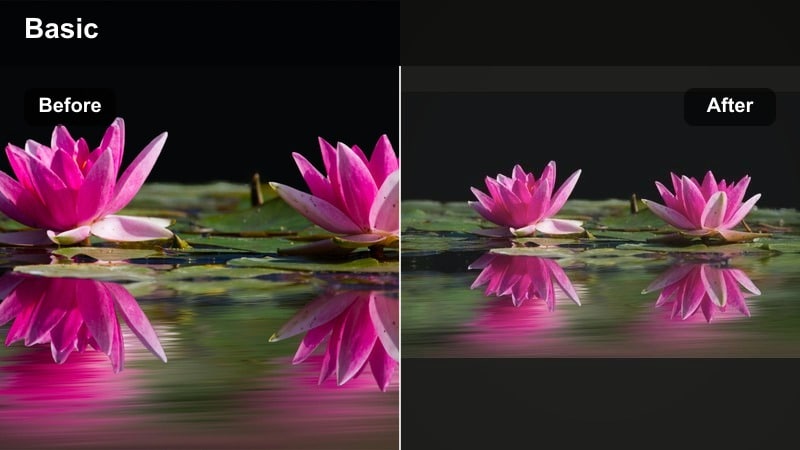
- Effect look: Soft, hazy contrast with mild grain and muted colors, giving a nostalgic late-night film look that works well for slow reels.
- Best for: Slow-motion clips, empty streets, after-party moments, and reflective or emotional storytelling reels.
- Editing tip: Add a slight slow zoom in or out to your clips in Filmora so the haze feels like it is moving and breathing with the footage.
Late Hour Haze adds gentle grain and low-contrast haze for a nostalgic, almost dreamlike film look. Colors mute down softly, and bright areas bloom a bit, capturing the feeling of wandering quiet streets after everyone has gone home. It pairs well with slower pacing, reflective captions, and ambient or lo-fi music.
In Filmora, apply this filter to clips with minimal movement, then add a slow zoom or pan using keyframes so the haze feels alive. Keep your brightest area away from the extreme edges of the frame so the natural vignette and glow do not wash out your subject. This look is ideal for emotional story reels where the mood matters as much as the message.
Tips for Using Night Video Instagram Filter Filters in Filmora
- Shoot your night clips slightly brighter than you want, then darken in Filmora with your chosen filter to reduce visible noise.
- Lock your white balance in-camera so your night video filters for Instagram do not have to fight shifting color temperatures.
- Mix one signature dark aesthetic filter with one cleaner look so your grid has rhythm without losing visual identity.
- Always test how your graded night clips look on a phone at low brightness before posting to Instagram or reels.
- Use leading lines, reflections, and foreground blur to give your night filters more light sources and depth to work with.
- Save your most-used Filmora night grades as presets so you can batch-apply them across multi-clip reels in a single step.
- Combine filters with gentle vignettes and grain for a cohesive cinematic finish that still survives social platform compression.
- Organize your night footage into scenes in Filmora and apply matching filters per scene so each reel feels visually intentional.
With the right night video filters for Instagram, you can turn hard-to-expose low-light clips into dark, moody visuals that match your aesthetic and keep your feed consistent.
Experiment with a few of these Filmora presets, save the ones that fit your brand as custom looks, and then build a repeatable night workflow that makes posting reels and night videos fast and reliable.
secure download