

 100% Security Verified | No Subscription Required | No Malware


 ChatGPT
 Perplexity
 Gemini
 Claude
 Grok
Grok
Noir Black is the color of mystery, depth, and focus. It carries the psychology of sophistication and control, instantly pulling the viewer into the frame. In video, it frames subjects, hides distractions, and makes highlights feel more intentional. In branding, thumbnails, and intros, Noir Black can signal premium quality, cinematic drama, or a calm dark-mode experience depending on what you pair it with.
This guide gives you 15 ready-made Noir Black color palettes with HEX codes, tailored for creators and Filmora users. You can use them for cinematic color grading, YouTube thumbnails, channel branding, intros, and social edits while keeping a consistent look across your entire project.
In this article
Cinematic Noir Black Color Palettes
Midnight Cinema Frame
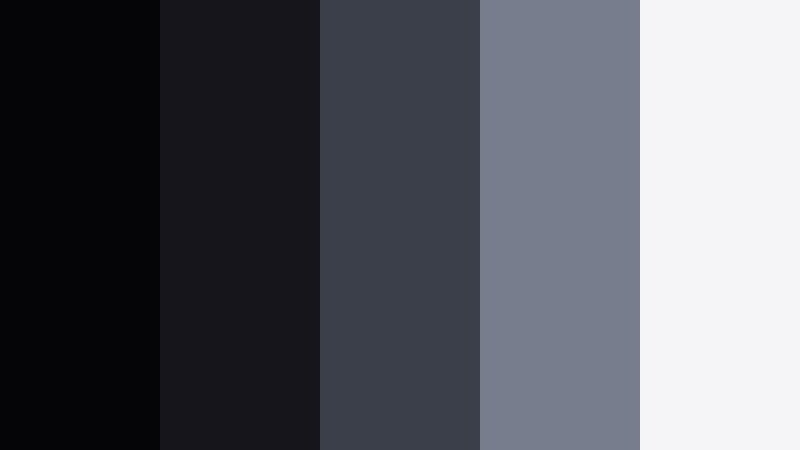
- HEX Codes: #050507, #15151b, #3a3f4a, #777d8c, #f5f5f7
- Mood: Moody, cinematic, and introspective with a soft urban edge.
- Use for: Use for dramatic film intros, short film title cards, and narrative YouTube videos that lean into a dark, cinematic tone.
Midnight Cinema Frame is a layered grayscale that leans gently into blue, anchored by velvety Noir Black. The progression from deep shadow to soft highlight feels like a city at night lit only by distant streetlamps and the glow of a screen. It instantly adds seriousness and atmosphere to any frame without feeling flat or purely monochrome.
In practice, this palette works beautifully for cinematic cold opens, story driven vlogs, and minimalist motion graphics. Use the darkest tones (#050507, #15151b) for backgrounds and letterbox bars, keep text and icons in the lighter grays (#777d8c), and reserve #f5f5f7 for important titles or logo locks so they pop cleanly on YouTube thumbnails, opening sequences, and channel branding.
Pro Tip: Build a Cinematic Noir Black Look in Filmora
To keep a Midnight Cinema Frame look consistent across your timeline, start by using Noir Black as your base in all backgrounds, overlays, and lower thirds. In Filmora, you can add solid color layers or shapes set to the darkest HEX codes, then use blending modes like Multiply or Overlay on texture layers to add subtle grit without losing that smooth cinema feel.
Once you have your core look, build a simple style guide inside Filmora. Save title presets using the same gray text colors, reuse the same transition color mattes, and copy and paste color grading settings between clips. This way your intro, B-roll, talking head shots, and shorts all share the same Noir Black identity instead of looking like separate projects.
AI Color Palette
You can turn Midnight Cinema Frame into a one-click grading style using Filmora's AI tools. Take a still frame from your favorite Noir Black inspired movie or a graphic swatch with these HEX codes and let Filmora's AI Color Palette feature analyze it. Then apply that palette to any selected clips to match contrast, tints, and overall mood.
This is especially useful if you are editing a mixture of camera types or lighting conditions. Instead of grading each shot from scratch, you can match everything to one hero frame that carries this moody, blue gray Noir Black look. The result is a cohesive cinematic tone across vlogs, trailers, reels, and channel teasers.
 secure download

HSL, Color Wheels & Curves
Once you have the broad look in place, refine your Noir Black tones with Filmora's HSL, Color Wheels, and Curves controls. Use Curves to deepen the shadows while keeping midtones soft instead of crushed. Then shift the blues and cyans in HSL toward cooler or warmer tones, so the grays in this palette lean either more steel blue or more neutral depending on your story.
Color wheels are perfect for controlling the cinematic separation between shadows and highlights. Push shadow tints slightly blue while warming up midtones in skin, so your subject stands out against a cool Noir Black background. For a detailed walkthrough, you can follow Filmora's YouTube tutorials embedded in the interface to see practical grading steps for dark, cinematic looks.
secure download1000+ Video Filters & 3D LUTs
If you want fast results, start with Filmora's built in stylized looks and then nudge them toward this Noir Black palette. Filmora's video filters and 3D LUTs give you cinematic, vintage, and modern presets that already control contrast and color balance. Apply a LUT, then adjust contrast and saturation to align the blacks and grays with your chosen HEX codes.
You can stack a subtle film LUT with a vignette filter to create a deep, focused frame that matches Midnight Cinema Frame. Save your final combination as a custom preset so that every new project, thumbnail still, and short can reuse the same Noir Black style in seconds.
secure downloadUrban Alley Shadows
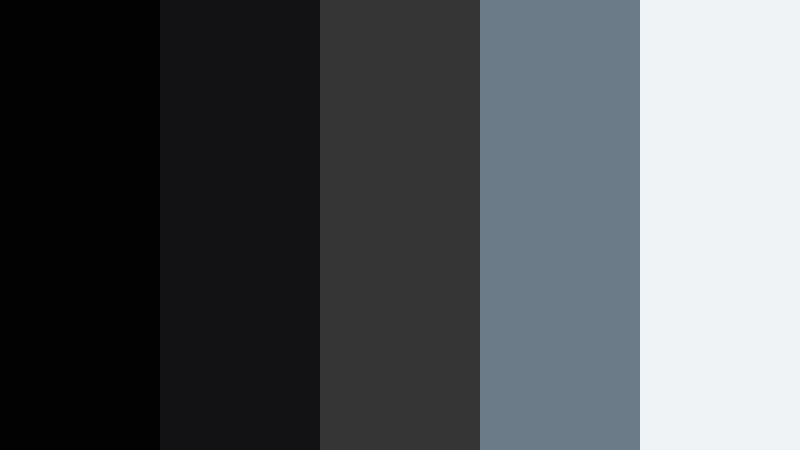
- HEX Codes: #020203, #121214, #353535, #6b7b88, #f0f3f6
- Mood: Gritty and urban with a cool, street-lit atmosphere.
- Use for: Use for city vlog intros, hip hop edits, and tech reviews that want a modern, street photography vibe.
Urban Alley Shadows feels like walking down a backstreet just after the rain. Noir Black forms the deep background, while mid grays and a cool blue gray highlight (#6b7b88) echo wet concrete, metal, and reflections from distant signs. The soft white (#f0f3f6) keeps everything legible without killing the mood.
Use this palette for gritty city vlogs, streetwear lookbooks, and tech reviews that lean into an industrial, modern look. Keep text and key UI elements in the soft white, use the cool gray for accent lines or icons, and let the darkest tones dominate your backgrounds, frames, and thumbnail borders.
Detective Desk Noir
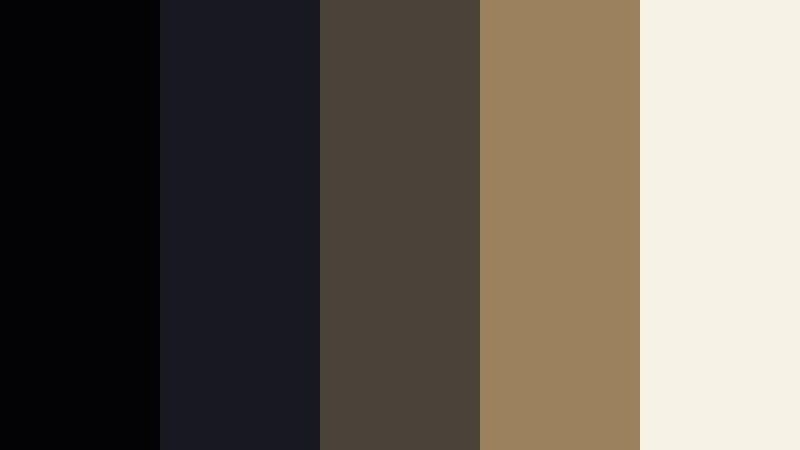
- HEX Codes: #030305, #181820, #4b433a, #9b825c, #f7f2e6
- Mood: Vintage, mysterious, and story driven with warm, analog touches.
- Use for: Use for mystery podcasts on video, narrative explainers, and true crime channels aiming for a stylized retro noir feel.
Detective Desk Noir balances inky blacks with warm, tobacco toned browns and parchment cream. It feels like a stack of old case files lit by a single desk lamp, where every shadow hides a clue. The combination instantly suggests story, history, and quiet tension.
For video, make your backgrounds and overlays deep black or charcoal, then bring warmth into lower thirds, frames, and title blocks using #4b433a and #9b825c. The cream (#f7f2e6) is perfect for text, timestamps, or chapter markers in mystery podcasts, true crime explainers, and any retro noir themed thumbnails.
Rainy Sidewalk Reflections

- HEX Codes: #050508, #202028, #3e4a57, #7a8da3, #e4edf7
- Mood: Reflective, melancholic, and cool with a gentle cinematic glow.
- Use for: Use for travel vlogs, reflective montages, and B-roll sequences with night lights and reflections.
Rainy Sidewalk Reflections mixes Noir Black with layered blues and silvery highlights that mimic neon lights bouncing off wet pavement. It suggests nostalgia, movement, and quiet emotion, making it ideal for reflective storytelling.
Use the deep tones for letterbox bars and overlays, then grade your footage slightly toward the steel blue midtones (#3e4a57). Add callout text or subtitles in the pale blue white (#e4edf7) so they sit softly on top of your visuals. This palette is especially strong in travel vlogs, city montages, and slow B-roll edits filmed at dusk or night.
Projector Room Silence
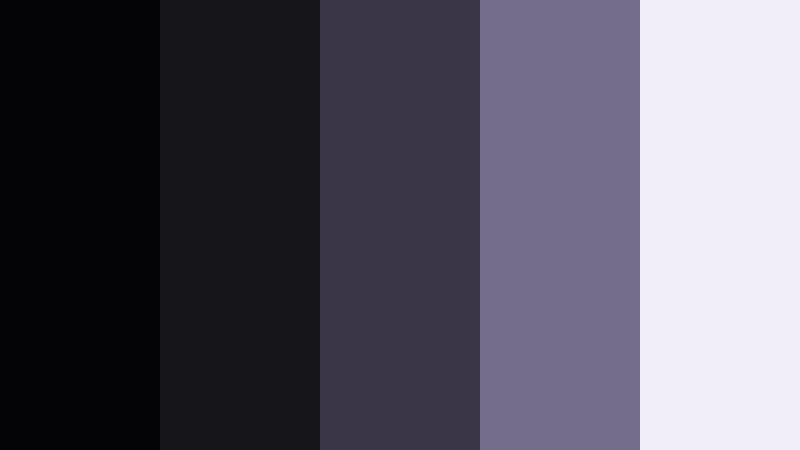
- HEX Codes: #040406, #16161a, #3b3647, #746d8b, #f2eef9
- Mood: Quiet, nostalgic, and softly surreal like an empty screening room.
- Use for: Use for film analysis videos, channel trailers for cinephiles, and slow, atmospheric edits.
Projector Room Silence wraps Noir Black in dusty violets and a pale screen white, creating a hushed, dreamy feeling. It evokes the glow of a projector in a dark cinema, with subtle color shifts instead of harsh contrast.
In your edits, let the blacks and dark violets form the frame, then bring in #746d8b for accent text or icons. Use the soft white (#f2eef9) for titles, lower thirds, and channel name overlays in film analysis videos, essay style content, and intro bumpers aimed at movie lovers.
Luxury & Elegant Noir Black Color Palettes
Black Tie Spotlight
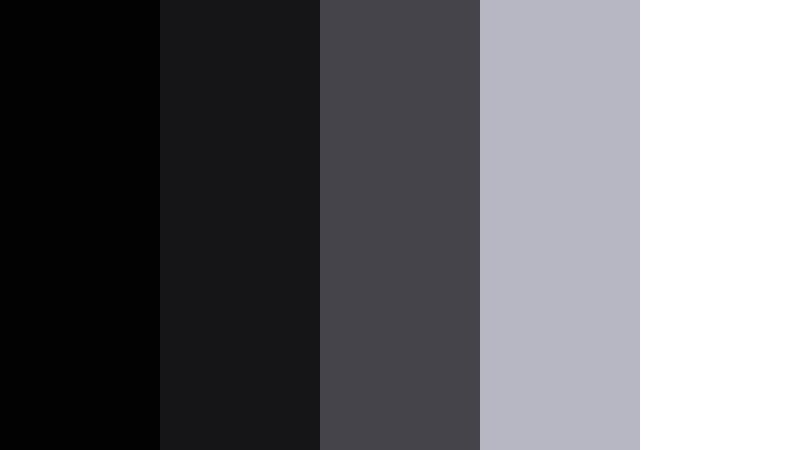
- HEX Codes: #020203, #151518, #44444a, #b7b7c3, #ffffff
- Mood: Polished, luxurious, and event ready with a monochrome spotlight feel.
- Use for: Use for event highlight reels, wedding trailers, and luxury brand promos that demand a clean black tie aesthetic.
Black Tie Spotlight is a refined monochrome built around Noir Black. The deep blacks and charcoals provide a sleek base, while the cool light gray and pure white add a crisp, gallery like contrast. It feels like a gala stage under a single spotlight.
Use the darkest colors for backgrounds, frames, and logo reveals, then set main titles and important text elements in white for maximum clarity. The mid grays (#44444a, #b7b7c3) are ideal for secondary text, icons, and clean motion graphics in wedding teasers, fashion promos, and event highlight reels.
Gilded Night Premiere
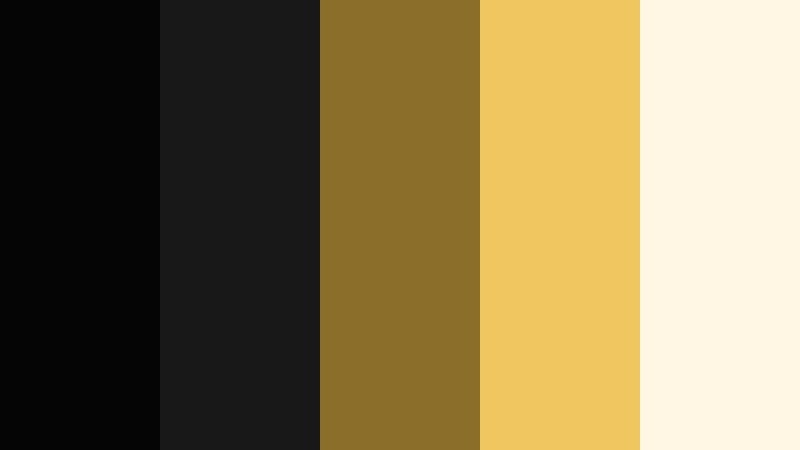
- HEX Codes: #050506, #181818, #8c6e2b, #f0c75e, #fff7e4
- Mood: Opulent and celebratory with a rich, cinematic awards-night energy.
- Use for: Use for award show styled intros, luxury product reveals, and influencer branding with a premium edge.
Gilded Night Premiere pairs deep Noir Black with metallic golds and champagne highlights. It instantly suggests red carpets, trophies, and VIP events. The warm gold accents stand out powerfully against the dark background, guiding the viewer straight to your hero message.
Use the golds (#8c6e2b, #f0c75e) for titles, logo strokes, and key icons, while Noir Black and charcoal form the base. The soft cream (#fff7e4) is perfect for body text in thumbnails or end screens. This palette is ideal for luxury brand videos, product launches, and glamorous influencer content.
Velvet Lounge Ember
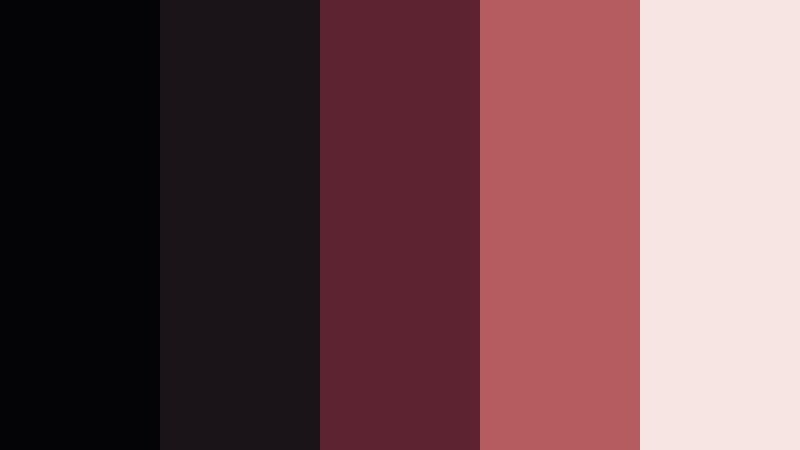
- HEX Codes: #040305, #1a1418, #5d2330, #b45c5f, #f6e5e3
- Mood: Intimate, sultry, and lounge inspired with a warm cinematic glow.
- Use for: Use for music videos, bar or cocktail promos, and lifestyle vlogs set in low light interiors.
Velvet Lounge Ember blends Noir Black with deep wine reds and soft blush highlights. It feels like a jazz bar at midnight, where warm light pools on faces and the background melts into shadow. This mix is sensual and inviting, but still clearly cinematic.
Use the darker reds for accent shapes, frames, and title backgrounds over your footage. The blush tone (#f6e5e3) works well for text and UI elements that need to stand out without being harsh white. This palette suits music videos, nightlife content, cocktail ads, and intimate lifestyle vlogs.
Monochrome Editorial Edge
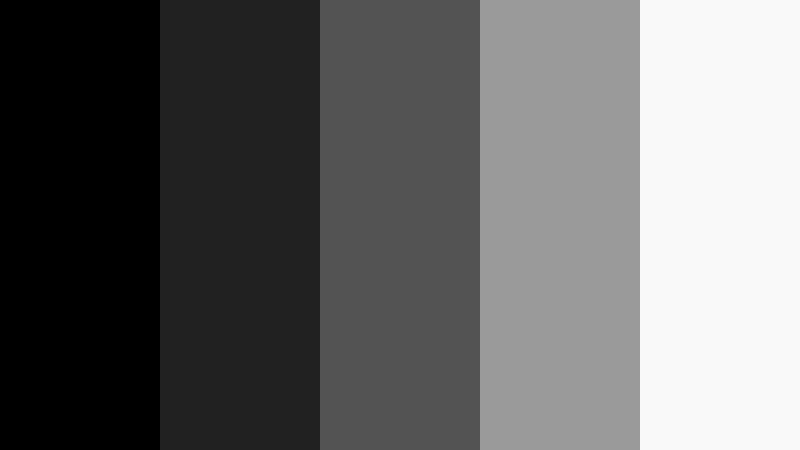
- HEX Codes: #000000, #222222, #555555, #999999, #f8f8f8
- Mood: Minimal, editorial, and fashion forward with sharp contrast.
- Use for: Use for lookbook videos, tech product shots, and design-forward channels that love a strict monochrome aesthetic.
Monochrome Editorial Edge is a pure grayscale ladder from absolute black to bright white. It has a clean, magazine like feeling that emphasizes form, typography, and composition instead of color. Every element looks intentional and modern.
Use this palette when you want your product, outfit, or layout to be the star. Keep backgrounds in black or dark gray, use mid grays for secondary text, and reserve white for main titles and call to action buttons. It is great for fashion lookbooks, UI demos, and minimalist channel branding.
Crystal Theater Marquee
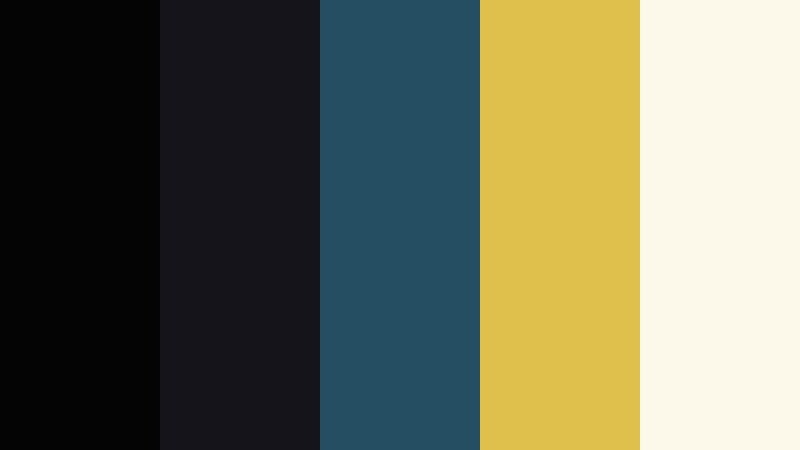
- HEX Codes: #040405, #14141a, #264e63, #e0c04c, #fdf9ea
- Mood: Vintage glamorous with a hint of art deco drama.
- Use for: Use for retro cinema themed intros, channel bumpers, and nostalgic promos combining old Hollywood and modern design.
Crystal Theater Marquee mixes Noir Black with teal blue and classic marquee gold, softened by a warm cream. It recalls old cinema signs, ticket stubs, and bold geometric posters. The contrast between the dark teal and gold accents adds instant drama.
Use teal (#264e63) for shapes, frame lines, and backgrounds under titles, then apply gold (#e0c04c) sparingly for logo marks, icons, or key words. The cream (#fdf9ea) is ideal for readable text. This palette is perfect for retro theater intros, movie night promos, and channels dedicated to classic films.
Moody Minimal Noir Black Color Palettes
Subway Tunnel Drift
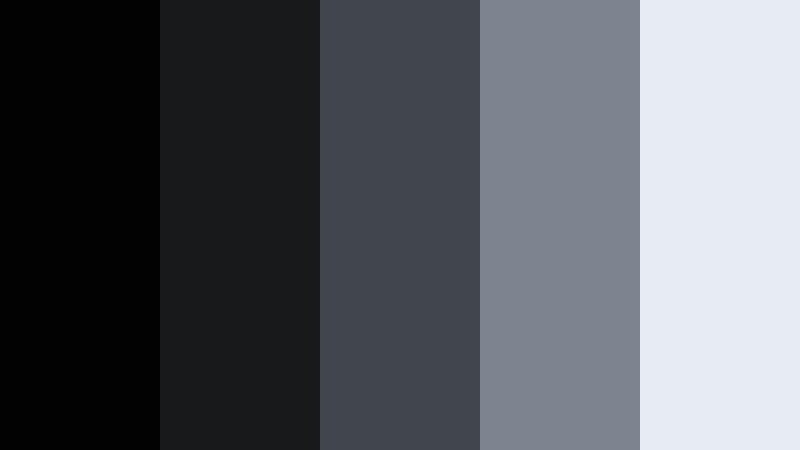
- HEX Codes: #020203, #18191b, #41464d, #7c858f, #e6ecf2
- Mood: Cool, minimalist, and quietly tense like a late night commute.
- Use for: Use for tech vlogs, city lifestyle edits, and documentary intros needing a clean but moody base.
Subway Tunnel Drift layers Noir Black with cool industrial grays and a pale highlight. It feels clean but slightly tense, like fluorescent light in an empty station. The tones are restrained, which makes it easy to keep your edit minimal and focused.
Apply the darkest shades to backgrounds, overlays, and shadowed elements in titles. Use #7c858f for accent icons or progress bars, and #e6ecf2 for text blocks so your message stays readable. This palette works well in tech content, city life montages, and understated documentary intros.
Studio Backdrop Softbox
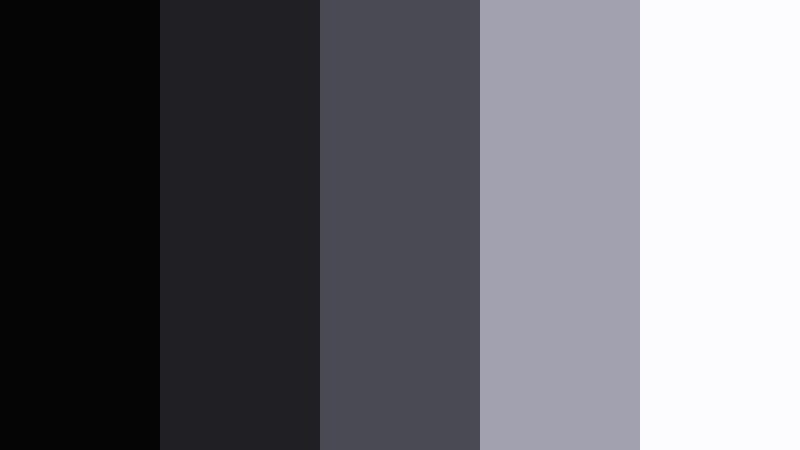
- HEX Codes: #050506, #202024, #4a4a52, #a1a1af, #fcfcff
- Mood: Professional, quiet, and studio focused with a neutral polish.
- Use for: Use for tutorial channels, product demos, and creator studios wanting a neutral, non-distracting color system.
Studio Backdrop Softbox looks like a controlled studio setup: deep blacks fading into gentle grays and a softbox white highlight. It keeps attention on the subject rather than the UI, which is ideal for tutorials and walkthroughs.
Use the darker colors for borders, background panels, and lower thirds. The mid gray (#4a4a52) is perfect for controls or secondary labels, while #fcfcff keeps titles and annotation text crisp. This palette helps your educational content and product demos look professional without feeling too harsh or saturated.
Analog Camera Grain
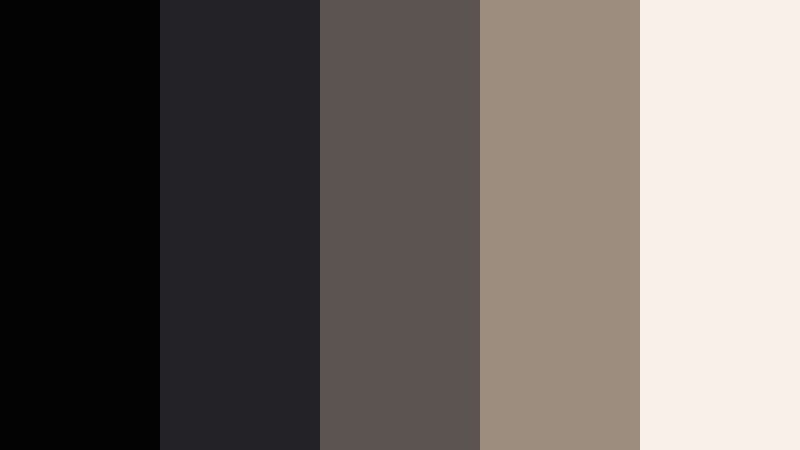
- HEX Codes: #030304, #232326, #5b5550, #9c8e7e, #f8f1e8
- Mood: Nostalgic, tactile, and film inspired with warm neutral tones.
- Use for: Use for film photography channels, retro edits, and lifestyle vlogs chasing an analog aesthetic.
Analog Camera Grain softens Noir Black with warm browns and creamy off white, echoing vintage prints and contact sheets. It immediately gives your edit a tactile, analog feel without needing heavy overlays.
Use the warm neutrals (#5b5550, #9c8e7e) for frames, borders, and title backgrounds. The cream (#f8f1e8) is ideal for text in retro style intros, chapter cards, and thumbnail typography. Pair this palette with light film grain or subtle dust overlays for maximum nostalgic impact.
Minimal Desk Night Shift
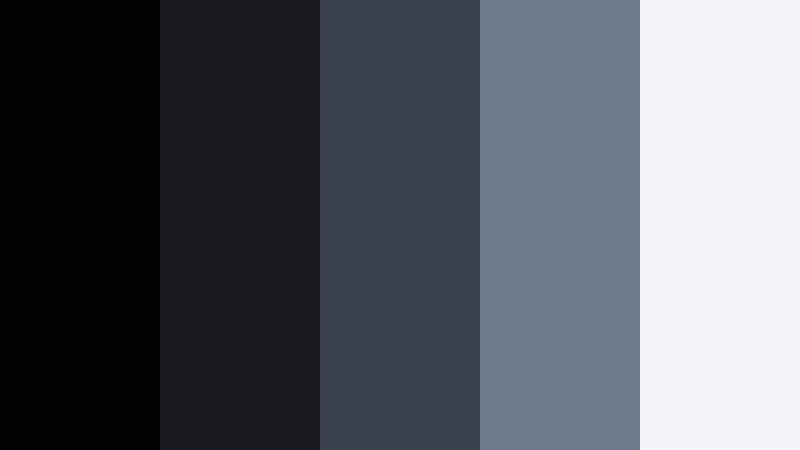
- HEX Codes: #020203, #181a1f, #3a404b, #6f7a8a, #f3f5f9
- Mood: Focused, calm, and slightly introspective for late night work sessions.
- Use for: Use for productivity vlogs, coding videos, and study with me content that leans into a dark mode vibe.
Minimal Desk Night Shift combines Noir Black with slate blues and a cool white highlight, mimicking monitor light in a dark room. It feels calm, focused, and ideal for dark mode themed content.
Use the dark blues for panels and overlays, and let #f3f5f9 handle your text to maintain clarity. This palette is perfect for productivity vlogs, code walkthroughs, study streams, and any channel that wants a relaxed, late night work atmosphere.
Bold Accent Noir Black Color Palettes
Neon Crosswalk Pulse
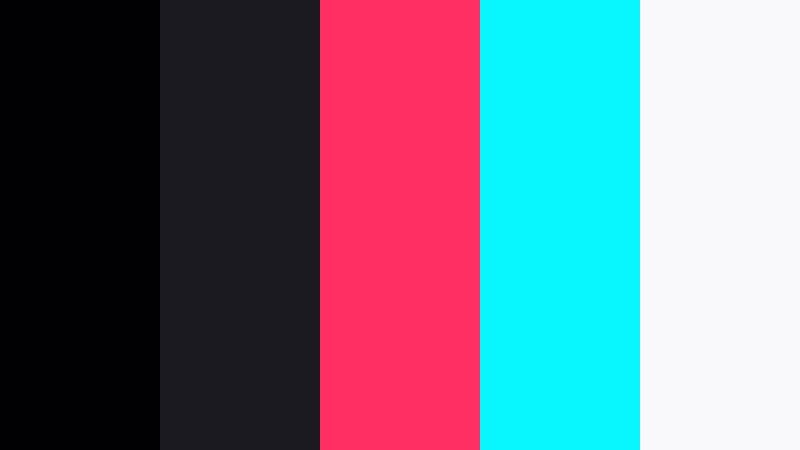
- HEX Codes: #010103, #1a1a20, #ff2e63, #08f7fe, #f9f9fb
- Mood: Energetic, futuristic, and loud with cyberpunk neon pops.
- Use for: Use for gaming intros, EDM edits, and hype reels that need bold contrast and high energy accents.
Neon Crosswalk Pulse turns Noir Black into a stage for neon magenta and electric cyan. The result is loud, futuristic, and perfect when you want your visuals to feel like a cyberpunk crosswalk at night. The bright accents draw eyes immediately in feeds and thumbnail grids.
Keep most of the frame in black and deep gray, then use #ff2e63 and #08f7fe sparingly for titles, animated elements, and UI highlights. The soft white (#f9f9fb) works well for body text, stats, or chat overlays on gaming clips, EDM edits, and high energy hype reels.
Cinema Ember Popcorn
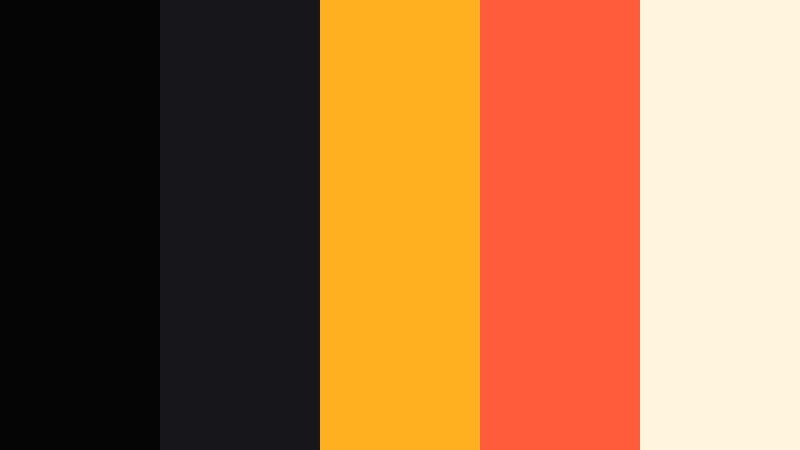
- HEX Codes: #050506, #17171b, #ffb020, #ff5c3c, #fff4dd
- Mood: Playful, cinematic, and snack bar bright with retro charm.
- Use for: Use for movie review channels, watch party promos, and family friendly content with a fun theater twist.
Cinema Ember Popcorn combines Noir Black with buttery yellow, warm red, and a creamy highlight, like popcorn and soda under marquee lights. It is cinematic but playful, making your content feel friendly and inviting.
Use the yellows and reds (#ffb020, #ff5c3c) for bold titles, stickers, and badges on thumbnails or lower thirds. The cream (#fff4dd) keeps text soft while still readable against dark backgrounds. This palette is ideal for movie review channels, watch party promos, and family friendly entertainment edits.
Tips for Creating Noir Black Color Palettes
Noir Black can be overpowering if it is not balanced well. These tips help you combine Noir Black with accent colors so your videos, thumbnails, and branding stay cinematic, readable, and on brand.
- Use Noir Black as a background, not the whole story. Add 2 to 4 supporting colors (grays, neutrals, or accents) so your design has depth and hierarchy.
- Protect readability. Always check white or light text on Noir Black for contrast, especially on small mobile screens. Use off white instead of pure white if the contrast feels too harsh.
- Limit bright accents. For bold palettes, keep strong colors like neon or gold under 15 to 20 percent of the frame so they draw attention without overwhelming the dark base.
- Match your footage. If your raw clips are warm or cool, nudge your supporting colors in the same direction so overlays, titles, and graded footage feel like one cohesive look.
- Stay consistent across assets. Use the same HEX codes in your intros, lower thirds, end screens, channel banner, and thumbnail templates to build recognizable branding.
- Use gradients for subtle depth. Blend Noir Black into a slightly lighter gray or tinted dark blue instead of a flat fill to make titles and backgrounds feel more cinematic.
- Test in dark and light environments. View your video and thumbnails on different screens and brightness levels to ensure your Noir Black palette does not crush detail or hide important text.
- Save presets in your editor. Once you dial in a Noir Black look in Filmora, save title styles, color presets, and LUT combinations so you can apply them quickly to future projects.
Noir Black is one of the most powerful tools you can use to control mood, focus, and perceived quality in your videos and designs. Whether you lean into cinematic grays, luxury gold, or bold neon accents, a clear palette keeps your channel identity strong and instantly recognizable.
Try these 15 Noir Black color palettes directly in Filmora by matching the HEX codes in titles, overlays, and color grading. Save your favorite combinations as presets, then reuse them across intros, shorts, and long form content so every upload feels like part of the same visual universe.
The more you experiment, the faster you will find a Noir Black style that fits your storytelling and audience. Use Filmora's tools to lock that look in, and let your visuals carry the same cinematic energy from thumbnail to final frame.
