

 100% Security Verified | No Subscription Required | No Malware

Outdoor creators on Instagram need video filters that keep greens natural, skies vibrant, and skin tones soft. With the right Filmora presets, your hikes, travel clips, and nature Reels can all share the same fresh aesthetic look.
Below are 12 outdoor video filters for Instagram designed for nature aesthetic creators and outdoor-focused accounts. Each style includes what it looks like, where it works best, and a quick Filmora editing tip so you can match your outdoor instagram color across posts and Reels.
In this article
Bright Sunlit Outdoor Filters
Fresh Sun Hike
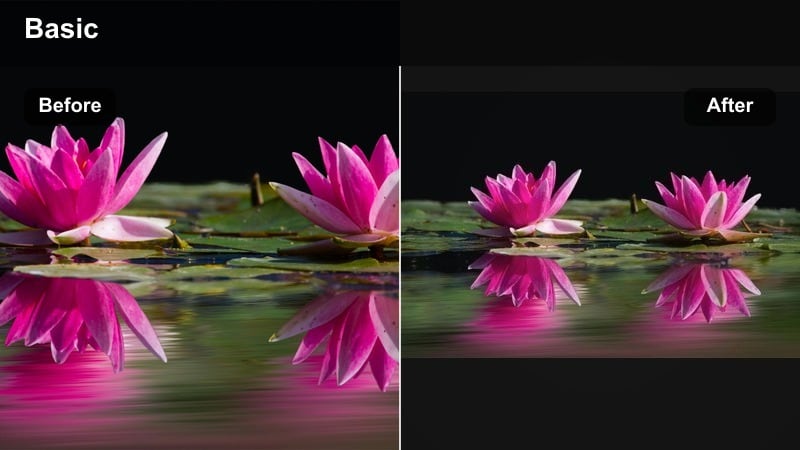
- Effect look: Clean, bright midtones with gentle contrast that keeps skies soft and trails crisp.
- Best for: Daytime hikes, mountain panoramas, and outdoor lifestyle posts with strong sunlight.
- Editing tip: In Filmora, slightly lower Highlights and increase Vibrance, not Saturation, to protect clouds and avoid neon grass.
This outdoor video Instagram filter delivers a clear, airy look that keeps your skies from blowing out while making rocks, paths, and backpacks feel crisp. It is ideal when shooting in hard midday sun and you want your Instagram outdoor filter to look polished instead of harsh.
In Filmora, start with a neutral base, then apply a bright filter and fine-tune with the Color panel. Pull Highlights down until cloud detail reappears, then raise Vibrance to wake up greens and blues without pushing them into a fake, overedited territory. This balanced approach gives your hiking Reels a fresh aesthetic tone that stays consistent across clips.
Use Filmora’s AI Color Tools for Consistent Outdoor Instagram Colors
AI tools in Filmora help you lock in one outdoor instagram color style across posts, stories, and Reels, even when your footage comes from different cameras or days. Instead of manually matching every clip, you can let AI analyze a reference shot and bring the rest of your timeline closer to that look.
Use AI color matching to bring older clips up to the same fresh aesthetic tone as your new ones, so your grid always feels curated and intentional. This is especially helpful for creators with mixed lighting, from bright summits to shaded forests, who still want a recognizable outdoor brand style.
 secure download

Preview Outdoor Filters on Real-World Clips
Instead of guessing how a filter will react to harsh sun or deep shade, drop your outdoor footage into Filmora and cycle through presets on the Color panel. Seeing changes in real time on your own clips is the fastest way to know whether a bright sunlit look or a softer forest style fits your aesthetic.
Compare a bright sunlit filter, a forest matte style, and a coastal fresh look side by side to choose which one fits your Instagram outdoor filter vibe. Once you find a combination you love, save it as a custom preset so you can reapply it instantly on new Reels.
secure downloadTurn Your Favorite Outdoor Filter into a LUT
Once you dial in a favorite fresh aesthetic LUT look in Filmora, you can reuse that style on every new project to keep your outdoor brand recognizable. A custom LUT makes it easy to match colors across phones, cameras, and different shooting days.
Export or save your grading as a custom preset and build a small LUT library labeled by location or mood, like forest soft, coastal clean, or golden hour warm. That way, you can apply a complete color style to your entire Reel in one click and then only tweak exposure or white balance.
secure downloadGolden Trail Glow
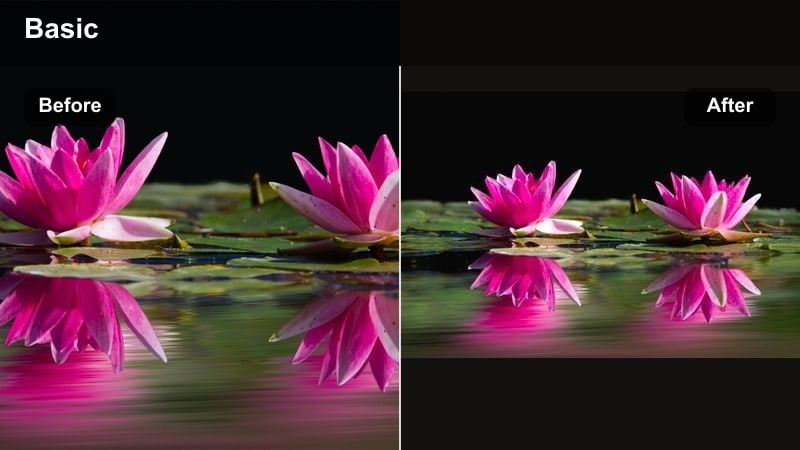
- Effect look: Warm highlights with subtle amber tones while shadows stay natural and clean.
- Best for: Golden hour trail runs, camping stories, and cozy outdoor Reels with sun flares.
- Editing tip: In Filmora Color, push Temperature slightly warm and add a soft vignette to pull eyes toward the subject on the path.
Golden Trail Glow wraps your footage in a warm, amber tint that feels like permanent golden hour. Trails, tents, and gear pick up a cozy glow, while trees and rocks stay grounded and believable instead of turning orange.
In Filmora, start with a Temperature increase and a subtle Tint toward magenta if your sunset is too green. Then add a light vignette to keep attention on your runner or camper. Save this as a preset and apply it to clips shot at different times of day to fake a seamless golden-hour story for Instagram Reels.
Clear Sky Boost
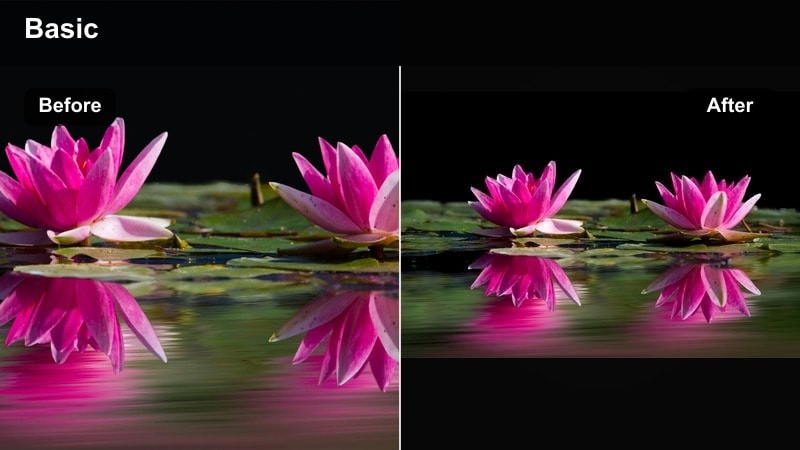
- Effect look: Deeper blues and slightly lifted greens with crisp, clean edges and low haze.
- Best for: Beach walk Reels, cliffside views, and any outdoor video where the sky is your main background.
- Editing tip: Use HSL in Filmora to target the blue channel, deepening saturation slightly while lowering luminance for richer skies.
Clear Sky Boost is built for days when your horizon is the star. It deepens blues in skies and oceans to make horizons pop while keeping shorelines, cliffs, and greenery natural and free from halos or artifacts.
In Filmora, go into HSL and gently lower blue luminance as you nudge saturation up, watching for banding or color blocking. Pair this with a little Dehaze and moderate sharpening so your outdoor video filters for Instagram stay crisp without looking over-processed on mobile screens.
Lush Forest and Nature Aesthetic Filters
Mossy Forest Fresh
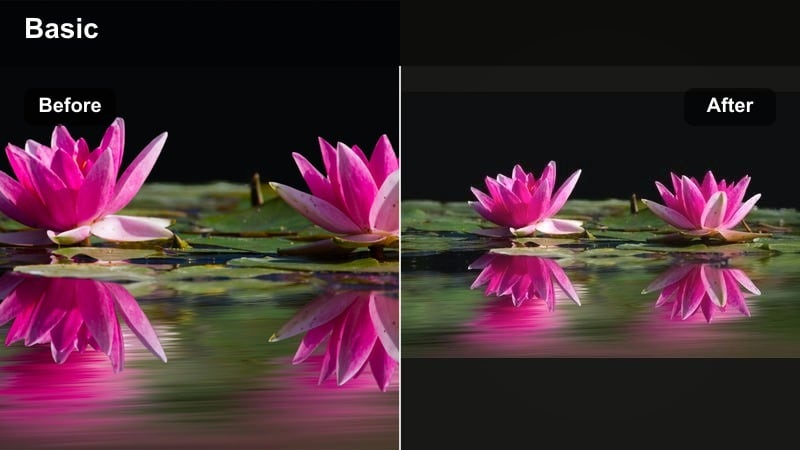
- Effect look: Soft greens with slightly cool shadows and a gentle matte finish.
- Best for: Dense forests, waterfalls, and quiet nature aesthetic content filmed under trees.
- Editing tip: In Filmora Curves, lift the lower midtones slightly to get that matte feel while keeping highlights clean.
Mossy Forest Fresh gives your woodland clips a calm, cinematic tone with softened contrast and cool shadows. Greens in moss, leaves, and ferns become rich but not neon, perfect for slow, meditative nature aesthetic creators on Instagram.
In Filmora, create a subtle S-curve, then raise the darkest part of the curve for a matte look that keeps blacks from crushing. If you include faces, warm them slightly with selective color or AI portrait tools so skin stays inviting against the cooler forest background.
Emerald Trail Pop
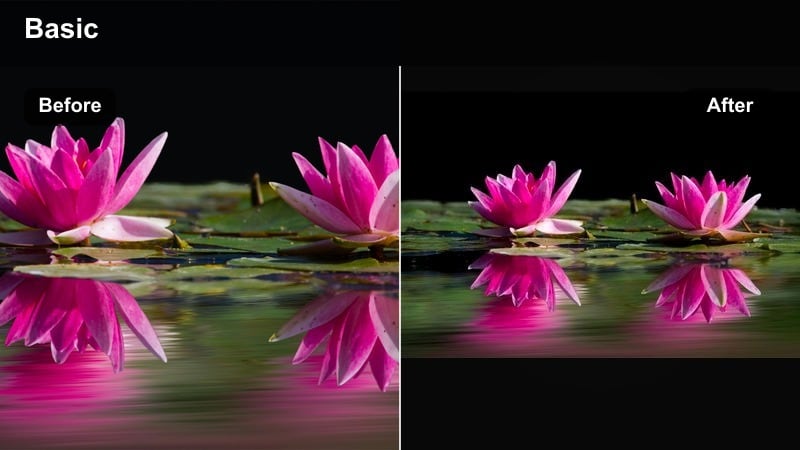
- Effect look: Punchy, saturated greens with crisp details and slightly boosted clarity.
- Best for: Trail POV shots, mountain biking clips, and fast-moving outdoor Reels in the woods.
- Editing tip: Increase Sharpness slightly in Filmora and add a touch of Motion Blur to transitions for dynamic energy.
Emerald Trail Pop is designed for action-heavy forest footage, where viewers need to feel the speed yet still see the terrain. The filter boosts green saturation and clarity so leaves, roots, and rocks stand out in POV shots.
Use Filmora to add a bit of Clarity and Sharpness, then temper any harshness with a slight lift in the Shadows. If greens drift toward artificial, reduce saturation in the green channel only and rely on contrast and motion effects to keep your outdoor Instagram content exciting.
Misty Forest Soft
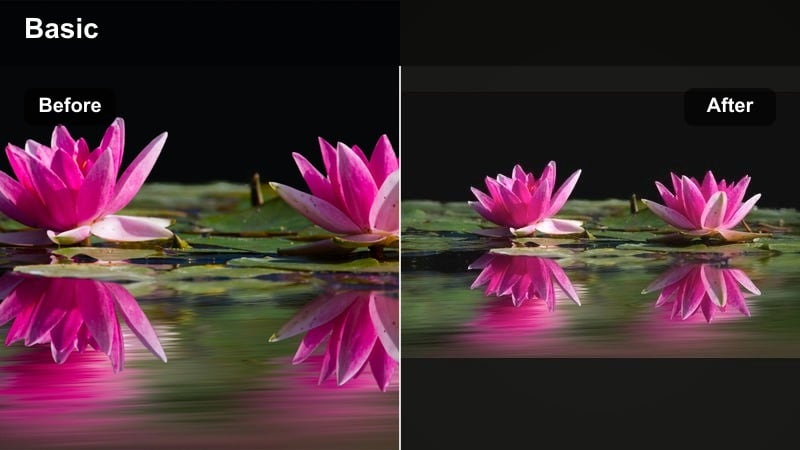
- Effect look: Muted tones with lifted blacks, light foggy bloom, and cool, dreamy greens.
- Best for: Foggy mornings, riverside walks, and emotional nature aesthetic reels with slower pacing.
- Editing tip: Lower Contrast and add a faint Glow effect in Filmora, then fade Saturation 10-15 percent for a soft, romantic mood.
Misty Forest Soft turns gray, overcast days into gentle, cinematic scenes. Greens shift toward cool, desaturated tones, and a slight bloom effect around highlights makes fog and river spray feel dreamy.
In Filmora, reduce overall Contrast and Saturation, then add a low-intensity Glow or Gaussian blur layered with a blend mode to create soft halos. Pair this with slow-motion clips and crossfade transitions so your Reels feel like a calming, atmospheric walk through the woods.
Coastal and Travel Aesthetic Filters
Aqua Coast Clean
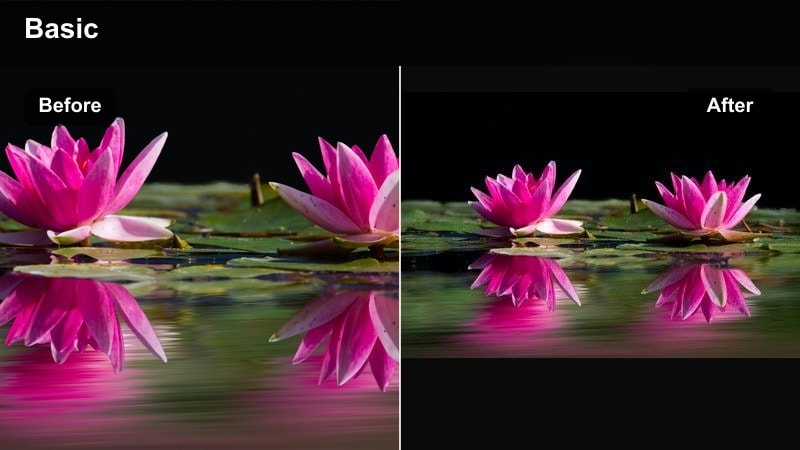
- Effect look: Fresh turquoise water, neutral sand tones, and bright but soft skies.
- Best for: Beach walks, paddle board clips, and oceanside Instagram Reels with a minimal aesthetic.
- Editing tip: In HSL, shift the aqua and blue hues slightly toward teal while keeping saturation moderate for a clean aesthetic.
Aqua Coast Clean emphasizes clear water and clean horizons, ideal for creators who want a minimalist coastal feed. The filter pushes blues and aquas toward teal while keeping sand, driftwood, and swimsuits natural.
In Filmora, target aqua and blue in HSL, making gentle hue shifts and modest saturation boosts so waves look inviting rather than cartoonish. Dial back Highlights to preserve skin texture in bright sun, then export test clips to check how Instagram compression treats your turquoise tones.
Travel Fresh Journal
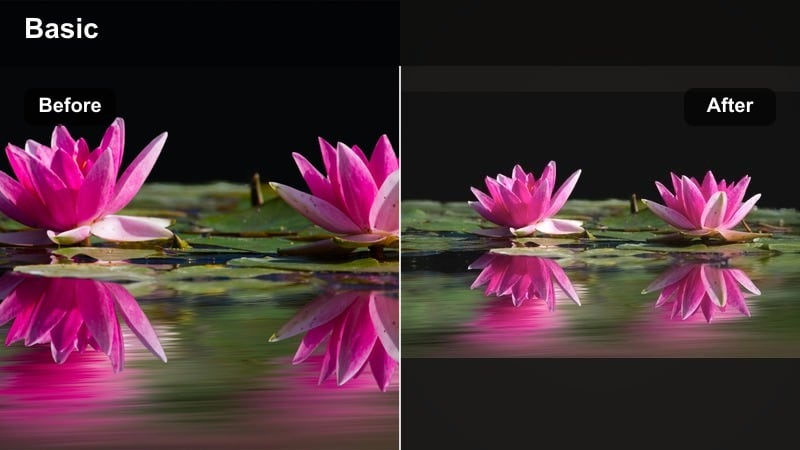
- Effect look: Balanced colors with pastel accents that keep cities and landscapes cohesive.
- Best for: Travel diaries, city-to-nature transitions, and Instagram carousels mixing multiple locations.
- Editing tip: Use Filmora’s Color Match across clips from different days so the pastel outdoor instagram color stays consistent.
Travel Fresh Journal gently pastelizes your whole trip, making city streets, mountain ranges, and beach views fit together in a single aesthetic. It is perfect for creators who post mixed-location Reels and want a unified travel journal vibe.
In Filmora, build your pastel look once, then use Color Match to copy that grade onto clips shot in different lighting or on different devices. Adjust only Exposure and White Balance per clip so your outdoor Instagram color palette remains steady across an entire series of posts.
Sunset Horizon Soft
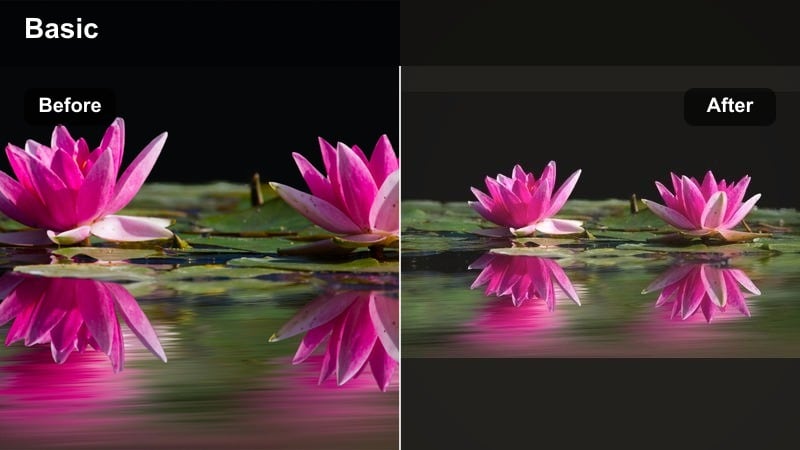
- Effect look: Peachy highlights, soft purples in the sky, and lightly faded contrast.
- Best for: Sunset time-lapses, silhouette photos-to-video edits, and romantic outdoor Reels.
- Editing tip: In Filmora, warm the Temperature, raise Tint slightly toward magenta, and use Curves to gently fade the darkest shadows.
Sunset Horizon Soft leans into warm peaches and gentle lavenders to make sunsets feel dreamy rather than oversaturated. It works especially well for silhouettes, couples, and slow-panning horizon shots.
In Filmora, nudge Temperature up and Tint toward magenta, then fade blacks slightly with Curves to avoid harsh contrast. Keep Saturation moderate and rely on Vibrance to protect gradients in the sky, so your sunset Reels stay smooth when Instagram compresses them.
Minimal Fresh Aesthetic Filters for Instagram Feeds
Fresh Aesthetic Minimal
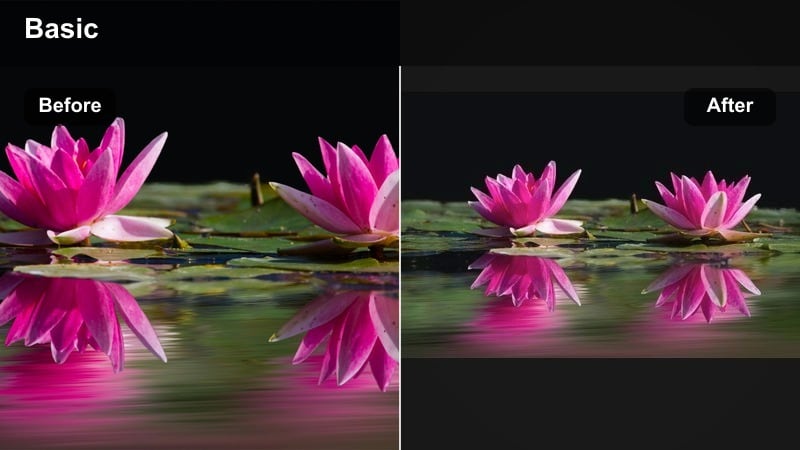
- Effect look: Low saturation, bright whites, and gentle greens with a clean, airy finish.
- Best for: Minimal outdoor posts, picnic scenes, and flat-lay shots outside with soft natural light.
- Editing tip: Increase Exposure slightly, raise Whites, and pull down Saturation around 10 percent for that fresh aesthetic LUT-style vibe.
Fresh Aesthetic Minimal is for creators with white, airy feeds who still shoot outside. It lifts whites and softens color intensity so blankets, outfits, and props feel light and spacious, while grass and trees stay subtle.
In Filmora, raise Exposure and Whites carefully, watching that textures in clothing and blankets remain visible. Drop overall Saturation slightly, then add a touch of Clarity on the subject using masks, so your outdoor minimal shots stay crisp against a bright, clean background.
Urban Nature Balance
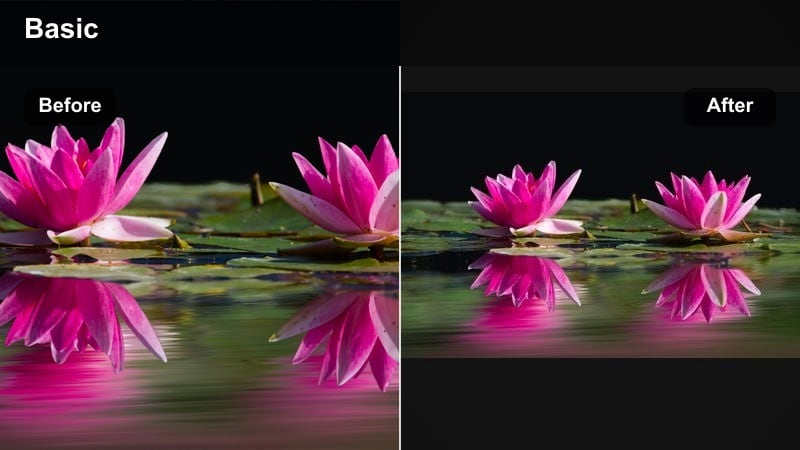
- Effect look: Neutral, balanced tones that keep plants natural while softening hard urban edges.
- Best for: City parks, rooftop gardens, and outdoor coffee content blending concrete and greenery.
- Editing tip: In Filmora, reduce Contrast slightly and use HSL to push greens a bit warmer for a more organic feel.
Urban Nature Balance blends concrete and plants in one calm color story. Buildings lose some of their harshness, while trees, potted plants, and grass gain a slightly warm, organic tone that works well on lifestyle-focused Instagram outdoor accounts.
In Filmora, drop global Contrast and use HSL to warm greens and maybe soften blues in the shadows. Save this as a preset for all your cafe patios, balconies, and park benches so your entire urban-nature grid feels unified and relaxed.
Clean Adventure Reel
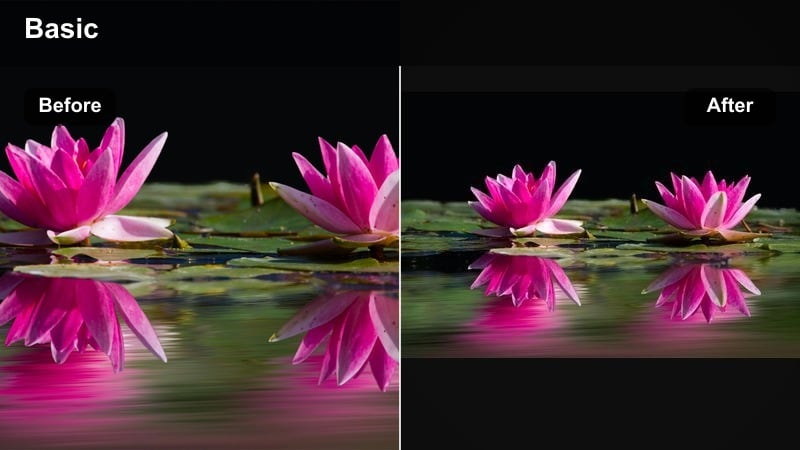
- Effect look: Crisp, high-clarity details with balanced color and moderate contrast for motion-heavy clips.
- Best for: Fast Reels of hiking, climbing, or action sports where viewers need to see terrain clearly.
- Editing tip: Raise Clarity and Sharpness slightly in Filmora, then soften with a small curve lift in shadows to keep it watchable on mobile.
Clean Adventure Reel is tuned for movement, keeping rocks, ropes, snow, and trails sharply defined without turning your footage brittle. Colors remain neutral so your gear and landscapes look true-to-life across different locations.
In Filmora, gently boost Clarity and Sharpness and add a touch of contrast, then soften the deepest shadows using Curves so details do not disappear on phone screens. Export at a higher bitrate to minimize Instagram compression, letting the filter handle the clarity while your upload stays smooth.
Tips for Using Outdoor Video Instagram Filter Filters in Filmora
- Shoot slightly flatter in-camera so your outdoor video filters have more detail to work with in highlights and shadows.
- Group your Reels by light type, full sun, shade, golden hour, and apply similar filters within each group for a more cohesive feed.
- In Filmora, use Color Match on one hero clip per location, then fine-tune exposure instead of rebuilding your look from scratch.
- Keep an eye on skin tones when boosting greens or blues; use HSL to correct just those channels if faces start to look unnatural.
- Export test clips and upload them to a private Instagram account to see how your filters survive compression before posting publicly.
With the right outdoor video filters for Instagram, every hike, beach day, and city-park walk can share the same fresh aesthetic look, no matter how quickly the light changes.
Try these Filmora-ready styles, tweak them for your own outdoor instagram color palette, and then build a small set of go-to presets you can drop on any Reel or post for a consistent, nature-forward feed.
secure downloadNext: Outdoor Video Filters for Reels: Fast Looks for Vertical Clips
