

 100% Security Verified | No Subscription Required | No Malware


 ChatGPT
 Perplexity
 Gemini
 Claude
 Grok
Grok
The Portrait Soft Light Video Filter pack is designed for content creators who want flattering, cinematic faces without complicated lighting setups. These presets gently smooth skin, soften contrast, and add a subtle glow that works beautifully for vlogs, interviews, and social media portraits.
Whether you shoot in a small studio, a bright window, or on city streets at golden hour, you can apply a soft light look in a single click. Explore these scene-based portrait filters to find the perfect mood for your videos and keep your talent looking confident on camera.
In this article
Soft Light for Window-Lit Portrait Videos
Gentle Window Glow
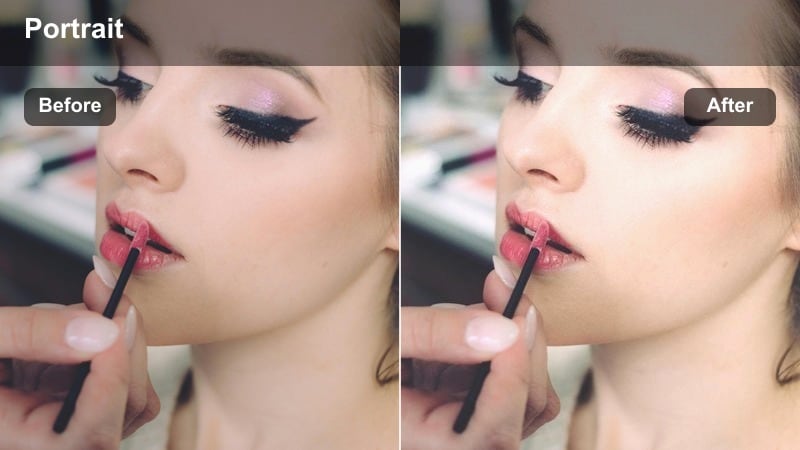
- Effect look: Soft, low-contrast glow that brightens midtones while keeping skin tones natural and clean.
- Best for: Portraits filmed beside a large window, sit-down talking-head videos, and cozy at-home vlogs.
- Editing tip: Reduce overall brightness slightly if the background starts to lose detail, then boost saturation just a touch for healthy skin.
Gentle Window Glow recreates the flattering quality of indirect daylight, brightening midtones so faces look open and inviting without blowing out highlights around the window. It lightly smooths skin and softens contrast, so you can turn an everyday room with a single window into a polished portrait setup directly inside Filmora.
Apply this preset to talking-head clips or relaxed vlogs, then fine-tune exposure and saturation using Filmora's basic controls to match your camera and location. If you followed the pro tip and slightly underexposed in-camera, Gentle Window Glow has plenty of room to lift the face while protecting detail in bright curtains, backgrounds, and reflective surfaces.
AI-Assisted Soft Light Matching for Consistent Portraits
Filmora's AI color tools help you keep your soft light portraits consistent from shot to shot, even when you record on different days or in changing window light. Instead of manually matching exposure and color, you can let AI handle the technical adjustments.
Once your clips are aligned with AI color and exposure matching, you can layer Portrait Soft Light Video Filter presets like Gentle Window Glow across the timeline. This keeps skin tones stable and your overall soft-light look cohesive across vlogs, interviews, and A-roll plus B-roll mixes.
Open your portrait project in Filmora, enable AI color matching, and then apply your favorite soft light preset to lock in a consistent visual style.
 secure download

Preview Portrait Soft Light Filters in Real Time
Filmora lets you preview each Portrait Soft Light Video Filter directly on your clips in real time, so you can see exactly how skin tones, glow, and contrast will look before you commit. This makes it easy to compare subtle options like Gentle Window Glow versus Creamy Window Backlight on the same scene.
Scrub along your timeline, hover over presets in the Filters panel, and watch your footage update instantly. You can quickly find the most flattering variation for each angle or camera setup without wasting time on test renders.
Load a portrait clip in the timeline, open the Filters panel, and hover over each soft light preset to see instant before-and-after previews.
secure downloadCombine Soft Light Filters with LUTs for Signature Portrait Styles
Beyond flattering light, Filmora offers 1000+ video filters and 3D LUTs so you can build a recognizable portrait style for your channel. Start with a Portrait Soft Light Video Filter to shape glow and contrast, then add a subtle LUT to introduce a consistent color mood.
This layered approach keeps skin looking natural while giving your content a branded finish, whether you prefer warm lifestyle tones, cool cinematic palettes, or pastel aesthetics. Adjust LUT intensity so it complements, rather than competes with, the softness you created.
Apply your chosen soft light filter first, then open the LUTs panel to experiment with color styles that enhance your portrait without sacrificing natural skin.
secure downloadSoft Studio Diffusion
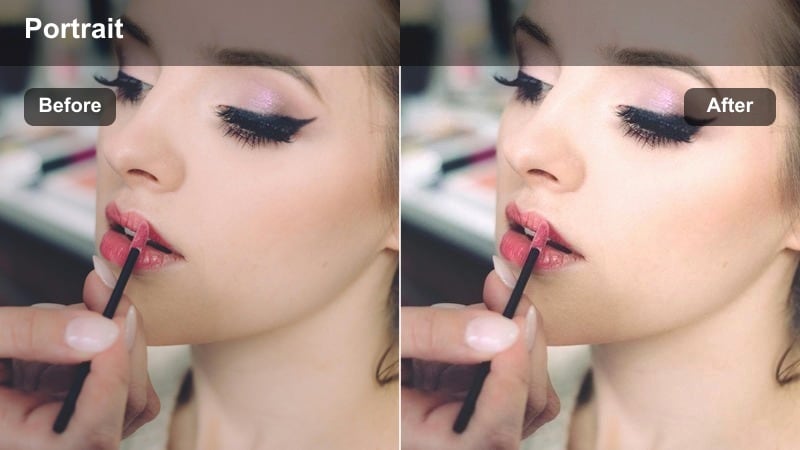
- Effect look: Even, diffused soft light with slightly lifted shadows and a touch of bloom on highlights.
- Best for: Small studio portrait setups, creator desk shots, and product plus face demos.
- Editing tip: Dial back the sharpness to around 80% to keep the face smooth, then add a bit of clarity only to the eyes using masking for crisp detail.
Soft Studio Diffusion is built to mimic a large softbox in a compact creator space, evening out skin and gently lifting shadows for a polished yet natural look. It is ideal when your key light sits close to your desk or backdrop and you want your face to feel camera ready without heavy retouching.
In Filmora, apply this preset to all A-roll clips shot in your home studio, then follow up with subtle luminance curves to sculpt cheekbones and jawlines. A targeted clarity boost or sharpen mask on the eyes and brows helps maintain definition so your tutorials, unboxings, and demos feel professional while staying flattering.
Creamy Window Backlight
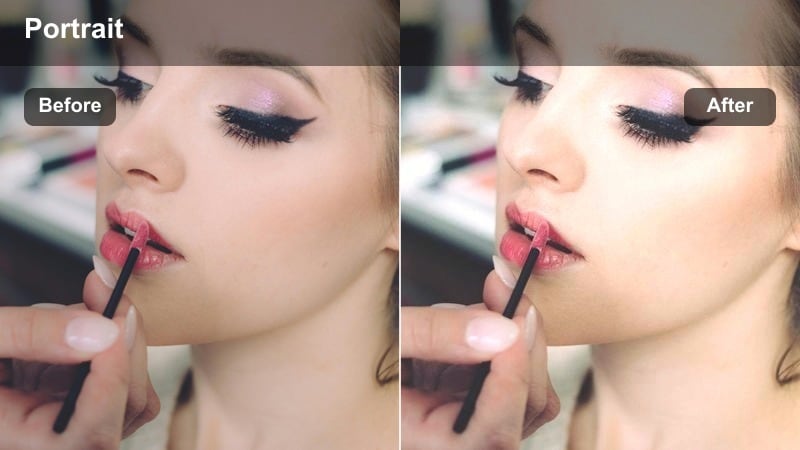
- Effect look: Dreamy, backlit softness that wraps around the subject with a warm, creamy highlight roll-off.
- Best for: Backlit portraits, storytelling intros, and lifestyle creator reels by bright windows or balcony doors.
- Editing tip: Trim the whites slightly if the edges of the hair blow out, and gently increase warmth to keep the glow feeling inviting.
Creamy Window Backlight transforms strong backlight from doors or large windows into a smooth halo that wraps around the subject. It softens the transition from highlights to midtones, giving hair and shoulders a cinematic glow while keeping facial exposure under control.
Use this preset in Filmora on lifestyle intros, B-roll of creators looking out windows, or narrative moments framed against bright exteriors. Combine it with slight white and highlight reductions plus a warm temperature shift to maintain detail in hair strands and eyes so the dreamy backlight never turns into distracting overexposure.
Soft Portrait Filters for Indoor Creator Spaces
Desk Creator Glow
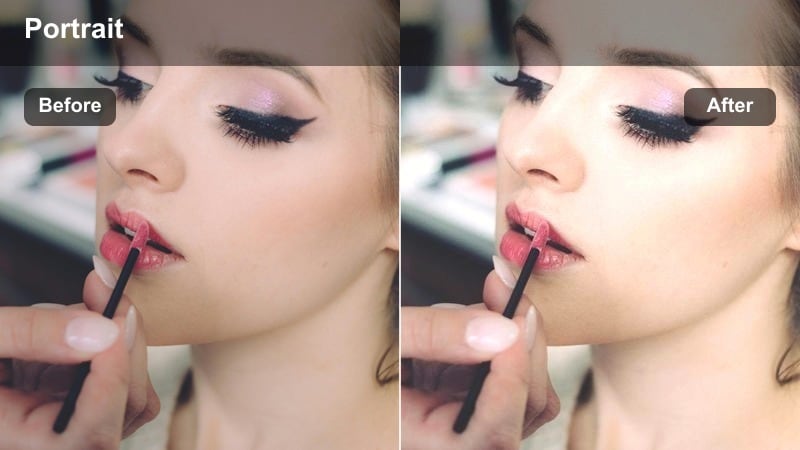
- Effect look: Clean, bright soft light that smooths skin and lifts the overall scene without washing out screen elements.
- Best for: Desk vlogs, streaming intros, tutorial voiceovers, and reaction videos shot in front of a monitor.
- Editing tip: Lower contrast slightly, then raise midtones to make the face pop; keep saturation moderate to avoid neon-looking skin from RGB lights.
Desk Creator Glow is tuned for common streaming and desk setups, brightening the face while respecting the glow of monitors and accent lights. It reduces harsh shadows from top-down lighting and softens skin so you can move from gaming to talking-head segments without re-lighting your room.
After applying this filter in Filmora, nudge contrast downward and lift midtones so your facial expressions remain clear even with dark interfaces on-screen. If RGB strips or monitors push color onto your skin, use Filmora's HSL or color wheels to dial back saturated hues while letting Desk Creator Glow maintain a flattering soft-focus feel.
Soft Bedroom Portrait
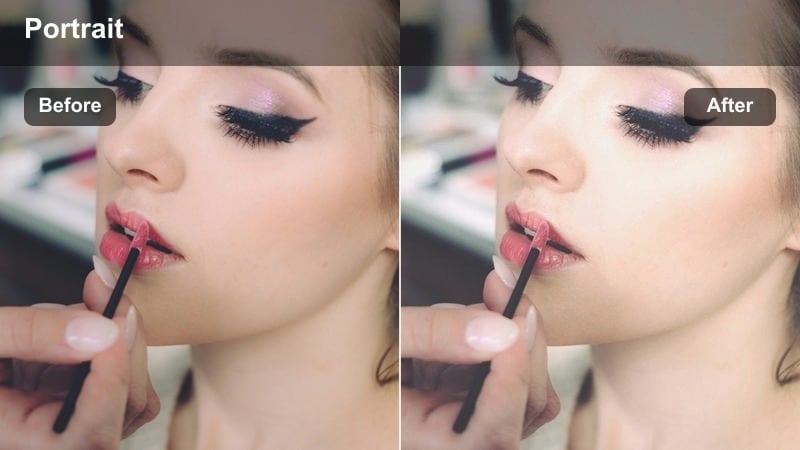
- Effect look: Gentle, pastel-tinted soft light with smoothed shadows and a slightly matte finish on the image.
- Best for: Bedroom vlogs, candid creator monologues, and calm storytelling pieces filmed in tight spaces.
- Editing tip: Lift the blacks a little for a filmic matte feel, then lower saturation on strong colored walls so the subject's face remains the focus.
Soft Bedroom Portrait is designed to turn small, cluttered rooms into cozy, intimate spaces suited for personal storytelling. It adds a pastel softness and lightly matte contrast that flatters skin while calming busy backgrounds and harsh overhead bulbs.
Inside Filmora, combine this preset with a gentle black lift and minor saturation reductions on bold wall colors or bedding. Adding a vignette and a touch of background blur via effects keeps attention centered on the subject's face, making confessional vlogs and late-night updates feel cinematic instead of cramped.
Studio Wall Soft Wash
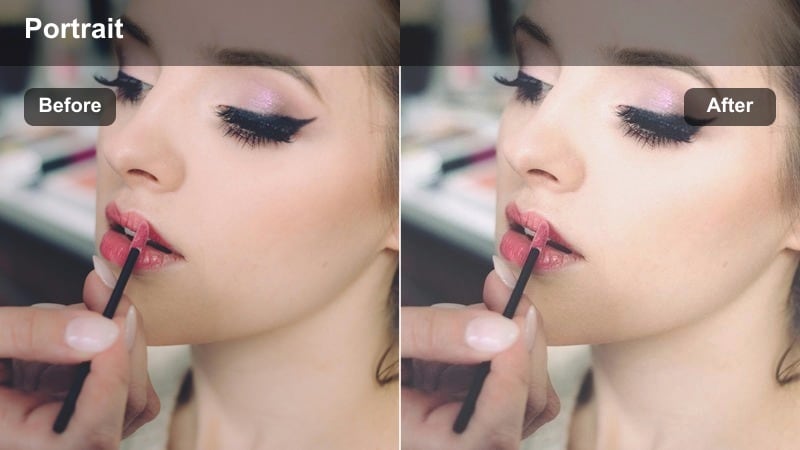
- Effect look: Bright, evenly washed soft light with cleaned-up shadows and neutral, flattering skin color.
- Best for: Portraits against plain walls, brand message videos, and casting-style talking heads.
- Editing tip: Use the color wheels to keep the wall slightly cooler than the skin tone so the subject stands out subtly without harsh contrast.
Studio Wall Soft Wash is tailored for simple backdrops and brand-friendly talking heads, brightening both subject and wall with a clean, even wash of light. It gently reduces unflattering wall shadows and keeps skin tones neutral so your message looks intentional and professional.
When editing in Filmora, apply this preset across all clips shot against the same wall, then fine-tune the wall hue to be a touch cooler than the skin using the color wheels. This subtle separation makes your subject pop without resorting to heavy contrast, ideal for corporate intros, casting tapes, or minimalist creator branding videos.
Soft Portrait Filters for City and Outdoor Scenes
Urban Golden Soft
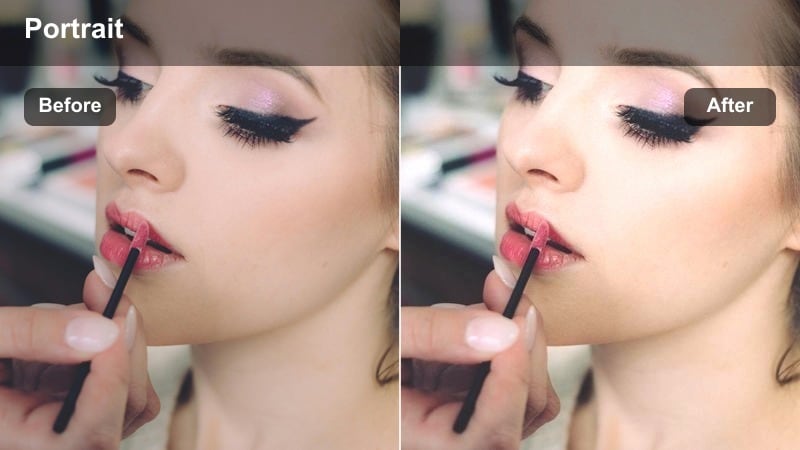
- Effect look: Warm, golden soft light that flatters skin while taming harsh city sunlight and reflections.
- Best for: Street portraits, creator B-roll walks, and lifestyle intros filmed downtown at golden hour.
- Editing tip: Lower highlights to control shiny spots on the forehead, then add a slight warm tint to the midtones for cohesive golden skin.
Urban Golden Soft is built for city streets at sunset, when warm light looks beautiful but can easily become too contrasty on skin. The preset smooths bright reflections from glass and metal, warms up midtones, and keeps facial highlights under control for scroll-stopping portraits on the move.
In Filmora, place this filter on your walking shots, intro sequences, or handheld lifestyle clips, then trim global highlights to reduce hotspots. A mild warm shift in the midtones keeps your skin matching the golden-hour sky while selective desaturation of background yellows and oranges helps your face remain the hero of the frame.
Overcast City Velvet
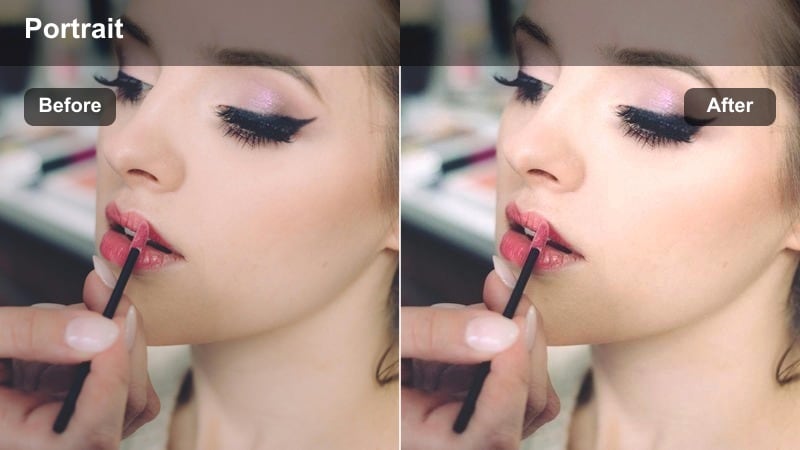
- Effect look: Smooth, velvety soft light with gentle contrast to keep portraits lively in flat, cloudy conditions.
- Best for: Outdoor interviews, rainy-day city portraits, and street content on dull overcast days.
- Editing tip: Increase local contrast around the eyes using masks, then keep global contrast low to preserve the velvety, soft overall look.
Overcast City Velvet enhances the naturally diffused light of cloudy days, adding just enough contrast and richness so faces do not look dull or gray. It preserves the softness of overcast skies while subtly lifting skin tones and micro-contrast where it counts.
Apply this preset in Filmora on rainy-day B-roll, documentary-style interviews, or moody city portraits, then use masks to boost contrast slightly around the eyes and mouth. Keeping overall contrast low while lifting midtone saturation on the face creates a cinematic separation between your subject and the muted, velvety background.
City Neon Soft Focus
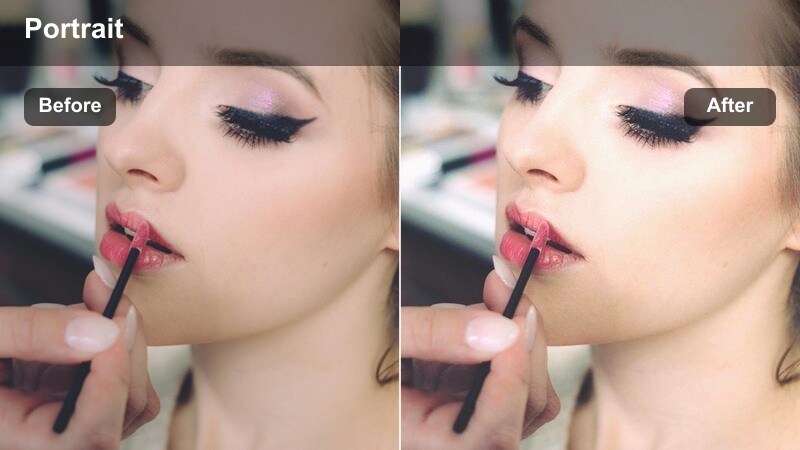
- Effect look: Soft, cinematic glow around bright signs and streetlights while gently smoothing skin in low light.
- Best for: Night city portraits, creator monologues under neon lights, and nighttime B-roll with faces.
- Editing tip: Pull back saturation on magentas and blues in the shadows if they overpower skin tones, and slightly raise exposure on the face only.
City Neon Soft Focus adds a cinematic halo to neon signs and streetlights while maintaining enough brightness and softness on the face for clear, flattering portraits. It controls harsh color casts, turning chaotic night lighting into a cohesive, dreamy look.
Inside Filmora, apply this preset to night street monologues or B-roll where your subject is framed by bright signage, then correct overpowering blues and magentas in the shadows using color tools. A mask-based exposure boost on the face helps keep your subject readable while the surrounding neon glow stays rich and stylized.
Soft Light Filters for Closeups and Beauty Portraits
Beauty Soft Skin Sheer
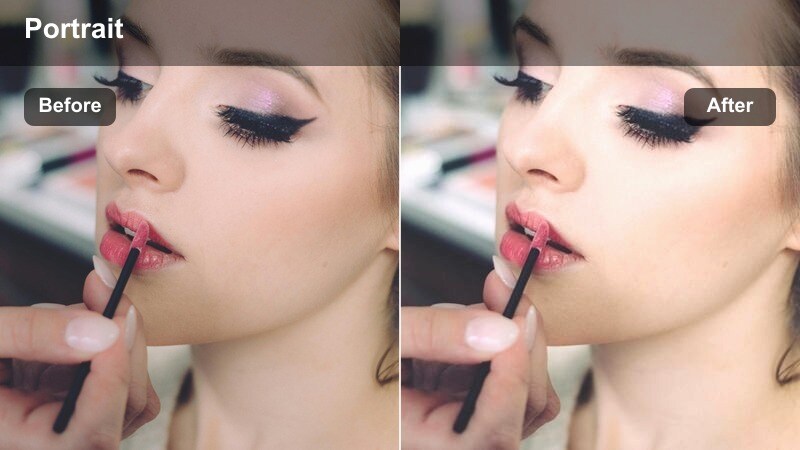
- Effect look: Delicate skin softening with subtle glow, preserving natural texture around eyes and lips.
- Best for: Beauty tutorials, makeup closeups, skincare demos, and product-focused portrait content.
- Editing tip: Keep the filter intensity moderate, then add a bit of clarity only to lashes and brows for a sharp yet soft balance.
Beauty Soft Skin Sheer is tuned for closeup shots where viewers scrutinize every detail of makeup and skincare. It gently evens out skin and adds a controlled glow while carefully preserving natural texture around features like eyes, lashes, and lips.
In Filmora, apply this preset to tight beauty shots, then resist the urge to overdo additional skin-smoothing tools. Instead, add selective clarity or sharpen around lashes, brows, and product details so the look feels luxurious and polished rather than plastic, perfect for tutorials, reviews, and GRWM videos.
Cinematic Closeup Soft
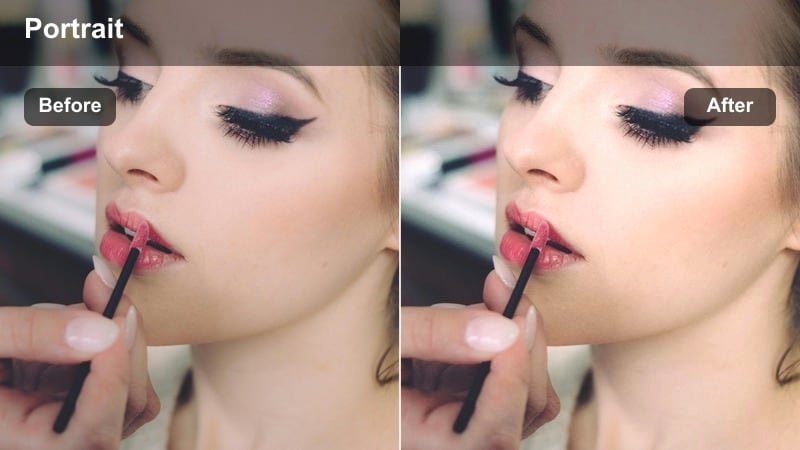
- Effect look: Film-inspired soft contrast with gentle highlight roll-off and a slightly cooler, polished tone.
- Best for: Emotional closeup shots, creator storytelling, and cinematic YouTube intros or trailers.
- Editing tip: Add a light vignette and reduce saturation in the background while leaving skin tones neutral to create a cinema-style depth.
Cinematic Closeup Soft brings a filmic sensibility to tight portraits, with rolled-off highlights, softened contrast, and a subtly cooler tone that feels polished and intentional. It works especially well for emotional storytelling, monologues, and intro sequences where the viewers focus closely on the face.
Use this preset in Filmora on your A-roll closeups, then deepen the cinematic mood with a slight vignette and reduced background saturation. Keeping skin tones neutral while cooling the environment around the subject makes your closeups feel like frames from a movie trailer, enhancing storytelling impact without sacrificing clarity.
Soft Romantic Portrait
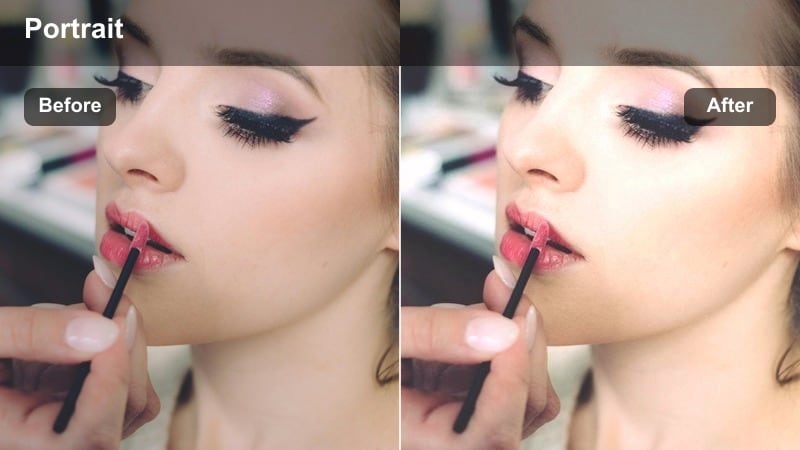
- Effect look: Warm, romantic glow with slightly lifted blacks and a subtle haze for dreamy portrait closeups.
- Best for: Couple portraits, engagement-style scenes, soft storytelling reels, and gentle creator monologues.
- Editing tip: Raise the blacks for a dreamy matte feel, then lean the shadows slightly warmer so the scene feels inviting and emotional.
Soft Romantic Portrait wraps your subject in warm glow and gentle haze, ideal for expressive closeups, couples content, and intimate reels. The lifted blacks and reduced contrast create a dreamy, nostalgic atmosphere while keeping facial features recognizable.
In Filmora, pair this preset with a mild matte curve and slightly warmer shadows to enhance the emotional tone of your scene. Sharpening just the eyes and using slow push-in camera moves or keyframed crops keep your viewer locked onto expressions, balancing romantic softness with storytelling clarity.
Tips for Using Portrait Soft Light Video Filter Filters in Filmora
- Shoot slightly softer than you think you need and let the Portrait Soft Light Video Filter refine contrast and glow instead of fixing harsh lighting after the fact.
- Keep a bit of natural texture in skin by lowering filter intensity or mixing in the original clip at 10–20 percent opacity if faces start to look overly airbrushed.
- Expose for the brightest part of the face, then let Filmora's soft light presets lift shadows to maintain detail without creating blown highlights.
- Use masks to apply soft light mainly to the face and upper body, leaving backgrounds less affected so the subject stays the clear focal point.
- When filming in mixed lighting, correct color balance first, then add a soft light filter so the preset does not amplify existing color casts.
- Combine soft light filters with gentle vignettes and selective sharpening on the eyes to keep attention where it matters most in portrait shots.
- Batch-apply similar soft light presets to clips from the same setup in Filmora, then fine-tune intensity per clip for seamless continuity.
Portrait Soft Light Video Filter presets in Filmora give content creators an easy way to achieve flattering, cinematic faces in almost any environment, from home studios to busy city streets.
Experiment with different scene-based filters, adjust intensity to match your footage, and then move on to creative color looks like fashion brand video LUTs to build a signature style for your channel.
secure downloadNext: Fashion Brand Video Lut
