

 100% Security Verified | No Subscription Required | No Malware

These professional film color LUT-inspired filters give content creators a fast path to cinematic color without needing a full grading suite.
Use these looks as starting points for your own grade, matching tones to story, mood, and platform while keeping a consistent professional finish.
In this article
Controlled Studio and Dialogue Scenes
Neutral Dialogue Balance
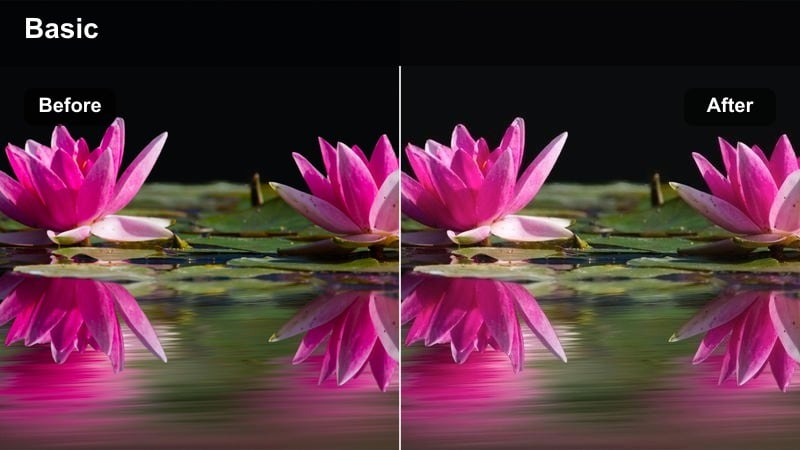
- Effect look: Clean, low-contrast look that keeps skin tones natural and avoids color casts in controlled lighting.
- Best for: Interviews, talking-head videos, course content, and professional client presentations.
- Editing tip: Apply first, then fine-tune midtones and white balance to nail consistent skin tones across every cut.
This neutral dialogue balance filter is designed to behave like a professional film color LUT that prioritizes accurate skin tones and subtle contrast. It pulls distracting color casts out of the frame so faces look natural under softboxes, LED panels, or window light, giving your talking-head footage a broadcast-ready polish straight from Filmora.
Use it as your first grading step on interview timelines, then adjust exposure and midtones globally to match each camera angle. In Filmora, you can save these settings as a preset and apply them across multicam edits, webinars, and course modules to keep all your dialogue content consistent from video to video.
Use AI to Match Professional Film Color Fast
Filmora's AI color tools let you quickly move your footage toward the look of high-end professional film color LUTs without advanced grading knowledge. You can analyze a reference frame from your favorite movie or creator and let AI approximate the overall palette and contrast.
Once AI has done the heavy lifting, layer one of the dialogue or cinematic filters from this guide on top to refine skin tones and mood. This combination gives you a fast, repeatable path to cohesive, story-driven color.
 secure download

Preview Filters in Real Time on Your Footage
Filmora lets you audition different cinematic LUT-style filters directly on your timeline so you can see how they respond to your specific camera and lighting. Instead of guessing, you can compare neutral, warm, and stylized options side by side on your key shots.
For dialogue or city sequences, drop multiple filters onto adjustment layers above your edit and toggle them on and off to quickly decide which look fits the story best before you commit to a final grade.
secure download1000+ Video Filters and 3D LUTs
Beyond these professional film color LUT-inspired presets, Filmora includes a large library of creative filters, overlays, and 3D LUTs you can stack for more complex looks. This makes it easy to build a unique visual identity while still working in a simple, timeline-based editor.
Combine subtle correction LUTs with stylistic filters, then fine-tune using Filmora's color tools so your grade feels intentional and cinematic instead of over-processed.
secure downloadSoft Corporate Warmth
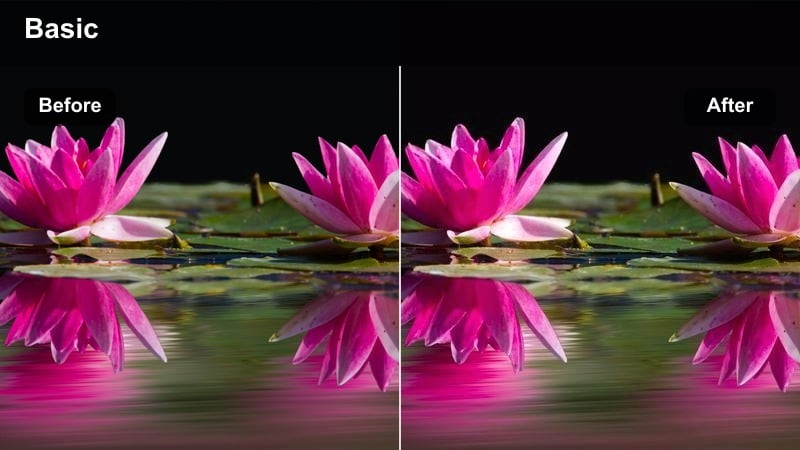
- Effect look: Subtle warm lift in midtones with gentle contrast for welcoming, trustworthy corporate visuals.
- Best for: Company profiles, brand stories, team intros, and client testimonial videos.
- Editing tip: Reduce saturation slightly when working with bold brand colors so the image feels refined, not oversold.
Soft Corporate Warmth adds a delicate midtone warmth and gentle contrast that helps offices, meeting rooms, and coworking spaces feel more inviting on camera. It functions like a professional LUT tuned for branded content, keeping whites clean while giving skin a subtle glow that reads as approachable and trustworthy.
In Filmora, apply this filter to all your B2B interviews, about-us videos, and testimonial clips, then fine-tune saturation and exposure globally so logos and brand colors do not overpower the frame. This gives you a polished, premium look suitable for websites, sales decks, and social channels.
Cool Minimal Studio
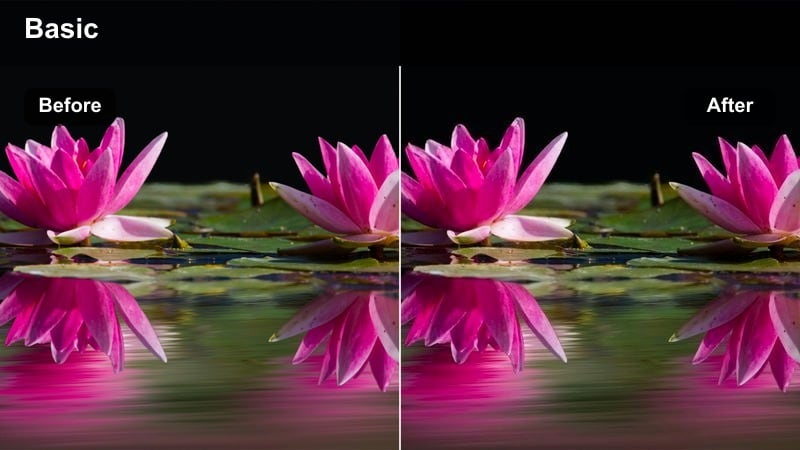
- Effect look: Cool, clean tones with slightly lifted blacks for a tech-forward, minimalist studio mood.
- Best for: Tech reviews, productivity content, and modern design-focused channels.
- Editing tip: Lower highlights a touch to avoid glare from monitors and reflective surfaces in your set.
Cool Minimal Studio leans into cooler hues and gently lifted blacks to create a sleek, tech-centric aesthetic that pairs well with white desks, RGB lights, and product shots. The look echoes popular YouTube tech channels that favor clarity and precision without going full cyan or clinical.
Use this filter in Filmora on desk setups, unboxings, and tutorial videos where you want UI screens and hardware to feel crisp and modern. If skin tones drift too blue, warm up only the midtones or use Filmora's skin-tone tools so you retain the cool studio feel while keeping your on-camera presence natural.
Daylight City Exteriors and Street Footage
Urban Documentary Neutral
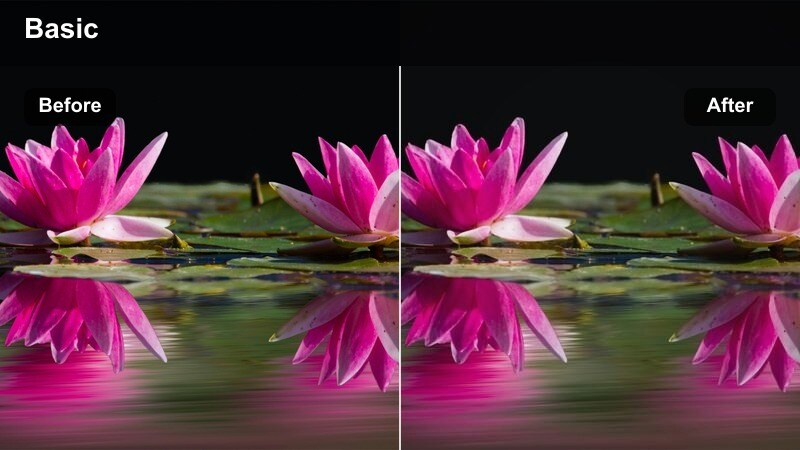
- Effect look: Balanced, slightly desaturated look that keeps city colors realistic and grounded.
- Best for: Street documentaries, behind-the-scenes footage, and city B-roll.
- Editing tip: Add a light grain layer if you want a more analog reportage feel without losing clarity.
Urban Documentary Neutral is built to keep real-world city colors believable while gently taming overly bright signage and harsh daylight. By slightly softening saturation and contrast, it delivers a grounded, journalistic aesthetic similar to a professional film color LUT used in docs and news features.
Apply it in Filmora to handheld walk-throughs, BTS segments, or establishing shots where authenticity matters more than stylization. You can introduce a touch of film grain and adjust contrast curves to lean either more cinematic or more factual, depending on the tone of your piece.
City Commercial Pop
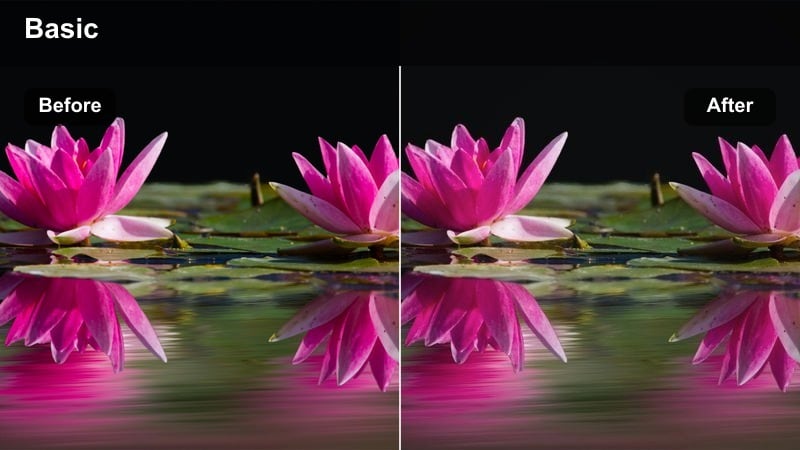
- Effect look: Punchy contrast with selective saturation for signage, fashion, and product colors in the city.
- Best for: Urban fashion shoots, city lifestyle ads, and social media brand promos.
- Editing tip: Mask and tame overly bright skies after applying this filter so focus stays on talent and product.
City Commercial Pop pushes contrast and saturation where it counts, making outfits, storefronts, and product details leap off busy streets. It is ideal when you want a high-energy, campaign-ready look that feels like a print ad brought into motion, echoing premium commercial LUT styles.
Use it in Filmora on vertical and horizontal content for campaigns, reels, and TikToks. After applying the filter, refine skies and background elements with masks or local adjustments so the brightest, most saturated points always relate to your subject or product rather than random street clutter.
Street Cinema Soft Matte
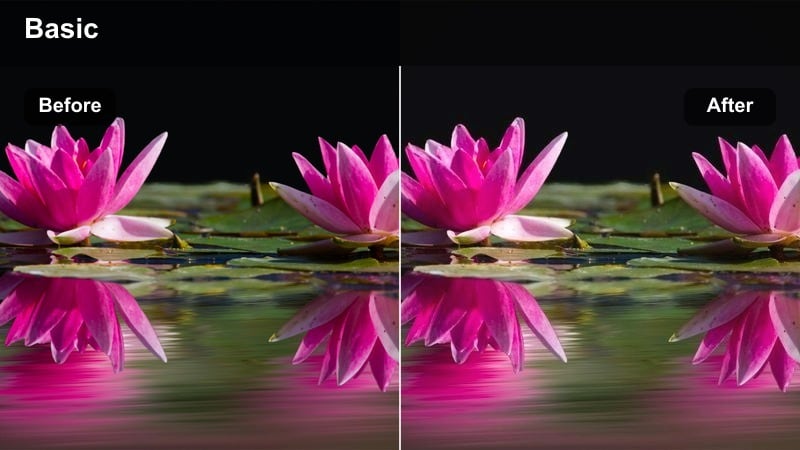
- Effect look: Soft contrast with gently lifted blacks and slightly muted colors for a filmic street-story feel.
- Best for: Short films, travel vlogs, and narrative scenes set in city streets.
- Editing tip: Combine with a slower shutter look or motion blur for more cinematic movement on handheld shots.
Street Cinema Soft Matte introduces a mild fade in the blacks and softened contrast to echo classic film stock used in narrative city stories. Colors are slightly muted, which keeps attention on faces, gestures, and blocking instead of screaming billboards or signage.
In Filmora, this filter pairs beautifully with gimbal or handheld footage for micro-shorts, narrative vlogs, and atmospheric B-roll. Dial in a bit of motion blur, control contrast using curves, and add subtle vignettes to give your urban storytelling a cohesive, movie-like finish.
Golden Hour and Sunset Storytelling
Sunset Romantic Glow
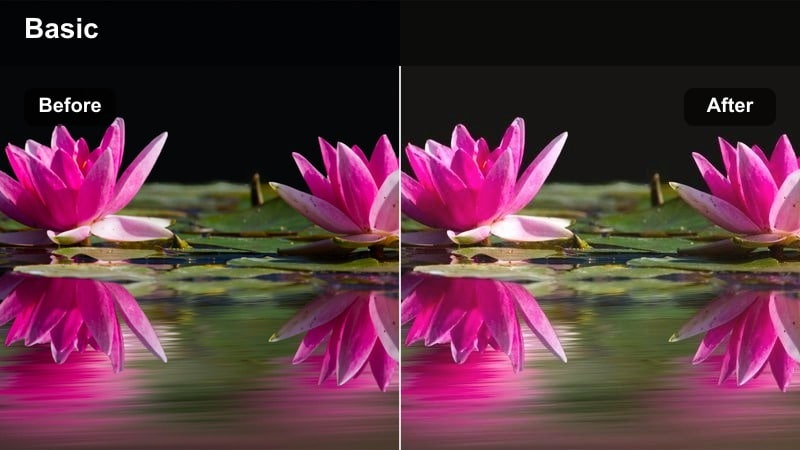
- Effect look: Warm, glowing highlights with soft contrast that emphasize late-afternoon sun and emotion.
- Best for: Couple sequences, emotional travel moments, and reflective vlogs at sunset.
- Editing tip: Slightly lower clarity or sharpness to keep the glow flattering on faces and edges.
Sunset Romantic Glow amplifies the natural warmth of golden hour, adding luminous highlights and gentle contrast that flatter skin and silhouettes. The effect feels like a professional film color LUT tailored to emotional, intimate scenes where the sun becomes part of the story.
Use it in Filmora for rooftop sequences, beach walks, or reflective talking heads shot at dusk. After applying the filter, nudge clarity and sharpness down slightly and fine-tune orange and yellow saturation to balance flattering skin tones with a vivid, cinematic sky.
Golden City Drama
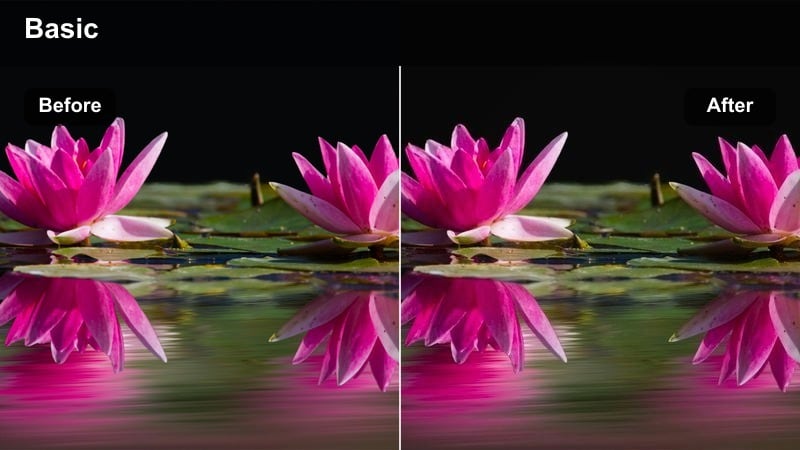
- Effect look: High contrast warm highlights with deep, rich shadows for dramatic golden-hour city scenes.
- Best for: Cinematic establishing shots, moody urban travel films, and trailers.
- Editing tip: Expose slightly lower in camera; then let this filter push highlights to maintain texture in the sky.
Golden City Drama creates bold separation between sunlit buildings and deep shadows, delivering a trailer-ready look with powerful silhouettes and textured skies. It behaves like a dramatic LUT that leans into warm highlights while protecting detail, making skylines and long streets feel larger than life.
In Filmora, apply it to establishing shots, drone passes, and timelapses to open or close your edits with impact. Adjust overall exposure and highlight roll-off so clouds retain form and your subjects cut cleanly against the horizon, then reuse the same filter across sequences to anchor your project visually.
Subtle Warm Travel Log
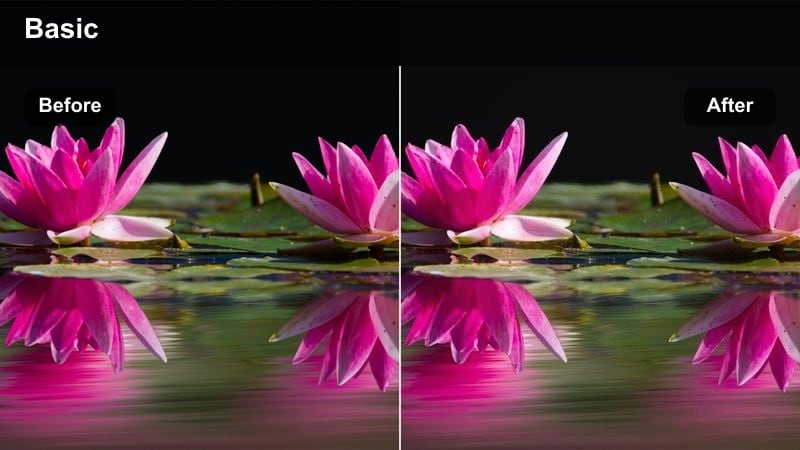
- Effect look: Gentle warm shift with moderate contrast that works well across mixed daylight and sunset shots.
- Best for: Travel vlogs, solo creator city explorations, and lifestyle montages.
- Editing tip: Use as a universal base across a whole vlog to avoid jarring color jumps between locations.
Subtle Warm Travel Log adds a light warmth and balanced contrast that ties together shots captured at different times of day. Instead of heavily stylizing, it nudges your footage into a cohesive, inviting palette that feels ideal for long-form travel storytelling and lifestyle diaries.
Use this filter in Filmora as your master look on a travel series, then fine-tune exposure and saturation per clip to handle changing weather and lighting. Because the look is restrained, it also leaves room for additional creative tweaks like overlays, text, or selective LUTs without making the grade feel overdone.
Night and Low-Light City Atmospheres
Neon City Noir
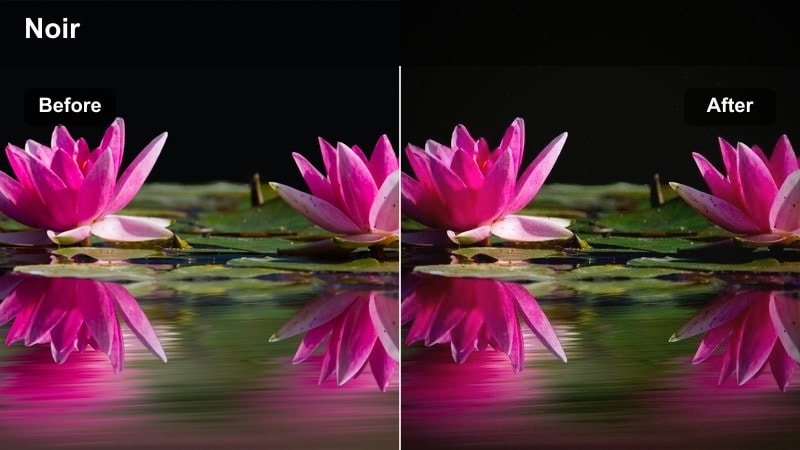
- Effect look: Deep shadows with saturated neon highlights and cool overall tones for stylized night streets.
- Best for: Night city B-roll, cyberpunk-inspired scenes, and music videos.
- Editing tip: Reduce digital noise before applying this filter so the rich blacks do not amplify grain artifacts.
Neon City Noir pushes night streets into a stylized, high-contrast world where saturated neons and reflections carry the frame. It is particularly effective for cyberpunk aesthetics and music videos, behaving like a bold LUT that deepens blacks while letting colored light sources bloom.
In Filmora, run noise reduction or denoise effects on your clips first, then apply this filter and adjust color intensity to taste. Use masks or local adjustments to keep your subject legible while allowing backgrounds to fall into moody, high-style darkness.
Clean Night Street
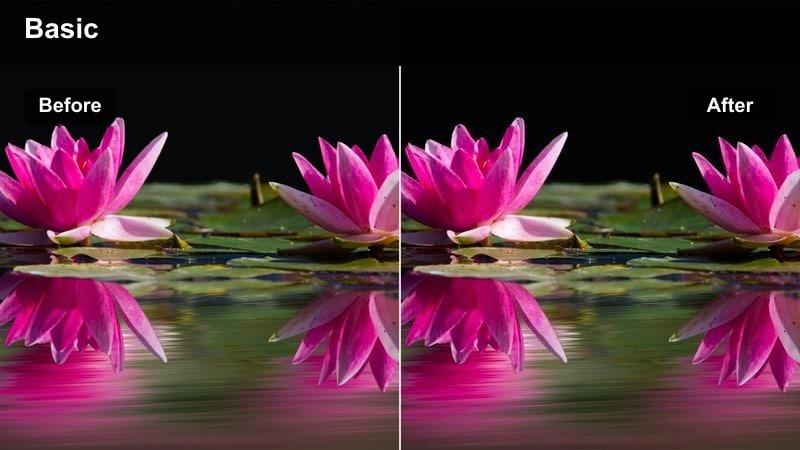
- Effect look: Balanced cool-neutral night tones that keep skin and streetlights natural without muddy shadows.
- Best for: Night interviews, city walk-and-talk vlogs, and documentary scenes.
- Editing tip: Lift midtones slightly after applying the filter so faces stay readable even when backgrounds are dark.
Clean Night Street is tuned for realism, maintaining natural skin tones and believable streetlight colors while controlling harsh contrast. The result feels like a professional film color LUT designed for documentaries and vlogs that need clarity and authenticity after dark.
Apply it in Filmora to walk-and-talk segments, street interviews, or observational docs shot under practical lighting. Lift midtones and protect highlights so signs and lamps do not blow out, then add a soft vignette to focus attention on your subject without losing the ambient city context.
Moody Blue Night Drive
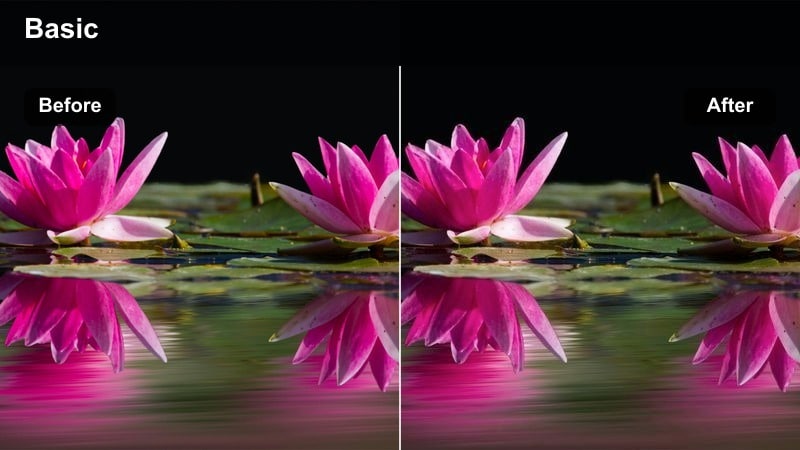
- Effect look: Cool blue-green shift in shadows with soft highlights for atmospheric car and street scenes.
- Best for: Car rides, reflective night monologues, and narrative scenes with city lights in the background.
- Editing tip: Mix in a touch of warm midtones on faces so they stand out gently against the cool environment.
Moody Blue Night Drive introduces a cinematic blue-green cast in the shadows while keeping highlights soft and forgiving, perfect for car interiors and introspective moments. It gives your footage a stylized but controlled night look reminiscent of modern drama series and films.
Within Filmora, apply this filter to driving scenes, window reflections, or contemplative B-roll featuring city lights. Use masks or color adjustments to warm faces slightly so they stand apart from the cool environment, and add a subtle fade in the blacks for a more filmic, less digital feel.
Tips for Using Professional Film Color Lut Filters in Filmora
- Always correct exposure and white balance before applying professional film color LUT-inspired filters or other stylistic looks.
- Use one master filter or LUT combination per project to keep episodes, ads, or course modules visually consistent.
- Adjust intensity or opacity of each filter in Filmora so the look supports your story without overpowering it.
- Regularly check scopes to keep skin tones natural, especially when using strong warm or cool cinematic filters.
- Stack subtle camera LUTs with Filmora filters for more nuanced contrast and color control, instead of relying on a single heavy grade.
- Test your chosen look on a variety of shots (close-ups, wides, interiors, exteriors) before committing it to a whole edit.
- Export short reference clips when working with clients so they can approve the color direction before you finalize the full project.
- Save your favorite Filmora filter and adjustment combinations as presets to build a recognizable signature style over time.
These professional film color LUT-inspired filters give content creators an efficient way to achieve cinematic, story-driven color directly in Filmora.
Use them as repeatable starting points, then customize intensity and contrast so every video looks polished while still feeling uniquely yours.
secure download